



















🎁 October Offer: PTs Save 10% Every Month Claim 10% Savings New PT Subscribers • User Fees Only

You've found a hidden discount!

HN Unlock Layer 1
HN Unlock Layer 2
HN Unlock Layer 3
HN Unlock Layer 4
HN Unlock Layer 5
  • 00Hours
  • 00Minutes
  • 00Seconds

How to Increase Patient Referrals for Your Therapy Practice

Therapy clinic staff member speaking with a patient in a modern clinic reception area, representing patient referrals, Google reviews, patient engagement, and therapy practice growth.

Direct referrals are still one of the most valuable growth channels for therapy practices. A satisfied patient, caregiver, physician, teacher, coach, or community partner can introduce your clinic to someone who already trusts the recommendation.

For PT, OT, and SLP clinics, referral growth in 2026 is not only about asking for more referrals. It is about creating a patient experience that is easy to recommend, making reviews simple to leave, staying visible in the community, and keeping follow-up workflows organized.

The old version of this topic focused on general ideas like good service, Google reviews, email follow-ups, social media, and events. Those ideas are still useful, but the updated strategy needs to be more structured, privacy-aware, and connected to measurable clinic workflows.

What is the best way to increase patient referrals for a therapy practice?

The best way to increase patient referrals is to combine excellent patient experience, easy review requests, consistent follow-up, referral-friendly communication, community visibility, and organized patient management. A therapy EMR can support this by helping clinics track patients, follow-ups, documentation, and communication workflows in one place.

Table of Contents

Key Takeaways

    • The Medicare 8-minute rule lets you bill one unit of a timed CPT code when you provide at least 8 minutes of direct, one-on-one treatment.
    • Units are based on the total timed minutes in the visit: 8–22 minutes = 1 unit, 23–37 = 2 units, 38–52 = 3 units, then 1 more unit for every 15 minutes.
    • When you perform several timed codes, give units to the codes with the most minutes first, then assign any remaining unit to the service with the most leftover minutes.
    • Untimed (service-based) codes, such as evaluations, don’t count toward your timed minutes.
    • Medicare and many Medicaid plans use the 8-minute rule. Some commercial payers count each code separately (the “rule of eights”), so check each payer’s policy.
    • Document the timed minutes for each code to support every unit you bill.

Why Direct Referrals Still Matter in 2026

Therapy is a trust-based service. Many patients do not choose a clinic based only on an ad or a search result. They ask a friend, family member, physician, teacher, coach, or previous patient where they should go.

That makes direct referrals powerful. A referral usually comes with built-in confidence because someone the patient trusts has already had a positive experience or knows your clinic’s reputation.

For therapy practices, referral growth can also lower dependence on paid ads. Paid campaigns can help, but referrals often produce better-fit patients because they come from people who already understand your care quality, specialty, or local reputation.

Start With a Patient Experience People Remember

The most reliable referral strategy is still excellent care. Patients refer when they feel heard, respected, supported, and confident in their progress.

In practical terms, this means your clinic should make the care experience easy to talk about. Patients should understand their goals, know what progress looks like, receive clear home instructions, and feel that their therapist is invested in their outcome.

Small details matter: on-time appointments, friendly front desk communication, clear billing expectations, simple scheduling, and fast responses to questions. These are not just operational details. They shape whether patients feel comfortable recommending your clinic.

Make Google Reviews Easy and Ethical

Google reviews can influence how patients evaluate local therapy clinics. Google Business Profile guidance allows businesses to ask customers for reviews and share a review link or QR code. However, practices should avoid pressuring patients, selectively asking only happy patients, or offering incentives for positive reviews.

For healthcare and therapy practices, review requests should also be privacy-conscious. HHS guidance on HIPAA marketing and health information emphasizes patient control over how protected health information is used or disclosed. Clinics should avoid confirming patient status or discussing clinical details in public review responses.

A safer approach is to ask generally and respectfully. For example: ‘If you would like to share feedback about your experience, you can leave us a Google review here.’ Keep the request optional and neutral.

Review Request Timing

The best time to ask is usually near discharge, after a milestone, or after a positive service interaction. Avoid making patients feel that their care depends on leaving a review.

A simple QR code at the front desk, a post-discharge email, or a follow-up message can make the process easier without making it feel forced.

Use Follow-Up Emails to Stay Connected

A helpful follow-up workflow may include a thank-you message, a reminder of home program recommendations, a satisfaction check, a review link, and a gentle note that the clinic is available if future needs arise.

This kind of follow-up keeps the relationship warm. It also makes it easier for past patients to remember your clinic when a friend, family member, or colleague asks for a recommendation.

How can therapy practices ask for referrals without sounding pushy?

Therapy practices can ask for referrals by focusing on support and gratitude. Instead of saying “send us more patients,” use language such as “If someone you know needs help with a similar issue, our team would be happy to support them.” Keep the message simple, optional, and patient-centered.

Build Social Media Around Education, Not Promotion

Social media can support referrals, but it works best when it builds trust over time. Patients and caregivers are more likely to share content that helps them understand a condition, solve a problem, or feel supported.

For therapy practices, useful content may include exercise tips, fall prevention reminders, sensory strategies, speech and language development tips, injury prevention advice, caregiver education, clinic updates, and community event announcements.

Be careful with patient images, testimonials, and success stories. Do not post anything that identifies a patient or reveals health information without proper authorization. Even a positive patient story can create privacy risk if handled casually.

Create Community Touchpoints That Generate Referrals

Referrals often grow when your clinic becomes part of the local community. This can happen through events, workshops, partnerships, and simple relationship-building.

Examples include injury prevention workshops, caregiver education sessions, back-to-school developmental screenings, balance and fall prevention talks, pediatric sensory workshops, wellness events, or open house days for referral partners.

The goal is not to turn every event into a sales pitch. The goal is to make your clinic familiar, useful, and easy to remember when someone needs therapy services.

Track Referrals So You Know What Works

Many therapy practices ask for referrals but do not track where new patients actually come from. Without tracking, it is hard to know whether referrals are coming from past patients, physicians, schools, social media, Google, community events, or other sources.

Referral source tracking helps clinic owners make better decisions. If most new patients come from a few physician offices, those relationships may deserve more attention. If reviews are driving more calls, the clinic may need a stronger review request workflow. If events produce no follow-up, the format may need to change.

A simple referral dashboard or patient source field can help your team measure which growth activities are actually producing new appointments.

How HelloNote Supports Referral Growth

Referral growth is easier when patient workflows are organized. HelloNote helps therapy practices manage the operational pieces that support a better patient experience and stronger referral opportunities.

With HelloNote, practices can keep scheduling, documentation, patient information, billing workflows, reporting, and communication support in one connected EMR. This helps teams reduce administrative friction and create a smoother experience from intake through discharge.

When patients have a clearer, easier experience with your clinic, they are more likely to remember it, return when needed, and recommend it to others.

Frequently Asked Questions

How can I increase referrals for my therapy practice?

You can increase referrals by improving patient experience, asking for reviews ethically, following up after discharge, staying visible in the community, building referral partner relationships, and tracking where new patients come from.

Are Google reviews important for therapy practice referrals?

Yes. Google reviews can support trust and local visibility for therapy practices. Clinics should make review requests simple and optional, avoid incentives, and avoid sharing patient health information in public responses.

How can therapy clinics ask patients for reviews?

Therapy clinics can ask patients with a neutral message, a Google review link, or a QR code. The request should be optional and should not pressure patients to leave only positive feedback.

What are good referral sources for PT, OT, and SLP clinics?

Common referral sources include past patients, caregivers, physicians, schools, coaches, community organizations, online reviews, local search, and social media education.

How can social media help therapy practice referrals?

Social media can help by keeping your clinic visible and useful to the community. Educational posts, caregiver tips, injury prevention content, and clinic updates can make your practice easier to remember and recommend.

How can an EMR help with referral growth?

An EMR can support referral growth by organizing patient information, scheduling, documentation, follow-ups, reporting, and referral source tracking. This helps clinics create smoother experiences and better understand where new patients come from.

Conclusion

Increasing patient referrals for a therapy practice in 2026 is not about one tactic. It is about building a clinic experience that patients trust enough to recommend.

Strong referrals come from excellent care, clear communication, ethical review requests, thoughtful follow-up, community visibility, and organized patient workflows.

With HelloNote, therapy practices can reduce administrative friction and keep patient management connected, making it easier to deliver the kind of experience people remember and refer.

Have questions about how prior authorization changes affect your billing?

HelloNote’s team is built by therapists who’ve navigated every version of this. Start free and see how we handle documentation and billing for PT, OT, SLP, and Chiro.

No credit card required • HIPAA Compliant • PT, OT & SLP

Clearinghouse for Therapy Billing and Claims Management

Therapy office staff reviewing billing paperwork and claim tracking on a laptop, representing a clearinghouse for therapy billing, claim submission, and revenue cycle management for PT, OT, and SLP practices.

Billing can slow down even the most organized therapy practice. PT, OT, and SLP clinics often deal with payer rules, eligibility checks, authorizations, CPT codes, modifiers, claim edits, and payment follow-up.

A clearinghouse helps simplify one part of that process. It connects your practice, EMR, or billing system to insurance payers so claims can be submitted electronically, checked for basic errors, routed to the correct payer, and tracked more easily.

When connected with a therapy-focused EMR like HelloNote, clearinghouse workflows can help billing teams reduce avoidable rework, improve claim visibility, and keep documentation closer to the claim.

What is a clearinghouse for therapy billing?

A clearinghouse for therapy billing is a third-party service that helps PT, OT, and SLP practices submit electronic claims to insurance payers. It can format claims, check for missing or invalid information, route claims, return rejection messages, and help billing teams track claim activity.

Table of Contents

Key Takeaways

    • The Medicare 8-minute rule lets you bill one unit of a timed CPT code when you provide at least 8 minutes of direct, one-on-one treatment.
    • Units are based on the total timed minutes in the visit: 8–22 minutes = 1 unit, 23–37 = 2 units, 38–52 = 3 units, then 1 more unit for every 15 minutes.
    • When you perform several timed codes, give units to the codes with the most minutes first, then assign any remaining unit to the service with the most leftover minutes.
    • Untimed (service-based) codes, such as evaluations, don’t count toward your timed minutes.
    • Medicare and many Medicaid plans use the 8-minute rule. Some commercial payers count each code separately (the “rule of eights”), so check each payer’s policy.
    • Document the timed minutes for each code to support every unit you bill.

What Is a Clearinghouse in Medical Billing?

A clearinghouse is an intermediary between a healthcare provider and insurance payers. In a therapy practice, it usually sits between the EMR or billing system and the payer network.

CMS describes Electronic Data Interchange, or EDI, as the automated transfer of data in a specific format between a provider and Medicare or another health plan. CMS also notes that this transfer may happen with the help of a clearinghouse or billing service.

For a therapy practice, the clearinghouse helps move claim information from your billing workflow to the payer in a structured electronic format. It does not replace clinical documentation, coding judgment, payer policy review, or medical necessity support.

Does a clearinghouse guarantee payment?

No. A clearinghouse can help reduce preventable claim errors and route claims to payers, but it does not guarantee payment. Claims may still be denied because of eligibility issues, authorization problems, documentation gaps, coding errors, medical necessity concerns, or payer-specific rules.

How a Clearinghouse Works

A typical clearinghouse workflow looks like this:

    • The therapist completes documentation in the EMR.
    • The billing team reviews patient, payer, provider, CPT, diagnosis, modifier, and authorization details.
    • The claim is created and sent electronically to the clearinghouse.
    • The clearinghouse checks the claim for basic formatting or required-field issues.
    • The claim is either accepted for forwarding or returned for correction.
    • The payer processes the claim and returns status, payment, denial, or remittance details, depending on the workflow.

This process helps billing teams find certain issues earlier instead of waiting for payer delays.

Key Clearinghouse Functions for Therapy Practices

Electronic Claim Submission

A clearinghouse helps practices submit claims electronically to multiple payers through a more centralized workflow.

Claim Formatting

Claims must follow specific electronic formats and data rules. A clearinghouse helps convert claim data into payer-ready formats, reducing technical submission issues.

Claim Scrubbing

Claim scrubbing checks for missing, invalid, or inconsistent information before a claim reaches the payer. This may include missing patient details, invalid subscriber information, missing provider data, missing diagnosis codes, or missing modifiers.

Rejection and Status Visibility

A clearinghouse may return rejection messages when a claim fails a required data check. This allows the billing team to correct and resubmit faster. Some clearinghouses also support claim status tracking and electronic remittance workflows.

Eligibility and Benefits Transactions

Some clearinghouses support eligibility and benefits transactions, depending on payer connections and setup. Eligibility checks help practices confirm coverage details, but they do not guarantee payment.

Common Clearinghouse Examples

Common clearinghouse or clearinghouse-related vendors include TriZetto Provider Solutions, Inovalon, Claim.MD, Availity, and Change Healthcare/Optum, depending on payer connections and practice needs.

The best fit depends on payer mix, EDI enrollment requirements, ERA/EFT setup, reporting needs, support quality, pricing, and EMR integration. Before naming a preferred partner, confirm which clearinghouses HelloNote currently supports.

What a Clearinghouse Can Help With

    • Electronic claim submission
    • Basic claim checks
    • Claim formatting
    • Claim routing
    • Rejection management
    • Claim status visibility
    • ERA workflows, depending on setup
    • Eligibility transactions, depending on setup

What a Clearinghouse Cannot Fully Fix

    • Poor clinical documentation
    • Incorrect CPT or diagnosis code selection
    • Missing medical necessity
    • Expired or missing authorization
    • Incorrect provider credentialing
    • Payer-specific coverage exclusions
    • Timely filing problems
    • Claims requiring clinical review or appeal

This is why a clearinghouse should be part of a complete billing workflow, not the entire billing strategy.

Therapy Billing Challenges a Clearinghouse Can Help With

Claim Rejections

A clearinghouse can catch some preventable issues before a claim reaches the payer. This helps reduce time spent correcting basic submission errors.

Payer-Specific Requirements

Different payers may require different claim details. A clearinghouse can help with formatting and routing, but practices should still verify payer-specific billing rules.

Therapy Thresholds and the KX Modifier

For Medicare outpatient therapy, the KX modifier is tied to annual therapy thresholds and documentation supporting medical necessity. CMS states that use of the KX modifier means the clinician attests that services at and above the therapy threshold are medically necessary and reasonable, with justification documented in the medical record.

A clearinghouse can help submit the modifier when it is entered correctly, but it does not determine whether the service is medically necessary. That support must come from the clinical documentation.

ERA and Payment Follow-Up

Electronic remittance workflows can help billing teams review payments, adjustments, denials, and patient responsibility more efficiently. This supports better revenue cycle visibility.

What is the difference between a clearinghouse rejection and a payer denial?

A clearinghouse rejection usually means the claim failed a technical or data check before payer adjudication. A payer denial means the payer processed the claim and did not pay it, or did not pay it as submitted. Rejections usually require correction and resubmission, while denials may require appeal, documentation, or payer follow-up.

How HelloNote Supports Clearinghouse Billing Workflows

HelloNote helps therapy practices connect clinical documentation, CPT codes, patient information, eligibility, billing workflows, and reporting in one EMR.

For PT, OT, and SLP practices, this matters because claims are only as strong as the information behind them. When documentation and billing live closer together, teams can reduce duplicate entry, improve claim visibility, and respond faster when something needs follow-up.

HelloNote can help organize patient demographics, insurance information, eligibility checks, therapy notes, CPT codes, diagnosis information, billing workflows, claim tracking, and reporting.

Confirm the current clearinghouse partners and available billing features before publishing this section.

Have questions about clearinghouses and therapy billing?

HelloNote helps PT, OT, SLP, and Chiro practices connect documentation, eligibility, CPT codes, billing workflows, and claim follow-up in one organized EMR.

No credit card required • HIPAA Compliant • PT, OT & SLP

How to Choose a Clearinghouse for Your Therapy Practice

When comparing clearinghouses, ask practical billing questions instead of focusing only on price.

    • Does it support your major payers?
    • Does it integrate with your EMR or billing system?
    • Does it support eligibility, claim status, ERA, and EFT workflows?
    • How are rejections returned and explained?
    • Are there payer-specific fees or enrollment steps?
    • What setup support is available?
    • What reporting tools are included?
    • How responsive is support when claims stall?

Frequently Asked Questions

What is a clearinghouse in therapy billing?

A clearinghouse in therapy billing is a third-party service that helps PT, OT, and SLP practices submit electronic claims to insurance payers. It can help format claims, check for missing information, route claims, return rejection messages, and support claim tracking.

Do therapy practices need a clearinghouse?

Many therapy practices use a clearinghouse because it simplifies electronic claims submission across multiple payers. It is especially useful for practices that manage insurance billing, eligibility checks, claim follow-up, and payer-specific requirements.

Does a clearinghouse reduce claim denials?

A clearinghouse can help reduce preventable claim errors and rejections, but it does not eliminate denials. Claims may still be denied because of coverage issues, authorization problems, coding errors, documentation gaps, or payer rules.

What is claim scrubbing?

Claim scrubbing is the process of checking a claim for missing, invalid, or inconsistent information before it is sent to the payer.

What is the difference between a rejection and a denial?

A rejection usually happens before payer adjudication because the claim failed a technical or data check. A denial usually happens after payer review and may require appeal, documentation, or payer follow-up.

Can a clearinghouse check patient eligibility?

Some clearinghouses support eligibility and benefits transactions, depending on payer connections and setup. Eligibility checks can help confirm coverage details, but they do not guarantee payment.

How does HelloNote help with clearinghouse billing workflows?

HelloNote helps therapy practices connect documentation, CPT codes, patient information, eligibility, billing workflows, and reporting so teams have better visibility into what supports cleaner claims and follow-up.

Final Thoughts

A clearinghouse can make therapy billing more organized, but it works best when paired with strong documentation, accurate coding, eligibility checks, authorization tracking, and active claim follow-up.

For PT, OT, and SLP practices, the goal is not just to submit claims faster. The goal is to create a billing workflow where the clinical record, claim details, payer requirements, and payment follow-up are easier to manage.

HelloNote helps therapy practices keep those pieces connected, giving clinical and billing teams a clearer way to manage revenue cycle workflows.

Pediatric Occupational Therapy CPT Codes: What to Use, How to Document, and How to Get Paid

Pediatric Occupational Therapy CPT Codes and Billing Documentation

Billing for pediatric occupational therapy is rarely straightforward. A single session may include play-based intervention, sensory-motor work, fine motor tasks, caregiver education, self-care training, and functional skill development.

That is why understanding pediatric occupational therapy CPT codes matters. The CPT code should reflect the skilled service provided, while the documentation should explain why that service was medically necessary, how it connects to the child’s plan of care, and how time was used during the session.

For 2026, pediatric OT practices should pay close attention to payer-specific coding rules, timed-unit documentation, caregiver training requirements, and audit-ready notes. Accurate coding does not guarantee reimbursement, but it can reduce avoidable denials, billing rework, and compliance risk.

What are pediatric occupational therapy CPT codes?

Pediatric occupational therapy CPT codes are billing codes used to describe OT evaluation, treatment, self-care training, neuromuscular reeducation, therapeutic activities, caregiver training, and other skilled services provided to children. The correct code depends on the service performed, payer rules, the child’s plan of care, and the documentation supporting medical necessity.

Table of Contents

Key Takeaways

    • The Medicare 8-minute rule lets you bill one unit of a timed CPT code when you provide at least 8 minutes of direct, one-on-one treatment.
    • Units are based on the total timed minutes in the visit: 8–22 minutes = 1 unit, 23–37 = 2 units, 38–52 = 3 units, then 1 more unit for every 15 minutes.
    • When you perform several timed codes, give units to the codes with the most minutes first, then assign any remaining unit to the service with the most leftover minutes.
    • Untimed (service-based) codes, such as evaluations, don’t count toward your timed minutes.
    • Medicare and many Medicaid plans use the 8-minute rule. Some commercial payers count each code separately (the “rule of eights”), so check each payer’s policy.
    • Document the timed minutes for each code to support every unit you bill.

Why Pediatric OT Coding Matters in 2026

Pediatric OT documentation has to do more than list what happened during the visit. It needs to show why the service required the skill of an occupational therapy professional and how the intervention supports the child’s functional goals.

Payers commonly review whether the documentation answers these questions:

    • What service was provided?
    • Why was it medically necessary?
    • Was the service skilled?
    • How did the intervention relate to the plan of care?
    • How much time was spent on each billable service?
    • Did the child’s response support continued therapy?

AOTA notes that CPT codes provide a uniform language for reporting medical services, including occupational therapy, and publishes a 2026 list of frequently used CPT and HCPCS codes for occupational therapy practitioners. AOTA also cautions that code acceptance may vary by payer, Medicare policy, and state rules.

This is why pediatric OT practices should avoid one-size-fits-all coding habits. The same play-based activity may support different codes depending on the purpose of the intervention, the skill involved, and the functional goal being addressed.

Common Pediatric Occupational Therapy CPT Codes

The most common pediatric occupational therapy CPT codes usually fall into three groups:

    • Evaluation codes
    • Timed treatment codes
    • Caregiver or self-management training codes

The exact code used should always depend on the service provided, payer rules, and the child’s plan of care. The following codes are frequently seen in pediatric OT settings, but clinics should verify current policy by payer and state.

Code

Common Use

Pediatric OT Documentation Focus

97165

Occupational therapy evaluation, low complexity

Initial OT evaluation with relatively limited clinical decision-making.

97166

Occupational therapy evaluation, moderate complexity

Evaluation with multiple performance deficits and moderate clinical decision-making.

97167

Occupational therapy evaluation, high complexity

Evaluation with complex presentation, comorbidities, and higher-level clinical decision-making.

97110

Therapeutic exercise

Strength, endurance, range of motion, flexibility, or motor control tied to function.

97112

Neuromuscular reeducation

Posture, coordination, balance, proprioception, motor planning, or movement control.

97530

Therapeutic activities

Dynamic functional activities such as fine motor, visual-motor, sequencing, and play-based functional skills.

97535

Self-care/home management training

ADLs, self-care routines, adaptive strategies, caregiver instruction, and home program training.

97550, 97551, 97552

Caregiver training services

Caregiver training may apply when payer policy and documentation requirements are met.

Treatment Codes Used in Pediatric OT

97530: Therapeutic Activities

CPT 97530 is commonly used in pediatric OT when the intervention involves dynamic, functional activities designed to improve performance.

Examples may include fine motor skill activities, functional play-based tasks, bilateral coordination, visual-motor integration, task sequencing, transitional movement related to function, and school-readiness activities tied to functional goals.

The key is not simply that the child was playing. The documentation should show why the activity was skilled, what functional outcome it targeted, and how the therapist graded or modified the task.

97110: Therapeutic Exercise

CPT 97110 may apply when the intervention focuses on strength, endurance, range of motion, flexibility, or motor control.

In pediatric OT, this may include structured exercises designed to improve upper extremity strength, postural endurance, hand strength, or motor control when those impairments affect functional participation.

Documentation should avoid generic phrasing like “completed exercises.” Instead, explain the body area, therapeutic purpose, level of assistance, progression, and functional connection.

97112: Neuromuscular Reeducation

CPT 97112 may apply when the session targets neuromuscular control, coordination, balance, posture, proprioception, or motor planning.

In pediatric OT, this may be relevant for children with sensory-motor, neurological, developmental, or coordination-related needs.

The documentation should make clear that the focus was neuromuscular reeducation, not simply a general therapeutic activity.

97535: Self-Care and Home Management Training

CPT 97535 may apply when the service focuses on activities of daily living, self-care routines, home management, caregiver instruction, or adaptive strategies.

In pediatric OT, this may include dressing skills, feeding routines, toileting-related independence, grooming, use of adaptive equipment, home program instruction, and caregiver strategies connected to the child’s plan of care.

This code is especially relevant when the treatment goal is functional independence in daily routines.

Caregiver Training Codes to Know

Caregiver education is a major part of pediatric OT. In 2026, practices should be aware of caregiver training codes, especially when training is provided to caregivers without the patient present.

AOTA states that caregiver training can be a reimbursable part of goal carryover within the occupational therapy plan of care, and that CPT codes exist for caregiver training provided with or without the patient present. CMS added caregiver training codes 97550, 97551, and 97552 as sometimes therapy services beginning in 2024.

Common caregiver training codes to review include:

    • 97550 for the initial caregiver training time
    • 97551 for each additional 15 minutes when applicable
    • 97552 for group caregiver training when applicable

These codes should be used carefully. Clinics should confirm payer policy, patient presence rules, caregiver training requirements, plan-of-care connection, documentation standards, and whether the payer recognizes the code in the setting where care is delivered.

Can pediatric OT practices bill for caregiver training?

Pediatric OT practices may be able to bill caregiver training in certain situations, but the rules depend on the payer, setting, patient presence, medical necessity, and documentation. Practices should verify payer-specific policy before using caregiver training codes.

Time-Based Coding and the 8-Minute Rule

Many pediatric OT treatment codes are billed in 15-minute units. This makes time documentation critical.

CMS guidance explains that the total number of timed treatment minutes must support the units billed and that untimed evaluation minutes should not be included when calculating timed-code units. CMS also notes that documentation must support the CPT codes and units billed.

For pediatric OT notes, document:

    • Total treatment time
    • Total timed-code treatment minutes
    • Time spent by intervention
    • Code tied to each intervention
    • Untimed services separately, when applicable
    • Start and stop times if required by payer or clinic policy

Do not assume every 15-minute block automatically becomes a billable unit. The billed units must match the payer’s time-counting rules and the documentation in the medical record.

Documentation Tips for Cleaner Pediatric OT Billing

Strong pediatric OT documentation should clearly connect the code to the child’s functional needs. A clean note should include:

    • The skilled intervention provided
    • The reason the intervention was medically necessary
    • The functional goal addressed
    • The child’s response to treatment
    • Level of assistance, cueing, or modification
    • Progression from prior sessions
    • Time spent per coded service
    • Any caregiver training provided
    • Plan for next visit

Weak example:

Child completed fine motor activity for 15 minutes.

Stronger example:

Therapist provided graded fine motor intervention using bilateral hand coordination and pincer grasp tasks to support dressing fasteners and classroom tool use. Child required moderate verbal and tactile cues for task sequencing and sustained attention. Activity was progressed by reducing visual prompts from prior session.

The stronger version is more defensible because it shows skilled intervention, functional relevance, therapist involvement, and progression.

Common Coding Mistakes to Avoid

1. Choosing the code based on reimbursement

The selected code should reflect the service actually provided and the treatment goal. Do not choose a CPT code only because it has a better reimbursement rate.

2. Using 97530 for every play-based activity

Many pediatric OT activities look like play, but the code depends on therapeutic intent. A functional play-based task may support 97530, while a strength-focused activity may support 97110, and a postural control or motor planning intervention may support 97112.

3. Missing time documentation

Time-based codes need accurate time support. Missing or inconsistent treatment time can create denial risk.

4. Repeating the same note language

Repeated documentation makes it harder to prove skilled progression. Notes should show what changed, how the child responded, and what the therapist adjusted.

5. Mixing evaluation and treatment time incorrectly

Untimed evaluation minutes should be separated from timed treatment-code minutes when calculating billable timed units under CMS guidance.

6. Billing caregiver education without checking payer rules

Caregiver training is important in pediatric OT, but coding requirements can vary. Verify whether the payer covers the code, whether the patient may be present, and what documentation is required.

Looking up more cpt codes?

See 97110, 97530, and 50+ therapy procedure codes – with billing guidance and documentation tips in one place.

How HelloNote Supports Pediatric OT Billing Workflows

Pediatric OT billing becomes easier when documentation, CPT codes, goals, treatment time, and billing workflows are connected.

HelloNote helps therapy practices organize:

    • Pediatric OT evaluations
    • Treatment notes
    • CPT code selection
    • Goal tracking
    • Time documentation
    • Caregiver education notes
    • Billing workflows
    • Progress documentation
    • Insurance and authorization information

When therapists document in the same system used for billing and practice management, it becomes easier to keep the clinical story connected from evaluation to claim submission.

Have questions about pediatric OT CPT codes and billing documentation?

HelloNote helps pediatric OT practices connect CPT codes, treatment time, goals, and documentation in one EMR, so billing is easier to support and notes are clearer to review.

No credit card required • HIPAA Compliant • PT, OT & SLP

Frequently Asked Questions

What are the most common pediatric occupational therapy CPT codes?

Common pediatric occupational therapy CPT codes include 97165, 97166, and 97167 for OT evaluations, plus treatment codes such as 97530 for therapeutic activities, 97110 for therapeutic exercise, 97112 for neuromuscular reeducation, and 97535 for self-care and home management training. Some pediatric OT practices may also use caregiver training codes when payer policy allows.

What CPT code is used most often for pediatric OT activities?

CPT 97530 is commonly used for therapeutic activities in pediatric OT when the session involves dynamic, functional tasks. This may include fine motor activities, task sequencing, play-based functional skills, visual-motor tasks, and activities tied to daily participation goals. The documentation should clearly connect the activity to a functional goal.

When should pediatric OT use CPT 97110?

Pediatric OT may use CPT 97110 when treatment focuses on therapeutic exercise, such as strength, endurance, range of motion, flexibility, or motor control. The note should explain the exercise performed, the skilled purpose, the child's response, and how the activity supports functional progress.

When should pediatric OT use CPT 97112?

Pediatric OT may use CPT 97112 when the intervention focuses on neuromuscular reeducation, such as postural control, balance, coordination, motor planning, proprioception, or movement control. Documentation should show why the service required skilled therapy and how it relates to the child's goals.

When should pediatric OT use CPT 97535?

Pediatric OT may use CPT 97535 when treatment focuses on self-care, home management, activities of daily living, adaptive strategies, or caregiver instruction related to daily routines. Examples may include dressing, feeding, grooming, toileting routines, home program training, or use of adaptive equipment.

Can pediatric occupational therapy bill caregiver training codes?

Pediatric OT practices may be able to bill caregiver training codes such as 97550, 97551, and 97552 when payer rules allow and the service meets documentation requirements. Clinics should verify whether the payer covers caregiver training, whether the patient must be absent or present, and how the training must connect to the plan of care.

Are pediatric occupational therapy CPT codes billed in 15-minute units?

Many pediatric occupational therapy treatment codes are billed in 15-minute units, but not every OT code is timed. Evaluation codes are generally untimed. Clinics should separate timed treatment minutes from untimed services and follow payer-specific time-counting rules.

How can an EMR help with pediatric OT billing?

A therapy-focused EMR can help pediatric OT practices document treatment time, select CPT codes, connect interventions to goals, track progress, manage authorizations, and keep billing information organized. This can reduce missing documentation, coding inconsistencies, and avoidable billing rework.

Final Thoughts

Pediatric occupational therapy coding is not just a billing task. It is part of telling the child’s clinical story clearly and defensibly.

In 2026, pediatric OT practices should focus on accurate CPT code selection, strong medical necessity documentation, clear time tracking, and payer-specific compliance. The more clearly the note connects the child’s goals, skilled intervention, treatment time, and response to care, the easier it is to support clean billing.

HelloNote gives pediatric OT practices a structured way to document care, manage billing workflows, and keep clinical and administrative teams aligned.

EMR vs. EHR: Key Differences in Healthcare Technology

EMR vs EHR infographic showing key differences between electronic medical records and electronic health records for therapy practices, including scheduling, documentation, billing, HIPAA compliance, and patient care.

In healthcare technology, the terms EMR and EHR are often used interchangeably. They are related, but they are not always used to describe the same type of system. For therapy practices, understanding the difference matters because patient records are not just clinical files. They also connect to documentation, scheduling, billing, compliance, reporting, and care coordination.

A physical therapy, occupational therapy, speech therapy, chiropractic, or behavioral health practice may use an EMR to manage day-to-day clinical and administrative workflows inside the practice. An EHR is typically broader and may support information sharing across multiple healthcare providers, such as physicians, hospitals, specialists, labs, and therapy clinics.

This article explains the practical difference between EMR and EHR systems, why the distinction matters for therapy practices, and what clinic owners should look for when choosing technology to support patient care and daily operations.

EMR vs EHR in one sentence

An EMR is generally a digital clinical record used within one practice, while an EHR is a broader health record designed to support care coordination and information sharing across multiple healthcare settings.

Table of Contents

Key Takeaways

    • The Medicare 8-minute rule lets you bill one unit of a timed CPT code when you provide at least 8 minutes of direct, one-on-one treatment.
    • Units are based on the total timed minutes in the visit: 8–22 minutes = 1 unit, 23–37 = 2 units, 38–52 = 3 units, then 1 more unit for every 15 minutes.
    • When you perform several timed codes, give units to the codes with the most minutes first, then assign any remaining unit to the service with the most leftover minutes.
    • Untimed (service-based) codes, such as evaluations, don’t count toward your timed minutes.
    • Medicare and many Medicaid plans use the 8-minute rule. Some commercial payers count each code separately (the “rule of eights”), so check each payer’s policy.
    • Document the timed minutes for each code to support every unit you bill.

Understanding EMRs: What They Do

EMRs are often described as digital versions of your health history within a single healthcare practice, such as a therapy clinic. An EMR can include diagnoses, medications, treatment plans, progress notes, visit history, and other clinical details used by the provider managing the patient’s care.

For therapy practices, this means clinicians can quickly review patient history, update documentation, track progress over time, and make more informed treatment decisions during each visit.

What does an EMR do?

An EMR helps a healthcare practice store, manage, and update patient information inside one clinical system, including documentation, treatment history, appointment details, and other information needed for day-to-day care.

What Is an EHR?

An EHR, or Electronic Health Record, is a broader digital health record that may follow the patient across different healthcare settings. While an EMR is commonly centered on one practice, an EHR is typically designed to support information sharing between authorized providers and organizations involved in the patient’s care.

For example, an EHR may include information from a hospital, primary care provider, specialist, lab, imaging center, and therapy clinic. This broader view can help providers better understand the patient’s medical history and coordinate care across different parts of the healthcare system.

What does an EHR do?

The simplest way to understand EMR vs EHR is to look at scope. An EMR is often practice-centered. An EHR is usually patient-centered across a wider care network.

Area EMR EHR
Main purpose
Digital record used within one practice or organization
Broader health record shared across authorized providers and care settings
Scope
One clinic, practice, or organization
Multiple healthcare settings, depending on interoperability and access
Best use
Daily documentation, treatment plans, scheduling, billing, and internal workflows
Coordinated care and information exchange across providers
Therapy example
PT notes, OT goals, SLP progress, chiropractic documentation, visit history, and billing details
Shared history from physicians, hospitals, specialists, labs, and therapy providers
Data sharing
Usually more practice-centered
Designed for broader interoperability and continuity of care

This distinction matters because therapy practices need both strong internal workflows and the ability to understand the patient’s broader care picture when coordination is needed.

Why EMR vs EHR Matters for Therapy Practices

A therapy-focused EMR can help a practice manage the clinical and administrative work that happens around every visit. The value is not only in storing records. The value is in connecting the record to the workflow.

    • Streamlined documentation: Progress notes, treatment plans, patient details, and visit history are easier to manage in one system.
    • Better progress tracking: Therapists can review prior visits, goals, outcomes, and plan-of-care updates over time.
    • More efficient scheduling: Appointments, visit history, patient communication, and provider availability can stay connected.
    • Billing support: Documentation and billing details can stay aligned so clinical and administrative teams are not working from separate records.
    • Fewer manual handoffs: Clinicians, front desk staff, and billing teams can work from the same patient record instead of recreating information across multiple tools.
    • Improved patient experience: Patient portals, intake forms, reminders, and communication tools can help reduce friction before and after each visit.

Looking for an EMR built for therapy practices?

HelloNote helps PT, OT, SLP, chiropractic, and behavioral health practices manage documentation, scheduling, billing, patient communication, and reporting in one connected system.

No credit card required · HIPAA Compliant · PT, OT & SLP

Where EHRs Help with Coordinated Care

EHRs become especially useful when a patient receives care from multiple providers. Therapy is often part of a larger care plan, and the therapist may need context from physicians, surgeons, neurologists, hospitals, labs, imaging centers, or other specialists.

For example, a speech therapist may need to understand a patient’s neurological history. A physical therapist may need post-operative details from an orthopedic surgeon. An occupational therapist may need information from a hospital discharge summary. In those cases, broader health information can support safer and more coordinated therapy decisions.

The goal is not to choose terminology for its own sake. The goal is to choose technology that gives the practice the information it needs to document accurately, communicate clearly, and support continuity of care.

Security, HIPAA, and Interoperability Considerations

Patient confidentiality is critical in any healthcare technology system. EMR and EHR systems should be designed with HIPAA compliance, secure access, role-based permissions, audit trails, and protected data handling in mind.

Interoperability also matters. In simple terms, interoperability means different healthcare systems can exchange and use information appropriately. Standards such as HL7 and FHIR are often part of this conversation because they help different systems communicate more consistently. A therapy practice does not need to become a technical standards expert, but it should understand whether the software it chooses can support secure data exchange when needed.

What should therapy practices know about EMR and EHR security?

Therapy practices should choose systems that support secure access, HIPAA-conscious workflows, role-based permissions, audit trails, and appropriate handling of protected health information.

Common EMR and EHR Challenges for Therapy Practices

EMR and EHR systems can improve workflows, but they can also create frustration when they are not designed around the way a therapy practice actually operates.

    • Learning curve: Clinicians and staff may need training before they can use the system confidently.
    • Cost considerations: Practices should understand what is included, what costs extra, and how pricing changes as the clinic grows.
    • Data migration: Moving records from one system to another can require planning, review, and cleanup.
    • Interoperability limits: Not every system connects easily with every other healthcare technology platform.
    • Template fit: Generic systems may not support therapy-specific documentation as well as a therapy-focused EMR.
    • Staff adoption: Even good software can fail when the team does not understand how it fits the workflow.

What Therapy Practices Should Look for in an EMR

When a therapy practice evaluates an EMR, the decision should go beyond whether the software can store records. The system should support the clinical, operational, billing, and patient-facing workflows that keep the practice moving.

    • Therapy-specific documentation templates and customization options
    • Scheduling tools that connect appointments to patient records
    • Billing and eligibility workflows that align with documentation
    • Patient portal, intake forms, and patient communication tools
    • Authorization tracking and visit management
    • Reports and analytics for practice visibility
    • Multi-provider and multi-location support if the practice is growing
    • Training, onboarding, and responsive support
    • Security features that help protect patient information

How HelloNote Helps Therapy Practices Manage EMR Workflows

HelloNote is built for therapy practices that need more than a basic digital chart. By connecting documentation, scheduling, billing, patient communication, and reporting in one system, HelloNote helps PT, OT, SLP, chiropractic, and behavioral health practices manage day-to-day workflows more efficiently.

Instead of forcing clinicians and administrative teams to work from disconnected tools, HelloNote keeps the practice workflow connected. A patient record can support documentation, appointments, intake details, reminders, billing context, and reporting so the team has a clearer picture of what is happening across the practice.

For therapy practices, that connection matters. A record is not useful only because it stores information. It is useful because it helps the practice act on that information during patient care, scheduling, billing, and follow-up.

Practical Examples: EMR and EHR Use in Therapy Practices

The difference between EMR and EHR becomes easier to understand when it is applied to real therapy workflows.

    • Physical therapy: A PT practice may use an EMR to track plan of care details, progress notes, visit frequency, authorization limits, and discharge planning.
    • Occupational therapy: An OT may use an EMR to document functional goals, treatment activities, patient progress, and plan updates across sessions.
    • Speech therapy: An SLP may use an EMR to review prior session notes, update therapy goals, document progress, and manage patient communication.
    • Chiropractic care: A chiropractic practice may use an EMR to manage appointments, documentation, treatment history, billing details, and patient follow-up.
    • Coordinated care: When a patient also sees a physician, surgeon, neurologist, or other provider, EHR-related information can help the therapy provider understand the broader care picture.

Frequently Asked Questions

What is the main difference between EMR and EHR?

An EMR is usually a digital patient record used within one healthcare practice or organization. An EHR is broader and is designed to support information sharing across multiple healthcare providers and care settings.

Do therapy practices use EMR or EHR systems?

Many therapy practices use EMR systems to manage documentation, scheduling, billing, patient communication, and daily practice workflows. Some systems may also support broader EHR-related functions, depending on interoperability and information sharing needs.

Why does EMR vs EHR matter for therapists?

The difference matters because therapists need accurate patient records for documentation, progress tracking, plan-of-care updates, billing support, and coordinated care. Understanding the difference helps practices choose software that fits their actual workflow.

Can an EMR help with scheduling and billing?

Yes. A therapy-focused EMR can support scheduling, documentation, billing, eligibility, authorizations, reminders, and patient communication. The strongest systems connect these workflows instead of keeping them separate.

What should therapy practices look for in an EMR system?

Therapy practices should look for documentation tools, scheduling, billing support, patient portal features, intake forms, reporting, security features, training, support, and workflows designed for PT, OT, SLP, chiropractic, or behavioral health care.

Is HelloNote an EMR for therapy practices?

Yes. HelloNote is an EMR and practice management platform built for therapy practices, including PT, OT, SLP, chiropractic, and behavioral health workflows. It helps practices manage documentation, scheduling, billing, patient communication, and reporting in one connected system.

Final Thoughts

EMR and EHR systems both play important roles in healthcare technology, but the difference matters most when it affects how a practice actually works. For therapy practices, the record is not just a file. It is part of the workflow that supports documentation, scheduling, billing, patient communication, compliance, and care coordination.

An EMR can help a therapy practice organize and manage the information it uses every day. An EHR can support a broader view of the patient’s health information when multiple providers are involved. The right system should make both clinical care and practice operations easier to manage.

If your current system makes documentation harder, separates scheduling from billing, or forces your team to repeat the same information across multiple tools, it may be time to look at a more connected therapy EMR.

Have questions about choosing the right EMR for your therapy practice?

HelloNote is built by therapists to help PT, OT, SLP, and Chiro practices manage documentation, scheduling, billing, and patient workflows in one connected system.

No credit card required • HIPAA Compliant • PT, OT & SLP

Pediatric Therapy Practice Income Ideas: 5 Ways to Add Revenue Without Losing Focus on Care

Pediatric therapy practice income ideas shown through a therapist helping a child during a therapy activity in a bright clinic playroom, representing kids camps, developmental screenings, caregiver workshops, and pediatric therapy services.

Pediatric therapy practice income ideas should do more than add services to the calendar. The best ideas create value for children and families while helping the practice use its team, space, technology, and clinical expertise more effectively.

For pediatric speech therapy, occupational therapy, and physical therapy practices, growth does not always mean adding more one-on-one visits. Some clinics can expand revenue through structured camps, caregiver education, screenings, assistive technology consulting, or telehealth services that match the needs of their community.

This article covers five practical income ideas for pediatric therapy practices and how to manage them without creating unnecessary administrative work.

What are good pediatric therapy practice growth ideas?

Good pediatric therapy practice growth ideas include kids’ camps, caregiver workshops, developmental screenings, assistive technology consulting, and telehealth services. These services can help pediatric PT, OT, and SLP practices create additional revenue while still supporting children, families, and care goals.

Key Takeaways

    • The Medicare 8-minute rule lets you bill one unit of a timed CPT code when you provide at least 8 minutes of direct, one-on-one treatment.
    • Units are based on the total timed minutes in the visit: 8–22 minutes = 1 unit, 23–37 = 2 units, 38–52 = 3 units, then 1 more unit for every 15 minutes.
    • When you perform several timed codes, give units to the codes with the most minutes first, then assign any remaining unit to the service with the most leftover minutes.
    • Untimed (service-based) codes, such as evaluations, don’t count toward your timed minutes.
    • Medicare and many Medicaid plans use the 8-minute rule. Some commercial payers count each code separately (the “rule of eights”), so check each payer’s policy.
    • Document the timed minutes for each code to support every unit you bill.

Table of Contents

1. Kids Camps for Pediatric Therapy Practices

Kids camps can help pediatric therapy practices create structured group programs around sensory skills, motor development, social interaction, balance, coordination, communication, or school readiness.

These programs can be offered during summer breaks, school holidays, or after-school hours. A focused camp can also introduce families to the practice before they commit to ongoing services.

    • Sensory skills and outdoor exploration
    • Fine motor and school readiness camp
    • Balance, coordination, and fitness camp
    • Social communication group
    • Handwriting or pre-writing skills camp

The key is to keep the camp focused. A pediatric therapy camp should have a clear goal, defined age range, staffing plan, schedule, consent process, and documentation workflow.

2. Assistive Technology Consulting for Schools and Homes

Assistive technology consulting can be a strong service line for pediatric practices that support children with communication, mobility, sensory, learning, or participation needs.

The World Health Organization describes assistive technology as products and related systems that help maintain or improve functioning in areas such as cognition, communication, hearing, mobility, self-care, and vision. For pediatric therapy practices, this creates an opportunity to support families and schools with practical recommendations.

    • Home or classroom environment review
    • AAC or communication support recommendations
    • Seating, positioning, or ergonomic suggestions
    • Parent and teacher training
    • Follow-up consultations to review progress

3. Posture and Developmental Screenings

Screenings can help pediatric therapy practices build community visibility while identifying children who may benefit from further evaluation. A screening should be positioned as an early check, not a diagnosis.

Common screening topics may include posture, gross motor skills, fine motor readiness, handwriting concerns, balance, coordination, sensory concerns, or speech and language red flags. Screenings can be offered through schools, community events, parent groups, daycare centers, or local pediatric partnerships.

4. Caregiver Workshops

Caregiver workshops allow therapy practices to support parents between visits. These workshops can be offered in person or virtually and can focus on practical strategies families can use at home.

    • Sensory regulation strategies
    • Motor development activities
    • Speech and language support at home
    • School readiness skills
    • Behavior and routine support
    • Home exercise program carryover

Caregiver workshops can also reduce repeated questions during sessions because parents receive structured education in a group setting.

5. Telehealth Services for Pediatric Therapy

Telehealth can help pediatric therapy practices serve families who face travel, scheduling, distance, or access barriers. It may work especially well for caregiver coaching, follow-up visits, home program review, consultations, and certain speech or behavioral support sessions.

Telehealth.HHS.gov provides provider resources for telehealth workflow planning, patient preparation, billing, policy, licensure, and legal considerations. Before offering telehealth, practices should confirm payer rules, state requirements, documentation standards, consent requirements, and clinical appropriateness.

Why does practice management software matter when adding new pediatric therapy services?

When a pediatric therapy practice adds camps, workshops, screenings, consulting, or telehealth, the clinic needs a system to manage scheduling, documentation, billing, patient communication, and reporting. Without a connected workflow, new services can create more administrative work than revenue.

How HelloNote Helps Manage New Service Lines

Adding new services can create more revenue, but it can also create more scheduling, documentation, communication, and billing work.

HelloNote helps pediatric therapy practices manage these workflows in one system. Practices can schedule camps, workshops, consultations, screenings, and telehealth appointments while keeping patient records, documentation, reminders, billing, and reporting connected.

Growing your pediatric therapy practice?

HelloNote helps PT, OT, SLP, and pediatric therapy teams manage scheduling, documentation, billing, and patient communication in one connected platform.

No credit card required • HIPAA Compliant • PT, OT & SLP
Frequently Asked Questions

What are good income ideas for pediatric therapy practices?

Good income ideas include kids camps, caregiver workshops, developmental screenings, assistive technology consulting, and telehealth services.

Can pediatric therapy practices offer group programs?

Yes, when group programs are properly planned around staffing, consent, age range, goals, documentation, and billing considerations.

Are caregiver workshops useful for pediatric therapy practices?

Yes. Caregiver workshops can help parents support therapy goals at home and can create an additional education-based service line.

Can telehealth work for pediatric therapy?

Telehealth may work for certain pediatric therapy services, especially caregiver coaching, follow-ups, consultations, and home program review, depending on payer rules, state requirements, and clinical appropriateness.

How can a pediatric therapy practice increase revenue without adding more full-time providers?

A pediatric therapy practice can increase revenue by offering structured services that do not depend only on one-on-one treatment sessions. Examples include kids camps, caregiver workshops, developmental screenings, telehealth consultations, and assistive technology consulting. These services allow the practice to use existing clinical expertise, staff capacity, and community relationships more efficiently.

What are the best services to add to a pediatric therapy practice?

The best services to add depend on the practice’s specialty, staffing, patient population, and local demand. Pediatric therapy practices may consider adding sensory skills camps, school readiness programs, caregiver education, posture and developmental screenings, telehealth follow-ups, or school and home-based assistive technology consulting.

Final Thoughts

Pediatric therapy practice growth should be intentional. The goal is not to add every possible service. The goal is to choose services that match the practice’s clinical strengths, community needs, staffing capacity, and operational workflow.

Kids camps, assistive technology consulting, screenings, caregiver workshops, and telehealth can all support growth when they are planned carefully. With the right systems in place, these services can help pediatric practices serve families better while building more sustainable revenue streams.

Online Speech Therapy Degree Programs: What Students and Clinics Should Know

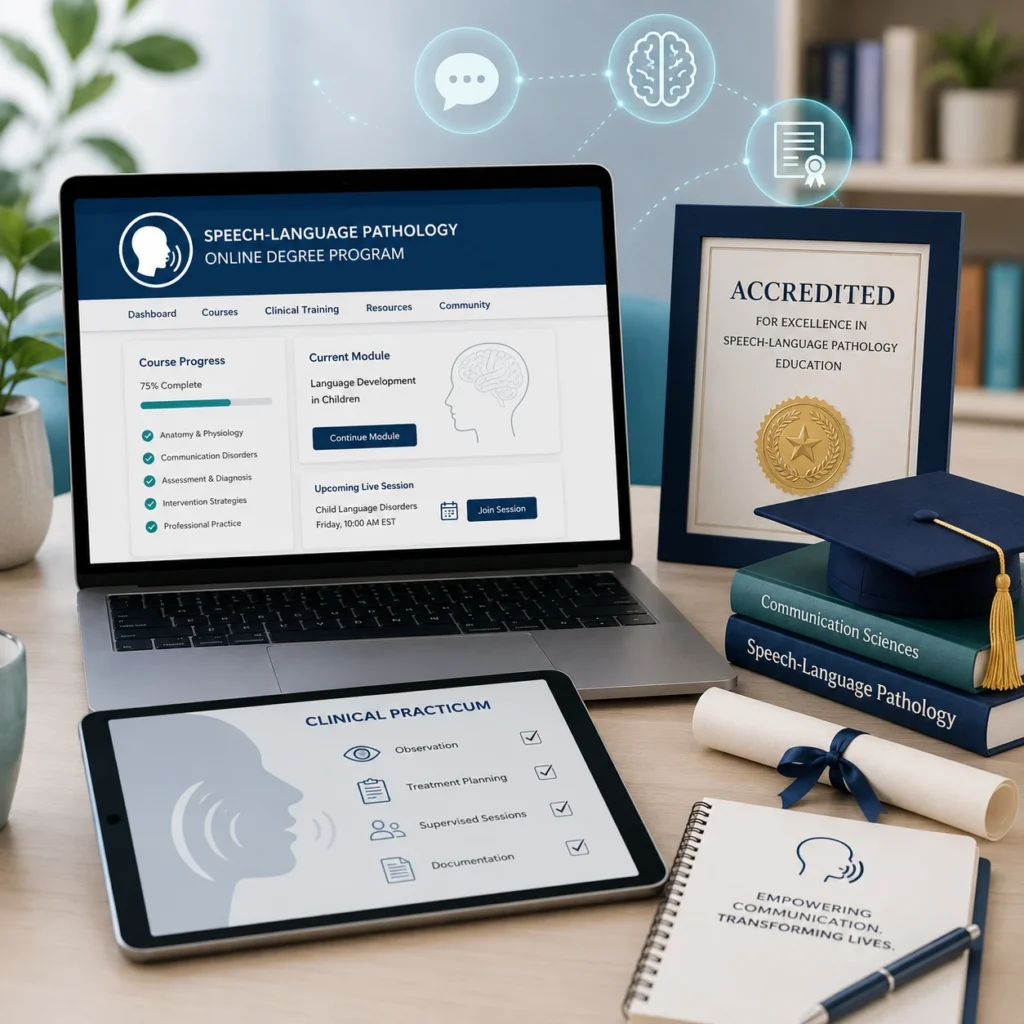
Online speech therapy degree programs shown with a laptop, clinical practicum checklist, accreditation badge, and speech-language pathology education materials.

Online speech therapy degree programs are becoming more common as students look for flexible ways to enter the speech-language pathology field. For future speech-language pathologists, online and hybrid programs can make graduate education more accessible, especially for students who cannot easily relocate, commute to campus, or pause work and family responsibilities.

For clinic owners, administrators, and therapy professionals, these programs also raise important questions. Are online speech therapy degree programs legitimate? Do students still complete clinical hours? Should clinics evaluate online graduates differently from traditional graduates?

The short answer is that program quality depends less on whether classes are online and more on accreditation, clinical training, supervision, licensure alignment, and graduate readiness. A strong online or hybrid SLP program should still prepare students for real patient care, documentation, collaboration, and the daily demands of therapy practice.

Are online speech therapy degree programs legitimate?

Yes. Online speech therapy degree programs can be legitimate when they are properly accredited and include supervised clinical training. Students should verify accreditation, clinical placement requirements, and state licensure alignment before enrolling. Online coursework may offer flexibility, but speech-language pathology training still requires real clinical experience.

Table of Contents

Key Takeaways

    • The Medicare 8-minute rule lets you bill one unit of a timed CPT code when you provide at least 8 minutes of direct, one-on-one treatment.
    • Units are based on the total timed minutes in the visit: 8–22 minutes = 1 unit, 23–37 = 2 units, 38–52 = 3 units, then 1 more unit for every 15 minutes.
    • When you perform several timed codes, give units to the codes with the most minutes first, then assign any remaining unit to the service with the most leftover minutes.
    • Untimed (service-based) codes, such as evaluations, don’t count toward your timed minutes.
    • Medicare and many Medicaid plans use the 8-minute rule. Some commercial payers count each code separately (the “rule of eights”), so check each payer’s policy.
    • Document the timed minutes for each code to support every unit you bill.

What Are Online Speech Therapy Degree Programs?

Online speech therapy degree programs are typically graduate-level speech-language pathology programs that deliver some or most academic coursework online. Students may complete recorded lectures, live virtual classes, readings, exams, assignments, and online discussions through a learning platform.

The phrase “speech therapy degree” is commonly used by students when searching online, but the professional field is usually called speech-language pathology. In most cases, students who want to become speech therapists are actually looking for a master’s degree in speech-language pathology.

A reputable online SLP program is not just an online course. It usually includes a combination of academic coursework, faculty interaction, supervised clinical practicum, and preparation for certification or licensure. Some programs are mostly online for coursework, while others are hybrid and may require campus visits, lab intensives, residencies, or in-person training experiences.

This matters because SLP education is not only about learning theory. Students must also learn how to assess communication disorders, build treatment plans, document care, collaborate with other providers, and work directly with patients across different ages, settings, and diagnoses.

What Should Students Look for in an Online SLP Program?

Choosing an online speech therapy degree program requires more than comparing tuition, schedule, or convenience. Students should look closely at accreditation, clinical placement support, licensure alignment, faculty support, and whether the program is fully online or hybrid.

What accreditation should online speech therapy degree programs have?

Students should look for programs accredited by the Council on Academic Accreditation in Audiology and Speech-Language Pathology, known as CAA. Accreditation helps confirm that the program meets recognized standards for curriculum, faculty, clinical education, and graduate preparation.

CAA Accreditation

Accreditation is one of the most important quality markers for an SLP program. It helps students and employers understand whether a program meets expected professional standards for speech-language pathology education. For students, accreditation can affect certification and licensure pathways. For employers, it is one of the first items to verify when reviewing a new graduate’s background.

Clinical Placement Support

Students should ask how the program helps secure clinical placements. Some programs have placement coordinators who help students find approved practicum sites and qualified supervisors in or near their local community. This support is especially important for online students because they may not be located near the university campus.

State Licensure Alignment

State licensure requirements can vary. Students should confirm that the program supports the requirements of the state where they plan to practice. This is especially important for students who live in one state, attend an online program based in another state, and plan to work somewhere else after graduation.

Online vs. Hybrid Format

Students should also understand the difference between online and hybrid formats. Some programs deliver coursework online but require in-person labs, residencies, or clinical experiences. 

Do Online Speech Therapy Degree Programs Require Clinical Hours?

Yes. Online coursework does not remove the need for supervised clinical training. Clinical practicum is a core part of SLP education and cannot be treated as purely online learning.

Students need real clinical experience so they can apply what they learn in coursework to patient care. These experiences may take place in schools, hospitals, outpatient clinics, private practices, skilled nursing facilities, early intervention programs, or other approved settings.

Can online SLP clinical hours be completed remotely?

No. Online coursework may be completed virtually, but clinical training still requires supervised experience with patients or clients. Some technology may support supervision, communication, or check-ins, but students still need hands-on clinical learning under qualified supervision.

Clinical training helps students develop skills that cannot be learned from lectures alone. They must practice assessment, treatment planning, documentation, caregiver communication, goal writing, progress tracking, and clinical decision-making.

For clinic owners, this is an important point. The delivery format of a student’s coursework does not automatically determine readiness. What matters is whether the graduate completed the required clinical education, received appropriate supervision, and can demonstrate real-world clinical competence.

Benefits and Challenges of Online SLP Programs

Foundational knowledge may include anatomy, physiology, neuroscience, phonetics, speech and language development, acoustics, audiology, and research principles. Specialized coursework may cover aphasia, dysphagia, voice disorders, child language disorders, fluency, articulation, cognitive communication, assessment, intervention planning, and ethical practice.

Some courses may be asynchronous, meaning students access materials and complete assignments within set deadlines. Others may be synchronous, requiring students to attend live online classes, discussions, or labs at specific times. Many programs use a blend of both formats.

Supervised Clinical Practicum: Real-World Experience

Benefits Challenges
Flexible coursework for students balancing work, family, or other responsibilities
Requires strong time management and self-discipline
Greater access for students who cannot relocate or commute to campus
Clinical placements may still need to happen locally or in person
Helpful for career changers and non-traditional students
Students must verify state licensure requirements
Builds comfort with digital learning tools and communication platforms
Requires reliable internet access and comfort with online systems
Can expand pathways into the SLP profession
Building community online may require more effort

Online programs can be especially helpful for students in rural or underserved areas where a nearby campus-based SLP program may not be available. They can also support students who need more flexibility than a traditional full-time campus schedule allows.

At the same time, online learning is not easier by default. Students must stay organized, manage deadlines, communicate with faculty, coordinate clinical requirements, and remain proactive throughout the program

READY TO STREAMLINE YOUR CLINIC?

See How HelloNote Handles All of This in One Platform

Managing staff hours, compliance, inventory, and financial reports all inside one HIPAA-compliant EMR built for PT, OT, and SLP clinics.

No credit card required · HIPAA Compliant · PT, OT & SLP

What Clinics Should Know When Hiring Online SLP Graduates

As graduates from online speech therapy degree programs enter the workforce, clinic owners and administrators should evaluate candidates based on qualifications and readiness, not assumptions about the program format.

Should clinics hire graduates from online SLP programs?

Clinics can consider graduates from online SLP programs when the program is properly accredited and the candidate meets licensure, supervision, and clinical readiness expectations. The format of the coursework should not be the only hiring factor.

Focus on Competency, Not Format

A graduate from an online or hybrid program should be evaluated the same way as any other candidate. Clinic owners should look at clinical reasoning, communication skills, professionalism, documentation habits, and ability to manage patient care.

Verify Credentials

Before hiring, clinics should confirm the candidate’s degree, accreditation background, state licensure status, and Clinical Fellowship status if applicable. This is standard due diligence for any SLP candidate, regardless of where or how they completed their coursework.

Ask About Clinical Experience

Clinic owners should ask about the settings, populations, and diagnoses the candidate worked with during clinical practicum. A candidate who completed strong supervised experiences may be well prepared, even if much of the academic coursework was delivered online.

Provide Onboarding and Mentorship

New graduates still need support as they enter professional practice. Clinics should provide mentorship, documentation training, workflow guidance, and clear expectations during the onboarding period. This is especially important for new clinicians learning how to balance care quality with administrative requirements.

Speech-language pathologist using EMR technology to review documentation, patient progress, scheduling, and therapy practice data on a laptop.

Why Technology and EMRs Matter for SLP Practice

Technology is shaping both SLP education and SLP practice. Students in online or hybrid programs may become comfortable with digital learning platforms, video communication, online collaboration, and remote access to learning materials. In practice, those same digital skills can support documentation, scheduling, billing, communication, and care coordination.

For SLPs, documentation is a major part of daily work. Evaluations, SOAP notes, treatment plans, goals, progress reports, discharge summaries, and billing documentation all require accuracy and consistency. A therapy-specific EMR can help reduce administrative burden and support more organized practice workflows.

Why do SLPs need a therapy-specific EMR?

SLPs need a therapy-specific EMR to manage evaluations, treatment notes, goal tracking, progress reporting, billing, scheduling, and patient records in a workflow designed for therapy practice.

How HelloNote Supports SLP Practices

HelloNote helps speech-language pathologists manage documentation, scheduling, billing, goal tracking, and practice operations in one therapy-focused EMR.

    • SLP documentation templates for evaluations, SOAP notes, progress reports, and discharge summaries
    • Goal tracking and progress reporting
    • Scheduling and patient management
    • Billing and eligibility workflows
    • Secure communication and team collaboration
    • Cloud-based access for modern therapy teams
    • Practice management tools built for therapy workflows

Whether a clinician graduated from an online, hybrid, or traditional program, the day-to-day challenge is the same: providing quality care while keeping documentation accurate, organized, and complete. A therapy-specific EMR helps support that transition from clinical training into real-world practice.

Have questions about managing SLP documentation after graduation or onboarding new clinicians?

HelloNote helps speech-language pathologists and therapy clinics stay organized with documentation, scheduling, billing, goal tracking, and patient records in one therapy-focused EMR.

No credit card required • HIPAA Compliant • PT, OT & SLP
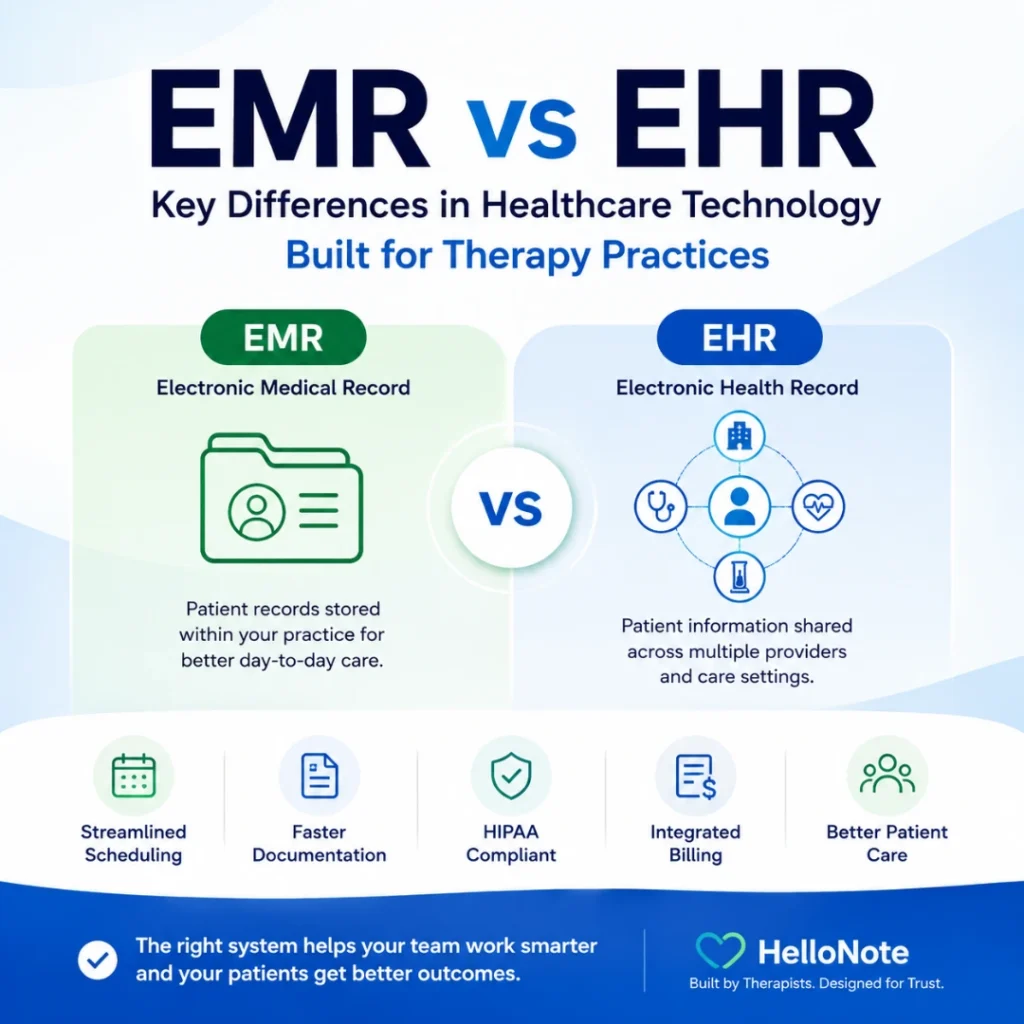
Conclusion

Online speech therapy degree programs, when properly accredited and supported by supervised clinical training, can be a legitimate pathway into the speech-language pathology profession. For students, the key is to evaluate accreditation, clinical placement support, state licensure alignment, and program structure before enrolling.

For clinic owners, the key is to evaluate graduates based on credentials, clinical readiness, communication skills, documentation ability, and patient care competence. The program format matters less than whether the graduate is prepared to practice safely and effectively.

As technology continues to influence both education and clinical practice, SLPs need tools that help them stay organized and efficient. Therapy-specific EMR systems like HelloNote can help support documentation, scheduling, billing, and care coordination so therapists can focus more time on patient care.

Frequently Asked Questions

Are online speech therapy degree programs legitimate?

Yes, online speech therapy degree programs can be legitimate when they are properly accredited and include supervised clinical training. Students should verify that the program supports certification and state licensure requirements before enrolling.

Can you become a speech therapist through an online program?

Yes, students may complete coursework through an online or hybrid speech-language pathology program. However, becoming a speech-language pathologist also requires supervised clinical experience, graduation from an appropriate program, and meeting state licensure requirements.

What accreditation should an online speech therapy degree program have?

Students should look for CAA accreditation from the Council on Academic Accreditation in Audiology and Speech-Language Pathology. ASHA states that required graduate coursework and clinical experience must be completed in a CAA-accredited program or a program with CAA candidacy status

Do online SLP programs require clinical hours?

Yes. Online coursework does not remove the need for supervised clinical training. ASHA lists a minimum of 400 clock hours of supervised clinical experience, including guided observation and direct client or patient contact.

Can SLP clinical hours be completed fully online?

Not fully. ASHA requires supervised clinical experience and notes that graduate students initiating programs on or after January 1, 2023 must complete a minimum of 250 hours through on-site and in-person direct contact.

How long does an online SLP master’s program take?

Many SLP master’s programs take about two years after a bachelor’s degree. The BLS notes that speech-language pathology master’s programs usually take two years of postbaccalaureate study.

What is the difference between online and hybrid SLP programs?

An online SLP program may deliver most coursework virtually, while a hybrid program combines online coursework with in-person labs, residencies, or clinical learning. For example, USAHS describes its MS-SLP program as hybrid online, with online coursework and on-campus residencies.

Should clinics hire graduates from online SLP programs?

Clinics should evaluate candidates based on accreditation, licensure status, supervised clinical experience, communication skills, documentation ability, and patient-care readiness. The delivery format alone should not determine whether a graduate is qualified.

Clearinghouse Strategy for Therapy Practices: What PT, OT, and SLP Need to Know in 2026

Therapy practice owner in blue scrubs smiling while reviewing a successful billing dashboard on a tablet in a busy physical therapy clinic

What does a clearinghouse do for therapy billing and why does it matter?

The best clearinghouse for medical billing is an intermediary service that receives claims from your therapy EMR, formats them to meet each insurance payer’s specific requirements, scrubs them for errors, and transmits them securely via Electronic Data Interchange (EDI) to the insurance company. For physical therapy, occupational therapy, and speech-language pathology practices, the clearinghouse directly affects how fast claims are processed, how often they are rejected, and how quickly Electronic Remittance Advice (ERA) returns to your billing system. The wrong clearinghouse for your payer mix creates claim rejections and revenue delays that compound over time.

Key Takeaways

    • The Medicare 8-minute rule lets you bill one unit of a timed CPT code when you provide at least 8 minutes of direct, one-on-one treatment.
    • Units are based on the total timed minutes in the visit: 8–22 minutes = 1 unit, 23–37 = 2 units, 38–52 = 3 units, then 1 more unit for every 15 minutes.
    • When you perform several timed codes, give units to the codes with the most minutes first, then assign any remaining unit to the service with the most leftover minutes.
    • Untimed (service-based) codes, such as evaluations, don’t count toward your timed minutes.
    • Medicare and many Medicaid plans use the 8-minute rule. Some commercial payers count each code separately (the “rule of eights”), so check each payer’s policy.
    • Document the timed minutes for each code to support every unit you bill.

For physical therapy, occupational therapy, and speech-language pathology practices, clearinghouse selection is one of the most consequential billing decisions you will make in 2026. A therapy billing clearinghouse is the infrastructure that carries your claims from HelloNote to insurance payers, and the performance of that infrastructure directly determines how fast you get paid, how often claims come back rejected, and how much administrative time your billing team spends chasing down errors.

HelloNote was built with a specific philosophy on this: your practice should never be locked into a single clearinghouse with poor performance. That is why HelloNote integrates with multiple clearinghouse partners and gives you the flexibility to choose and switch based on your payer mix. In 2026, with payer requirements continuing to shift and claim scrutiny higher than it has ever been, having a clearinghouse strategy is not optional. It is a core part of running a financially healthy therapy practice.

This guide covers what clearinghouses do, which partners HelloNote works with, how automated claim submission changes the revenue cycle in 2026, and how to choose the right clearinghouse for your specific payer mix.


What Is a Clearinghouse and Why Does It Matter for Therapy Billing

What is a clearinghouse in medical billing? A clearinghouse sits between your billing software and the insurance companies that pay your claims. Its job is to take the claims you generate in HelloNote, translate them into the format each payer requires, check them for errors before they reach the insurance company, and deliver them securely. When the insurance company responds with payment or denial information, the clearinghouse brings those remittances back into HelloNote.

For therapy practices, even small errors on a claim can trigger a denial that delays payment by weeks. A missing therapy discipline modifier, an incorrect place of service code, or an expired prior authorization number are the kinds of errors that a good clearinghouse catches before the claim ever reaches the payer. The clearinghouse is your last line of defense against preventable denials.

Data Formatting

Insurance companies have different formatting requirements for claim submission. Medicare uses different specifications than Blue Cross, and commercial payers vary from each other. A clearinghouse converts every claim from HelloNote into the specific format each payer requires, eliminating the need for your billing team to manage those differences manually.

Claim Scrubbing

Before sending a claim to the payer, the clearinghouse runs it through a scrubbing process that checks for common errors: missing modifiers, incorrect codes, incomplete patient information, expired authorizations, and payer-specific rule violations. Claims that fail scrubbing are returned to HelloNote with an error description so the billing team can correct and resubmit. Catching errors at this stage costs far less time than resolving a payer denial after the fact.

Secure EDI Claims Data Exchange

Clearinghouses transmit claims using Electronic Data Interchange (EDI), the standardized format that HIPAA requires for electronic claim submission. EDI transmission is encrypted and auditable, creating a secure and documented pathway for protected health information between your practice and payers. Without a clearinghouse, practices would need to establish direct EDI connections with each individual payer, which is operationally not feasible for most therapy practices.

Electronic Remittance Advice

When a payer processes a claim, it sends an Electronic Remittance Advice (ERA) back through the clearinghouse. The ERA contains payment information, denial reason codes, and adjustment details. HelloNote’s clearinghouse integration automatically syncs ERA files into the billing system, eliminating manual payment posting and accelerating the reconciliation process.


Card reader connected to a computer with three insurance cards representing different clearinghouse options, illustrating the best clearinghouse for medical billing

HelloNote Clearinghouse Integrations in 2026

HelloNote integrates with multiple clearinghouse partners, giving therapy practices the flexibility to choose based on payer mix, claim volume, and specific operational needs. The following clearinghouses are currently integrated with HelloNote.

Inovalon

Inovalon is one of HelloNote’s primary clearinghouse partners and is the preferred Inovalon clearinghouse option for practices with a Medicare-heavy payer mix. Inovalon provides extensive payer connectivity, including robust Medicare eligibility verification and claim submission capabilities. The integration is well-established within HelloNote, and the enrollment process is straightforward.

For practices migrating from a previous EMR that used Inovalon, the transition to HelloNote does not require starting the enrollment process from scratch. Contact your Inovalon account manager and request a transfer to destination ID 589187 (E Medical Records Live Inc.). This preserves your existing payer enrollments and minimizes setup time.

Trizetto

Trizetto is a strong Trizetto clearinghouse option for practices with a diverse commercial payer mix. Trizetto offers broad connectivity with commercial insurance companies and can deliver better acceptance rates for specific commercial payers than other clearinghouse options. If your practice bills to multiple commercial insurers and experiences frequent rejections through your current clearinghouse, Trizetto is worth evaluating as an alternative.

ClaimMD

ClaimMD is an additional clearinghouse option integrated with HelloNote, particularly useful for practices that need cost-effective commercial payer connectivity. Like Trizetto, ClaimMD can be evaluated against your specific payer mix to determine whether it outperforms your current clearinghouse for the insurers you bill most frequently.

Clearinghouse Switching Flexibility

Unlike EMRs that lock practices into a single clearinghouse regardless of performance, HelloNote allows you to select and switch clearinghouses based on results. If your current clearinghouse experiences downtime, processing delays, or consistently poor performance with a specific payer, you can migrate to a different partner without changing your EMR. This flexibility gives you leverage to demand better service and ensures your revenue cycle is never held hostage by a single vendor.

Your clearinghouse strategy starts with the right EMR.

HelloNote integrates with Inovalon, Trizetto, and ClaimMD. Choose the best option for your payer mix, or switch if performance drops. No setup fees. No contracts.

No credit card required · HIPAA Compliant · PT, OT & SLP

New in 2026: Automated Claim Submission Workflows

How does automated claim submission work in HelloNote in 2026?

In 2026, HelloNote can be configured to handle the entire claim submission process automatically. When a therapist finalizes a note, HelloNote scrubs the claim for errors. If no errors are found, the claim is sent directly to the clearinghouse. If the clearinghouse also finds no issues, HelloNote releases the claim to the payer without any manual intervention. Only claims with errors require review. This workflow eliminates the human delays between note finalization and claim submission, reducing days in accounts receivable by 3 to 7 days. The feature is not enabled by default and must be activated through HelloNote support.

One of the most significant billing updates in HelloNote for 2026 is the expansion of automated claim submission capabilities. Previously, many practices manually reviewed and released claims from the clearinghouse queue after scrubbing. The new workflow eliminates that manual step for clean claims.

How the Automated Workflow Operates

  1. Therapist finalizes a note in HelloNote
  2. HelloNote automatically scrubs the claim for errors
  3. If no errors are found, the claim is sent directly to the clearinghouse
  4. If the clearinghouse also finds no issues, HelloNote auto-releases the claim to the payer
  5. Only claims with errors require manual review in Billing > Claims > Ready to Send

Revenue Cycle Impact

This workflow reduces days in accounts receivable by eliminating human delays between note finalization and claim submission. For a busy therapy practice seeing 20 or more patients per day, the difference between submitting claims on the same day as the visit versus 1 to 3 days later has a direct and measurable impact on cash flow. The 3 to 7 day reduction in accounts receivable translates to faster access to revenue that would otherwise sit in the billing pipeline.

How to Enable Automated Claim Submission

The automated claim submission feature is not enabled by default in HelloNote. Contact HelloNote support to activate it for your account. Once enabled, the system transforms your billing workflow from reactive manual review to automated submission with exception handling, where your billing team focuses exclusively on the claims that need attention rather than processing every claim individually.

How to Choose the Right Clearinghouse for Your Practice

Not all clearinghouses perform equally for every payer. The best clearinghouse for medical billing in a therapy practice depends on your specific payer mix, your claim volume, and whether you have existing payer enrollments to preserve. Here is how to evaluate the options.

Medicare-Heavy Practices

Inovalon has strong Medicare connectivity and is typically the best-performing option for practices that bill primarily to Medicare Part B. The enrollment process through HelloNote is well-established, and the integration supports Medicare eligibility verification, claim submission, and ERA processing within a single workflow.

Commercial Payer-Heavy Practices

Trizetto or ClaimMD may offer better acceptance rates for specific commercial insurers. If your practice bills to multiple commercial payers and your current clearinghouse is generating frequent rejections for a specific insurer, testing a different clearinghouse for that payer is worth the effort. HelloNote’s multi-clearinghouse flexibility allows you to run different clearinghouses for different payer groups if the data supports it.

Practices With Existing Clearinghouse Accounts

If you have an existing clearinghouse account from a previous EMR, HelloNote allows you to transfer that account rather than starting the enrollment process from scratch. This is particularly valuable for practices that have spent months building out payer enrollments. Preserving those enrollments during an EMR migration eliminates weeks of setup time and ensures no interruption to claim submission during the transition.

Clearinghouse Best For Key Strength HelloNote Integration
Inovalon
Medicare-heavy practices
Strong Medicare connectivity and eligibility verification
Primary partner, well-established
Trizetto
Commercial payer mix
Broad commercial payer connectivity
Available, evaluate against your payer mix
ClaimMD
Cost-effective commercial billing
Strong commercial payer acceptance rates
Available, evaluate against your payer mix

Enrollment Timelines and Operational Planning

Infographic showing five clearinghouse setup paths for therapy practices using HelloNote: already on Inovalon, keep current clearinghouse, switch to Inovalon, full RCM billing service, or manual no-integration option

Setting up a new clearinghouse through HelloNote typically takes 5 to 10 business days. This includes payer enrollment, testing, and validation. During this period, claims can still be submitted manually or through existing arrangements, so there is no gap in claim submission during the setup window.

Planning a Clearinghouse Transition

For practices switching clearinghouses, the transition can be planned during a lower-volume period to minimize disruption. HelloNote’s support team can help coordinate the transfer and verify that no claims are lost or duplicated during the transition. Before switching, document your current payer enrollment list so the new clearinghouse setup covers every active payer without gaps.

Eligibility Verification During Setup

Real-time eligibility verification depends on clearinghouse connectivity. Before you verify a patient’s Medicare or commercial insurance benefits, the clearinghouse must have an active connection to that payer. During clearinghouse setup, eligibility verification for specific payers may be limited until enrollment completes. Plan patient scheduling around this window to avoid verification delays at the front desk.

Auto-ERA Activation

Once clearinghouse enrollment is complete, enable Auto-ERA functionality in HelloNote. ERA files will automatically sync from the clearinghouse into HelloNote under Billing > Import > ERA/835. This automation eliminates manual payment posting and accelerates the reconciliation process. If ERA files are not appearing after enrollment, contact HelloNote support to verify the ERA auto-sync configuration.

Common Clearinghouse Issues and How to Resolve Them

Even with a well-configured clearinghouse, therapy practices encounter billing issues. Here are the most common problems and their resolutions.

Claim Rejection Due to Missing Modifiers

The most common cause of claim rejection in therapy billing is a missing discipline modifier. PT claims require modifier GP, OT claims require modifier GO, and SLP claims require modifier GN. HelloNote’s claim scrubbing catches many of these, but payer-specific rules may require additional modifier review. If a specific payer is generating repeated modifier rejections, review that payer’s modifier requirements and update the claim template in HelloNote accordingly.

ERA Not Syncing Into HelloNote

If Electronic Remittance Advice files are not appearing in HelloNote under Billing > Import > ERA/835, the clearinghouse ERA connection may need to be revalidated. This can happen after a clearinghouse system update or if the enrollment configuration changes. Contact HelloNote support to check the ERA auto-sync configuration and reestablish the connection if needed.

Delayed Claim Acceptance

If claims are taking longer than expected to show as accepted by the clearinghouse, check the Submitted tab under Billing > Claims. This view shows claims sorted by billed amount, paid status, hold status, and submission date, giving your billing team full visibility into where delays are occurring. Claims held in a pending status at the clearinghouse often indicate a payer-specific connectivity issue that may require a temporary manual submission while the connection is restored

Payer-Specific Connectivity Gaps

Not every clearinghouse connects to every payer with equal performance. If your practice experiences frequent rejections from a specific insurance company, the issue may be that your current clearinghouse has limited connectivity with that payer. Review the rejection pattern: if rejections are concentrated on one or two payers, consider switching to a clearinghouse with stronger connectivity for those specific payers. HelloNote’s multi-clearinghouse flexibility makes this a practical option without requiring a full clearinghouse migration.

Formatting Errors After Payer Rule Changes

Insurance payers periodically update their claim formatting requirements, often without advance notice to providers. If claims that were previously accepted begin rejecting for formatting errors, the clearinghouse may not have updated its payer rules yet. Contact your clearinghouse support team to confirm whether a payer rule update is pending. In the interim, manual review of affected claims before submission can prevent denials while the clearinghouse update is applied.

Is It Better to Switch Clearinghouses or Fix the Current One?

It depends on whether the problem is isolated or systemic. If rejections are concentrated on one or two specific payers, the issue is usually a connectivity gap with your current clearinghouse for those payers specifically, not a reason to replace the whole relationship. If rejections are broad, frequent, and span multiple payers, that points to a deeper performance problem worth switching over. HelloNote’s multi-clearinghouse flexibility means you do not have to choose one or the other. You can run a different clearinghouse for a specific payer group without a full migration.

How HelloNote Simplifies Clearinghouse Management

HelloNote’s approach to clearinghouse medical billing integration is built on a single principle: your billing software should work for your practice, not create additional administrative burden. Here is how that principle is implemented in the platform.

One-Click Claim Submission

Once a claim is finalized and scrubbed in HelloNote, sending it to the clearinghouse requires a single click. There is no file exporting, no manual formatting, and no uploading to a separate portal. The entire submission workflow lives inside HelloNote, keeping your billing team in one system from note finalization through payment posting.

Centralized Claim Tracking

The Submitted tab under Billing > Claims provides a complete view of every claim in the pipeline. Sort by date, status, billed amount, or payer to identify bottlenecks and prioritize follow-up. This centralized view eliminates the need to log into the clearinghouse portal separately to check claim status, saving your billing team time on every working day.

Automatic ERA Processing

When remittances arrive from the clearinghouse, HelloNote can automatically post payments to the correct patient accounts. This eliminates manual data entry for payment posting and reduces the risk of posting errors that create reconciliation problems later. Practices that enable automatic ERA processing typically see a significant reduction in the time their billing team spends on payment reconciliation.

Flexible Clearinghouse Switching

If a clearinghouse underperforms, you can switch. HelloNote does not lock your practice into a single vendor. This flexibility gives you leverage to demand better service from your clearinghouse partner and ensures your revenue cycle is not dependent on the performance of a single vendor relationship. For therapy practices with multiple locations or diverse payer mixes, the ability to run different clearinghouses for different payer groups provides a level of billing optimization that single-clearinghouse EMRs cannot match.

Still chasing claim rejections your clearinghouse should have caught?

HelloNote connects to Inovalon, Trizetto, and ClaimMD, so your practice can pick the best clearinghouse for medical billing based on your actual payer mix. Start free and see how it works for PT, OT, SLP, and Chiro.

No credit card required • HIPAA Compliant • PT, OT & SLP

Frequently Asked Questions

What is a clearinghouse in therapy billing?

A medical billing clearinghouse is an intermediary service that sits between your therapy EMR and insurance payers. It receives claims from HelloNote, formats them to meet each payer's specific requirements, scrubs them for errors, and transmits them securely via EDI. When payers respond with payment or denial information, the clearinghouse delivers Electronic Remittance Advice (ERA) back to HelloNote. The clearinghouse directly affects how fast your claims are processed and how often they are rejected.

Which clearinghouse does HelloNote use?

HelloNote integrates with multiple clearinghouses including Inovalon, Trizetto, and ClaimMD. The best choice depends on your payer mix. Inovalon is typically best for Medicare-heavy practices. Trizetto and ClaimMD offer strong commercial payer connectivity and may perform better for practices with diverse commercial insurance mixes. HelloNote allows you to switch clearinghouses if performance does not meet your needs.

How long does clearinghouse setup take with HelloNote?

Setting up a new clearinghouse through HelloNote typically takes 5 to 10 business days, including payer enrollment, testing, and validation. Practices migrating from a previous EMR that already used Inovalon can transfer their existing account to HelloNote by contacting their Inovalon account manager and requesting a transfer to destination ID 589187. This preserves existing payer enrollments and reduces setup time.

What is automated claim submission and how does it reduce accounts receivable?

Automated claim submission in HelloNote 2026 allows the system to send clean claims directly from note finalization to the clearinghouse and on to the payer without any manual intervention. Only claims with errors require review. This eliminates the human delays between note finalization and claim submission, reducing days in accounts receivable by 3 to 7 days. The feature must be enabled by contacting HelloNote support.

Why are my therapy claims being rejected by the clearinghouse?

The most common causes of therapy claim rejections at the clearinghouse are missing discipline modifiers (GP for PT, GO for OT, GN for SLP), incorrect place of service codes, missing prior authorization numbers, and incomplete patient information. HelloNote's claim scrubbing catches many of these errors before submission, but payer-specific rules may require additional review. If rejections are concentrated on one payer, the issue may be a connectivity gap between your clearinghouse and that specific insurer.

Can I switch clearinghouses without changing my EMR?

Yes. HelloNote does not lock your practice into a single clearinghouse. If your current clearinghouse underperforms, experiences downtime, or has poor connectivity with a specific payer, you can switch to a different clearinghouse partner within HelloNote without changing your EMR or disrupting your overall billing workflow. This flexibility is a core feature of HelloNote's billing architecture.

Understanding the Difference Between PT and DPT in Today’s Physical Therapy Practice

Experienced physical therapist reviewing patient progress on a digital tablet while another clinician provides hands-on treatment in a modern rehab clinic, illustrating PT vs DPT roles in practice

PT vs DPT in one sentence:

PT and DPT both lead to licensure as a physical therapist, but DPT (Doctor of Physical Therapy) reflects the doctoral-level education that has been the required entry point for new graduates since the profession’s shift from bachelor’s and master’s degree programs.

Table of Contents

Key Takeaways

    • The Medicare 8-minute rule lets you bill one unit of a timed CPT code when you provide at least 8 minutes of direct, one-on-one treatment.
    • Units are based on the total timed minutes in the visit: 8–22 minutes = 1 unit, 23–37 = 2 units, 38–52 = 3 units, then 1 more unit for every 15 minutes.
    • When you perform several timed codes, give units to the codes with the most minutes first, then assign any remaining unit to the service with the most leftover minutes.
    • Untimed (service-based) codes, such as evaluations, don’t count toward your timed minutes.
    • Medicare and many Medicaid plans use the 8-minute rule. Some commercial payers count each code separately (the “rule of eights”), so check each payer’s policy.
    • Document the timed minutes for each code to support every unit you bill.

If you’re exploring a career in physical therapy, hiring clinicians for your clinic, or simply trying to understand the credentials behind the profession, you’ve likely come across the terms PT and DPT. While they’re often used interchangeably in conversation, they don’t mean the same thing and the distinction matters more today than it did in the past.

This article breaks down the real differences between PT and DPT, why the profession evolved, and what those changes mean for therapists, clinic owners, and patients in modern practice.

How Physical Therapy Education Evolved

For decades, physical therapists entered the profession with a bachelor’s or master’s degree. Over time, healthcare became more complex, patient cases more demanding, and expectations around autonomy and clinical reasoning increased.

To meet those demands, the profession transitioned to a doctoral-level entry point. Today, new graduates in the United States complete a Doctor of Physical Therapy (DPT) program before becoming licensed.

This shift wasn’t about replacing existing therapists it was about preparing future clinicians for expanded roles in healthcare.

Students considering a DPT program should evaluate factors such as accreditation, clinical training opportunities, faculty expertise, and career outcomes. Some offer doctoral-level education designed to prepare future physical therapists for modern clinical practice.

PT vs DPT: What’s the Actual Difference?

At a high level, both credentials lead to licensure as a physical therapist. The difference lies in education depth, training scope, and professional positioning.

Education Path

    • PT (Bachelor’s or Master’s level)
      Programs focused on foundational physical therapy principles and core clinical skills. These programs are no longer offered in the U.S., but many licensed therapists still practice under these degrees.

    • DPT (Doctoral level)
      Programs include extended clinical rotations, deeper coursework in diagnostics, pharmacology, evidence-based practice, and healthcare systems.

Clinical Training

DPT programs require significantly more hands-on clinical experience, often close to a full year across multiple settings. This prepares graduates to manage more complex cases and collaborate closely with other healthcare providers.

Professional Scope

In many states, doctoral-level training supports greater professional autonomy, including direct access allowing patients to seek physical therapy without a physician referral.

Can PTs Without a DPT Still Practice?

Yes. Therapists who earned their license with a bachelor’s or master’s degree remain fully qualified and legally permitted to practice.

There is no requirement for experienced PTs to return to school unless they personally choose to pursue a transitional doctorate. Many successful clinic owners, educators, and clinicians practice without a DPT.

The transition applies to new entrants, not current professionals.

Professional certifications and graduation pin representing career growth opportunities for physical therapists pursuing a DPT

Career Growth and Specialization Opportunities

While both credentials allow therapists to treat patients, doctoral education can open additional doors.

DPT-trained therapists may pursue advanced roles such as:

    • Clinical specialists (orthopedics, neurology, pediatrics, sports)

    • Leadership or director positions

    • Teaching and academic roles

    • Research or policy involvement

That said, specialization is still accessible through continuing education and certifications regardless of degree type.

Salary and Job Market Considerations

According to national labor data, demand for physical therapists continues to grow faster than average. Doctoral-level education may support higher earning potential over time, particularly in specialized or leadership roles.

However, salary is influenced more by:

    • Experience

    • Practice setting

    • Geographic location

    • Business ownership

Degree alone does not guarantee higher pay.

What This Means for Clinic Owners

For practice owners, understanding the difference between PT and DPT is less about hierarchy and more about staffing strategy.

Clinics often benefit from:

    • Mixed-experience teams

    • Strong mentorship structures

    • Efficient documentation and compliance workflows

Regardless of degree, therapists need systems that support accurate documentation, outcome tracking, and billing compliance especially as expectations increase across payers and audits.

This is where modern EMRs like HelloNote play a critical role, supporting clinicians at every education level with structured workflows and scalable tools.

Education Standards and the Future of the Profession

The move to doctoral-level education reflects the profession’s long-term direction: greater responsibility, clearer outcomes, and stronger integration into healthcare systems.

As therapy continues to evolve, success will depend not only on education, but on:

    • Clinical reasoning

    • Documentation quality

    • Care coordination

    • Technology that supports daily practice

Final Takeaway

The discussion around PT vs DPT isn’t about replacing one group with another it’s about how the profession has adapted to modern healthcare demands.

Whether you’re a student, a practicing clinician, or a clinic owner, understanding these differences helps you make informed decisions about education, hiring, and long-term growth.

And regardless of degree, having the right systems in place documentation, compliance, and workflow support remains essential to delivering quality care and running a successful practice.

Frequently Asked Questions

What is the difference between a PT and a DPT?

A PT refers broadly to a licensed physical therapist, while a DPT indicates completion of a doctoral-level physical therapy program. Both can practice clinically.

Is a DPT considered a doctor?

Yes. A DPT is a clinical doctorate. DPTs may use the title "Doctor" in clinical settings, though they are not medical doctors.

Do all physical therapists need a DPT?

Only therapists graduating after the transition are required to earn a DPT. Licensed PTs with older degrees can continue practicing.

Can a PT with a master's degree become a DPT later?

Yes. Transitional DPT programs exist for licensed therapists who want to pursue doctoral education.

Does having a DPT affect salary?

It can, but salary is influenced more by experience, specialization, and practice setting than degree alone.

Where can someone pursue a DPT degree?

DPT programs are offered at many CAPTE-accredited universities across the United States, including institutions such as University of St. Augustine for Health Sciences (USAHS). Prospective students should compare accreditation, clinical training opportunities, and program format before applying.

READY TO STREAMLINE YOUR CLINIC?

See How HelloNote Handles All of This in One Platform

Managing staff hours, compliance, inventory, and financial reports — all inside one HIPAA-compliant EMR built for PT, OT, and SLP clinics.

No credit card required · HIPAA Compliant · PT, OT & SLP

AI Scribe Troubleshooting Guide for Therapists: How to Prevent Recording Issues Before Your Session

Physical therapist in navy scrubs monitoring an AI scribe recording on a smartphone in a modern outpatient therapy clinic

What should a therapist do when AI Scribe stops recording or the note draft does not appear?

Most AI Scribe recording issues are caused by a phone setting, a blocked microphone permission, a Bluetooth connection, an incoming call, or a weak internet connection not the documentation tool itself. A one-minute setup check before every session prevents the majority of these issues. If the note draft does not appear after recording, check your Wi-Fi or cellular connection and wait for the progress bar to complete before closing the app.

Table of Contents

Key Takeaways

    • The Medicare 8-minute rule lets you bill one unit of a timed CPT code when you provide at least 8 minutes of direct, one-on-one treatment.
    • Units are based on the total timed minutes in the visit: 8–22 minutes = 1 unit, 23–37 = 2 units, 38–52 = 3 units, then 1 more unit for every 15 minutes.
    • When you perform several timed codes, give units to the codes with the most minutes first, then assign any remaining unit to the service with the most leftover minutes.
    • Untimed (service-based) codes, such as evaluations, don’t count toward your timed minutes.
    • Medicare and many Medicaid plans use the 8-minute rule. Some commercial payers count each code separately (the “rule of eights”), so check each payer’s policy.
    • Document the timed minutes for each code to support every unit you bill.

You tap record at the beginning of a session, place your phone on the desk, and continue with treatment. Later, you discover that the recording stopped early, the audio was unclear, or the note draft is missing part of the session.

In many cases, the issue is not the documentation workflow itself. It may be caused by a phone setting, a blocked microphone permission, a Bluetooth connection, an incoming call, or noise in the treatment room. A one-minute setup check can help you prevent many common AI scribe recording issues before the session begins.

This guide covers every common cause of AI Scribe recording issues, the steps to check before each session, and what to do when something goes wrong after the recording ends.

Why AI Scribe Recordings Can Be Interrupted

AI scribe recordings can be interrupted by phone settings, connectivity issues, Bluetooth devices, incoming calls, or background noise. Most of these causes are preventable with a quick pre-session check.

Phones and laptops are designed to save battery, manage notifications, and connect automatically to nearby devices. These features are useful during your day, but they can sometimes affect a recording session.

For example, your phone may lock while you are treating a patient. A paired set of earbuds may quietly become the active microphone. An incoming call may interrupt the recording. A nearby fan may make the therapist and patient harder to hear clearly.

Common causes of AI scribe recording issues include:

    • Screen lock or sleep mode
    • Incoming calls and notifications
    • Blocked microphone permissions
    • Bluetooth devices taking over the microphone
    • Weak or dropped internet connection
    • Low battery or power-saving settings
    • Background noise
    • Poor device placement

The good news is that most of these checks take only a few seconds.

The One-Minute AI Scribe Pre-Session Checklist

Before every session, a quick review of your screen, microphone, Bluetooth, battery, internet connection, and room setup can prevent most common AI scribe recording issues.

Before you start recording, take a moment to run through this checklist. This routine can be added to your usual session setup, just like preparing the treatment space or reviewing the patient chart.

THE ONE-MINUTE AI SCRIBE PRE-SESSION CHECKLIST

☐  Keep your screen active during the session.

☐  Turn on Do Not Disturb or Focus Mode.

☐  Confirm that your browser has microphone access.

☐  Disconnect earbuds, headsets, smartwatches, and other unnecessary Bluetooth devices.

☐  Check your battery level or connect the device to power.

☐  Confirm you have a stable Wi-Fi or cellular connection before starting the session.

☐  Place the phone, tablet, or laptop where it can clearly hear the session.

☐  Move the device away from fans, air conditioners, and direct airflow.

☐  Reduce avoidable background noise.

☐  Test your microphone briefly before the session starts.

☐  Confirm patient consent before using Ambient Mode.

How to Keep Your Screen Active During a Session

HelloNote AI Scribe is designed to keep your screen from going to sleep during an active recording. If your device does not respond to this setting, adjusting the screen timeout manually takes under 30 seconds.

HelloNote AI Scribe is designed to keep your screen from going to sleep while a recording is active. In most cases this works automatically and you will not need to adjust your screen timeout manually. If your device does not respond to this setting, the steps below will help you set a longer timeout as a backup.

For iPhone

  1. Open Settings.
  2. Go to Display & Brightness.
  3. Select Auto-Lock.
  4. Temporarily choose a longer duration or select Never during the session.

For Android

  1. Open Settings.
  2. Go to Display.
  3. Select Screen Timeout.
  4. Choose a longer duration during the session.

Menu names may vary depending on your phone model and operating system. After the session, you can restore your preferred screen timeout setting.

It is also helpful to keep your device charged or connected to a power source, especially during a longer evaluation or back-to-back treatment schedule.

How to Check Microphone Permissions

If your browser does not have permission to use the microphone, the AI scribe recording may not begin or may not capture sound. Checking and enabling microphone permission takes under one minute in any browser.

AI Scribe needs access to your microphone to capture audio. If your browser does not have permission to use the microphone, the recording may not begin correctly or may not capture sound.

For Chrome or Edge

  1. Open the HelloNote page in your browser.
  2. Click or tap the site settings icon near the web address.
  3. Find the microphone permission.
  4. Confirm that microphone access is allowed.
  5. Reload the page if needed

For Safari

  1. Check your Safari website settings or your device privacy settings.
  2. Confirm that microphone access is enabled for Safari.
  3. Reload the page if needed.

For Mobile Devices

  1. Open your phone settings.
  2. Go to privacy, browser settings, or app permissions.
  3. Confirm that microphone access is allowed for the browser you use to access HelloNote.

The exact menu labels may differ depending on your phone, browser, and operating system. Before a session, speak briefly near the device and confirm that your microphone can clearly capture your voice. This is especially useful after updating your phone, changing browsers, or connecting a new accessory.

Why Bluetooth Can Affect Your Recording

Bluetooth earbuds, headsets, and smartwatches can silently redirect your phone or laptop to use a different microphone, causing distant or muffled audio without any visible indication that it has happened.

Bluetooth devices can sometimes change which microphone your phone or laptop uses.

For example, you may place your phone on the desk but still have wireless earbuds connected in your pocket. Your phone may try to use the earbud microphone instead of the phone microphone. The result can be distant, muffled, or incomplete audio.

A smartwatch, headset, speakerphone, or nearby accessory may cause a similar issue.

Before the session:

    • Disconnect Bluetooth devices you do not need.
    • Keep your recording device close enough to hear the therapist and patient clearly.
    • Use your phone or laptop microphone unless you intentionally plan to use another audio source.

This is one of the simplest checks to add to your AI scribe mobile setup.

READY TO STREAMLINE YOUR CLINIC?

Make your AI Scribe setup more reliable before the session begins.

HelloNote AI Scribe is built into the EMR. No separate app. No setup fees. No contracts.

No credit card required · HIPAA Compliant · PT, OT & SLP

How Internet Connectivity Affects Your Recording

AI Scribe uploads your audio file after the session to generate the note draft. A stable Wi-Fi or cellular connection is required for normal operation. If the note draft does not appear, check your connection and wait for the progress bar to complete before closing the app.

AI Scribe uploads your audio file to generate a note draft. For this to work smoothly, your device needs a stable internet connection throughout the session.

HelloNote includes a fallback if your connection drops or the audio file cannot upload. However, for normal operation, a reliable Wi-Fi or cellular connection will give you the best results.

Signs of a Connectivity Issue

    • The upload takes longer than expected after the session ends.
    • The note draft does not appear after recording stops.
    • The progress bar pauses or stalls during upload.

What to Do Before the Session

    • Connect to your clinic Wi-Fi before starting a recording.
    • Avoid starting a session on a weak or unstable cellular signal.
    • If you are in a low-signal area, consider using Dictation Mode and uploading after you move to a better connection.

A Note on the Progress Bar

HelloNote now shows a progress bar while your audio file is uploading after the session. This lets you know the upload is actively running so you can wait for it to complete before closing the app or navigating away.

How to Reduce Interruptions From Incoming Calls

Incoming calls can interrupt your microphone during a recording. Turning on Do Not Disturb or Focus Mode before the session prevents most call-related recording interruptions.

Incoming calls can interfere with your microphone during a recording. Notifications can also distract you or cause you to switch away from the active browser page.

Before the session:

    • Turn on Do Not Disturb or Focus Mode.
    • Silence unnecessary notifications.
    • Let important contacts know when you will be unavailable.
    • Use a dedicated clinic device when available.

This is especially helpful for evaluations, longer sessions, and treatment visits where you want to reduce avoidable interruptions.

Room Setup Tips for Clearer Audio

Device placement, airflow, and background noise all affect AI Scribe recording quality. A few small adjustments to your treatment room before the session can make a measurable difference in note draft quality.

Your treatment room affects recording quality. AI Scribe works best when your device can clearly hear the conversation without competing noise nearby.

You do not need a special recording studio. A few small adjustments can make a difference.

Place the Device Where It Can Hear the Session

Keep your phone, tablet, or laptop in a stable location near the conversation.

Avoid placing your phone:

    • Inside a pocket
    • Inside a bag
    • Under paperwork
    • In a distant corner of the room
    • Next to loud equipment

For a typical outpatient therapy visit, a desk, counter, or nearby table may work well. The goal is to keep the device close enough to hear both sides of the conversation without interfering with treatment.

Keep the Microphone Away From Direct Airflow

Fans and air conditioners can create constant noise. Air blowing directly toward the microphone may make the recording harder to hear.

When possible:

    • Move the device away from standing fans.
    • Do not place it directly under an air-conditioning vent.
    • Reduce avoidable fan noise during the recording.
    • Keep the microphone away from any direct stream of air.

Be Mindful of White-Noise Machines

White-noise machines can be useful for privacy. However, placing one next to the recording device may make soft speech harder to capture.

Keep the white-noise machine farther from the phone or laptop. When appropriate, place it outside the treatment room or closer to the hallway side of the door.

Reduce Hallway and Equipment Noise

Close the treatment room door when possible. Avoid positioning your device near exercise equipment, printers, busy hallways, or conversations from nearby staff members.

In a larger therapy gym, Dictation Mode may be more practical than live recording when the environment is consistently noisy.

Ambient Mode vs Dictation Mode

Ambient Mode captures the live session conversation while Dictation Mode lets you summarize the session in your own words afterward. Neither is always better. The right choice depends on your session environment and documentation preference.

HelloNote AI Scribe helps therapists generate a structured note draft. The therapist reviews, edits, and signs the note. AI Scribe supports the documentation workflow but it does not replace the therapist’s clinical judgment.


The best workflow depends on your session, your environment, and your documentation style.

Mode

Best Used When

What to Keep in Mind

Ambient Mode

You want AI Scribe to capture the live session conversation and the environment is quiet enough for clear audio.

Confirm patient consent before recording. Keep your screen active, reduce interruptions, and place the device where it can hear the conversation clearly.

Dictation Mode

You prefer to summarize the session afterward in your own words. This can be useful when the room is noisy, the session involves several voices, or live recording is not the best fit.

Give a clear and focused verbal summary after the session. Review the structured note draft before signing.


Neither option is always better. Some therapists use Ambient Mode for a quiet evaluation room and Dictation Mode after a treatment session in a busy clinic gym.

Quick AI Scribe Troubleshooting Table

If your recording stopped, audio is muffled, or the note draft is missing, the table below matches the most common symptoms to their likely causes and fastest fixes.

Issue

Likely Cause

What to Try First

Recording stopped during the session

The screen locked, the browser went to sleep, or the device entered a power-saving state

Keep the screen active, check battery settings, and connect the device to power if needed

AI Scribe is not picking up sound

The browser may not have microphone access

Check the microphone permission in your browser or device settings, then reload the page

Audio sounds distant or muffled

A Bluetooth accessory may be using a different microphone, or the device may be too far away

Disconnect unnecessary Bluetooth devices and move the phone or laptop closer

Recording is interrupted by phone calls

Incoming calls may interfere with the microphone

Turn on Do Not Disturb or Focus Mode before the session

Note draft seems incomplete

Part of the conversation may not have been captured clearly

Review your device placement, microphone access, room noise, and recording setup

Recording quality is inconsistent in a noisy room

Fans, air conditioners, hallway conversations, or equipment noise may be interfering

Move the device, reduce background noise, or consider using Dictation Mode after the session

Note draft did not appear after recording

Audio file may not have uploaded due to a weak or dropped internet connection

Check your Wi-Fi or cellular signal, wait for the progress bar to complete, and avoid closing the app before the upload finishes

A Simple Routine for Every Session

A repeatable pre-session checklist covering battery, internet, screen, Bluetooth, microphone, placement, noise, and consent takes under one minute and prevents most common AI scribe recording issues.

A repeatable routine makes AI scribe troubleshooting easier for therapists and clinic teams. Before starting a session:

    • Check the battery.
    • Confirm your internet connection is stable.
    • Turn on Do Not Disturb or Focus Mode.
    • Keep the screen active.
    • Disconnect unnecessary Bluetooth devices.
    • Confirm microphone access.
    • Position the device where it can clearly hear the session.
    • Reduce avoidable background noise.
    • Test the microphone briefly.
    • Confirm patient consent before using Ambient Mode.
    • Start recording.

You can save this checklist near the treatment desk, add it to your clinic workflow, or share it with clinicians who use AI Scribe on their phones.

Have questions about how AI Scribe fits your practice?

HelloNote’s team is built by therapists who’ve used it in real clinic settings. Start free and see how we handle AI documentation for PT, OT, SLP, and Chiro.

No credit card required • HIPAA Compliant • PT, OT & SLP

Frequently Asked Questions

Why did my AI Scribe recording stop during a therapy session?

A recording may stop if your phone locks, your browser goes to sleep, your device enters a power-saving mode, or an incoming call interrupts the microphone. Keep the screen active, turn on Do Not Disturb or Focus Mode, and check your battery before the session. HelloNote AI Scribe is designed to keep the screen awake automatically during an active recording, so manual adjustments are usually only needed as a backup on devices that do not respond to this setting.

Can Bluetooth devices interfere with AI Scribe recordings?

Yes. Earbuds, headsets, smartwatches, and other accessories may cause your phone or laptop to use a different microphone. Disconnect unnecessary Bluetooth devices before recording and keep your phone or laptop near the conversation.

Does AI Scribe require an internet connection?

Yes. AI Scribe uploads your audio file after the session to generate the note draft, so a stable internet connection is needed for normal operation. HelloNote includes a fallback if connectivity is lost, but for the best experience connect to a reliable Wi-Fi network before starting your session. A progress bar now shows the upload status so you can confirm the file has been sent before closing the app.

What phone settings should I check before using AI Scribe?

Check your screen timeout, microphone permission, Do Not Disturb or Focus Mode, Bluetooth connections, battery level, and internet connection. Menu names may vary depending on your phone model, operating system, and browser.

Should I use Ambient Mode or Dictation Mode?

Use Ambient Mode when you want AI Scribe to capture the live session conversation and the room is quiet enough for clear audio. Use Dictation Mode when you prefer to summarize the session afterward or when live recording is not the best fit for the environment.

Do I need patient consent before using AI Scribe?

Confirm patient consent before recording a live session in Ambient Mode. AI Scribe should support your documentation workflow while respecting your clinical judgment and your practice procedures.

Electronic Visit Verification (EVV) for Therapy Practices: Compliance, EMR Integration, and What PT, OT, and SLP Need to Know

A physical therapist checking in on a smartphone app before a home health visit at a residential front door for electronic visit verification

What is Electronic Visit Verification and which therapy practices are required to use it?

Electronic Visit Verification (EVV) is a federally mandated system under the 21st Century Cures Act that requires electronic documentation of six data points for every Medicaid-funded home health visit: the type of service, the date of service, the location of service, the individual receiving the service, the individual providing the service, and the time the service begins and ends. Home health therapy services billed to Medicaid are subject to EVV requirements. Therapy practices providing Medicaid-funded personal care services or home health services must be EVV-compliant or risk claim denials and Medicaid payment reductions.

Key Takeaways

    • EVV is federally mandated under the 21st Century Cures Act for all Medicaid-funded personal care and home health services, including therapy visits.
    • Six data points must be captured for every visit: service type, date, location, patient, provider, and exact start and end time.
    • Non-compliance with EVV requirements can result in Medicaid claim denials and federal payment reductions to states, which flow down to providers.
    • An EVV system integrated natively into your EMR eliminates duplicate data entry and the documentation errors that come with managing two separate systems.
    • State EVV requirements vary. Therapy practices must verify their specific state Medicaid agency requirements before assuming federal minimums apply.

Table of Contents

Electronic visit verification (EVV) compliance is one of the most urgent questions facing physical therapy, occupational therapy, and speech-language pathology practices that provide Medicaid-funded home health services. The questions are almost always practical: does EVV apply to PT, OT, and SLP home visits, what data has to be captured at the point of service, what happens when a claim goes out without it, and what the difference is between an EVV system bolted onto your EMR and one that is built into it.

The 21st Century Cures Act mandated EVV for personal care services in 2020 and extended that mandate to home health services in 2023. States that do not implement compliant EVV systems face federal Medicaid funding reductions. Providers that do not submit EVV-compliant data face claim denials. The mandate is real, the timeline is past, and the compliance question for most therapy practices is no longer whether to implement EVV but whether the system they are using actually meets the requirements.

This post covers what EVV requires, which therapy services it applies to, what non-compliance costs, and what to look for in an EMR that handles EVV correctly.

What EVV Is and Why It Exists

Electronic Visit Verification is a technology system that electronically verifies that home health and personal care visits actually occurred as billed. Before EVV, providers documented visits manually, creating an environment where billing could not always be independently verified against real-time data. The Government Accountability Office estimated Medicaid improper payments — including fraudulent claims for visits that never occurred — at over $29 billion annually before EVV mandates took effect.

The 21st Century Cures Act addressed this by requiring states to implement EVV systems for all Medicaid-funded personal care services by January 1, 2020, and for all Medicaid-funded home health services by January 1, 2023. States that missed these deadlines faced a phased reduction in their federal medical assistance percentage, beginning at 0.25% and increasing annually. That funding pressure is what drove widespread state implementation across all 50 states between 2020 and 2023.

The Difference Between Personal Care Services and Home Health Services

Personal care services under EVV include assistance with activities of daily living provided in a patient’s home: bathing, dressing, grooming, meal preparation, and similar non-skilled services. Home health services under EVV include skilled nursing visits, physical therapy, occupational therapy, and speech-language pathology provided in the home setting and billed to Medicaid.

The distinction matters because it determines when the EVV mandate applied to your practice. Personal care services were subject to EVV from January 2020. Home health therapy services came under the mandate in January 2023. If your practice provides Medicaid-funded home health therapy visits and implemented EVV after January 2023, your compliance timeline needs to be reviewed against your state’s specific implementation date.

Which Therapy Services Require EVV

Do physical therapists, occupational therapists, and speech therapists need to use EVV?

Physical therapists, occupational therapists, and speech-language pathologists who provide home health services billed to Medicaid are subject to EVV requirements under the 21st Century Cures Act home health mandate, which took effect January 1, 2023. EVV applies to the visit setting, not the discipline. If the service is provided in a patient’s home and billed to Medicaid, EVV documentation is required regardless of whether the provider is a PT, OT, or SLP. Outpatient clinic visits billed to Medicaid are not subject to EVV requirements.

The EVV requirement applies based on where the service is delivered and how it is funded, not based on the therapy discipline. The following services require EVV when billed to Medicaid:

    • Physical therapy provided in the patient’s home under a Medicaid home health benefit
    • Occupational therapy provided in the patient’s home under a Medicaid home health benefit
    • Speech-language pathology services provided in the patient’s home under a Medicaid home health benefit
    • Personal care services including assistance with ADLs under Medicaid waiver programs
    • Home health aide visits under Medicaid home health programs

Services That Do Not Require EVV

EVV does not apply to outpatient clinic-based therapy visits, even when billed to Medicaid. It does not apply to telehealth visits. It does not apply to therapy services billed to Medicare, commercial insurance, or private pay. The mandate is specific to Medicaid-funded home and community-based services delivered in the patient’s place of residence.

State Variation in EVV Requirements

While federal law establishes the minimum EVV requirements, states have significant discretion in how they implement their EVV systems. Some states operate a state-managed EVV system that all providers must use. Others operate an open system that allows providers to use their own EVV-capable software as long as it meets the state’s data submission requirements. Before assuming your current system is compliant, verify your specific state Medicaid agency’s EVV requirements, approved vendor list if applicable, and data submission specifications.

The Six Data Points EVV Must Capture

Federal law specifies exactly what EVV must document for every visit. These six data points are non-negotiable regardless of state implementation model:

Data Point What It Means Documentation Requirement
Type of service
The specific service code or description of care provided
Must match the CPT or service code submitted on the Medicaid claim
Date of service
The calendar date the visit occurred
Must match the date on the claim exactly
Location of service
The physical address where the service was delivered
Must confirm the visit occurred at the patient’s place of residence
Individual receiving service
The Medicaid beneficiary who received the care
Must match the patient identifier on the Medicaid eligibility record
Individual providing service
The credentialed provider who delivered the service
Must match the NPI and provider ID on the Medicaid enrollment record
Start and end time
The exact time the service began and the exact time it ended
Must be captured electronically at the point of service, not entered after the fact

Why Start and End Time Matters Most

The start and end time requirement is the data point that creates the most compliance risk for therapy practices. The key word in the federal requirement is “electronically captured at the point of service.” Entering start and end times after the visit has ended, or estimating them from memory, does not meet the EVV standard. The system must capture these timestamps at the time of service, which requires either a mobile application with GPS confirmation or a telephony system that logs the call time automatically.

For therapy practices that have been manually logging visit times in paper notes or after-the-fact EMR entries, transitioning to electronic point-of-service time capture is the most significant workflow change EVV requires.

Infographic showing the real cost of EVV non-compliance with state level federal funding reductions and provider level consequences including claim denials and audits

The Real Cost of EVV Non-Compliance

Non-compliance with EVV requirements has consequences at two levels: the state level and the provider level. Understanding both is important for therapy practice owners evaluating how seriously to prioritize EVV implementation.

State-Level Consequences

States that fail to implement a compliant EVV system face reductions in their federal medical assistance percentage, the share of Medicaid costs the federal government covers. The reduction schedule under the 21st Century Cures Act begins at 0.25% in the first year of non-compliance and increases to 1% by the fourth year. For states, this translates to hundreds of millions of dollars in lost federal matching funds, which is why state Medicaid agencies have been aggressive about implementing and enforcing EVV requirements on providers.

Provider-Level Consequences

At the provider level, the most immediate consequence of EVV non-compliance is claim denial. Medicaid claims for home health services that lack corresponding EVV data may be rejected at the point of adjudication. In states with retrospective EVV audits, claims that were paid but lack supporting EVV records can be subject to recoupment — meaning the state can recover payments already made.

Beyond individual claim denials, repeated EVV non-compliance can trigger a provider audit, which exposes the entire claim history to review, not just the EVV-deficient claims.

The Documentation Mismatch Risk

One of the most common EVV compliance failures is a mismatch between the EVV data submitted and the claim data submitted. If the EVV record shows a visit on March 15 from 10:00 AM to 11:00 AM but the claim shows 60 minutes of service on March 15 starting at 9:45 AM, the system will flag it as a discrepancy. These mismatches happen most often when EVV data is captured in one system and claims data is entered in another. The practical solution is a single system that captures both simultaneously.

READY TO STREAMLINE YOUR CLINIC?

EVV compliance starts with documentation that captures the right data at the right time.

HelloNote is built for therapy practices that need HIPAA-compliant, EVV-aware documentation. No setup fees. No contracts.

No credit card required · HIPAA Compliant · PT, OT & SLP

How EVV and EMR Integration Actually Works

The phrase “EVV integration” covers a wide range of actual technical relationships between an EVV system and an EMR. Understanding the difference matters because not all integrations reduce compliance risk equally.

Separate Systems Connected by API

The most common EVV implementation in the therapy market involves a standalone EVV tool — often a mobile app — that the therapist uses to check in and check out of visits. That data is then transmitted to the Medicaid EVV aggregator through an API connection. Separately, the therapist documents the clinical note in the EMR. The two systems share data but they are not the same system.

This approach meets the technical EVV requirement but introduces the documentation mismatch risk described above. If the check-in and check-out times in the EVV system do not match the service duration documented in the EMR note, you have a compliance exposure that neither system catches on its own.

Native EVV Within the EMR

A native EVV implementation captures the six required data points within the EMR workflow itself. The therapist opens the patient encounter, activates the visit, and the system records the start time. At the end of the visit, the therapist finalizes the note and the system records the end time. The EVV data and the clinical documentation are generated from the same workflow, eliminating the possibility of a mismatch between the two records.

Native integration also eliminates the administrative step of logging into two separate systems, which is where time and data entry errors accumulate across a full clinical week.

State EVV Aggregator Requirements

Regardless of whether a practice uses a standalone EVV tool or a natively integrated EMR, the EVV data must ultimately reach the state’s EVV aggregator. Most states use one of two national aggregators: Sandata or HHAeXchange. Some states operate their own aggregator. The EMR or EVV tool must be able to transmit data in the format the state aggregator accepts. Before implementing any EVV solution, confirm that it is on your state’s approved vendor list or supports the required data transmission format for your state aggregator.

What to Look for in an EVV-Ready EMR

What features should a therapy EMR have to support EVV compliance?

An EVV-ready therapy EMR should capture all six federally required data points within the clinical workflow, transmit data to the state EVV aggregator in the required format, flag discrepancies between EVV data and claim data before submission, support mobile check-in and check-out with GPS or telephony confirmation, maintain an audit trail of all EVV records with timestamps, and provide reporting that allows practice administrators to identify EVV gaps before a Medicaid audit does.

Not every EMR that mentions EVV actually meets the compliance requirements. Here is what to verify before assuming your current system covers you.

Point-of-Service Time Capture

The system must capture start and end times electronically at the point of service. A system that allows therapists to enter times manually after the visit does not meet the federal EVV standard. Look for mobile functionality with GPS location confirmation and automatic timestamp recording when the visit is opened and closed.

State Aggregator Integration

The EVV data must reach your state’s aggregator. Confirm the EMR supports direct data submission to your state’s specific aggregator (Sandata, HHAeXchange, or state-operated). Ask the vendor for documentation of their state aggregator connections and confirm your state is on the list.

Claim and EVV Data Alignment

The system should automatically align the EVV data with the claim data before submission. If the visit duration captured by EVV does not match the number of units billed, the system should flag the discrepancy for review before the claim goes out.


Audit Trail and Reporting

Every EVV record should have a complete audit trail showing when data was captured, whether it was modified, and who made any changes. Practice administrators need reporting that shows EVV compliance rates across all home health visits so gaps can be identified and corrected before a state audit.

HIPAA-Compliant Data Handling

EVV systems handle protected health information including patient identifiers, provider identifiers, location data, and visit records. The EVV system must be covered under a Business Associate Agreement and must handle PHI in accordance with HIPAA security requirements. This applies whether the EVV system is standalone or integrated into the EMR.

How HelloNote Addresses EVV Requirements for Therapy Practices

HelloNote is built for PT, OT, SLP, and chiropractic practices that need documentation, billing, and compliance workflows in a single platform. For practices providing Medicaid-funded home health services, HelloNote’s compliance and billing infrastructure addresses the EVV data capture and documentation alignment requirements that standalone EVV tools create gaps in.

Documentation and Billing in One Workflow

The fundamental EVV compliance risk for therapy practices is the mismatch between EVV data and claim data when the two are captured in separate systems. HelloNote eliminates this risk by keeping clinical documentation, visit data, and billing in one platform. When a therapist documents a home health visit in HelloNote, the visit data and the note are part of the same record. There is no separate EVV check-in app generating data that has to be reconciled against a separately entered claim.

Mobile Documentation for Home Health Visits

HelloNote’s mobile functionality allows therapists to open patient encounters, document notes, and finalize visits from the patient’s home. This supports the point-of-service documentation standard that EVV requires, replacing the after-the-fact note entry that creates timestamp discrepancies in audit reviews.

HIPAA-Compliant Infrastructure

All patient data in HelloNote, including home health visit records, is handled under HelloNote’s BAA and HIPAA-compliant security infrastructure. Practices do not need a separate compliance agreement for visit verification data because everything is within the HelloNote platform.

Billing Alignment

HelloNote’s compliance and billing tools are designed to align documentation with claim submission, reducing the discrepancy risk between what EVV records show and what is billed to Medicaid. The documentation prompts built into HelloNote’s note templates capture the service type, provider, patient, and time data that both clinical documentation and EVV require.

For therapy practices evaluating EVV compliance readiness, the conversation HelloNote has is always the same: the goal is not to add an EVV layer on top of existing documentation. The goal is documentation that captures everything EVV requires as part of the clinical workflow, so there is no separate compliance task and no mismatch risk.

Have questions about EVV compliance for your therapy practice?

HelloNote is built by therapists who understand Medicaid home
health requirements. See how we handle EVV documentation,
billing alignment, and compliance for PT, OT and SLP.

No credit card required • HIPAA Compliant • PT, OT & SLP
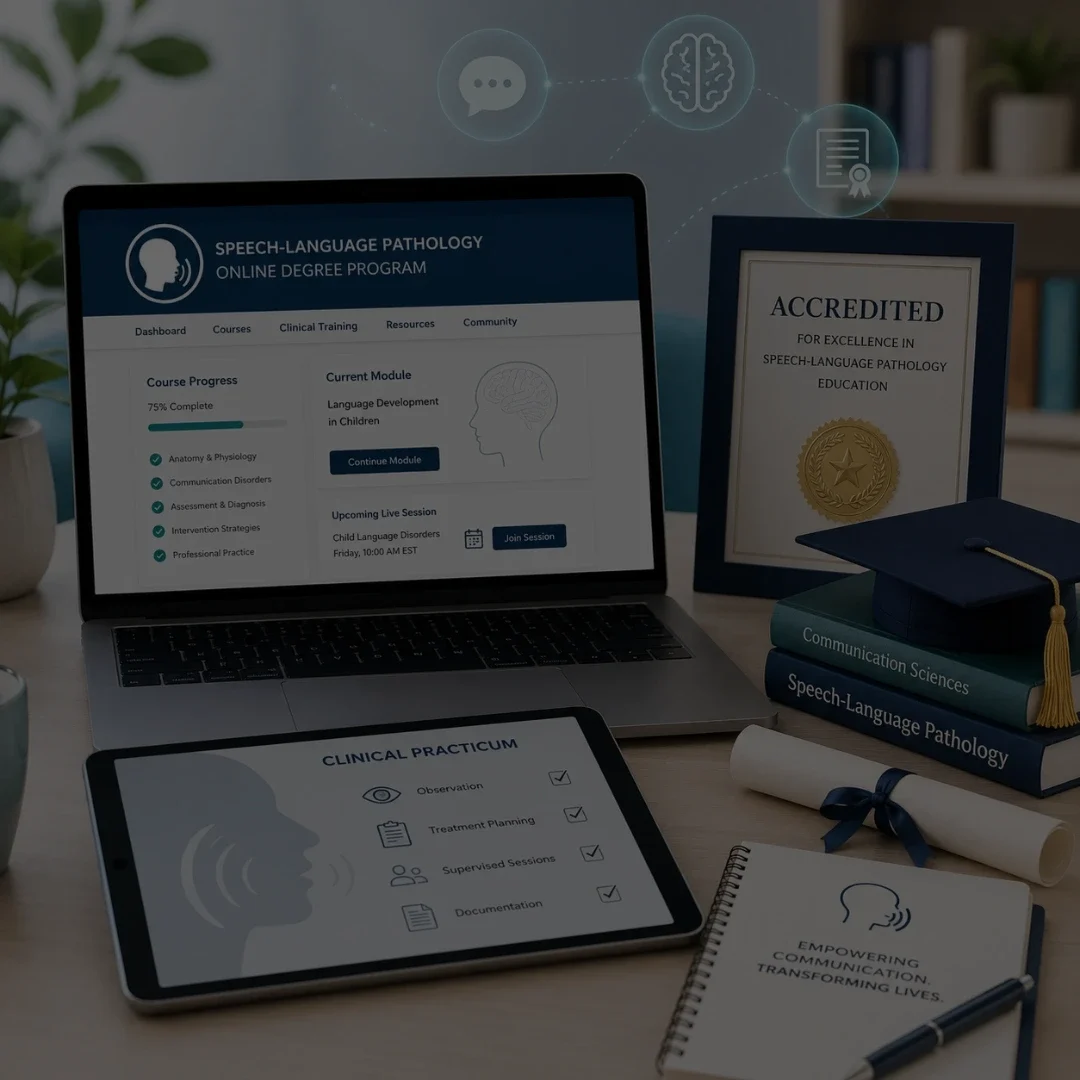
Frequently Asked Questions

What is Electronic Visit Verification and what does it require?

Electronic Visit Verification (EVV) is a federally mandated system under the 21st Century Cures Act that requires electronic documentation of six data points for every Medicaid-funded home health visit: the type of service, the date of service, the location of service, the patient, the provider, and the exact start and end time. The data must be captured electronically at the point of service, not entered manually after the visit.

Do physical therapists need to use EVV for home health visits?

Yes. Physical therapists, occupational therapists, and speech-language pathologists who provide home health services billed to Medicaid are subject to EVV requirements under the home health mandate, which took effect January 1, 2023. EVV applies to the visit setting and funding source, not the discipline. Outpatient clinic-based therapy visits billed to Medicaid are not subject to EVV.

What happens if a therapy practice does not comply with EVV?

Non-compliance with EVV requirements can result in Medicaid claim denials for home health visits that lack corresponding EVV data. Claims that were paid but lack EVV records can be subject to recoupment in states that conduct retrospective EVV audits. Repeated EVV non-compliance can trigger a broader provider audit covering the full claim history.

What is the difference between a standalone EVV tool and an integrated EMR?

A standalone EVV tool captures the six required data points in a separate app and transmits them to the state aggregator independently. The therapist then documents the clinical note in a separate EMR, creating two records that must align. An integrated EMR captures EVV data and clinical documentation in the same workflow, eliminating the mismatch risk between the two records.

Do EVV requirements vary by state?

Yes. While federal law establishes the minimum six data points that every EVV system must capture, states have significant discretion in implementation. Some states require providers to use a state-managed EVV system. Others allow providers to use their own EVV-capable software as long as it meets the state's data submission requirements and connects to the state's aggregator. Verify your specific state Medicaid agency's requirements before assuming compliance.

Is EVV required for telehealth therapy visits?

No. EVV requirements apply to in-person home health and personal care services delivered at the patient's place of residence. Telehealth therapy visits are not subject to EVV, regardless of whether they are billed to Medicaid. The EVV mandate is specific to visits where the provider is physically present in the patient's home.

You've found a hidden discount!

  • 00Hours
  • 00Minutes
  • 00Seconds