




















🎁 October Offer: PTs Save 10% Every Month Claim 10% Savings New PT Subscribers • User Fees Only

You've found a hidden discount!

HN Unlock Layer 1
HN Unlock Layer 2
HN Unlock Layer 3
HN Unlock Layer 4
HN Unlock Layer 5
  • 00Hours
  • 00Minutes
  • 00Seconds

Category: technology

AI for Chiropractors: Documentation, SOAP Notes, and Practice Workflow
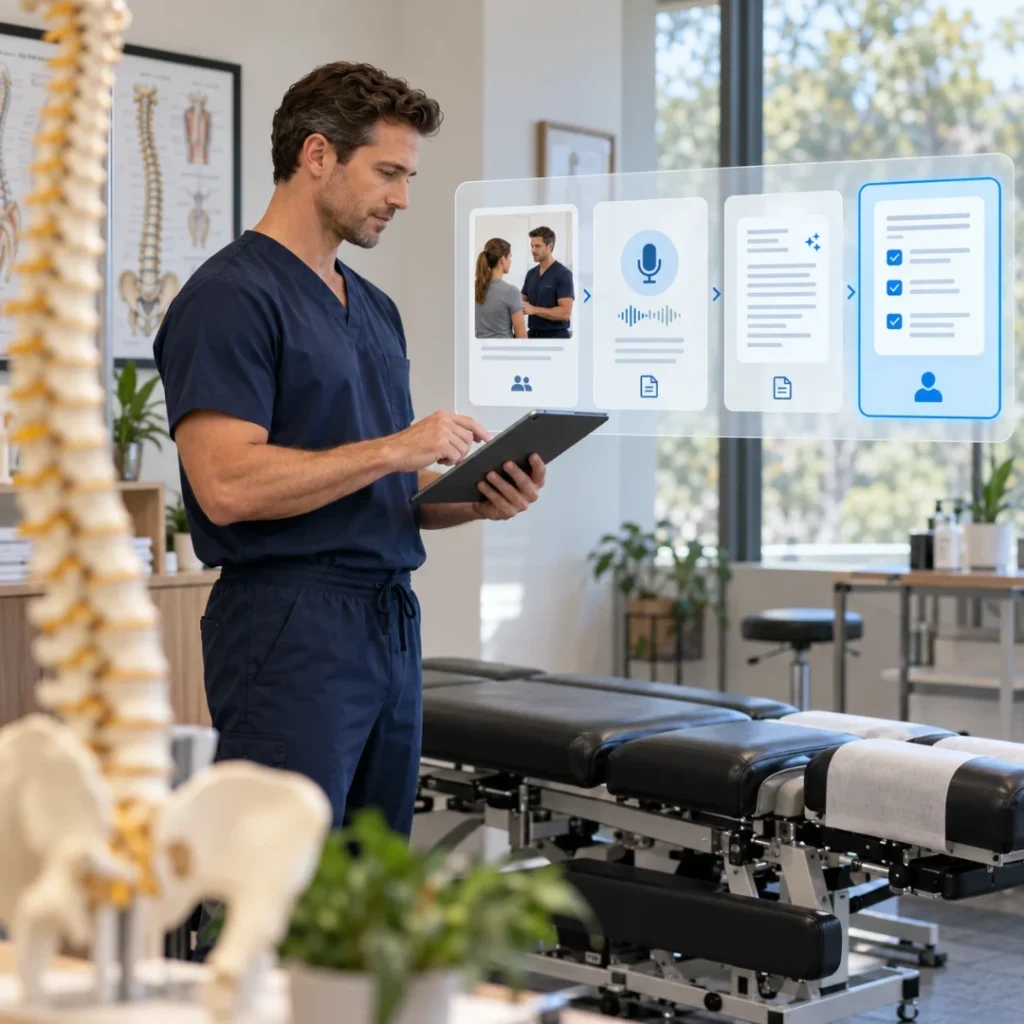
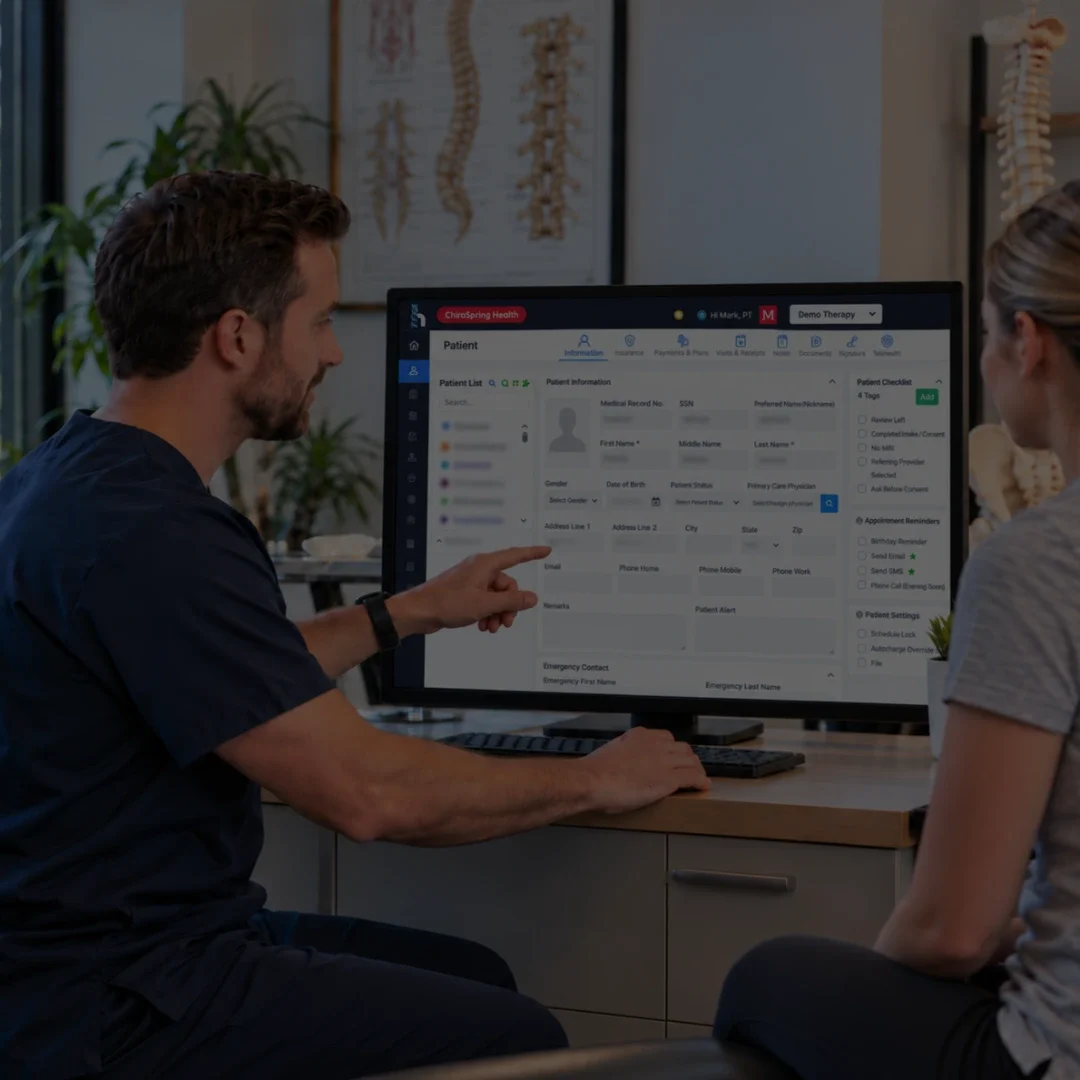
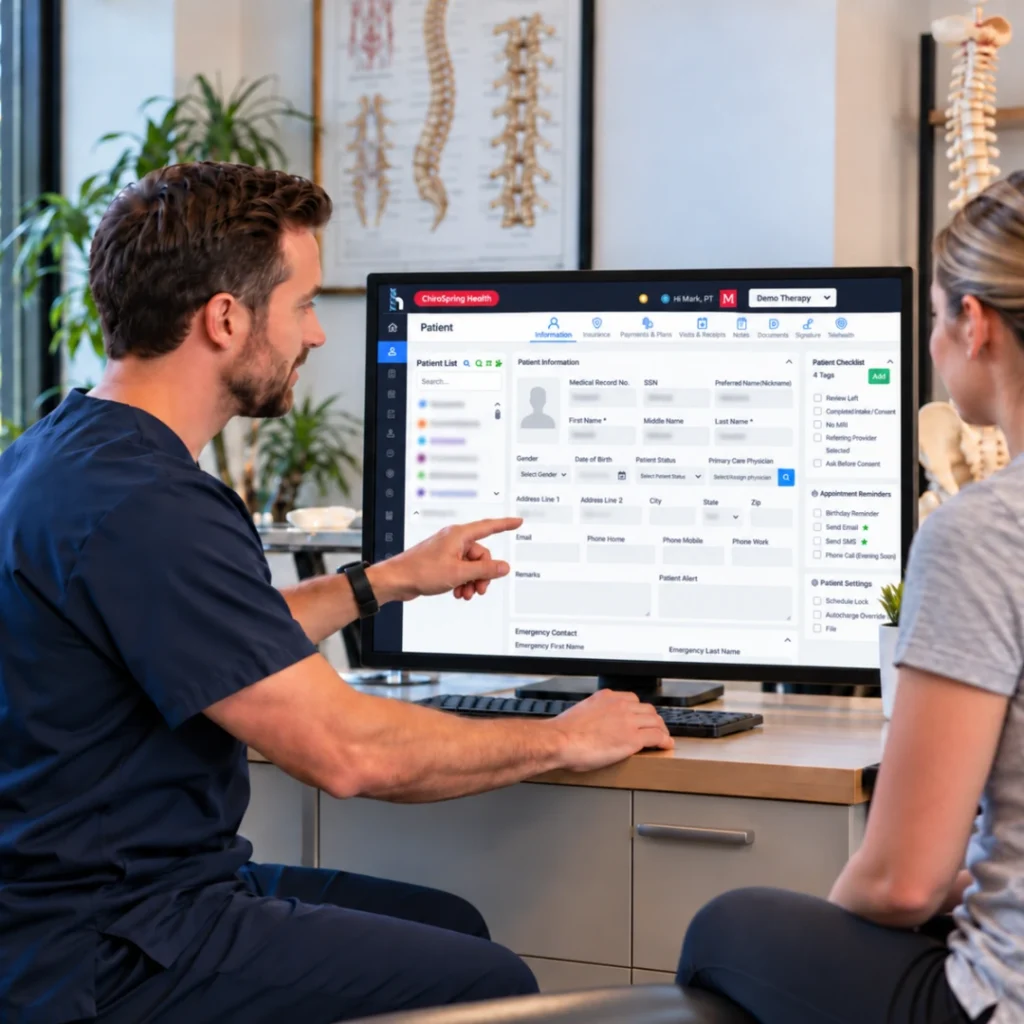
Chiropractor using AI-assisted documentation in a modern clinic, representing AI for chiropractors, chiropractic AI documentation, and AI chiropractic SOAP note workflows.

Artificial intelligence is becoming more visible in chiropractic software, but the useful question is not whether a platform has AI. The useful question is what the AI actually does, where it fits in the workflow, and how much clinical oversight is still required.

For chiropractors, the most practical use cases today tend to center on documentation, SOAP-note drafting, intake, administrative automation, and workflow support. These tools may reduce repetitive work, but they also introduce new questions about accuracy, privacy, review responsibility, and how AI-generated content becomes part of the medical record.

What does AI for chiropractors mean?

AI for chiropractors refers to software that uses artificial intelligence to assist with tasks such as documentation, SOAP-note drafting, transcription, intake summarization, workflow automation, reporting, and other administrative or clinical-support functions. AI can assist the workflow, but the chiropractor remains responsible for reviewing clinical information and making professional decisions.

The term is broad. Some tools are dedicated AI scribes. Others are built into an EHR and assist with documentation, intake, or workflow automation. Still others focus on marketing, scheduling, analytics, or patient communication. The value depends on whether the tool solves a real workflow problem without creating new risk or duplicate work.

Table of Contents

Key Takeaways

    • The Medicare 8-minute rule lets you bill one unit of a timed CPT code when you provide at least 8 minutes of direct, one-on-one treatment.
    • Units are based on the total timed minutes in the visit: 8–22 minutes = 1 unit, 23–37 = 2 units, 38–52 = 3 units, then 1 more unit for every 15 minutes.
    • When you perform several timed codes, give units to the codes with the most minutes first, then assign any remaining unit to the service with the most leftover minutes.
    • Untimed (service-based) codes, such as evaluations, don’t count toward your timed minutes.
    • Medicare and many Medicaid plans use the 8-minute rule. Some commercial payers count each code separately (the “rule of eights”), so check each payer’s policy.
    • Document the timed minutes for each code to support every unit you bill.

Where Can AI Help in a Chiropractic Practice?

AI can be useful when it reduces repetitive administrative work or helps clinicians organize information they already need to review. The best use cases tend to be specific and measurable rather than vague promises that AI will ‘transform’ the entire practice.

1. AI-Assisted Documentation

AI documentation tools can convert dictation, encounter information, or structured inputs into a draft note. This may reduce manual typing and give the clinician a starting point, especially when the AI is connected directly to the patient record.

2. AI SOAP Note Drafting

AI can organize encounter information into Subjective, Objective, Assessment, and Plan sections. The quality of the workflow depends on how well the draft reflects the current visit, how easy it is to correct, and whether the clinician can see what information was used.

For a practical example of how those sections can be structured, review our chiropractic SOAP note template.

3. Intake and Pre-Visit Summarization

Some AI workflows can summarize patient intake information or organize pre-visit details before the encounter. This can save time, but practices should still verify that the summary is complete and that clinically important information has not been omitted.

4. Administrative Workflow Automation

AI may also support non-clinical tasks such as routing information, generating summaries, assisting with follow-up communication, or helping staff organize repetitive administrative work. The exact use cases vary by platform and should be evaluated separately from clinical documentation.

5. Reporting and Practice Insights

Some software uses AI to surface patterns or summarize practice information. These tools can be helpful for operational review, but owners should understand what data is being analyzed and whether the output can be verified against the underlying report.

How AI Can Support Chiropractic Documentation and SOAP Notes

Documentation is where AI currently has one of the clearest practical roles in chiropractic workflows. The clinician already needs to create a record of the visit, so an AI tool can add value by reducing repetitive typing or organizing information into a usable draft.

The important distinction is between assistance and authorship. AI may help structure the note, but the chiropractor should determine whether the final record accurately reflects the patient’s condition, the findings, the care provided, and the clinical plan.

AI Documentation Task Potential Benefit What Still Requires Human Review
Transcription / dictation
Reduces manual typing
Whether the words were captured correctly and belong in the record
SOAP-note drafting
Organizes information into a clinical structure
Accuracy, completeness, patient-specific detail, and clinical reasoning
Intake summarization
Condenses patient-provided information
Missing, conflicting, or clinically significant details
Carry-forward / context use
Reduces repetitive re-entry
Whether prior information is still current
Suggested wording
Speeds drafting
Whether the language accurately reflects the encounter

Can AI Replace Clinical Judgment?

Can AI replace a chiropractor's clinical judgment?

No. AI can assist with documentation, summarization, and workflow tasks, but it should not replace the chiropractor’s professional judgment about examination findings, diagnosis, treatment decisions, patient safety, or the accuracy of the medical record.

Chiropractic care often involves variable symptoms, evolving findings, and decisions that depend on the patient’s history, examination, response to treatment, and broader context. An AI system may help organize information, but it does not independently understand the patient in the same way the treating clinician does.

This is one reason AI output should be treated as a draft or recommendation rather than an automatically correct final answer.

Common Risks and Limitations of Chiropractic AI

Inaccurate or Invented Information

Generative AI can produce information that sounds plausible but is incomplete or incorrect. In a clinical record, that creates risk if the content is accepted without review.

Loss of Patient-Specific Context

AI may summarize well at a general level but miss details that change the interpretation of the visit. The clinician should confirm that important changes, responses, and exceptions are reflected accurately.

Over-Reliance on Automation

A convenient AI workflow can encourage users to accept suggested content too quickly. Practices should design the workflow so review and approval remain explicit steps.

Privacy and Data Handling Questions

AI tools may process protected health information or other sensitive practice data. Before implementation, the practice should understand what information is transmitted, stored, retained, or used by the vendor and how access is controlled.

Workflow Fragmentation

A separate AI tool can save time during note creation but still create extra work if staff must copy and paste the output into another system, reconcile patient identity manually, or maintain duplicate records.

What Privacy and Security Questions Should Chiropractors Ask?

    • Does the AI process protected health information?
    • Where is the data transmitted and stored?
    • How long is data retained?
    • Is patient information used to train models or improve the service?
    • What access controls and authentication methods are available?
    • How are user roles and permissions managed?
    • Can the vendor explain its responsibilities for HIPAA-related safeguards and agreements where applicable?
    • How does the workflow prevent information from being placed in the wrong patient record?

Standalone AI Tool vs. AI Built Into a Chiropractic EHR

Practices can add a specialized AI tool to an existing software stack or choose an EHR that includes AI within the patient record. The right approach depends on the current system, the problem being solved, and how much integration matters.

Consideration Standalone AI Tool AI Built Into a Chiropractic EHR
Primary use
Focused AI task such as scribing or note generation
AI connected to a broader patient and practice workflow
Implementation
May be faster to add
May require broader EHR onboarding or configuration
Patient context
May require manual setup or transfer
Can use context already available in the patient chart
Copy / paste risk
May require moving output between systems
May connect documentation with charges and billing workflow
User management
Separate accounts and permissions
May use existing EHR roles and permissions
Best fit
Practice with a strong existing EHR that needs one AI capability
Practice trying to reduce disconnected tools and duplicate work

How AI Fits Into Intake, Documentation, Billing, and Practice Workflow

AI is most useful when it supports the handoffs that already exist in the practice. A disconnected AI tool may improve one task while creating work elsewhere.

Workflow Stage Workflow Stage Possible AI Role Evaluation Question
Intake
Summarize or organize patient-provided information
Can staff verify the original information easily?
Encounter
Capture dictation or encounter details
Does the clinician control what becomes part of the note?
Documentation
Draft SOAP notes or summaries
How easy is it to review, edit, and approve?
Billing handoff
Help organize documented services for review
Does the workflow preserve a clear separation between clinical documentation and billing decisions?
Reporting
Summarize operational or clinical trends
Can users trace the output back to the underlying data?
Follow-up
Assist with routine communication or reminders
What information is used, and what still requires staff approval?

How to Evaluate AI Software for a Chiropractic Practice

A useful AI demo should test a real workflow, not only a polished example. Ask the vendor to show what happens when the input is incomplete, the note needs correction, or the output does not match the clinician’s intent.

    • What exact problem does the AI solve?
    • What inputs does the AI use?
    • Where does the generated output appear?
    • Can the clinician edit and approve the content before finalization?
    • What happens when the AI is wrong or incomplete?
    • Can the user see the source information that produced the draft?
    • How does the tool handle patient privacy and data retention?
    • Does it require copy-and-paste between systems?
    • How does it fit with templates, billing, scheduling, reporting, and the patient record?
    • What training, onboarding, support, and implementation assistance are available?
    • What features are included in the base price and which require add-ons?

Common Mistakes When Choosing Chiropractic AI

Choosing AI Because It Sounds Innovative

AI should solve a specific workflow problem. A product that adds another login or another review step may not reduce administrative work even if the technology itself is impressive.

Evaluating Speed Without Evaluating Accuracy

Fast note generation is useful only if the clinician can trust the workflow enough to review and finalize it efficiently. Test realistic visits and corrections rather than only the ideal demo.

Ignoring Privacy and Data Handling

Practices should understand how patient information is processed before allowing an AI tool into the workflow.

Treating AI Output as Clinical Judgment

AI-generated text can assist the clinician, but it should not replace examination, reasoning, treatment decisions, or professional accountability.

Adding AI Without Mapping the Existing Workflow

A standalone tool may solve note creation while leaving scheduling, billing, or patient management disconnected. Map the full workflow before deciding where AI should sit.
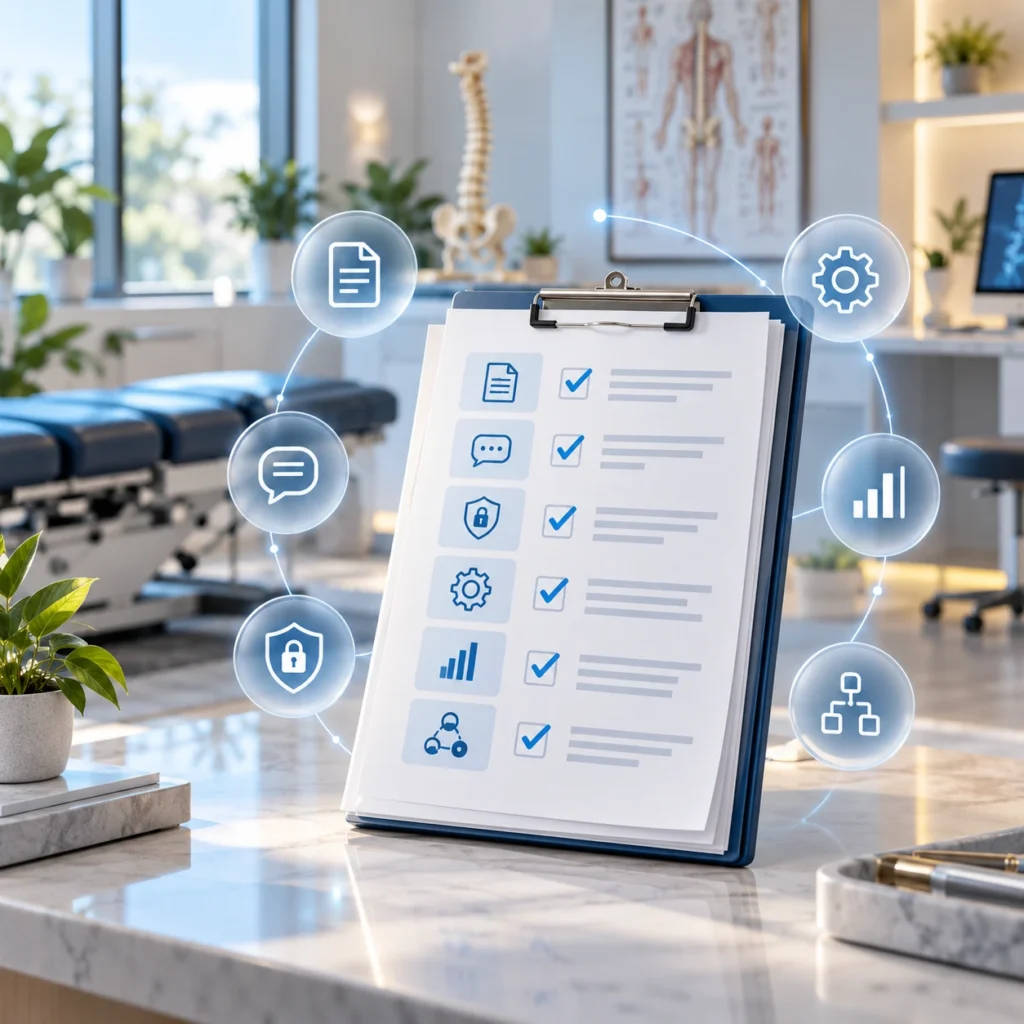
AI evaluation checklist for chiropractors showing documentation, privacy, workflow, reporting, and integration criteria in a modern chiropractic clinic.

A Practical AI Evaluation Checklist for Chiropractors

Evaluate

Questions to Ask

Use case

What specific task is the AI designed to improve?

Documentation

Can it create a useful draft without replacing clinician review?

SOAP notes

Can it organize the encounter into SOAP structure and preserve patient-specific detail?

Accuracy review

How does the clinician identify and correct incorrect or missing output?

Privacy

What patient information is processed, stored, or retained?

Security

What authentication, permissions, and safeguards are available?

Integration

Does the AI work inside the EHR or require copy-and-paste?

Workflow

How does it connect with intake, documentation, billing, and reporting?

Implementation

What onboarding, training, migration, and workflow setup are required?

Support

What support is available when AI output or integration does not work as expected?

Pricing

What is included and which AI features require additional fees?

How HelloNote Supports AI-Assisted Chiropractic Documentation

HelloNote includes an AI Scribe designed to support documentation within the EMR workflow. The tool can generate a structured SOAP draft for clinician review and finalization, helping reduce repetitive documentation steps while keeping the draft connected to the patient record.

To see how AI-assisted documentation fits into the broader HelloNote platform, explore HelloNote chiropractic software.

For chiropractors evaluating AI, the broader workflow still matters. Documentation should connect appropriately with scheduling, billing, reporting, patient management, and the rest of the clinical record rather than becoming another isolated tool.

For deeper documentation guidance, review the Chiropractic Documentation Software article. For SOAP-specific workflow evaluation, see the Chiropractic SOAP Note Software guide. For broader system selection, use the Chiropractic EMR & EHR Software.

See How AI Can Support Your Chiropractic Workflow

Explore how HelloNote’s AI Scribe can help with chiropractic documentation and SOAP-note drafting while keeping clinician review, patient records, scheduling, billing, and reporting connected in one EMR workflow.

No credit card required • HIPAA Compliant • Built for therapy and chiropractic practices

Frequently Asked Questions About AI for Chiropractors

How can chiropractors use AI?

Chiropractors can use AI to assist with documentation, SOAP-note drafting, transcription, intake summarization, workflow automation, reporting, and other administrative tasks. The most useful applications are those that solve a defined workflow problem while keeping clinician review and accountability in place.

Can AI write chiropractic SOAP notes?

AI can generate a draft SOAP note from encounter information or clinician dictation and organize the content into Subjective, Objective, Assessment, and Plan sections. The chiropractor should review, correct, and approve the final record before signing.

Is an AI scribe useful for chiropractors?

An AI scribe can be useful when documentation is a major source of repetitive work. Its value depends on the accuracy of the draft, how easily the clinician can review it, whether it fits the practice's templates, and whether it integrates with the patient record.

Can AI replace a chiropractor?

No. AI can support documentation and workflow tasks, but it should not replace a chiropractor's examination, clinical reasoning, treatment decisions, or responsibility for the medical record.

Is AI safe for chiropractic documentation?

AI can support documentation when it is used with appropriate clinician review, privacy safeguards, access controls, and a clear workflow for correcting errors. Practices should evaluate each vendor's data handling and security practices before implementation.

Should a chiropractic practice use a standalone AI tool or AI built into an EHR?

Either model can work. Standalone tools may be easier to add for one specific task, while AI built into an EHR may reduce copy-and-paste and connect the output directly to the patient record and broader practice workflow.

What should chiropractors look for in AI software?

Evaluate the use case, output quality, clinician-review process, privacy and security controls, EHR integration, workflow fit, implementation, support, and total cost rather than choosing based only on the presence of an AI feature.

Use AI to Reduce Friction, Not Clinical Oversight

AI can be valuable for chiropractors when it reduces repetitive work and helps information move through the practice more efficiently. The strongest use cases are practical: drafting documentation, organizing SOAP notes, summarizing intake, and supporting workflows that already exist.

The goal should not be to remove the clinician from the process. It should be to remove unnecessary administrative friction while preserving review, context, and professional judgment. A useful AI tool should make the practice easier to run without making the clinical record harder to trust.


Chiropractic Documentation Software: What to Look for in a Modern EHR

Chiropractic documentation software showing SOAP notes, patient chart, progress tracking, treatment plan, and billing workflow in a modern chiropractic clinic.

Chiropractic documentation software should do more than give clinicians a place to type SOAP notes. The right system should help organize clinical information, reduce repetitive charting, support individualized documentation, connect the record to billing workflows, and make it easier for a practice to maintain consistent records as it grows. For chiropractors comparing software, the key question is not simply whether the platform can create a note. It is whether the documentation workflow fits the way the practice actually evaluates, treats, bills, and follows patients over time.

What is chiropractic documentation software?

Chiropractic documentation software is a digital charting system used to create, organize, review, and store clinical records such as initial evaluations, SOAP notes, daily notes, progress notes, reassessments, and treatment plans. Depending on the platform, documentation may also connect with scheduling, billing, claims, reporting, and other EHR or practice-management workflows.

In practical terms, the best workflow is the one that helps the chiropractor document what happened during the encounter without forcing the clinician to rebuild the same information in multiple places. Standalone note software may be enough for a very narrow documentation need. An integrated EHR can make more sense when the practice also needs scheduling, billing, patient records, reporting, and other workflows connected to the same chart.

Table of Contents

Key Takeaways

    • The Medicare 8-minute rule lets you bill one unit of a timed CPT code when you provide at least 8 minutes of direct, one-on-one treatment.
    • Units are based on the total timed minutes in the visit: 8–22 minutes = 1 unit, 23–37 = 2 units, 38–52 = 3 units, then 1 more unit for every 15 minutes.
    • When you perform several timed codes, give units to the codes with the most minutes first, then assign any remaining unit to the service with the most leftover minutes.
    • Untimed (service-based) codes, such as evaluations, don’t count toward your timed minutes.
    • Medicare and many Medicaid plans use the 8-minute rule. Some commercial payers count each code separately (the “rule of eights”), so check each payer’s policy.
    • Document the timed minutes for each code to support every unit you bill.

Why Chiropractic Documentation Software Matters

Documentation is both a clinical record and an operational dependency. The note communicates the patient’s status, what was evaluated, what was treated, how the patient responded, and what the clinician plans next. At the same time, documentation can influence coding review, billing workflows, payer requests, continuity of care, and the practice’s ability to respond to audits or record requests.

A weak documentation workflow often shows up as more than slow charting. It can create duplicated entry, inconsistent note formats, missing information, delayed claim preparation, and difficulty seeing how the episode of care has changed over time. A stronger system should reduce those friction points without turning documentation into a rigid checklist.

What Types of Chiropractic Documentation Should the Software Support?

A modern chiropractic documentation system should make it easy to manage different note types across the patient journey. The exact forms will vary by practice, payer, and clinical approach, but common documentation includes:

Documentation Type What the Workflow Should Help Capture
Initial evaluation
History, presenting problem, examination findings, assessment, goals, and an initial treatment plan.
SOAP / daily note
Patient-reported changes, objective findings, treatment delivered, response to care, clinical assessment, and plan.
Progress note / reassessment
Changes over time, objective progress, functional status, response to the plan of care, and clinical decisions about continuation or modification.
Treatment plan
Recommended care, goals, frequency or duration where applicable, and the measures used to evaluate progress.
Discharge or episode summary
Status at the end of care, progress toward goals, remaining limitations, and follow-up recommendations where appropriate.

What Features Should Chiropractic Documentation Software Include?

Feature lists are easy to compare. Workflow quality is harder. These are the capabilities worth evaluating because they affect how the software performs in day-to-day practice.

1. Customizable Documentation Templates

Templates should provide structure without producing identical notes. Look for the ability to adapt sections, required fields, reusable content, free-text areas, and specialty-specific workflows. The goal is consistency where consistency helps, while still allowing the clinician to document what is unique about the patient and encounter.

For a practical example of how Subjective, Objective, Assessment, and Plan sections can be structured, review our chiropractic SOAP note template.

2. Efficient SOAP Note Workflows

Chiropractic SOAP note software should make it easier to capture Subjective, Objective, Assessment, and Plan information in a way that reflects the actual visit. Speed is useful, but it should not come at the expense of clinical detail. Macros, carry-forward tools, smart fields, and reusable phrases can save time when they are reviewed and individualized for the current encounter.

3. Progress Tracking Across the Episode of Care

Documentation becomes more useful when clinicians can see change over time. The system should make it practical to compare findings, update goals, document response to treatment, and show why the plan is being continued, progressed, or changed.

4. Documentation-to-Billing Connection

Clinical documentation and billing are separate functions, but they are closely connected operationally. A connected workflow can reduce re-entry by allowing the practice to move from the documented encounter into charge capture, coding review, claims, and payment workflows without rebuilding the same patient information in another system.

5. Compliance-Supporting Controls

Software can support better documentation habits through structured fields, signatures, timestamps, edit history, required-field prompts, and consistent note organization. These tools are useful for audit readiness, but they do not make a note compliant by themselves. The chiropractor still needs to document the clinical facts, reasoning, and medical necessity required for the patient and payer.

For a deeper review of active treatment, medical necessity, the AT modifier, and audit readiness, see our Medicare chiropractic documentation guidelines.

For Medicare-covered chiropractic services, CMS specifically describes documentation expectations for the initial visit and subsequent visits, including the history, present illness, treatment plan, examination of the involved spinal area, changes in the patient’s condition, and evaluation of treatment effectiveness. Review the current CMS chiropractic documentation guidance.

6. Security and Access Controls

Because documentation contains protected health information, evaluate how the software handles access, user permissions, secure storage, backups, and account controls. Practices should also verify that the vendor’s privacy and security practices fit their own HIPAA responsibilities and workflow requirements.

7. Cloud Access and Multi-Location Use

Cloud access can be especially useful for owners or clinicians working across more than one location. The important question is not simply whether the software is cloud-based, but whether authorized users can access the correct patient record, templates, schedules, and documentation workflows consistently across locations.

Can AI Help with Chiropractic Documentation?

Can AI create chiropractic SOAP notes?

AI can assist chiropractic documentation by converting encounter information or clinician dictation into a draft note, organizing content into SOAP sections, and reducing repetitive typing. The final note should still be reviewed, corrected, and approved by the chiropractor because the clinician remains responsible for the accuracy and completeness of the medical record.

When evaluating AI-assisted documentation, ask where the draft is created, how it gets into the patient chart, whether the workflow requires copy-and-paste between systems, and how easy it is for the clinician to review and edit before signing. AI is most useful when it reduces administrative steps without weakening clinical oversight.

For a deeper look at AI-assisted charting, SOAP note workflows, clinician review, and documentation limitations, see our guide to AI for chiropractors.

Standalone Documentation Software vs. a Chiropractic EHR

Not every practice needs the same type of system. The distinction between standalone documentation software and an integrated chiropractic EHR is important because the choice affects how many systems staff must maintain and how easily information moves through the practice.

Consideration Standalone Documentation Software Integrated Chiropractic EHR
Primary purpose
Create and manage clinical notes
Connect documentation with a broader patient and practice workflow
Scheduling
May require another system
Often connected to the patient record and appointment workflow
Billing / claims
May require export or duplicate entry
Can connect documentation, charges, claims, and revenue-cycle workflows
Patient record
Focused mainly on notes
Maintains a broader longitudinal patient record
Reporting
Usually documentation-focused
May include clinical, operational, billing, and practice reports
Best fit
Practice that only needs a documentation layer
Practice that wants documentation and practice operations connected

Neither model is automatically better. A practice that already has a strong EHR may only need a specialized documentation layer. A practice trying to reduce duplicate systems may benefit more from an integrated EHR that connects documentation to scheduling, billing, reporting, and other daily workflows.

For a broader look at how documentation fits into the complete clinical and administrative workflow, see our guide to Hellonote chiropractic software to see how documentation, scheduling, billing, reporting, and other workflows can work together in one system.

How to Evaluate Chiropractic Documentation Software

A demo is more useful when you evaluate the workflow rather than the sales presentation. Use the questions below to test whether the system will work under real clinical conditions.

    • Can clinicians build or modify chiropractic-specific templates without relying on the vendor for every change?
    • Does the system support initial evaluations, SOAP or daily notes, progress notes, reassessments, treatment plans, and discharge documentation?
    • Can information carry forward where appropriate without encouraging copy-forward of outdated or inaccurate content?
    • Can the clinician see previous findings and progress without opening multiple screens?
    • How are signatures, timestamps, amendments, and record history handled?
    • Does the workflow support individualized documentation and clinical reasoning rather than only checkboxes?
    • Can documentation connect to diagnosis, procedure, charge, and billing workflows where appropriate?
    • If AI is included, how is the draft generated, reviewed, edited, and finalized?
    • Can authorized staff use the system securely across locations or roles?
    • What onboarding, training, data migration, and ongoing support are available?

Common Mistakes When Choosing Chiropractic Documentation Software

Choosing Based Only on How Fast a Demo Note Is Created

A fast note is attractive, but speed during a sales demo does not show how the system handles a real episode of care, multiple note types, changes in status, billing workflows, or record requests. Test the entire documentation sequence.

Assuming Templates Automatically Create Compliant Notes

Templates can help standardize the workflow, but they cannot determine whether the clinical content supports the service provided. Avoid software claims that suggest a template or checkbox can guarantee compliance, reimbursement, or audit success.

Ignoring the Billing Workflow

Documentation that lives in one system while billing lives somewhere else may create additional steps for staff. Ask exactly how documented services move into charge capture, coding review, and claims so you understand where duplicate entry may still occur.

Buying AI Without Reviewing the Approval Workflow

The useful question is not simply whether the platform has AI. Ask whether the output is a raw transcript, a suggested note, or a structured clinical draft, and how the clinician confirms accuracy before the record is signed.

Overlooking Training and Scalability

A system that works for one chiropractor should also be evaluated for additional providers, locations, permissions, templates, reporting, and onboarding needs. The cost of switching later can be much higher than evaluating scalability upfront.

Evaluate Look For
Documentation
SOAP notes, evaluations, progress notes, reassessments, treatment plans, discharge documentation
Templates
Customizable structure, reusable fields, free-text flexibility, specialty-specific options
Workflow
Easy access to prior findings, goals, progress, and patient context
Compliance support
Signatures, timestamps, required-field prompts, history or audit trail where applicable
Billing connection
Clear path from documented encounter to charges, coding review, claims, and payment workflow
AI
Draft generation, clinician review, editing, approval, and secure handling of patient information
Security
HIPAA-oriented safeguards, access controls, secure storage, account permissions
Practice operations
Scheduling, reporting, multi-location access, role-based workflows if needed
Implementation
Data migration, onboarding, training, support, and realistic go-live expectations

How HelloNote Supports Chiropractic Documentation Workflows

HelloNote approaches chiropractic documentation as part of the broader patient and practice workflow rather than as a separate note-writing task. Its chiropractic EMR includes customizable SOAP note templates and connects documentation with other practice functions such as scheduling, billing, reporting, and patient management.

HelloNote also offers a built-in AI Scribe that can generate a structured SOAP draft inside the EMR for clinician review and finalization. Keeping the draft connected to the correct patient and case can reduce the need to move documentation between a third-party AI tool and the clinical record.

If your practice is comparing documentation tools as part of a larger software decision, explore HelloNote Chiropractic EMR to see how documentation, scheduling, billing, reporting, and other workflows can work in one system.

See How HelloNote Supports Chiropractic Documentation

Explore how HelloNote connects chiropractic documentation, SOAP notes, scheduling, billing, reporting, and patient management in one EMR workflow.

No credit card required • HIPAA Compliant • PT, OT & SLP

Frequently Asked Questions About Chiropractic Documentation Software

What is chiropractic documentation software?

Chiropractic documentation software is a digital system for creating, organizing, reviewing, and storing clinical records such as evaluations, SOAP notes, daily notes, progress notes, reassessments, and treatment plans. Some products focus only on note creation, while integrated EHR platforms connect documentation with scheduling, billing, claims, reporting, and patient management.

What features should chiropractic documentation software include?

Useful features may include customizable templates, SOAP note workflows, progress tracking, signatures and timestamps, secure record access, documentation history, billing integration, reporting, and clinician-reviewed AI assistance. The right mix depends on the size and workflow of the practice.

Can chiropractic software help with SOAP notes?

Yes. Chiropractic SOAP note software can provide structured Subjective, Objective, Assessment, and Plan sections, reusable templates, macros, smart fields, and other tools that reduce repetitive entry. Clinicians should still review the note and make sure it accurately reflects the current encounter.

Is chiropractic documentation software the same as an EHR?

Not always. Standalone documentation software may focus mainly on creating and storing notes. A chiropractic EHR generally manages a broader patient record and may connect documentation with scheduling, billing, claims, reporting, and other practice-management functions.

Can AI create chiropractic notes?

AI can assist by converting encounter information or dictation into a draft note and organizing content into a clinical structure such as SOAP. The chiropractor should review, correct, and approve the final note before signing because the clinician remains responsible for the medical record.

How does documentation software connect with billing?

While HelloNote does not offer a traditional time-limited free trial, we offer something better: a Free Forever EMR plan. This plan is specifically designed for startup practices and solo clinicians who need a professional, HIPAA-compliant system without the upfront cost. Limitations: The free plan is limited to 2 active patients and provides email-only support. It is the perfect "sandbox" to build your practice before you scale.

Does documentation software guarantee Medicare compliance?

No. Software may support documentation through structured fields, prompts, signatures, timestamps, and record organization, but it cannot guarantee compliance, payment, or audit success. The clinical record must still meet applicable Medicare, payer, and professional documentation requirements.

What should chiropractors look for when choosing documentation software?

Evaluate the entire workflow: note types, template flexibility, progress tracking, billing connection, compliance-supporting controls, security, AI review, reporting, onboarding, support, and whether the system can scale with additional providers or locations.

Choose a Documentation Workflow That Fits the Whole Practice

Chiropractic documentation software should make clinical charting easier without separating documentation from the rest of the practice. The most useful system is one that helps clinicians record individualized care, review progress over time, connect documentation to the workflows that depend on it, and maintain appropriate clinical oversight even when automation or AI is involved.

When comparing products, look beyond how quickly a sample SOAP note can be completed. Evaluate what happens before the note, during the encounter, after it is signed, and when the information needs to support billing, reporting, continuity of care, or a record review. That broader workflow is what determines whether the software will actually reduce friction in day-to-day practice.

How to Choose Chiropractic EMR Software: Features, Checklist and Demo Questions

Chiropractor using chiropractic EMR software to review a patient record and manage clinical and practice workflows.

Choosing software for a chiropractic practice is not only a technology decision. The system can affect how clinicians document visits, how staff schedule patients, how charges move toward billing, how records are organized, and how owners understand what is happening across the practice.

That is why searches for chiropractic EMR, chiropractic EHR software, and chiropractic practice software often lead to the same underlying question: Which system can support the clinical and operational workflow without creating more disconnected work?

This guide explains the category first, then provides a practical framework for evaluating chiropractic EMR and EHR systems. Detailed subjects such as AI documentation, templates, Medicare documentation, and CPT-specific documentation are introduced here but belong in dedicated supporting guides.

Key Takeaways

    • The Medicare 8-minute rule lets you bill one unit of a timed CPT code when you provide at least 8 minutes of direct, one-on-one treatment.
    • Units are based on the total timed minutes in the visit: 8–22 minutes = 1 unit, 23–37 = 2 units, 38–52 = 3 units, then 1 more unit for every 15 minutes.
    • When you perform several timed codes, give units to the codes with the most minutes first, then assign any remaining unit to the service with the most leftover minutes.
    • Untimed (service-based) codes, such as evaluations, don’t count toward your timed minutes.
    • Medicare and many Medicaid plans use the 8-minute rule. Some commercial payers count each code separately (the “rule of eights”), so check each payer’s policy.
    • Document the timed minutes for each code to support every unit you bill.

How to Choose Chiropractic EMR Software

A product demo should test the workflow you expect staff to use every day. Before comparing vendors, map the processes that matter most to your practice so each system is evaluated against the same criteria.

What is chiropractic EMR software?

Chiropractic EMR software is a digital system used to manage clinical records and related practice workflows for chiropractic care. Depending on the platform, it may support patient charts, evaluations, SOAP notes, treatment plans, scheduling, billing, reporting, intake, and other day-to-day tasks within one connected system.

At its core, an EMR replaces fragmented paper or digital records with a structured patient record. The practical value depends on what happens around that record. A system that stores notes but forces staff to re-enter the same information into scheduling, billing, or reporting tools may still create unnecessary work.

For chiropractors, the evaluation should therefore focus on workflow, not simply on whether a product describes itself as an EMR.

Table of Contents

Chiropractic EMR vs. EHR: What's the Difference?

An EMR traditionally refers to the digital medical record used within a practice, while an EHR is designed around a broader health record that can support information sharing across authorized healthcare organizations. In everyday software searches, vendors and buyers often use EMR and EHR interchangeably, so chiropractors should compare actual capabilities rather than relying on the label alone.

The terminology matters conceptually, but it should not become the deciding factor when comparing products. A chiropractor evaluating software should look at how the platform handles the patient record, documentation, access, exchange, billing, scheduling, reporting, and integration needs.

Area EMR EHR
Traditional focus
Digital medical record within a practice
Broader electronic health record
Information scope
Primarily practice-level clinical information
Designed for a broader view of the patient’s health record
Information sharing
Historically more practice-centered
Designed with exchange across authorized care settings in mind
How the terms are used today
Often used as a software-category label
Often used interchangeably with EMR in vendor and search language
What buyers should evaluate
Actual workflow and capabilities
Actual workflow, interoperability, and capabilities

For search and buying purposes, this guide uses both terms because chiropractors commonly encounter both chiropractic EMR and chiropractic EHR software when researching systems.

Why Do Chiropractic Practices Use EMR and EHR Software?

The strongest reason to adopt or replace an EMR is usually not a single feature. It is the cumulative effect of disconnected work. When documentation, scheduling, patient information, billing, and reporting live in separate places, staff may spend more time moving information between systems and less time using it.

Reduce Fragmented Patient Information

A connected record gives authorized users a consistent place to review relevant patient information instead of relying on separate documents, inboxes, spreadsheets, or stand-alone note tools.

Create a More Consistent Documentation Workflow

Chiropractic encounters can involve initial evaluations, SOAP or daily notes, progress documentation, treatment plans, reassessments, and other records. A structured workflow helps clinicians move through these note types while maintaining continuity across the episode of care.

Connect Scheduling With the Patient Record

Chiropractic encounters can involve initial evaluations, SOAP or daily notes, progress documentation, treatment plans, reassessments, and other records. A structured workflow helps clinicians move through these note types while maintaining continuity across the episode of care.

Support Billing and Revenue-Cycle Workflows

Clinical documentation and billing are different functions, but they interact. A well-designed system should make it clear how diagnoses, procedures, charges, claims, payments, and documentation relate without encouraging the clinician to document solely for billing.

Improve Practice Visibility

Reporting can help owners review patient volume, scheduling trends, documentation status, billing activity, and other operational measures. The useful question is not whether a platform has reports, but whether the reports answer the questions the practice actually needs to manage.

What Features Should Chiropractic EMR Software Include?

Most vendors provide long feature lists. A better evaluation starts with the workflows that occur before, during, and after the visit. The following capabilities deserve close attention.

1. Chiropractic Clinical Documentation

The system should support the documentation types your practice actually uses, including evaluations, SOAP notes, daily notes, progress notes, reassessments, treatment plans, and discharge or episode summaries where applicable. Look for flexibility without making every clinician build every form from scratch.

For a deeper evaluation of documentation-specific workflows, see the supporting guide on chiropractic documentation software.

2. SOAP Note Workflow

SOAP notes should be easy to complete while still allowing the chiropractor to document individualized findings, clinical reasoning, treatment provided, patient response, and next steps. Fast charting is useful, but speed should not come at the expense of accurate or meaningful documentation.

For a deeper look at digital charting workflows, customization, and progress documentation, see our guide to chiropractic SOAP note software.

3. Scheduling, Intake, and Patient Flow

Evaluate how the platform handles appointment scheduling, new-patient intake, reminders, patient information, and the handoff from front-desk activity into the clinical record. A system may be clinically strong but still create administrative friction if these workflows are disconnected.

4. Billing and Claims

If billing is part of the platform, review how documented services move into charge capture, coding review, claim creation, payment posting, and follow-up. If billing is handled elsewhere, ask what information must be exported, re-entered, or reconciled.

5. Patient Management

Patient management includes more than storing demographics. Look at how the system organizes case information, insurance details, communication, appointments, documents, forms, care history, and relevant clinical context.

6. Reporting and Analytics

Reports should help the practice answer operational questions, not simply generate data. Ask whether the system can help owners understand scheduling, patient activity, documentation status, billing performance, referrals, and other metrics relevant to the practice.

7. Security and Role-Based Access

Healthcare software contains protected health information, so access controls matter. Evaluate user permissions, authentication, secure access, record history, backup practices, and the vendor’s security responsibilities. The practice should also understand its own obligations for appropriate access and use.

8. Training, Support, and Implementation

Software selection does not end at the contract. Ask what onboarding looks like, how data migration is handled, how staff are trained, what support channels are available, and how the vendor assists during go-live and later workflow changes.

Abstract visualization of AI-powered chiropractic EMR software connecting patient records, documentation, scheduling, billing, and reporting around a digital spine.

How Is AI Changing Chiropractic EMR Software?

AI can assist chiropractic documentation by turning encounter information or clinician dictation into a draft note, organizing content into sections such as SOAP, and reducing repetitive typing. The chiropractor should still review, correct, and approve the final clinical record before it is signed.

AI is becoming part of the chiropractic software conversation because documentation is one of the most repetitive workflows in many practices. The value of AI depends less on the presence of an AI button and more on how the output fits into the real charting process.

    • Where does the AI-generated draft appear?
    • Does the clinician need to copy and paste between systems?
    • Can the draft reflect chiropractic terminology and the practice’s preferred structure?
    • How does the clinician review, edit, and finalize the note?
    • What information is retained, transmitted, or used by the AI workflow?
    • How does the AI fit with templates, billing, and the rest of the patient record?

For a deeper look at AI-assisted documentation, review our guide to AI for chiropractors.

How Do Documentation Templates Fit Into a Chiropractic EHR?

Templates can provide consistency without requiring every visit to look identical. Useful chiropractic EHR systems should allow practices to structure common documentation while leaving enough flexibility for individualized findings and clinical reasoning.

Documentation Type Typical Role in the Workflow
Initial evaluation
Capture history, examination findings, assessment, goals, and an initial care plan.
SOAP / daily note
Document visit-specific subjective changes, objective findings, assessment, treatment, response, and plan.
Progress note / reassessment
Show change over time, updated findings, progress toward goals, and clinical decisions.
Treatment plan
Organize planned care, goals, frequency or duration where applicable, and measures used to follow progress.
Discharge or episode summary
Summarize status at the end of care and document progress, remaining limitations, and follow-up.

For a practical example of how these elements can be organized, review our chiropractic SOAP note template.

How Should Chiropractic EMR Software Support Compliance and Audit Readiness?

An EMR can support consistent recordkeeping through structured fields, signatures, timestamps, access controls, record history, and organized documentation. Those capabilities can make it easier for a practice to maintain complete records, but the software cannot determine whether the clinical content itself supports a payer’s requirements.

For Medicare-covered chiropractic services, practices should use current CMS and applicable contractor guidance when evaluating documentation requirements. The EMR should make it practical to create, retrieve, and review the documentation the practice is responsible for maintaining.

    • Clear authorship and signatures
    • Date and time information where required
    • Consistent access to initial and subsequent visit documentation
    • Individualized notes rather than unchanged copied text
    • Record history or amendment controls where available
    • Secure user access and permissions
    • A workflow that supports documentation of medical necessity and the care actually provided

For detailed guidance on Medicare record requirements, active treatment, the AT modifier, and audit readiness, review our Medicare chiropractic documentation guidelines.

How Do CPT Documentation Workflows Fit Into a Chiropractic EHR?

Chiropractic practices commonly work with procedure codes such as 98940, 98941, and 98942. The EHR should support a workflow in which the clinical record, documented services, coding review, and billing process can be reconciled without encouraging automatic coding that is disconnected from the encounter.

For code-specific guidance, review our CPT 98940 documentation, CPT 98941 documentation, and CPT 98942 documentation guides.

Standalone Chiropractic Tools vs. an Integrated EHR

A chiropractic practice can build its technology stack from specialized tools or choose a broader EHR that combines multiple workflows. Neither model is automatically right for every practice. The decision depends on what the practice already uses, how well the systems connect, and where staff experience duplicate work.

Consideration Standalone Tools Integrated Chiropractic EHR
Documentation
May use a specialized charting or SOAP-note tool
Documentation is part of the broader patient record
Scheduling
Often handled in a separate system
Can be connected with the patient record and visit workflow
Billing
May require export, interface, or duplicate entry
Can connect documentation with charges, claims, and payment workflows
Reporting
Data may be divided across products
May provide broader clinical and operational reporting
AI tools
Can be added independently
May be built into the documentation workflow
Implementation
Individual tools may be easier to add
Broader implementation may require workflow mapping, migration, and training
Best fit
Practices with strong existing systems that need one specialized capability
Practices trying to reduce disconnected systems and duplicate work

The most useful comparison is not ‘all-in-one versus best-of-breed’ in the abstract. Map the actual handoffs in your practice and determine where separate tools create value and where they create friction.

1. Start With Your Current Workflow

Document how a new patient moves from scheduling and intake through evaluation, treatment, documentation, billing, payment, follow-up, and reporting. Identify where information is entered twice, where staff wait on another person, and where data is difficult to retrieve.

2. Test Documentation With a Realistic Visit

Ask the vendor to demonstrate an initial evaluation, a typical follow-up visit, a progress note or reassessment, and a treatment plan. This reveals more than watching a polished sample SOAP note.

3. Evaluate Billing Based on Your Model

A cash-based practice, an insurance-heavy practice, and a multi-location organization may need different billing workflows. Ask how charges move from the clinical encounter to billing, what integrations are required, and where staff may need manual reconciliation.

4. Review AI as a Workflow, Not a Feature

If AI is included, evaluate how the note is generated, what information it uses, where the draft appears, how the clinician approves it, and what happens when the AI output is incomplete or incorrect.

5. Ask About Implementation and Data Migration

Switching systems affects more than login credentials. Ask what information can be migrated, what the practice must prepare, what training is provided, how long implementation usually takes, and what happens during go-live.

6. Consider Practice Size and Growth

A system that works for one chiropractor may need different permissions, reporting, scheduling, and support as the practice adds providers or locations. Evaluate whether the platform can support the organization you expect to have, not only the one you have today.

7. Compare Total Workflow Cost

Subscription price matters, but so do add-ons, separate tools, payment or billing fees, interfaces, implementation effort, training time, and administrative labor. Compare the cost of the workflow rather than only the monthly software fee.

Chiropractic EMR Software Checklist

Evaluate Questions to Ask
Templates
Can the practice customize templates and structured fields without losing room for individualized documentation?
SOAP note workflow
Can clinicians review prior findings, document the current encounter, and finalize efficiently?
Scheduling
How are appointments, cancellations, reminders, and the patient record connected?
Intake
How are appointments, cancellations, reminders, and the patient record connected?
Billing and claims
How do documented services connect with charges, coding review, claims, payments, and follow-up?
Reporting
Can owners access the clinical and operational reports they actually need?
Patient portal / communication
What patient-facing tools are included and how do they connect with the record?
AI documentation
How are AI drafts generated, reviewed, corrected, and finalized?
Security
What access controls, authentication, backup, and security practices are available?
Role-based access
Can clinicians, billers, administrators, and other staff receive appropriate permissions?
Multi-location use
Can the system support multiple locations, providers, schedules, and reporting needs?
Data migration
What data can be migrated, in what format, and who is responsible for validation?
Training and onboarding
What data can be migrated, in what format, and who is responsible for validation?
Ongoing support
Which support channels are available and what issues are included?
Pricing
What is included in the base plan and which capabilities require add-ons or separate contracts?

Questions to Ask During a Chiropractic EHR Demo

  • Show us how a new patient moves from scheduling and intake into the clinical record.
  • Show us an initial chiropractic evaluation and a routine follow-up note.
  • Show us how the system handles progress documentation and treatment plans.
  • Show us what happens after a note is signed and how billing staff receive the information they need.
  • Show us how an error or amendment is handled after documentation is finalized.
  • Show us the reporting available to a practice owner or manager.
  • Show us how permissions differ for clinicians, billers, front-desk staff, and administrators.
  • If AI is included, show the complete process from input to clinician-approved final note.
  • Explain what data can be migrated from our current system and what we must prepare.
  • Explain onboarding, training, go-live support, ongoing support, pricing, and any required add-ons.

How HelloNote Fits Into a Chiropractic Software Evaluation

After a practice understands its workflow and selection criteria, the next step is to compare specific systems against those requirements. HelloNote has a dedicated EMR solution for chiropractors and should be evaluated using the same questions in this guide rather than treated as an exception to the process.

If your practice is comparing chiropractic EMR or EHR software, explore HelloNote chiropractic software for current product capabilities, pricing, and demo options.

Explore HelloNote EMR for Chiropractors and book a demo to see how the current platform fits your documentation, scheduling, billing, reporting, and practice-management needs.

No credit card required • HIPAA Compliant • PT, OT & SLP

Frequently Asked Questions About Chiropractic EMR and EHR Software

What is chiropractic EMR software?

Chiropractic EMR software is a digital system used to manage patient clinical records and related workflows for chiropractic care. Depending on the platform, it may include documentation, SOAP notes, scheduling, billing, patient management, reporting, intake, and other practice functions.

What is the difference between chiropractic EMR and EHR?

EMR traditionally refers to the digital medical record within a practice, while EHR refers to a broader electronic health record designed around information sharing across authorized healthcare settings. In software searches, the two terms are often used interchangeably, so practices should compare actual capabilities.

What software do chiropractors use?

Chiropractors may use EHR or EMR software, practice-management systems, billing tools, scheduling software, documentation tools, AI scribes, patient communication platforms, and other specialty applications. Some platforms combine several of these functions in one system.

What should chiropractic EMR software include?

Common capabilities include chiropractic documentation, SOAP notes, scheduling, intake, patient management, billing and claims workflows, reporting, security controls, user permissions, training, support, and integrations or connected workflows appropriate to the practice.

Does chiropractic EHR software include SOAP notes?

Many chiropractic EHR systems include SOAP-note functionality, but the workflow and level of customization vary. Practices should test how the system handles real follow-up visits, prior findings, progress, templates, signatures, and finalization.

Can chiropractic EMR software handle billing?

Some chiropractic EMR systems include billing and claims workflows, while others connect to separate billing products. Practices should verify how documentation, charges, coding review, claims, payments, and follow-up are handled in the specific system.

Can AI create chiropractic SOAP notes?

AI can assist by generating a draft from encounter information or clinician dictation and organizing content into a structure such as SOAP. The chiropractor should review, correct, and approve the final note before it becomes part of the clinical record.

What should chiropractors look for when choosing EHR software?

Evaluate documentation flexibility, SOAP-note workflow, scheduling, billing model, reporting, security, integrations, AI functionality, multi-location needs, implementation, data migration, onboarding, support, scalability, and total cost.

Is cloud-based chiropractic EHR software secure?

Cloud-based software can support secure healthcare workflows, but security depends on the vendor's controls and the practice's own configuration and use. Ask about authentication, access permissions, encryption, backups, security responsibilities, and how protected health information is handled.

Do chiropractic practices need specialty-specific EHR software?

Not every practice requires a specialty-only system, but chiropractic-specific workflows can reduce the amount of customization needed for documentation, SOAP notes, treatment plans, scheduling, billing, and reporting. The right choice depends on the practice's actual workflow and requirements.

Choose Chiropractic EMR Software Around the Workflow

The chiropractic EMR market includes specialized documentation tools, broad EHR platforms, practice-management systems, AI features, billing products, and integrated software suites. Comparing them by feature count alone makes the decision harder.

Start with the patient and staff workflow. Identify where information is created, who needs it next, what must be documented, how charges and claims are handled, what owners need to report on, and where the current process breaks down. Then evaluate software against those needs.

The purpose of this pillar is to help chiropractors understand the category and make a more structured software decision. Detailed questions about documentation software, AI, templates, Medicare, audits, and CPT-specific requirements should be answered in the supporting articles linked throughout the cluster.

HelloNote Onboarding & Implementation: Training, Data Migration and Support

Therapists receiving HelloNote onboarding and EMR implementation support during a live training session

Switching EMR systems affects more than clinical documentation. Scheduling, patient intake, billing, historical records, staff responsibilities, and front-desk workflows all have to move together. HelloNote approaches EMR implementation as a guided transition rather than a software download.

A dedicated onboarding specialist works with the practice through configuration, migration, training, and go-live. For therapy practices, the process can include provider and facility setup, PT/OT/SLP documentation template configuration, patient data migration, workflow mapping, and role-specific training for clinical, administrative, and billing teams.

What Is HelloNote Onboarding and EMR Implementation?

What does HelloNote onboarding include, and how long does EMR implementation take?

HelloNote onboarding is a structured, four-phase EMR implementation process for PT, OT, and SLP practices. It includes guided account configuration, secure patient data migration, role-based staff and billing training, and go-live support. Most practices complete implementation within approximately 2 to 4 weeks, depending on data volume and setup complexity.

Table of Contents

Key Takeaways

    • The Medicare 8-minute rule lets you bill one unit of a timed CPT code when you provide at least 8 minutes of direct, one-on-one treatment.
    • Units are based on the total timed minutes in the visit: 8–22 minutes = 1 unit, 23–37 = 2 units, 38–52 = 3 units, then 1 more unit for every 15 minutes.
    • When you perform several timed codes, give units to the codes with the most minutes first, then assign any remaining unit to the service with the most leftover minutes.
    • Untimed (service-based) codes, such as evaluations, don’t count toward your timed minutes.
    • Medicare and many Medicaid plans use the 8-minute rule. Some commercial payers count each code separately (the “rule of eights”), so check each payer’s policy.
    • Document the timed minutes for each code to support every unit you bill.

What Does the HelloNote Onboarding Process Look Like?

The HelloNote onboarding process is organized into four phases. Each phase addresses a different part of therapy EMR implementation, moving the practice from initial discovery and account setup through data migration, staff training, and full go-live.

Phase 1: Discovery and Account Setup

The first phase focuses on understanding the practice and preparing the account. HelloNote works with the clinic to identify the information, users, and workflows that need to be configured before migration and training begin.

    • Practice and facility information
    • Provider information, including NPIs
    • Tax IDs and facility locations
    • Current front-desk and intake workflows
    • Clinical documentation needs for PT, OT, and SLP services
    • Billing and administrative workflow requirements

Phase 2: Configuration and Data Migration

During configuration, the onboarding team prepares HelloNote around the practice. This can include provider and location setup, documentation template customization, digital intake workflow mapping, and migration of eligible patient data from the previous EMR.

    • Setup of NPIs, tax IDs, and facility locations
    • Configuration of practice-specific PT, OT, and SLP evaluation templates
    • Alignment of digital intake forms with front-desk operations
    • Import of patient demographics and compatible historical records
    • Validation of migrated information before it is used in billing workflows

Phase 3: Staff Training

Role-based EMR training helps each team member focus on the workflows most relevant to their responsibilities before go-live.

    • Clinical users: evaluations, SOAP notes, documentation, and treatment-related workflows
    • Administrative users: scheduling, intake, patient information, and front-desk workflows
    • Billing teams: Revenue Cycle Management training covering claim scrubbing, clearinghouse integration, and ERA posting

Phase 4: Go-Live and Ongoing Support

At go-live, the practice begins using HelloNote for active workflows with focused transition support available for questions and troubleshooting. Support does not end after implementation. Clinics continue to have access to HelloNote support channels and learning resources as their workflows evolve.

How Is Patient Data Migrated to HelloNote?

Patient data migration is often one of the biggest concerns when switching to a new EMR. HelloNote uses a secure migration process to transition eligible data from legacy systems while helping the practice validate the information that will support its new clinical and billing workflows.

The exact migration scope depends on the source system and the compatibility of the available records. The onboarding process helps the practice understand what can be migrated and what may need to be retained or handled separately.

Migration Component Description
Demographics
Patient names, dates of birth, insurance information, and contact details.
Clinical Records
Historical PDF notes and evaluation summaries, where compatible.
Security
Transfers occur through encrypted, HIPAA-compliant channels.
Validation
Migrated patient demographics are reviewed to help prevent billing issues caused by incorrect or incomplete data.

What HelloNote Training and Support Are Available?

HelloNote training and support continue beyond initial account setup. Practices can use multiple support channels depending on the urgency and type of question, while role-based training helps different staff groups learn the workflows they will use most often.

    • Live assistance: Phone and live chat support for urgent troubleshooting during business hours.
    • Asynchronous support: Email and ticketing for non-urgent questions, feature requests, and setup adjustments.
    • On-demand learning: A knowledge base with video tutorials and documentation guides that staff can revisit as needed.
    • US-based support: Clinicians and practice teams can work with specialists familiar with the domestic healthcare landscape.

What Is the Typical HelloNote Implementation Timeline?

Phase Typical Timing Primary Focus
Discovery
Week 1
Needs assessment and account provisioning
Configuration
Week 2
Template customization and data import
Staff Training
Week 3
Role-specific webinars and hands-on practice
Go-Live
Week 4
Full system utilization with focused transition support

What Should Your Practice Prepare Before HelloNote Onboarding?

Preparing key information before onboarding can help the implementation team configure the system efficiently and reduce avoidable back-and-forth during setup and migration.

    • Provider names and NPIs
    • Tax IDs and facility information
    • Practice locations
    • Existing clinical documentation or evaluation templates that need to be reflected in HelloNote
    • Patient demographic and historical data that may be included in migration
    • Information about current intake, front-desk, billing, and clinical workflows
    • A list of staff members who need clinical, administrative, or billing training

Why Guided EMR Implementation Matters When Switching Systems

Switching to a new EMR changes more than where clinicians write notes. It can affect scheduling, intake, patient records, documentation, billing, claims, and staff responsibilities. A coordinated implementation process helps those workflows move together instead of leaving each department to solve the transition separately.

HelloNote combines configuration, secure EMR data migration, role-based training, and go-live support so the practice is not left to figure out the system alone. By go-live, the goal is to have the core system configuration in place and staff trained on the workflows relevant to their roles.

HelloNote EMR Onboarding for PT, OT, and SLP Practices

Therapy practices can have different documentation, scheduling, billing, and intake needs depending on the disciplines they provide. HelloNote onboarding accounts for these practice-specific workflows by configuring items such as PT, OT, and SLP evaluation templates, facility details, digital intake processes, and billing setup before go-live.

For practices switching from another EMR, the combination of secure migration and guided configuration helps support continuity while the team learns the new platform. After implementation, the practice continues to have access to support channels and on-demand learning resources for ongoing questions.

Frequently Asked Questions

Is there an extra cost for HelloNote onboarding and training?

Standard onboarding is typically included in the setup process. Premium, high-touch training packages may also be available for large multi-site organizations.

Can my billing team receive specialized training?

Yes. HelloNote offers specific Revenue Cycle Management training focused on claim scrubbing, clearinghouse integration, and ERA posting.

Is HelloNote's support based in the United States?

Yes. HelloNote provides US-based support so clinicians and staff can work with specialists familiar with the domestic healthcare landscape.

Can we customize our documentation templates during onboarding?

Yes. Live onboarding can include configuration of SOAP notes, evaluations, and other documentation templates so they better match the practice's clinical workflows.

Can I customize documentation templates for SOAP notes and evals?

Yes. HelloNote provides a library of customizable templates for SOAP notes, initial evaluations, and plans of care. Therapists can tailor these to their specific workflow, using "auto-populate" features to carry over data from previous visits and save hours on paperwork.

What happens if we need help after the go-live phase?

Practices retain access to support channels, including phone, email, chat, and the self-service knowledge base, after implementation.

How long does HelloNote onboarding take?

Most practices can expect EMR implementation to take approximately 2 to 4 weeks, depending on the volume of data being migrated and the complexity of the practice setup.

Can historical patient records be migrated?

HelloNote can migrate patient demographics and compatible historical records, including PDF notes and evaluation summaries where supported by the source data and migration process.

Does HelloNote provide training for different staff roles?

Yes. Training can be role-specific so clinicians, administrators, and billing teams can focus on the workflows they will use most often.

What should a therapy practice prepare before switching EMRs?

Practices should prepare provider and facility details, NPIs, tax IDs, staff lists, documentation templates, patient data for migration, and information about current clinical, administrative, intake, and billing workflows.

Ready to Plan Your HelloNote Transition?

A successful EMR transition depends on more than turning on new software. Configuration, data migration, staff training, and ongoing support all play a role in helping a therapy practice move into a new system with confidence.

If your PT, OT, or SLP practice is evaluating HelloNote, schedule a demo to see the platform and discuss what onboarding, migration, training, and implementation could look like for your team.

No credit card required • HIPAA Compliant • PT, OT & SLP

EMR vs. EHR: Key Differences in Healthcare Technology

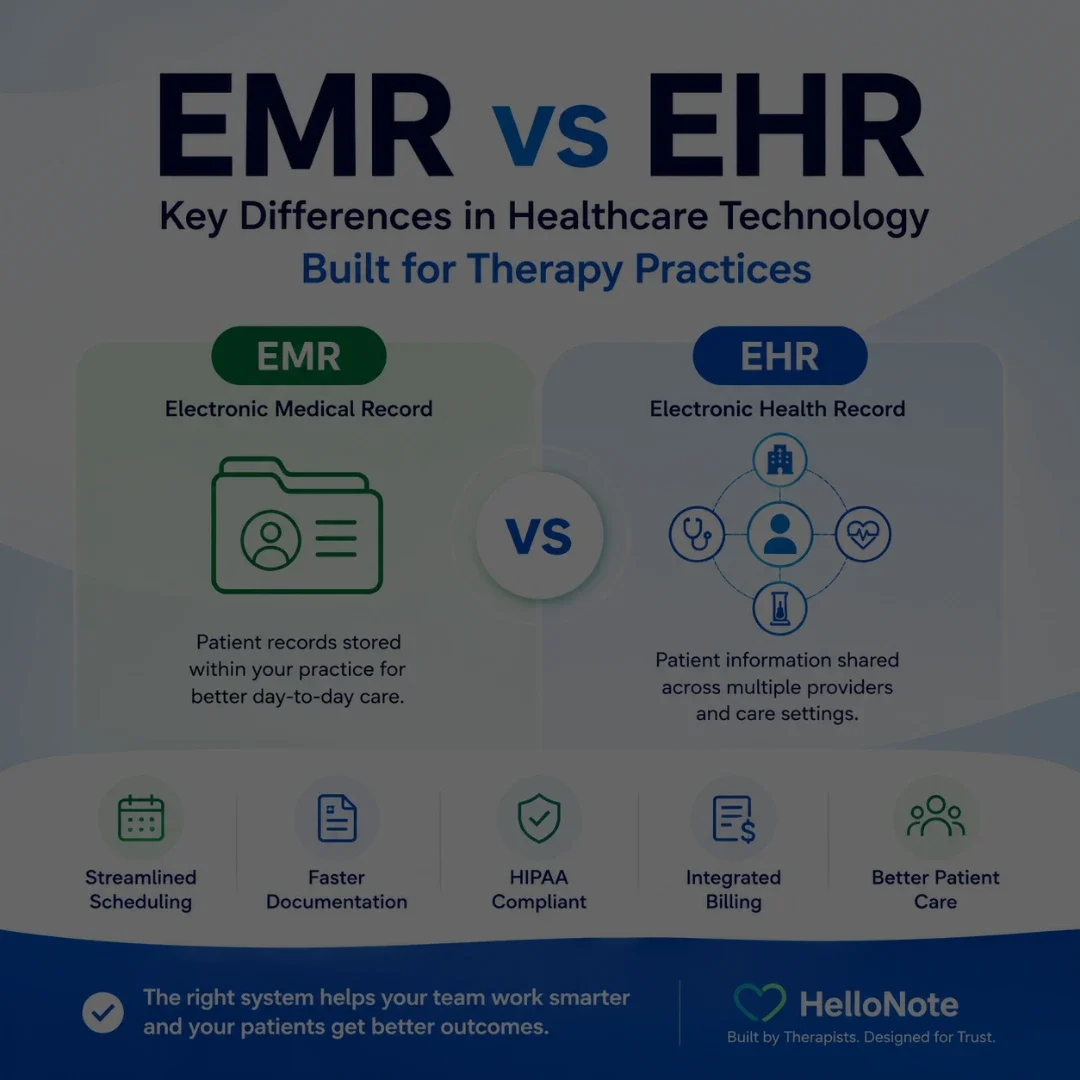
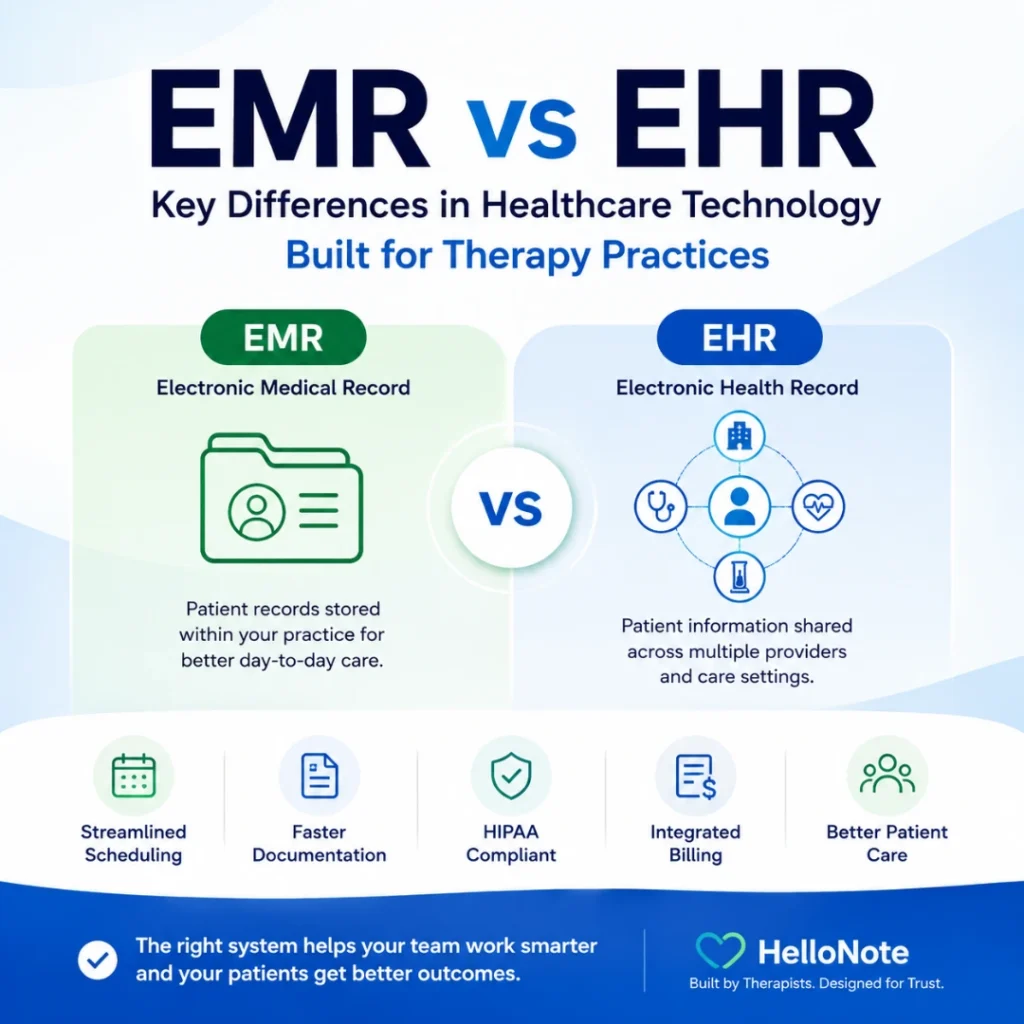
EMR vs EHR infographic showing key differences between electronic medical records and electronic health records for therapy practices, including scheduling, documentation, billing, HIPAA compliance, and patient care.

In healthcare technology, the terms EMR and EHR are often used interchangeably. They are related, but they are not always used to describe the same type of system. For therapy practices, understanding the difference matters because patient records are not just clinical files. They also connect to documentation, scheduling, billing, compliance, reporting, and care coordination.

A physical therapy, occupational therapy, speech therapy, chiropractic, or behavioral health practice may use an EMR to manage day-to-day clinical and administrative workflows inside the practice. An EHR is typically broader and may support information sharing across multiple healthcare providers, such as physicians, hospitals, specialists, labs, and therapy clinics.

This article explains the practical difference between EMR and EHR systems, why the distinction matters for therapy practices, and what clinic owners should look for when choosing technology to support patient care and daily operations.

EMR vs EHR in one sentence

An EMR is generally a digital clinical record used within one practice, while an EHR is a broader health record designed to support care coordination and information sharing across multiple healthcare settings.

Table of Contents

Key Takeaways

    • The Medicare 8-minute rule lets you bill one unit of a timed CPT code when you provide at least 8 minutes of direct, one-on-one treatment.
    • Units are based on the total timed minutes in the visit: 8–22 minutes = 1 unit, 23–37 = 2 units, 38–52 = 3 units, then 1 more unit for every 15 minutes.
    • When you perform several timed codes, give units to the codes with the most minutes first, then assign any remaining unit to the service with the most leftover minutes.
    • Untimed (service-based) codes, such as evaluations, don’t count toward your timed minutes.
    • Medicare and many Medicaid plans use the 8-minute rule. Some commercial payers count each code separately (the “rule of eights”), so check each payer’s policy.
    • Document the timed minutes for each code to support every unit you bill.

Understanding EMRs: What They Do

EMRs are often described as digital versions of your health history within a single healthcare practice, such as a therapy clinic. An EMR can include diagnoses, medications, treatment plans, progress notes, visit history, and other clinical details used by the provider managing the patient’s care.

For therapy practices, this means clinicians can quickly review patient history, update documentation, track progress over time, and make more informed treatment decisions during each visit.

What does an EMR do?

An EMR helps a healthcare practice store, manage, and update patient information inside one clinical system, including documentation, treatment history, appointment details, and other information needed for day-to-day care.

What Is an EHR?

An EHR, or Electronic Health Record, is a broader digital health record that may follow the patient across different healthcare settings. While an EMR is commonly centered on one practice, an EHR is typically designed to support information sharing between authorized providers and organizations involved in the patient’s care.

For example, an EHR may include information from a hospital, primary care provider, specialist, lab, imaging center, and therapy clinic. This broader view can help providers better understand the patient’s medical history and coordinate care across different parts of the healthcare system.

What does an EHR do?

The simplest way to understand EMR vs EHR is to look at scope. An EMR is often practice-centered. An EHR is usually patient-centered across a wider care network.

Area EMR EHR
Main purpose
Digital record used within one practice or organization
Broader health record shared across authorized providers and care settings
Scope
One clinic, practice, or organization
Multiple healthcare settings, depending on interoperability and access
Best use
Daily documentation, treatment plans, scheduling, billing, and internal workflows
Coordinated care and information exchange across providers
Therapy example
PT notes, OT goals, SLP progress, chiropractic documentation, visit history, and billing details
Shared history from physicians, hospitals, specialists, labs, and therapy providers
Data sharing
Usually more practice-centered
Designed for broader interoperability and continuity of care

This distinction matters because therapy practices need both strong internal workflows and the ability to understand the patient’s broader care picture when coordination is needed.

Why EMR vs EHR Matters for Therapy Practices

A therapy-focused EMR can help a practice manage the clinical and administrative work that happens around every visit. The value is not only in storing records. The value is in connecting the record to the workflow.

    • Streamlined documentation: Progress notes, treatment plans, patient details, and visit history are easier to manage in one system.
    • Better progress tracking: Therapists can review prior visits, goals, outcomes, and plan-of-care updates over time.
    • More efficient scheduling: Appointments, visit history, patient communication, and provider availability can stay connected.
    • Billing support: Documentation and billing details can stay aligned so clinical and administrative teams are not working from separate records.
    • Fewer manual handoffs: Clinicians, front desk staff, and billing teams can work from the same patient record instead of recreating information across multiple tools.
    • Improved patient experience: Patient portals, intake forms, reminders, and communication tools can help reduce friction before and after each visit.

Looking for an EMR built for therapy practices?

HelloNote helps PT, OT, SLP, chiropractic, and behavioral health practices manage documentation, scheduling, billing, patient communication, and reporting in one connected system.

No credit card required · HIPAA Compliant · PT, OT & SLP

Where EHRs Help with Coordinated Care

EHRs become especially useful when a patient receives care from multiple providers. Therapy is often part of a larger care plan, and the therapist may need context from physicians, surgeons, neurologists, hospitals, labs, imaging centers, or other specialists.

For example, a speech therapist may need to understand a patient’s neurological history. A physical therapist may need post-operative details from an orthopedic surgeon. An occupational therapist may need information from a hospital discharge summary. In those cases, broader health information can support safer and more coordinated therapy decisions.

The goal is not to choose terminology for its own sake. The goal is to choose technology that gives the practice the information it needs to document accurately, communicate clearly, and support continuity of care.

Security, HIPAA, and Interoperability Considerations

Patient confidentiality is critical in any healthcare technology system. EMR and EHR systems should be designed with HIPAA compliance, secure access, role-based permissions, audit trails, and protected data handling in mind.

Interoperability also matters. In simple terms, interoperability means different healthcare systems can exchange and use information appropriately. Standards such as HL7 and FHIR are often part of this conversation because they help different systems communicate more consistently. A therapy practice does not need to become a technical standards expert, but it should understand whether the software it chooses can support secure data exchange when needed.

What should therapy practices know about EMR and EHR security?

Therapy practices should choose systems that support secure access, HIPAA-conscious workflows, role-based permissions, audit trails, and appropriate handling of protected health information.

Common EMR and EHR Challenges for Therapy Practices

EMR and EHR systems can improve workflows, but they can also create frustration when they are not designed around the way a therapy practice actually operates.

    • Learning curve: Clinicians and staff may need training before they can use the system confidently.
    • Cost considerations: Practices should understand what is included, what costs extra, and how pricing changes as the clinic grows.
    • Data migration: Moving records from one system to another can require planning, review, and cleanup.
    • Interoperability limits: Not every system connects easily with every other healthcare technology platform.
    • Template fit: Generic systems may not support therapy-specific documentation as well as a therapy-focused EMR.
    • Staff adoption: Even good software can fail when the team does not understand how it fits the workflow.

What Therapy Practices Should Look for in an EMR

When a therapy practice evaluates an EMR, the decision should go beyond whether the software can store records. The system should support the clinical, operational, billing, and patient-facing workflows that keep the practice moving.

    • Therapy-specific documentation templates and customization options
    • Scheduling tools that connect appointments to patient records
    • Billing and eligibility workflows that align with documentation
    • Patient portal, intake forms, and patient communication tools
    • Authorization tracking and visit management
    • Reports and analytics for practice visibility
    • Multi-provider and multi-location support if the practice is growing
    • Training, onboarding, and responsive support
    • Security features that help protect patient information

How HelloNote Helps Therapy Practices Manage EMR Workflows

HelloNote is built for therapy practices that need more than a basic digital chart. By connecting documentation, scheduling, billing, patient communication, and reporting in one system, HelloNote helps PT, OT, SLP, chiropractic, and behavioral health practices manage day-to-day workflows more efficiently.

Instead of forcing clinicians and administrative teams to work from disconnected tools, HelloNote keeps the practice workflow connected. A patient record can support documentation, appointments, intake details, reminders, billing context, and reporting so the team has a clearer picture of what is happening across the practice.

For therapy practices, that connection matters. A record is not useful only because it stores information. It is useful because it helps the practice act on that information during patient care, scheduling, billing, and follow-up.

Practical Examples: EMR and EHR Use in Therapy Practices

The difference between EMR and EHR becomes easier to understand when it is applied to real therapy workflows.

    • Physical therapy: A PT practice may use an EMR to track plan of care details, progress notes, visit frequency, authorization limits, and discharge planning.
    • Occupational therapy: An OT may use an EMR to document functional goals, treatment activities, patient progress, and plan updates across sessions.
    • Speech therapy: An SLP may use an EMR to review prior session notes, update therapy goals, document progress, and manage patient communication.
    • Chiropractic care: A chiropractic practice may use an EMR to manage appointments, documentation, treatment history, billing details, and patient follow-up.
    • Coordinated care: When a patient also sees a physician, surgeon, neurologist, or other provider, EHR-related information can help the therapy provider understand the broader care picture.

Frequently Asked Questions

What is the main difference between EMR and EHR?

An EMR is usually a digital patient record used within one healthcare practice or organization. An EHR is broader and is designed to support information sharing across multiple healthcare providers and care settings.

Do therapy practices use EMR or EHR systems?

Many therapy practices use EMR systems to manage documentation, scheduling, billing, patient communication, and daily practice workflows. Some systems may also support broader EHR-related functions, depending on interoperability and information sharing needs.

Why does EMR vs EHR matter for therapists?

The difference matters because therapists need accurate patient records for documentation, progress tracking, plan-of-care updates, billing support, and coordinated care. Understanding the difference helps practices choose software that fits their actual workflow.

Can an EMR help with scheduling and billing?

Yes. A therapy-focused EMR can support scheduling, documentation, billing, eligibility, authorizations, reminders, and patient communication. The strongest systems connect these workflows instead of keeping them separate.

What should therapy practices look for in an EMR system?

Therapy practices should look for documentation tools, scheduling, billing support, patient portal features, intake forms, reporting, security features, training, support, and workflows designed for PT, OT, SLP, chiropractic, or behavioral health care.

Is HelloNote an EMR for therapy practices?

Yes. HelloNote is an EMR and practice management platform built for therapy practices, including PT, OT, SLP, chiropractic, and behavioral health workflows. It helps practices manage documentation, scheduling, billing, patient communication, and reporting in one connected system.

Final Thoughts

EMR and EHR systems both play important roles in healthcare technology, but the difference matters most when it affects how a practice actually works. For therapy practices, the record is not just a file. It is part of the workflow that supports documentation, scheduling, billing, patient communication, compliance, and care coordination.

An EMR can help a therapy practice organize and manage the information it uses every day. An EHR can support a broader view of the patient’s health information when multiple providers are involved. The right system should make both clinical care and practice operations easier to manage.

If your current system makes documentation harder, separates scheduling from billing, or forces your team to repeat the same information across multiple tools, it may be time to look at a more connected therapy EMR.

Have questions about choosing the right EMR for your therapy practice?

HelloNote is built by therapists to help PT, OT, SLP, and Chiro practices manage documentation, scheduling, billing, and patient workflows in one connected system.

No credit card required • HIPAA Compliant • PT, OT & SLP

Electronic Visit Verification (EVV) for Therapy Practices: Compliance, EMR Integration, and What PT, OT, and SLP Need to Know

A physical therapist checking in on a smartphone app before a home health visit at a residential front door for electronic visit verification

What is Electronic Visit Verification and which therapy practices are required to use it?

Electronic Visit Verification (EVV) is a federally mandated system under the 21st Century Cures Act that requires electronic documentation of six data points for every Medicaid-funded home health visit: the type of service, the date of service, the location of service, the individual receiving the service, the individual providing the service, and the time the service begins and ends. Home health therapy services billed to Medicaid are subject to EVV requirements. Therapy practices providing Medicaid-funded personal care services or home health services must be EVV-compliant or risk claim denials and Medicaid payment reductions.

Key Takeaways

    • EVV is federally mandated under the 21st Century Cures Act for all Medicaid-funded personal care and home health services, including therapy visits.
    • Six data points must be captured for every visit: service type, date, location, patient, provider, and exact start and end time.
    • Non-compliance with EVV requirements can result in Medicaid claim denials and federal payment reductions to states, which flow down to providers.
    • An EVV system integrated natively into your EMR eliminates duplicate data entry and the documentation errors that come with managing two separate systems.
    • State EVV requirements vary. Therapy practices must verify their specific state Medicaid agency requirements before assuming federal minimums apply.

Table of Contents

Electronic visit verification (EVV) compliance is one of the most urgent questions facing physical therapy, occupational therapy, and speech-language pathology practices that provide Medicaid-funded home health services. The questions are almost always practical: does EVV apply to PT, OT, and SLP home visits, what data has to be captured at the point of service, what happens when a claim goes out without it, and what the difference is between an EVV system bolted onto your EMR and one that is built into it.

The 21st Century Cures Act mandated EVV for personal care services in 2020 and extended that mandate to home health services in 2023. States that do not implement compliant EVV systems face federal Medicaid funding reductions. Providers that do not submit EVV-compliant data face claim denials. The mandate is real, the timeline is past, and the compliance question for most therapy practices is no longer whether to implement EVV but whether the system they are using actually meets the requirements.

This post covers what EVV requires, which therapy services it applies to, what non-compliance costs, and what to look for in an EMR that handles EVV correctly.

What EVV Is and Why It Exists

Electronic Visit Verification is a technology system that electronically verifies that home health and personal care visits actually occurred as billed. Before EVV, providers documented visits manually, creating an environment where billing could not always be independently verified against real-time data. The Government Accountability Office estimated Medicaid improper payments — including fraudulent claims for visits that never occurred — at over $29 billion annually before EVV mandates took effect.

The 21st Century Cures Act addressed this by requiring states to implement EVV systems for all Medicaid-funded personal care services by January 1, 2020, and for all Medicaid-funded home health services by January 1, 2023. States that missed these deadlines faced a phased reduction in their federal medical assistance percentage, beginning at 0.25% and increasing annually. That funding pressure is what drove widespread state implementation across all 50 states between 2020 and 2023.

The Difference Between Personal Care Services and Home Health Services

Personal care services under EVV include assistance with activities of daily living provided in a patient’s home: bathing, dressing, grooming, meal preparation, and similar non-skilled services. Home health services under EVV include skilled nursing visits, physical therapy, occupational therapy, and speech-language pathology provided in the home setting and billed to Medicaid.

The distinction matters because it determines when the EVV mandate applied to your practice. Personal care services were subject to EVV from January 2020. Home health therapy services came under the mandate in January 2023. If your practice provides Medicaid-funded home health therapy visits and implemented EVV after January 2023, your compliance timeline needs to be reviewed against your state’s specific implementation date.

Which Therapy Services Require EVV

Do physical therapists, occupational therapists, and speech therapists need to use EVV?

Physical therapists, occupational therapists, and speech-language pathologists who provide home health services billed to Medicaid are subject to EVV requirements under the 21st Century Cures Act home health mandate, which took effect January 1, 2023. EVV applies to the visit setting, not the discipline. If the service is provided in a patient’s home and billed to Medicaid, EVV documentation is required regardless of whether the provider is a PT, OT, or SLP. Outpatient clinic visits billed to Medicaid are not subject to EVV requirements.

The EVV requirement applies based on where the service is delivered and how it is funded, not based on the therapy discipline. The following services require EVV when billed to Medicaid:

    • Physical therapy provided in the patient’s home under a Medicaid home health benefit
    • Occupational therapy provided in the patient’s home under a Medicaid home health benefit
    • Speech-language pathology services provided in the patient’s home under a Medicaid home health benefit
    • Personal care services including assistance with ADLs under Medicaid waiver programs
    • Home health aide visits under Medicaid home health programs

Services That Do Not Require EVV

EVV does not apply to outpatient clinic-based therapy visits, even when billed to Medicaid. It does not apply to telehealth visits. It does not apply to therapy services billed to Medicare, commercial insurance, or private pay. The mandate is specific to Medicaid-funded home and community-based services delivered in the patient’s place of residence.

State Variation in EVV Requirements

While federal law establishes the minimum EVV requirements, states have significant discretion in how they implement their EVV systems. Some states operate a state-managed EVV system that all providers must use. Others operate an open system that allows providers to use their own EVV-capable software as long as it meets the state’s data submission requirements. Before assuming your current system is compliant, verify your specific state Medicaid agency’s EVV requirements, approved vendor list if applicable, and data submission specifications.

The Six Data Points EVV Must Capture

Federal law specifies exactly what EVV must document for every visit. These six data points are non-negotiable regardless of state implementation model:

Data Point What It Means Documentation Requirement
Type of service
The specific service code or description of care provided
Must match the CPT or service code submitted on the Medicaid claim
Date of service
The calendar date the visit occurred
Must match the date on the claim exactly
Location of service
The physical address where the service was delivered
Must confirm the visit occurred at the patient’s place of residence
Individual receiving service
The Medicaid beneficiary who received the care
Must match the patient identifier on the Medicaid eligibility record
Individual providing service
The credentialed provider who delivered the service
Must match the NPI and provider ID on the Medicaid enrollment record
Start and end time
The exact time the service began and the exact time it ended
Must be captured electronically at the point of service, not entered after the fact

Why Start and End Time Matters Most

The start and end time requirement is the data point that creates the most compliance risk for therapy practices. The key word in the federal requirement is “electronically captured at the point of service.” Entering start and end times after the visit has ended, or estimating them from memory, does not meet the EVV standard. The system must capture these timestamps at the time of service, which requires either a mobile application with GPS confirmation or a telephony system that logs the call time automatically.

For therapy practices that have been manually logging visit times in paper notes or after-the-fact EMR entries, transitioning to electronic point-of-service time capture is the most significant workflow change EVV requires.

Infographic showing the real cost of EVV non-compliance with state level federal funding reductions and provider level consequences including claim denials and audits

The Real Cost of EVV Non-Compliance

Non-compliance with EVV requirements has consequences at two levels: the state level and the provider level. Understanding both is important for therapy practice owners evaluating how seriously to prioritize EVV implementation.

State-Level Consequences

States that fail to implement a compliant EVV system face reductions in their federal medical assistance percentage, the share of Medicaid costs the federal government covers. The reduction schedule under the 21st Century Cures Act begins at 0.25% in the first year of non-compliance and increases to 1% by the fourth year. For states, this translates to hundreds of millions of dollars in lost federal matching funds, which is why state Medicaid agencies have been aggressive about implementing and enforcing EVV requirements on providers.

Provider-Level Consequences

At the provider level, the most immediate consequence of EVV non-compliance is claim denial. Medicaid claims for home health services that lack corresponding EVV data may be rejected at the point of adjudication. In states with retrospective EVV audits, claims that were paid but lack supporting EVV records can be subject to recoupment — meaning the state can recover payments already made.

Beyond individual claim denials, repeated EVV non-compliance can trigger a provider audit, which exposes the entire claim history to review, not just the EVV-deficient claims.

The Documentation Mismatch Risk

One of the most common EVV compliance failures is a mismatch between the EVV data submitted and the claim data submitted. If the EVV record shows a visit on March 15 from 10:00 AM to 11:00 AM but the claim shows 60 minutes of service on March 15 starting at 9:45 AM, the system will flag it as a discrepancy. These mismatches happen most often when EVV data is captured in one system and claims data is entered in another. The practical solution is a single system that captures both simultaneously.

READY TO STREAMLINE YOUR CLINIC?

EVV compliance starts with documentation that captures the right data at the right time.

HelloNote is built for therapy practices that need HIPAA-compliant, EVV-aware documentation. No setup fees. No contracts.

No credit card required · HIPAA Compliant · PT, OT & SLP

How EVV and EMR Integration Actually Works

The phrase “EVV integration” covers a wide range of actual technical relationships between an EVV system and an EMR. Understanding the difference matters because not all integrations reduce compliance risk equally.

Separate Systems Connected by API

The most common EVV implementation in the therapy market involves a standalone EVV tool — often a mobile app — that the therapist uses to check in and check out of visits. That data is then transmitted to the Medicaid EVV aggregator through an API connection. Separately, the therapist documents the clinical note in the EMR. The two systems share data but they are not the same system.

This approach meets the technical EVV requirement but introduces the documentation mismatch risk described above. If the check-in and check-out times in the EVV system do not match the service duration documented in the EMR note, you have a compliance exposure that neither system catches on its own.

Native EVV Within the EMR

A native EVV implementation captures the six required data points within the EMR workflow itself. The therapist opens the patient encounter, activates the visit, and the system records the start time. At the end of the visit, the therapist finalizes the note and the system records the end time. The EVV data and the clinical documentation are generated from the same workflow, eliminating the possibility of a mismatch between the two records.

Native integration also eliminates the administrative step of logging into two separate systems, which is where time and data entry errors accumulate across a full clinical week.

State EVV Aggregator Requirements

Regardless of whether a practice uses a standalone EVV tool or a natively integrated EMR, the EVV data must ultimately reach the state’s EVV aggregator. Most states use one of two national aggregators: Sandata or HHAeXchange. Some states operate their own aggregator. The EMR or EVV tool must be able to transmit data in the format the state aggregator accepts. Before implementing any EVV solution, confirm that it is on your state’s approved vendor list or supports the required data transmission format for your state aggregator.

What to Look for in an EVV-Ready EMR

What features should a therapy EMR have to support EVV compliance?

An EVV-ready therapy EMR should capture all six federally required data points within the clinical workflow, transmit data to the state EVV aggregator in the required format, flag discrepancies between EVV data and claim data before submission, support mobile check-in and check-out with GPS or telephony confirmation, maintain an audit trail of all EVV records with timestamps, and provide reporting that allows practice administrators to identify EVV gaps before a Medicaid audit does.

Not every EMR that mentions EVV actually meets the compliance requirements. Here is what to verify before assuming your current system covers you.

Point-of-Service Time Capture

The system must capture start and end times electronically at the point of service. A system that allows therapists to enter times manually after the visit does not meet the federal EVV standard. Look for mobile functionality with GPS location confirmation and automatic timestamp recording when the visit is opened and closed.

State Aggregator Integration

The EVV data must reach your state’s aggregator. Confirm the EMR supports direct data submission to your state’s specific aggregator (Sandata, HHAeXchange, or state-operated). Ask the vendor for documentation of their state aggregator connections and confirm your state is on the list.

Claim and EVV Data Alignment

The system should automatically align the EVV data with the claim data before submission. If the visit duration captured by EVV does not match the number of units billed, the system should flag the discrepancy for review before the claim goes out.


Audit Trail and Reporting

Every EVV record should have a complete audit trail showing when data was captured, whether it was modified, and who made any changes. Practice administrators need reporting that shows EVV compliance rates across all home health visits so gaps can be identified and corrected before a state audit.

HIPAA-Compliant Data Handling

EVV systems handle protected health information including patient identifiers, provider identifiers, location data, and visit records. The EVV system must be covered under a Business Associate Agreement and must handle PHI in accordance with HIPAA security requirements. This applies whether the EVV system is standalone or integrated into the EMR.

How HelloNote Addresses EVV Requirements for Therapy Practices

HelloNote is built for PT, OT, SLP, and chiropractic practices that need documentation, billing, and compliance workflows in a single platform. For practices providing Medicaid-funded home health services, HelloNote’s compliance and billing infrastructure addresses the EVV data capture and documentation alignment requirements that standalone EVV tools create gaps in.

Documentation and Billing in One Workflow

The fundamental EVV compliance risk for therapy practices is the mismatch between EVV data and claim data when the two are captured in separate systems. HelloNote eliminates this risk by keeping clinical documentation, visit data, and billing in one platform. When a therapist documents a home health visit in HelloNote, the visit data and the note are part of the same record. There is no separate EVV check-in app generating data that has to be reconciled against a separately entered claim.

Mobile Documentation for Home Health Visits

HelloNote’s mobile functionality allows therapists to open patient encounters, document notes, and finalize visits from the patient’s home. This supports the point-of-service documentation standard that EVV requires, replacing the after-the-fact note entry that creates timestamp discrepancies in audit reviews.

HIPAA-Compliant Infrastructure

All patient data in HelloNote, including home health visit records, is handled under HelloNote’s BAA and HIPAA-compliant security infrastructure. Practices do not need a separate compliance agreement for visit verification data because everything is within the HelloNote platform.

Billing Alignment

HelloNote’s compliance and billing tools are designed to align documentation with claim submission, reducing the discrepancy risk between what EVV records show and what is billed to Medicaid. The documentation prompts built into HelloNote’s note templates capture the service type, provider, patient, and time data that both clinical documentation and EVV require.

For therapy practices evaluating EVV compliance readiness, the conversation HelloNote has is always the same: the goal is not to add an EVV layer on top of existing documentation. The goal is documentation that captures everything EVV requires as part of the clinical workflow, so there is no separate compliance task and no mismatch risk.

Have questions about EVV compliance for your therapy practice?

HelloNote is built by therapists who understand Medicaid home
health requirements. See how we handle EVV documentation,
billing alignment, and compliance for PT, OT and SLP.

No credit card required • HIPAA Compliant • PT, OT & SLP

Frequently Asked Questions

What is Electronic Visit Verification and what does it require?

Electronic Visit Verification (EVV) is a federally mandated system under the 21st Century Cures Act that requires electronic documentation of six data points for every Medicaid-funded home health visit: the type of service, the date of service, the location of service, the patient, the provider, and the exact start and end time. The data must be captured electronically at the point of service, not entered manually after the visit.

Do physical therapists need to use EVV for home health visits?

Yes. Physical therapists, occupational therapists, and speech-language pathologists who provide home health services billed to Medicaid are subject to EVV requirements under the home health mandate, which took effect January 1, 2023. EVV applies to the visit setting and funding source, not the discipline. Outpatient clinic-based therapy visits billed to Medicaid are not subject to EVV.

What happens if a therapy practice does not comply with EVV?

Non-compliance with EVV requirements can result in Medicaid claim denials for home health visits that lack corresponding EVV data. Claims that were paid but lack EVV records can be subject to recoupment in states that conduct retrospective EVV audits. Repeated EVV non-compliance can trigger a broader provider audit covering the full claim history.

What is the difference between a standalone EVV tool and an integrated EMR?

A standalone EVV tool captures the six required data points in a separate app and transmits them to the state aggregator independently. The therapist then documents the clinical note in a separate EMR, creating two records that must align. An integrated EMR captures EVV data and clinical documentation in the same workflow, eliminating the mismatch risk between the two records.

Do EVV requirements vary by state?

Yes. While federal law establishes the minimum six data points that every EVV system must capture, states have significant discretion in implementation. Some states require providers to use a state-managed EVV system. Others allow providers to use their own EVV-capable software as long as it meets the state's data submission requirements and connects to the state's aggregator. Verify your specific state Medicaid agency's requirements before assuming compliance.

Is EVV required for telehealth therapy visits?

No. EVV requirements apply to in-person home health and personal care services delivered at the patient's place of residence. Telehealth therapy visits are not subject to EVV, regardless of whether they are billed to Medicaid. The EVV mandate is specific to visits where the provider is physically present in the patient's home.

The Definitive Guide to Massage Therapy Software: 2026 Reviews & Comparison

Table of Contents

In 2026, massage therapy practices operate in a very different environment than they did just a few years ago. What once required a simple appointment calendar now demands a full digital system that manages scheduling, charting, payments, and patient communication.

With the global massage therapy market projected to reach $164 billion by 2034, clinics that invest in the right technology are seeing significant gains in efficiency and patient experience.

The best massage therapy software today does more than organize appointments. It helps practitioners streamline documentation, automate billing, and manage their entire practice without the administrative burden that traditionally comes with healthcare operations.

At-a-Glance: Top Massage Therapy Software in 2026

Software 

Best For 

Starting Price 

Key Advantage 

HelloNote 

Clinical & multidisciplinary practices 

$49 or Free 

Built for clinical massage practices that need SOAP notes, billing, and HIPAA-compliant workflows 

ClinicSense 

Solo therapists & small clinics 

~$39/mo 

Excellent automation and ease of use 

Jane 

Multidisciplinary clinics 

~$54/mo 

Advanced charting tools and shared clinical templates 

GlossGenius 

Brand-focused solo therapists 

~$24/mo 

Elegant client-facing booking experience 

Noterro 

Insurance-heavy practices 

~$30/mo 

Voice-to-chart documentation tools 

MassageBook 

Independent therapists 

~$20/mo 

Built-in client discovery marketplace 

Fresha 

Budget-focused practices 

Free* 

Large global booking marketplace 

Mindbody 

Large wellness centers 

~$129/mo 

Advanced marketing and business analytics 

Zenoti 

Multi-location spa chains 

~$400/mo 

AI-driven operational automation 

Boulevard 

Premium studios 

~$158/mo 

Precision scheduling system 

Square 

Retail-heavy practices 

Free* 

Strong payment processing hardware 

Acuity 

Simple booking systems 

~$20/mo 

Flexible appointment scheduling 

A sleek digital tablet on a desk displaying a dashboard for the Top 12 Massage Therapy Software solutions of 2026, showing practice management analytics and clinic efficiency tools.

1. HelloNote: Built for Clinical Massage Practices

Unlike platforms built primarily for spa-style services or front-desk booking, HelloNote is designed for massage therapists who need a more clinical, structured, and compliant way to run their practice.

That difference matters. Many massage therapy businesses eventually outgrow software that only handles appointments and reminders. Once documentation, billing, patient records, and compliance become part of daily operations, they need a system built for healthcare workflows rather than just convenience.

HelloNote stands out because it brings those pieces together in one place. It gives massage therapists the tools to document care clearly, manage billing more efficiently, and operate with the kind of structure that is especially valuable in medical massage, rehab-focused settings, and multidisciplinary clinics.

For massage therapists who collaborate with physical therapists, chiropractors, occupational therapists, or other healthcare providers, this level of clinical support can be a major advantage.

Key strengths include:

    • SOAP note documentation tools

    • Integrated billing and payment processing

    • HIPAA-compliant charting and data security

    • Scheduling tools designed for healthcare practices

    • Reporting features for practice analytics

Ideal for: Medical massage therapists, multidisciplinary clinics, and therapists who require clinical documentation tools.

2. ClinicSense: The Automation Specialist

ClinicSense is widely known for helping therapists reduce administrative workload. Users report major reductions in manual office tasks due to automated reminders, intake forms, and scheduling tools. One of the most notable recent features is No-Show Guard, which allows clinics to require deposits or cards-on-file for clients with a history of missed appointments.

Ideal for: Therapists who want software that quietly handles most administrative tasks.

3. Jane: For Multidisciplinary Clinics

Jane is popular among clinics where massage therapists work alongside other healthcare providers. Its charting system allows clinicians to use Smart Phrases, short codes that automatically expand into full documentation paragraphs. This significantly reduces documentation time while maintaining detailed clinical notes.

Ideal for: Clinics where massage therapy is integrated with rehabilitation services.

4. Noterro: Voice-Driven Documentation

Noterro, previously known as SOAP Vault, focuses heavily on documentation efficiency. Its voice-to-chart technology allows therapists to dictate notes immediately after sessions, which the system then organizes into structured SOAP notes. This feature appeals to therapists who prefer speaking over typing.

Ideal for: Insurance billing practices, therapists with high documentation volume, and clinics seeking faster note completion.

5. GlossGenius: Designed for Brand-Driven Businesses

GlossGenius is known for its sleek client experience. The platform emphasizes beautiful booking interfaces and customizable intake forms that adjust questions depending on the service being booked. For therapists building a strong personal brand or luxury studio experience, this can be a powerful advantage.

6. MassageBook: A Built-In Client Marketplace

MassageBook is unique because it doubles as both software and a discovery platform. Therapists using the system can appear in a public directory where clients search for massage providers in their area. This helps new therapists build a client base quickly.

7. Enterprise Platforms: Mindbody and Zenoti

For larger wellness centers and multi-location businesses, enterprise systems like Mindbody and Zenoti provide advanced analytics and marketing capabilities. Mindbody focuses heavily on client acquisition through its marketplace app, while Zenoti specializes in operational efficiency through predictive scheduling and revenue management tools.

These platforms are best suited for wellness franchises, multi-location spa chains, and businesses with large administrative teams.

What to Look for in Massage Therapy Software in 2026

The best software solutions now share several core features:

    • AI-Assisted Documentation: Modern systems increasingly help generate clinical documentation automatically.

    • Invisible Payments: Card-on-file payments allow clients to leave after a session while payment is processed automatically.

    • Cross-Platform Accessibility: Therapists expect to run their business from smartphones, tablets, or desktops without losing functionality.

Frequently Asked Questions

Q1. How much does massage therapy software cost in 2026?

Solo practitioners typically pay $20–$70 per month for essential features. Mid-tier solutions for small clinics cost $70–$150/month, while enterprise systems for multi-location operations can range from $300 to $700+ per month. Always factor in payment processing fees, which are typically 2.29–2.9% per transaction.

Q2. Is HIPAA-compliant software required for massage therapists?

Technically, HIPAA compliance is only mandatory if you are billing insurance or working within a medical setting (handling Protected Health Information). However, in 2026, most professional massage practices treat HIPAA-compliant software as the minimum standard to ensure patient trust and protect against data breach liability.

Q3. How does data migration work when switching to new software?

Data migration is the process of transferring your client history, contact details, and appointment records from your old system to your new one. Most modern platforms, especially those designed for clinical practices like HelloNote, offer professional migration services that map your old data into the new system’s fields, ensuring your records remain intact.

Q4. Can massage therapy software actually reduce no-shows?

Yes. Modern platforms use multiple layers of protection: automated SMS and email reminders sent 24–48 hours before appointments, card-on-file policies that allow you to charge deposits or cancellation fees, and waitlist management that automatically fills canceled slots. Users often report a 30–40% reduction in no-shows after implementing these tools.

Q5. What is the difference between simple "booking apps" and "practice management" software?

Booking apps are focused on scheduling and simple reminders. Practice management software—like HelloNote—provides a complete digital home for your business. It adds medical-grade SOAP note documentation, integrated insurance billing (CPT/ICD-10 coding), inventory management, and deep business analytics. If you are serious about growing a clinical practice, a management platform is essential.

Final Thoughts

The right software can dramatically improve how a massage therapy practice operates. The goal is not simply to schedule appointments—it is to create a system that reduces administrative work so therapists can focus on patient care. Most platforms offer free trials, making it worthwhile to test several systems before committing.

How AI-Powered EMRs Are Shaping the Future of Therapy Practice

Table of Contents

Therapy is evolving faster than at any point in the last decade. As clinics move toward 2026, physical therapists, occupational therapists, speech-language pathologists, and mental health providers are navigating a more complex environment than ever before. Caseloads are growing. Documentation standards are tightening. Payers are increasing scrutiny. And clinicians are being asked to deliver high-quality care with less time and fewer resources.

In this environment, AI-powered EMRs are no longer experimental tools. They are becoming a practical foundation for how modern therapy practices document care, manage billing, support patients, and protect clinician time.

Platforms like HelloNote are redefining what an EMR should do not just store information but actively support therapists in their daily work.

Why Therapy Practices Are Rethinking Their EMRs

For years, most EMR systems functioned as digital filing cabinets. Notes went in. Claims went out. The system itself offered little help beyond basic storage.

Today’s therapy practices need more.

Clinicians face:

    • Increasing documentation demands tied to medical necessity
    • Complex billing rules across payers and disciplines
    • Higher expectations for measurable outcomes
    • Burnout caused by administrative overload

A traditional EMR often adds friction instead of removing it. That’s why many practices are shifting toward AI-powered EMRs that support—not slow down—clinical workflows.

AI-powered EMR dashboard displayed on a laptop and tablet in a modern therapy practice workspace, supporting PT, OT, SLP, and mental health workflows

AI-Driven Documentation That Respects Clinical Judgment

Documentation remains one of the largest sources of therapist burnout. Writing detailed, compliant notes takes time, especially when each discipline has unique requirements.

An AI-powered EMR improves documentation without replacing clinical reasoning.

How AI Supports Documentation

    • Guides structure without changing clinical voice
    • Flags missing elements before notes are finalized
    • Reduces repetitive data entry across sessions
    • Improves consistency between evaluations, daily notes, and progress reports

The result is faster documentation that still reflects the therapist’s expertise and intent.

Smarter Billing Support Without Guesswork

Billing errors often don’t happen because care was incorrect—but because documentation and coding weren’t aligned.

AI-powered EMRs help bridge this gap by supporting:

    • CPT code alignment with documented interventions
    • Modifier awareness based on payer rules
    • Alerts for denial-risk patterns
    • Real-time eligibility and compliance prompts

This reduces rework, minimizes denials, and protects revenue without adding administrative burden.

AI-Powered EMRs and Patient Engagement Between Visits

Better outcomes don’t happen only during sessions. Progress depends on what patients do between visits.

AI-supported systems help clinics:

    • Personalize home programs based on patient progress
    • Automate reminders that improve adherence
    • Identify drop-offs in engagement early

When therapists have visibility into patient participation, care plans become more responsive and effective.

Predictive Insights That Support Earlier Intervention

One of the most meaningful advantages of AI-powered EMRs is their ability to surface trends therapists might not immediately see.

Examples include:

    • Slowed functional progress across visits
    • Missed milestones in speech or ADL performance
    • Reduced participation in prescribed programs
    • Patterns that suggest higher fall or regression risk

These insights help therapists intervene earlier—before small issues become setbacks.

Supporting Hybrid and Virtual Therapy Models

Hybrid care is now part of everyday practice. AI strengthens these workflows by supporting continuity across in-person and virtual visits.

AI-powered EMRs assist with:

    • Documentation support during telehealth sessions
    • Adjusting care plans based on remote observations
    • Monitoring engagement outside the clinic
    • Maintaining consistency across care settings

AI doesn’t replace human connection it supports it.

Workflow Efficiency Beyond Documentation

The value of an AI-powered EMR extends beyond notes and billing.

Modern systems help optimize:

    • Scheduling and visit management
    • Task reminders for clinicians and front-office staff
    • Compliance tracking tied to payer rules
    • Visibility into what’s due, missing, or at risk

These improvements reduce administrative friction and help clinics operate more predictably.

Why AI-Powered EMRs Represent the Future of Therapy Practice

When thoughtfully implemented, AI-powered EMRs support every layer of care delivery:

    • Faster, cleaner documentation
    • Stronger billing accuracy
    • Better clinical decision support
    • Improved patient engagement
    • Reduced clinician burnout
    • Scalable hybrid care models

For PT, OT, SLP, and mental health practices, AI is not about replacing therapists—it’s about amplifying their expertise.

Frequently Asked Questions

Q1. What is an AI-powered EMR for therapists?

An AI-powered EMR uses artificial intelligence to assist with documentation, billing support, workflow efficiency, and patient engagement—while leaving clinical decisions in the hands of therapists.

Q2. Does AI replace therapist judgment?

No. AI supports structure and efficiency but does not replace clinical reasoning, assessment, or decision-making.

Q3. Can AI-powered EMRs improve billing accuracy?

Yes. They help align documentation with CPT codes, identify potential issues early, and reduce denial risk.

Q4. Are AI-powered EMRs useful across PT, OT, SLP, and mental health?

Yes. When designed specifically for therapy, AI-powered EMRs adapt to discipline-specific workflows and documentation needs.

Q5. How does HelloNote approach AI differently?

HelloNote focuses on workflow support, compliance, and therapist efficiency—using AI to reduce friction, not override clinical practice.

Final Thoughts

The future of therapy practice is not technology versus clinicians.
It’s technology supporting clinicians.

AI-powered EMRs allow therapists to spend less time managing systems and more time delivering care. Platforms like HelloNote show how AI can be applied responsibly supporting accuracy, efficiency, and sustainability without changing how therapists practice.

How AI-Powered EMRs Are Changing Speech Therapy Workflows

Table of Contents

Speech-language pathologists today are balancing more than just patient care. Documentation requirements are increasing. Billing rules continue to tighten. Families expect clearer progress updates. And clinics are under pressure to do more without burning out their clinicians.

This is where technology can either help or get in the way.

An AI-powered EMR for speech therapy is not about replacing clinical judgment. It’s about reducing friction in daily workflows so therapists can spend more time treating patients and less time managing administrative tasks.

Why Traditional EMRs Fall Short for Speech Therapy

Many EMRs were built for general medical practices, not therapy disciplines. As a result, speech therapists often run into the same problems:

    • Notes that don’t align with therapy goals

    • Templates that require excessive manual edits

    • Disconnected billing and documentation workflows

    • Limited visibility into progress toward IEP or plan-of-care goals

Over time, these inefficiencies add up leading to longer workdays, delayed claims, and higher risk during audits.

AI-Powered EMR for Speech Therapy in Clinical Use

What “AI-Powered” Actually Means in a Speech Therapy EMR

AI in therapy software is often misunderstood. In practice, it doesn’t make clinical decisions. Instead, it supports therapists by identifying patterns, reducing repetition, and guiding documentation consistency.

In an AI-powered EMR for speech therapy, AI is typically used to:

    • Assist with structured documentation workflows

    • Reduce repetitive data entry across sessions

    • Prompt consistency between goals, notes, and billing

    • Flag missing or incomplete documentation elements

The result is not automation for automation’s sake but smarter support for therapists who already know what they’re doing.

How AI Improves Documentation Without Changing Your Clinical Voice

One of the biggest concerns therapists have is losing control over how they document care. A well-designed AI-supported EMR avoids this by working with the clinician, not over them.

Modern systems help by:

    • Carrying goals forward into daily notes automatically
    • Linking session activities back to measurable objectives
    • Reducing copy-paste documentation risks
    • Supporting consistent language across evaluations, progress notes, and discharge summaries

This keeps documentation aligned with medical necessity while still reflecting each therapist’s clinical reasoning.

Better Alignment Between Care Plans, Notes, and Billing

Speech therapy documentation doesn’t exist in isolation. What you document must support what you bill.

An AI-powered EMR for speech therapy helps bridge this gap by:

    • Keeping goals visible during session documentation
    • Aligning CPT codes with documented interventions
    • Prompting updates when progress thresholds are met
    • Supporting audit-ready records without extra steps

When documentation and billing stay aligned, practices see fewer denials and less back-and-forth with payers.

Supporting Pediatric, School-Based, and Outpatient Workflows

Speech therapists work across many settings, and one-size-fits-all systems rarely work well.

Modern AI-supported EMRs are designed to adapt to:

    • Pediatric therapy with parent communication needs
    • School-based therapy with IEP-aligned goals
    • Outpatient clinics managing high visit volumes
    • Multi-disciplinary practices coordinating care

The flexibility to support these workflows is just as important as the AI itself.

The Business Impact for Practice Owners and Clinical Directors

For clinic owners and managers, the value of an AI-supported system extends beyond documentation.

Practices using modern speech therapy EMRs often see:

    • Reduced documentation time per visit
    • Improved clinician satisfaction and retention
    • More consistent progress reporting
    • Cleaner claims and faster reimbursement
    • Better visibility into therapist productivity

When clinicians feel supported by their tools, patient care improves—and so does the business.

Why HelloNote Fits Speech Therapy Workflows

HelloNote was built specifically for therapy practices, not adapted from general medical software. Its approach to AI focuses on workflow support, not replacing therapists.

For speech therapists, HelloNote emphasizes:

    • Goal-driven documentation
    • Clear alignment between care plans and daily notes
    • Discipline-specific templates
    • Built-in billing and compliance support
    • Human onboarding and real support teams

The goal is simple: make documentation and compliance easier without changing how therapists practice.

Frequently Asked Questions

Q1. What is an AI-powered EMR for speech therapy?

An AI-powered EMR for speech therapy uses intelligent automation to support documentation, goal tracking, and workflow consistency without replacing clinical decision-making.

Q2. Does AI change how speech therapists document sessions?

No. AI supports documentation by reducing repetition and prompting alignment, while therapists remain fully in control of clinical content.

Q3. Is AI-based documentation compliant with insurance requirements?

Yes, when properly designed. AI helps maintain consistency between goals, notes, and billing, which supports medical necessity and audit readiness.

Q4. Can AI-powered EMRs support pediatric and school-based speech therapy?

Yes. Modern systems are designed to support pediatric workflows, IEP-aligned goals, and caregiver communication.

Q5. How does HelloNote use AI differently from generic EMRs?

HelloNote focuses on therapy-specific workflows, using AI to reduce friction rather than force rigid automation.

Final Thoughts

Technology should never complicate care. When designed correctly, an AI-powered EMR for speech therapy becomes a quiet assistant reducing friction, improving consistency, and supporting better outcomes for both patients and clinicians.

If your current system feels like extra work instead of real support, it may be time to reassess what your EMR should be doing for you.

How Therapists Choose the Right Electronic Medical Record Without Wasting Time or Money

Table of Contents

Choosing an electronic medical record is no longer just an IT decision it’s a clinical, operational, and financial one. For therapy practices, the wrong system doesn’t just slow things down. It adds documentation stress, creates billing risk, and pulls therapists away from patient care.

An electronic medical record for therapists should support how care is actually delivered not force clinicians to work around software limitations. Yet many practices still rely on platforms built for general medicine, not rehab-focused workflows.

This guide breaks down what therapists should realistically expect from an EMR and how to avoid costly mistakes when choosing one.

Why the EMR Decision Matters More for Therapy Practices

Therapy documentation is fundamentally different from primary care. Goals evolve session by session. Progress needs to be measurable. Billing depends heavily on time, modifiers, and medical necessity.

When an EMR isn’t designed for this reality, practices experience:

    • Longer documentation times after hours

    • Increased claim denials and delayed payments

    • Missed reassessments and compliance gaps

    • Burnout among clinicians and support staff

An effective EMR doesn’t just store notes it actively supports care delivery, compliance, and business health.

A modern therapy clinic workspace showing a tablet with an EMR dashboard, illustrating how an EMR for therapists supports documentation, care plans, and billing workflows.

What Therapists Actually Need From an EMR

Not every feature advertised by EMR vendors matters. What does matter is how the system supports daily clinical and administrative work.

1. Therapy-Specific Documentation Workflows

Therapists need tools built around evaluations, daily notes, progress reports, and plans of care not generic SOAP notes.

A strong EMR should allow you to:

    • Link goals directly to daily treatment notes

    • Track objective progress over time

    • Reuse structured language without copy-paste errors

    • Complete notes efficiently during or immediately after sessions

When documentation mirrors clinical reasoning, notes become clearer and faster to complete.

2. Integrated Billing and Coding Supportc

Documentation and billing should not live in separate systems or separate mental processes.

A therapist-friendly EMR helps by:

    • Aligning CPT codes with documented services

    • Prompting for medical necessity where required

    • Supporting payer-specific rules and modifiers

    • Reducing manual rework between clinical and billing teams

This alignment is critical for protecting reimbursement and reducing audit risk.

3. Compliance Without Extra Work

Compliance shouldn’t rely on memory or sticky notes. The right system builds safeguards into the workflow.

Key compliance support includes:

    • Plan of care and progress note reminders

    • Time-stamped documentation trails

    • Secure patient communication tools

    • Audit-ready records without manual assembly

An electronic medical record for therapists should make compliance feel automatic—not stressful.

4. Visibility Across the Practice

Therapists, front desk staff, billers, and owners all rely on the EMR but for different reasons.

A well-designed system provides:

    • Clear dashboards showing what’s due or missing

    • Alerts for incomplete documentation or billing issues

    • Shared visibility without duplicated effort

When everyone works from the same system, fewer things fall through the cracks.

The Hidden Cost of the Wrong EMR

Many practices stay with outdated systems simply because switching feels risky. But the cost of staying is often higher.

Hidden costs include:

    • Lost clinician time spent correcting documentation

    • Revenue leakage from preventable denials

    • Higher staff turnover due to frustration

    • Limited ability to scale services or locations

Over time, these inefficiencies compound making growth harder and margins thinner.

How Modern EMRs Support Practice Growth

Today’s best EMRs are no longer passive record-keeping tools. They actively support smarter operations.

Modern platforms help practices:

    • Handle higher patient volume without adding staff

    • Launch new service lines confidently

    • Make data-informed business decisions

    • Improve therapist satisfaction and retention

This is where the EMR shifts from an expense to a strategic asset.

Making the Right Choice Without the Guesswork

When evaluating options, therapists should ask practical questions:

    • Does this system reflect how therapy is actually delivered?

    • Will it reduce time spent documenting not increase it?

    • Does it support billing accuracy and compliance by default?

    • Can it grow with the practice over time?

An electronic medical record for therapists should simplify work, not complicate it.

Final Thoughts

Therapists don’t need more software. They need better support for the work they already do every day.

The right EMR respects clinical judgment, protects reimbursement, and gives therapists their time back. When chosen thoughtfully, it becomes a foundation for better care, healthier teams, and sustainable growth.

If your current system feels like a barrier instead of a partner, it may be time to rethink what your EMR should actually be doing for you.

Frequently Asked Questions About Electronic Medical Records for Therapists

Q1. What is an electronic medical record for therapists?

An electronic medical record for therapists is a digital system designed specifically to support physical therapy, occupational therapy, speech-language pathology, and other rehab disciplines. Unlike general medical EMRs, it focuses on therapy documentation, goal tracking, plans of care, and time-based billing workflows.

Q2. How is a therapy EMR different from a general medical EMR?

Therapy EMRs are built around functional outcomes, progressive goals, and frequent documentation updates. General medical EMRs are often visit-based and problem-focused, which can make therapy documentation slower and less intuitive.

Q3. Do small therapy practices really need a specialized EMR?

Yes. Small practices often feel the impact of inefficient documentation and billing more quickly. A therapy-specific EMR helps reduce admin time, minimize claim errors, and keep workflows manageable without adding staff.

Q4. How does an EMR help with therapy billing and compliance?

A well-designed EMR supports compliant documentation by linking services to goals, prompting for medical necessity, and aligning CPT codes with treatment notes. This reduces denials and makes audits easier to manage.

Q5. When should a therapy practice consider switching EMR systems?

Practices should consider switching if documentation takes too long, billing errors are frequent, compliance feels stressful, or the system doesn’t support growth. These are signs the EMR is working against the practice instead of supporting it.

You've found a hidden discount!

  • 00Hours
  • 00Minutes
  • 00Seconds