















🎁 October Offer: PTs Save 10% Every Month Claim 10% Savings New PT Subscribers • User Fees Only

You've found a hidden discount!

HN Unlock Layer 1
HN Unlock Layer 2
HN Unlock Layer 3
HN Unlock Layer 4
HN Unlock Layer 5
  • 00Hours
  • 00Minutes
  • 00Seconds

Category: documentation

CPT 98940 Chiropractic Manipulation: How to Document 1–2 Spinal Regions Clearly

CPT 98940 looks simple on a claim form: chiropractic manipulative treatment involving one or two spinal regions. The documentation behind that code is where the real work happens. A chiropractor may know exactly why a cervical or thoracic adjustment was performed, but a reviewer can only evaluate what the record actually shows. 

That gap between performing clinically appropriate manipulation and documenting why it was necessary is where otherwise sound chiropractic records can become difficult to follow. The code identifies the number of spinal regions treated. The note should still show the patient problem, relevant examination findings, the treated spinal region or regions, the clinical reasoning for manipulation, and the patient’s response. 

This guide focuses on a practical goal: make a 98940 record easy to follow from complaint to clinical finding to manipulation to outcome. It also shows how CPT 98940 fits into the broader chiropractic documentation workflow, including SOAP notes, treatment plans, progress documentation, and Medicare record requirements where applicable.

What is CPT 98940?

CPT 98940 represents chiropractic manipulative treatment involving one or two spinal regions. It is used when the documented service supports manipulation of one or two of the five recognized spinal regions.

The five spinal regions used for the chiropractic manipulative treatment code family are cervical, thoracic, lumbar, sacral, and pelvic. CPT 98940 applies when manipulation is performed to one or two of those regions and the clinical record supports the service provided. 

The region count matters, but it is not the entire documentation story. A note that identifies “cervical and thoracic” tells a reviewer where treatment occurred. A stronger record also explains why those regions were treated, what findings supported the decision, and how the patient responded. 

Key Takeaways

    • CPT 98940 represents chiropractic manipulative treatment involving one or two spinal regions. 
    • A clear 98940 note connects the patient problem, examination findings, treated region or regions, clinical rationale, and response to care. 
    • For Medicare claims, the record should support active or corrective treatment when the AT modifier is used; the modifier itself does not establish medical necessity. 
    • CPT 98940, 98941, and 98942 are selected according to the total number of spinal regions treated and are not stacked as add-on codes. 
    • CPT documentation is strongest when the examination, treatment plan, SOAP note, coding, and progress documentation tell the same clinical story. 

Table of Contents
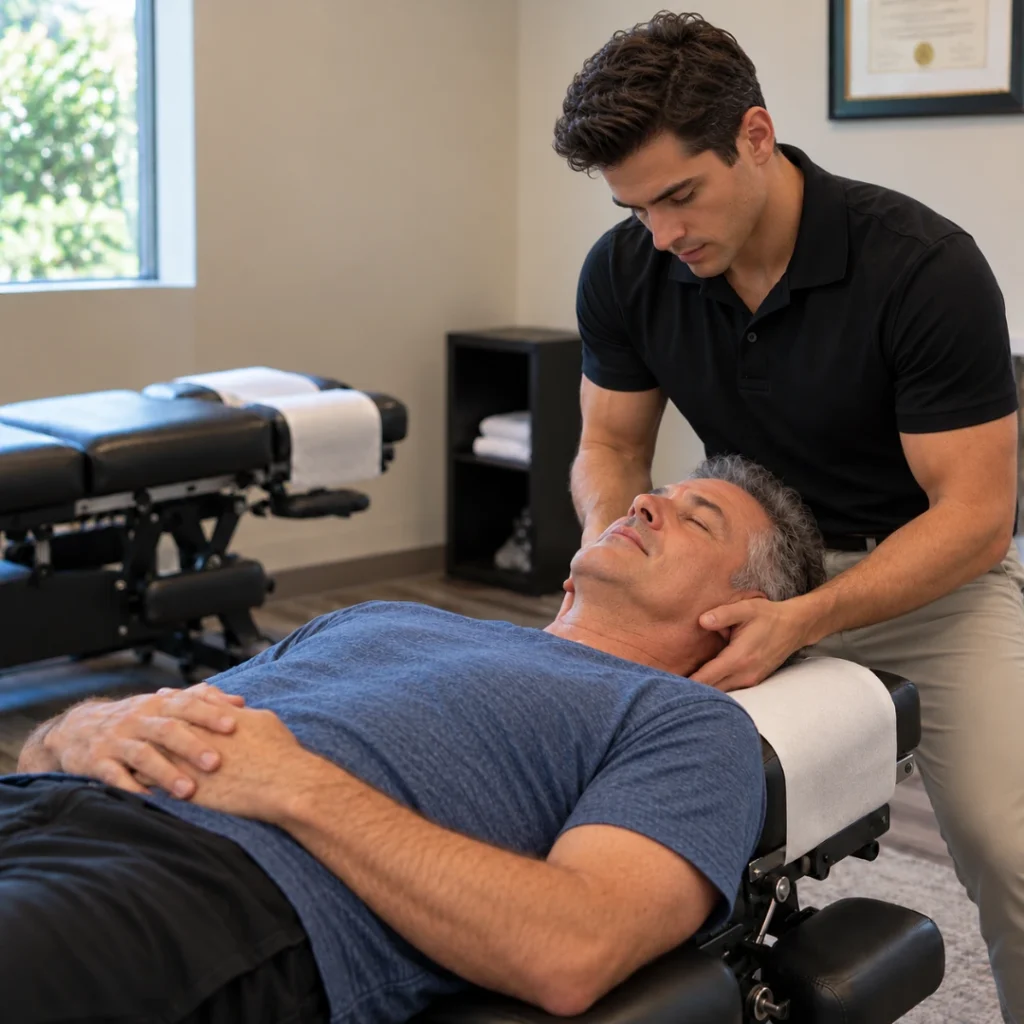
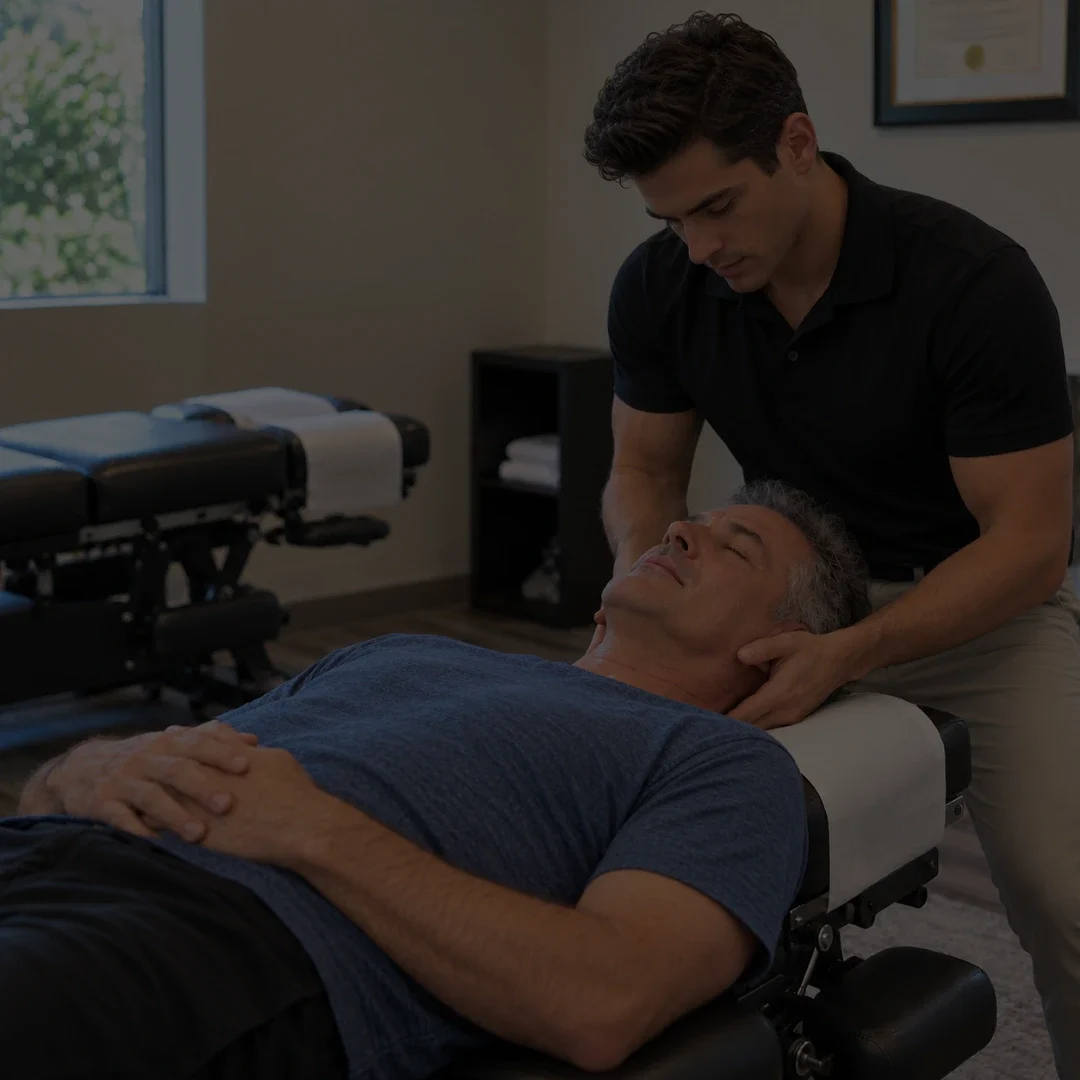
Chiropractor performing cervical treatment for a patient as part of CPT 98940 chiropractic manipulation for 1–2 spinal regions

Clinical Situations That May Support CPT 98940

CPT 98940 may apply when chiropractic manipulative treatment is clinically supported in one or two spinal regions. Examples can include a documented cervical restriction affecting head rotation, thoracic dysfunction associated with limited movement, or lumbar and sacral findings that support treatment of two regions. 

The diagnosis or complaint alone does not determine the code. The actual spinal regions receiving manipulation and the supporting clinical findings should be reflected in the record. 

What Does Not Support CPT 98940 by Itself

A general complaint, a diagnosis without region-specific clinical findings, a note that lists an adjustment without identifying the treated region, or documentation that does not explain why manipulation was clinically appropriate does not create a complete record by itself. For Medicare claims, the record must support the covered service and applicable medical-necessity requirements.

The Five Spinal Regions Used for CMT Coding

CPT Code Spinal Regions Treated
98940
1-2 spinal regions
98941
3-4 spinal regions
98942
5 spinal regions

These codes represent alternatives within the same CMT code family. The code selected should match the total number of spinal regions actually treated and supported in the record. 

How to Document CPT 98940 Clearly

How should CPT 98940 be documented?

A clear CPT 98940 note should connect the patient problem, relevant examination findings, the one or two treated spinal regions, the manipulation performed, and the patient response or treatment goal. The record should make it possible to understand why each treated region was included in the service.

The most common weakness in a 98940 note is not usually the absence of the CPT code. It is the missing connection between the patient problem, the clinical finding, the treated spinal region, and the reason manipulation was performed. A reviewer should not have to infer why a region was treated or how the service relates to the treatment plan. 

A practical 98940 documentation standard can be organized into five elements. 

1. The Patient Problem and Functional Limitation

Document why the patient is being treated and how the condition affects function. For an initial visit, include the relevant history, onset, location, duration, aggravating factors, and functional limitations. For follow-up visits, document meaningful changes since the previous encounter.

2. Region-Specific Examination Findings

Document the clinical finding that supports treatment of the spinal region. The record should identify the relevant region and findings rather than relying on a general complaint alone. Where Medicare requirements apply, the documentation should also support the spinal area or level and other elements required by current CMS and applicable contractor guidance. 

3. The One or Two Treated Spinal Regions

Identify the one or two spinal regions that actually received chiropractic manipulative treatment. Do not count a region simply because it was examined. The documented region count should match the code selected. 

4. The Clinical Reasoning for Manipulation

Connect the findings to the treatment decision. Explain why manipulation was appropriate for the documented region or regions and how the service relates to the patient’s condition or functional goal. 

5. The Patient Response and Progress

Document what changed after treatment or across the plan of care. Relevant measures may include range of motion, symptom behavior, movement tolerance, objective findings, or functional progress. Follow-up records should make the patient’s clinical direction easier to understand over time. 

A Clinical Reasoning Sentence That Connects the Record

A concise reasoning sentence can help connect the finding, treated region, manipulation, and functional purpose. For example: “Restricted left cervical rotation with documented segmental dysfunction in the cervical region contributing to difficulty checking traffic while driving; chiropractic manipulation was performed to the cervical region to address the identified restriction and support improved head turning.” 

The sentence does not replace the rest of the note. Its value is that it makes the clinical logic easier to follow

CPT 98940 vs. 98941 vs. 98942

What are common CPT 98940 documentation mistakes?

Common problems include failing to identify the treated region, relying on a diagnosis or complaint without enough supporting clinical context, counting regions that were assessed but not manipulated, stacking CMT codes, and using the Medicare AT modifier without documentation supporting active or corrective treatment.

Listing the code without identifying the treated region

“98940 performed” does not tell the reader whether the cervical, thoracic, lumbar, sacral, or pelvic region received manipulation. Identify the treated region or regions and keep the examination findings consistent with them. 

Documenting a complaint without the supporting clinical finding

The complaint explains why the patient sought care, but the note should also show the relevant examination findings and the relationship between those findings and the treatment decision. 

Counting regions that were assessed but not manipulated

The region count should reflect the spinal regions that actually received chiropractic manipulative treatment, not every area examined during the visit. 

Treating 98940, 98941, and 98942 as add-on codes

Select the single CMT code that corresponds to the total number of spinal regions treated and supported in the record. 

Using the AT modifier without supporting active-treatment documentation

For Medicare, the AT modifier is used with qualifying active or corrective treatment and should not be used for maintenance therapy. The underlying record still needs to support the treatment being reported. 

CPT 98940 in Practice: What the Documentation Should Show

What should a practical CPT 98940 record show?

A practical CPT 98940 record should show a clear sequence from patient complaint to clinical finding, treated spinal region, manipulation, functional purpose, and patient response or progress.

Consider a patient who returns with cervical stiffness and difficulty rotating the head far enough to check the blind spot while driving. The examination documents restricted left cervical rotation and region-specific findings consistent with the current treatment plan. The chiropractor identifies the cervical region as the region requiring manipulative treatment. Because one spinal region is treated, the service falls within the region count represented by CPT 98940. 

The treatment note identifies the cervical region, documents the manipulation performed, and records the patient’s response. If post-treatment findings or later follow-up show improved rotation or better tolerance for head turning, those changes can be tied back to the functional goal. 

A concise reasoning sentence might read: “Restricted left cervical rotation with documented segmental dysfunction in the cervical region limiting safe head turning while driving; CMT performed to the cervical region to address the identified restriction, with improved rotation noted after treatment.” 

The example is educational. A real record should reflect the findings, treatment, and response that actually occurred during the encounter. 

How Medicare Context Changes CPT 98940 Documentation

Does Medicare require the AT modifier with CPT 98940?

For Medicare chiropractic manipulation claims involving qualifying active or corrective treatment, the AT modifier is used with CPT 98940. It should not be used for maintenance therapy. The presence of the modifier does not by itself establish that the service is reasonable and necessary; the medical record must still support the care reported.

Current CMS guidance identifies CPT 98940, 98941, and 98942 as the covered chiropractic manipulation code family and distinguishes active or corrective treatment from maintenance care. For Medicare, the claim and the clinical record should tell the same story. 

Detailed Medicare initial-visit, subsequent-visit, active-treatment, and audit-readiness requirements belong in the dedicated Medicare Chiropractic Documentation Guidelines article. Practices should also verify any applicable Medicare Administrative Contractor policies before publication or implementation.

How HelloNote Supports CPT 98940 Documentation Workflows

CPT 98940 documentation is strongest when it sits inside a complete chiropractic record rather than being treated as an isolated billing entry. HelloNote can support that broader workflow by keeping clinical notes, treatment documentation, and practice information organized in one EMR environment. 

    • Clinical findings: Keep examination findings that support treatment clearly documented and easier to locate. 
    • Region identification: Record the spinal region or regions treated so the service can be traced back to the clinical findings. 
    • Treatment documentation: Keep manipulation and related clinical notes organized within the patient record. 
    • Functional goal connection: Relate treatment to documented limitations and the plan of care when clinically appropriate. 
    • Progress documentation: Track changes in symptoms, objective findings, movement, and function across visits. 
    • Consistent documentation workflow: Use structured note processes and customizable templates to support a repeatable documentation process. 

The value of an EMR in CPT documentation is not that it chooses the code for the clinician or guarantees payment. It is that it can help the practice maintain a more organized record so the complaint, findings, treatment, goals, and progress remain easier to trace from visit to visit.

Frequently Asked Questions About CPT 98940

What is CPT 98940?

CPT 98940 represents chiropractic manipulative treatment involving one or two spinal regions. The documentation should identify and support the region or regions treated and explain why manipulation was clinically appropriate for the encounter. 

How many spinal regions does CPT 98940 cover?

CPT 98940 covers one or two spinal regions. The five spinal regions used for the CMT code family are cervical, thoracic, lumbar, sacral, and pelvic. 

How do I document CPT 98940?

Document the patient problem, relevant examination findings, the one or two treated spinal regions, the manipulative service performed, and the patient response or progress. Medicare claims may have additional documentation requirements. 

What is the difference between 98940 and 98941?

CPT 98940 represents CMT involving one or two spinal regions, while CPT 98941 represents CMT involving three or four spinal regions. The selected code should match the number of regions actually treated and supported in the documentation.

Can CPT 98940 and 98941 be billed together for additional spinal regions?

The CMT codes are not add-on codes for additional spinal regions. The applicable code is selected according to the total number of spinal regions treated and supported during the encounter. 

Does Medicare require the AT modifier with CPT 98940?

For Medicare claims involving qualifying active or corrective chiropractic treatment, the AT modifier is used with CPT 98940. It should not be used for maintenance therapy, and it does not independently establish medical necessity. 

Can an EMR guarantee that CPT 98940 documentation is compliant?

No. An EMR can support structured documentation, record organization, signatures, history, and retrieval, but the clinician and practice remain responsible for accurate documentation, coding, medical necessity, and compliance with applicable payer requirements. 

Build a Stronger Chiropractic Documentation Workflow

A CPT code should be the result of a clinical record, not the beginning of one. For CPT 98940, the most useful documentation shows the patient problem, the findings that support treatment, the one or two spinal regions receiving manipulation, and the patient's response. 

When those elements remain connected across the examination, treatment plan, SOAP note, coding, and follow-up visits, the record becomes easier to understand and better reflects the clinical work performed. Documentation software can support that consistency, but it should complement clinical reasoning rather than replace it. 

Want a Clearer Way to Document CPT 98940?

HelloNote helps chiropractic practices keep examination findings, treated spinal regions, treatment notes, goals, and progress documentation connected in one organized workflow.

No credit card required • HIPAA Compliant • PT, OT & SLP
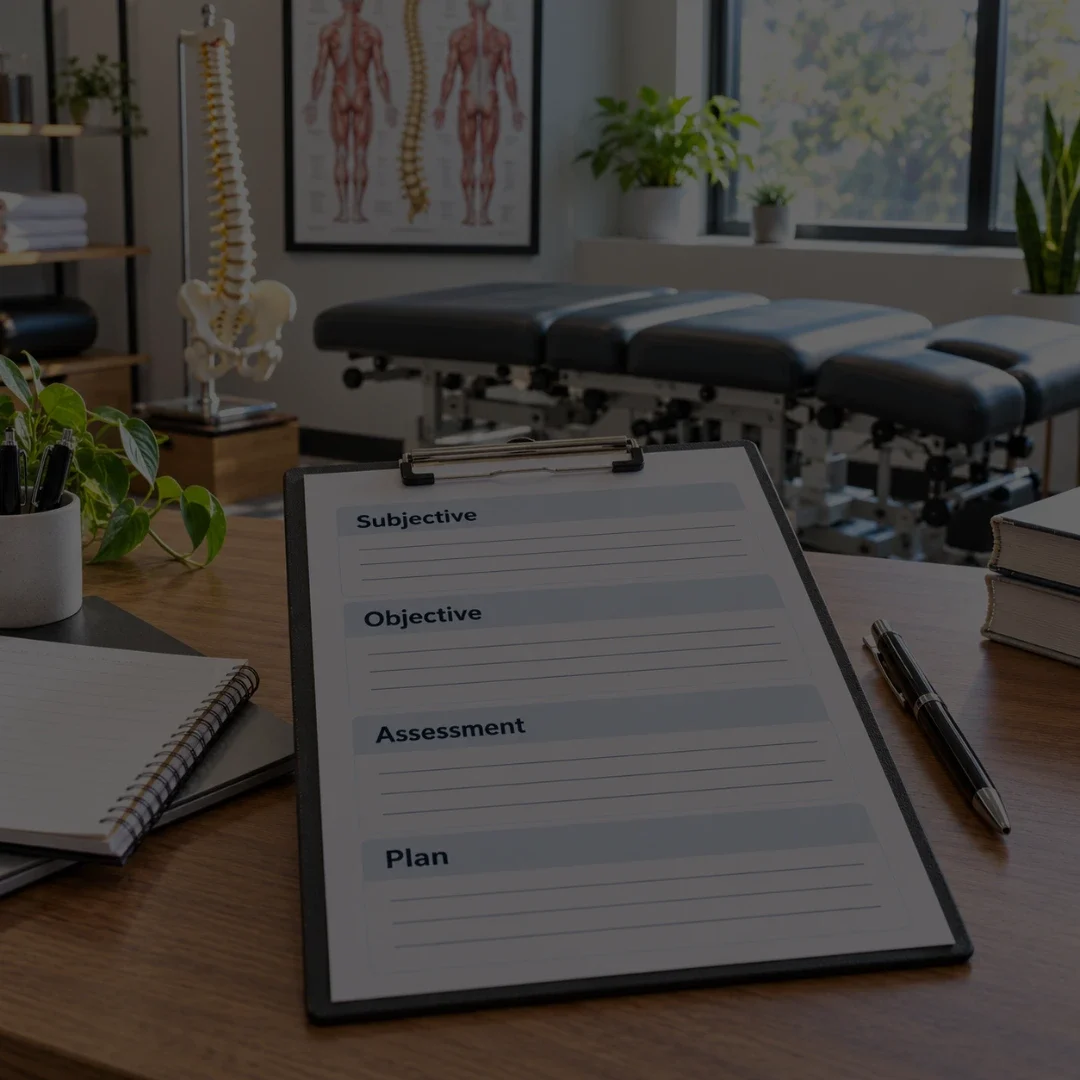
Chiropractic SOAP Note Template: Example, Structure & Documentation Guide

Printable chiropractic SOAP note template with Subjective, Objective, Assessment, and Plan sections in a modern chiropractic clinic.

A chiropractic SOAP note template gives clinicians a consistent structure for documenting follow-up visits, but the value of the template depends on how well it captures what changed during the current encounter. A useful template should make it easier to record the patient’s report, objective findings, clinical assessment, and next steps without encouraging identical notes from visit to visit.

This guide provides a practical chiropractic SOAP note template, explains each SOAP section, shows a completed example, and outlines common mistakes to avoid. It also explains when a static template may be enough and when SOAP note software can make the workflow easier to manage across repeated visits.

What Is a Chiropractic SOAP Note?

A chiropractic SOAP note is a structured clinical note organized into Subjective, Objective, Assessment, and Plan sections. It helps the chiropractor document what the patient reports, what was observed or measured, how the findings are interpreted, and what is planned next.

SOAP is useful because it separates patient-reported information from objective findings and clinical interpretation. That structure can make follow-up documentation easier to review across an episode of care, especially when the clinician needs to compare symptoms, findings, progress, and treatment decisions over time.

Table of Contents

Key Takeaways

    • A SOAP template should provide structure without turning every visit into the same note.
    • Subjective, Objective, Assessment, and Plan each serve a different documentation purpose.
    • The current visit should be updated even when prior information is reused.
    • A completed example can help clinicians understand the structure, but it should not be copied verbatim into another patient record.
    • Static templates can work for simple workflows; software becomes more useful when practices need prior-note access, progress tracking, signatures, billing connection, or AI-assisted drafting.

Chiropractic SOAP Note Template

Use the following structure as a starting point. The fields should be adapted to the practice, payer, patient, encounter type, and clinician workflow.

SOAP Section Template Prompts
Subjective
Reason for visit; patient-reported symptoms; changes since the previous visit; pain or functional complaints where relevant; response to prior care; new concerns; relevant activity or home-program updates.
Objective
Exam or reassessment findings; observed or measured changes; relevant orthopedic, neurologic, range-of-motion, functional, or other findings as applicable; services or interventions provided; patient response during the visit.
Assessment
Clinical interpretation of the current status; progress or lack of progress; response to the plan of care; relationship between findings and the current treatment decision; whether the plan should continue, progress, or change.
Plan
Next treatment steps; follow-up timing; modifications to the plan of care; home recommendations where applicable; additional evaluation or referral considerations where clinically appropriate.

What Should Go in Each SOAP Section?

Subjective

The Subjective section records what the patient reports about the current visit. This may include symptom changes, functional limitations, response since the prior visit, new complaints, aggravating or relieving factors, and relevant activity updates. The goal is to capture what is different or important now rather than repeat the same narrative at every visit.

Objective

The Objective section records what the chiropractor observes, measures, or performs during the encounter. Depending on the visit, that may include examination findings, range-of-motion observations, orthopedic or neurologic findings, functional measures, treatment delivered, and other clinically relevant data.

Assessment

The Assessment section explains what the current findings mean. It should connect the patient’s report and objective findings to the clinician’s interpretation of progress, current status, and the rationale for continuing, changing, or progressing the plan.

Plan

The Plan section describes what happens next. It may include follow-up frequency, planned care, changes to the treatment plan, home recommendations, reassessment timing, or other next steps appropriate to the encounter.

Completed Chiropractic SOAP Note Example

The example below is intentionally generic and educational. It is not a substitute for documenting the facts of an actual patient encounter.

Section ExampleExample
Subjective
Patient reports lower back stiffness is improved compared with the prior visit but still notices discomfort after prolonged sitting. Reports better tolerance for walking and no new symptoms since the last visit.
Objective
Lumbar movement remains limited at end range with reduced stiffness compared with the prior visit. Reassessment findings and treatment response are documented for the current encounter. No new red-flag symptoms are reported or observed in this example.
Assessment
Patient is showing gradual improvement in activity tolerance and reduced stiffness. Current findings support continuing the established plan while monitoring response and functional progress.
Plan
Continue the current plan with adjustments based on response. Reinforce the home recommendations already provided and reassess progress at the next appropriate interval.

A real note should include the specific findings, interventions, clinical reasoning, and patient response that actually occurred during the encounter. Avoid copying this example or any other template wording into a record unless it accurately reflects the visit.

How to Customize a Chiropractic SOAP Note Template

A template is most useful when it reflects the practice’s real workflow. Overly generic templates create extra editing, while overly rigid templates can encourage unnecessary fields or repetitive language.

    • Keep the core SOAP structure consistent so clinicians can review notes quickly.
    • Use specialty-specific fields only when they are useful for the practice and encounter type.
    • Allow free text where structured fields cannot capture the clinical detail.
    • Separate information that can reasonably carry forward from details that must be updated every visit.
    • Make progress and changes easy to identify across follow-up visits.
    • Avoid adding fields simply because they are available; each field should support the documentation workflow.

Initial Visit, Follow-Up, and Progress Note Differences

Not every chiropractic note should use the exact same level of detail. The purpose of the encounter changes across the episode of care.

Encounter Type Documentation Emphasis
Initial evaluation
History, presenting problem, examination findings, assessment, goals, and initial treatment plan. This usually requires more comprehensive documentation than a routine follow-up SOAP note.
Routine follow-up / daily note
Changes since the prior visit, current findings, care delivered, response, assessment, and next steps.
Progress note / reassessment
Change over time, objective progress, functional status, response to care, goals, and decisions about continuing or modifying the plan.
Discharge / episode summary
Status at the end of the episode, progress toward goals, remaining limitations, and follow-up recommendations where appropriate.

Common Chiropractic SOAP Note Template Mistakes

Copying the Same Note Forward Without Review

Reusing appropriate information can save time, but the current note still needs to reflect the current encounter. Old symptoms, findings, or plans should not remain in the record simply because they were carried forward from an earlier visit.

Using a Template as a Substitute for Clinical Reasoning

A structured form cannot determine what the clinician should conclude. The Assessment section should reflect the practitioner’s interpretation of the actual findings and response to care.

Writing an Assessment That Only Repeats the Subjective Section

The Assessment should explain what the current information means, not simply restate the patient’s symptoms. It is where the note connects the reported and objective information to the clinician’s judgment about progress and the plan.

Leaving the Plan Unchanged When the Visit Changes

When the patient’s status or treatment decision changes, the Plan should be updated accordingly. A template should make those changes easy to document rather than encourage automatic repetition.

Leaving the Plan Unchanged When the Visit Changes

When the patient’s status or treatment decision changes, the Plan should be updated accordingly. A template should make those changes easy to document rather than encourage automatic repetition.

Assuming a Template Guarantees Compliance

A template can help organize the record, but it does not guarantee compliance, reimbursement, or audit success. The content still needs to meet the applicable clinical, payer, and documentation requirements for the encounter.

Static SOAP Note Template vs. Chiropractic SOAP Note Software

A static template can be enough for a simple workflow, especially when the clinician only needs a consistent note structure. Software becomes more valuable when documentation needs to connect with previous visits, patient records, signatures, reporting, billing, or other practice functions.

Consideration Static Template Static Template SOAP Note Software
Structure
Provides a reusable form or document
Provides a reusable workflow inside the clinical system
Prior-note access
Usually manual
Can place prior notes and relevant history within the patient record
Carry-forward
Manual copying may be required
May offer selective reuse, smart fields, or prior-note tools
Progress tracking
Requires manual comparison
Can make previous findings and progress easier to review
Signatures / history
Depends on the document process
May include signatures, timestamps, amendments, and record history
Billing / workflow connection
Separate process
May connect documentation with charges, claims, reporting, and other EHR workflows
Best fit
Clinician who needs a simple reusable note structure
Practice that wants documentation connected to the broader patient and practice workflow

For a deeper comparison, see the Chiropractic SOAP Note Software guide and the broader Chiropractic Documentation Software article.

Can AI Help With a Chiropractic SOAP Note Template?

Can AI help create chiropractic SOAP notes?

AI can assist by turning encounter information or clinician dictation into a draft SOAP note and organizing the content into Subjective, Objective, Assessment, and Plan sections. The chiropractor should review, correct, and approve the final note before signing.

AI can reduce repetitive typing, but it does not remove the need for a useful template or clinician review. The practice should evaluate whether the AI fits the documentation workflow, whether the draft is easy to edit, and whether the final note accurately reflects the encounter.

Should HelloNote Offer a Downloadable SOAP Note Template?

HelloNote supports chiropractic documentation within the broader EMR workflow. Instead of relying only on a static form, practices can use customizable documentation workflows and keep notes connected with other functions such as scheduling, billing, reporting, and patient management.

HelloNote also offers an AI Scribe that can generate a structured SOAP draft for clinician review and finalization. The goal is to reduce repetitive documentation work while keeping the clinician responsible for the final record.

If you are comparing templates as part of a larger software decision, review the Chiropractic SOAP Note Software guide, the Chiropractic Documentation Software article, and the Chiropractic EMR & EHR Software pillar.

Need More Than a Static SOAP Note Template?

See how HelloNote helps chiropractors create, customize, and manage SOAP documentation while keeping notes connected with patient records, scheduling, billing, reporting, and the broader practice workflow.

No credit card required • HIPAA Compliant • PT, OT & SLP
Frequently Asked Questions About Chiropractic SOAP Note Templates

What is a chiropractic SOAP note template

A chiropractic SOAP note template is a structured form organized into Subjective, Objective, Assessment, and Plan sections. It gives the clinician a consistent framework for documenting the encounter while still allowing patient-specific information to be added or updated.

What should be included in a chiropractic SOAP note?

A chiropractic SOAP note should document the patient's subjective report, objective findings, clinical assessment, and plan for next steps. The exact detail depends on the encounter, patient, payer, and practice requirements.

Can I use the same SOAP note template for every visit?

A consistent structure can be reused, but the content should be updated to reflect the current visit. Templates should not encourage clinicians to leave outdated findings, symptoms, or plans in the record.

What is the difference between a SOAP note template and a SOAP note example?

A template provides blank prompts or fields to guide documentation. An example shows how those sections might look when completed. Examples should be used for education, not copied into another patient's record.

Is a SOAP note template enough for chiropractic documentation?

A template may be enough for a simple workflow, but practices that need progress tracking, prior-note access, signatures, billing connection, reporting, or AI-assisted drafting may benefit from documentation software or an integrated EHR.

Can AI fill out a chiropractic SOAP note template?

AI can generate a draft from encounter information or dictation, but the clinician should review and edit the output before it becomes part of the final record.

Does using a template guarantee Medicare or payer compliance?

No. A template can organize the note, but it cannot guarantee compliance, reimbursement, or audit success. The record must still meet the applicable clinical and payer documentation requirements.

Use a Template to Support Better Documentation - Not Identical Notes

A chiropractic SOAP note template works best when it reduces unnecessary formatting decisions while leaving room for patient-specific documentation. The structure can stay consistent even when the clinical content changes from visit to visit.

Start with a clear Subjective, Objective, Assessment, and Plan framework. Then customize the prompts to match the practice’s real workflow, update the current encounter carefully, and use software when the documentation process needs stronger connections to prior notes, progress tracking, billing, reporting, or AI-assisted drafting.

Chiropractic SOAP Note Software:What to Look for in a Faster, Smarter Documentation Workflow

Abstract chiropractic SOAP notes software concept showing the Subjective, Objective, Assessment, and Plan workflow with documentation, scheduling, progress tracking, and security icons.

Chiropractic SOAP note software should make documentation easier without turning every visit into the same note. The right workflow should help the chiropractor capture what changed, what was found, what was done, how the patient responded, and what happens next – while keeping the record connected to the rest of the practice when needed.

That is why choosing SOAP note software is not only about typing speed. Chiropractors also need to evaluate template flexibility, progress tracking, prior-note access, signatures, record history, AI-assisted drafting, billing handoffs, and how easily the documentation fits into the broader patient record. A fast note is useful only if the final record remains individualized, reviewable, and practical for the practice.

What is chiropractic SOAP note software?

Chiropractic SOAP note software is a digital documentation system that helps chiropractors create, review, organize, and store visit notes using the Subjective, Objective, Assessment, and Plan structure. Depending on the platform, it may also support templates, prior-note access, progress tracking, signatures, AI-assisted drafts, billing workflows, and other EHR functions.

A static template can provide a useful structure, but software adds workflow. It can make it easier to reuse appropriate information, review previous findings, document changes across visits, finalize the record, and connect the note with other parts of the patient chart.

The best system is not necessarily the one with the most fields or the fastest demo. It is the one that helps the clinician document a real encounter efficiently without losing the details that make the note accurate and specific to the patient.

Table of Contents

Key Takeaways

    • SOAP note software should improve the workflow, not just provide a digital version of a paper form.
    • Template flexibility matters because chiropractic visits change over time; reusable structure should not create identical notes.
    • Speed is useful, but copy-forward and macros still require clinician review so outdated information does not remain in the record.
    • AI can help generate a draft, but the chiropractor should review, correct, and approve the final note before signing.
    • Documentation and billing are separate functions, but the workflow should make it clear how documented services move into the revenue-cycle process.
    • Practices that want fewer disconnected tools may benefit from SOAP documentation built into a broader chiropractic EHR.

What Should a Chiropractic SOAP Note Include?

SOAP provides a consistent framework for recording a visit. The exact content will vary by patient, payer, clinical approach, and encounter, but the four sections should help the clinician show what the patient reported, what was observed or measured, how the findings were interpreted, and what is planned next.

SOAP Section What It Should Help Capture Software Workflow to Evaluate
Subjective
Patient-reported symptoms, changes, response since the prior visit, relevant functional information, and current concerns.
Can the clinician review prior subjective information without automatically copying outdated details?
Objective
Examination findings, measured or observed changes, treatment delivered, and other visit-specific clinical information.
Can the workflow capture structured findings while still allowing free text and individualized detail?
Assessment
Clinical interpretation of the current status, response to care, progress, and reasoning behind the plan.
Does the software make it easy to compare prior findings and document why care is being continued, changed, or progressed?
Plan
Next steps, planned care, follow-up, home recommendations where applicable, and other decisions for the next phase of care.
Can the plan be updated without forcing unnecessary duplication from earlier visits?

Why SOAP Note Workflow Matters in Chiropractic Practices

SOAP notes are part of a larger episode of care. A chiropractor may need to review an initial evaluation, compare prior findings, document today’s response, update goals or treatment plans, and then make sure the note is available to the staff or workflows that depend on it.

When the documentation system is disconnected or difficult to navigate, the friction shows up as repeated entry, inconsistent formatting, missed context, and extra time spent moving information between tools. A stronger workflow should help the clinician see what changed from visit to visit while keeping each note specific to the current encounter.

What Features Should Chiropractic SOAP Note Software Include?

Feature lists can look similar across vendors, so the more useful question is how each feature behaves during a real visit. These are the capabilities worth testing.

1. Customizable SOAP Note Templates

Templates should provide structure without forcing every patient into the same documentation pattern. Look for the ability to adapt sections, structured fields, reusable phrases, and free-text areas so the clinician can document what is actually different about the visit.

2. Fast Access to Prior Findings

The clinician should be able to review relevant prior findings, goals, and progress without opening multiple screens. Prior information is most useful when it provides context for the current note rather than automatically becoming today’s note.

3. Progress Tracking Across Visits

SOAP documentation becomes more valuable when the software makes change over time visible. The workflow should help the chiropractor compare findings, update the assessment, and document why the plan is being continued, progressed, or modified.

4. Signatures, Timestamps, and Record History

Practices should understand how notes are finalized, signed, amended, and tracked after completion. Record history is especially important when a note must be reviewed later or when authorized changes are made after signing.

5. Billing and Charge Workflow Connection

Documentation and billing should remain distinct, but they are operationally connected. Evaluate whether the documented encounter can move into charge capture, coding review, claims, and payment workflows without forcing staff to rebuild the same visit information in another system.

6. Secure Access and Role-Based Permissions

SOAP notes contain protected health information. Review how the platform handles authentication, user permissions, secure access, backups, and the different roles of clinicians, billers, front-desk staff, and administrators.

7. Multi-Location and Team Workflow

For practices with multiple providers or locations, confirm that authorized users can access the correct patient record, templates, schedules, and documentation without creating inconsistent copies or separate workflows.

Template Flexibility Without Copy-Forward Problems

Reusable content can save time, but the same efficiency tools can also make it easy to leave old information in a note. Macros, carry-forward fields, and prior-note copying should therefore be evaluated as workflow tools rather than shortcuts that remove the need for clinical review.

    • Can the clinician choose what carries forward instead of copying the entire prior note?
    • Are changed findings easy to identify and update?
    • Can free text be added where the structured template does not fit the encounter?
    • Does the workflow encourage review before signing?
    • Can outdated or irrelevant content be removed easily?

A good template should reduce repetitive entry while still making it obvious that the current note reflects the current visit.

Can AI Help Create Chiropractic SOAP Notes?

Can AI create chiropractic SOAP notes?

AI can assist by turning encounter information or clinician dictation into a draft SOAP note and organizing content into Subjective, Objective, Assessment, and Plan sections. The chiropractor should still review, correct, and approve the final note before it is signed because the clinician remains responsible for the medical record.

When evaluating AI-assisted SOAP note software, look beyond whether the vendor has an AI feature. The more important questions are how the draft is created, where it appears, what information it uses, and how the clinician reviews it.

    • Does the AI create a raw transcript or a structured clinical draft?
    • Does the draft appear directly in the patient chart or require copy-and-paste?
    • Can the clinician edit the note easily before approval?
    • How does the workflow handle missing, incorrect, or irrelevant output?
    • How does the AI work with the practice’s templates and documentation preferences?
    • What information is retained, transmitted, or used by the AI workflow?

AI is most useful when it removes repetitive steps without weakening clinical oversight. Detailed AI documentation strategy belongs in the dedicated Chiropractic AI Documentation supporting article.

How SOAP Notes Connect With Billing and Claims

The SOAP note is a clinical record, not a billing form. Still, the documentation, documented services, coding review, charges, and claims often move through the same operational sequence.

During a software demo, ask what happens after the clinician signs the note. If billing is built into the system, review how the encounter moves into charge capture and claims. If billing is handled elsewhere, ask what must be exported, re-entered, or reconciled.

The goal is not to document for a code. It is to make sure the record accurately reflects the care provided while the practice understands how that information moves into the billing workflow.

Compliance-Supporting Controls and Audit Readiness

Software can support better documentation habits through structured fields, signatures, timestamps, required-field prompts, access controls, and record history. Those features can make records easier to create and review, but they do not make the clinical content compliant by themselves.

For Medicare-covered chiropractic services, practices should rely on current CMS and applicable payer guidance when determining documentation requirements. The software should make it practical to create, retrieve, and review the documentation the practice is responsible for maintaining.

    • Clear authorship and signatures
    • Date and time information where required
    • Consistent access to initial and subsequent visit records
    • Individualized notes rather than unchanged copied text
    • Record history or amendment controls where available
    • Secure user access and permissions

Detailed Medicare and audit-preparation guidance should remain in the dedicated Chiropractic Medicare Documentation & Audit Readiness article.

Standalone SOAP Note Software vs. an Integrated Chiropractic EHR

Some practices only need a specialized note-writing tool. Others are trying to reduce the number of systems used for documentation, scheduling, billing, reporting, and patient management. Neither model is automatically better; the right choice depends on the existing technology stack and where duplicate work occurs.

Consideration Standalone SOAP Note Software Integrated Chiropractic EHR
Primary purpose
Create and manage SOAP notes
Connect SOAP documentation with a broader patient and practice workflow
Scheduling
Usually handled elsewhere
Often connected to the patient record and appointment workflow
Billing / claims
May require export or duplicate entry
Can connect documentation, charges, claims, and payment workflows
Patient record
Focused mainly on documentation
Maintains a broader longitudinal patient record
AI
May be a separate tool or add-on
May be built into the charting workflow
Best fit
Practice that needs a focused documentation layer
Practice trying to reduce disconnected systems and duplicate work

How to Evaluate Chiropractic SOAP Note Software

A software demo is most useful when it follows a real workflow. Instead of watching a polished sample note, ask the vendor to show what happens before, during, and after a routine visit.

    • Can clinicians build or modify chiropractic SOAP templates without relying on the vendor for every change?
    • Can the system show relevant prior findings while keeping the current note clearly individualized?
    • How does information carry forward, and how easy is it to remove outdated content?
    • Can the clinician document a routine follow-up, progress note, reassessment, and treatment-plan update?
    • How are signatures, amendments, timestamps, and record history handled?
    • If AI is included, how is the draft generated, reviewed, edited, and approved?
    • What happens after the note is signed and billing staff need the encounter information?
    • Can authorized staff use the system securely across locations and roles?
    • What onboarding, migration, training, and ongoing support are available?

Common Mistakes When Choosing Chiropractic SOAP Note Software

Choosing Only for Speed

A fast note can look impressive in a demo, but speed does not show how the software handles a full episode of care, changing findings, progress documentation, billing handoffs, or later record review.

Assuming a Template Automatically Creates a Good Note

Templates can standardize the structure, but they cannot determine whether the content accurately reflects the patient, the current encounter, or the clinician’s reasoning.

Overusing Carry-Forward

Copy-forward can save time when used carefully, but it can also preserve outdated information. Evaluate whether the software makes review and editing easy before the note is signed.

Buying AI Without Testing the Approval Workflow

The useful question is not simply whether the software has AI. Test how the draft is generated, where it appears, what the clinician can change, and what happens when the output is incomplete or incorrect.

Ignoring the Billing Handoff

Documentation and billing teams may use different parts of the system. Ask exactly how information moves from the signed note to charges, coding review, claims, and follow-up so duplicate work is visible before implementation.

Overlooking Training and Scalability

A system that works for one clinician should still be evaluated for multiple providers, locations, permissions, templates, reporting needs, and onboarding as the practice grows.

A Practical Chiropractic SOAP Note Software Checklist

Table Header Table Header
SOAP structure
Clear Subjective, Objective, Assessment, and Plan workflow
Templates
Clear Subjective, Objective, Assessment, and Plan workflow
Templates
Customizable structure, reusable fields, free-text flexibility, specialty-specific options
Prior-note access
Easy review of previous findings and patient context
Carry-forward
Selective reuse with easy editing and removal of outdated content
Progress tracking
Ability to compare findings, goals, response, and changes over time
Finalization
Ability to compare findings, goals, response, and changes over time
AI
Draft generation, clinician review, editing, approval, and secure handling of patient information
Billing connection
Clear path from documented encounter to charges, coding review, claims, and payment workflow
Security
Access controls, authentication, secure storage, backups, and user permissions
Practice operations
Scheduling, reporting, multi-location access, and role-based workflows if needed
Implementation
Data migration, onboarding, training, support, and realistic go-live expectations

How HelloNote Supports Chiropractic SOAP Note Workflows

HelloNote approaches SOAP documentation as part of the broader patient and practice workflow rather than as a stand-alone note-writing task. Its chiropractic EMR supports customizable documentation workflows and connects charting with other practice functions such as scheduling, billing, reporting, and patient management.

HelloNote also offers a built-in AI Scribe that can generate a structured SOAP draft for clinician review and finalization. Keeping the draft connected to the patient record can reduce the need to move documentation between a separate AI tool and the clinical chart.

If your practice is comparing SOAP note tools as part of a larger software decision, review the Chiropractic Documentation Software guide for a broader documentation framework and the Chiropractic EMR & EHR Software pillar for the full practice-level evaluation.

Looking for a Better Chiropractic SOAP Note Workflow?

See how HelloNote helps chiropractors create, review, and manage SOAP notes while keeping documentation connected with scheduling, billing, reporting, and the patient record.

No credit card required • HIPAA Compliant • PT, OT & SLP
Frequently Asked Questions About Chiropractic SOAP Note Software

What is chiropractic SOAP note software?

Chiropractic SOAP note software is a digital documentation system that helps chiropractors create, review, organize, and store visit notes using the Subjective, Objective, Assessment, and Plan structure. Some products focus mainly on notes, while integrated EHR platforms connect SOAP documentation with scheduling, billing, reporting, and patient management.

What should a chiropractic SOAP note include?

A SOAP note generally includes the patient's subjective report, objective findings, the clinician's assessment, and the plan for next steps. The exact content depends on the encounter, clinical approach, payer requirements, and the patient's current status.

Can chiropractors use templates for SOAP notes?

Yes. Templates can provide a consistent structure and reduce repetitive entry, but they should still allow the chiropractor to document individualized findings and update information that changed during the current visit.

Can AI create chiropractic SOAP notes?

AI can assist by generating a draft from encounter information or clinician dictation and organizing the content into SOAP sections. The chiropractor should review, correct, and approve the final note before signing.

Is SOAP note software the same as an EHR?

Not always. Standalone SOAP note software may focus mainly on documentation. A chiropractic EHR generally manages a broader patient record and may connect SOAP notes with scheduling, billing, claims, reporting, intake, and other practice workflows.

How does SOAP note software connect with billing?

In an integrated workflow, information from the documented encounter can support charge capture, coding review, claims preparation, and other billing steps. The exact connection varies by vendor, so practices should test how information moves after the note is signed.

What should chiropractors look for in SOAP note software?

Evaluate template flexibility, prior-note access, progress tracking, carry-forward controls, signatures, record history, AI review, billing connection, security, implementation, support, and whether the system fits the wider workflow of the practice.

Choose SOAP Note Software Around the Whole Documentation Workflow

Chiropractic SOAP note software should make documentation more efficient without making the record generic. The most useful system is one that helps clinicians review prior context, document the current encounter, track progress, finalize the note, and move information into the workflows that depend on it.

When comparing products, look beyond the speed of a sample note. Test how the system behaves across a real episode of care, how it handles reusable content, how clinicians review AI-assisted drafts, and what happens after the note is signed. That is what determines whether the software actually reduces friction in daily practice.

Defensible Documentation in Physical Therapy: Examples, Requirements & Audit Checklist

Physical therapist documenting patient care on a clinical form to support defensible documentation, skilled care, and medical necessity

Physical therapy documentation has to do more than record what happened during a visit. A defensible record should help another clinician, payer, auditor, or reviewer understand why therapy was needed, what skilled decisions were made, how the patient responded, and whether the plan of care continues to make clinical sense.

That matters because documentation problems are still a major source of payment risk. CMS reports that, for physical therapists in private practice billing Medicare Part B, insufficient documentation accounted for 88.6% of improper payments in the 2024 reporting period. The lesson is not to write longer notes. It is to make the clinical story clearer, more specific, and easier to support.

What is defensible documentation in physical therapy?

Defensible documentation is a clear, accurate clinical record that supports the need for therapy, shows the skilled involvement of the therapist, connects interventions to functional goals, records the patient’s response and progress, and contains the information required by the applicable payer, practice setting, and law. A defensible note should make the reasoning behind care understandable without forcing a reviewer to guess.

Important: Documentation requirements vary by payer, setting, state law, and patient situation. Use this guide as educational guidance, then confirm the requirements that apply to your practice and each payer.

Table of Contents

Key Takeaways

    • Defensible documentation explains why skilled therapy was necessary, not only what interventions were performed.
    • Objective findings, functional goals, patient response, and clinical decision-making help support medical necessity across the episode of care.
    • Vague phrases such as “tolerated treatment well” add little unless they are paired with specific observations or decisions.
    • The initial evaluation, treatment notes, progress reports, and discharge documentation should tell one consistent clinical story.
    • A structured EMR can improve consistency, but the therapist remains responsible for clinical accuracy, judgment, and final documentation.

Why Defensible Documentation Matters in 2026

Documentation sits at the intersection of patient care, compliance, reimbursement, and risk management. APTA describes documentation as a record of care, a communication tool, a way to demonstrate compliance, and evidence that may be used when services are reviewed or challenged. CMS similarly expects the record to support that services were reasonable, necessary, and required the knowledge and clinical judgment of a qualified therapist.

The current Medicare data makes the practical risk clear. CMS lists a 15.8% improper payment rate for physical therapists in private practice for the 2024 reporting period, with insufficient documentation accounting for 88.6% of those improper payments. That does not mean every documentation error becomes a denial, and Medicare rules should not automatically be applied to every commercial payer. It does show why documentation quality deserves operational attention.

For current Medicare guidance, review the CMS Physical Therapist in Private Practice compliance guidance and confirm the rules that apply to your setting and payer mix.

What Makes Physical Therapy Documentation Defensible?

Strong documentation usually makes seven things easy to understand:

  1. The patient’s problem and functional limitations: Show the condition being treated and how it affects activities, participation, safety, work, mobility, self-care, or other meaningful functions.
  2. Why skilled therapy is needed: Explain what requires therapist-level knowledge, judgment, cueing, progression, modification, safety monitoring, or problem solving.
  3. The plan and measurable goals: Connect the plan of care to objective findings and functional outcomes that can be reassessed over time.
  4. What was actually provided: Identify the interventions and, when required, the relevant time, units, and other billing details.
  5. How the patient responded: Document meaningful changes during or after the intervention, not only that the patient “tolerated” treatment.
  6. What changed in your clinical reasoning: Record why an intervention was progressed, modified, held, discontinued, or replaced.
  7. Whether the record remains consistent: The evaluation, daily notes, progress reports, goals, billing, and discharge summary should support the same overall clinical story.

APTA emphasizes that a daily note should not be only a list of treatments. The documentation should also communicate skilled assistance, clinical decision-making, patient response, and ongoing analysis of progress when those details are relevant. Review APTA’s documentation-of-a-visit guidance for additional examples.

Weak vs. Defensible Physical Therapy Documentation Examples

The difference is often specificity. A stronger note makes the therapist’s observation and decision visible.

Weak Documentation Why It Is Weak More Defensible Example
“Patient tolerated exercises well.”
It does not show what the therapist observed, what help was required, or what changed.
“Patient completed sit-to-stand training with intermittent verbal cueing for forward trunk translation. Repetitions were reduced after form declined with fatigue. No increase in knee pain was reported.”
“Continue strengthening next visit.”
It does not explain the decision or what will determine progression.
“Continue closed-chain strengthening and progress resistance next visit if the patient maintains knee alignment without manual cueing and reports no symptom increase after today’s session.”
“Gait training performed.”
The skilled component is unclear.
“Gait training focused on left stance stability. Therapist provided tactile cueing at the pelvis and adjusted step length after repeated loss of balance during turning.”

These examples are illustrative, not payer-specific templates. The strongest wording is the wording that accurately reflects what actually happened during the encounter.

What to Document at Each Stage of Care

Initial Evaluation

The evaluation establishes the starting point for the episode of care. It should make the clinical problem and planned therapy understandable. Depending on payer and setting, that may include:

    • Relevant history and current functional status
    • Objective tests, measures, and examination findings
    • Functional limitations and participation restrictions
    • Clinical assessment and factors affecting complexity
    • Measurable goals tied to function
    • Planned interventions, frequency, and duration when required
    • Rationale showing why skilled therapy is appropriate

Objective measures are especially useful because they give later notes something concrete to compare against. CMS guidance on medical necessity highlights comparable objective and functional measures as an important way to show change over the therapy episode.

Treatment or Daily Notes

A treatment note documents what happened on a specific treatment day. For Medicare outpatient therapy, CMS requires documentation for every treatment day and expects items such as the treatment date, specific interventions, timed-code minutes when applicable, total treatment time, and the signature and credentials of the individuals who provided skilled interventions.

To make the broader record easier to defend, consider also documenting clinically meaningful information such as:

    • Patient response to the intervention
    • The type and amount of cueing or assistance required
    • Safety issues or barriers that affected treatment
    • Why an exercise or activity was progressed, regressed, or changed
    • Any meaningful change in function, symptoms, or tolerance
    • How the intervention relates to the plan of care and functional goals

For timed-code documentation, see HelloNote’s Medicare 8-Minute Rule guide and confirm the billing methodology used by the applicable payer.

Progress Reports

Progress reporting should answer a different question from the daily note: Is the patient changing, and does the current plan still make sense? For Medicare outpatient therapy, progress reports are required at least once every 10 treatment days. The report should use objective information to show progress, lack of progress, or the need to modify the plan. If progress is slower than expected, the record should explain the relevant clinical factors rather than simply repeating prior language.

Progress reports should connect back to the baseline findings and goals established at evaluation. This is where consistent measurement matters. If the initial note used a functional test, range-of-motion measure, strength grade, or other objective benchmark, the progress report should make the comparison easy to see when clinically appropriate.

Discharge or Conclusion of Care

The discharge record closes the clinical story. It should summarize why the episode ended, the patient’s status at discharge, progress toward goals, remaining limitations when relevant, and the plan for self-management, follow-up, or transition of care.

APTA describes the conclusion-of-care summary as the final opportunity to communicate the outcome of physical therapy services and, when necessary, justify the medical necessity of the episode. See APTA’s conclusion-of-care guidance.

Common Documentation Mistakes That Make a Record Harder to Defend

Generic patient-response language: Phrases such as “tolerated well” or “no complaints” may be accurate, but they rarely explain the clinical significance of the visit.

Exercise lists without skilled rationale: A list of exercises shows activity, but it may not show why the therapist’s knowledge and judgment were needed.

Copy-forward that no longer matches the patient: Repeated text can create contradictions when symptoms, function, goals, precautions, or treatment decisions change.

Goals that are not measurable or functional: Goals should help the reader understand the outcome therapy is trying to achieve and whether progress is occurring.

Missing links between findings and treatment: The intervention should make sense in light of the documented impairment, activity limitation, participation restriction, and goals.

Inconsistent time, units, and services: Documentation and claims should not tell different stories. Timed services require particular attention.

Incomplete signatures or provider identification: Missing credentials or signatures can create preventable compliance problems.

Ignoring plateaus or setbacks: A lack of progress does not automatically mean therapy is unnecessary, but the record should explain the clinical reasoning for continuing, modifying, or ending care.

Defensible Documentation Audit Checklist

Before finalizing a note, use this quick check. Not every item applies to every note, but the record should make the clinical story easy to follow.

☐ Does the record clearly identify the patient problem and relevant functional limitation?

☐ Can a reviewer understand why skilled therapy was required?

☐ Are objective findings or measurements included when clinically appropriate?

☐ Does the note show the patient’s meaningful response to treatment?

☐ Are the interventions connected to the plan of care and functional goals?

☐ Did I document important clinical decisions, progressions, regressions, or modifications?

☐ Do the services, time, units, and billing details match the documentation?

☐ Are required signatures, credentials, dates, and other payer-specific elements present?

☐ Is the note consistent with the evaluation, previous notes, progress reports, and current patient status?

☐ If this record were reviewed months later, would the reason for the care and the clinical decision-making still make sense?

A useful final question: “Does this note prove skilled care?”

A reviewer should be able to understand what the therapist observed, what required skilled judgment, how the patient responded, and what clinical decision comes next. If those pieces are missing, more words may not be the answer. More specific clinical reasoning usually is.

How an EMR Can Support Defensible Documentation

Technology cannot make a note defensible on its own, but a therapy-specific EMR can reduce avoidable documentation gaps by giving clinicians a more consistent workflow.

HelloNote’s documentation tools include customizable evaluation and SOAP note templates, therapy-focused workflows, and integrated documentation that connects clinical notes with billing. HelloNote also offers AI Scribe to generate a structured draft from the encounter for therapist review and finalization.

The important part is the review step. Templates and AI can help clinicians capture information more efficiently, but the licensed therapist must verify that the final note accurately reflects the patient, the services provided, and the clinical reasoning behind care.

Learn more about HelloNote therapy documentation software or explore how AI Scribe supports therapy documentation.

Make Documentation Easier Without Losing the Clinical Story.

HelloNote helps PT, OT, and SLP practices document care with customizable templates, connected billing workflows, and AI-assisted note drafting that stays under clinician review.

No credit card required • HIPAA Compliant • PT, OT & SLP
Frequently Asked Questions

What is defensible documentation in physical therapy?

Defensible documentation is a clinical record that clearly supports the care provided. It should show the patient’s condition and functional limitations, why skilled therapy was needed, what interventions were provided, how the patient responded, and how clinical decisions relate to measurable goals and the plan of care.

What makes physical therapy documentation support skilled care?

Documentation supports skilled care when it shows why the therapist’s knowledge, judgment, cueing, progression, modification, safety monitoring, or problem solving was required. Simply listing exercises or modalities usually does not explain the skilled component.

How do you document medical necessity in physical therapy?

Medical necessity is supported across the record by documenting relevant impairments and functional limitations, objective findings, reasonable goals, skilled interventions, patient response, progress or lack of progress, and the clinical reasoning behind continuing or modifying care. Requirements vary by payer and setting.

What should be included in a physical therapy daily note?

The exact requirements depend on the payer and setting. For Medicare outpatient therapy, treatment notes must document the treatment date, each specific intervention or activity, timed-code minutes when applicable, total treatment time, and the signature and credentials of the individuals providing skilled interventions. Clinically meaningful patient response and decision-making can strengthen the overall record.

How often are Medicare physical therapy progress reports required?

For Medicare outpatient therapy, progress reports are generally required at least once every 10 treatment days. Clinicians should confirm the current Medicare rules and any additional payer or setting-specific requirements.

Can copy-and-paste documentation cause problems?

It can. Reused text may save time, but it can also create inconsistencies or make the record appear unchanged when the patient’s status, response, or plan has evolved. Any carried-forward content should be reviewed and updated for the current encounter.

Can an EMR make physical therapy documentation defensible?

An EMR can support more consistent documentation through templates, required fields, integrated records, and workflow tools, but it cannot replace clinical judgment. The therapist is responsible for reviewing the note and ensuring it accurately represents the care provided.

Does longer documentation mean better documentation?

No. A longer note is not automatically more defensible. Clear, specific documentation that shows skilled care, patient response, objective change, and clinical reasoning is generally more useful than repetitive or generic text.

Final Thoughts

Defensible documentation is not about writing for an auditor instead of writing for the patient. The same details that make a record easier to defend also make it more useful clinically: a clear baseline, meaningful goals, specific observations, documented patient response, and transparent clinical reasoning.

The strongest record tells a consistent story from evaluation through discharge. It shows not only what the therapist did, but why skilled care was needed and what changed because of it.

KX Modifier Therapy Billing Guide: 2026 Medicare Thresholds for PT, OT, and SLP Practices

Clinician reviewing therapy billing paperwork in a clinic office, representing KX modifier therapy billing, Medicare therapy threshold tracking, and documentation for PT, OT, and SLP practices.

Therapy billing becomes more complicated when a Medicare patient approaches the annual outpatient therapy threshold. For physical therapy, occupational therapy, and speech-language pathology practices, this is where the KX modifier matters.

The KX modifier tells Medicare that therapy services above the annual threshold are still medically necessary and supported by documentation in the patient record. It should not be added automatically or used to cover weak documentation.

For calendar year 2026, CMS lists the KX modifier threshold at $2,480 for physical therapy and speech-language pathology services combined and $2,480 for occupational therapy services. CMS also states that claims above those threshold amounts without the KX modifier are denied.

This guide explains when the KX modifier is used, how the 2026 thresholds work, what documentation should support it, and how therapy practices can avoid common modifier mistakes.

What is the KX modifier in therapy billing?

The KX modifier is used for Medicare outpatient therapy claims when services exceed the annual therapy threshold and continued therapy is medically necessary. Adding the KX modifier means the provider is attesting that the service is reasonable, necessary, and supported by documentation in the patient record.

Table of Contents

Key Takeaways

    • The goal is to give patients a clear path from Google to a scheduling request.
    • The Google booking link should point to the practice website page where the HelloNote Schedule Widget is embedded.
    • HelloNote’s current setup path is Settings > Schedule Widget, not Settings > Patient Portal.
    • Current HelloNote guidance says Schedule Widget requests are added to the Waitlist for review.

What Is the KX Modifier?

The KX modifier is a Medicare billing modifier used when outpatient therapy services exceed the annual therapy threshold. It signals that continued therapy is medically necessary and that the documentation supports continued skilled care.

CMS states that use of the KX modifier indicates the clinician attests that services at and above the therapy threshold are medically necessary and reasonable, with justification documented in the patient medical record.

This makes the KX modifier different from a routine billing add-on. It is tied to the patient record, the plan of care, the clinical need for continued therapy, and the therapist’s documentation.

2026 Medicare KX Modifier Thresholds

For 2026, CMS lists these KX modifier threshold amounts:

    • $2,480 for physical therapy and speech-language pathology services combined
    • $2,480 for occupational therapy services

Once a Medicare patient exceeds the applicable threshold, claims for medically necessary continued therapy must include the KX modifier. CMS states that claims over the KX modifier threshold without the KX modifier are denied.

The targeted medical review threshold is separate. For 2026, the targeted medical review amount remains $3,000 for PT and SLP services combined and $3,000 for OT services. This does not mean every claim above $3,000 is automatically reviewed, but it does mean documentation needs to be especially clear and defensible.

What is the 2026 KX modifier threshold for therapy?

For 2026, the Medicare KX modifier threshold is $2,480 for PT and SLP services combined and $2,480 for OT services. The targeted medical review threshold remains $3,000 for PT and SLP combined and $3,000 for OT.

When Should Therapy Practices Use the KX Modifier?

Therapy practices should use the KX modifier when all of the following are true:

    • The patient is receiving Medicare outpatient therapy services.
    • The patient has reached or exceeded the applicable annual therapy threshold.
    • Continued therapy is medically necessary.
    • The plan of care supports continued skilled services.
    • The medical record explains why skilled therapy should continue.

The KX modifier is usually not relevant for most patients at the very start of the year because threshold amounts accumulate during the calendar year. Still, practices should track Medicare therapy usage early so the billing team is not surprised later.

Do not use the KX modifier simply because a patient wants to continue therapy or because the clinic wants a claim to pass. The record must support the need for continued skilled therapy.

Documentation Needed to Support the KX Modifier

The KX modifier depends on documentation. A strong record should show why therapy remains reasonable and necessary after the threshold is reached.

Your documentation should include:

    • Current functional limitations
    • Skilled interventions provided
    • Progress toward measurable goals
    • Clinical reason continued therapy is needed
    • Why the service requires the skill of a therapist
    • Patient response to treatment
    • Barriers, complexity, or changes in condition
    • Plan for continued care

A weak note might say, “Continue therapy for strengthening.” A stronger note explains the functional deficit, skilled intervention, response to treatment, progress toward the plan of care, and why continued therapy remains medically necessary.

KX Modifier vs Common Therapy Modifiers

KX Modifier

Used when Medicare therapy services exceed the annual threshold and continued skilled care is medically necessary and documented.

GP Modifier

Used for services delivered under a physical therapy plan of care.

GO Modifier

Used for services delivered under an occupational therapy plan of care.

GN Modifier

Used for services delivered under a speech-language pathology plan of care.

CQ Modifier

Used when physical therapy services are furnished in whole or in part by a physical therapist assistant, based on CMS assistant modifier rules.

CO Modifier

Used when occupational therapy services are furnished in whole or in part by an occupational therapy assistant, based on CMS assistant modifier rules

Modifier 59

Used to identify distinct procedural services when documentation supports that the services were separate and distinct.

GA Modifier

Used when an Advance Beneficiary Notice of Noncoverage may apply. Practices should follow Medicare ABN rules before using it.

Common KX Modifier Mistakes to Avoid

Using KX Too Early

The KX modifier is tied to the annual Medicare therapy threshold. It should not be used before the threshold is reached unless payer rules clearly support it.

Adding KX Without Medical Necessity

The modifier should only be used when continued skilled therapy is medically necessary and supported by the record.

Forgetting KX After the Threshold

CMS states that claims over the threshold without the KX modifier are denied, so threshold tracking matters.

Confusing KX With Targeted Medical Review

The KX threshold and targeted medical review threshold are related but not the same. For 2026, the KX threshold is $2,480 and targeted medical review remains $3,000.

Relying on Generic Notes

Repeated or vague language can weaken the claim. Notes should explain patient-specific medical necessity and skilled progression.

Does the KX modifier guarantee Medicare payment?

No. The KX modifier does not guarantee payment. It shows that the provider attests continued therapy is medically necessary, but the claim can still be reviewed or denied if documentation does not support the service.

How HelloNote Supports Modifier and Billing Workflows

Modifier tracking becomes easier when billing and documentation are connected. HelloNote helps therapy practices keep the clinical and administrative parts of billing in one workflow.

For PT, OT, SLP, and Chiro practices, HelloNote can help organize documentation, CPT codes, therapy modifiers, plan of care details, progress notes, eligibility information, billing workflows, claim follow-up, and reporting.

This helps teams see what was provided, why it was medically necessary, which modifier may apply, and what needs to be reviewed before claim submission.

Stay ahead of KX modifier billing before claims get denied.

HelloNote helps PT, OT, SLP, and Chiro practices connect documentation, modifiers, therapy thresholds, eligibility, and billing workflows in one organized EMR.

No credit card required • HIPAA Compliant • PT, OT & SLP
Frequently Asked Questions

What is the KX modifier in Medicare therapy billing?

The KX modifier is used when Medicare outpatient therapy services exceed the annual therapy threshold and continued therapy is medically necessary. It shows that the provider has documentation supporting continued skilled care.

What is the KX modifier threshold for 2026?

For 2026, the KX modifier threshold is $2,480 for PT and SLP services combined and $2,480 for OT services.

What happens if the KX modifier is missing?

CMS states that claims for therapy services over the KX modifier threshold amounts without the KX modifier are denied.

What is the difference between the KX threshold and targeted medical review?

The KX threshold is the amount at which the KX modifier is required for medically necessary continued therapy. Targeted medical review is a separate review process that may apply at a higher threshold. For 2026, that threshold remains $3,000.

Does the KX modifier apply to PT, OT, and SLP services?

Yes. The KX modifier applies to Medicare outpatient therapy services. PT and SLP share one combined threshold, while OT has a separate threshold.

When should therapy practices start tracking KX modifier usage?

Practices should track Medicare therapy usage throughout the year, especially for patients receiving ongoing therapy. Early tracking helps prevent missed modifiers and documentation problems later.

How can an EMR help with KX modifier billing?

An EMR can help therapy practices organize documentation, CPT codes, modifiers, treatment history, billing workflows, and reporting so teams can monitor patients approaching the threshold.

Final Thoughts

The KX modifier is an important Medicare therapy billing requirement, but it should not be treated as a simple claim shortcut. It depends on threshold tracking, continued medical necessity, and documentation that clearly supports skilled therapy.

For 2026, therapy practices should use $2,480 as the KX modifier threshold for PT and SLP combined and $2,480 for OT. They should also understand that the targeted medical review threshold remains $3,000.

The best approach is to track Medicare therapy usage throughout the year, keep documentation specific, train the billing team on modifier requirements, and use an EMR workflow that connects documentation with billing.

AI Scribe Troubleshooting Guide for Therapists: How to Prevent Recording Issues Before Your Session

Physical therapist in navy scrubs monitoring an AI scribe recording on a smartphone in a modern outpatient therapy clinic

What should a therapist do when AI Scribe stops recording or the note draft does not appear?

Most AI Scribe recording issues are caused by a phone setting, a blocked microphone permission, a Bluetooth connection, an incoming call, or a weak internet connection not the documentation tool itself. A one-minute setup check before every session prevents the majority of these issues. If the note draft does not appear after recording, check your Wi-Fi or cellular connection and wait for the progress bar to complete before closing the app.

Table of Contents

Key Takeaways

    • The goal is to give patients a clear path from Google to a scheduling request.
    • The Google booking link should point to the practice website page where the HelloNote Schedule Widget is embedded.
    • HelloNote’s current setup path is Settings > Schedule Widget, not Settings > Patient Portal.
    • Current HelloNote guidance says Schedule Widget requests are added to the Waitlist for review.

You tap record at the beginning of a session, place your phone on the desk, and continue with treatment. Later, you discover that the recording stopped early, the audio was unclear, or the note draft is missing part of the session.

In many cases, the issue is not the documentation workflow itself. It may be caused by a phone setting, a blocked microphone permission, a Bluetooth connection, an incoming call, or noise in the treatment room. A one-minute setup check can help you prevent many common AI scribe recording issues before the session begins.

This guide covers every common cause of AI Scribe recording issues, the steps to check before each session, and what to do when something goes wrong after the recording ends.

Why AI Scribe Recordings Can Be Interrupted

AI scribe recordings can be interrupted by phone settings, connectivity issues, Bluetooth devices, incoming calls, or background noise. Most of these causes are preventable with a quick pre-session check.

Phones and laptops are designed to save battery, manage notifications, and connect automatically to nearby devices. These features are useful during your day, but they can sometimes affect a recording session.

For example, your phone may lock while you are treating a patient. A paired set of earbuds may quietly become the active microphone. An incoming call may interrupt the recording. A nearby fan may make the therapist and patient harder to hear clearly.

Common causes of AI scribe recording issues include:

    • Screen lock or sleep mode
    • Incoming calls and notifications
    • Blocked microphone permissions
    • Bluetooth devices taking over the microphone
    • Weak or dropped internet connection
    • Low battery or power-saving settings
    • Background noise
    • Poor device placement

The good news is that most of these checks take only a few seconds.

The One-Minute AI Scribe Pre-Session Checklist

Before every session, a quick review of your screen, microphone, Bluetooth, battery, internet connection, and room setup can prevent most common AI scribe recording issues.

Before you start recording, take a moment to run through this checklist. This routine can be added to your usual session setup, just like preparing the treatment space or reviewing the patient chart.

THE ONE-MINUTE AI SCRIBE PRE-SESSION CHECKLIST

☐  Keep your screen active during the session.

☐  Turn on Do Not Disturb or Focus Mode.

☐  Confirm that your browser has microphone access.

☐  Disconnect earbuds, headsets, smartwatches, and other unnecessary Bluetooth devices.

☐  Check your battery level or connect the device to power.

☐  Confirm you have a stable Wi-Fi or cellular connection before starting the session.

☐  Place the phone, tablet, or laptop where it can clearly hear the session.

☐  Move the device away from fans, air conditioners, and direct airflow.

☐  Reduce avoidable background noise.

☐  Test your microphone briefly before the session starts.

☐  Confirm patient consent before using Ambient Mode.

How to Keep Your Screen Active During a Session

HelloNote AI Scribe is designed to keep your screen from going to sleep during an active recording. If your device does not respond to this setting, adjusting the screen timeout manually takes under 30 seconds.

HelloNote AI Scribe is designed to keep your screen from going to sleep while a recording is active. In most cases this works automatically and you will not need to adjust your screen timeout manually. If your device does not respond to this setting, the steps below will help you set a longer timeout as a backup.

For iPhone

  1. Open Settings.
  2. Go to Display & Brightness.
  3. Select Auto-Lock.
  4. Temporarily choose a longer duration or select Never during the session.

For Android

  1. Open Settings.
  2. Go to Display.
  3. Select Screen Timeout.
  4. Choose a longer duration during the session.

Menu names may vary depending on your phone model and operating system. After the session, you can restore your preferred screen timeout setting.

It is also helpful to keep your device charged or connected to a power source, especially during a longer evaluation or back-to-back treatment schedule.

How to Check Microphone Permissions

If your browser does not have permission to use the microphone, the AI scribe recording may not begin or may not capture sound. Checking and enabling microphone permission takes under one minute in any browser.

AI Scribe needs access to your microphone to capture audio. If your browser does not have permission to use the microphone, the recording may not begin correctly or may not capture sound.

For Chrome or Edge

  1. Open the HelloNote page in your browser.
  2. Click or tap the site settings icon near the web address.
  3. Find the microphone permission.
  4. Confirm that microphone access is allowed.
  5. Reload the page if needed

For Safari

  1. Check your Safari website settings or your device privacy settings.
  2. Confirm that microphone access is enabled for Safari.
  3. Reload the page if needed.

For Mobile Devices

  1. Open your phone settings.
  2. Go to privacy, browser settings, or app permissions.
  3. Confirm that microphone access is allowed for the browser you use to access HelloNote.

The exact menu labels may differ depending on your phone, browser, and operating system. Before a session, speak briefly near the device and confirm that your microphone can clearly capture your voice. This is especially useful after updating your phone, changing browsers, or connecting a new accessory.

Why Bluetooth Can Affect Your Recording

Bluetooth earbuds, headsets, and smartwatches can silently redirect your phone or laptop to use a different microphone, causing distant or muffled audio without any visible indication that it has happened.

Bluetooth devices can sometimes change which microphone your phone or laptop uses.

For example, you may place your phone on the desk but still have wireless earbuds connected in your pocket. Your phone may try to use the earbud microphone instead of the phone microphone. The result can be distant, muffled, or incomplete audio.

A smartwatch, headset, speakerphone, or nearby accessory may cause a similar issue.

Before the session:

    • Disconnect Bluetooth devices you do not need.
    • Keep your recording device close enough to hear the therapist and patient clearly.
    • Use your phone or laptop microphone unless you intentionally plan to use another audio source.

This is one of the simplest checks to add to your AI scribe mobile setup.

READY TO STREAMLINE YOUR CLINIC?

Make your AI Scribe setup more reliable before the session begins.

HelloNote AI Scribe is built into the EMR. No separate app. No setup fees. No contracts.

No credit card required · HIPAA Compliant · PT, OT & SLP

How Internet Connectivity Affects Your Recording

AI Scribe uploads your audio file after the session to generate the note draft. A stable Wi-Fi or cellular connection is required for normal operation. If the note draft does not appear, check your connection and wait for the progress bar to complete before closing the app.

AI Scribe uploads your audio file to generate a note draft. For this to work smoothly, your device needs a stable internet connection throughout the session.

HelloNote includes a fallback if your connection drops or the audio file cannot upload. However, for normal operation, a reliable Wi-Fi or cellular connection will give you the best results.

Signs of a Connectivity Issue

    • The upload takes longer than expected after the session ends.
    • The note draft does not appear after recording stops.
    • The progress bar pauses or stalls during upload.

What to Do Before the Session

    • Connect to your clinic Wi-Fi before starting a recording.
    • Avoid starting a session on a weak or unstable cellular signal.
    • If you are in a low-signal area, consider using Dictation Mode and uploading after you move to a better connection.

A Note on the Progress Bar

HelloNote now shows a progress bar while your audio file is uploading after the session. This lets you know the upload is actively running so you can wait for it to complete before closing the app or navigating away.

How to Reduce Interruptions From Incoming Calls

Incoming calls can interrupt your microphone during a recording. Turning on Do Not Disturb or Focus Mode before the session prevents most call-related recording interruptions.

Incoming calls can interfere with your microphone during a recording. Notifications can also distract you or cause you to switch away from the active browser page.

Before the session:

    • Turn on Do Not Disturb or Focus Mode.
    • Silence unnecessary notifications.
    • Let important contacts know when you will be unavailable.
    • Use a dedicated clinic device when available.

This is especially helpful for evaluations, longer sessions, and treatment visits where you want to reduce avoidable interruptions.

Room Setup Tips for Clearer Audio

Device placement, airflow, and background noise all affect AI Scribe recording quality. A few small adjustments to your treatment room before the session can make a measurable difference in note draft quality.

Your treatment room affects recording quality. AI Scribe works best when your device can clearly hear the conversation without competing noise nearby.

You do not need a special recording studio. A few small adjustments can make a difference.

Place the Device Where It Can Hear the Session

Keep your phone, tablet, or laptop in a stable location near the conversation.

Avoid placing your phone:

    • Inside a pocket
    • Inside a bag
    • Under paperwork
    • In a distant corner of the room
    • Next to loud equipment

For a typical outpatient therapy visit, a desk, counter, or nearby table may work well. The goal is to keep the device close enough to hear both sides of the conversation without interfering with treatment.

Keep the Microphone Away From Direct Airflow

Fans and air conditioners can create constant noise. Air blowing directly toward the microphone may make the recording harder to hear.

When possible:

    • Move the device away from standing fans.
    • Do not place it directly under an air-conditioning vent.
    • Reduce avoidable fan noise during the recording.
    • Keep the microphone away from any direct stream of air.

Be Mindful of White-Noise Machines

White-noise machines can be useful for privacy. However, placing one next to the recording device may make soft speech harder to capture.

Keep the white-noise machine farther from the phone or laptop. When appropriate, place it outside the treatment room or closer to the hallway side of the door.

Reduce Hallway and Equipment Noise

Close the treatment room door when possible. Avoid positioning your device near exercise equipment, printers, busy hallways, or conversations from nearby staff members.

In a larger therapy gym, Dictation Mode may be more practical than live recording when the environment is consistently noisy.

Ambient Mode vs Dictation Mode

Ambient Mode captures the live session conversation while Dictation Mode lets you summarize the session in your own words afterward. Neither is always better. The right choice depends on your session environment and documentation preference.

HelloNote AI Scribe helps therapists generate a structured note draft. The therapist reviews, edits, and signs the note. AI Scribe supports the documentation workflow but it does not replace the therapist’s clinical judgment.


The best workflow depends on your session, your environment, and your documentation style.

Mode

Best Used When

What to Keep in Mind

Ambient Mode

You want AI Scribe to capture the live session conversation and the environment is quiet enough for clear audio.

Confirm patient consent before recording. Keep your screen active, reduce interruptions, and place the device where it can hear the conversation clearly.

Dictation Mode

You prefer to summarize the session afterward in your own words. This can be useful when the room is noisy, the session involves several voices, or live recording is not the best fit.

Give a clear and focused verbal summary after the session. Review the structured note draft before signing.


Neither option is always better. Some therapists use Ambient Mode for a quiet evaluation room and Dictation Mode after a treatment session in a busy clinic gym.

Quick AI Scribe Troubleshooting Table

If your recording stopped, audio is muffled, or the note draft is missing, the table below matches the most common symptoms to their likely causes and fastest fixes.

Issue

Likely Cause

What to Try First

Recording stopped during the session

The screen locked, the browser went to sleep, or the device entered a power-saving state

Keep the screen active, check battery settings, and connect the device to power if needed

AI Scribe is not picking up sound

The browser may not have microphone access

Check the microphone permission in your browser or device settings, then reload the page

Audio sounds distant or muffled

A Bluetooth accessory may be using a different microphone, or the device may be too far away

Disconnect unnecessary Bluetooth devices and move the phone or laptop closer

Recording is interrupted by phone calls

Incoming calls may interfere with the microphone

Turn on Do Not Disturb or Focus Mode before the session

Note draft seems incomplete

Part of the conversation may not have been captured clearly

Review your device placement, microphone access, room noise, and recording setup

Recording quality is inconsistent in a noisy room

Fans, air conditioners, hallway conversations, or equipment noise may be interfering

Move the device, reduce background noise, or consider using Dictation Mode after the session

Note draft did not appear after recording

Audio file may not have uploaded due to a weak or dropped internet connection

Check your Wi-Fi or cellular signal, wait for the progress bar to complete, and avoid closing the app before the upload finishes

A Simple Routine for Every Session

A repeatable pre-session checklist covering battery, internet, screen, Bluetooth, microphone, placement, noise, and consent takes under one minute and prevents most common AI scribe recording issues.

A repeatable routine makes AI scribe troubleshooting easier for therapists and clinic teams. Before starting a session:

    • Check the battery.
    • Confirm your internet connection is stable.
    • Turn on Do Not Disturb or Focus Mode.
    • Keep the screen active.
    • Disconnect unnecessary Bluetooth devices.
    • Confirm microphone access.
    • Position the device where it can clearly hear the session.
    • Reduce avoidable background noise.
    • Test the microphone briefly.
    • Confirm patient consent before using Ambient Mode.
    • Start recording.

You can save this checklist near the treatment desk, add it to your clinic workflow, or share it with clinicians who use AI Scribe on their phones.

Have questions about how AI Scribe fits your practice?

HelloNote’s team is built by therapists who’ve used it in real clinic settings. Start free and see how we handle AI documentation for PT, OT, SLP, and Chiro.

No credit card required • HIPAA Compliant • PT, OT & SLP
Frequently Asked Questions

Why did my AI Scribe recording stop during a therapy session?

A recording may stop if your phone locks, your browser goes to sleep, your device enters a power-saving mode, or an incoming call interrupts the microphone. Keep the screen active, turn on Do Not Disturb or Focus Mode, and check your battery before the session. HelloNote AI Scribe is designed to keep the screen awake automatically during an active recording, so manual adjustments are usually only needed as a backup on devices that do not respond to this setting.

Can Bluetooth devices interfere with AI Scribe recordings?

Yes. Earbuds, headsets, smartwatches, and other accessories may cause your phone or laptop to use a different microphone. Disconnect unnecessary Bluetooth devices before recording and keep your phone or laptop near the conversation.

Does AI Scribe require an internet connection?

Yes. AI Scribe uploads your audio file after the session to generate the note draft, so a stable internet connection is needed for normal operation. HelloNote includes a fallback if connectivity is lost, but for the best experience connect to a reliable Wi-Fi network before starting your session. A progress bar now shows the upload status so you can confirm the file has been sent before closing the app.

What phone settings should I check before using AI Scribe?

Check your screen timeout, microphone permission, Do Not Disturb or Focus Mode, Bluetooth connections, battery level, and internet connection. Menu names may vary depending on your phone model, operating system, and browser.

Should I use Ambient Mode or Dictation Mode?

Use Ambient Mode when you want AI Scribe to capture the live session conversation and the room is quiet enough for clear audio. Use Dictation Mode when you prefer to summarize the session afterward or when live recording is not the best fit for the environment.

Do I need patient consent before using AI Scribe?

Confirm patient consent before recording a live session in Ambient Mode. AI Scribe should support your documentation workflow while respecting your clinical judgment and your practice procedures.

Built-In AI Scribe vs Third-Party Tools: Why Native Wins for Therapy Practices

Two physical therapists reviewing an AI scribe interface on a laptop in a therapy clinic

What is the difference between a native AI scribe and a third-party AI scribe in therapy?

A native AI scribe is built directly inside your EMR platform. The note draft is created within the patient record automatically, with no separate app, no copy-paste step, and no workflow gap. A third-party AI scribe is an external tool that records and processes session audio independently, then requires a manual transfer into the EMR. Native integration eliminates the hidden administrative tax that third-party tools create at every step of the documentation workflow.

Key Takeaways

    • The goal is to give patients a clear path from Google to a scheduling request.
    • The Google booking link should point to the practice website page where the HelloNote Schedule Widget is embedded.
    • HelloNote’s current setup path is Settings > Schedule Widget, not Settings > Patient Portal.
    • Current HelloNote guidance says Schedule Widget requests are added to the Waitlist for review.

Table of Contents

We tried a third-party AI scribe before we built our own. We want to be honest about that, because it is relevant to everything, we are about to say.

The tool transcribed accurately enough. The notes it generated were reasonable first drafts. On paper, the workflow made sense: record the session in the scribe app, review the transcript, copy the note into HelloNote, connect it to the right patient, check that the payer information matched, reformat the sections to fit our documentation requirements, then sign. Seven steps where there should be two.

What nobody told us about third-party AI scribes is that the workflow gap between the tool and the EMR is where the time goes. Not in the recording. Not in the AI processing. In the space between a note that exists somewhere else and a finalized record that lives where it needs to live. We called that gap the hidden tax. Every practice using a third-party scribe is paying it, usually without calculating how much it actually costs per patient, per day, per year.

That experience is directly why HelloNote AI Scribe is native. Built inside the EMR, not connected to it from the outside. This post breaks down what that difference actually means in clinical practice, and why it matters more than most therapy practices realize before they make a documentation technology decision.

The Hidden Tax of Stitching Tools Together

How much time does a third-party AI scribe actually cost per session compared to a native tool?

A third-party AI scribe adds four to eight minutes of administrative time per session in copy-pasting, reformatting, and app-switching that a native workflow eliminates entirely. Across ten patients a day, that is 40 to 80 minutes of daily administrative time per therapist. Across a three-therapist practice, that is two to four hours every day that exists solely because the documentation tool and the patient record live in different places.

The word “integration” gets used loosely in healthcare software. Most of the time it means two products have been configured to share some data through an API. That is not the same as native. Integration means two systems talking to each other. Native means one system that does not need to talk to itself.

The Copy-Paste Step Is a Clinical Risk

When a therapist generates a note in a third-party AI scribe tool and then copies it into an EMR, that copy-paste step is not just inconvenient. It is a documentation integrity risk. Formatting gets lost. Sections get misaligned. A note generated for a Tuesday session gets pasted into a Wednesday encounter. Laterality details that were correct in the scribe tool get corrupted in the paste. These are not hypothetical errors. They are the kinds of documentation inconsistencies that show up in audits and payer reviews.

With a native AI scribe, there is no copy-paste step. The draft note is created inside the EMR, attached to the correct patient encounter, with the correct date, the correct case, and the correct payer context already populated. The risk does not exist because the workflow gap does not exist.

Switching Between Apps Costs More Time Than You Think

A therapist who records a session in a third-party scribe app, reviews the transcript, opens the EMR, navigates to the correct patient, pastes the note, reformats it, and then finalizes it has added approximately four to eight minutes of administrative work per session compared to a native workflow. Across ten patients a day, that is 40 to 80 minutes. Across a practice with three therapists, that is two to four hours of daily administrative time that exists solely because the documentation tool and the patient record live in different places.

Training Your Team on Two Systems

Every tool a practice adopts requires onboarding. A third-party AI scribe means training staff on the scribe workflow, the EMR workflow, and the handoff between them. When the scribe tool updates its interface, that is a retraining event. When the EMR updates its structure, the paste workflow may break. Native integration eliminates this category of problem entirely. There is one system, one workflow, one onboarding process.


One system. One workflow. No hidden tax.

HelloNote AI Scribe is built into the EMR, not bolted on from outside. No setup fees. No contracts.

No credit card required • HIPAA Compliant • PT, OT & SLP
What Native Integration Actually Means for Clinical Workflow

Most therapy practices do not discover the cost of third-party integration until they are already inside it. The demo looks seamless. The sales call does not cover the daily friction. What follows is what native integration actually changes in the workflow.

When a native AI scribe is part of the EMR, the session recording is activated from inside the patient encounter. The therapist is already in the correct record before the session begins. The draft note is generated inside that record. The finalized note lives there without any movement. That is not a minor convenience. It is the elimination of an entire category of administrative work.

A third-party scribe, by contrast, starts every session as a blank slate. It does not know which patient is being treated. It does not know what payer requirements apply to that case. It does not know what CPT codes are relevant. It captures audio and produces a draft that the therapist must then manually contextualize, connect, and transfer into the record where it actually belongs.

The HIPAA Problem Nobody Talks About With Third-Party Scribes

Do third-party AI scribes require a separate Business Associate Agreement?

Yes. Every third-party AI scribe tool that processes patient session audio is a Business Associate under HIPAA, which means your practice must have a signed Business Associate Agreement with that vendor before the first session is recorded. This creates a second compliance relationship with separate data retention policies, breach notification timelines, and permissible data uses. A native AI scribe solution consolidates this under a single vendor and a single BAA, reducing the compliance surface area of your practice.

Every third-party AI scribe tool that processes patient session audio is a Business Associate under HIPAA. That means your practice needs a signed Business Associate Agreement with that vendor before the first session is recorded. Most practices know this. What fewer practices think through carefully is what happens when you have a BAA with your EMR vendor and a separate BAA with your scribe vendor, and those two agreements have different terms for data retention, breach notification timelines, and permissible uses of protected health information.

Two BAAs Means Two Sets of Obligations

When your AI scribe and your EMR are separate vendors, you are managing two compliance relationships simultaneously. If your scribe vendor has a data breach, your notification obligation runs on their timeline, not your EMR vendor’s. If your scribe vendor decides to update their data retention policy, your compliance posture changes without any action on your part. With a native solution, there is one vendor, one BAA, one set of compliance terms. The surface area of your HIPAA exposure is smaller because the number of vendors handling PHI is smaller.

Where Does the Audio Actually Go?

Third-party AI scribe vendors vary significantly in their audio retention policies. Some delete session recordings within hours of processing. Others retain audio for weeks for quality review. Some use de-identified session data to train and improve their AI models. These are not theoretical concerns. They are policy differences that directly affect how your patients’ health information is handled after every session. With HelloNote AI Scribe, session data stays within the HelloNote platform under a single BAA, with consistent data handling standards across your entire practice workflow.

Infographic comparing built-in AI scribe vs third-party scribe showing patient profile data connected to SOAP note draft before the session starts

When the AI Knows Your Patient Before the Session Starts

Here is the capability that only native integration makes possible: before the session begins, HelloNote AI Scribe already knows who the patient is, what their diagnosis is, what their payer requires for documentation, and what CPT codes are relevant to their case. A third-party scribe tool starts every session from scratch. It does not know any of that unless you manually provide it.

Context-Aware Draft Notes

A native AI scribe that has access to the patient record can generate draft notes that are already aligned with the patient’s plan of care, their established goals, and their payer’s documentation requirements. The AI is not just transcribing what was said. It is organizing what was said against the context of what the documentation needs to establish. That is a categorically different quality of draft note than one produced by a tool that sees a therapy session without any patient record context.

CPT Code Suggestions That Know the Case

When HelloNote AI Scribe generates a draft note, it can cross-reference that note against the CPT codes associated with the patient’s case and flag suggestions based on what was documented. A third-party scribe tool that exists outside the EMR does not have access to that billing context. It can suggest codes based on generic documentation patterns, but it cannot account for the specific payer rules, modifier requirements, or prior authorization limitations that live inside the patient record. Native integration makes the difference between a CPT suggestion that is generically accurate and one that is accurate for this specific patient.

Looking up more cpt codes?

See 97110, 97530, and 50+ therapy procedure codes – with billing guidance and documentation tips in one place.

How HelloNote AI Scribe Works as a Native Solution

HelloNote AI Scribe was built into the EMR from the start, not added later through an API partnership with a third-party vendor. Here is what that looks like in the actual clinical workflow.

    • The therapist selects the patient and note type inside HelloNote before the session begins. AI Scribe is activated within the same interface the therapist is already using, not in a separate app.
    • The session is recorded directly within HelloNote. The audio stays within the platform and is never transmitted to a third-party server for processing.
    • The AI generates a transcript and then a structured SOAP note draft. Both are created inside the patient encounter in HelloNote, already connected to the correct record.
    • The therapist reviews and finalizes the note without leaving HelloNote. No copy-paste, no format adjustment, no app switching.
    • The completed note is marked as AI Scribe-generated in the patient record, making it clearly identifiable for review and audit purposes.
    • One BAA covers the entire workflow. The same Business Associate Agreement that governs your HelloNote account covers AI Scribe use. No additional compliance agreements required.

Frequently Asked Questions

What is the difference between a native AI scribe and a third-party AI scribe?

A native AI scribe is built directly into the EMR platform. The note draft is created inside the patient record without any additional tools, logins, or copy-paste steps. A third-party AI scribe is a separate application that records and processes session audio, then requires the therapist to transfer the generated note into the EMR manually. Native integration eliminates the workflow gap that third-party tools create.

Is a third-party AI scribe HIPAA compliant?

Third-party AI scribe tools can be HIPAA compliant, but they require a separate Business Associate Agreement with your practice before any patient audio is processed. This creates a second compliance relationship with different data retention terms, breach notification timelines, and permissible data uses than your EMR vendor's BAA. Native AI scribe solutions consolidate this under a single vendor and a single BAA.

Do third-party AI scribes work with HelloNote?

HelloNote has its own native AI Scribe built into the platform. Because HelloNote AI Scribe is native, it integrates directly with the patient record, case information, and CPT code context inside HelloNote, which are capabilities that third-party scribe tools connecting via API cannot replicate.

Does HelloNote AI Scribe use a third-party AI vendor?

HelloNote AI Scribe is a native feature of the HelloNote platform. Session audio is processed within the HelloNote infrastructure under the same BAA and data handling standards that govern all patient data in HelloNote. Your sessions are not transmitted to a third-party AI vendor for processing.

How much time does a native AI scribe save compared to a third-party tool?

Beyond the documentation time savings AI scribe provides generally, a native workflow eliminates the four to eight minutes per session spent on copy-pasting, reformatting, and app-switching that third-party tools require. Across a full clinical day, that is 40 to 80 minutes of administrative time recovered per therapist.

READY TO STREAMLINE YOUR CLINIC?

See How HelloNote Handles All of This in One Platform

Managing staff hours, compliance, inventory, and financial reports — all inside one HIPAA-compliant EMR built for PT, OT, and SLP clinics.

No credit card required · HIPAA Compliant · PT, OT & SLP

CPT 97112 — Neuromuscular Reeducation: What the Code Actually Requires and How to Document It Right

Physical therapist in navy scrubs providing hands-on gait facilitation and postural cueing to elderly male patient during CPT 97112 neuromuscular reeducation session in physical therapy clinic

Key Takeaways

    • The goal is to give patients a clear path from Google to a scheduling request.
    • The Google booking link should point to the practice website page where the HelloNote Schedule Widget is embedded.
    • HelloNote’s current setup path is Settings > Schedule Widget, not Settings > Patient Portal.
    • Current HelloNote guidance says Schedule Widget requests are added to the Waitlist for review.

We had a 72-year-old patient two winters ago — six weeks post-left total knee replacement, strength testing adequate bilaterally, no significant pain, cleared for full weight bearing. By every standard outpatient orthopedic metric, he should have been progressing to functional activity and planning discharge. In the gym, watching him walk, something was clearly not right. His gait was asymmetric in a way that had nothing to do with strength or pain. He was weight-shifting late to the surgical side, shortening his single-leg stance time on the left, and compensating at the trunk in a pattern our team recognized immediately: he did not trust that knee.

His motor cortex had not caught up to his musculoskeletal recovery. The hardware was intact. The quadriceps were functional. The proprioceptive feedback loop between the knee and the central nervous system — disrupted by surgery, anesthesia, and weeks of altered loading — had not been restored. This was not a 97110 problem. This was a 97112 problem. And recognizing that distinction, not just clinically but in documentation, is what this post is about.

Our team has seen more avoidable 97112 denials than any other code in our outpatient billing record. Not because the interventions were wrong. Because the documentation described activities without establishing the neuromotor impairment that made those activities a skilled clinical intervention rather than a supervised exercise session. That gap is what we want to close here. In this guide we break down exactly what CPT 97112 covers, how it differs from 97110 and 97530, how to document it correctly, and the billing mistakes that trigger the most denials.

What Is CPT 97112 and When Do You Use It

CPT 97112 is a timed therapeutic procedure code for neuromuscular reeducation of movement, balance, coordination, kinesthetic sense, posture, and proprioception, billed in 15-minute units. It is billable when the patient has a specific, measurable neuromotor deficit documented in the sensorimotor system. It requires direct one-on-one licensed therapist contact throughout and cannot be billed for balance activities alone without an identified neuromotor impairment.

The AMA defines CPT 97112 as neuromuscular reeducation of movement, balance, coordination, kinesthetic sense, posture, and/or proprioception for sitting and/or standing activities, each 15 minutes. It is a timed code requiring direct one-on-one licensed therapist contact throughout. The definition covers a wide range of clinical presentations intentionally, because neuromotor impairment presents differently across populations, diagnoses, and stages of recovery.

The clinical thread that runs through every legitimate 97112 indication is a disruption in the nervous system’s ability to sense and regulate movement. That disruption can be central — stroke, TBI, cerebral palsy, multiple sclerosis — or peripheral — proprioceptive loss from ligamentous injury, post-surgical sensory disruption, peripheral neuropathy. It can be a primary diagnosis or a secondary consequence of orthopedic injury or surgery. What it cannot be is simply ‘difficulty with balance’ without an identified neuromotor mechanism. The deficit has to be there and documented.

Sensorimotor feedback loop diagram showing proprioceptors at the ankle and knee joint sending signals to the central nervous system and motor output returning to the joint, illustrating the neuromotor system targeted by CPT 97112 neuromuscular reeducation

The Neuromotor System, Defined Simply

97112 targets the sensorimotor feedback loop: the system by which the body senses position and movement through proprioceptors, skin mechanoreceptors, vestibular organs, and visual input, and translates that sensory information into regulated, coordinated motor output. When this system is working well, movement is automatic and accurate. When it is disrupted, movement becomes effortful, asymmetric, compensatory, and unsafe. Reeducating that system requires skilled progressive challenge — manipulating the sensory environment, progressing instability, managing feedback, and cueing motor pattern correction in real time. That is why 97112 requires a licensed therapist.

Clinical Presentations That Warrant 97112

    • Post-stroke patients with motor pattern asymmetry, altered proprioception, and impaired postural control
    • Post-surgical orthopedic patients with disrupted kinesthetic sense around the operated joint — particularly ankle ligament repair, knee arthroplasty, hip arthroplasty, and shoulder instability surgery
    • Vestibular disorders with balance and spatial orientation deficits
    • Peripheral neuropathy with sensory substitution needs and compensatory balance strategy training
    • Traumatic brain injury affecting postural control and motor coordination
    • Developmental coordination disorders in pediatric patients
    • Chronic ankle instability with documented proprioceptive deficits
    • Older adults with age-related decline in proprioception and elevated fall risk
    • Sports medicine patients with residual proprioceptive deficits following ligamentous injury


The clinical test our team applies before billing 97112 is this: can we identify a specific, measurable neuromotor deficit — not just difficulty with an activity, but a documented impairment in the sensorimotor system — that the intervention is specifically designed to remediate? If yes, 97112 is appropriate. If the patient struggles with balance because of generalized deconditioning or weakness, that is a musculoskeletal problem and 97110 or 97530 is the more accurate code.

How to Document CPT 97112 Correctly

Deficit-first documentation is the standard for CPT 97112. The specific neuromotor finding must be established with objective measurement before any activity is documented. The note then connects the activity to the deficit, records the skilled therapist input provided during the session, captures the measurable neuromotor response, and links to a functional goal in the plan of care. Activity-forward notes that describe what the patient did without identifying the neuromotor impairment are the most common 97112 denial source.

The documentation failure that generates most 97112 denials is activity-forward documentation: the note opens with what the patient did rather than why they needed skilled neuromuscular reeducation to do it. Single-leg stance on foam, 3 x 30 seconds. Balance board training, 10 minutes. Perturbation activities, standing, therapist-assisted. These notes accurately describe interventions that may have been entirely appropriate clinically. They do not tell a payer why a licensed therapist — rather than a tech, a home program, or a supervised gym session — was required to deliver them.

Our team shifted to deficit-first documentation for all 97112 notes after a Medicare review flagged a cluster of our claims for missing medical necessity support. The interventions were not questioned. The documentation framework was. We rewrote our neuromuscular reeducation template around the principle that the neuromotor deficit drives every element of the note — the activity follows from the deficit, not the other way around.

The Five Elements of Deficit-First 97112 Documentation

1. The Specific Neuromotor Deficit, Measured and Documented First

Before any activity is entered, the note establishes the neuromotor finding. Not ‘balance deficits’ but ‘Berg Balance Scale 38/56 indicating high fall risk; joint position sense threshold right ankle 7 degrees (normal ≤2 degrees); single-leg stance right 6 seconds versus left 24 seconds.’ The deficit is the clinical justification for everything that follows.

2. The Activity and the Neuromotor Rationale Connecting It to the Deficit

Describe the activity and explain why it specifically addresses the documented neuromotor deficit. Not ‘foam pad standing performed’ but ‘progressive foam surface training to reduce dependence on plantar mechanoreceptors and shift sensory weighting toward vestibular and proprioceptive inputs, targeting the identified ankle proprioceptive deficit.’

3. The Skilled Therapist Input Provided During the Activity

Document the specific cues, hands-on facilitation, and clinical decisions your team made during the intervention. Tactile facilitation at the pelvis to cue weight shifting. Verbal cueing for motor pattern correction during stance. Manual perturbation applied to challenge reactive postural activation. This element demonstrates that the intervention required a licensed clinician in active attendance, not passive supervision.

4. The Measurable Neuromotor Response

Document what changed within the session and what your team’s objective measures showed. Stance time on foam improved from 8 to 15 seconds. Joint position sense error reduced from 7 to 4 degrees. Gait symmetry index improved from 0.68 to 0.79 during session. These numbers demonstrate that the skilled intervention produced measurable neuromotor change.

5. The Functional Goal This Reeducation Advances

Connect the neuromotor work to the patient’s documented functional goals. Proprioceptive ankle retraining advancing the goal of safe ambulation on uneven outdoor surfaces. Balance reeducation supporting the goal of returning to independent community mobility without assistive device. The functional connection is the medical necessity anchor.

The Deficit-Activity-Response Note Structure in Practice

Sample 97112 Note — Deficit-Activity-Response Structure:

Pre-treatment objective: Berg Balance Scale 38/56 (high fall risk); single-leg stance right 6 seconds vs. left 24 seconds; joint position sense threshold right ankle 7 degrees (normal ≤2 degrees).  Intervention: Progressive foam surface training (15 min, 97112) targeting documented ankle proprioceptive deficit. Therapist provided tactile facilitation at pelvis for weight shift cueing; verbal motor pattern correction during stance; manual perturbation to challenge reactive postural activation. Progression at 4 min: advance to foam surface after stable 12-second hold on firm surface.  Response: Stance time on foam improved from 8 to 15 seconds within session. Joint position sense error reduced from 7 to 4 degrees.  Goal: Proprioceptive and dynamic balance retraining advancing patient goal of safe community ambulation on uneven surfaces without assistive device.

Every 97112 note our team writes follows the same three-part architecture: deficit, activity, response. When the note is built around that architecture, the clinical justification for 97112 is structural and complete — not dependent on whether the therapist remembered to add the medical necessity language at the end of a long day.

Still losing 97112 claims to documentation?

CPT 97112 targets the sensorimotor system: proprioception, motor patterning, and vestibular function. CPT 97110 targets the musculoskeletal system: strength, endurance, ROM, and flexibility. CPT 97530 targets functional performance: ADL and task execution. All three can be billed on the same visit when each has its own documented clinical justification, separate time tracking, and distinct outcome measures.

The confusion between 97112, 97110, and 97530 is more legitimate than the confusion between most code pairs our team encounters. All three codes can involve standing activities. All three can involve progressive challenge. All three can involve the same joint or body region. The distinctions are not visible in the activity. They are clinical, they are intentional, and they must be documented.

CPT 97112 CPT 97110 CPT 97530
Full Name
Neuromuscular Reeducation
Therapeutic Exercise
Therapeutic Activity
System targeted
Sensorimotor system
Musculoskeletal system
Functional task performance
Clinical indication
Proprioceptive deficit, impaired motor patterning, vestibular dysfunction
Strength, endurance, ROM, flexibility deficit
Inability to perform ADL, work task, or functional movement
Outcome measure
Balance score, joint position sense, gait symmetry index
MMT grade, goniometric measure, reps to fatigue
Task performance quality, functional independence level
Bill same day?
Yes — with separate documented justification

Using All Three on the Same Visit

Our team treats patients who appropriately receive all three codes in a single session regularly. A post-ACL reconstruction athlete receives therapeutic exercise targeting quad strength (97110), neuromuscular reeducation targeting the proprioceptive deficit at the knee (97112), and therapeutic activity targeting the sport-specific movement patterns required for return to play (97530). Each code has its own documented clinical justification, its own time tracking, and its own outcome measure. The combined documentation tells the story of a complete rehabilitation session where each intervention served a distinct clinical purpose.

Still losing 97112 claims to documentation?

HelloNote’s team is built by therapists who’ve navigated every denial pattern in this guide. Start free and see how we handle neuromuscular reeducation documentation for PT, OT, SLP, and Chiro.

No credit card required • HIPAA Compliant • PT, OT & SLP
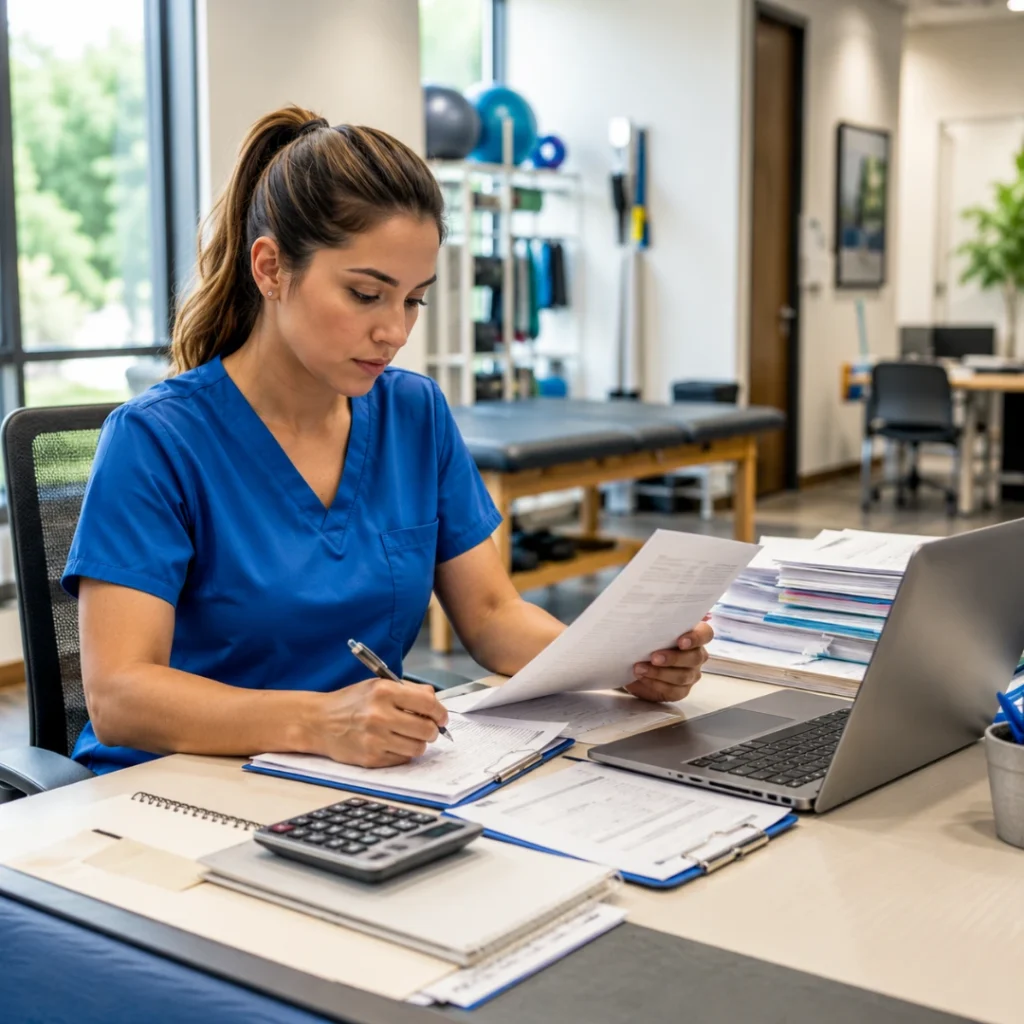
Common Billing Mistakes and How to Avoid Them

The five most common 97112 denial triggers are: billing based on activity alone without a documented neuromotor deficit, activity-forward documentation that describes the intervention without the deficit, imprecise time tracking that misses billable direct contact time, no progression documentation across visits, and applying 97112 to populations with musculoskeletal rather than neuromotor balance deficits.

Mistake 1 — Billing 97112 Based on Activity Alone

Do not bill 97112 when:

The note documents a balance activity without identifying a specific, measurable neuromotor deficit. Balance activities do not justify 97112. The code requires a documented neuromotor impairment in the sensorimotor system — not just difficulty with an activity.

Our team has reviewed notes where every activity in the session was clinically appropriate neuromuscular reeducation — and every claim was denied because the documentation did not establish the neuromotor impairment that made those activities a skilled intervention. The payer cannot infer the deficit from the activity. The deficit has to be in the note, measured and specific, before the activity is documented.

Mistake 2 — Activity-Forward Documentation

Notes that open with what the patient did rather than why they needed skilled reeducation to do it are the most common 97112 documentation failure our clinic has encountered. ‘Foam balance training, 10 minutes. Perturbation activities, standing.’ These notes describe procedures without clinical context. A payer reviewing them cannot determine whether the activities required a licensed clinician or could have been supervised by a tech or performed independently from a home program. The neuromotor deficit and the therapeutic rationale connecting it to the activity are what establish skilled clinical necessity.

Mistake 3 — Imprecise Time Tracking

97112 sessions frequently include time spent in clinical decision-making between activity repetitions — assessing the patient’s motor response, grading the next challenge level, providing specific corrective cueing — that therapists often do not count as billable direct contact time. Our team found during a billing review that our 97112 sessions were consistently losing 5 to 8 minutes of legitimate billable time through informal time estimation. At 8-minute rule thresholds, that loss represented a full missed unit on approximately one in three sessions. Across a solo outpatient practice that volume adds up to meaningful unrecovered revenue every month.

Mistake 4 — No Progression Documentation Across Visits

Payer reviewers looking at multiple 97112 visits expect to see evidence that the neuromotor challenge is advancing in response to the patient’s documented improvement. Notes that show the same activity at the same difficulty level across four consecutive visits without documented rationale raise a medical necessity flag for continued skilled services. Our team documents a specific progression decision at every 97112 session: what changed in the challenge level, why, and what the next progression target is.

Mistake 5 — Applying 97112 to Populations Without Neuromotor Deficits

Not every patient who struggles with balance has a neuromotor deficit that justifies 97112. A patient who is deconditioned and has difficulty with single-leg stance because of generalized weakness has a musculoskeletal problem. A patient who avoids weight-bearing because of pain has a pain management problem. Neither of these presentations justifies 97112 without a documented impairment in the sensorimotor system. The assessment findings determine the code, not the activity chosen for treatment.

CPT 97112 in Practice — What We Actually Do

A 97112 session starts with pre-treatment objective neuromotor assessment: balance scores, joint position sense testing, gait symmetry measurement. The intervention is selected based on the documented deficit, with specific skilled therapist cues, hands-on facilitation, and real-time clinical decisions documented throughout. The session closes with post-treatment outcome measures and a documented functional goal connection. The deficit-activity-response structure is the documentation framework.

Our team wants to walk through a 97112 session from clinical decision to documentation completion, because the code makes much more practical sense when you can see the deficit-activity-response structure operating in a real clinical encounter.

A patient presents at visit three following ankle ligament reconstruction. Our therapist’s pre-treatment assessment: single-leg stance on firm surface, right 7 seconds versus left 26 seconds. Star excursion balance test: anterior reach 71 percent limb symmetry index, posteromedial reach 68 percent. Joint position sense testing: right ankle threshold error 6 degrees, left 2 degrees. These findings are documented in the objective section before the intervention begins. The clinical picture is clear: adequate strength returning, neuromotor system still significantly impaired.

Our therapist selects the first intervention: eyes-closed single-leg stance on firm surface targeting the identified proprioceptive deficit without visual compensation, beginning 8-minute block. Specific cues: verbal cuing for weight distribution, manual contact at the pelvis for safety and tactile feedback facilitation. Progression decision at four minutes: patient demonstrates stable 12-second hold, advance to foam surface for increased mechanoreceptor challenge. Post-block response: 18-second stance on foam, patient reports increased confidence with loading.

Second intervention: star excursion balance test as therapeutic activity, targeting the anterior and posteromedial reach deficits identified on assessment, 7-minute block. Therapist cues for hip hinging pattern during anterior reach, verbal feedback on trunk control during posteromedial reach. Post-block outcome: anterior reach improved to 79 percent LSI, posteromedial to 74 percent LSI. Our team documents total 97112 time: 15 minutes, one unit.

The note closes with the functional goal connection: proprioceptive and dynamic balance retraining advancing patient’s goal of returning to trail running within four months, with limb symmetry targets of 90 percent LSI and 20-second single-leg stance on firm and foam surfaces. The clinical reasoning is complete. The medical necessity is documented. The payer has everything needed to adjudicate the claim correctly.

HelloNote CPT 97112 neuromuscular reeducation code card showing billing unit, ICD-10 pairs, clinical use tab and how HelloNote helps PT documentation

How HelloNote Handles CPT 97112 Documentation

HelloNote’s 97112 template requires deficit documentation before the activity section opens, includes a neuromotor rationale prompt for each activity, provides a skilled therapist input field, structured neuromotor outcome measure fields, 8-minute rule unit calculation from actual start and stop times, and required functional goal linkage before sign-off. Deficit-first documentation is the default workflow, not a documentation discipline requirement that competes with end-of-day charting pressure.

The HelloNote 97112 template was built around one clinical truth our team learned from billing reviews: the documentation structure determines whether the note captures the skilled clinical work or just the activities. When the template requires deficit documentation before activities can be entered, the clinical rationale is embedded in the note by default. When it does not, the rationale gets skipped — not from negligence, but from workflow pressure at the end of a busy clinical day.

Here is what the 97112 workflow inside HelloNote does for your team:

    • Deficit documentation required first. The neuromotor finding field must be completed before the activity section opens. Deficit-first documentation is enforced by the template structure, not by therapist discipline under time pressure.
    • Activity with rationale prompt. After each activity is entered, the template prompts the therapist to enter the neuromotor rationale connecting the activity to the documented deficit. This takes under thirty seconds and eliminates the most common 97112 denial trigger.
    • Skilled therapist input field. A dedicated section for the specific cues, manual facilitation, and real-time clinical decisions made during the session. Required before the note can be closed.
    • Neuromotor outcome measures. Structured fields for pre- and post-session neuromotor measurements: balance scores, joint position sense data, gait symmetry index, perturbation response quality. Measurements populate automatically into the visit-to-visit progress record.
    • Time tracking with unit calculation. Actual start and stop time fields for every 97112 block. HelloNote calculates billable units using the 8-minute rule. No estimation, no rounding, no unit math.
    • Functional goal linkage. Required before sign-off. The template connects the neuromuscular reeducation session to the active plan of care goals so every 97112 claim carries its medical necessity anchor.

The HelloNote 97112 template does not add documentation steps. It reorganizes the documentation sequence so that deficit-first becomes the natural path through the note rather than an intentional act of documentation discipline that competes with end-of-day charting fatigue.

Looking up more cpt codes?

See 97110, 97530, and 50+ therapy procedure codes – with billing guidance and documentation tips in one place.

Frequently Asked Questions About CPT 97112

What is CPT 97112?

CPT 97112 is a timed therapeutic procedure code for neuromuscular reeducation of movement, balance, coordination, kinesthetic sense, posture, and proprioception for sitting and standing activities. It requires direct one-on-one licensed therapist contact throughout, is billed in 15-minute units, and applies when the patient has a documented neuromotor deficit that requires skilled intervention to remediate.

What clinical conditions justify CPT 97112?

CPT 97112 is appropriate for post-stroke motor and proprioceptive deficits, post-surgical orthopedic patients with disrupted kinesthetic sense around the operated joint, vestibular disorders affecting balance and spatial orientation, peripheral neuropathy requiring sensory substitution training, traumatic brain injury affecting postural control and coordination, developmental coordination disorders, ligamentous injuries with residual proprioceptive deficits, and older adults with documented age-related proprioceptive decline and fall risk. The common requirement is a documented impairment in the sensorimotor system, not just difficulty with balance activities.

How do I document CPT 97112 to avoid denials?

Use deficit-first documentation: establish the specific neuromotor finding with objective measurement before documenting any activity. Then describe the activity and the rationale connecting it to the deficit. Document the skilled therapist input provided during the session. Record the measurable neuromotor response. Connect to a functional goal in the plan of care. Activity-forward documentation — describing the intervention without establishing the neuromotor deficit — is the most common denial source.

What is the difference between CPT 97112 and CPT 97110?

CPT 97112 targets the sensorimotor system: the nervous system's ability to sense and regulate movement through proprioception, vestibular input, and motor cortex patterning. CPT 97110 targets the musculoskeletal system: the contractile and mechanical capacity of tissue. A patient rebuilding quadriceps strength is 97110. The same patient retraining knee proprioception and motor control after surgery is 97112. Both can be billed on the same day when each has its own documented clinical justification.

Can CPT 97112, 97110, and 97530 be billed on the same day?

Yes, and in many outpatient sessions this combination is clinically appropriate. Each code requires separate time tracking, its own documented clinical justification, and distinct outcome measures. Payers audit same-day billing of these codes. Documentation specificity is essential when billing all three on the same visit.

What triggers an audit or denial for CPT 97112?

Common triggers include: activity-forward documentation without a neuromotor deficit finding, absence of measurable neuromotor outcome data, identical activity documentation across multiple visits without progression evidence, billing 97112 for populations with musculoskeletal rather than neuromotor balance deficits, and imprecise time documentation that does not support the units billed.

How does HelloNote help with CPT 97112 documentation?

HelloNote's 97112 template requires deficit documentation before the activity section opens, includes a neuromotor rationale prompt for each activity, provides a skilled therapist input field, structured neuromotor outcome measure fields, 8-minute rule unit calculation from actual start and stop times, and required functional goal linkage before sign-off. Deficit-first documentation is the default workflow.

Start Your Journey to Better Neuromuscular Reeducation Documentation

The patients who benefit most from 97112 are often the ones whose deficits are least visible on a standard assessment — the post-surgical patient whose strength has returned but whose movement is still unsafe, the neurological patient whose motor patterns are emerging but not yet reliable, the fall-risk elder whose proprioceptive system needs skilled progressive challenge to rebuild its regulatory capacity. Our team built HelloNote to make sure the documentation for these patients accurately reflects the skilled clinical work being done — and that the billing record protects the practice that is delivering it.

READY TO STREAMLINE YOUR CLINIC?

See How HelloNote Handles All of This in One Platform

Managing staff hours, compliance, inventory, and financial reports — all inside one HIPAA-compliant EMR built for PT, OT, and SLP clinics.

No credit card required · HIPAA Compliant · PT, OT & SLP

Speech to Text Therapy Documentation: How AI Scribe Changes the Way You Chart

Why We Built AI Scribe Into HelloNote's Therapy Documentation

Physical therapist in blue scrubs holding a tablet showing HelloNote AI Scribe clinical note generated screen while sitting with a patient in a therapy clinic

Key Takeaways

    • The goal is to give patients a clear path from Google to a scheduling request.
    • The Google booking link should point to the practice website page where the HelloNote Schedule Widget is embedded.
    • HelloNote’s current setup path is Settings > Schedule Widget, not Settings > Patient Portal.
    • Current HelloNote guidance says Schedule Widget requests are added to the Waitlist for review.

Table of Contents

Why did HelloNote build AI Scribe for therapy documentation?

HelloNote AI Scribe was built by licensed therapists who spent years charting after hours and reconstructing patient encounters from memory. The tool records the session, generates a transcript, and turns that transcript into a structured SOAP note draft inside the EMR. The goal was to start documentation during the clinical encounter, not two hours after it ends.

When we launched HelloNote, the premise was straightforward: build an EMR by people who had actually used one. Clinicians who had charted at 9pm. Who had dealt with claim denials that traced back to documentation language that was technically accurate but clinically vague. Who had spent more time than we want to admit reconstructing patient encounters from memory into note fields that never quite fit what actually happened in the room.

That was the founding frustration. It is still the problem we build for every day.

As a licensed Occupational Therapist and clinic owner, we have documented thousands of patient encounters: evaluations, treatment sessions, re-evaluations, discharges. We know what it feels like to walk out of a strong clinical session and sit down at a screen that has no idea what just happened in that room. The blank note does not know your patient had a rotator cuff repair six weeks ago and teared up when she reached overhead without pain for the first time. It does not know the clinical reasoning you worked through in real time. It just waits. And you rebuild it from scratch.

HelloNote AI Scribe is the most direct answer we have ever built to that specific experience. It records the session conversation (the same conversation that is already happening), generates a transcript, and turns that transcript into a structured clinical draft inside HelloNote. Subjective, Objective, Assessment, Plan. Connected to the right patient, the right case, the right note type. Ready for your clinical review, not your reconstruction.

This is not a generic AI feature bolted onto an existing platform. It is a documentation workflow built by clinicians who have sat in the chair, treated the patient, and then faced the note. That difference matters, and it is exactly what we want to walk you through in this post.

How Speech to Text Therapy Documentation Has Changed

How has speech to text therapy documentation evolved beyond basic transcription?

Basic speech-to-text gives therapists a raw transcript of their session. Modern AI scribe tools go further: they take that transcript and organize it into a structured SOAP note with the Subjective, Objective, Assessment, and Plan sections populated from the actual session content. For therapy documentation, that distinction matters because a single evaluation session captures pain reports, functional limitations, short and long-term goals, prior level of function, and clinical reasoning, none of which a raw transcript can organize on its own.

Basic voice dictation has been around for years, and most therapists who have tried it know its limits. It can capture words accurately enough. What it cannot do is turn those words into a usable clinical draft. It gives you a transcript. It does not give you a note.

That distinction matters more in therapy than in almost any other clinical setting. A therapy evaluation captures pain reports, functional limitations, onset history, prior level of function, short and long-term goals, treatment recommendations, and clinical reasoning, all in a single session that is also conversational, relational, and fast-moving. Asking a clinician to transcribe all of that from memory into a structured SOAP note after the visit is where documentation quality and completeness start to break down.

Speech to text therapy documentation has moved through three distinct stages. Stage one was basic dictation: the therapist spoke words, a program typed them. Stage two was structured dictation: templates and commands helped organize content into sections. Stage three, where we are now, is AI scribe: the system records the encounter, processes the conversation, and produces a structured clinical draft that the therapist reviews rather than writes from scratch.

HelloNote AI Scribe is built for stage three. It takes the recorded session conversation and turns it into a structured clinical draft with the Subjective, Objective, Assessment, and Plan sections populated from the actual encounter content. The therapist does not start from a blank screen. They start from a draft that reflects what actually happened in the room.

The Workflow in Practice

The AI Scribe workflow inside HelloNote follows a clear clinical path:

    • The therapist selects the patient, the case, and the note type before the session begins.
    • AI Scribe records the encounter.
    • After the session, the system generates a transcript of the conversation.
    • From that transcript, it produces a structured clinical note draft with evaluation-relevant content pulled into the appropriate SOAP sections.
    • The therapist reviews the draft, edits for clinical accuracy and personal voice, and finalizes the note.
    • The completed note is clearly marked as created with AI Scribe so it is always identifiable in the record.
  •  
  • That is not a shortcut. That is a better workflow, one that starts documentation during the clinical encounter, not two hours after it ends.

Ambient AI Scribe vs Dictation: Which Mode Is Right for Your Practice?

What is the difference between ambient AI scribe and dictation scribe for therapy?

Ambient AI scribe records the live conversation between therapist and patient during the session. Dictation scribe captures what the therapist speaks into the tool after the session ends. Ambient mode produces the most complete drafts because it captures the full clinical conversation as it happens. Dictation mode works better for hands-on treatment sessions where a live recording is less practical. HelloNote AI Scribe supports both modes.

Not every therapy session has the same documentation needs. A 60-minute evaluation involves extensive patient dialogue: history-taking, symptom reports, functional goal discussions, and clinical reasoning explained out loud. A 45-minute manual therapy treatment session is mostly hands-on with limited verbal exchange. A single speech-to-text tool that cannot account for that difference will frustrate you within the first week. HelloNote AI Scribe is built to support both of the primary ways therapists interact with documentation.

Ambient AI Scribe: Records the Live Session Conversation

Ambient AI scribe means the tool is active and listening during the patient encounter itself. The therapist activates AI Scribe before the session begins, and the tool captures the natural conversation between therapist and patient in real time. This mode is especially powerful for evaluation sessions where significant clinical dialogue is happening: history-taking, patient-reported symptoms, functional goal discussions, and clinical reasoning explained out loud.

Ambient mode produces the most complete drafts because it captures the full clinical conversation, not just what the therapist chooses to dictate afterward. It is the mode that most directly reduces the cognitive load of post-visit documentation because the session itself becomes the documentation source. The therapist is fully present with the patient instead of mentally composing the note they will write later.

Dictation Scribe: Therapist Speaks Notes After the Session

Dictation mode means the therapist speaks their clinical observations into the tool after the session ends. It is a faster, smarter version of voice-to-text where the AI organizes what is spoken into a structured note rather than producing a raw transcript.

This mode works better for hands-on treatment sessions where ambient recording may not be practical: manual therapy, gait training, and exercise sessions where the therapist is physically engaged with the patient. Dictation lets the therapist capture clinical observations immediately after the session while everything is still fresh, without requiring a live recording of the encounter.

Which Mode Should You Use?

In our clinic, we use ambient mode for evaluations and re-evaluations where clinical dialogue drives the session, and dictation mode for treatment sessions where we are more hands-on. Both modes feed into the same AI Scribe workflow inside HelloNote. The output is a structured draft note the therapist reviews and finalizes. The difference is only in how the source content is captured.

The practical rule: if your session sounds like a clinical conversation, use ambient mode. If your session looks like physical work with brief verbal check-ins, use dictation mode immediately after.

Still charting after your last patient?

HelloNote’s team is built by therapists who’ve lived this exact problem. Start free and see how AI Scribe handles therapy documentation for PT, OT, SLP, and Chiro.

No credit card required • HIPAA Compliant • PT, OT & SLP
What Makes HelloNote AI Scribe Different From Ordinary Dictation

How is HelloNote AI Scribe different from a regular speech-to-text or dictation tool?

A dictation tool produces text. HelloNote AI Scribe produces a structured SOAP note draft connected to the right patient and case inside the EMR, ready for clinical review and finalization without leaving the platform. It is trained on therapy-specific documentation language for PT, OT, SLP, and Chiro, understands functional goal language and skilled care rationale, and operates entirely within HelloNote so there is no third-party app, separate login, or copy-paste step involved.

The difference between a transcription tool and an AI scribe is where the output ends up. A transcription tool gives you text. HelloNote AI Scribe gives you a clinical draft: a SOAP note with the right sections populated, connected to the right patient and case inside your EMR, ready for your clinical review.

This is a workflow difference, not just a feature difference. A transcription tool adds a step between documentation and your EMR. HelloNote AI Scribe removes that step entirely.

It Understands Therapy-Specific Documentation

Generic AI tools built for physician documentation produce notes that read like medical records, not therapy records. They do not know the difference between CPT 97110 and CPT 97530. They do not understand functional goal language, skilled care rationale, or the documentation specificity that Medicare and commercial payers require for therapy services.

HelloNote AI Scribe is trained for therapy documentation: the clinical language PT, OT, SLP, and Chiro practices actually use. It understands ROM measurements, functional outcome language, treatment unit documentation, and the distinction between impairment-based and function-based documentation that determines whether a claim gets paid.

It Stays Inside the EMR

One of the biggest friction points with third-party AI tools is the workflow gap. The note gets created somewhere else and then has to be copied, pasted, formatted, and connected to the right patient record manually. Every extra step is a place where documentation quality can slip and where therapist time disappears.

HelloNote AI Scribe is built directly into the EMR. The draft note is created inside HelloNote, connected to the patient and case automatically, and available for review and finalization without leaving the platform. No third-party app. No separate login. No copy-paste.

The Therapist Is Always in Control

Looking up more cpt codes?

See 97110, 97530, and 50+ therapy procedure codes – with billing guidance and documentation tips in one place.

Every note generated by HelloNote AI Scribe is a draft. The therapist reads it, edits it, applies clinical judgment, and signs it. The AI does not finalize anything. It does not submit claims. It does not make clinical decisions. It generates a significantly better starting point than a blank screen, and the licensed clinician does the rest.

That is not a limitation of the technology. That is the right way to use it. A 2025 randomized controlled trial published in NEJM AI found that AI scribes reduced documentation time and improved clinician burnout scores, but also identified that clinicians who reviewed AI-generated notes carefully produced better outcomes than those who accepted drafts passively. The draft is the tool. Your clinical judgment is the product.

HelloNote AI Scribe real-time session transcription showing patient conversation captured and clinical note generated ready to save as draft

Why Documentation Pressure Is Getting Worse Before It Gets Better

Why is documentation pressure increasing for therapy practices?

Documentation pressure in therapy practices is rising because payer documentation requirements have increased while clinician time has not. A therapist seeing ten patients a day who spends twenty minutes per note on manual documentation spends more than three hours daily on charting alone. That is time not available for patient care, clinical education, or staff development. Studies published in JAMA and NEJM AI have confirmed that this documentation burden is the primary driver of clinician burnout across outpatient therapy and medical settings.

The demand for better speech to text therapy documentation tools is not coming from a technology trend. It is coming from a workforce reality. Documentation pressure, clinician exhaustion, and the administrative burden on therapy practices have been building for years. What we are seeing now, in our own clinic and in conversations with practices across the country, is that the expectation has shifted. Clinicians are no longer willing to accept documentation that takes as long as the clinical session itself. And they should not have to.

The math is not complicated. A therapist seeing ten patients a day who spends twenty minutes per note on manual documentation is spending more than three hours a day on charting alone. That is not time available for patient care. It is not time available for clinical education or staff development. It is time that goes directly to turning clinical memory into text, and nothing else.

A 2025 quality improvement study published in JAMA Network Open found that clinicians using ambient AI scribes saw burnout rates drop from 51.9% to 38.8% after 30 days. The same study reported significant improvements in cognitive task load, time spent documenting after hours, and focused attention on patients. The documentation burden is not a personality problem. It is a systems problem. And it is solvable.

We built HelloNote because we were therapists first. We treated patients, ran a clinic, dealt with claim denials, and charted at 9pm just like everyone reading this. AI Scribe is the most direct answer we have ever built to the problem that pushed us to build an EMR in the first place.

How HelloNote AI Scribe Works in Your Practice

When we built AI Scribe into HelloNote, we made decisions based on what we actually needed as clinicians, not what looked impressive in a demo. Here is what that looks like in practice:

    • Session recording with patient and note type pre-selected. AI Scribe knows the context before the session starts, which means the draft note is connected to the right record automatically. No post-session data entry to link the documentation.
    • Transcript generation from the session conversation. The full clinical dialogue is captured and processed, giving the AI the source material it needs to produce a structured note rather than working from a brief dictation.
    • Structured SOAP note draft. The AI organizes transcript content into Subjective, Objective, Assessment, and Plan sections based on what was actually said during the session. The draft reflects the real encounter, not a generic template.
    • AI Scribe marking on completed drafts. Every note created with AI Scribe is clearly labeled in HelloNote so you always know how documentation was generated. This is important for audit readiness and for the therapist reviewing and signing the note.
    • Therapist review and finalization inside the EMR. The entire workflow stays inside HelloNote. No third-party app. No copy-pasting. No separate login. From session start to signed note, everything is in one place.
    • HIPAA-compliant on every plan. Session content is handled with the same security standards as all patient data in HelloNote, with a Business Associate Agreement available for every account including the free plan.

Frequently Asked Questions

What is speech to text therapy documentation?

Speech to text therapy documentation is the process of using voice recognition technology to capture and convert spoken clinical content into written patient records. In its most basic form, it produces a raw transcript of what was said. In its most advanced form, an AI scribe takes that transcript and organizes it into a structured clinical note with SOAP sections populated from the actual session content, ready for the therapist to review and finalize.

The distinction matters because a raw transcript is not a note. A 45-minute evaluation session generates thousands of words of conversation. An AI scribe reduces that to a usable SOAP draft. The therapist reviews and signs rather than writing from scratch.

How does ambient AI scribe work for therapy sessions?

Ambient AI scribe for therapy works by recording the natural conversation between the therapist and patient during the session. The therapist activates the tool before the encounter begins. The system captures the full clinical dialogue in real time, including patient-reported symptoms, history, functional goals, and clinical reasoning spoken aloud by the therapist.

After the session, the AI processes the transcript and generates a structured clinical note draft with Subjective, Objective, Assessment, and Plan sections organized from the session content. The therapist reviews the draft, edits as needed, and signs the note. In HelloNote, this entire workflow takes place inside the EMR without a separate app or copy-paste step.

What is the best speech to text software for physical therapists?

The best speech to text software for physical therapists is one that does more than transcribe. It should produce a structured SOAP note draft from the session recording, understand PT-specific terminology including ROM measurements, CPT codes, functional outcome language, and the documentation requirements Medicare requires for skilled therapy services.

HelloNote AI Scribe is built specifically for PT, OT, SLP, and Chiro documentation. It is built into the EMR so the draft note is automatically connected to the right patient and case, with no copy-paste step required. It supports both ambient mode (for evaluations) and dictation mode (for treatment sessions). It is HIPAA-compliant on every plan including the free plan.

Can AI scribe generate SOAP notes for occupational therapy?

Yes. AI scribe can generate SOAP note drafts for occupational therapy documentation when the tool is trained on OT-specific clinical language. Generic AI tools built for physician documentation often do not understand OT terminology, functional goal language, activity of daily living frameworks, or the documentation specificity that Medicare requires for OT services.

HelloNote AI Scribe is trained across PT, OT, SLP, and Chiro documentation. It understands ADL-based functional goals, OT evaluation frameworks, and the clinical language OT practices actually use when writing notes that need to demonstrate medical necessity to payers.

How much time does AI scribe save therapists on documentation?

Time savings from AI scribe for therapists vary by practice and implementation, but controlled research shows meaningful results. A 2025 randomized controlled trial published in NEJM AI found a 9.5% reduction in note-writing time among physicians using ambient AI scribe. A 2025 JAMA Network Open study found significant reductions in after-hours charting and cognitive task load after 30 days of AI scribe use.

For therapy practices, the bigger impact is often not the time per note but the elimination of after-hours charting. Therapists who use AI Scribe consistently report completing notes during or immediately after sessions rather than catching up at 9pm. That shift changes the entire rhythm of the clinical day.

Does AI scribe replace the therapist in documentation?

No. AI scribe generates a draft note that the licensed therapist reviews, edits, and signs. Clinical judgment, accuracy, and professional responsibility for the final note remain entirely with the clinician. The AI handles the first draft. The therapist handles everything that matters clinically.

This is not a limitation of the technology. It is the correct clinical and legal framework for using AI in therapy documentation. Every HelloNote AI Scribe draft is reviewed and signed by the licensed clinician before it becomes a finalized record. The AI does not submit claims, make treatment decisions, or finalize anything without therapist approval.

Is speech to text documentation HIPAA compliant for therapy practices?

Speech to text therapy documentation tools must meet HIPAA requirements when they process protected health information. This includes data encryption, secure storage, and a signed Business Associate Agreement between the practice and the technology vendor.

HelloNote AI Scribe is HIPAA-compliant on every plan, including the free plan. A Business Associate Agreement is available for every HelloNote account. Session audio is processed with the same security standards as all protected health information in HelloNote. Therapists should confirm HIPAA compliance and BAA availability with any AI documentation tool before using it in clinical practice.

What is the difference between ambient AI scribe and dictation scribe for therapy?

Ambient AI scribe records the live conversation between therapist and patient during the session. The tool listens in real time and captures the full clinical encounter as it happens. Ambient mode is best for evaluations and re-evaluations where significant patient-therapist dialogue drives the session.

Dictation scribe captures what the therapist speaks into the tool after the session ends. This is a smarter version of voice-to-text that organizes the therapist's spoken observations into a structured note rather than producing a raw transcript. Dictation mode is better for hands-on treatment sessions where ambient recording during the encounter is less practical. HelloNote AI Scribe supports both modes within the same EMR workflow.

Does AI scribe work for speech-language pathology documentation?

Yes, when the AI scribe is trained on SLP-specific documentation. Generic medical scribes often fail for speech-language pathology because they do not understand SLP terminology, goal tracking structures, articulation and language documentation frameworks, or the ASHA-aligned documentation standards that payers require for SLP services.

HelloNote AI Scribe is built for therapy documentation across PT, OT, SLP, and Chiropractic disciplines. SLP therapists using HelloNote AI Scribe get structured SOAP drafts that reflect the clinical language SLP practices actually use, connected to the right patient and case inside the EMR without a separate app or workflow.

Does HelloNote AI Scribe work with the free plan?

Yes. HelloNote AI Scribe is available on every HelloNote plan, including the free plan. HIPAA compliance and Business Associate Agreement availability apply to every account regardless of plan tier. There is no extra subscription required to access AI Scribe within HelloNote.

The free plan supports up to two active patients. For solo therapists or practices evaluating HelloNote before committing to a paid plan, the free tier gives full access to AI Scribe functionality to test the documentation workflow before scaling.

READY TO STREAMLINE YOUR CLINIC?

See How HelloNote Handles All of This in One Platform

Managing staff hours, compliance, inventory, and financial reports — all inside one HIPAA-compliant EMR built for PT, OT, and SLP clinics.

No credit card required · HIPAA Compliant · PT, OT & SLP

What Is an AI Scribe for Therapy? A PT, OT & SLP Guide

Physical therapy clinic desk at end of day showing closed laptop and done for today sign — AI scribe for therapy practices

Table of Contents

Key Takeaways

    • An AI medical scribe listens to your therapy session in real time and converts the conversation into a structured SOAP note — without you typing a single word.
    • ✓  The best AI scribes for PT, OT, and SLP understand therapy-specific terminology: MMT, ROM, ADLs, CPT codes, and payer documentation requirements.
    • ✓  HIPAA compliance is non-negotiable — any AI scribe you use must sign a Business Associate Agreement (BAA) and handle protected health information securely.
    • ✓  HelloNote’s AI Scribe is built into the EMR — no third-party app, no copy-pasting notes, no extra subscription to manage.
    • ✓  Therapy-specific AI scribes trained on PT, OT, and SLP language produce dramatically better documentation than general medical scribes.
    • ✓  Check your state’s recording consent laws — some states require all-party consent before you activate ambient listening.

The Note That Almost Broke Us

We had a patient in our clinic a few years back — 64-year-old bilateral total knee replacement, three weeks post-op — who was doing everything right. Motivated, compliant, showing measurable functional gains every session. But our documentation was a disaster. Not clinically inaccurate — just slow. Our therapists were spending 35 to 45 minutes per patient writing notes after clinic hours. By 9pm we had six or seven notes still open in the EMR, and our team was exhausted before the next morning even started.

That specific problem — not the clinical work, but the documentation burden — is what drove us to think differently about how therapy practices handle charting. And it is why, when AI scribe technology became clinically viable for therapy settings, we paid close attention.

In this post we are going to break down exactly what an AI medical scribe is, how it works in a PT, OT, or SLP practice, what to look for before you adopt one, and how HelloNote built this directly into the EMR so you never have to manage a separate tool. Whether you are considering AI scribe for the first time or you have tried one and been disappointed, this is the guide we wish we had when we started.

What Is an AI Medical Scribe?

An AI medical scribe is a voice-powered documentation tool that listens to your patient session, processes what is said, and generates a structured clinical note — typically a SOAP note, DAP, or discipline-specific format — for you to review and sign. In practice, it is the difference between finishing your notes during the session versus at 9pm on your couch.

That is the textbook definition. Here is the clinical one: it is the difference between finishing your notes during the session versus at 9pm on your couch.

How It Actually Works in a Therapy Session

The typical workflow looks like this. You start your session, activate the AI scribe (usually a tap on your phone or EMR), and treat your patient the way you always have. The scribe runs quietly in the background, capturing the conversation. After the session — or sometimes in real time — it generates a draft SOAP note that you review, edit, and sign. Most platforms that are properly built for therapy take two to five minutes to generate a complete note.

The critical word in that sentence is ‘properly built for therapy.’ Generic AI transcription tools designed for physicians will generate notes that sound like a medical record, not a therapy record. They do not understand the difference between 97110 and 97530. They do not know what MMT grading means. They cannot contextualize a gait deviation or a sensory processing observation. A therapy-specific AI scribe — trained on PT, OT, and SLP clinical language — is categorically different.

Ambient Listening vs Dictation — Which Is Right for Therapists?

There are two primary modes most AI scribes use. Ambient listening means the tool captures the actual conversation between you and the patient in real time, live during the session. Dictation means you speak your notes into the tool after the session — essentially a smarter, faster version of voice-to-text.

Both have a place in therapy practice. Ambient listening is ideal for evaluation sessions where there is significant patient-therapist dialogue. Dictation is often better for hands-on treatment sessions where you are physically assisting the patient and cannot have a phone recording the encounter. HelloNote’s AI Scribe supports both modes — because the reality of a therapy day does not fit one workflow.

What Makes an AI Scribe Work for PT, OT, and SLP Specifically

Not all AI scribes are built for therapy. A therapy-specific AI scribe must understand discipline-specific terminology — MMT grades, ROM values, ADL and IADL performance, dysphagia protocols — and generate SOAP note structures that meet Medicare and commercial payer documentation requirements, not just generic medical record formats.

Not all AI scribes are created equal for therapy. Here is what we look for when we evaluate whether a tool actually understands rehab therapy documentation versus just medical documentation in general.

Therapy-Specific Clinical Vocabulary

A good AI scribe for physical therapy needs to understand goniometry, manual muscle testing grades, functional mobility terminology, exercise prescription language, and CPT-relevant documentation phrasing. For occupational therapy, it needs to distinguish between ADL and IADL performance, occupation-based goal language, sensory processing observations, and functional cognition documentation. For SLP, it needs to handle fluency assessments, articulation scoring, dysphagia protocols, and language sampling documentation.

We have tested AI scribes that transcribed ‘MMT 4/5 bilateral hip abductors’ as ’empty empty 45 bilateral hip abductors.’ That is not a clinical documentation tool. That is a liability.

SOAP Note Structure That Matches Payer Expectations

Medicare and commercial payers have specific expectations for how therapy notes are structured. The Subjective section needs to capture patient-reported symptoms and functional limitations. The Objective section needs measurable data — ROM, strength, functional scores. The Assessment needs to demonstrate skilled clinical reasoning, not just what you did. The Plan needs to tie directly back to measurable goals.

An AI scribe that generates grammatically correct but clinically vague SOAP notes is not protecting you in an audit. We have seen AI-generated notes that read well but would fail a Medicare focused review because the skilled care rationale was missing. HelloNote’s AI Scribe is trained specifically on documentation patterns that support medical necessity — because that is what actually matters for your reimbursement.

CPT Code Suggestions Based on What Was Documented

This is the feature that separates functional AI scribes from transformative ones. When the AI listens to your session and generates the note, it should also be reading the note it just created and suggesting the most appropriate CPT codes based on what was actually documented — not what you think you billed. We have seen therapists consistently underbill because they forget to capture all the timed units in a busy session. An AI scribe that suggests CPT codes from the documented content is a billing accuracy tool, not just a time-saving one.

Looking up more cpt codes?

See 97110, 97530, and 50+ therapy procedure codes – with billing guidance and documentation tips in one place.

HIPAA Compliance — The Question You Must Answer Before You Record Anything

Before activating any AI scribe in a patient session, therapy practices must have three things in place: a signed Business Associate Agreement (BAA) with the vendor, verification of your state’s recording consent laws, and a patient disclosure process. Without all three, recording patient sessions creates legal exposure regardless of how the AI handles the data afterward.

Every therapist we talk to asks this question first, and it is the right question. Before you let any tool record a patient session, you need to have three things in place.

Business Associate Agreement (BAA)

If an AI scribe vendor processes patient audio or transcripts, they are handling protected health information on your behalf. That makes them a Business Associate under HIPAA, and they are legally required to sign a Business Associate Agreement with your practice before you use their tool. If a vendor will not sign a BAA, do not use their product. Full stop. This includes free trials.

State Recording Consent Laws

HIPAA establishes the federal floor, but state laws vary significantly. Some states require all-party consent before recording a conversation — meaning both you and the patient must explicitly consent. Others require only one-party consent. If you practice in California, Florida, Pennsylvania, or several other states, you need to verify your state’s recording consent requirements before activating ambient listening in any session. This is not optional and it is not covered by your HIPAA BAA.

Patient Disclosure and Opt-Out

Even in one-party consent states, best practice is to inform patients that a documentation tool is being used during their session. A simple verbal disclosure at the start of the visit — ‘I use an AI documentation assistant during sessions to help me chart faster and spend more time with you’ — covers your bases both ethically and legally. Patients consistently respond well to this when it is framed correctly.

HelloNote’s AI Scribe documentation includes consent language templates and a written BAA for every account. We also do not use session audio to train our AI model — patient PHI stays in your practice.

AI Scribe vs Manual Documentation — The Real Math

A therapist seeing 10 patients per day who spends 20 minutes per note on manual documentation is spending 3.3 hours per day on charting — more than two full workdays per week. AI scribe reduces per-note time to 5 minutes or less, returning 2.5 hours of clinical or personal time per day per therapist.


We did this calculation in our own clinic before we built AI Scribe into HelloNote, and the numbers were uncomfortable to look at.

The Time Cost

A therapist seeing 10 patients per day who spends 20 minutes per note on manual documentation is spending 3.3 hours per day on charting. At 5 days a week, that is 16.5 hours per week — more than two full workdays — going to documentation alone. Cut that to 5 minutes per note with AI scribe and you reclaim 2.5 hours per day. Across a practice with three therapists, that is 7.5 hours of clinical capacity returned every single day.

The Revenue Math

Documentation errors cost practices money in ways that do not always show up on a denial report. Undertimed units, missing laterality, vague functional goal language, unsupported skilled care rationale — these are documentation quality issues that either generate denials or, worse, pass through claims processing and create audit exposure. A 2024 study found that AI scribes used for more than 40 percent of appointments were associated with a 29 percent decrease in documentation time per session and a 7 percent increase in monthly appointments seen. That is not a documentation story. That is a revenue story.

The Burnout Reality

This one does not show up in a spreadsheet, but it is the one that matters most to us. Therapists do not leave the profession because of difficult patients. They leave because of what comes after the patients go home. A UCLA Health study published in late 2025 found that AI scribe use was associated with meaningful reductions in clinician burnout scores across specialties. We built HelloNote because we were therapists who were sick of the administrative work eating the clinical work. AI Scribe is the most direct version of that commitment we have ever built.

READY TO STREAMLINE YOUR CLINIC?

See How HelloNote Handles All of This in One Platform

Managing staff hours, compliance, inventory, and financial reports — all inside one HIPAA-compliant EMR built for PT, OT, and SLP clinics.

No credit card required · HIPAA Compliant · PT, OT & SLP

Frequently Asked Questions

What is an AI medical scribe for physical therapy?

An AI medical scribe for physical therapy is a voice-powered documentation tool that listens to your therapy session and automatically generates a structured SOAP note. Unlike generic dictation software, a therapy-specific AI scribe understands clinical terminology like MMT, ROM, ADL performance, and CPT coding requirements specific to PT, OT, and SLP practice.

Is AI scribe HIPAA compliant for therapy practices?

AI scribes can be HIPAA compliant, but compliance requires the vendor to sign a Business Associate Agreement (BAA) with your practice before use. The BAA legally commits the vendor to handling your patients' protected health information responsibly. Always request and sign a BAA before activating any AI documentation tool in your practice.

How long does it take to generate a SOAP note with AI scribe?

With a properly built therapy AI scribe, a complete SOAP note draft typically generates within two to five minutes after the session ends. Initial drafts require clinician review and editing before signing. Most therapists report spending five to eight minutes total on a note that previously took twenty to thirty minutes.

Can AI scribe suggest CPT codes for physical therapy documentation?

Yes — AI scribes that are designed for therapy billing can analyze the generated note and suggest appropriate CPT codes based on what was documented. This is one of the most clinically valuable features, as it reduces underbilling and helps therapists capture all billable units from a session.

Will AI scribe replace physical therapy documentation?

No. AI scribe assists documentation — it generates a draft that a licensed clinician reviews, edits, and signs. The clinical judgment, accuracy, and professional responsibility for every note remains entirely with the therapist. AI scribe handles the typing. The clinician handles the clinical reasoning.

Does HelloNote's AI Scribe work for OT and SLP too?

Yes. HelloNote's AI Scribe is designed for PT, OT, SLP, and Chiropractic practices. The AI is trained on discipline-specific clinical language for all four specialties, and the documentation templates reflect payer expectations for each discipline.

You've found a hidden discount!

  • 00Hours
  • 00Minutes
  • 00Seconds