


















You've found a hidden discount!

HN Unlock Layer 1
HN Unlock Layer 2
HN Unlock Layer 3
HN Unlock Layer 4
HN Unlock Layer 5
  • 00Hours
  • 00Minutes
  • 00Seconds

Category: technology

Electronic Visit Verification (EVV) for Therapy Practices: Compliance, EMR Integration, and What PT, OT, and SLP Need to Know

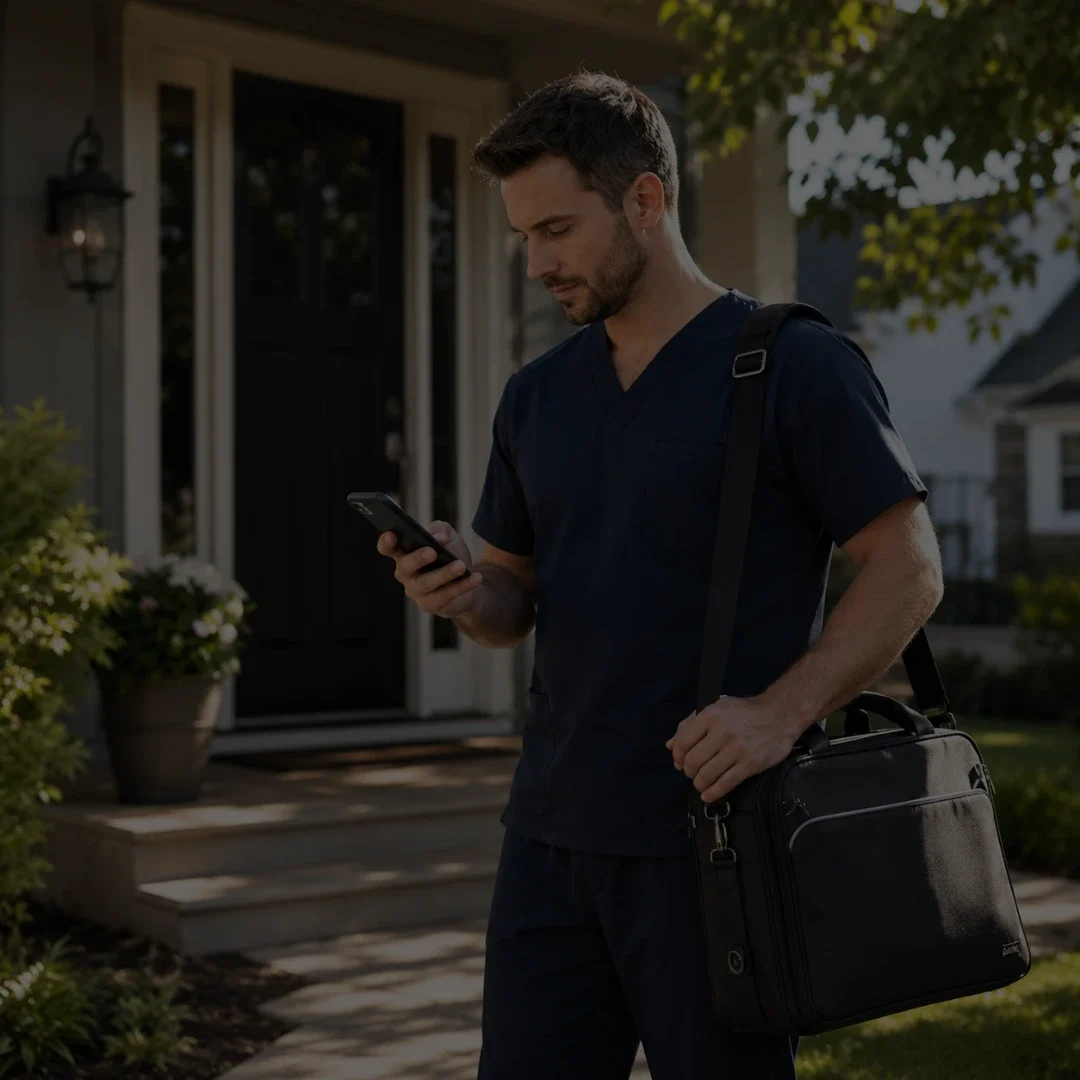
A physical therapist checking in on a smartphone app before a home health visit at a residential front door for electronic visit verification

What is Electronic Visit Verification and which therapy practices are required to use it?

Electronic Visit Verification (EVV) is a federally mandated system under the 21st Century Cures Act that requires electronic documentation of six data points for every Medicaid-funded home health visit: the type of service, the date of service, the location of service, the individual receiving the service, the individual providing the service, and the time the service begins and ends. Home health therapy services billed to Medicaid are subject to EVV requirements. Therapy practices providing Medicaid-funded personal care services or home health services must be EVV-compliant or risk claim denials and Medicaid payment reductions.

Key Takeaways

    • EVV is federally mandated under the 21st Century Cures Act for all Medicaid-funded personal care and home health services, including therapy visits.
    • Six data points must be captured for every visit: service type, date, location, patient, provider, and exact start and end time.
    • Non-compliance with EVV requirements can result in Medicaid claim denials and federal payment reductions to states, which flow down to providers.
    • An EVV system integrated natively into your EMR eliminates duplicate data entry and the documentation errors that come with managing two separate systems.
    • State EVV requirements vary. Therapy practices must verify their specific state Medicaid agency requirements before assuming federal minimums apply.

Table of Contents

Electronic visit verification (EVV) compliance is one of the most urgent questions facing physical therapy, occupational therapy, and speech-language pathology practices that provide Medicaid-funded home health services. The questions are almost always practical: does EVV apply to PT, OT, and SLP home visits, what data has to be captured at the point of service, what happens when a claim goes out without it, and what the difference is between an EVV system bolted onto your EMR and one that is built into it.

The 21st Century Cures Act mandated EVV for personal care services in 2020 and extended that mandate to home health services in 2023. States that do not implement compliant EVV systems face federal Medicaid funding reductions. Providers that do not submit EVV-compliant data face claim denials. The mandate is real, the timeline is past, and the compliance question for most therapy practices is no longer whether to implement EVV but whether the system they are using actually meets the requirements.

This post covers what EVV requires, which therapy services it applies to, what non-compliance costs, and what to look for in an EMR that handles EVV correctly.

What EVV Is and Why It Exists

Electronic Visit Verification is a technology system that electronically verifies that home health and personal care visits actually occurred as billed. Before EVV, providers documented visits manually, creating an environment where billing could not always be independently verified against real-time data. The Government Accountability Office estimated Medicaid improper payments — including fraudulent claims for visits that never occurred — at over $29 billion annually before EVV mandates took effect.

The 21st Century Cures Act addressed this by requiring states to implement EVV systems for all Medicaid-funded personal care services by January 1, 2020, and for all Medicaid-funded home health services by January 1, 2023. States that missed these deadlines faced a phased reduction in their federal medical assistance percentage, beginning at 0.25% and increasing annually. That funding pressure is what drove widespread state implementation across all 50 states between 2020 and 2023.

The Difference Between Personal Care Services and Home Health Services

Personal care services under EVV include assistance with activities of daily living provided in a patient’s home: bathing, dressing, grooming, meal preparation, and similar non-skilled services. Home health services under EVV include skilled nursing visits, physical therapy, occupational therapy, and speech-language pathology provided in the home setting and billed to Medicaid.

The distinction matters because it determines when the EVV mandate applied to your practice. Personal care services were subject to EVV from January 2020. Home health therapy services came under the mandate in January 2023. If your practice provides Medicaid-funded home health therapy visits and implemented EVV after January 2023, your compliance timeline needs to be reviewed against your state’s specific implementation date.

Which Therapy Services Require EVV

Do physical therapists, occupational therapists, and speech therapists need to use EVV?

Physical therapists, occupational therapists, and speech-language pathologists who provide home health services billed to Medicaid are subject to EVV requirements under the 21st Century Cures Act home health mandate, which took effect January 1, 2023. EVV applies to the visit setting, not the discipline. If the service is provided in a patient’s home and billed to Medicaid, EVV documentation is required regardless of whether the provider is a PT, OT, or SLP. Outpatient clinic visits billed to Medicaid are not subject to EVV requirements.

The EVV requirement applies based on where the service is delivered and how it is funded, not based on the therapy discipline. The following services require EVV when billed to Medicaid:

    • Physical therapy provided in the patient’s home under a Medicaid home health benefit
    • Occupational therapy provided in the patient’s home under a Medicaid home health benefit
    • Speech-language pathology services provided in the patient’s home under a Medicaid home health benefit
    • Personal care services including assistance with ADLs under Medicaid waiver programs
    • Home health aide visits under Medicaid home health programs

Services That Do Not Require EVV

EVV does not apply to outpatient clinic-based therapy visits, even when billed to Medicaid. It does not apply to telehealth visits. It does not apply to therapy services billed to Medicare, commercial insurance, or private pay. The mandate is specific to Medicaid-funded home and community-based services delivered in the patient’s place of residence.

State Variation in EVV Requirements

While federal law establishes the minimum EVV requirements, states have significant discretion in how they implement their EVV systems. Some states operate a state-managed EVV system that all providers must use. Others operate an open system that allows providers to use their own EVV-capable software as long as it meets the state’s data submission requirements. Before assuming your current system is compliant, verify your specific state Medicaid agency’s EVV requirements, approved vendor list if applicable, and data submission specifications.

The Six Data Points EVV Must Capture

Federal law specifies exactly what EVV must document for every visit. These six data points are non-negotiable regardless of state implementation model:

Data Point What It Means Documentation Requirement
Type of service
The specific service code or description of care provided
Must match the CPT or service code submitted on the Medicaid claim
Date of service
The calendar date the visit occurred
Must match the date on the claim exactly
Location of service
The physical address where the service was delivered
Must confirm the visit occurred at the patient’s place of residence
Individual receiving service
The Medicaid beneficiary who received the care
Must match the patient identifier on the Medicaid eligibility record
Individual providing service
The credentialed provider who delivered the service
Must match the NPI and provider ID on the Medicaid enrollment record
Start and end time
The exact time the service began and the exact time it ended
Must be captured electronically at the point of service, not entered after the fact

Why Start and End Time Matters Most

The start and end time requirement is the data point that creates the most compliance risk for therapy practices. The key word in the federal requirement is “electronically captured at the point of service.” Entering start and end times after the visit has ended, or estimating them from memory, does not meet the EVV standard. The system must capture these timestamps at the time of service, which requires either a mobile application with GPS confirmation or a telephony system that logs the call time automatically.

For therapy practices that have been manually logging visit times in paper notes or after-the-fact EMR entries, transitioning to electronic point-of-service time capture is the most significant workflow change EVV requires.

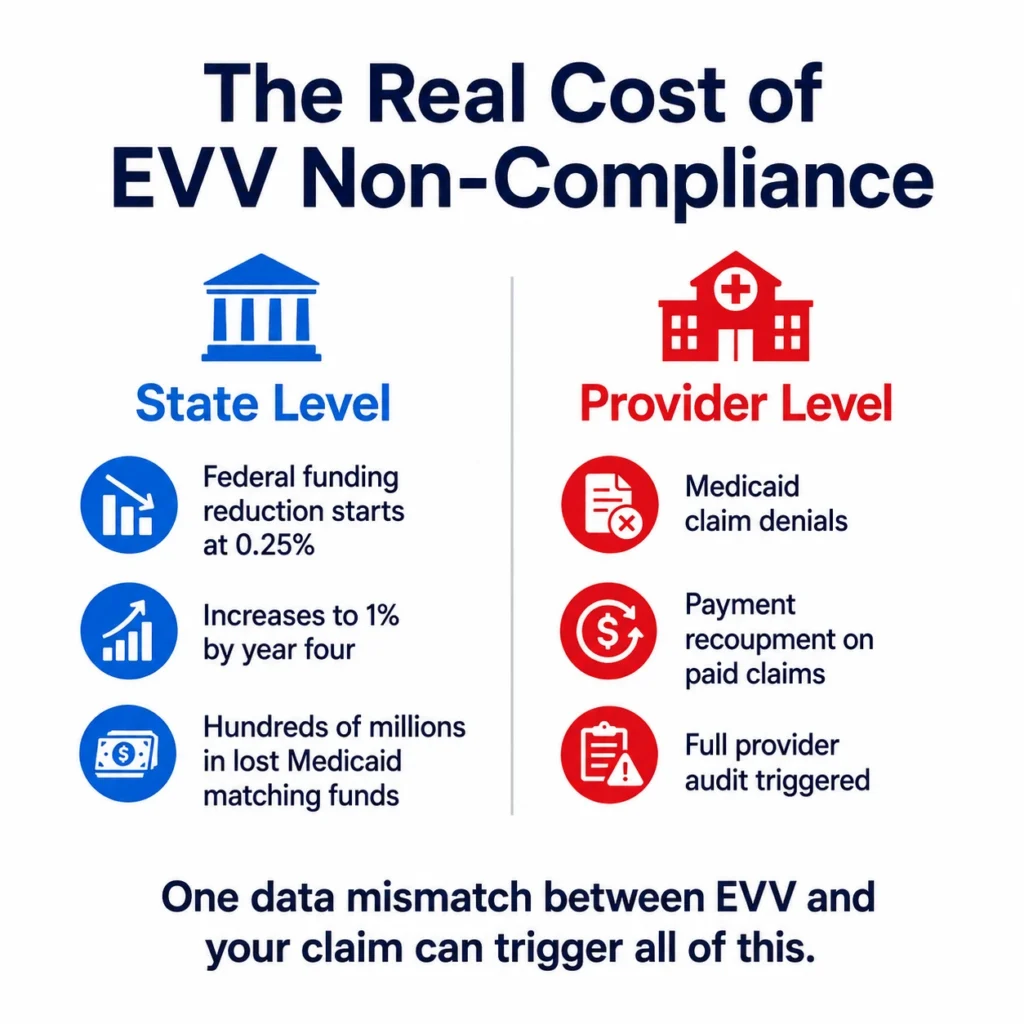
Infographic showing the real cost of EVV non-compliance with state level federal funding reductions and provider level consequences including claim denials and audits

The Real Cost of EVV Non-Compliance

Non-compliance with EVV requirements has consequences at two levels: the state level and the provider level. Understanding both is important for therapy practice owners evaluating how seriously to prioritize EVV implementation.

State-Level Consequences

States that fail to implement a compliant EVV system face reductions in their federal medical assistance percentage, the share of Medicaid costs the federal government covers. The reduction schedule under the 21st Century Cures Act begins at 0.25% in the first year of non-compliance and increases to 1% by the fourth year. For states, this translates to hundreds of millions of dollars in lost federal matching funds, which is why state Medicaid agencies have been aggressive about implementing and enforcing EVV requirements on providers.

Provider-Level Consequences

At the provider level, the most immediate consequence of EVV non-compliance is claim denial. Medicaid claims for home health services that lack corresponding EVV data may be rejected at the point of adjudication. In states with retrospective EVV audits, claims that were paid but lack supporting EVV records can be subject to recoupment — meaning the state can recover payments already made.

Beyond individual claim denials, repeated EVV non-compliance can trigger a provider audit, which exposes the entire claim history to review, not just the EVV-deficient claims.

The Documentation Mismatch Risk

One of the most common EVV compliance failures is a mismatch between the EVV data submitted and the claim data submitted. If the EVV record shows a visit on March 15 from 10:00 AM to 11:00 AM but the claim shows 60 minutes of service on March 15 starting at 9:45 AM, the system will flag it as a discrepancy. These mismatches happen most often when EVV data is captured in one system and claims data is entered in another. The practical solution is a single system that captures both simultaneously.

READY TO STREAMLINE YOUR CLINIC?

EVV compliance starts with documentation that captures the right data at the right time.

HelloNote is built for therapy practices that need HIPAA-compliant, EVV-aware documentation. No setup fees. No contracts.

No credit card required · HIPAA Compliant · PT, OT & SLP

How EVV and EMR Integration Actually Works

The phrase “EVV integration” covers a wide range of actual technical relationships between an EVV system and an EMR. Understanding the difference matters because not all integrations reduce compliance risk equally.

Separate Systems Connected by API

The most common EVV implementation in the therapy market involves a standalone EVV tool — often a mobile app — that the therapist uses to check in and check out of visits. That data is then transmitted to the Medicaid EVV aggregator through an API connection. Separately, the therapist documents the clinical note in the EMR. The two systems share data but they are not the same system.

This approach meets the technical EVV requirement but introduces the documentation mismatch risk described above. If the check-in and check-out times in the EVV system do not match the service duration documented in the EMR note, you have a compliance exposure that neither system catches on its own.

Native EVV Within the EMR

A native EVV implementation captures the six required data points within the EMR workflow itself. The therapist opens the patient encounter, activates the visit, and the system records the start time. At the end of the visit, the therapist finalizes the note and the system records the end time. The EVV data and the clinical documentation are generated from the same workflow, eliminating the possibility of a mismatch between the two records.

Native integration also eliminates the administrative step of logging into two separate systems, which is where time and data entry errors accumulate across a full clinical week.

State EVV Aggregator Requirements

Regardless of whether a practice uses a standalone EVV tool or a natively integrated EMR, the EVV data must ultimately reach the state’s EVV aggregator. Most states use one of two national aggregators: Sandata or HHAeXchange. Some states operate their own aggregator. The EMR or EVV tool must be able to transmit data in the format the state aggregator accepts. Before implementing any EVV solution, confirm that it is on your state’s approved vendor list or supports the required data transmission format for your state aggregator.

What to Look for in an EVV-Ready EMR

What features should a therapy EMR have to support EVV compliance?

An EVV-ready therapy EMR should capture all six federally required data points within the clinical workflow, transmit data to the state EVV aggregator in the required format, flag discrepancies between EVV data and claim data before submission, support mobile check-in and check-out with GPS or telephony confirmation, maintain an audit trail of all EVV records with timestamps, and provide reporting that allows practice administrators to identify EVV gaps before a Medicaid audit does.

Not every EMR that mentions EVV actually meets the compliance requirements. Here is what to verify before assuming your current system covers you.

Point-of-Service Time Capture

The system must capture start and end times electronically at the point of service. A system that allows therapists to enter times manually after the visit does not meet the federal EVV standard. Look for mobile functionality with GPS location confirmation and automatic timestamp recording when the visit is opened and closed.

State Aggregator Integration

The EVV data must reach your state’s aggregator. Confirm the EMR supports direct data submission to your state’s specific aggregator (Sandata, HHAeXchange, or state-operated). Ask the vendor for documentation of their state aggregator connections and confirm your state is on the list.

Claim and EVV Data Alignment

The system should automatically align the EVV data with the claim data before submission. If the visit duration captured by EVV does not match the number of units billed, the system should flag the discrepancy for review before the claim goes out.


Audit Trail and Reporting

Every EVV record should have a complete audit trail showing when data was captured, whether it was modified, and who made any changes. Practice administrators need reporting that shows EVV compliance rates across all home health visits so gaps can be identified and corrected before a state audit.

HIPAA-Compliant Data Handling

EVV systems handle protected health information including patient identifiers, provider identifiers, location data, and visit records. The EVV system must be covered under a Business Associate Agreement and must handle PHI in accordance with HIPAA security requirements. This applies whether the EVV system is standalone or integrated into the EMR.

How HelloNote Addresses EVV Requirements for Therapy Practices

HelloNote is built for PT, OT, SLP, and chiropractic practices that need documentation, billing, and compliance workflows in a single platform. For practices providing Medicaid-funded home health services, HelloNote’s compliance and billing infrastructure addresses the EVV data capture and documentation alignment requirements that standalone EVV tools create gaps in.

Documentation and Billing in One Workflow

The fundamental EVV compliance risk for therapy practices is the mismatch between EVV data and claim data when the two are captured in separate systems. HelloNote eliminates this risk by keeping clinical documentation, visit data, and billing in one platform. When a therapist documents a home health visit in HelloNote, the visit data and the note are part of the same record. There is no separate EVV check-in app generating data that has to be reconciled against a separately entered claim.

Mobile Documentation for Home Health Visits

HelloNote’s mobile functionality allows therapists to open patient encounters, document notes, and finalize visits from the patient’s home. This supports the point-of-service documentation standard that EVV requires, replacing the after-the-fact note entry that creates timestamp discrepancies in audit reviews.

HIPAA-Compliant Infrastructure

All patient data in HelloNote, including home health visit records, is handled under HelloNote’s BAA and HIPAA-compliant security infrastructure. Practices do not need a separate compliance agreement for visit verification data because everything is within the HelloNote platform.

Billing Alignment

HelloNote’s compliance and billing tools are designed to align documentation with claim submission, reducing the discrepancy risk between what EVV records show and what is billed to Medicaid. The documentation prompts built into HelloNote’s note templates capture the service type, provider, patient, and time data that both clinical documentation and EVV require.

For therapy practices evaluating EVV compliance readiness, the conversation HelloNote has is always the same: the goal is not to add an EVV layer on top of existing documentation. The goal is documentation that captures everything EVV requires as part of the clinical workflow, so there is no separate compliance task and no mismatch risk.

Have questions about EVV compliance for your therapy practice?

HelloNote is built by therapists who understand Medicaid home
health requirements. See how we handle EVV documentation,
billing alignment, and compliance for PT, OT and SLP.

No credit card required • HIPAA Compliant • PT, OT & SLP
Frequently Asked Questions

What is Electronic Visit Verification and what does it require?

Electronic Visit Verification (EVV) is a federally mandated system under the 21st Century Cures Act that requires electronic documentation of six data points for every Medicaid-funded home health visit: the type of service, the date of service, the location of service, the patient, the provider, and the exact start and end time. The data must be captured electronically at the point of service, not entered manually after the visit.

Do physical therapists need to use EVV for home health visits?

Yes. Physical therapists, occupational therapists, and speech-language pathologists who provide home health services billed to Medicaid are subject to EVV requirements under the home health mandate, which took effect January 1, 2023. EVV applies to the visit setting and funding source, not the discipline. Outpatient clinic-based therapy visits billed to Medicaid are not subject to EVV.

What happens if a therapy practice does not comply with EVV?

Non-compliance with EVV requirements can result in Medicaid claim denials for home health visits that lack corresponding EVV data. Claims that were paid but lack EVV records can be subject to recoupment in states that conduct retrospective EVV audits. Repeated EVV non-compliance can trigger a broader provider audit covering the full claim history.

What is the difference between a standalone EVV tool and an integrated EMR?

A standalone EVV tool captures the six required data points in a separate app and transmits them to the state aggregator independently. The therapist then documents the clinical note in a separate EMR, creating two records that must align. An integrated EMR captures EVV data and clinical documentation in the same workflow, eliminating the mismatch risk between the two records.

Do EVV requirements vary by state?

Yes. While federal law establishes the minimum six data points that every EVV system must capture, states have significant discretion in implementation. Some states require providers to use a state-managed EVV system. Others allow providers to use their own EVV-capable software as long as it meets the state's data submission requirements and connects to the state's aggregator. Verify your specific state Medicaid agency's requirements before assuming compliance.

Is EVV required for telehealth therapy visits?

No. EVV requirements apply to in-person home health and personal care services delivered at the patient's place of residence. Telehealth therapy visits are not subject to EVV, regardless of whether they are billed to Medicaid. The EVV mandate is specific to visits where the provider is physically present in the patient's home.

The Definitive Guide to Massage Therapy Software: 2026 Reviews & Comparison

Table of Contents

In 2026, massage therapy practices operate in a very different environment than they did just a few years ago. What once required a simple appointment calendar now demands a full digital system that manages scheduling, charting, payments, and patient communication.

With the global massage therapy market projected to reach $164 billion by 2034, clinics that invest in the right technology are seeing significant gains in efficiency and patient experience.

The best massage therapy software today does more than organize appointments. It helps practitioners streamline documentation, automate billing, and manage their entire practice without the administrative burden that traditionally comes with healthcare operations.

At-a-Glance: Top Massage Therapy Software in 2026

Software 

Best For 

Starting Price 

Key Advantage 

HelloNote 

Clinical & multidisciplinary practices 

$49 or Free 

Built for clinical massage practices that need SOAP notes, billing, and HIPAA-compliant workflows 

ClinicSense 

Solo therapists & small clinics 

~$39/mo 

Excellent automation and ease of use 

Jane 

Multidisciplinary clinics 

~$54/mo 

Advanced charting tools and shared clinical templates 

GlossGenius 

Brand-focused solo therapists 

~$24/mo 

Elegant client-facing booking experience 

Noterro 

Insurance-heavy practices 

~$30/mo 

Voice-to-chart documentation tools 

MassageBook 

Independent therapists 

~$20/mo 

Built-in client discovery marketplace 

Fresha 

Budget-focused practices 

Free* 

Large global booking marketplace 

Mindbody 

Large wellness centers 

~$129/mo 

Advanced marketing and business analytics 

Zenoti 

Multi-location spa chains 

~$400/mo 

AI-driven operational automation 

Boulevard 

Premium studios 

~$158/mo 

Precision scheduling system 

Square 

Retail-heavy practices 

Free* 

Strong payment processing hardware 

Acuity 

Simple booking systems 

~$20/mo 

Flexible appointment scheduling 

A sleek digital tablet on a desk displaying a dashboard for the Top 12 Massage Therapy Software solutions of 2026, showing practice management analytics and clinic efficiency tools.

1. HelloNote: Built for Clinical Massage Practices

Unlike platforms built primarily for spa-style services or front-desk booking, HelloNote is designed for massage therapists who need a more clinical, structured, and compliant way to run their practice.

That difference matters. Many massage therapy businesses eventually outgrow software that only handles appointments and reminders. Once documentation, billing, patient records, and compliance become part of daily operations, they need a system built for healthcare workflows rather than just convenience.

HelloNote stands out because it brings those pieces together in one place. It gives massage therapists the tools to document care clearly, manage billing more efficiently, and operate with the kind of structure that is especially valuable in medical massage, rehab-focused settings, and multidisciplinary clinics.

For massage therapists who collaborate with physical therapists, chiropractors, occupational therapists, or other healthcare providers, this level of clinical support can be a major advantage.

Key strengths include:

    • SOAP note documentation tools

    • Integrated billing and payment processing

    • HIPAA-compliant charting and data security

    • Scheduling tools designed for healthcare practices

    • Reporting features for practice analytics

Ideal for: Medical massage therapists, multidisciplinary clinics, and therapists who require clinical documentation tools.

2. ClinicSense: The Automation Specialist

ClinicSense is widely known for helping therapists reduce administrative workload. Users report major reductions in manual office tasks due to automated reminders, intake forms, and scheduling tools. One of the most notable recent features is No-Show Guard, which allows clinics to require deposits or cards-on-file for clients with a history of missed appointments.

Ideal for: Therapists who want software that quietly handles most administrative tasks.

3. Jane: For Multidisciplinary Clinics

Jane is popular among clinics where massage therapists work alongside other healthcare providers. Its charting system allows clinicians to use Smart Phrases, short codes that automatically expand into full documentation paragraphs. This significantly reduces documentation time while maintaining detailed clinical notes.

Ideal for: Clinics where massage therapy is integrated with rehabilitation services.

4. Noterro: Voice-Driven Documentation

Noterro, previously known as SOAP Vault, focuses heavily on documentation efficiency. Its voice-to-chart technology allows therapists to dictate notes immediately after sessions, which the system then organizes into structured SOAP notes. This feature appeals to therapists who prefer speaking over typing.

Ideal for: Insurance billing practices, therapists with high documentation volume, and clinics seeking faster note completion.

5. GlossGenius: Designed for Brand-Driven Businesses

GlossGenius is known for its sleek client experience. The platform emphasizes beautiful booking interfaces and customizable intake forms that adjust questions depending on the service being booked. For therapists building a strong personal brand or luxury studio experience, this can be a powerful advantage.

6. MassageBook: A Built-In Client Marketplace

MassageBook is unique because it doubles as both software and a discovery platform. Therapists using the system can appear in a public directory where clients search for massage providers in their area. This helps new therapists build a client base quickly.

7. Enterprise Platforms: Mindbody and Zenoti

For larger wellness centers and multi-location businesses, enterprise systems like Mindbody and Zenoti provide advanced analytics and marketing capabilities. Mindbody focuses heavily on client acquisition through its marketplace app, while Zenoti specializes in operational efficiency through predictive scheduling and revenue management tools.

These platforms are best suited for wellness franchises, multi-location spa chains, and businesses with large administrative teams.

What to Look for in Massage Therapy Software in 2026

The best software solutions now share several core features:

    • AI-Assisted Documentation: Modern systems increasingly help generate clinical documentation automatically.

    • Invisible Payments: Card-on-file payments allow clients to leave after a session while payment is processed automatically.

    • Cross-Platform Accessibility: Therapists expect to run their business from smartphones, tablets, or desktops without losing functionality.

Frequently Asked Questions

Q1. How much does massage therapy software cost in 2026?

Solo practitioners typically pay $20–$70 per month for essential features. Mid-tier solutions for small clinics cost $70–$150/month, while enterprise systems for multi-location operations can range from $300 to $700+ per month. Always factor in payment processing fees, which are typically 2.29–2.9% per transaction.

Q2. Is HIPAA-compliant software required for massage therapists?

Technically, HIPAA compliance is only mandatory if you are billing insurance or working within a medical setting (handling Protected Health Information). However, in 2026, most professional massage practices treat HIPAA-compliant software as the minimum standard to ensure patient trust and protect against data breach liability.

Q3. How does data migration work when switching to new software?

Data migration is the process of transferring your client history, contact details, and appointment records from your old system to your new one. Most modern platforms, especially those designed for clinical practices like HelloNote, offer professional migration services that map your old data into the new system’s fields, ensuring your records remain intact.

Q4. Can massage therapy software actually reduce no-shows?

Yes. Modern platforms use multiple layers of protection: automated SMS and email reminders sent 24–48 hours before appointments, card-on-file policies that allow you to charge deposits or cancellation fees, and waitlist management that automatically fills canceled slots. Users often report a 30–40% reduction in no-shows after implementing these tools.

Q5. What is the difference between simple "booking apps" and "practice management" software?

Booking apps are focused on scheduling and simple reminders. Practice management software—like HelloNote—provides a complete digital home for your business. It adds medical-grade SOAP note documentation, integrated insurance billing (CPT/ICD-10 coding), inventory management, and deep business analytics. If you are serious about growing a clinical practice, a management platform is essential.

Final Thoughts

The right software can dramatically improve how a massage therapy practice operates. The goal is not simply to schedule appointments—it is to create a system that reduces administrative work so therapists can focus on patient care. Most platforms offer free trials, making it worthwhile to test several systems before committing.

Streamlining Your Chiropractic Practice: Google’s “Blue Button” + HelloNote

Table of Contents

The 2026 Patient Capture Secret: Over 40% of online medical bookings occur between 7:00 PM and 7:00 AM. If your front desk is closed and you don’t have a direct “Book Now” button on Google, you are losing nearly half of your potential new patient volume.

A 1080x1080 high-fidelity visual of a person's hand tapping the bright blue 'Book Online' button on a mobile Google Business Profile for a chiropractic clinic, integrated with the HelloNote patient scheduling portal.

Why the "Blue Button" is the Modern Front Desk

In 2026, the patient journey almost always begins with a mobile search. When a patient with acute low back pain finds your clinic on Google Maps, the “Blue Button” represents the fastest path to relief. By integrating HelloNote’s unique Patient Portal URL directly into your Google Business Profile, you capture the patient at the peak of their intent—no phone tag required.

Step-by-Step Integration Guide

Connecting your HelloNote schedule to Google takes less than five minutes and requires zero coding knowledge:

  1. Retrieve Your Link: Log into HelloNote, navigate to Settings > Patient Portal, and copy your unique Online Scheduling URL.
  2. Access Google Business: Log into your Google Business Profile.
  3. Update Appointment Link: Click on “Edit Profile” and find the “Booking” or “Appointments Link” field.
  4. Paste & Verify: Paste your HelloNote URL and save.
  5. Test the Flow: Open Google Maps on your phone, find your clinic, and click the blue button to ensure it directs correctly to your HelloNote portal.

The Chiropractic Advantage: Real-Time Flow

For a high-volume chiropractic practice, every manual task removed from the front desk is a win for the bottom line.

Real-Time Availability & Intake

The HelloNote portal only shows the slots you want to fill, preventing double-bookings. Furthermore, patients can fill out their health history and sign consent forms digitally before they even arrive for their first adjustment.

AI Scribe Synergy

Once the patient arrives via your Google booking, use the HelloNote AI Scribe to document the session. The AI understands specific chiropractic terminology, such as:

    • “T5-T6 subluxation”

    • “Diversified technique”

    • “Activator adjustment”

    • “Cervical muscle strain”

It drafts your SOAP note in real-time while you perform the adjustment, ensuring your documentation is audit-ready before the patient leaves the table.

Comparison: Manual vs. Automated Booking

FeatureManual Phone BookingGoogle “Blue Button” + HelloNote
AvailabilityOffice hours only.24/7 (Always Open)
Data EntryManual staff entry; typos common.Direct patient entry into EMR.
No-Show RateHigh (without manual calls).Low (Automated SMS/Email reminders).
Staff FocusTied to the phone.Focused on patient care.

The Therapist’s Insight: The After-Hours Goldmine

My lived-experience tip: Don’t just set it and forget it. Use HelloNote’s Referral Source Tracking to see exactly how many new patients are coming from the “Google Button.”

Pro Tip: If your “Blue Button” volume is high on weekends, consider opening up specific “New Patient Evaluation” blocks on Monday mornings. This ensures weekend searchers are seen while their motivation (and pain level) is highest.

Frequently Asked Questions

Q1. Does Google charge a fee for using the "Book Online" button?

No. When you use your own HelloNote Patient Portal URL, Google does not charge a per-booking fee. You are simply adding a direct link to your own software, bypassing third-party “Reserve with Google” middleman fees.

Q2. Will online bookings cause double-bookings in my HelloNote calendar?

No. HelloNote’s scheduling engine features Real-Time Sync. When a patient books through the Google-linked portal, that slot is instantly blocked out across all your devices, ensuring your front desk and practitioners see the same availability.

Q3. Can I choose which "Visit Types" are available for online booking?

Yes. Within HelloNote’s Portal Settings, you can toggle which services appear. For example, you may want to allow “New Patient Exams” and “Routine Adjustments” to be booked online while keeping “Complex Re-evaluations” for phone scheduling only.

Q4. What happens to the patient's data once they book through Google?

Because the “Blue Button” links directly to your HIPAA-compliant HelloNote portal, the data never stays on Google. All health history and contact information are encrypted and sent directly into your HelloNote EMR, where a new patient shell is automatically created.

Q5. Does the AI Scribe work for different chiropractic techniques?

Yes. The HelloNote AI Scribe is trained on diverse chiropractic terminology. Whether you utilize Thompson Drop, Gonstead, or Webster techniques, the AI recognizes the verbal cues and accurately categorizes them into the “Objective” and “Plan” sections of your SOAP notes.

How AI-Powered EMRs Are Shaping the Future of Therapy Practice

Table of Contents

Therapy is evolving faster than at any point in the last decade. As clinics move toward 2026, physical therapists, occupational therapists, speech-language pathologists, and mental health providers are navigating a more complex environment than ever before. Caseloads are growing. Documentation standards are tightening. Payers are increasing scrutiny. And clinicians are being asked to deliver high-quality care with less time and fewer resources.

In this environment, AI-powered EMRs are no longer experimental tools. They are becoming a practical foundation for how modern therapy practices document care, manage billing, support patients, and protect clinician time.

Platforms like HelloNote are redefining what an EMR should do not just store information but actively support therapists in their daily work.

Why Therapy Practices Are Rethinking Their EMRs

For years, most EMR systems functioned as digital filing cabinets. Notes went in. Claims went out. The system itself offered little help beyond basic storage.

Today’s therapy practices need more.

Clinicians face:

    • Increasing documentation demands tied to medical necessity
    • Complex billing rules across payers and disciplines
    • Higher expectations for measurable outcomes
    • Burnout caused by administrative overload

A traditional EMR often adds friction instead of removing it. That’s why many practices are shifting toward AI-powered EMRs that support—not slow down—clinical workflows.

AI-powered EMR dashboard displayed on a laptop and tablet in a modern therapy practice workspace, supporting PT, OT, SLP, and mental health workflows

AI-Driven Documentation That Respects Clinical Judgment

Documentation remains one of the largest sources of therapist burnout. Writing detailed, compliant notes takes time, especially when each discipline has unique requirements.

An AI-powered EMR improves documentation without replacing clinical reasoning.

How AI Supports Documentation

    • Guides structure without changing clinical voice
    • Flags missing elements before notes are finalized
    • Reduces repetitive data entry across sessions
    • Improves consistency between evaluations, daily notes, and progress reports

The result is faster documentation that still reflects the therapist’s expertise and intent.

Smarter Billing Support Without Guesswork

Billing errors often don’t happen because care was incorrect—but because documentation and coding weren’t aligned.

AI-powered EMRs help bridge this gap by supporting:

    • CPT code alignment with documented interventions
    • Modifier awareness based on payer rules
    • Alerts for denial-risk patterns
    • Real-time eligibility and compliance prompts

This reduces rework, minimizes denials, and protects revenue without adding administrative burden.

AI-Powered EMRs and Patient Engagement Between Visits

Better outcomes don’t happen only during sessions. Progress depends on what patients do between visits.

AI-supported systems help clinics:

    • Personalize home programs based on patient progress
    • Automate reminders that improve adherence
    • Identify drop-offs in engagement early

When therapists have visibility into patient participation, care plans become more responsive and effective.

Predictive Insights That Support Earlier Intervention

One of the most meaningful advantages of AI-powered EMRs is their ability to surface trends therapists might not immediately see.

Examples include:

    • Slowed functional progress across visits
    • Missed milestones in speech or ADL performance
    • Reduced participation in prescribed programs
    • Patterns that suggest higher fall or regression risk

These insights help therapists intervene earlier—before small issues become setbacks.

Supporting Hybrid and Virtual Therapy Models

Hybrid care is now part of everyday practice. AI strengthens these workflows by supporting continuity across in-person and virtual visits.

AI-powered EMRs assist with:

    • Documentation support during telehealth sessions
    • Adjusting care plans based on remote observations
    • Monitoring engagement outside the clinic
    • Maintaining consistency across care settings

AI doesn’t replace human connection it supports it.

Workflow Efficiency Beyond Documentation

The value of an AI-powered EMR extends beyond notes and billing.

Modern systems help optimize:

    • Scheduling and visit management
    • Task reminders for clinicians and front-office staff
    • Compliance tracking tied to payer rules
    • Visibility into what’s due, missing, or at risk

These improvements reduce administrative friction and help clinics operate more predictably.

Why AI-Powered EMRs Represent the Future of Therapy Practice

When thoughtfully implemented, AI-powered EMRs support every layer of care delivery:

    • Faster, cleaner documentation
    • Stronger billing accuracy
    • Better clinical decision support
    • Improved patient engagement
    • Reduced clinician burnout
    • Scalable hybrid care models

For PT, OT, SLP, and mental health practices, AI is not about replacing therapists—it’s about amplifying their expertise.

Frequently Asked Questions

Q1. What is an AI-powered EMR for therapists?

An AI-powered EMR uses artificial intelligence to assist with documentation, billing support, workflow efficiency, and patient engagement—while leaving clinical decisions in the hands of therapists.

Q2. Does AI replace therapist judgment?

No. AI supports structure and efficiency but does not replace clinical reasoning, assessment, or decision-making.

Q3. Can AI-powered EMRs improve billing accuracy?

Yes. They help align documentation with CPT codes, identify potential issues early, and reduce denial risk.

Q4. Are AI-powered EMRs useful across PT, OT, SLP, and mental health?

Yes. When designed specifically for therapy, AI-powered EMRs adapt to discipline-specific workflows and documentation needs.

Q5. How does HelloNote approach AI differently?

HelloNote focuses on workflow support, compliance, and therapist efficiency—using AI to reduce friction, not override clinical practice.

Final Thoughts

The future of therapy practice is not technology versus clinicians.
It’s technology supporting clinicians.

AI-powered EMRs allow therapists to spend less time managing systems and more time delivering care. Platforms like HelloNote show how AI can be applied responsibly supporting accuracy, efficiency, and sustainability without changing how therapists practice.

How AI-Powered EMRs Are Changing Speech Therapy Workflows

Table of Contents

Speech-language pathologists today are balancing more than just patient care. Documentation requirements are increasing. Billing rules continue to tighten. Families expect clearer progress updates. And clinics are under pressure to do more without burning out their clinicians.

This is where technology can either help or get in the way.

An AI-powered EMR for speech therapy is not about replacing clinical judgment. It’s about reducing friction in daily workflows so therapists can spend more time treating patients and less time managing administrative tasks.

Why Traditional EMRs Fall Short for Speech Therapy

Many EMRs were built for general medical practices, not therapy disciplines. As a result, speech therapists often run into the same problems:

    • Notes that don’t align with therapy goals

    • Templates that require excessive manual edits

    • Disconnected billing and documentation workflows

    • Limited visibility into progress toward IEP or plan-of-care goals

Over time, these inefficiencies add up leading to longer workdays, delayed claims, and higher risk during audits.

AI-Powered EMR for Speech Therapy in Clinical Use

What “AI-Powered” Actually Means in a Speech Therapy EMR

AI in therapy software is often misunderstood. In practice, it doesn’t make clinical decisions. Instead, it supports therapists by identifying patterns, reducing repetition, and guiding documentation consistency.

In an AI-powered EMR for speech therapy, AI is typically used to:

    • Assist with structured documentation workflows

    • Reduce repetitive data entry across sessions

    • Prompt consistency between goals, notes, and billing

    • Flag missing or incomplete documentation elements

The result is not automation for automation’s sake but smarter support for therapists who already know what they’re doing.

How AI Improves Documentation Without Changing Your Clinical Voice

One of the biggest concerns therapists have is losing control over how they document care. A well-designed AI-supported EMR avoids this by working with the clinician, not over them.

Modern systems help by:

    • Carrying goals forward into daily notes automatically
    • Linking session activities back to measurable objectives
    • Reducing copy-paste documentation risks
    • Supporting consistent language across evaluations, progress notes, and discharge summaries

This keeps documentation aligned with medical necessity while still reflecting each therapist’s clinical reasoning.

Better Alignment Between Care Plans, Notes, and Billing

Speech therapy documentation doesn’t exist in isolation. What you document must support what you bill.

An AI-powered EMR for speech therapy helps bridge this gap by:

    • Keeping goals visible during session documentation
    • Aligning CPT codes with documented interventions
    • Prompting updates when progress thresholds are met
    • Supporting audit-ready records without extra steps

When documentation and billing stay aligned, practices see fewer denials and less back-and-forth with payers.

Supporting Pediatric, School-Based, and Outpatient Workflows

Speech therapists work across many settings, and one-size-fits-all systems rarely work well.

Modern AI-supported EMRs are designed to adapt to:

    • Pediatric therapy with parent communication needs
    • School-based therapy with IEP-aligned goals
    • Outpatient clinics managing high visit volumes
    • Multi-disciplinary practices coordinating care

The flexibility to support these workflows is just as important as the AI itself.

The Business Impact for Practice Owners and Clinical Directors

For clinic owners and managers, the value of an AI-supported system extends beyond documentation.

Practices using modern speech therapy EMRs often see:

    • Reduced documentation time per visit
    • Improved clinician satisfaction and retention
    • More consistent progress reporting
    • Cleaner claims and faster reimbursement
    • Better visibility into therapist productivity

When clinicians feel supported by their tools, patient care improves—and so does the business.

Why HelloNote Fits Speech Therapy Workflows

HelloNote was built specifically for therapy practices, not adapted from general medical software. Its approach to AI focuses on workflow support, not replacing therapists.

For speech therapists, HelloNote emphasizes:

    • Goal-driven documentation
    • Clear alignment between care plans and daily notes
    • Discipline-specific templates
    • Built-in billing and compliance support
    • Human onboarding and real support teams

The goal is simple: make documentation and compliance easier without changing how therapists practice.

Frequently Asked Questions

Q1. What is an AI-powered EMR for speech therapy?

An AI-powered EMR for speech therapy uses intelligent automation to support documentation, goal tracking, and workflow consistency without replacing clinical decision-making.

Q2. Does AI change how speech therapists document sessions?

No. AI supports documentation by reducing repetition and prompting alignment, while therapists remain fully in control of clinical content.

Q3. Is AI-based documentation compliant with insurance requirements?

Yes, when properly designed. AI helps maintain consistency between goals, notes, and billing, which supports medical necessity and audit readiness.

Q4. Can AI-powered EMRs support pediatric and school-based speech therapy?

Yes. Modern systems are designed to support pediatric workflows, IEP-aligned goals, and caregiver communication.

Q5. How does HelloNote use AI differently from generic EMRs?

HelloNote focuses on therapy-specific workflows, using AI to reduce friction rather than force rigid automation.

Final Thoughts

Technology should never complicate care. When designed correctly, an AI-powered EMR for speech therapy becomes a quiet assistant reducing friction, improving consistency, and supporting better outcomes for both patients and clinicians.

If your current system feels like extra work instead of real support, it may be time to reassess what your EMR should be doing for you.

How Therapists Choose the Right Electronic Medical Record Without Wasting Time or Money

Table of Contents

Choosing an electronic medical record is no longer just an IT decision it’s a clinical, operational, and financial one. For therapy practices, the wrong system doesn’t just slow things down. It adds documentation stress, creates billing risk, and pulls therapists away from patient care.

An electronic medical record for therapists should support how care is actually delivered not force clinicians to work around software limitations. Yet many practices still rely on platforms built for general medicine, not rehab-focused workflows.

This guide breaks down what therapists should realistically expect from an EMR and how to avoid costly mistakes when choosing one.

Why the EMR Decision Matters More for Therapy Practices

Therapy documentation is fundamentally different from primary care. Goals evolve session by session. Progress needs to be measurable. Billing depends heavily on time, modifiers, and medical necessity.

When an EMR isn’t designed for this reality, practices experience:

    • Longer documentation times after hours

    • Increased claim denials and delayed payments

    • Missed reassessments and compliance gaps

    • Burnout among clinicians and support staff

An effective EMR doesn’t just store notes it actively supports care delivery, compliance, and business health.

A modern therapy clinic workspace showing a tablet with an EMR dashboard, illustrating how an EMR for therapists supports documentation, care plans, and billing workflows.

What Therapists Actually Need From an EMR

Not every feature advertised by EMR vendors matters. What does matter is how the system supports daily clinical and administrative work.

1. Therapy-Specific Documentation Workflows

Therapists need tools built around evaluations, daily notes, progress reports, and plans of care not generic SOAP notes.

A strong EMR should allow you to:

    • Link goals directly to daily treatment notes

    • Track objective progress over time

    • Reuse structured language without copy-paste errors

    • Complete notes efficiently during or immediately after sessions

When documentation mirrors clinical reasoning, notes become clearer and faster to complete.

2. Integrated Billing and Coding Supportc

Documentation and billing should not live in separate systems or separate mental processes.

A therapist-friendly EMR helps by:

    • Aligning CPT codes with documented services

    • Prompting for medical necessity where required

    • Supporting payer-specific rules and modifiers

    • Reducing manual rework between clinical and billing teams

This alignment is critical for protecting reimbursement and reducing audit risk.

3. Compliance Without Extra Work

Compliance shouldn’t rely on memory or sticky notes. The right system builds safeguards into the workflow.

Key compliance support includes:

    • Plan of care and progress note reminders

    • Time-stamped documentation trails

    • Secure patient communication tools

    • Audit-ready records without manual assembly

An electronic medical record for therapists should make compliance feel automatic—not stressful.

4. Visibility Across the Practice

Therapists, front desk staff, billers, and owners all rely on the EMR but for different reasons.

A well-designed system provides:

    • Clear dashboards showing what’s due or missing

    • Alerts for incomplete documentation or billing issues

    • Shared visibility without duplicated effort

When everyone works from the same system, fewer things fall through the cracks.

The Hidden Cost of the Wrong EMR

Many practices stay with outdated systems simply because switching feels risky. But the cost of staying is often higher.

Hidden costs include:

    • Lost clinician time spent correcting documentation

    • Revenue leakage from preventable denials

    • Higher staff turnover due to frustration

    • Limited ability to scale services or locations

Over time, these inefficiencies compound making growth harder and margins thinner.

How Modern EMRs Support Practice Growth

Today’s best EMRs are no longer passive record-keeping tools. They actively support smarter operations.

Modern platforms help practices:

    • Handle higher patient volume without adding staff

    • Launch new service lines confidently

    • Make data-informed business decisions

    • Improve therapist satisfaction and retention

This is where the EMR shifts from an expense to a strategic asset.

Making the Right Choice Without the Guesswork

When evaluating options, therapists should ask practical questions:

    • Does this system reflect how therapy is actually delivered?

    • Will it reduce time spent documenting not increase it?

    • Does it support billing accuracy and compliance by default?

    • Can it grow with the practice over time?

An electronic medical record for therapists should simplify work, not complicate it.

Final Thoughts

Therapists don’t need more software. They need better support for the work they already do every day.

The right EMR respects clinical judgment, protects reimbursement, and gives therapists their time back. When chosen thoughtfully, it becomes a foundation for better care, healthier teams, and sustainable growth.

If your current system feels like a barrier instead of a partner, it may be time to rethink what your EMR should actually be doing for you.

Frequently Asked Questions About Electronic Medical Records for Therapists

Q1. What is an electronic medical record for therapists?

An electronic medical record for therapists is a digital system designed specifically to support physical therapy, occupational therapy, speech-language pathology, and other rehab disciplines. Unlike general medical EMRs, it focuses on therapy documentation, goal tracking, plans of care, and time-based billing workflows.

Q2. How is a therapy EMR different from a general medical EMR?

Therapy EMRs are built around functional outcomes, progressive goals, and frequent documentation updates. General medical EMRs are often visit-based and problem-focused, which can make therapy documentation slower and less intuitive.

Q3. Do small therapy practices really need a specialized EMR?

Yes. Small practices often feel the impact of inefficient documentation and billing more quickly. A therapy-specific EMR helps reduce admin time, minimize claim errors, and keep workflows manageable without adding staff.

Q4. How does an EMR help with therapy billing and compliance?

A well-designed EMR supports compliant documentation by linking services to goals, prompting for medical necessity, and aligning CPT codes with treatment notes. This reduces denials and makes audits easier to manage.

Q5. When should a therapy practice consider switching EMR systems?

Practices should consider switching if documentation takes too long, billing errors are frequent, compliance feels stressful, or the system doesn’t support growth. These are signs the EMR is working against the practice instead of supporting it.

What Is an HCPCS Code? A Practical Guide for Therapy Clinics

Table of Contents

Understanding medical billing codes is part of running a compliant and financially healthy therapy practice. For physical therapists, occupational therapists, speech-language pathologists, and chiropractic clinics, knowing how different billing systems work helps prevent denials, delays, and audit risks.

One of the most commonly misunderstood systems is the HCPCS code structure. While many therapists are familiar with CPT codes, HCPCS plays a critical supporting role in Medicare billing, supplies, and certain service classifications.

This guide breaks down what HCPCS means, how it differs from CPT, and how therapy clinics can document and bill correctly using modern EMR tools like HelloNote.

What Does HCPCS Stand For?

HCPCS stands for Healthcare Common Procedure Coding System. It was developed by the Centers for Medicare & Medicaid Services (CMS) to standardize how healthcare services, supplies, and non-physician services are reported for billing purposes.

While CPT codes focus primarily on professional services, HCPCS expands coverage to include items and scenarios that CPT does not fully address.

Physical therapist assisting a patient with shoulder mobility while using EMR software to support clinical documentation and treatment tracking.

How HCPCS Codes Are Structured

HCPCS is divided into two main levels, each serving a different purpose in healthcare billing.

Level I – CPT Codes

Level I HCPCS codes are the Current Procedural Terminology (CPT) codes created and maintained by the American Medical Association.

Therapy clinics use CPT codes to bill for:

    • Evaluations and re-evaluations

    • Timed therapy interventions

    • Group and individual treatment sessions

Most outpatient therapy billing revolves around Level I codes.

Level II – Supplies, Equipment, and Special Services

Level II codes are maintained by CMS and are used to describe:

    • Durable medical equipment (DME)

    • Orthotics and prosthetics

    • Certain non-physician services

    • Special Medicare-covered items

These codes are especially relevant when clinics bill Medicare or coordinate care involving equipment or external services.

HCPCS vs CPT Codes — What Therapists Need to Know

A common source of confusion is the difference between CPT and HCPCS usage.

Here’s the practical distinction for therapy clinics:

    • CPT codes describe what treatment you performed

    • HCPCS Level II codes describe what supplies or special services were involved

Most therapists bill CPT codes daily, but understanding HCPCS helps when:

    • Submitting Medicare claims

    • Generating superbills

    • Supporting equipment-related services

    • Responding to payer documentation requests

Why HCPCS Codes Matter for Therapy Billing

Using the correct code structure directly impacts reimbursement and compliance.

Medicare and Payer Requirements

Medicare relies on HCPCS to:

    • Classify services consistently

    • Apply coverage rules accurately

    • Determine payment eligibility

Incorrect or missing codes can trigger:

    • Claim denials

    • Requests for additional documentation

    • Delayed reimbursements

Audit and Compliance Protection

Clear coding creates a defensible record. When documentation aligns with billing codes, clinics are better prepared for:

    • Post-payment reviews

    • Medicare audits

    • Insurance verification requests

This is especially important for high-volume therapy practices.

How EMRs Like HelloNote Support Accurate Coding

Managing codes manually increases the risk of error. A therapy-specific EMR helps bridge the gap between clinical care and billing accuracy.

HelloNote supports clinics by:

  • Aligning documentation with billing workflows

    • Prompting therapists for required details

    • Supporting Medicare-compliant documentation

    • Reducing missed or incomplete coding elements

Instead of memorizing every rule, therapists can focus on care while the system supports compliance.

Common Mistakes Clinics Make with HCPCS Coding

Even experienced practices encounter issues when workflows are outdated.

Common problems include:

    • Confusing CPT and HCPCS usage

    • Missing required documentation details

    • Using generic codes instead of specific ones

    • Relying on manual billing processes

Modern EMRs reduce these risks by standardizing how data flows from notes to claims.

Best Practices for Therapy Clinics

To maintain clean billing and compliance:

    • Document clearly and consistently

    • Verify payer requirements before submission

    • Use structured templates in your EMR

    • Review billing reports regularly

Small improvements in documentation accuracy can significantly reduce revenue leakage over time.

Final Takeaway for Therapy Practices

Billing accuracy is not just a back-office task it directly affects cash flow, compliance, and operational stability. Understanding how HCPCS fits into the broader billing system helps therapy clinics avoid costly mistakes.

With the right processes and an EMR designed for therapists, clinics can document confidently, bill accurately, and stay focused on patient care.

Frequently Asked Questions About HCPCS Codes

Q1. What is an HCPCS code used for in therapy clinics?

It is used to classify certain services, supplies, and Medicare-related billing scenarios that go beyond standard CPT treatment codes.

Q2. Do therapists bill HCPCS codes daily?

Most daily treatment billing uses CPT codes, but HCPCS becomes important for Medicare claims, equipment, and specific service classifications.

Q3. What is the difference between HCPCS Level I and Level II?

Level I refers to CPT codes, while Level II covers supplies, equipment, and non-physician services defined by CMS.

Q4. Can incorrect coding cause claim denials?

Yes. Inaccurate or incomplete coding is a common reason for Medicare denials and payment delays.

Q5. How does an EMR help with billing accuracy?

A therapy-focused EMR like HelloNote connects documentation and billing workflows, helping clinics submit cleaner, audit-ready claims.

5 Essential Features Every Pediatric Speech Therapy EMR Needs in 2026

Pediatric speech therapy EMR systems are becoming essential tools for clinics in 2026, especially as therapy practices face higher caseloads, greater documentation demands, and increased expectations from parents and payers. As pediatric speech therapy continues to evolve, clinicians need EMRs that not only store information but actively support better outcomes, smoother workflows, and more engaging family communication.

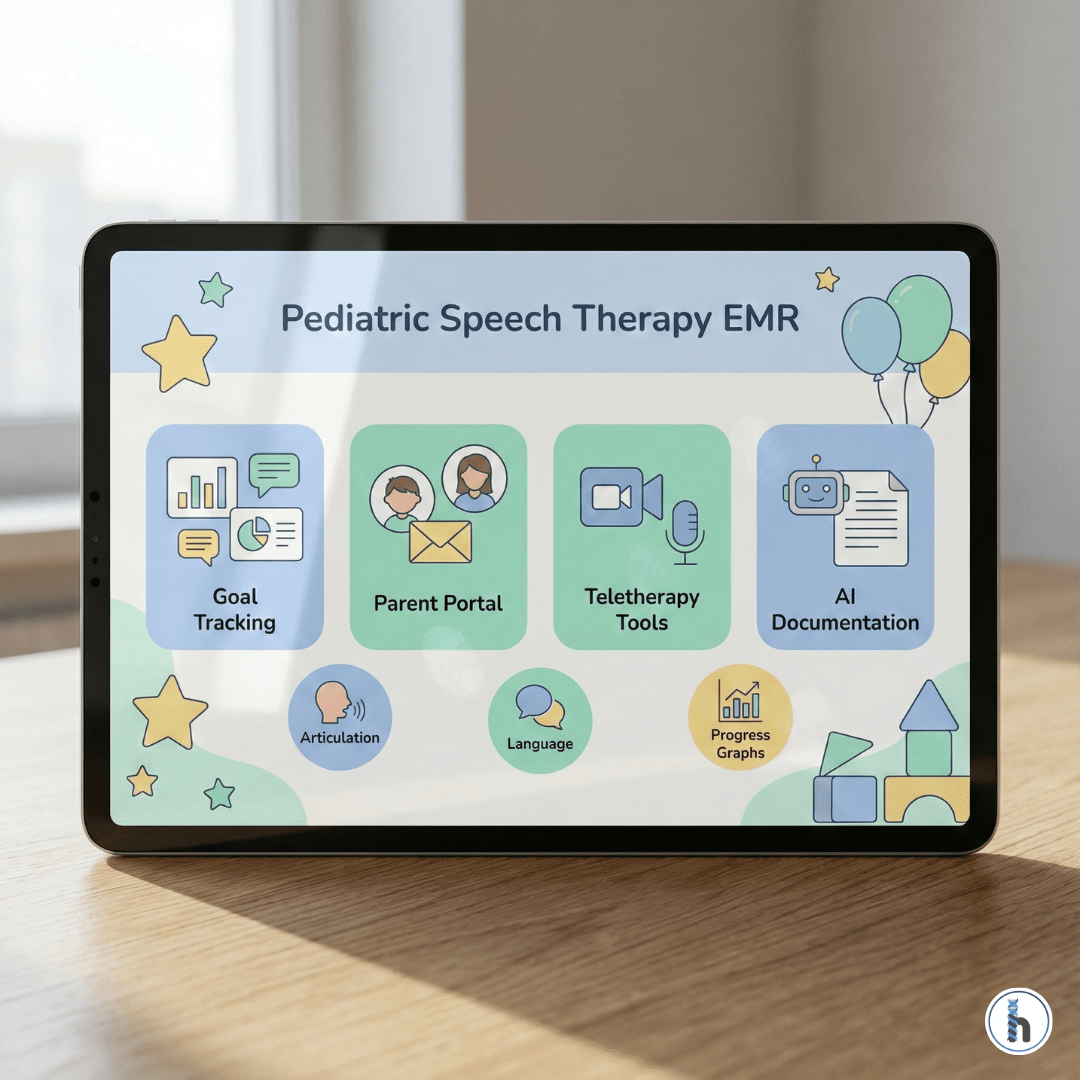
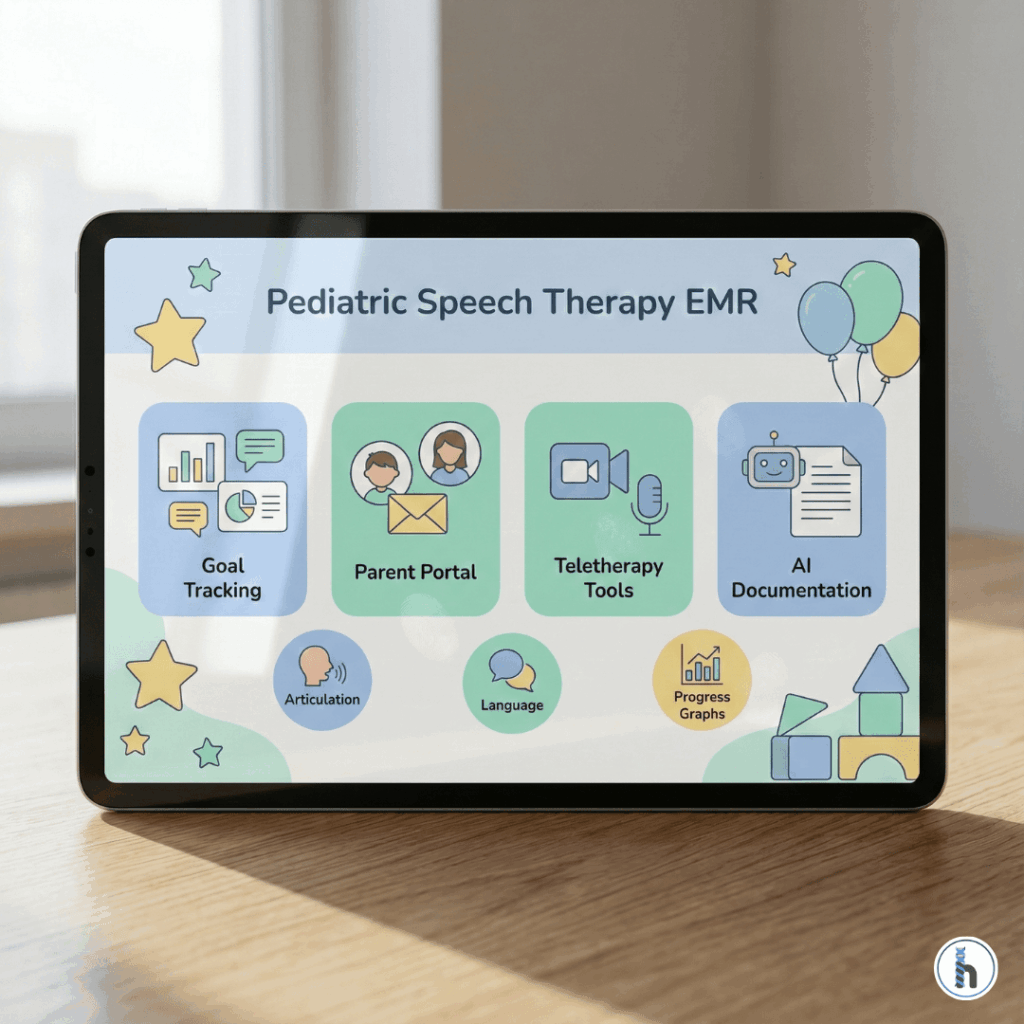
Tablet displaying a pediatric speech therapy EMR interface with icons for goal tracking, parent portal, teletherapy tools, and AI documentation.

Below are the five essential EMR features every pediatric speech therapy practice should prioritize in 2026, including why each feature matters, what impact it has on clinical care, and how forward-thinking EMRs like HelloNote help practices stay ahead.

1. Integrated Telehealth with Interactive Therapy Tools

Teletherapy has moved from a pandemic workaround to a long-term service model. Pediatric SLPs need EMR-integrated telehealth that supports engagement not just video calls.

A strong 2026-ready telepractice system should include:

    • Digital whiteboards for modeling, labeling, and visual prompts

    • Annotation tools to mark articulation targets, phonological patterns, or comprehension items

    • Parent co-viewing mode for caregiver coaching

    • Secure, consent-based session recordings for progress monitoring and payer audits

Why it matters:

A strong pediatric speech therapy EMR keeps these tools in one place, and the average pediatric teletherapy session requires 3–4 visual aids.. Moving across apps wastes time and reduces child engagement. Integrated tools keep therapy flowing and reduce distraction.

2. Dynamic Goal Tracking With Visual Progress Metrics

Static goal banks are no longer enough. Pediatric therapists need dynamic progress-tracking dashboards that show change over time not just checkboxes.

A modern pediatric speech therapy EMR should offer::

    • Automated graphs showing progress by domain (expressive language, articulation, fluency, pragmatic skills)

    • Visual milestone tracking for speech sound acquisition or language development

    • Parent-friendly progress summaries

    • Alerts when goals plateau or require modification

Clinical impact:

When parents see progress presented visually, home practice compliance increases by 22% (ASHA 2024). This is critical in pediatric therapy, where consistency outside the session determines progress speed.

3. AI-Powered Documentation That Actually Reduces Workload

AI has matured significantly and SLP-focused EMRs now use it to support (not replace) clinical judgment.

Tools pediatric SLPs should expect in 2026:

    • Voice-to-text optimized for speech therapy vocabulary

    • Smart templates that auto-fill sections based on session activities

    • Auto-generated SOAP notes pulled from timing, stimuli, and clinician comments

    • Coding suggestions to prevent insurance denials

Time savings:

Clinicians using AI-supported tools inside a pediatric speech therapy EMR report 35% fewer after-hours charting sessions, reducing burnout and freeing therapists to focus on patient care.

4. Comprehensive Parent Engagement Tools

Pediatric therapy is a collaborative process. Families need access to home practice materials, progress reports, and communication tools.

Your EMR should include:

    • Home exercise programs with video demos for articulation, oral-motor work, AAC modeling, etc.

    • Secure messaging with read receipts

    • Appointment and home-practice reminders (SMS or app-based)

    • A parent resource library (handouts, modeling videos, strategies)

Why it matters:

Parent engagement is the single biggest predictor of pediatric therapy success. Clinics using integrated parent portals see 40% higher home-program completion rates, leading to faster progress.

5. Interoperability With Pediatric Ecosystems

Pediatric providers don’t work alone. SLPs must collaborate with:

    • Early intervention programs

    • School IEP teams

    • Pediatricians

    • Occupational and physical therapists

    • AAC specialists and device manufacturers

In 2026, your EMR should be able to exchange data securely with these systems through:

    • HL7/FHIR interoperability

    • Secure eFax or digital transfer tools

    • Compatible formats for school and EI documentation

Compliance note:

Payers increasingly expect complete documentation across systems. Without interoperability, clinics waste hours faxing, scanning, and re-entering data.

Implementation Considerations for Pediatric SLP Clinic Owners

✔ Request pediatric-specific demos

General EMRs are not built for speech therapy workflows.

✔ Test documentation tools with real cases

You’ll quickly see whether the system supports you—or slows you down.

✔ Confirm pediatric billing compatibility

Speech therapy billing rules differ from OT/PT and require accuracy.

✔ Check mobile/tablet functionality

A 2025 survey found 67% of pediatric SLPs use tablets during sessions.

How HelloNote Supports Pediatric Speech Therapy in 2026

HelloNote is designed with therapy workflows at the center—especially pediatric SLP needs.

Key advantages include:

    • Interactive telehealth tools built into the platform

    • Pediatric-specific documentation templates and goals

    • Parent engagement and secure messaging

    • Automated progress tracking visualizations

    • Direct transmission of documentation to schools and physicians via eFax

    • Compatibility with AAC device documentation and early intervention workflows

By reducing redundant clicks and simplifying documentation, HelloNote allows SLPs to focus more on children and less on paperwork.

The Bottom Line for Pediatric SLP Practices in 2026

Upgrading your EMR isn’t just a technology decision it directly impacts:

    • Therapist workload and burnout

    • Speed and accuracy of documentation

    • Parent engagement and home carryover

    • Therapy outcomes

    • Revenue cycle efficiency

    • Data compliance and interoperability

Pediatric practices that adopt EMRs with specialized speech therapy tools will deliver better outcomes, retain their clinicians longer, and run more efficient operations.

As you plan your 2026 technology upgrades, prioritize a pediatric speech therapy EMR that grows with your practice while solving today’s specific challenges in pediatric speech therapy service delivery.

Q1. What features should a pediatric speech therapy EMR include?

A pediatric speech therapy EMR should include integrated teletherapy tools, AI-supported documentation, dynamic goal tracking, parent engagement portals, and secure data sharing with early intervention and school systems.

Q2. What is the best EMR for pediatric speech therapists?

The best EMR is one designed for therapy workflows offering pediatric-specific templates, progress visuals, built-in telehealth, and simplified documentation. Many SLPs prefer platforms like HelloNote because they reduce charting time and support parent involvement.

Q3. How does an EMR improve speech therapy documentation?

An EMR improves documentation by providing structured templates, auto-generated note assistance, smart goal tracking, and voice-to-text tools tailored to speech therapy terminology, helping clinicians complete notes faster and more accurately.

Q4. Do pediatric speech therapists still need teletherapy tools in 2026?

Yes. Teletherapy remains a core service model, and clinics benefit from EMR-integrated features like digital whiteboards, annotation tools, parent co-viewing, and secure recordings to support high-quality online sessions.

Q5. How do parent portals help with pediatric speech therapy?

Parent portals enhance communication and promote home practice by giving caregivers access to session summaries, progress metrics, videos, reminders, and secure messaging. This leads to higher engagement and faster child progress.

5 Signs It’s Time to Switch Your Speech Therapy EMR

Table of Contents

As a speech-language pathologist, your EMR should be your most helpful tool not your biggest frustration. If you spend more time clicking through irrelevant screens and creating clumsy workarounds than focusing on your patients, your system is failing you.

This guide covers the five critical red flags that indicate it’s time for a change and explains what to look for in the best EMR for speech therapy, especially if you need a platform truly designed for an SLP’s workflow.

The Core Problems: Signs Your EMR Isn't Working

1. You're Losing Billable Hours to Documentation

This is the most common pain point. If your sessions take longer to document than to conduct, or you’re regularly completing notes after hours, your EMR is costing you time and money. This often happens when required fields and templates don’t match SLP-specific workflows.

2. It Lacks Speech Therapy EMR - Specific Features

Speech therapist helping a young child with articulation exercises while using the best EMR for speech therapy on a tablet.

A generic EMR is a constant source of friction. The red flag is when you find yourself creating workarounds on paper or in external spreadsheets because your system lacks:

    • Templates for common SLP therapy interventions (e.g., articulation, fluency, voice).

    • Tools for tracking communication goals or documenting AAC use.

    • Integrated telehealth capabilities.

3. Billing Feels Like a Guessing Game

Frequent claim denials, confusion over CPT Codes, and a lack of alerts for expiring authorizations are signs your EMR’s billing function isn’t built for your specialty. One denied claim can cost you hours in appeals.

4. Parent and Caregiver Communication is Disjointed

If you’re juggling multiple platforms for secure messaging, home program delivery, and scheduling, you’re working inefficiently. This lack of integrated communication reduces home carryover and negatively impacts patient outcomes.

5. Mobile and Tablet Functionality is Unreliable

In a dynamic therapy environment, you need to document on the go. If your EMR is slow, crashes on a tablet, or has no offline access for home visits, it’s holding your practice back from modern, efficient care delivery.

The Solution: What to Look for in the Best EMR for Speech Therapy

When considering switching EMR for SLPs, prioritize a system designed by therapists, for therapists.

    • Efficient, SLP-Specific Design: Look for smart templates that match your workflow, visual goal tracking, and built-in tools for specialties like AAC or feeding therapy.

    • Integrated Communication: Seek out a single platform with a secure patient portal for messaging families, sharing resources, and delivering home programs.

    • Intelligent Billing: The system should help you select appropriate CPT codes based on your documentation and provide alerts for expiring authorizations.

    • Reliable, Mobile-Optimized Technology: A modern SLP documentation software should be fast, intuitive, and work seamlessly on a tablet.

Making the Switch: Key Considerations

  1. Data Migration: Ask any potential vendor how they handle the transfer of your patient history. Is training included for the transition?
  2. Financial Impact: Compare the new subscription cost to your potential time savings and the revenue gained from cleaner, faster claim submissions.
  3. Team Workflow: Involve your team in the decision-making process and ensure the new vendor provides comprehensive training and ongoing support.

Conclusion: Your EMR Should Work For You

Your EMR is a critical investment. If your current system consistently creates more problems than it solves, it’s time to consider a change. The right software can reclaim hours of your week, reduce daily frustrations, and improve the quality of care you provide.

For SLPs considering a switch, HelloNote was built with input from pediatric SLPs to solve these exact frustrations, offering speech-specific templates, integrated goal tracking, and an all-in-one communication platform.

Take the first step. Request a free demo of HelloNote today and see what a difference a truly therapist-focused EMR can make.

Frequently Asked Questions About Running a Clinic in a Recession

Q1. What is the best EMR for a private practice SLP?

The best option for a private practice SLP is a specialty-specific system. A dedicated EMR will have pre-built templates, goal-tracking tools, and billing features designed for your workflow, which can cut documentation time in half compared to a generic platform.

Q2. When should I switch my EMR?

You should switch your EMR when it consistently creates more work than it saves. If you’re spending billable hours on documentation, creating manual workarounds, or dealing with frequent claim denials because of your software, it’s time to find a better solution.

Q3. How hard is it to switch EMR systems?

While it requires planning, it’s easier than ever with the right partner. A good EMR company will have a dedicated team to manage your data migration, provide comprehensive training for your staff, and offer ongoing support to ensure a smooth transition.

Q4. How do I know when it’s time to switch to a new EMR for speech therapy?

You’ll know it’s time to switch when your current EMR slows down your workflow, requires constant workarounds, causes billing errors, or lacks key SLP-specific features like articulation templates, AAC documentation, and pediatric-friendly goal tracking. If you spend more time documenting than treating, an SLP-designed EMR like HelloNote can dramatically improve your efficiency.

Q5. What features should a speech therapy EMR have to support pediatric or adult SLP workflows?

A strong EMR for speech therapy should include smart templates for articulation, fluency, AAC, feeding, and cognitive-communication; integrated goal tracking; caregiver communication tools; reliable teletherapy support; and mobile-friendly documentation. Platforms like HelloNote are built specifically with these SLP workflows in mind.

Types of EMR Software | Best Guide for Therapy Practices

Table of Contents

An Electronic Medical Record (EMR) is the operational backbone of a modern therapy practice. But with countless systems on the market, understanding the different types of EMR software is the first step in choosing a platform that fits your clinic’s needs.

The primary difference lies in how the software is deployed and where your data is stored (Cloud vs. On-Premise). However, other key classifications, like whether the EMR is specialty-specific, also play a crucial role. This guide breaks down all the major types to help you make an informed decision.

Comparison graphic showing cloud-based EMR, on-premise EMR, and hybrid EMR systems, illustrating the different types of EMR software for therapy clinics.

Part 1: Deployment-Based EMR Types

This is the most fundamental classification, defining where your software and data live.

1. Cloud-Based EMR

A cloud-based EMR is hosted on secure, remote servers managed by the EMR vendor (like HelloNote). You access it securely via the internet from any device. This is the most popular model for modern therapy practices.

    • Best For: Most modern solo, small, and growing therapy practices.
    • Pros: Lower upfront costs, accessibility from anywhere, automatic security and feature updates, minimal IT burden.
    • Cons: Requires a stable internet connection.

2. On-Premise EMR

An on-premise EMR is installed directly onto your clinic’s local servers. Your practice is responsible for all maintenance, security, and backups.

    • Best For: Large institutions with a dedicated IT department and policies requiring on-site data storage.
    • Pros: Complete physical control over your data; does not require internet for access.
    • Cons: Very high upfront costs for hardware and licensing; full burden of IT maintenance, security, and manual updates.

3. Hybrid EMR

A hybrid system combines an on-premise server for local data storage with a cloud component for syncing and remote access.

    • Best For: Large organizations with complex needs and the IT resources to manage a more complicated infrastructure.
    • Pros: Offers a balance of local control and remote flexibility.
    • Cons: Can be the most complex and expensive to set up and maintain; less common for therapy clinics today.

Part 2: Other Key EMR Classifications

Beyond the deployment model, you should also consider these important distinctions.

Specialty-Specific vs. General EMR

    • Specialty-Specific EMR (Recommended): This type of EMR is designed from the ground up for a specific field, like physical, occupational, or speech therapy. It includes relevant templates (SOAP notes), built-in CPT codes for therapy, functional goal tracking, and workflows that match how a therapist actually works. HelloNote is a specialty-specific EMR for therapy.
    • General EMR: This is a one-size-fits-all system designed for general medical practices. While it can store records, it often lacks the specific documentation and billing features that a therapy clinic needs, leading to inefficient workarounds and frustration.

Open-Source vs. Proprietary EMR

    • Proprietary EMR: This is the most common type. The software is owned and managed by a company (like HelloNote) that provides the license, support, and updates for a fee.
    • Open-Source EMR: The source code for the software is free and publicly available. While the software itself is free, a clinic would need to hire an expert IT team to install, customize, secure, and maintain it, which can be very costly and complex.

Conclusion: Choosing the Right Model for Your Clinic

Understanding the different types of EMR software is crucial. For most modern therapy clinics, a cloud-based, specialty-specific system provides the ideal balance of power, flexibility, and security. It allows you to focus on patient care, not on managing complex IT infrastructure.

HelloNote offers a powerful, cloud-based EMR designed by therapists, for therapists. Book your free demo today to see how our platform can empower your clinic.

Frequently Asked Questions About Types of EMR Software

Q1. What type of EMR is best for a therapy practice?

For nearly all modern therapy practices, a cloud-based, specialty-specific EMR is the best choice. It offers the most flexibility, the lowest upfront cost, and the highest level of security and support without requiring an in-house IT department.

Q2. What is the most used EMR system?

While large EMR systems like Epic and Cerner are common in hospitals, they are not designed for outpatient therapy. Among independent therapy practices, the most widely used systems are cloud-based, therapy-specific EMRs. The “best” one is the one that best fits your specific workflow, and HelloNote is a leading choice in this category.

Q3. Is a cloud-based EMR secure?

Yes, when provided by a reputable, HIPAA-compliant vendor. Reputable cloud EMRs use advanced encryption and security protocols that are often more robust and consistently updated than what a small clinic can manage on its own. They handle the backups, security updates, and server maintenance for you.

Q4. How many EMR platforms are there?

There are hundreds of certified EMR platforms available in the United States. However, the number of platforms designed specifically for the needs of outpatient rehabilitation therapy (PT, OT, SLP) is much smaller, making it easier to narrow down your choices and find a true specialty-specific solution.

You've found a hidden discount!

  • 00Hours
  • 00Minutes
  • 00Seconds