
















Black Friday & Cyber Monday Save 15% on Annual Plans Book a Demo Nov 25 to Nov 30. Limited Time Offer

You've found a hidden discount!

HN Unlock Layer 1
HN Unlock Layer 2
HN Unlock Layer 3
HN Unlock Layer 4
HN Unlock Layer 5
  • 00Hours
  • 00Minutes
  • 00Seconds

Category: documentation

CPT 98942 Documentation: Chiropractic Manipulation of 5 Spinal Regions

CPT 98942 represents chiropractic manipulative treatment involving all five spinal regions. Because the code includes the entire spinal-region set used for CMT coding, the documentation should do more than state that a “full spine adjustment” was performed. The record should make it possible to understand why each region was treated and how the service relates to the patient’s clinical findings and plan of care. 

That makes CPT 98942 a documentation-heavy service. The code is based on region count, but the note should still connect the patient problem, region-specific examination findings, the five treated spinal regions, the manipulation performed, and the patient’s response or progress. 

This guide focuses on how to make a 98942 record easier to follow while keeping the code connected to the broader chiropractic documentation workflow. 

What Is CPT 98942 and When Do You Use It?

What is CPT 98942?

CPT 98942 represents chiropractic manipulative treatment involving five spinal regions. It is used when the documented service supports manipulation of all five recognized spinal regions: cervical, thoracic, lumbar, sacral, and pelvic.

CPT 98942 applies when chiropractic manipulative treatment is performed to all five spinal regions used in the CMT code family. Those regions are cervical, thoracic, lumbar, sacral, and pelvic. 

Because every spinal region is counted toward the code, the documentation should clearly support treatment across all five regions. A broad statement such as “full spine adjusted” does not by itself explain the clinical findings, treatment rationale, or relationship to the patient’s condition. 

Table of Contents

Key Takeaways

    • CPT 98942 is chiropractic manipulative treatment (CMT) of all five spinal regions: cervical, thoracic, lumbar, sacral and pelvic.
    • Writing “full spine adjustment” is not enough. The note must support each of the five regions on its own.
    • A whole-spine complaint, a long diagnosis list or examining every region does not by itself support 98942.
    • Link each treated region to its examination findings, the manipulation performed and the patient’s goals.
    • Because it is the highest CMT level, 98942 gets extra payer attention, so clear region-by-region documentation matters most here.
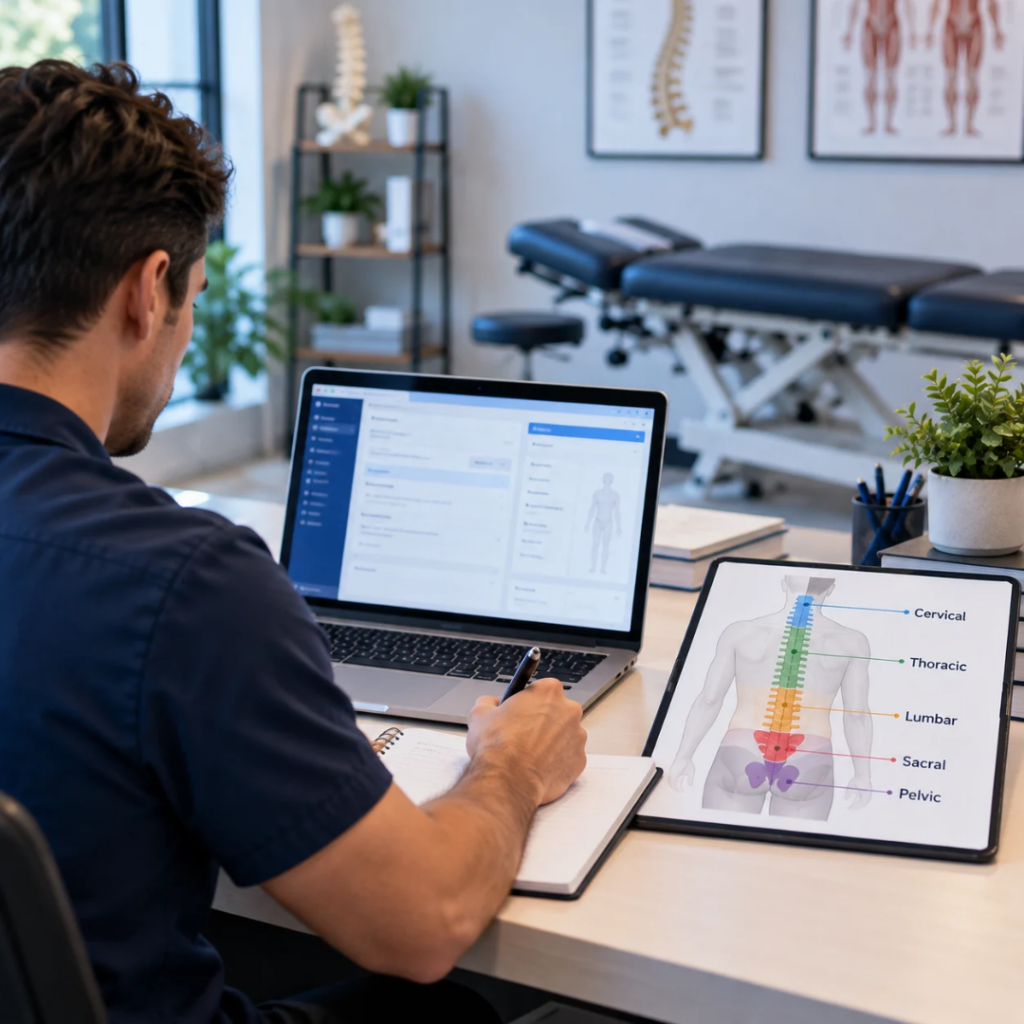
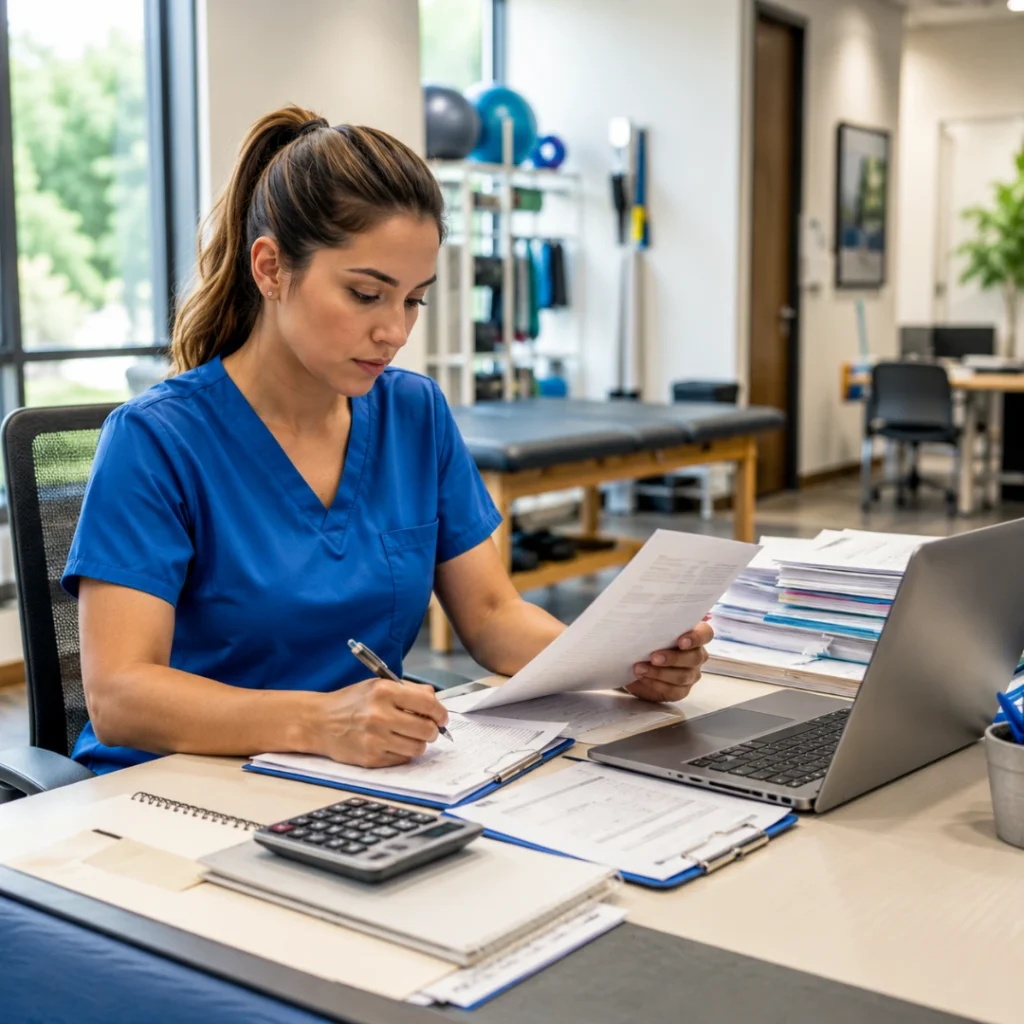
Chiropractor reviewing CPT 98942 documentation for chiropractic manipulation of all 5 spinal regions

What Does Not Support CPT 98942 by Itself

A whole-spine complaint, a lengthy diagnosis list, examination of all spinal regions, or a general statement that full-spine manipulation was performed does not by itself establish a complete 98942 record. The documentation should show that all five regions actually received manipulation and that each counted region is supported by clinically relevant findings. 

The Five Spinal Regions Used for CPT 98942

Region Documentation Focus
Cervical
Relevant findings and rationale supporting treatment of the cervical region.
Thoracic
Relevant findings and rationale supporting treatment of the thoracic region.
Lumbar
Relevant findings and rationale supporting treatment of the lumbar region
Sacral
Relevant findings and rationale supporting treatment of the sacral region
Pelvic
Relevant findings and rationale supporting treatment of the pelvic region.

How to Document CPT 98942 Clearly

How should CPT 98942 be documented?

A clear CPT 98942 note should identify and support all five treated spinal regions, connect each region to relevant examination findings, document the manipulation performed, and explain how the service relates to the patient’s condition, functional goals, and response to care.

The central documentation challenge with 98942 is region-specific support. Because all five spinal regions are counted, the note should allow a reviewer to understand why each region was included rather than treating the whole spine as a single undocumented unit.

1. The Patient Problem and Functional Limitation

Document the condition being treated and the patient’s relevant functional limitations. The note should explain why the patient is receiving care and how the current findings relate to the treatment plan. 

2. Region-Specific Examination Findings

Document clinically relevant findings for the cervical, thoracic, lumbar, sacral, and pelvic regions. Avoid relying on one generic statement to support all five regions.

3. All Five Treated Spinal Regions

Identify the five regions that actually received chiropractic manipulative treatment. A region should not be counted merely because it was examined or mentioned in the record. 

4. Clinical Reasoning for Five-Region Manipulation

Connect the region-specific findings to the treatment decision. The record should make the rationale for addressing all five regions understandable within the patient’s condition and plan of care. 

5. Patient Response and Progress

Document relevant response to treatment and progress across the episode of care. Repeated visits should make changes in symptoms, objective findings, mobility, function, and treatment decisions visible.

A Clinical Reasoning Sentence That Connects the Record

A concise reasoning sentence can help summarize the multi-region logic without replacing the detailed findings elsewhere in the note. For example: “Region-specific restrictions documented across the cervical, thoracic, lumbar, sacral, and pelvic regions are contributing to reduced spinal mobility and difficulty with transitional movement; CMT was performed to all five documented regions to address the identified restrictions within the current plan of care.” 

A real note should reflect the actual findings, treatment, and response from the encounter rather than copy generic wording. 

CPT 98942 vs. 98941 vs. 98940

What is the difference between CPT 98942, 98941, and 98940?

The difference is the number of spinal regions receiving chiropractic manipulative treatment: CPT 98940 covers 1-2 regions, CPT 98941 covers 3-4 regions, and CPT 98942 covers all 5 spinal regions.

For treatment involving one or two spinal regions, review our CPT 98940 documentation guide. For treatment involving three or four spinal regions, see our CPT 98941 documentation guide.

Code Region Count Documentation Focus
98940
1-2
Support one or two treated spinal regions
98941
3-4
Support each of the three or four treated spinal regions.
98942
5
Support manipulation of all five spinal regions.

Common CPT 98942 Documentation and Billing Mistakes

What are common CPT 98942 documentation mistakes?

Common problems include using a generic “full spine” statement without region-specific support, counting regions that were assessed but not manipulated, failing to support all five treated regions, stacking CMT codes, and using the Medicare AT modifier without documentation supporting active or corrective treatment.

Using “Full Spine” as the Entire Documentation

A phrase such as “full spine adjusted” does not identify the clinical findings that supported treatment across all five regions. The record should make each region’s inclusion understandable.

Failing to Support One or More of the Five Regions

Because 98942 requires all five spinal regions, weak support for even one counted region can make the overall record harder to defend. Each region should be supported by relevant findings. 

Counting Regions That Were Examined but Not Manipulated

The region count should reflect the spinal regions that actually received manipulation, not every region assessed during the encounter. 

Billing 98940, 98941, and 98942 Together

The CMT code family is not cumulative. Report the single code that corresponds to the total number of spinal regions treated and supported in the record. 

Using the AT Modifier Without Supporting Active-Treatment Documentation

For Medicare, the AT modifier is used with qualifying active or corrective treatment and should not be used for maintenance therapy. The clinical record must still support the service reported. 

CPT 98942 in Practice: What the Documentation Should Show

What should a practical CPT 98942 record show?

A practical CPT 98942 record should show a clear sequence from the patient problem to region-specific findings across all five spinal regions, the manipulation performed, the functional purpose of care, and the patient’s response or progress.

Consider a patient whose examination identifies clinically relevant restrictions across the cervical, thoracic, lumbar, sacral, and pelvic regions, with the combined findings contributing to reduced spinal mobility and difficulty with transitional movements. If manipulation is performed to all five regions during the encounter, the region count falls within CPT 98942. 

The treatment record should identify all five treated regions and connect them to the documented findings rather than relying on a single generic whole-spine statement. Follow-up documentation should also show whether the patient is progressing, whether findings are changing, and whether the treatment plan remains appropriate. 

The example is educational only. Real documentation should reflect the actual encounter and should not be copied into another patient’s record.

How Medicare Context Changes CPT 98942 Documentation

Does Medicare require the AT modifier with CPT 98942?

For Medicare chiropractic manipulation claims involving qualifying active or corrective treatment, the AT modifier is used with CPT 98942. It should not be used for maintenance therapy. The presence of the modifier does not by itself establish medical necessity; the medical record must still support the active or corrective care reported.

CMS guidance identifies CPT 98940 through 98942 as the Medicare chiropractic manipulation code family and states that CPT 98942 represents five spinal regions. CMS also notes that these codes are not add-on codes and that only 98942 is reported when manipulation involves all five regions. 

Detailed Medicare initial-visit, subsequent-visit, active-treatment, maintenance, and audit-readiness requirements belong in the dedicated Medicare Chiropractic Documentation Guidelines article. Practices should verify applicable Medicare Administrative Contractor policies before publication or implementation. 

How HelloNote Supports CPT 98942 Documentation Workflows

How can an EMR support CPT 98942 documentation?

An EMR can support CPT 98942 documentation by keeping region-specific examination findings, all five treated spinal regions, treatment notes, goals, and progress documentation connected within the same patient record. The clinician remains responsible for documentation accuracy and code selection.

CPT 98942 documentation is strongest when the five-region treatment is part of a complete clinical record rather than an isolated billing entry. HelloNote can support the broader workflow by keeping clinical notes, treatment documentation, patient records, billing information, and progress documentation organized in one environment. 

    • Region-specific findings: Keep examination findings for each treated region easy to locate. 
    • Treatment-region identification: Record the cervical, thoracic, lumbar, sacral, and pelvic regions when all five are treated. 
    • Treatment documentation: Keep the manipulation and related clinical notes connected within the patient record. 
    • Functional goal connection: Relate treatment decisions to the patient’s documented limitations and plan of care when clinically appropriate. 
    • Progress documentation: Track changes in symptoms, mobility, objective findings, and function across visits. 
    • Consistent workflow: Use structured documentation processes and customizable templates without replacing clinician review. 

An EMR can support organization and consistency, but it should not be positioned as choosing the code, establishing medical necessity, or guaranteeing compliance, payment, or audit success. 

For a broader look at structured charting, region-specific findings, and connected clinical records, review our guide to chiropractic documentation software.

To see how documentation connects with scheduling, billing, reporting, and the broader practice workflow, review our guide to chiropractic EMR and EHR software.

Frequently Asked Questions About CPT 98942

What is CPT 98942?

CPT 98942 represents chiropractic manipulative treatment involving all five spinal regions: cervical, thoracic, lumbar, sacral, and pelvic. 

CPT 98942 covers five spinal regions. It is the CMT code used when all five recognized spinal regions receive manipulation and the record supports the service.

Yes, HelloNote is fully HIPAA compliant. It features end-to-end encryptions for all patient data and offers an integrated, secure telehealth platform that allows therapists to conduct virtual sessions, share treatment plans, and document in real-time without leaving the app.

How do I document CPT 98942?

Document the patient problem, region-specific examination findings supporting all five regions, the manipulation performed, the clinical reasoning for treatment, and the patient's response or progress. 

What is the difference between CPT 98941 and 98942?

CPT 98941 represents CMT involving three or four spinal regions, while CPT 98942 represents CMT involving all five spinal regions. 

Can CPT 98942 be billed with 98940 or 98941?

The CMT codes are not add-on codes. When all five spinal regions are treated and supported, CPT 98942 represents the five-region service rather than stacking 98940 or 98941 with it. The CMT codes are not add-on codes. When all five spinal regions are treated and supported, CPT 98942 represents the five-region service rather than stacking 98940 or 98941 with it. 

Does Medicare require the AT modifier with CPT 98942?

For qualifying active or corrective chiropractic treatment under Medicare, the AT modifier is used with CPT 98942. It should not be used for maintenance therapy and does not independently prove medical necessity.

Can an EMR guarantee that CPT 98942 documentation is compliant?

No. An EMR can support organization, structured documentation, signatures, record history, and retrieval, but the clinician and practice remain responsible for accurate documentation, coding, medical necessity, and applicable payer requirements. 

Build a Stronger Chiropractic Documentation Workflow

For CPT 98942, the documentation should make it clear why all five spinal regions were treated and how the service fits the patient’s condition and plan of care. The code should be supported by the record, not used as a substitute for it. 

When region-specific findings, treatment decisions, SOAP notes, progress documentation, and coding remain aligned, the record becomes easier to understand and better reflects the clinical work performed. 

Need a Clearer Way to Document CPT 98942?

HelloNote helps chiropractic practices keep region-specific findings, all five treated spinal regions, treatment notes, functional goals, and patient progress organized in one connected workflow.

Explore HelloNote chiropractic software to see how documentation, scheduling, billing, and patient-management workflows can stay connected.

No credit card required • HIPAA Compliant • Built for therapy and chiropractic practices

CPT 92507 Speech-Language Treatment: How to Document Individual SLP Care Clearly

CPT 92507 has been one of the most widely used treatment codes in speech-language pathology because it covers a broad range of individual speech, language, voice, communication, and auditory processing treatment. That flexibility is useful clinically, but it also creates a documentation problem: a code this broad does not explain what skilled work actually happened during the session. 

A note that says only “speech therapy provided” or lists a worksheet, cueing activity, or conversation task does not show the clinical reasoning behind the treatment. The record needs to explain what communication problem was targeted, why the intervention required the skill of an SLP, what the patient did during treatment, and whether the session moved the patient toward a functional goal. 

There is also an important timing issue for practices in late 2026. CPT 92507 remains in effect through December 31, 2026. Beginning January 1, 2027, it is replaced by 10 new timed speech-language treatment codes, covered in our guide to the new SLP CPT codes for 2027. This article explains how to document 92507 while it remains active.

What Is CPT 92507 and When Do You Use It?

What is CPT 92507?

CPT 92507 is used through December 31, 2026 for individual treatment of speech, language, voice, communication, and auditory processing disorders. It is an untimed code and is generally reported as one unit per encounter.

The biggest documentation weakness with 92507 is often activity-without-reason charting. The note may accurately say that the patient completed naming tasks, articulation drills, conversation practice, or voice exercises, but it does not explain the impairment being treated, the skilled decisions made by the SLP, or the functional outcome the intervention is meant to improve. 

A practical 92507 documentation standard can be organized into five elements. The goal is not to make the note longer. It is to make the skilled treatment, medical necessity, and patient progress easier to understand. 

Key Takeaways

    • CPT 92507 is used through December 31, 2026 for individual treatment of speech, language, voice, communication and auditory processing disorders.
    • It is an untimed code, generally billed as one unit per session.
    • The most common documentation weakness is listing activities without explaining why they were done or how they connect to a goal.
    • A strong note covers the communication problem, the treatment goal, the skilled SLP intervention, the patient’s measurable response and progress.
    • Measure responses with accuracy, cueing level, independence or carryover, so the note shows continued medical necessity.

Table of Contents

Speech-language pathologist providing individual speech therapy for CPT 92507 documentation

1. The Communication Problem and Functional Limitation

Document the speech, language, voice, communication, or auditory processing disorder being treated and how it affects everyday function. Include relevant baseline abilities and current limitations.

2. The Individualized Treatment Goal

Identify the goal addressed during the session and connect it to a functional communication need rather than documenting an activity in isolation. 

3. The Skilled SLP Intervention

Document the treatment approach, cueing hierarchy, task modification, modeling, feedback, or other skilled decisions used during the session. 

4. The Measurable Patient Response

Record accuracy, cueing level, independence, strategy use, carryover, or another objective indicator showing how the patient responded to treatment. 

5. Progress and Continued Medical Necessity

Show how the session relates to the larger plan of care, including progress, barriers, changes in assistance, and why continued skilled intervention remains appropriate. 

The Clinical Reasoning Sentence That Connects the Record

A useful 92507 reasoning sentence can connect the communication impairment, skilled intervention, cueing or clinical adjustment, and functional purpose in one place. For example: “Patient demonstrated word-finding breakdowns during structured conversation; semantic feature analysis and graduated verbal cueing were used to improve retrieval of functional vocabulary needed for medication management and daily communication.” 

CPT 92507 vs. 92508 vs. 92526 vs. 97129/97130

CPT 92507 is individual communication treatment, 92508 is group communication treatment, 92526 is swallowing or oral function treatment, and 97129/97130 may apply when cognitive function is the primary treatment focus.

Code Primary Use
92507
Individual speech-language / communication treatment
92508
Group speech-language / communication treatment (two or more individuals)
92526
Swallowing dysfunction and/or oral function for feeding
97129 / 97130
Cognitive function treatment when cognition is the primary treatment focus

Several SLP treatment codes can look similar from the outside because they may occur during the same episode of care. The distinction should come from what service was delivered, whether treatment was individual or group, and whether the primary clinical target was communication, swallowing, or cognitive function. 

Common CPT 92507 Documentation and Billing Mistakes

What are common CPT 92507 documentation mistakes?

Common CPT 92507 documentation problems include listing activities without skilled rationale, using the code for group or swallowing treatment, treating it as a timed code, and failing to document measurable progress toward functional communication goals.

Listing Activities Without Showing Skilled SLP Decision-Making

A note that says “worked on naming,” “completed articulation drills,” or “practiced conversation” describes an activity but does not show why the task required skilled SLP intervention. Document the communication deficit, the treatment approach, cueing or modification provided, and the response that guided the next clinical decision. 

Using 92507 for Group Treatment

CPT 92507 is for individual treatment. When two or more patients are treated in a group format, 92508 is the relevant group code. The documentation should accurately reflect how the service was delivered. 

Using 92507 for Swallowing Treatment

Swallowing dysfunction and oral function for feeding are reported separately with CPT 92526. Do not use 92507 simply because the same SLP is treating the patient. The code should reflect the specific skilled service delivered. 

Treating an Untimed Code Like a 15-Minute Code

CPT 92507 is untimed through December 31, 2026. It is generally reported as one unit for the encounter rather than based on 15-minute increments. Starting January 1, 2027, the new SLP codes are timed, so treatment minutes will matter.

Failing to Show Progress Toward Functional Communication Goals

Repeated notes that list the same tasks without measurable change make continued skilled treatment difficult to evaluate. Documentation should show current performance, cueing level, accuracy or other objective data when appropriate, functional carryover, barriers, and how the session relates to the plan of care. 

CPT 92507 in Practice: What the Documentation Should Show

What should a practical CPT 92507 record show?

In practice, CPT 92507 documentation should show a clear sequence from communication impairment to functional goal, skilled SLP intervention, clinical adjustment, measurable response, and progress.

A patient with post-stroke aphasia returns for individual speech-language treatment. The functional goal is to improve word retrieval for medication management and everyday conversation. During structured naming and conversational tasks, the patient demonstrates frequent anomia and benefits from semantic feature analysis, phonemic cueing, and reduced cueing as accuracy improves. 

The note documents baseline performance, the hierarchy of cues used, the patient’s accuracy and independence, and the reason the SLP modified the task as performance changed. By the end of the session, the patient retrieves targeted functional words with fewer cues and uses a trained strategy during a short medication-management discussion. 

A concise reasoning sentence might read: “Persistent anomia is limiting functional medication and daily communication; semantic feature analysis with graduated cueing was used to improve retrieval of high-frequency functional vocabulary, with reduced cue dependence by the end of the session.”

How HelloNote Supports CPT 92507 Documentation Workflows

CPT 92507 documentation works best when evaluation findings, functional communication goals, daily treatment notes, progress measures, and billing information stay connected within the same patient record. The code itself is broad, so the surrounding documentation needs to provide the clinical specificity. 

    • Communication impairment: Keep the speech, language, voice, communication, or auditory processing problem clearly documented and tied to the plan of care. 
    • Functional goals: Connect treatment activities to individualized communication goals rather than documenting exercises in isolation. 
    • Skilled intervention: Record the treatment method, cueing, modifications, clinical reasoning, and patient response that demonstrate why the service required an SLP. 
    • Measurable progress: Track accuracy, cueing level, independence, functional carryover, and other meaningful outcomes across visits. 
    • Coding consistency: Keep the treatment note and reported CPT code aligned with the actual service delivered, including distinctions between individual treatment, group treatment, swallowing treatment, and cognitive intervention. 
    • 2027 transition readiness: Keep documentation specific enough that the treatment area and direct treatment time can be reviewed, since the 2027 SLP codes are reported by treatment area and time.

The value of an EMR in CPT documentation is not that it chooses the code for the clinician. It is that it can help keep the clinical reasoning, goals, session details, progress, and billing workflow organized in one place.

Frequently Asked Questions About CPT 92507

What is CPT 92507?

CPT 92507 is used through December 31, 2026 for individual treatment of speech, language, voice, communication, and auditory processing disorders. It is commonly used by speech-language pathologists for one-on-one communication treatment. 

Is CPT 92507 a timed code?

It can be, when the treatment is language-based cognitive communication. When cognitive function itself is the primary focus, 97129 and 97130 may be more appropriate. Check payer-specific rules and coding edits before billing.

How should I document CPT 92507?

Document the communication impairment, functional treatment goal, skilled intervention, cueing or clinical modifications, measurable patient response, and progress toward the plan of care. The note should show why the service required the knowledge and judgment of an SLP. 

What is the difference between CPT 92507 and 92508?

CPT 92507 is used for individual treatment, while 92508 is used for group treatment involving two or more individuals. The documentation should accurately reflect the treatment format provided. 

Can CPT 92507 be used for swallowing treatment?

No. Swallowing dysfunction and oral function for feeding are reported with CPT 92526 rather than 92507. If both communication and swallowing services are provided, document each service distinctly and follow payer-specific billing rules. 

Can CPT 92507 be used for cognitive-communication treatment?

The approved draft states that it may be appropriate when treatment is language-based cognitive communication, while 97129 and 97130 may be more appropriate when cognitive function is the primary focus. Payer-specific rules and edits should be checked. 

CPT 92507 is deleted effective January 1, 2027 and replaced by 10 new timed treatment codes across five treatment areas, each with a base code for the first 30 minutes and an add-on code for each additional 15 minutes. Continue using 92507 for dates of service through December 31, 2026.

The approved draft states that CPT 92507 is scheduled to be deleted effective January 1, 2027 and replaced by ten new treatment codes covering five clinical service categories. This should be rechecked against current coding guidance immediately before publication. 

Build a Stronger Speech-Language Documentation Workflow

A broad CPT code should not produce a broad clinical note. For 92507, the documentation should show exactly what communication problem was treated, why the intervention required skilled SLP judgment, how the patient responded, and how the session advanced a functional goal. 

That clarity matters for patient care, payer review, and the move to the more specific, timed SLP codes on January 1, 2027.

Want a Clearer Way to Document CPT 92507?

HelloNote helps speech-language pathologists keep communication goals, skilled interventions, measurable progress, and treatment notes organized in one connected workflow.

No credit card required • HIPAA Compliant • PT, OT & SLP

CPT 98941 Chiropractic Manipulation: How to Document 3–4 Spinal Regions Clearly

CPT 98941 represents chiropractic manipulative treatment involving three or four spinal regions. On paper, the distinction from 98940 looks simple. In practice, the documentation burden increases because every region counted toward the code should be clinically supported in the record. 

A note that lists several regions without showing why each one was treated can make a multi-region claim difficult to follow. The code is based on region count, but the record still needs to connect the patient problem, region-specific examination findings, the treated spinal regions, manipulation, and response to care. 

This guide focuses on how to document CPT 98941 as part of a complete chiropractic record. It also shows how region-specific findings, SOAP notes, treatment plans, CPT selection, and progress documentation should remain consistent across the episode of care. 

What Is CPT 98941 and When Do You Use It?

CPT 98941 represents chiropractic manipulative treatment involving three or four spinal regions. It is used when the documented service supports manipulation of three or four of the five recognized spinal regions.

The five spinal regions used for CMT coding are cervical, thoracic, lumbar, sacral, and pelvic. CPT 98941 applies when manipulation is performed to three or four of those regions and the clinical record supports the service provided. 

Because 98941 covers more regions than 98940, documentation should make it easy to identify which three or four regions were actually treated. The code should not be selected simply because the patient reports symptoms in several areas or because multiple regions were examined during the visit.

Key Takeaways

    • CPT 98941 is chiropractic manipulative treatment (CMT) of three or four spinal regions.
    • The five spinal regions used for CMT coding are cervical, thoracic, lumbar, sacral and pelvic.
    • Every region counted toward 98941 needs its own clinical support in the note, not just a list of complaints.
    • Multiple pain complaints, a long diagnosis list or examining several regions does not by itself support 98941.
    • Document the patient’s problem, the findings for each treated region, the manipulation performed and the patient’s response.

Table of Contents

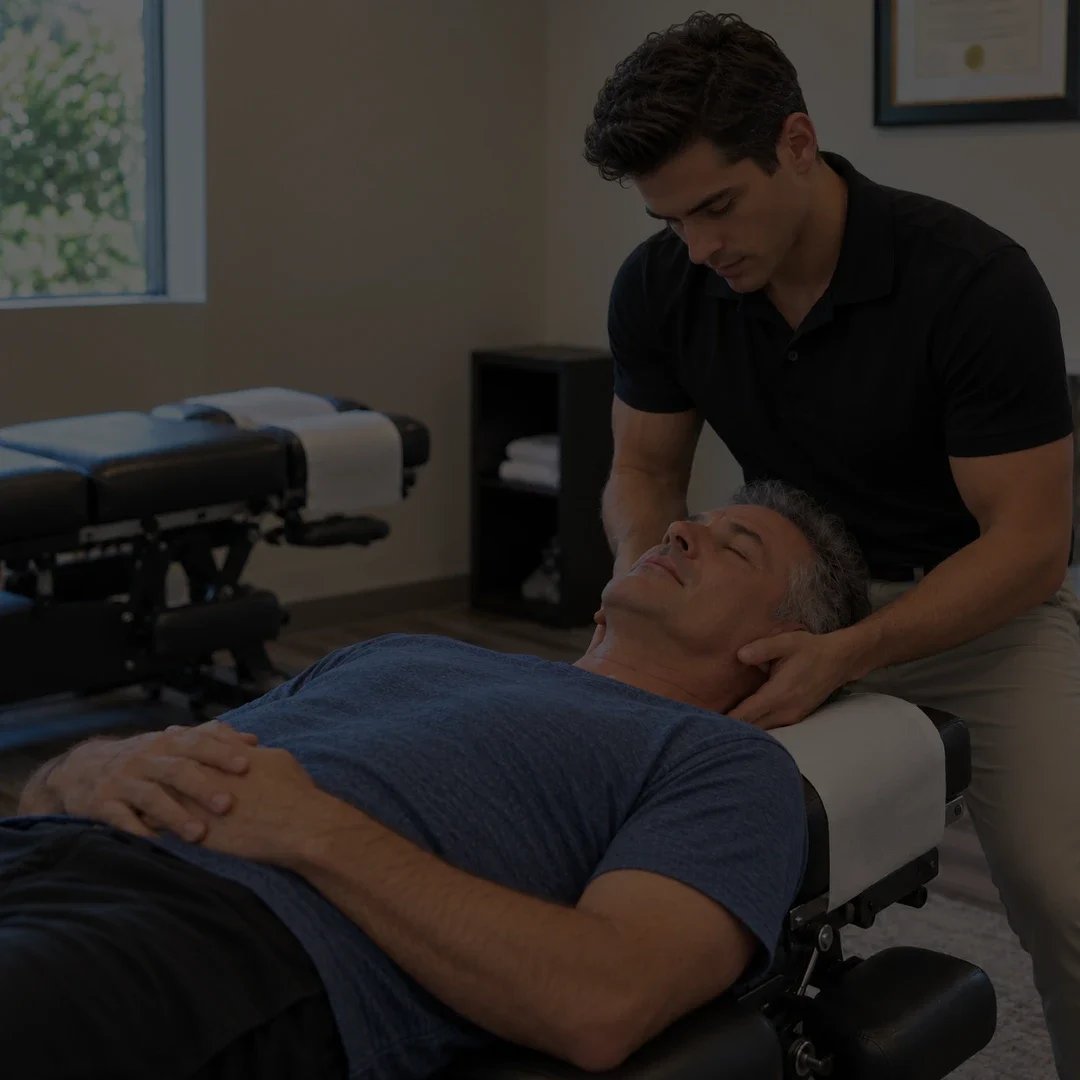
Chiropractor performing spinal manipulation for CPT 98941 chiropractic treatment involving 3–4 spinal regions

Clinical Situations That May Support CPT 98941

CPT 98941 may apply when chiropractic manipulative treatment is clinically supported across three or four spinal regions. For example, a patient may have documented cervical, thoracic, and lumbar findings that are each addressed with manipulation during the same visit. The region count should reflect the regions actually treated, and the note should support the clinical reason for including each one.

What Does Not Support CPT 98941 by Itself

Multiple pain complaints, a broad diagnosis list, or examination of several regions does not by itself establish that 98941 was the correct CMT code. The documentation should show that three or four spinal regions received manipulative treatment and that the treated regions were supported by relevant clinical findings. 

The Five Spinal Regions Used for CMT Coding

CPT Code Spinal Regions Treated
98940
1-2 spinal regions
98941
3-4 spinal regions
98942
5 spinal regions

For CPT 98941, the record should support each of the three or four treated spinal regions counted toward the code. 

How to Document CPT 98941 Clearly

How should CPT 98941 be documented?

A clear CPT 98941 note should connect the patient problem, region-specific examination findings, the three or four treated spinal regions, the manipulation performed, and the patient response or treatment goal. The record should make it possible to understand why each counted region was treated.

The most common documentation weakness with 98941 is not usually the absence of the CPT code. It is the absence of clear region-by-region support. When three or four regions are included in the service, the note should make it possible to understand why each region was treated and how the manipulation relates to the patient’s condition and treatment plan. 

A practical 98941 documentation standard can be organized into five elements.

1. The Patient Problem and Functional Limitation

Document why the patient is being treated and how the condition affects function. For an initial visit, include relevant history, onset, location, duration, aggravating factors, and functional limitations. For follow-up visits, document meaningful changes since the previous encounter. 

2. Region-Specific Examination Findings

Document the clinical findings that support treatment of each spinal region. For a 98941 service, the record should make it possible to understand why three or four regions required manipulation rather than relying on one general statement for the entire spine. 

3. The Three or Four Treated Spinal Regions

Identify the spinal regions that actually received chiropractic manipulative treatment. Do not count a region simply because it was examined. The documented region count should match the code selected. 

4. The Clinical Reasoning for Multi-Region Manipulation

Connect the findings to the treatment decision. Explain why manipulation was appropriate across the documented regions and how the service relates to the patient’s condition or functional goals. 

5. The Patient Response and Progress

Document what changed after treatment or across the plan of care. Relevant measures may include range of motion, symptom behavior, movement tolerance, objective findings, or functional progress. Multi-region care should still show measurable clinical direction over time. 

A Clinical Reasoning Sentence That Connects the Record

A concise reasoning sentence can connect the major region-specific findings to the functional purpose of care without repeating every detail. For example: “Documented cervical, thoracic, and lumbar motion restrictions are contributing to limited trunk rotation and difficulty with prolonged driving; chiropractic manipulation was performed to the three documented regions to address the identified restrictions and support improved functional mobility.” 

The sentence does not replace the region-specific findings elsewhere in the record. It simply makes the clinical logic easier to follow. 

CPT 98941 vs. 98940 vs. 98942

What is the difference between CPT 98941, 98940, and 98942?

The difference is the number of spinal regions receiving chiropractic manipulative treatment: CPT 98940 covers 1-2 regions, CPT 98941 covers 3-4 regions, and CPT 98942 covers 5 spinal regions.

The CMT code family is organized by the number of spinal regions treated. These codes are alternatives within the same family, not add-on codes. 

For treatment involving one or two spinal regions, review our CPT 98940 documentation guide. If all five spinal regions are treated, see our CPT 98942 documentation guide.

Code Region Count Documentation Focus
98940
1-2
Identify and support one or two treated spinal regions.
98941
3-4
Identify and support each of the three or four treated regions.
98942
5
Support manipulation of all five spinal regions.

Common CPT 98941 Documentation and Billing Mistakes

What are common CPT 98941 documentation mistakes?

Common problems include failing to support each treated region, counting symptoms instead of treated regions, counting regions that were assessed but not manipulated, stacking CMT codes, and using the Medicare AT modifier without documentation supporting active or corrective treatment.

Listing Three or Four Regions Without Region-Specific Support

A note that names cervical, thoracic, and lumbar regions but does not show the clinical findings that supported treatment in those areas can make the record difficult to defend. The record should show why each treated region belonged in the service. 

Counting Symptoms Instead of Treated Spinal Regions

Three areas of pain do not automatically equal three CMT regions. The code is based on the spinal regions receiving chiropractic manipulative treatment, not the number of symptoms or complaint locations. 

Counting Regions That Were Examined but Not Manipulated

The region count should reflect the spinal regions that actually received manipulation. A region that was evaluated, palpated, or documented but not treated should not be counted toward 98941 simply to reach a higher code level. 

Billing 98940 and 98941 Together for Additional Regions

CPT 98940, 98941, and 98942 are not add-on codes. Select the single CMT code that represents the total number of spinal regions treated and supported during the encounter. 

Using the AT Modifier Without Supporting Active-Treatment Documentation

For Medicare, the AT modifier is used with qualifying active or corrective treatment and should not be used for maintenance therapy. The underlying record still needs to support the treatment being reported. 

CPT 98941 in Practice: What the Documentation Should Show

What should a practical CPT 98941 record show?

A practical CPT 98941 record should show a clear sequence from patient complaint to region-specific findings, three or four treated spinal regions, manipulation, functional purpose, and measurable response or progress.

Consider a patient who returns with neck stiffness, thoracic restriction, and low-back mobility loss affecting prolonged driving and transitional movements. Examination findings support treatment of the cervical, thoracic, and lumbar regions. Because three spinal regions receive chiropractic manipulative treatment during the encounter, the service falls within the region count represented by CPT 98941. 

The treatment note identifies all three treated regions and connects them to the relevant findings. Follow-up documentation should show whether mobility, symptoms, or functional tolerance changed and whether the treatment plan continued, progressed, or changed. 

A concise reasoning sentence might read: “Cervical, thoracic, and lumbar motion restrictions are contributing to reduced trunk mobility and difficulty with prolonged driving; CMT was performed to the three documented regions to address those restrictions and support improved functional movement.” 

The example is educational. A real record should reflect the findings, treatment, and response that actually occurred during the encounter. 

How Medicare Context Changes CPT 98941 Documentation

Does Medicare require the AT modifier with CPT 98941?

For Medicare chiropractic manipulation claims involving qualifying active or corrective treatment, the AT modifier is used with CPT 98941. It should not be used for maintenance therapy. The modifier does not by itself establish medical necessity; the medical record must still support the care reported.

For Medicare patients, the documentation should support active treatment of spinal subluxation rather than maintenance care when the AT modifier is used. Because CPT 98941 involves three or four treated spinal regions, the record should make the region count and the clinical basis for treating those regions understandable. 

Detailed Medicare initial-visit, subsequent-visit, active-treatment, and audit-readiness requirements belong in the dedicated Medicare Chiropractic Documentation Guidelines article. Practices should also verify any applicable Medicare Administrative Contractor policies before publication or implementation.

How HelloNote Supports CPT 98941 Documentation Workflows

CPT 98941 documentation works best when the treated regions, clinical findings, treatment notes, and patient progress remain connected within the same chiropractic record. HelloNote can support that broader documentation workflow without treating the CPT code as an isolated billing entry. 

    • Clinical findings: Keep the examination findings that support treatment of each spinal region clearly documented and easier to locate. 
    • Region identification: Record the three or four spinal regions treated so the reported service can be traced back to the documented findings. 
    • Treatment documentation: Keep the manipulation and related clinical notes organized within the patient record. 
    • Functional goal connection: Relate treatment to documented limitations and the plan of care when clinically appropriate. 
    • Progress documentation: Track changes in symptoms, objective findings, mobility, and function across visits. 
    • Consistent documentation workflow: Use structured note processes and customizable templates to support a repeatable multi-region documentation process. 

The value of an EMR in CPT documentation is not that it chooses the code for the clinician or guarantees payment. It is that it can help the practice keep the clinical findings, treated regions, treatment plan, SOAP notes, and progress documentation aligned so the code remains understandable within the larger record.

For a broader look at structured charting and connected clinical records, review our guide to chiropractic documentation software.

To see how documentation fits into scheduling, billing, reporting, and the broader practice workflow, review our guide to chiropractic EMR and EHR software.

Frequently Asked Questions About CPT 98941

What is CPT 98941?

CPT 98941 represents chiropractic manipulative treatment involving three or four spinal regions. The documentation should identify and support each treated region and explain why manipulation was clinically appropriate.

How many spinal regions does CPT 98941 cover?

CPT 98941 covers three or four spinal regions. The five spinal regions used for the CMT code family are cervical, thoracic, lumbar, sacral, and pelvic. 

How do I document CPT 98941?

Document the patient problem, relevant examination findings, the three or four treated spinal regions, the manipulative service performed, and the patient response or progress. Medicare claims may have additional documentation requirements. 

What is the difference between 98940 and 98941?

CPT 98940 represents CMT involving one or two spinal regions, while CPT 98941 represents CMT involving three or four spinal regions. The selected code should match the number of regions actually treated and supported in the documentation. 

Can CPT 98940 and 98941 be billed together for additional spinal regions?

The CMT codes are not add-on codes for additional spinal regions. The applicable code is selected according to the total number of spinal regions treated and supported during the encounter. 

Does Medicare require the AT modifier with CPT 98941?

For Medicare claims involving qualifying active or corrective chiropractic treatment, the AT modifier is used with CPT 98941. It should not be used for maintenance therapy, and it does not independently establish medical necessity. 

Can an EMR guarantee that CPT 98941 documentation is compliant?

No. An EMR can support structured documentation, record organization, signatures, history, and retrieval, but the clinician and practice remain responsible for accurate documentation, coding, medical necessity, and compliance with applicable payer requirements. 

Build a Stronger Chiropractic Documentation Workflow

A CPT code should be the result of a clinical record, not the beginning of one. For CPT 98941, the documentation should show why three or four spinal regions were treated, how those regions relate to the patient’s condition, and what changed with care. 

When the examination, treatment plan, SOAP note, CPT selection, and progress documentation remain aligned, the record better reflects the clinical work performed. Documentation software can support that consistency, but it should complement clinical reasoning rather than replace it. 

Make CPT 98941 Documentation Easier to Follow

HelloNote helps chiropractic practices keep region-specific findings, treated spinal regions, treatment notes, goals, and patient progress organized in one connected workflow.

Explore HelloNote chiropractic software to see how these workflows connect across documentation, scheduling, billing, and patient management.

No credit card required • HIPAA Compliant • Built for therapy and chiropractic practices

CPT 98940 Chiropractic Manipulation: How to Document 1–2 Spinal Regions Clearly

CPT 98940 looks simple on a claim form: chiropractic manipulative treatment involving one or two spinal regions. The documentation behind that code is where the real work happens. A chiropractor may know exactly why a cervical or thoracic adjustment was performed, but a reviewer can only evaluate what the record actually shows. 

That gap between performing clinically appropriate manipulation and documenting why it was necessary is where otherwise sound chiropractic records can become difficult to follow. The code identifies the number of spinal regions treated. The note should still show the patient problem, relevant examination findings, the treated spinal region or regions, the clinical reasoning for manipulation, and the patient’s response. 

This guide focuses on a practical goal: make a 98940 record easy to follow from complaint to clinical finding to manipulation to outcome. It also shows how CPT 98940 fits into the broader chiropractic documentation workflow, including SOAP notes, treatment plans, progress documentation, and Medicare record requirements where applicable.

What is CPT 98940?

CPT 98940 represents chiropractic manipulative treatment involving one or two spinal regions. It is used when the documented service supports manipulation of one or two of the five recognized spinal regions.

The five spinal regions used for the chiropractic manipulative treatment code family are cervical, thoracic, lumbar, sacral, and pelvic. CPT 98940 applies when manipulation is performed to one or two of those regions and the clinical record supports the service provided. 

The region count matters, but it is not the entire documentation story. A note that identifies “cervical and thoracic” tells a reviewer where treatment occurred. A stronger record also explains why those regions were treated, what findings supported the decision, and how the patient responded. 

Key Takeaways

    • CPT 98940 is chiropractic manipulative treatment (CMT) of one or two spinal regions.
    • The five spinal regions used for CMT coding are cervical, thoracic, lumbar, sacral and pelvic.
    • Use 98941 for three or four regions and 98942 for all five. The code must match the number of regions actually treated and supported in the note.
    • A general complaint, a diagnosis with no region-specific findings, or “adjustment performed” with no region named does not support the code.
    • Document the patient’s problem, the findings for each treated region, the manipulation performed and how it relates to the patient’s goals.

Table of Contents

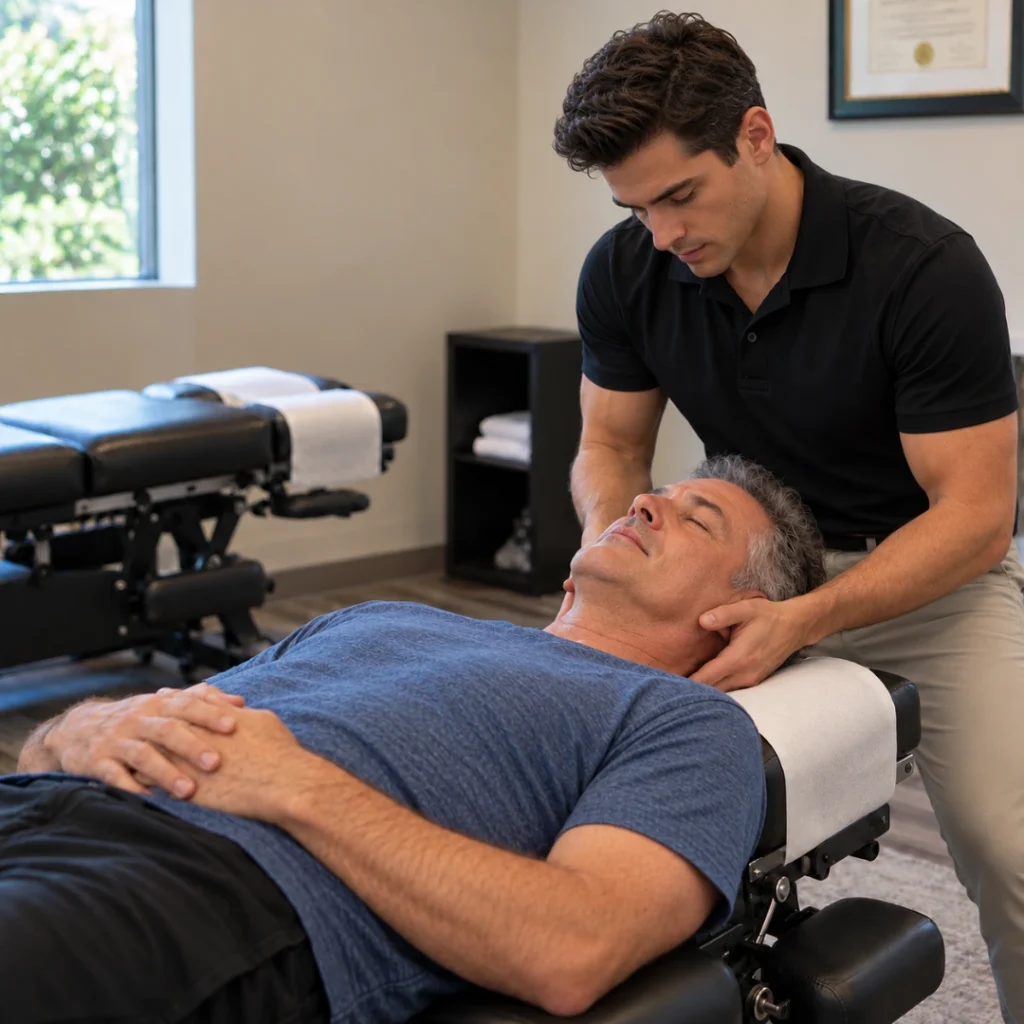
Chiropractor performing cervical treatment for a patient as part of CPT 98940 chiropractic manipulation for 1–2 spinal regions

Clinical Situations That May Support CPT 98940

CPT 98940 may apply when chiropractic manipulative treatment is clinically supported in one or two spinal regions. Examples can include a documented cervical restriction affecting head rotation, thoracic dysfunction associated with limited movement, or lumbar and sacral findings that support treatment of two regions. 

The diagnosis or complaint alone does not determine the code. The actual spinal regions receiving manipulation and the supporting clinical findings should be reflected in the record. 

What Does Not Support CPT 98940 by Itself

A general complaint, a diagnosis without region-specific clinical findings, a note that lists an adjustment without identifying the treated region, or documentation that does not explain why manipulation was clinically appropriate does not create a complete record by itself. For Medicare claims, the record must support the covered service and applicable medical-necessity requirements.

The Five Spinal Regions Used for CMT Coding

CPT Code Spinal Regions Treated
98940
1-2 spinal regions
98941
3-4 spinal regions
98942
5 spinal regions

These codes represent alternatives within the same CMT code family. The code selected should match the total number of spinal regions actually treated and supported in the record. 

If treatment involves three or four spinal regions, review our CPT 98941 documentation guide. If all five spinal regions are treated, see our CPT 98942 documentation guide.

How to Document CPT 98940 Clearly

How should CPT 98940 be documented?

A clear CPT 98940 note should connect the patient problem, relevant examination findings, the one or two treated spinal regions, the manipulation performed, and the patient response or treatment goal. The record should make it possible to understand why each treated region was included in the service.

The most common weakness in a 98940 note is not usually the absence of the CPT code. It is the missing connection between the patient problem, the clinical finding, the treated spinal region, and the reason manipulation was performed. A reviewer should not have to infer why a region was treated or how the service relates to the treatment plan. 

A practical 98940 documentation standard can be organized into five elements. 

1. The Patient Problem and Functional Limitation

Document why the patient is being treated and how the condition affects function. For an initial visit, include the relevant history, onset, location, duration, aggravating factors, and functional limitations. For follow-up visits, document meaningful changes since the previous encounter.

2. Region-Specific Examination Findings

Document the clinical finding that supports treatment of the spinal region. The record should identify the relevant region and findings rather than relying on a general complaint alone. Where Medicare requirements apply, the documentation should also support the spinal area or level and other elements required by current CMS and applicable contractor guidance. 

3. The One or Two Treated Spinal Regions

Identify the one or two spinal regions that actually received chiropractic manipulative treatment. Do not count a region simply because it was examined. The documented region count should match the code selected. 

4. The Clinical Reasoning for Manipulation

Connect the findings to the treatment decision. Explain why manipulation was appropriate for the documented region or regions and how the service relates to the patient’s condition or functional goal. 

5. The Patient Response and Progress

Document what changed after treatment or across the plan of care. Relevant measures may include range of motion, symptom behavior, movement tolerance, objective findings, or functional progress. Follow-up records should make the patient’s clinical direction easier to understand over time. 

A Clinical Reasoning Sentence That Connects the Record

A concise reasoning sentence can help connect the finding, treated region, manipulation, and functional purpose. For example: “Restricted left cervical rotation with documented segmental dysfunction in the cervical region contributing to difficulty checking traffic while driving; chiropractic manipulation was performed to the cervical region to address the identified restriction and support improved head turning.” 

The sentence does not replace the rest of the note. Its value is that it makes the clinical logic easier to follow

CPT 98940 vs. 98941 vs. 98942

What are common CPT 98940 documentation mistakes?

Common problems include failing to identify the treated region, relying on a diagnosis or complaint without enough supporting clinical context, counting regions that were assessed but not manipulated, stacking CMT codes, and using the Medicare AT modifier without documentation supporting active or corrective treatment.

Listing the code without identifying the treated region

“98940 performed” does not tell the reader whether the cervical, thoracic, lumbar, sacral, or pelvic region received manipulation. Identify the treated region or regions and keep the examination findings consistent with them. 

Documenting a complaint without the supporting clinical finding

The complaint explains why the patient sought care, but the note should also show the relevant examination findings and the relationship between those findings and the treatment decision. 

Counting regions that were assessed but not manipulated

The region count should reflect the spinal regions that actually received chiropractic manipulative treatment, not every area examined during the visit. 

Treating 98940, 98941, and 98942 as add-on codes

Select the single CMT code that corresponds to the total number of spinal regions treated and supported in the record. 

Using the AT modifier without supporting active-treatment documentation

For Medicare, the AT modifier is used with qualifying active or corrective treatment and should not be used for maintenance therapy. The underlying record still needs to support the treatment being reported. 

For a deeper review of active treatment, maintenance care, medical necessity, and the AT modifier, see our Medicare chiropractic documentation guidelines.

CPT 98940 in Practice: What the Documentation Should Show

What should a practical CPT 98940 record show?

A practical CPT 98940 record should show a clear sequence from patient complaint to clinical finding, treated spinal region, manipulation, functional purpose, and patient response or progress.

Consider a patient who returns with cervical stiffness and difficulty rotating the head far enough to check the blind spot while driving. The examination documents restricted left cervical rotation and region-specific findings consistent with the current treatment plan. The chiropractor identifies the cervical region as the region requiring manipulative treatment. Because one spinal region is treated, the service falls within the region count represented by CPT 98940. 

The treatment note identifies the cervical region, documents the manipulation performed, and records the patient’s response. If post-treatment findings or later follow-up show improved rotation or better tolerance for head turning, those changes can be tied back to the functional goal. 

A concise reasoning sentence might read: “Restricted left cervical rotation with documented segmental dysfunction in the cervical region limiting safe head turning while driving; CMT performed to the cervical region to address the identified restriction, with improved rotation noted after treatment.” 

The example is educational. A real record should reflect the findings, treatment, and response that actually occurred during the encounter. 

How Medicare Context Changes CPT 98940 Documentation

Does Medicare require the AT modifier with CPT 98940?

For Medicare chiropractic manipulation claims involving qualifying active or corrective treatment, the AT modifier is used with CPT 98940. It should not be used for maintenance therapy. The presence of the modifier does not by itself establish that the service is reasonable and necessary; the medical record must still support the care reported.

Current CMS guidance identifies CPT 98940, 98941, and 98942 as the covered chiropractic manipulation code family and distinguishes active or corrective treatment from maintenance care. For Medicare, the claim and the clinical record should tell the same story. 

Detailed Medicare initial-visit, subsequent-visit, active-treatment, and audit-readiness requirements belong in the dedicated Medicare Chiropractic Documentation Guidelines article. Practices should also verify any applicable Medicare Administrative Contractor policies before publication or implementation.

How HelloNote Supports CPT 98940 Documentation Workflows

CPT 98940 documentation is strongest when it sits inside a complete chiropractic record rather than being treated as an isolated billing entry. HelloNote can support that broader workflow by keeping clinical notes, treatment documentation, and practice information organized in one EMR environment. 

    • Clinical findings: Keep examination findings that support treatment clearly documented and easier to locate. 
    • Region identification: Record the spinal region or regions treated so the service can be traced back to the clinical findings. 
    • Treatment documentation: Keep manipulation and related clinical notes organized within the patient record. 
    • Functional goal connection: Relate treatment to documented limitations and the plan of care when clinically appropriate. 
    • Progress documentation: Track changes in symptoms, objective findings, movement, and function across visits. 
    • Consistent documentation workflow: Use structured note processes and customizable templates to support a repeatable documentation process. 

The value of an EMR in CPT documentation is not that it chooses the code for the clinician or guarantees payment. It is that it can help the practice maintain a more organized record so the complaint, findings, treatment, goals, and progress remain easier to trace from visit to visit.

For a broader look at how software can support structured charting, treatment notes, and progress documentation, review our guide to chiropractic documentation software.

To understand how documentation fits into scheduling, billing, reporting, and the broader practice workflow, see our guide to chiropractic EMR and EHR software.

Frequently Asked Questions About CPT 98940

What is CPT 98940?

CPT 98940 represents chiropractic manipulative treatment involving one or two spinal regions. The documentation should identify and support the region or regions treated and explain why manipulation was clinically appropriate for the encounter. 

How many spinal regions does CPT 98940 cover?

CPT 98940 covers one or two spinal regions. The five spinal regions used for the CMT code family are cervical, thoracic, lumbar, sacral, and pelvic. 

How do I document CPT 98940?

Document the patient problem, relevant examination findings, the one or two treated spinal regions, the manipulative service performed, and the patient response or progress. Medicare claims may have additional documentation requirements. 

What is the difference between 98940 and 98941?

CPT 98940 represents CMT involving one or two spinal regions, while CPT 98941 represents CMT involving three or four spinal regions. The selected code should match the number of regions actually treated and supported in the documentation.

Can CPT 98940 and 98941 be billed together for additional spinal regions?

The CMT codes are not add-on codes for additional spinal regions. The applicable code is selected according to the total number of spinal regions treated and supported during the encounter. 

Does Medicare require the AT modifier with CPT 98940?

For Medicare claims involving qualifying active or corrective chiropractic treatment, the AT modifier is used with CPT 98940. It should not be used for maintenance therapy, and it does not independently establish medical necessity. 

Can an EMR guarantee that CPT 98940 documentation is compliant?

No. An EMR can support structured documentation, record organization, signatures, history, and retrieval, but the clinician and practice remain responsible for accurate documentation, coding, medical necessity, and compliance with applicable payer requirements. 

Build a Stronger Chiropractic Documentation Workflow

A CPT code should be the result of a clinical record, not the beginning of one. For CPT 98940, the most useful documentation shows the patient problem, the findings that support treatment, the one or two spinal regions receiving manipulation, and the patient's response. 

When those elements remain connected across the examination, treatment plan, SOAP note, coding, and follow-up visits, the record becomes easier to understand and better reflects the clinical work performed. Documentation software can support that consistency, but it should complement clinical reasoning rather than replace it. 

Want a Clearer Way to Document CPT 98940?

HelloNote helps chiropractic practices keep examination findings, treated spinal regions, treatment notes, goals, and progress documentation connected in one organized workflow.

Explore HelloNote chiropractic software to see how documentation, scheduling, billing, and patient-management workflows can stay connected.

No credit card required • HIPAA Compliant • Built for therapy and chiropractic practices

Chiropractic SOAP Note Template: Example, Structure & Documentation Guide

Printable chiropractic SOAP note template with Subjective, Objective, Assessment, and Plan sections in a modern chiropractic clinic.

A chiropractic SOAP note template gives clinicians a consistent structure for documenting follow-up visits, but the value of the template depends on how well it captures what changed during the current encounter. A useful template should make it easier to record the patient’s report, objective findings, clinical assessment, and next steps without encouraging identical notes from visit to visit.

This guide provides a practical chiropractic SOAP note template, explains each SOAP section, shows a completed example, and outlines common mistakes to avoid. It also explains when a static template may be enough and when SOAP note software can make the workflow easier to manage across repeated visits.

What Is a Chiropractic SOAP Note?

A chiropractic SOAP note is a structured clinical note organized into Subjective, Objective, Assessment, and Plan sections. It helps the chiropractor document what the patient reports, what was observed or measured, how the findings are interpreted, and what is planned next.

SOAP is useful because it separates patient-reported information from objective findings and clinical interpretation. That structure can make follow-up documentation easier to review across an episode of care, especially when the clinician needs to compare symptoms, findings, progress, and treatment decisions over time.

Table of Contents

Key Takeaways

    • A chiropractic SOAP note is organized into Subjective, Objective, Assessment and Plan, so each visit is documented the same clear way.
    • Subjective records what the patient reports now. Focus on what changed since the last visit instead of repeating the same story.
    • Objective records what you observed, measured or performed, such as range of motion, orthopedic or neurologic findings and the treatment given.
    • Assessment explains what the findings mean and why care should continue, change or progress. Plan lists the next steps and follow-up.
    • A template saves time, but notes should not be identical from visit to visit. Payers look for documentation that shows what happened at each encounter.

Chiropractic SOAP Note Template

Use the following structure as a starting point. The fields should be adapted to the practice, payer, patient, encounter type, and clinician workflow.

SOAP Section Template Prompts
Subjective
Reason for visit; patient-reported symptoms; changes since the previous visit; pain or functional complaints where relevant; response to prior care; new concerns; relevant activity or home-program updates.
Objective
Exam or reassessment findings; observed or measured changes; relevant orthopedic, neurologic, range-of-motion, functional, or other findings as applicable; services or interventions provided; patient response during the visit.
Assessment
Clinical interpretation of the current status; progress or lack of progress; response to the plan of care; relationship between findings and the current treatment decision; whether the plan should continue, progress, or change.
Plan
Next treatment steps; follow-up timing; modifications to the plan of care; home recommendations where applicable; additional evaluation or referral considerations where clinically appropriate.

What Should Go in Each SOAP Section?

Subjective

The Subjective section records what the patient reports about the current visit. This may include symptom changes, functional limitations, response since the prior visit, new complaints, aggravating or relieving factors, and relevant activity updates. The goal is to capture what is different or important now rather than repeat the same narrative at every visit.

FREE DOWNLOAD

Free Chiropractic New Patient Intake Form

For a new patient, the first Subjective note starts with their intake. Our free 2-page form collects the reason for the visit, pain history, health history, red flags and consent before the first adjustment.

Printable PDF + editable Word file, sent straight to your inbox.

Chiropractic new patient intake form template by HelloNote

Objective

The Objective section records what the chiropractor observes, measures, or performs during the encounter. Depending on the visit, that may include examination findings, range-of-motion observations, orthopedic or neurologic findings, functional measures, treatment delivered, and other clinically relevant data.

Assessment

The Assessment section explains what the current findings mean. It should connect the patient’s report and objective findings to the clinician’s interpretation of progress, current status, and the rationale for continuing, changing, or progressing the plan.

Plan

The Plan section describes what happens next. It may include follow-up frequency, planned care, changes to the treatment plan, home recommendations, reassessment timing, or other next steps appropriate to the encounter.

Completed Chiropractic SOAP Note Example

The example below is intentionally generic and educational. It is not a substitute for documenting the facts of an actual patient encounter.

Section ExampleExample
Subjective
Patient reports lower back stiffness is improved compared with the prior visit but still notices discomfort after prolonged sitting. Reports better tolerance for walking and no new symptoms since the last visit.
Objective
Lumbar movement remains limited at end range with reduced stiffness compared with the prior visit. Reassessment findings and treatment response are documented for the current encounter. No new red-flag symptoms are reported or observed in this example.
Assessment
Patient is showing gradual improvement in activity tolerance and reduced stiffness. Current findings support continuing the established plan while monitoring response and functional progress.
Plan
Continue the current plan with adjustments based on response. Reinforce the home recommendations already provided and reassess progress at the next appropriate interval.

A real note should include the specific findings, interventions, clinical reasoning, and patient response that actually occurred during the encounter. Avoid copying this example or any other template wording into a record unless it accurately reflects the visit.

How to Customize a Chiropractic SOAP Note Template

A template is most useful when it reflects the practice’s real workflow. Overly generic templates create extra editing, while overly rigid templates can encourage unnecessary fields or repetitive language.

    • Keep the core SOAP structure consistent so clinicians can review notes quickly.
    • Use specialty-specific fields only when they are useful for the practice and encounter type.
    • Allow free text where structured fields cannot capture the clinical detail.
    • Separate information that can reasonably carry forward from details that must be updated every visit.
    • Make progress and changes easy to identify across follow-up visits.
    • Avoid adding fields simply because they are available; each field should support the documentation workflow.

Initial Visit, Follow-Up, and Progress Note Differences

Not every chiropractic note should use the exact same level of detail. The purpose of the encounter changes across the episode of care.

Encounter Type Documentation Emphasis
Initial evaluation
History, presenting problem, examination findings, assessment, goals, and initial treatment plan. This usually requires more comprehensive documentation than a routine follow-up SOAP note.
Routine follow-up / daily note
Changes since the prior visit, current findings, care delivered, response, assessment, and next steps.
Progress note / reassessment
Change over time, objective progress, functional status, response to care, goals, and decisions about continuing or modifying the plan.
Discharge / episode summary
Status at the end of the episode, progress toward goals, remaining limitations, and follow-up recommendations where appropriate.

Common Chiropractic SOAP Note Template Mistakes

Copying the Same Note Forward Without Review

Reusing appropriate information can save time, but the current note still needs to reflect the current encounter. Old symptoms, findings, or plans should not remain in the record simply because they were carried forward from an earlier visit.

Using a Template as a Substitute for Clinical Reasoning

A structured form cannot determine what the clinician should conclude. The Assessment section should reflect the practitioner’s interpretation of the actual findings and response to care.

Writing an Assessment That Only Repeats the Subjective Section

The Assessment should explain what the current information means, not simply restate the patient’s symptoms. It is where the note connects the reported and objective information to the clinician’s judgment about progress and the plan.

Leaving the Plan Unchanged When the Visit Changes

When the patient’s status or treatment decision changes, the Plan should be updated accordingly. A template should make those changes easy to document rather than encourage automatic repetition.

Assuming a Template Guarantees Compliance

A template can help organize the record, but it does not guarantee compliance, reimbursement, or audit success. The content still needs to meet the applicable clinical, payer, and documentation requirements for the encounter.

For Medicare-specific guidance on active treatment, medical necessity, the AT modifier, and record readiness, review our Medicare chiropractic documentation guidelines.

Static SOAP Note Template vs. Chiropractic SOAP Note Software

A static template can be enough for a simple workflow, especially when the clinician only needs a consistent note structure. Software becomes more valuable when documentation needs to connect with previous visits, patient records, signatures, reporting, billing, or other practice functions.

Consideration Static Template Static Template SOAP Note Software
Structure
Provides a reusable form or document
Provides a reusable workflow inside the clinical system
Prior-note access
Usually manual
Can place prior notes and relevant history within the patient record
Carry-forward
Manual copying may be required
May offer selective reuse, smart fields, or prior-note tools
Progress tracking
Requires manual comparison
Can make previous findings and progress easier to review
Signatures / history
Depends on the document process
May include signatures, timestamps, amendments, and record history
Billing / workflow connection
Separate process
May connect documentation with charges, claims, reporting, and other EHR workflows
Best fit
Clinician who needs a simple reusable note structure
Practice that wants documentation connected to the broader patient and practice workflow

For a deeper comparison, see the Chiropractic SOAP Note Software guide and the broader Chiropractic Documentation Software article.

Can AI Help With a Chiropractic SOAP Note Template?

Can AI help create chiropractic SOAP notes?

AI can assist by turning encounter information or clinician dictation into a draft SOAP note and organizing the content into Subjective, Objective, Assessment, and Plan sections. The chiropractor should review, correct, and approve the final note before signing.

For a broader look at AI-assisted documentation, clinician review, workflow use cases, and limitations, see our guide to AI for chiropractors.

AI can reduce repetitive typing, but it does not remove the need for a useful template or clinician review. The practice should evaluate whether the AI fits the documentation workflow, whether the draft is easy to edit, and whether the final note accurately reflects the encounter.

How HelloNote Supports Chiropractic SOAP Notes?

HelloNote supports chiropractic documentation within the broader EMR workflow. Instead of relying only on a static form, practices can use customizable documentation workflows and keep notes connected with other functions such as scheduling, billing, reporting, and patient management.

HelloNote also offers an AI Scribe that can generate a structured SOAP draft for clinician review and finalization. The goal is to reduce repetitive documentation work while keeping the clinician responsible for the final record.

If you are comparing templates as part of a larger software decision, review the Chiropractic SOAP Note Software guide, the Chiropractic Documentation Software article, and the Chiropractic EMR & EHR Software.

Need More Than a Static SOAP Note Template?

See how HelloNote helps chiropractors create, customize, and manage SOAP documentation while keeping notes connected with patient records, scheduling, billing, reporting, and the broader practice workflow.

Explore HelloNote chiropractic software to see how these documentation workflows fit into the broader platform.

No credit card required • HIPAA Compliant • Built for therapy and chiropractic practices
Frequently Asked Questions About Chiropractic SOAP Note Templates

What is a chiropractic SOAP note template?

A chiropractic SOAP note template is a structured form organized into Subjective, Objective, Assessment, and Plan sections. It gives the clinician a consistent framework for documenting the encounter while still allowing patient-specific information to be added or updated.

What should be included in a chiropractic SOAP note?

A chiropractic SOAP note should document the patient's subjective report, objective findings, clinical assessment, and plan for next steps. The exact detail depends on the encounter, patient, payer, and practice requirements.

Can I use the same SOAP note template for every visit?

A consistent structure can be reused, but the content should be updated to reflect the current visit. Templates should not encourage clinicians to leave outdated findings, symptoms, or plans in the record.

What is the difference between a SOAP note template and a SOAP note example?

A template provides blank prompts or fields to guide documentation. An example shows how those sections might look when completed. Examples should be used for education, not copied into another patient's record.

Is a SOAP note template enough for chiropractic documentation?

A template may be enough for a simple workflow, but practices that need progress tracking, prior-note access, signatures, billing connection, reporting, or AI-assisted drafting may benefit from documentation software or an integrated EHR.

Can AI fill out a chiropractic SOAP note template?

AI can generate a draft from encounter information or dictation, but the clinician should review and edit the output before it becomes part of the final record.

Does using a template guarantee Medicare or payer compliance?

No. A template can organize the note, but it cannot guarantee compliance, reimbursement, or audit success. The record must still meet the applicable clinical and payer documentation requirements.

Use a Template to Support Better Documentation - Not Identical Notes

A chiropractic SOAP note template works best when it reduces unnecessary formatting decisions while leaving room for patient-specific documentation. The structure can stay consistent even when the clinical content changes from visit to visit.

Start with a clear Subjective, Objective, Assessment, and Plan framework. Then customize the prompts to match the practice’s real workflow, update the current encounter carefully, and use software when the documentation process needs stronger connections to prior notes, progress tracking, billing, reporting, or AI-assisted drafting.

Chiropractic SOAP Note Software: What to Look for in a Faster, Smarter Documentation Workflow

Abstract chiropractic SOAP notes software concept showing the Subjective, Objective, Assessment, and Plan workflow with documentation, scheduling, progress tracking, and security icons.

Chiropractic SOAP note software should make documentation easier without turning every visit into the same note. The right workflow should help the chiropractor capture what changed, what was found, what was done, how the patient responded, and what happens next – while keeping the record connected to the rest of the practice when needed.

That is why choosing SOAP note software is not only about typing speed. Chiropractors also need to evaluate template flexibility, progress tracking, prior-note access, signatures, record history, AI-assisted drafting, billing handoffs, and how easily the documentation fits into the broader patient record. A fast note is useful only if the final record remains individualized, reviewable, and practical for the practice.

What is chiropractic SOAP note software?

Chiropractic SOAP note software is a digital documentation system that helps chiropractors create, review, organize, and store visit notes using the Subjective, Objective, Assessment, and Plan structure. Depending on the platform, it may also support templates, prior-note access, progress tracking, signatures, AI-assisted drafts, billing workflows, and other EHR functions.

A static template can provide a useful structure, but software adds workflow. It can make it easier to reuse appropriate information, review previous findings, document changes across visits, finalize the record, and connect the note with other parts of the patient chart.

The best system is not necessarily the one with the most fields or the fastest demo. It is the one that helps the clinician document a real encounter efficiently without losing the details that make the note accurate and specific to the patient.

Table of Contents

Key Takeaways

    • Chiropractic SOAP note software helps you create, review and store visit notes in the Subjective, Objective, Assessment and Plan format.
    • Good software makes documentation faster without making every note look the same. Each note should show what changed at that visit.
    • Look for customizable templates, quick access to prior findings, and easy ways to record the treatment given and the patient’s response.
    • SOAP notes connect to the rest of the practice, including scheduling, billing and the plan of care, so the software should work with those too.
    • Test each feature during a real visit workflow, not just from a feature list, before you choose a system.

What Should a Chiropractic SOAP Note Include?

SOAP provides a consistent framework for recording a visit. The exact content will vary by patient, payer, clinical approach, and encounter, but the four sections should help the clinician show what the patient reported, what was observed or measured, how the findings were interpreted, and what is planned next.

SOAP Section What It Should Help Capture Software Workflow to Evaluate
Subjective
Patient-reported symptoms, changes, response since the prior visit, relevant functional information, and current concerns.
Can the clinician review prior subjective information without automatically copying outdated details?
Objective
Examination findings, measured or observed changes, treatment delivered, and other visit-specific clinical information.
Can the workflow capture structured findings while still allowing free text and individualized detail?
Assessment
Clinical interpretation of the current status, response to care, progress, and reasoning behind the plan.
Does the software make it easy to compare prior findings and document why care is being continued, changed, or progressed?
Plan
Next steps, planned care, follow-up, home recommendations where applicable, and other decisions for the next phase of care.
Can the plan be updated without forcing unnecessary duplication from earlier visits?

Why SOAP Note Workflow Matters in Chiropractic Practices

SOAP notes are part of a larger episode of care. A chiropractor may need to review an initial evaluation, compare prior findings, document today’s response, update goals or treatment plans, and then make sure the note is available to the staff or workflows that depend on it.

When the documentation system is disconnected or difficult to navigate, the friction shows up as repeated entry, inconsistent formatting, missed context, and extra time spent moving information between tools. A stronger workflow should help the clinician see what changed from visit to visit while keeping each note specific to the current encounter.

What Features Should Chiropractic SOAP Note Software Include?

Feature lists can look similar across vendors, so the more useful question is how each feature behaves during a real visit. These are the capabilities worth testing.

1. Customizable SOAP Note Templates

Templates should provide structure without forcing every patient into the same documentation pattern. Look for the ability to adapt sections, structured fields, reusable phrases, and free-text areas so the clinician can document what is actually different about the visit.

For a practical example of how Subjective, Objective, Assessment, and Plan sections can be structured, review our chiropractic SOAP note template.

2. Fast Access to Prior Findings

The clinician should be able to review relevant prior findings, goals, and progress without opening multiple screens. Prior information is most useful when it provides context for the current note rather than automatically becoming today’s note.

3. Progress Tracking Across Visits

SOAP documentation becomes more valuable when the software makes change over time visible. The workflow should help the chiropractor compare findings, update the assessment, and document why the plan is being continued, progressed, or modified.

4. Signatures, Timestamps, and Record History

Practices should understand how notes are finalized, signed, amended, and tracked after completion. Record history is especially important when a note must be reviewed later or when authorized changes are made after signing.

5. Billing and Charge Workflow Connection

Documentation and billing should remain distinct, but they are operationally connected. Evaluate whether the documented encounter can move into charge capture, coding review, claims, and payment workflows without forcing staff to rebuild the same visit information in another system.

6. Secure Access and Role-Based Permissions

SOAP notes contain protected health information. Review how the platform handles authentication, user permissions, secure access, backups, and the different roles of clinicians, billers, front-desk staff, and administrators.

7. Multi-Location and Team Workflow

For practices with multiple providers or locations, confirm that authorized users can access the correct patient record, templates, schedules, and documentation without creating inconsistent copies or separate workflows.

Template Flexibility Without Copy-Forward Problems

Reusable content can save time, but the same efficiency tools can also make it easy to leave old information in a note. Macros, carry-forward fields, and prior-note copying should therefore be evaluated as workflow tools rather than shortcuts that remove the need for clinical review.

    • Can the clinician choose what carries forward instead of copying the entire prior note?
    • Are changed findings easy to identify and update?
    • Can free text be added where the structured template does not fit the encounter?
    • Does the workflow encourage review before signing?
    • Can outdated or irrelevant content be removed easily?

A good template should reduce repetitive entry while still making it obvious that the current note reflects the current visit.

Can AI create chiropractic SOAP notes?

AI can assist by turning encounter information or clinician dictation into a draft SOAP note and organizing content into Subjective, Objective, Assessment, and Plan sections. The chiropractor should still review, correct, and approve the final note before it is signed because the clinician remains responsible for the medical record.

For a broader look at AI-assisted documentation, workflow use cases, limitations, and clinician oversight, see our guide to AI for chiropractors.

When evaluating AI-assisted SOAP note software, look beyond whether the vendor has an AI feature. The more important questions are how the draft is created, where it appears, what information it uses, and how the clinician reviews it.

    • Does the AI create a raw transcript or a structured clinical draft?
    • Does the draft appear directly in the patient chart or require copy-and-paste?
    • Can the clinician edit the note easily before approval?
    • How does the workflow handle missing, incorrect, or irrelevant output?
    • How does the AI work with the practice’s templates and documentation preferences?
    • What information is retained, transmitted, or used by the AI workflow?

AI is most useful when it removes repetitive steps without weakening clinical oversight. 

For more on AI charting, use cases and limits, see our guide to AI for chiropractors.

How SOAP Notes Connect With Billing and Claims

The SOAP note is a clinical record, not a billing form. Still, the documentation, documented services, coding review, charges, and claims often move through the same operational sequence.

During a software demo, ask what happens after the clinician signs the note. If billing is built into the system, review how the encounter moves into charge capture and claims. If billing is handled elsewhere, ask what must be exported, re-entered, or reconciled.

The goal is not to document for a code. It is to make sure the record accurately reflects the care provided while the practice understands how that information moves into the billing workflow.

Compliance-Supporting Controls and Audit Readiness

Software can support better documentation habits through structured fields, signatures, timestamps, required-field prompts, access controls, and record history. Those features can make records easier to create and review, but they do not make the clinical content compliant by themselves.

For Medicare-covered chiropractic services, practices should rely on current CMS and applicable payer guidance when determining documentation requirements. The software should make it practical to create, retrieve, and review the documentation the practice is responsible for maintaining.

    • Clear authorship and signatures
    • Date and time information where required
    • Consistent access to initial and subsequent visit records
    • Individualized notes rather than unchanged copied text
    • Record history or amendment controls where available
    • Secure user access and permissions

For Medicare requirements, active treatment and audit preparation, see our guide to Medicare chiropractic documentation guidelines.

Standalone SOAP Note Software vs. an Integrated Chiropractic EHR

Some practices only need a specialized note-writing tool. Others are trying to reduce the number of systems used for documentation, scheduling, billing, reporting, and patient management. Neither model is automatically better; the right choice depends on the existing technology stack and where duplicate work occurs.

For a broader look at all note types, compliance and how to choose a system, see our guide to chiropractic documentation software.

Consideration Standalone SOAP Note Software Integrated Chiropractic EHR
Primary purpose
Create and manage SOAP notes
Connect SOAP documentation with a broader patient and practice workflow
Scheduling
Usually handled elsewhere
Often connected to the patient record and appointment workflow
Billing / claims
May require export or duplicate entry
Can connect documentation, charges, claims, and payment workflows
Patient record
Focused mainly on documentation
Maintains a broader longitudinal patient record
AI
May be a separate tool or add-on
May be built into the charting workflow
Best fit
Practice that needs a focused documentation layer
Practice trying to reduce disconnected systems and duplicate work

How to Evaluate Chiropractic SOAP Note Software

A software demo is most useful when it follows a real workflow. Instead of watching a polished sample note, ask the vendor to show what happens before, during, and after a routine visit.

    • Can clinicians build or modify chiropractic SOAP templates without relying on the vendor for every change?
    • Can the system show relevant prior findings while keeping the current note clearly individualized?
    • How does information carry forward, and how easy is it to remove outdated content?
    • Can the clinician document a routine follow-up, progress note, reassessment, and treatment-plan update?
    • How are signatures, amendments, timestamps, and record history handled?
    • If AI is included, how is the draft generated, reviewed, edited, and approved?
    • What happens after the note is signed and billing staff need the encounter information?
    • Can authorized staff use the system securely across locations and roles?
    • What onboarding, migration, training, and ongoing support are available?

Common Mistakes When Choosing Chiropractic SOAP Note Software

Choosing Only for Speed

A fast note can look impressive in a demo, but speed does not show how the software handles a full episode of care, changing findings, progress documentation, billing handoffs, or later record review.

Assuming a Template Automatically Creates a Good Note

Templates can standardize the structure, but they cannot determine whether the content accurately reflects the patient, the current encounter, or the clinician’s reasoning.

Overusing Carry-Forward

Copy-forward can save time when used carefully, but it can also preserve outdated information. Evaluate whether the software makes review and editing easy before the note is signed.

Buying AI Without Testing the Approval Workflow

The useful question is not simply whether the software has AI. Test how the draft is generated, where it appears, what the clinician can change, and what happens when the output is incomplete or incorrect.

Ignoring the Billing Handoff

Documentation and billing teams may use different parts of the system. Ask exactly how information moves from the signed note to charges, coding review, claims, and follow-up so duplicate work is visible before implementation.

Overlooking Training and Scalability

A system that works for one clinician should still be evaluated for multiple providers, locations, permissions, templates, reporting needs, and onboarding as the practice grows.

A Practical Chiropractic SOAP Note Software Checklist

Table Header Table Header
SOAP structure
Clear Subjective, Objective, Assessment, and Plan workflow
Templates
Clear Subjective, Objective, Assessment, and Plan workflow
Templates
Customizable structure, reusable fields, free-text flexibility, specialty-specific options
Prior-note access
Easy review of previous findings and patient context
Carry-forward
Selective reuse with easy editing and removal of outdated content
Progress tracking
Ability to compare findings, goals, response, and changes over time
Finalization
Ability to compare findings, goals, response, and changes over time
AI
Draft generation, clinician review, editing, approval, and secure handling of patient information
Billing connection
Clear path from documented encounter to charges, coding review, claims, and payment workflow
Security
Access controls, authentication, secure storage, backups, and user permissions
Practice operations
Scheduling, reporting, multi-location access, and role-based workflows if needed
Implementation
Data migration, onboarding, training, support, and realistic go-live expectations

How HelloNote Supports Chiropractic SOAP Note Workflows

HelloNote approaches SOAP documentation as part of the broader patient and practice workflow rather than as a stand-alone note-writing task. Its chiropractic EMR supports customizable documentation workflows and connects charting with other practice functions such as scheduling, billing, reporting, and patient management.

To see how these documentation workflows fit into the full HelloNote platform, explore HelloNote chiropractic software.

HelloNote also offers a built-in AI Scribe that can generate a structured SOAP draft for clinician review and finalization. Keeping the draft connected to the patient record can reduce the need to move documentation between a separate AI tool and the clinical chart.

If your practice is comparing SOAP note tools as part of a larger software decision, review the Chiropractic Documentation Software guide for a broader documentation framework and the Chiropractic EMR & EHR Software pillar for the full practice-level evaluation.

Looking for a Better Chiropractic SOAP Note Workflow?

See how HelloNote helps chiropractors create, review, and manage SOAP notes while keeping documentation connected with scheduling, billing, reporting, and the patient record.

No credit card required • HIPAA Compliant • Built for therapy and chiropractic practices
Frequently Asked Questions About Chiropractic SOAP Note Software

What is chiropractic SOAP note software?

Chiropractic SOAP note software is a digital documentation system that helps chiropractors create, review, organize, and store visit notes using the Subjective, Objective, Assessment, and Plan structure. Some products focus mainly on notes, while integrated EHR platforms connect SOAP documentation with scheduling, billing, reporting, and patient management.

What should a chiropractic SOAP note include?

A SOAP note generally includes the patient's subjective report, objective findings, the clinician's assessment, and the plan for next steps. The exact content depends on the encounter, clinical approach, payer requirements, and the patient's current status.

Can chiropractors use templates for SOAP notes?

Yes. Templates can provide a consistent structure and reduce repetitive entry, but they should still allow the chiropractor to document individualized findings and update information that changed during the current visit.

Can AI create chiropractic SOAP notes?

AI can assist by generating a draft from encounter information or clinician dictation and organizing the content into SOAP sections. The chiropractor should review, correct, and approve the final note before signing.

Is SOAP note software the same as an EHR?

Not always. Standalone SOAP note software may focus mainly on documentation. A chiropractic EHR generally manages a broader patient record and may connect SOAP notes with scheduling, billing, claims, reporting, intake, and other practice workflows.

How does SOAP note software connect with billing?

In an integrated workflow, information from the documented encounter can support charge capture, coding review, claims preparation, and other billing steps. The exact connection varies by vendor, so practices should test how information moves after the note is signed.

What should chiropractors look for in SOAP note software?

Evaluate template flexibility, prior-note access, progress tracking, carry-forward controls, signatures, record history, AI review, billing connection, security, implementation, support, and whether the system fits the wider workflow of the practice.

Choose SOAP Note Software Around the Whole Documentation Workflow

Chiropractic SOAP note software should make documentation more efficient without making the record generic. The most useful system is one that helps clinicians review prior context, document the current encounter, track progress, finalize the note, and move information into the workflows that depend on it.

When comparing products, look beyond the speed of a sample note. Test how the system behaves across a real episode of care, how it handles reusable content, how clinicians review AI-assisted drafts, and what happens after the note is signed. That is what determines whether the software actually reduces friction in daily practice.

Defensible Documentation in Physical Therapy: Examples, Requirements & Audit Checklist

Physical therapist documenting patient care on a clinical form to support defensible documentation, skilled care, and medical necessity

Physical therapy documentation has to do more than record what happened during a visit. A defensible record should help another clinician, payer, auditor, or reviewer understand why therapy was needed, what skilled decisions were made, how the patient responded, and whether the plan of care continues to make clinical sense.

That matters because documentation problems are still a major source of payment risk. CMS reports that, for physical therapists in private practice billing Medicare Part B, insufficient documentation accounted for 88.6% of improper payments in the 2024 reporting period. The lesson is not to write longer notes. It is to make the clinical story clearer, more specific, and easier to support.

What is defensible documentation in physical therapy?

Defensible documentation is a clear, accurate clinical record that supports the need for therapy, shows the skilled involvement of the therapist, connects interventions to functional goals, records the patient’s response and progress, and contains the information required by the applicable payer, practice setting, and law. A defensible note should make the reasoning behind care understandable without forcing a reviewer to guess.

Important: Documentation requirements vary by payer, setting, state law, and patient situation. Use this guide as educational guidance, then confirm the requirements that apply to your practice and each payer.

Table of Contents

Key Takeaways

    • Defensible documentation explains why skilled therapy was necessary, not only what interventions were performed.
    • Objective findings, functional goals, patient response, and clinical decision-making help support medical necessity across the episode of care.
    • Vague phrases such as “tolerated treatment well” add little unless they are paired with specific observations or decisions.
    • The initial evaluation, treatment notes, progress reports, and discharge documentation should tell one consistent clinical story.
    • A structured EMR can improve consistency, but the therapist remains responsible for clinical accuracy, judgment, and final documentation.

Why Defensible Documentation Matters in 2026

Documentation sits at the intersection of patient care, compliance, reimbursement, and risk management. APTA describes documentation as a record of care, a communication tool, a way to demonstrate compliance, and evidence that may be used when services are reviewed or challenged. CMS similarly expects the record to support that services were reasonable, necessary, and required the knowledge and clinical judgment of a qualified therapist.

The current Medicare data makes the practical risk clear. CMS lists a 15.8% improper payment rate for physical therapists in private practice for the 2024 reporting period, with insufficient documentation accounting for 88.6% of those improper payments. That does not mean every documentation error becomes a denial, and Medicare rules should not automatically be applied to every commercial payer. It does show why documentation quality deserves operational attention.

For current Medicare guidance, review the CMS Physical Therapist in Private Practice compliance guidance and confirm the rules that apply to your setting and payer mix.

What Makes Physical Therapy Documentation Defensible?

Strong documentation usually makes seven things easy to understand:

  1. The patient’s problem and functional limitations: Show the condition being treated and how it affects activities, participation, safety, work, mobility, self-care, or other meaningful functions.
  2. Why skilled therapy is needed: Explain what requires therapist-level knowledge, judgment, cueing, progression, modification, safety monitoring, or problem solving.
  3. The plan and measurable goals: Connect the plan of care to objective findings and functional outcomes that can be reassessed over time.
  4. What was actually provided: Identify the interventions and, when required, the relevant time, units, and other billing details.
  5. How the patient responded: Document meaningful changes during or after the intervention, not only that the patient “tolerated” treatment.
  6. What changed in your clinical reasoning: Record why an intervention was progressed, modified, held, discontinued, or replaced.
  7. Whether the record remains consistent: The evaluation, daily notes, progress reports, goals, billing, and discharge summary should support the same overall clinical story.

APTA emphasizes that a daily note should not be only a list of treatments. The documentation should also communicate skilled assistance, clinical decision-making, patient response, and ongoing analysis of progress when those details are relevant. Review APTA’s documentation-of-a-visit guidance for additional examples.

Weak vs. Defensible Physical Therapy Documentation Examples

The difference is often specificity. A stronger note makes the therapist’s observation and decision visible.

Weak Documentation Why It Is Weak More Defensible Example
“Patient tolerated exercises well.”
It does not show what the therapist observed, what help was required, or what changed.
“Patient completed sit-to-stand training with intermittent verbal cueing for forward trunk translation. Repetitions were reduced after form declined with fatigue. No increase in knee pain was reported.”
“Continue strengthening next visit.”
It does not explain the decision or what will determine progression.
“Continue closed-chain strengthening and progress resistance next visit if the patient maintains knee alignment without manual cueing and reports no symptom increase after today’s session.”
“Gait training performed.”
The skilled component is unclear.
“Gait training focused on left stance stability. Therapist provided tactile cueing at the pelvis and adjusted step length after repeated loss of balance during turning.”

These examples are illustrative, not payer-specific templates. The strongest wording is the wording that accurately reflects what actually happened during the encounter.

What to Document at Each Stage of Care

Initial Evaluation

The evaluation establishes the starting point for the episode of care. It should make the clinical problem and planned therapy understandable. Depending on payer and setting, that may include:

    • Relevant history and current functional status
    • Objective tests, measures, and examination findings
    • Functional limitations and participation restrictions
    • Clinical assessment and factors affecting complexity
    • Measurable goals tied to function
    • Planned interventions, frequency, and duration when required
    • Rationale showing why skilled therapy is appropriate

Objective measures are especially useful because they give later notes something concrete to compare against. CMS guidance on medical necessity highlights comparable objective and functional measures as an important way to show change over the therapy episode.

Treatment or Daily Notes

A treatment note documents what happened on a specific treatment day. For Medicare outpatient therapy, CMS requires documentation for every treatment day and expects items such as the treatment date, specific interventions, timed-code minutes when applicable, total treatment time, and the signature and credentials of the individuals who provided skilled interventions.

To make the broader record easier to defend, consider also documenting clinically meaningful information such as:

    • Patient response to the intervention
    • The type and amount of cueing or assistance required
    • Safety issues or barriers that affected treatment
    • Why an exercise or activity was progressed, regressed, or changed
    • Any meaningful change in function, symptoms, or tolerance
    • How the intervention relates to the plan of care and functional goals

For timed-code documentation, see HelloNote’s Medicare 8-Minute Rule guide and confirm the billing methodology used by the applicable payer.

Progress Reports

Progress reporting should answer a different question from the daily note: Is the patient changing, and does the current plan still make sense? For Medicare outpatient therapy, progress reports are required at least once every 10 treatment days. The report should use objective information to show progress, lack of progress, or the need to modify the plan. If progress is slower than expected, the record should explain the relevant clinical factors rather than simply repeating prior language.

Progress reports should connect back to the baseline findings and goals established at evaluation. This is where consistent measurement matters. If the initial note used a functional test, range-of-motion measure, strength grade, or other objective benchmark, the progress report should make the comparison easy to see when clinically appropriate.

Discharge or Conclusion of Care

The discharge record closes the clinical story. It should summarize why the episode ended, the patient’s status at discharge, progress toward goals, remaining limitations when relevant, and the plan for self-management, follow-up, or transition of care.

APTA describes the conclusion-of-care summary as the final opportunity to communicate the outcome of physical therapy services and, when necessary, justify the medical necessity of the episode. See APTA’s conclusion-of-care guidance.

Common Documentation Mistakes That Make a Record Harder to Defend

Generic patient-response language: Phrases such as “tolerated well” or “no complaints” may be accurate, but they rarely explain the clinical significance of the visit.

Exercise lists without skilled rationale: A list of exercises shows activity, but it may not show why the therapist’s knowledge and judgment were needed.

Copy-forward that no longer matches the patient: Repeated text can create contradictions when symptoms, function, goals, precautions, or treatment decisions change.

Goals that are not measurable or functional: Goals should help the reader understand the outcome therapy is trying to achieve and whether progress is occurring.

Missing links between findings and treatment: The intervention should make sense in light of the documented impairment, activity limitation, participation restriction, and goals.

Inconsistent time, units, and services: Documentation and claims should not tell different stories. Timed services require particular attention.

Incomplete signatures or provider identification: Missing credentials or signatures can create preventable compliance problems.

Ignoring plateaus or setbacks: A lack of progress does not automatically mean therapy is unnecessary, but the record should explain the clinical reasoning for continuing, modifying, or ending care.

Defensible Documentation Audit Checklist

Before finalizing a note, use this quick check. Not every item applies to every note, but the record should make the clinical story easy to follow.

☐ Does the record clearly identify the patient problem and relevant functional limitation?

☐ Can a reviewer understand why skilled therapy was required?

☐ Are objective findings or measurements included when clinically appropriate?

☐ Does the note show the patient’s meaningful response to treatment?

☐ Are the interventions connected to the plan of care and functional goals?

☐ Did I document important clinical decisions, progressions, regressions, or modifications?

☐ Do the services, time, units, and billing details match the documentation?

☐ Are required signatures, credentials, dates, and other payer-specific elements present?

☐ Is the note consistent with the evaluation, previous notes, progress reports, and current patient status?

☐ If this record were reviewed months later, would the reason for the care and the clinical decision-making still make sense?

A useful final question: “Does this note prove skilled care?”

A reviewer should be able to understand what the therapist observed, what required skilled judgment, how the patient responded, and what clinical decision comes next. If those pieces are missing, more words may not be the answer. More specific clinical reasoning usually is.

How an EMR Can Support Defensible Documentation

Technology cannot make a note defensible on its own, but a therapy-specific EMR can reduce avoidable documentation gaps by giving clinicians a more consistent workflow.

HelloNote’s documentation tools include customizable evaluation and SOAP note templates, therapy-focused workflows, and integrated documentation that connects clinical notes with billing. HelloNote also offers AI Scribe to generate a structured draft from the encounter for therapist review and finalization.

The important part is the review step. Templates and AI can help clinicians capture information more efficiently, but the licensed therapist must verify that the final note accurately reflects the patient, the services provided, and the clinical reasoning behind care.

Learn more about HelloNote therapy documentation software or explore how AI Scribe supports therapy documentation.

Make Documentation Easier Without Losing the Clinical Story.

HelloNote helps PT, OT, and SLP practices document care with customizable templates, connected billing workflows, and AI-assisted note drafting that stays under clinician review.

No credit card required • HIPAA Compliant • PT, OT & SLP

Frequently Asked Questions

What is defensible documentation in physical therapy?

Defensible documentation is a clinical record that clearly supports the care provided. It should show the patient’s condition and functional limitations, why skilled therapy was needed, what interventions were provided, how the patient responded, and how clinical decisions relate to measurable goals and the plan of care.

What makes physical therapy documentation support skilled care?

Documentation supports skilled care when it shows why the therapist’s knowledge, judgment, cueing, progression, modification, safety monitoring, or problem solving was required. Simply listing exercises or modalities usually does not explain the skilled component.

How do you document medical necessity in physical therapy?

Medical necessity is supported across the record by documenting relevant impairments and functional limitations, objective findings, reasonable goals, skilled interventions, patient response, progress or lack of progress, and the clinical reasoning behind continuing or modifying care. Requirements vary by payer and setting.

What should be included in a physical therapy daily note?

The exact requirements depend on the payer and setting. For Medicare outpatient therapy, treatment notes must document the treatment date, each specific intervention or activity, timed-code minutes when applicable, total treatment time, and the signature and credentials of the individuals providing skilled interventions. Clinically meaningful patient response and decision-making can strengthen the overall record.

How often are Medicare physical therapy progress reports required?

For Medicare outpatient therapy, progress reports are generally required at least once every 10 treatment days. Clinicians should confirm the current Medicare rules and any additional payer or setting-specific requirements.

Can copy-and-paste documentation cause problems?

It can. Reused text may save time, but it can also create inconsistencies or make the record appear unchanged when the patient’s status, response, or plan has evolved. Any carried-forward content should be reviewed and updated for the current encounter.

Can an EMR make physical therapy documentation defensible?

An EMR can support more consistent documentation through templates, required fields, integrated records, and workflow tools, but it cannot replace clinical judgment. The therapist is responsible for reviewing the note and ensuring it accurately represents the care provided.

Does longer documentation mean better documentation?

No. A longer note is not automatically more defensible. Clear, specific documentation that shows skilled care, patient response, objective change, and clinical reasoning is generally more useful than repetitive or generic text.

Final Thoughts

Defensible documentation is not about writing for an auditor instead of writing for the patient. The same details that make a record easier to defend also make it more useful clinically: a clear baseline, meaningful goals, specific observations, documented patient response, and transparent clinical reasoning.

The strongest record tells a consistent story from evaluation through discharge. It shows not only what the therapist did, but why skilled care was needed and what changed because of it.

KX Modifier Therapy Billing Guide: 2026 Medicare Thresholds for PT, OT, and SLP Practices

Clinician reviewing therapy billing paperwork in a clinic office, representing KX modifier therapy billing, Medicare therapy threshold tracking, and documentation for PT, OT, and SLP practices.

Therapy billing becomes more complicated when a Medicare patient approaches the annual outpatient therapy threshold. For physical therapy, occupational therapy, and speech-language pathology practices, this is where the KX modifier matters.

The KX modifier tells Medicare that therapy services above the annual threshold are still medically necessary and supported by documentation in the patient record. It should not be added automatically or used to cover weak documentation.

For calendar year 2026, CMS lists the KX modifier threshold at $2,480 for physical therapy and speech-language pathology services combined and $2,480 for occupational therapy services. CMS also states that claims above those threshold amounts without the KX modifier are denied.

This guide explains when the KX modifier is used, how the 2026 thresholds work, what documentation should support it, and how therapy practices can avoid common modifier mistakes.

What is the KX modifier in therapy billing?

The KX modifier is used for Medicare outpatient therapy claims when services exceed the annual therapy threshold and continued therapy is medically necessary. Adding the KX modifier means the provider is attesting that the service is reasonable, necessary, and supported by documentation in the patient record.

Table of Contents

Key Takeaways

    • The KX modifier tells Medicare that therapy above the annual threshold is still medically necessary and supported by documentation.
    • For 2026, the KX threshold is $2,480 for PT and SLP combined and $2,480 for OT.
    • Claims above the threshold without the KX modifier are denied.
    • The targeted medical review threshold is separate. It stays at $3,000 for PT and SLP combined and $3,000 for OT.
    • KX is an attestation, not an automatic add-on. The note must show why skilled therapy still needs to continue.

What Is the KX Modifier?

The KX modifier is a Medicare billing modifier used when outpatient therapy services exceed the annual therapy threshold. It signals that continued therapy is medically necessary and that the documentation supports continued skilled care.

CMS states that use of the KX modifier indicates the clinician attests that services at and above the therapy threshold are medically necessary and reasonable, with justification documented in the patient medical record.

This makes the KX modifier different from a routine billing add-on. It is tied to the patient record, the plan of care, the clinical need for continued therapy, and the therapist’s documentation.

2026 Medicare KX Modifier Thresholds

For 2026, CMS lists these KX modifier threshold amounts:

    • $2,480 for physical therapy and speech-language pathology services combined
    • $2,480 for occupational therapy services

Once a Medicare patient exceeds the applicable threshold, claims for medically necessary continued therapy must include the KX modifier. CMS states that claims over the KX modifier threshold without the KX modifier are denied.

The targeted medical review threshold is separate. For 2026, the targeted medical review amount remains $3,000 for PT and SLP services combined and $3,000 for OT services. This does not mean every claim above $3,000 is automatically reviewed, but it does mean documentation needs to be especially clear and defensible.

What is the 2026 KX modifier threshold for therapy?

For 2026, the Medicare KX modifier threshold is $2,480 for PT and SLP services combined and $2,480 for OT services. The targeted medical review threshold remains $3,000 for PT and SLP combined and $3,000 for OT.

When Should Therapy Practices Use the KX Modifier?

Therapy practices should use the KX modifier when all of the following are true:

    • The patient is receiving Medicare outpatient therapy services.
    • The patient has reached or exceeded the applicable annual therapy threshold.
    • Continued therapy is medically necessary.
    • The plan of care supports continued skilled services.
    • The medical record explains why skilled therapy should continue.

The KX modifier is usually not relevant for most patients at the very start of the year because threshold amounts accumulate during the calendar year. Still, practices should track Medicare therapy usage early so the billing team is not surprised later.

Do not use the KX modifier simply because a patient wants to continue therapy or because the clinic wants a claim to pass. The record must support the need for continued skilled therapy.

Documentation Needed to Support the KX Modifier

The KX modifier depends on documentation. A strong record should show why therapy remains reasonable and necessary after the threshold is reached.

Your documentation should include:

    • Current functional limitations
    • Skilled interventions provided
    • Progress toward measurable goals
    • Clinical reason continued therapy is needed
    • Why the service requires the skill of a therapist
    • Patient response to treatment
    • Barriers, complexity, or changes in condition
    • Plan for continued care

A weak note might say, “Continue therapy for strengthening.” A stronger note explains the functional deficit, skilled intervention, response to treatment, progress toward the plan of care, and why continued therapy remains medically necessary.

KX Modifier vs Common Therapy Modifiers

KX Modifier

Used when Medicare therapy services exceed the annual threshold and continued skilled care is medically necessary and documented.

GP Modifier

Used for services delivered under a physical therapy plan of care.

GO Modifier

Used for services delivered under an occupational therapy plan of care.

GN Modifier

Used for services delivered under a speech-language pathology plan of care.

CQ Modifier

Used when physical therapy services are furnished in whole or in part by a physical therapist assistant, based on CMS assistant modifier rules.

CO Modifier

Used when occupational therapy services are furnished in whole or in part by an occupational therapy assistant, based on CMS assistant modifier rules

Modifier 59

Used to identify distinct procedural services when documentation supports that the services were separate and distinct.

GA Modifier

Used when an Advance Beneficiary Notice of Noncoverage may apply. Practices should follow Medicare ABN rules before using it.

Common KX Modifier Mistakes to Avoid

Using KX Too Early

The KX modifier is tied to the annual Medicare therapy threshold. It should not be used before the threshold is reached unless payer rules clearly support it.

Adding KX Without Medical Necessity

The modifier should only be used when continued skilled therapy is medically necessary and supported by the record.

Forgetting KX After the Threshold

CMS states that claims over the threshold without the KX modifier are denied, so threshold tracking matters.

Confusing KX With Targeted Medical Review

The KX threshold and targeted medical review threshold are related but not the same. For 2026, the KX threshold is $2,480 and targeted medical review remains $3,000.

Relying on Generic Notes

Repeated or vague language can weaken the claim. Notes should explain patient-specific medical necessity and skilled progression.

Does the KX modifier guarantee Medicare payment?

No. The KX modifier does not guarantee payment. It shows that the provider attests continued therapy is medically necessary, but the claim can still be reviewed or denied if documentation does not support the service.

How HelloNote Supports Modifier and Billing Workflows

Modifier tracking becomes easier when billing and documentation are connected. HelloNote helps therapy practices keep the clinical and administrative parts of billing in one workflow.

For PT, OT, SLP, and Chiro practices, HelloNote can help organize documentation, CPT codes, therapy modifiers, plan of care details, progress notes, eligibility information, billing workflows, claim follow-up, and reporting.

This helps teams see what was provided, why it was medically necessary, which modifier may apply, and what needs to be reviewed before claim submission.

Stay ahead of KX modifier billing before claims get denied.

HelloNote helps PT, OT, SLP, and Chiro practices connect documentation, modifiers, therapy thresholds, eligibility, and billing workflows in one organized EMR.

No credit card required • HIPAA Compliant • PT, OT & SLP

Frequently Asked Questions

What is the KX modifier in Medicare therapy billing?

The KX modifier is used when Medicare outpatient therapy services exceed the annual therapy threshold and continued therapy is medically necessary. It shows that the provider has documentation supporting continued skilled care.

What is the KX modifier threshold for 2026?

For 2026, the KX modifier threshold is $2,480 for PT and SLP services combined and $2,480 for OT services.

What happens if the KX modifier is missing?

CMS states that claims for therapy services over the KX modifier threshold amounts without the KX modifier are denied.

What is the difference between the KX threshold and targeted medical review?

The KX threshold is the amount at which the KX modifier is required for medically necessary continued therapy. Targeted medical review is a separate review process that may apply at a higher threshold. For 2026, that threshold remains $3,000.

Does the KX modifier apply to PT, OT, and SLP services?

Yes. The KX modifier applies to Medicare outpatient therapy services. PT and SLP share one combined threshold, while OT has a separate threshold.

When should therapy practices start tracking KX modifier usage?

Practices should track Medicare therapy usage throughout the year, especially for patients receiving ongoing therapy. Early tracking helps prevent missed modifiers and documentation problems later.

How can an EMR help with KX modifier billing?

An EMR can help therapy practices organize documentation, CPT codes, modifiers, treatment history, billing workflows, and reporting so teams can monitor patients approaching the threshold.

Final Thoughts

The KX modifier is an important Medicare therapy billing requirement, but it should not be treated as a simple claim shortcut. It depends on threshold tracking, continued medical necessity, and documentation that clearly supports skilled therapy.

For 2026, therapy practices should use $2,480 as the KX modifier threshold for PT and SLP combined and $2,480 for OT. They should also understand that the targeted medical review threshold remains $3,000.

The best approach is to track Medicare therapy usage throughout the year, keep documentation specific, train the billing team on modifier requirements, and use an EMR workflow that connects documentation with billing.

AI Scribe Troubleshooting Guide for Therapists: How to Prevent Recording Issues Before Your Session

Physical therapist in navy scrubs monitoring an AI scribe recording on a smartphone in a modern outpatient therapy clinic

What should a therapist do when AI Scribe stops recording or the note draft does not appear?

Most AI Scribe recording issues are caused by a phone setting, a blocked microphone permission, a Bluetooth connection, an incoming call, or a weak internet connection not the documentation tool itself. A one-minute setup check before every session prevents the majority of these issues. If the note draft does not appear after recording, check your Wi-Fi or cellular connection and wait for the progress bar to complete before closing the app.

Table of Contents

Key Takeaways

    • Most AI Scribe recording problems come from a phone setting, a blocked microphone, a Bluetooth connection, an incoming call or weak internet, not the AI Scribe itself.
    • Run a one-minute check before each session: screen, microphone permission, Bluetooth, battery, internet and room noise.
    • Turn on Do Not Disturb, so calls and notifications do not stop the recording.
    • Turn off or disconnect Bluetooth headphones and car audio, so the phone records from its own microphone.
    • Keep the phone close to the conversation and plugged in or well charged during longer sessions.

You tap record at the beginning of a session, place your phone on the desk, and continue with treatment. Later, you discover that the recording stopped early, the audio was unclear, or the note draft is missing part of the session.

In many cases, the issue is not the documentation workflow itself. It may be caused by a phone setting, a blocked microphone permission, a Bluetooth connection, an incoming call, or noise in the treatment room. A one-minute setup check can help you prevent many common AI scribe recording issues before the session begins.

This guide covers every common cause of AI Scribe recording issues, the steps to check before each session, and what to do when something goes wrong after the recording ends.

Why AI Scribe Recordings Can Be Interrupted

AI scribe recordings can be interrupted by phone settings, connectivity issues, Bluetooth devices, incoming calls, or background noise. Most of these causes are preventable with a quick pre-session check.

Phones and laptops are designed to save battery, manage notifications, and connect automatically to nearby devices. These features are useful during your day, but they can sometimes affect a recording session.

For example, your phone may lock while you are treating a patient. A paired set of earbuds may quietly become the active microphone. An incoming call may interrupt the recording. A nearby fan may make the therapist and patient harder to hear clearly.

Common causes of AI scribe recording issues include:

    • Screen lock or sleep mode
    • Incoming calls and notifications
    • Blocked microphone permissions
    • Bluetooth devices taking over the microphone
    • Weak or dropped internet connection
    • Low battery or power-saving settings
    • Background noise
    • Poor device placement

The good news is that most of these checks take only a few seconds.

The One-Minute AI Scribe Pre-Session Checklist

Before every session, a quick review of your screen, microphone, Bluetooth, battery, internet connection, and room setup can prevent most common AI scribe recording issues.

Before you start recording, take a moment to run through this checklist. This routine can be added to your usual session setup, just like preparing the treatment space or reviewing the patient chart.

THE ONE-MINUTE AI SCRIBE PRE-SESSION CHECKLIST

☐  Keep your screen active during the session.

☐  Turn on Do Not Disturb or Focus Mode.

☐  Confirm that your browser has microphone access.

☐  Disconnect earbuds, headsets, smartwatches, and other unnecessary Bluetooth devices.

☐  Check your battery level or connect the device to power.

☐  Confirm you have a stable Wi-Fi or cellular connection before starting the session.

☐  Place the phone, tablet, or laptop where it can clearly hear the session.

☐  Move the device away from fans, air conditioners, and direct airflow.

☐  Reduce avoidable background noise.

☐  Test your microphone briefly before the session starts.

☐  Confirm patient consent before using Ambient Mode.

How to Keep Your Screen Active During a Session

HelloNote AI Scribe is designed to keep your screen from going to sleep during an active recording. If your device does not respond to this setting, adjusting the screen timeout manually takes under 30 seconds.

HelloNote AI Scribe is designed to keep your screen from going to sleep while a recording is active. In most cases this works automatically and you will not need to adjust your screen timeout manually. If your device does not respond to this setting, the steps below will help you set a longer timeout as a backup.

For iPhone

  1. Open Settings.
  2. Go to Display & Brightness.
  3. Select Auto-Lock.
  4. Temporarily choose a longer duration or select Never during the session.

For Android

  1. Open Settings.
  2. Go to Display.
  3. Select Screen Timeout.
  4. Choose a longer duration during the session.

Menu names may vary depending on your phone model and operating system. After the session, you can restore your preferred screen timeout setting.

It is also helpful to keep your device charged or connected to a power source, especially during a longer evaluation or back-to-back treatment schedule.

How to Check Microphone Permissions

If your browser does not have permission to use the microphone, the AI scribe recording may not begin or may not capture sound. Checking and enabling microphone permission takes under one minute in any browser.

AI Scribe needs access to your microphone to capture audio. If your browser does not have permission to use the microphone, the recording may not begin correctly or may not capture sound.

For Chrome or Edge

  1. Open the HelloNote page in your browser.
  2. Click or tap the site settings icon near the web address.
  3. Find the microphone permission.
  4. Confirm that microphone access is allowed.
  5. Reload the page if needed

For Safari

  1. Check your Safari website settings or your device privacy settings.
  2. Confirm that microphone access is enabled for Safari.
  3. Reload the page if needed.

For Mobile Devices

  1. Open your phone settings.
  2. Go to privacy, browser settings, or app permissions.
  3. Confirm that microphone access is allowed for the browser you use to access HelloNote.

The exact menu labels may differ depending on your phone, browser, and operating system. Before a session, speak briefly near the device and confirm that your microphone can clearly capture your voice. This is especially useful after updating your phone, changing browsers, or connecting a new accessory.

Why Bluetooth Can Affect Your Recording

Bluetooth earbuds, headsets, and smartwatches can silently redirect your phone or laptop to use a different microphone, causing distant or muffled audio without any visible indication that it has happened.

Bluetooth devices can sometimes change which microphone your phone or laptop uses.

For example, you may place your phone on the desk but still have wireless earbuds connected in your pocket. Your phone may try to use the earbud microphone instead of the phone microphone. The result can be distant, muffled, or incomplete audio.

A smartwatch, headset, speakerphone, or nearby accessory may cause a similar issue.

Before the session:

    • Disconnect Bluetooth devices you do not need.
    • Keep your recording device close enough to hear the therapist and patient clearly.
    • Use your phone or laptop microphone unless you intentionally plan to use another audio source.

This is one of the simplest checks to add to your AI scribe mobile setup.

READY TO STREAMLINE YOUR CLINIC?

Make your AI Scribe setup more reliable before the session begins.

HelloNote AI Scribe is built into the EMR. No separate app. No setup fees. No contracts.

No credit card required · HIPAA Compliant · PT, OT & SLP

How Internet Connectivity Affects Your Recording

AI Scribe uploads your audio file after the session to generate the note draft. A stable Wi-Fi or cellular connection is required for normal operation. If the note draft does not appear, check your connection and wait for the progress bar to complete before closing the app.

AI Scribe uploads your audio file to generate a note draft. For this to work smoothly, your device needs a stable internet connection throughout the session.

HelloNote includes a fallback if your connection drops or the audio file cannot upload. However, for normal operation, a reliable Wi-Fi or cellular connection will give you the best results.

Signs of a Connectivity Issue

    • The upload takes longer than expected after the session ends.
    • The note draft does not appear after recording stops.
    • The progress bar pauses or stalls during upload.

What to Do Before the Session

    • Connect to your clinic Wi-Fi before starting a recording.
    • Avoid starting a session on a weak or unstable cellular signal.
    • If you are in a low-signal area, consider using Dictation Mode and uploading after you move to a better connection.

A Note on the Progress Bar

HelloNote now shows a progress bar while your audio file is uploading after the session. This lets you know the upload is actively running so you can wait for it to complete before closing the app or navigating away.

How to Reduce Interruptions From Incoming Calls

Incoming calls can interrupt your microphone during a recording. Turning on Do Not Disturb or Focus Mode before the session prevents most call-related recording interruptions.

Incoming calls can interfere with your microphone during a recording. Notifications can also distract you or cause you to switch away from the active browser page.

Before the session:

    • Turn on Do Not Disturb or Focus Mode.
    • Silence unnecessary notifications.
    • Let important contacts know when you will be unavailable.
    • Use a dedicated clinic device when available.

This is especially helpful for evaluations, longer sessions, and treatment visits where you want to reduce avoidable interruptions.

Room Setup Tips for Clearer Audio

Device placement, airflow, and background noise all affect AI Scribe recording quality. A few small adjustments to your treatment room before the session can make a measurable difference in note draft quality.

Your treatment room affects recording quality. AI Scribe works best when your device can clearly hear the conversation without competing noise nearby.

You do not need a special recording studio. A few small adjustments can make a difference.

Place the Device Where It Can Hear the Session

Keep your phone, tablet, or laptop in a stable location near the conversation.

Avoid placing your phone:

    • Inside a pocket
    • Inside a bag
    • Under paperwork
    • In a distant corner of the room
    • Next to loud equipment

For a typical outpatient therapy visit, a desk, counter, or nearby table may work well. The goal is to keep the device close enough to hear both sides of the conversation without interfering with treatment.

Keep the Microphone Away From Direct Airflow

Fans and air conditioners can create constant noise. Air blowing directly toward the microphone may make the recording harder to hear.

When possible:

    • Move the device away from standing fans.
    • Do not place it directly under an air-conditioning vent.
    • Reduce avoidable fan noise during the recording.
    • Keep the microphone away from any direct stream of air.

Be Mindful of White-Noise Machines

White-noise machines can be useful for privacy. However, placing one next to the recording device may make soft speech harder to capture.

Keep the white-noise machine farther from the phone or laptop. When appropriate, place it outside the treatment room or closer to the hallway side of the door.

Reduce Hallway and Equipment Noise

Close the treatment room door when possible. Avoid positioning your device near exercise equipment, printers, busy hallways, or conversations from nearby staff members.

In a larger therapy gym, Dictation Mode may be more practical than live recording when the environment is consistently noisy.

Ambient Mode vs Dictation Mode

Ambient Mode captures the live session conversation while Dictation Mode lets you summarize the session in your own words afterward. Neither is always better. The right choice depends on your session environment and documentation preference.

HelloNote AI Scribe helps therapists generate a structured note draft. The therapist reviews, edits, and signs the note. AI Scribe supports the documentation workflow but it does not replace the therapist’s clinical judgment.


The best workflow depends on your session, your environment, and your documentation style.

Mode

Best Used When

What to Keep in Mind

Ambient Mode

You want AI Scribe to capture the live session conversation and the environment is quiet enough for clear audio.

Confirm patient consent before recording. Keep your screen active, reduce interruptions, and place the device where it can hear the conversation clearly.

Dictation Mode

You prefer to summarize the session afterward in your own words. This can be useful when the room is noisy, the session involves several voices, or live recording is not the best fit.

Give a clear and focused verbal summary after the session. Review the structured note draft before signing.


Neither option is always better. Some therapists use Ambient Mode for a quiet evaluation room and Dictation Mode after a treatment session in a busy clinic gym.

Quick AI Scribe Troubleshooting Table

If your recording stopped, audio is muffled, or the note draft is missing, the table below matches the most common symptoms to their likely causes and fastest fixes.

Issue

Likely Cause

What to Try First

Recording stopped during the session

The screen locked, the browser went to sleep, or the device entered a power-saving state

Keep the screen active, check battery settings, and connect the device to power if needed

AI Scribe is not picking up sound

The browser may not have microphone access

Check the microphone permission in your browser or device settings, then reload the page

Audio sounds distant or muffled

A Bluetooth accessory may be using a different microphone, or the device may be too far away

Disconnect unnecessary Bluetooth devices and move the phone or laptop closer

Recording is interrupted by phone calls

Incoming calls may interfere with the microphone

Turn on Do Not Disturb or Focus Mode before the session

Note draft seems incomplete

Part of the conversation may not have been captured clearly

Review your device placement, microphone access, room noise, and recording setup

Recording quality is inconsistent in a noisy room

Fans, air conditioners, hallway conversations, or equipment noise may be interfering

Move the device, reduce background noise, or consider using Dictation Mode after the session

Note draft did not appear after recording

Audio file may not have uploaded due to a weak or dropped internet connection

Check your Wi-Fi or cellular signal, wait for the progress bar to complete, and avoid closing the app before the upload finishes

A Simple Routine for Every Session

A repeatable pre-session checklist covering battery, internet, screen, Bluetooth, microphone, placement, noise, and consent takes under one minute and prevents most common AI scribe recording issues.

A repeatable routine makes AI scribe troubleshooting easier for therapists and clinic teams. Before starting a session:

    • Check the battery.
    • Confirm your internet connection is stable.
    • Turn on Do Not Disturb or Focus Mode.
    • Keep the screen active.
    • Disconnect unnecessary Bluetooth devices.
    • Confirm microphone access.
    • Position the device where it can clearly hear the session.
    • Reduce avoidable background noise.
    • Test the microphone briefly.
    • Confirm patient consent before using Ambient Mode.
    • Start recording.

You can save this checklist near the treatment desk, add it to your clinic workflow, or share it with clinicians who use AI Scribe on their phones.

Have questions about how AI Scribe fits your practice?

HelloNote’s team is built by therapists who’ve used it in real clinic settings. Start free and see how we handle AI documentation for PT, OT, SLP, and Chiro.

No credit card required • HIPAA Compliant • PT, OT & SLP

Frequently Asked Questions

Why did my AI Scribe recording stop during a therapy session?

A recording may stop if your phone locks, your browser goes to sleep, your device enters a power-saving mode, or an incoming call interrupts the microphone. Keep the screen active, turn on Do Not Disturb or Focus Mode, and check your battery before the session. HelloNote AI Scribe is designed to keep the screen awake automatically during an active recording, so manual adjustments are usually only needed as a backup on devices that do not respond to this setting.

Can Bluetooth devices interfere with AI Scribe recordings?

Yes. Earbuds, headsets, smartwatches, and other accessories may cause your phone or laptop to use a different microphone. Disconnect unnecessary Bluetooth devices before recording and keep your phone or laptop near the conversation.

Does AI Scribe require an internet connection?

Yes. AI Scribe uploads your audio file after the session to generate the note draft, so a stable internet connection is needed for normal operation. HelloNote includes a fallback if connectivity is lost, but for the best experience connect to a reliable Wi-Fi network before starting your session. A progress bar now shows the upload status so you can confirm the file has been sent before closing the app.

What phone settings should I check before using AI Scribe?

Check your screen timeout, microphone permission, Do Not Disturb or Focus Mode, Bluetooth connections, battery level, and internet connection. Menu names may vary depending on your phone model, operating system, and browser.

Should I use Ambient Mode or Dictation Mode?

Use Ambient Mode when you want AI Scribe to capture the live session conversation and the room is quiet enough for clear audio. Use Dictation Mode when you prefer to summarize the session afterward or when live recording is not the best fit for the environment.

Do I need patient consent before using AI Scribe?

Confirm patient consent before recording a live session in Ambient Mode. AI Scribe should support your documentation workflow while respecting your clinical judgment and your practice procedures.

Built-In vs Third-Party AI Scribe: Why Native Wins for Therapy Practices

Two physical therapists reviewing an AI scribe interface on a laptop in a therapy clinic

What is the difference between a native AI scribe and a third-party AI scribe in therapy?

A native AI scribe is built directly inside your EMR platform. The note draft is created within the patient record automatically, with no separate app, no copy-paste step, and no workflow gap. A third-party AI scribe is an external tool that records and processes session audio independently, then requires a manual transfer into the EMR. Native integration eliminates the hidden administrative tax that third-party tools create at every step of the documentation workflow.

Key Takeaways

    • A native AI scribe is built directly into your EMR, so the note draft is created inside the patient record with no separate app and no copy-paste step.
    • A third-party AI scribe runs in a separate tool, and you have to move the note into your EMR yourself.
    • That copy-paste step can add four to eight minutes of admin time per session, which adds up fast across a full day of patients.
    • Copying notes between systems is also a clinical risk, because text can be pasted into the wrong patient or the wrong section.
    • “Integration” is not the same as native. Ask vendors exactly where the note is created and how it reaches the patient record.

Table of Contents

We tried a third-party AI scribe before we built our own. We want to be honest about that, because it is relevant to everything, we are about to say.

The tool transcribed accurately enough. The notes it generated were reasonable first drafts. On paper, the workflow made sense: record the session in the scribe app, review the transcript, copy the note into HelloNote, connect it to the right patient, check that the payer information matched, reformat the sections to fit our documentation requirements, then sign. Seven steps where there should be two.

What nobody told us about third-party AI scribes is that the workflow gap between the tool and the EMR is where the time goes. Not in the recording. Not in the AI processing. In the space between a note that exists somewhere else and a finalized record that lives where it needs to live. We called that gap the hidden tax. Every practice using a third-party scribe is paying it, usually without calculating how much it actually costs per patient, per day, per year.

That experience is directly why HelloNote AI Scribe is native. Built inside the EMR, not connected to it from the outside. This post breaks down what that difference actually means in clinical practice, and why it matters more than most therapy practices realize before they make a documentation technology decision.

The Hidden Tax of Stitching Tools Together

How much time does a third-party AI scribe actually cost per session compared to a native tool?

A third-party AI scribe adds four to eight minutes of administrative time per session in copy-pasting, reformatting, and app-switching that a native workflow eliminates entirely. Across ten patients a day, that is 40 to 80 minutes of daily administrative time per therapist. Across a three-therapist practice, that is two to four hours every day that exists solely because the documentation tool and the patient record live in different places.

The word “integration” gets used loosely in healthcare software. Most of the time it means two products have been configured to share some data through an API. That is not the same as native. Integration means two systems talking to each other. Native means one system that does not need to talk to itself.

The Copy-Paste Step Is a Clinical Risk

When a therapist generates a note in a third-party AI scribe tool and then copies it into an EMR, that copy-paste step is not just inconvenient. It is a documentation integrity risk. Formatting gets lost. Sections get misaligned. A note generated for a Tuesday session gets pasted into a Wednesday encounter. Laterality details that were correct in the scribe tool get corrupted in the paste. These are not hypothetical errors. They are the kinds of documentation inconsistencies that show up in audits and payer reviews.

With a native AI scribe, there is no copy-paste step. The draft note is created inside the EMR, attached to the correct patient encounter, with the correct date, the correct case, and the correct payer context already populated. The risk does not exist because the workflow gap does not exist.

Switching Between Apps Costs More Time Than You Think

A therapist who records a session in a third-party scribe app, reviews the transcript, opens the EMR, navigates to the correct patient, pastes the note, reformats it, and then finalizes it has added approximately four to eight minutes of administrative work per session compared to a native workflow. Across ten patients a day, that is 40 to 80 minutes. Across a practice with three therapists, that is two to four hours of daily administrative time that exists solely because the documentation tool and the patient record live in different places.

Training Your Team on Two Systems

Every tool a practice adopts requires onboarding. A third-party AI scribe means training staff on the scribe workflow, the EMR workflow, and the handoff between them. When the scribe tool updates its interface, that is a retraining event. When the EMR updates its structure, the paste workflow may break. Native integration eliminates this category of problem entirely. There is one system, one workflow, one onboarding process.


One system. One workflow. No hidden tax.

HelloNote AI Scribe is built into the EMR, not bolted on from outside. No setup fees. No contracts.

No credit card required • HIPAA Compliant • PT, OT & SLP

What Native Integration Actually Means for Clinical Workflow

Most therapy practices do not discover the cost of third-party integration until they are already inside it. The demo looks seamless. The sales call does not cover the daily friction. What follows is what native integration actually changes in the workflow.

When a native AI scribe is part of the EMR, the session recording is activated from inside the patient encounter. The therapist is already in the correct record before the session begins. The draft note is generated inside that record. The finalized note lives there without any movement. That is not a minor convenience. It is the elimination of an entire category of administrative work.

A third-party scribe, by contrast, starts every session as a blank slate. It does not know which patient is being treated. It does not know what payer requirements apply to that case. It does not know what CPT codes are relevant. It captures audio and produces a draft that the therapist must then manually contextualize, connect, and transfer into the record where it actually belongs.

The HIPAA Problem Nobody Talks About With Third-Party Scribes

Do third-party AI scribes require a separate Business Associate Agreement?

Yes. Every third-party AI scribe tool that processes patient session audio is a Business Associate under HIPAA, which means your practice must have a signed Business Associate Agreement with that vendor before the first session is recorded. This creates a second compliance relationship with separate data retention policies, breach notification timelines, and permissible data uses. A native AI scribe solution consolidates this under a single vendor and a single BAA, reducing the compliance surface area of your practice.

Every third-party AI scribe tool that processes patient session audio is a Business Associate under HIPAA. That means your practice needs a signed Business Associate Agreement with that vendor before the first session is recorded. Most practices know this. What fewer practices think through carefully is what happens when you have a BAA with your EMR vendor and a separate BAA with your scribe vendor, and those two agreements have different terms for data retention, breach notification timelines, and permissible uses of protected health information.

Two BAAs Means Two Sets of Obligations

When your AI scribe and your EMR are separate vendors, you are managing two compliance relationships simultaneously. If your scribe vendor has a data breach, your notification obligation runs on their timeline, not your EMR vendor’s. If your scribe vendor decides to update their data retention policy, your compliance posture changes without any action on your part. With a native solution, there is one vendor, one BAA, one set of compliance terms. The surface area of your HIPAA exposure is smaller because the number of vendors handling PHI is smaller.

Where Does the Audio Actually Go?

Third-party AI scribe vendors vary significantly in their audio retention policies. Some delete session recordings within hours of processing. Others retain audio for weeks for quality review. Some use de-identified session data to train and improve their AI models. These are not theoretical concerns. They are policy differences that directly affect how your patients’ health information is handled after every session. With HelloNote AI Scribe, session data stays within the HelloNote platform under a single BAA, with consistent data handling standards across your entire practice workflow.

Infographic comparing built-in AI scribe vs third-party scribe showing patient profile data connected to SOAP note draft before the session starts

When the AI Knows Your Patient Before the Session Starts

Here is the capability that only native integration makes possible: before the session begins, HelloNote AI Scribe already knows who the patient is, what their diagnosis is, what their payer requires for documentation, and what CPT codes are relevant to their case. A third-party scribe tool starts every session from scratch. It does not know any of that unless you manually provide it.

Context-Aware Draft Notes

A native AI scribe that has access to the patient record can generate draft notes that are already aligned with the patient’s plan of care, their established goals, and their payer’s documentation requirements. The AI is not just transcribing what was said. It is organizing what was said against the context of what the documentation needs to establish. That is a categorically different quality of draft note than one produced by a tool that sees a therapy session without any patient record context.

CPT Code Suggestions That Know the Case

When HelloNote AI Scribe generates a draft note, it can cross-reference that note against the CPT codes associated with the patient’s case and flag suggestions based on what was documented. A third-party scribe tool that exists outside the EMR does not have access to that billing context. It can suggest codes based on generic documentation patterns, but it cannot account for the specific payer rules, modifier requirements, or prior authorization limitations that live inside the patient record. Native integration makes the difference between a CPT suggestion that is generically accurate and one that is accurate for this specific patient.

Looking up more cpt codes?

See 97110, 97530, and 50+ therapy procedure codes – with billing guidance and documentation tips in one place.

How HelloNote AI Scribe Works as a Native Solution

HelloNote’s AI scribe for therapists was built into the EMR from the start, not added later through an API partnership with a third-party vendor. Here is what that looks like in the actual clinical workflow.

    • The therapist selects the patient and note type inside HelloNote before the session begins. AI Scribe is activated within the same interface the therapist is already using, not in a separate app.
    • The session is recorded directly within HelloNote. The audio stays within the platform and is never transmitted to a third-party server for processing.
    • The AI generates a transcript and then a structured SOAP note draft. Both are created inside the patient encounter in HelloNote, already connected to the correct record.
    • The therapist reviews and finalizes the note without leaving HelloNote. No copy-paste, no format adjustment, no app switching.
    • The completed note is marked as AI Scribe-generated in the patient record, making it clearly identifiable for review and audit purposes.
    • One BAA covers the entire workflow. The same Business Associate Agreement that governs your HelloNote account covers AI Scribe use. No additional compliance agreements required.

Frequently Asked Questions

What is the difference between a native AI scribe and a third-party AI scribe?

A native AI scribe is built directly into the EMR platform. The note draft is created inside the patient record without any additional tools, logins, or copy-paste steps. A third-party AI scribe is a separate application that records and processes session audio, then requires the therapist to transfer the generated note into the EMR manually. Native integration eliminates the workflow gap that third-party tools create.

Is a third-party AI scribe HIPAA compliant?

Third-party AI scribe tools can be HIPAA compliant, but they require a separate Business Associate Agreement with your practice before any patient audio is processed. This creates a second compliance relationship with different data retention terms, breach notification timelines, and permissible data uses than your EMR vendor's BAA. Native AI scribe solutions consolidate this under a single vendor and a single BAA.

Do third-party AI scribes work with HelloNote?

HelloNote has its own native AI Scribe built into the platform. Because HelloNote AI Scribe is native, it integrates directly with the patient record, case information, and CPT code context inside HelloNote, which are capabilities that third-party scribe tools connecting via API cannot replicate.

Does HelloNote AI Scribe use a third-party AI vendor?

HelloNote AI Scribe is a native feature of the HelloNote platform. Session audio is processed within the HelloNote infrastructure under the same BAA and data handling standards that govern all patient data in HelloNote. Your sessions are not transmitted to a third-party AI vendor for processing.

How much time does a native AI scribe save compared to a third-party tool?

Beyond the documentation time savings AI scribe provides generally, a native workflow eliminates the four to eight minutes per session spent on copy-pasting, reformatting, and app-switching that third-party tools require. Across a full clinical day, that is 40 to 80 minutes of administrative time recovered per therapist.

READY TO STREAMLINE YOUR CLINIC?

See How AI Scribe Works Inside HelloNote

Record the session and get a structured SOAP draft in the patient’s chart before your next patient. One HIPAA-compliant EMR built for PT, OT and SLP clinics.

No credit card required · HIPAA Compliant · PT, OT & SLP

You've found a hidden discount!

  • 00Hours
  • 00Minutes
  • 00Seconds