




















Celebrating America’s 250th Birthday!

You've found a hidden discount!

HN Unlock Layer 1
HN Unlock Layer 2
HN Unlock Layer 3
HN Unlock Layer 4
HN Unlock Layer 5
  • 00Hours
  • 00Minutes
  • 00Seconds

Category: practice management

Manual vs Automated Eligibility Verification for Therapy Practices: How HelloNote and Inovalon Work Together to Stop Claim Denials Before They Start

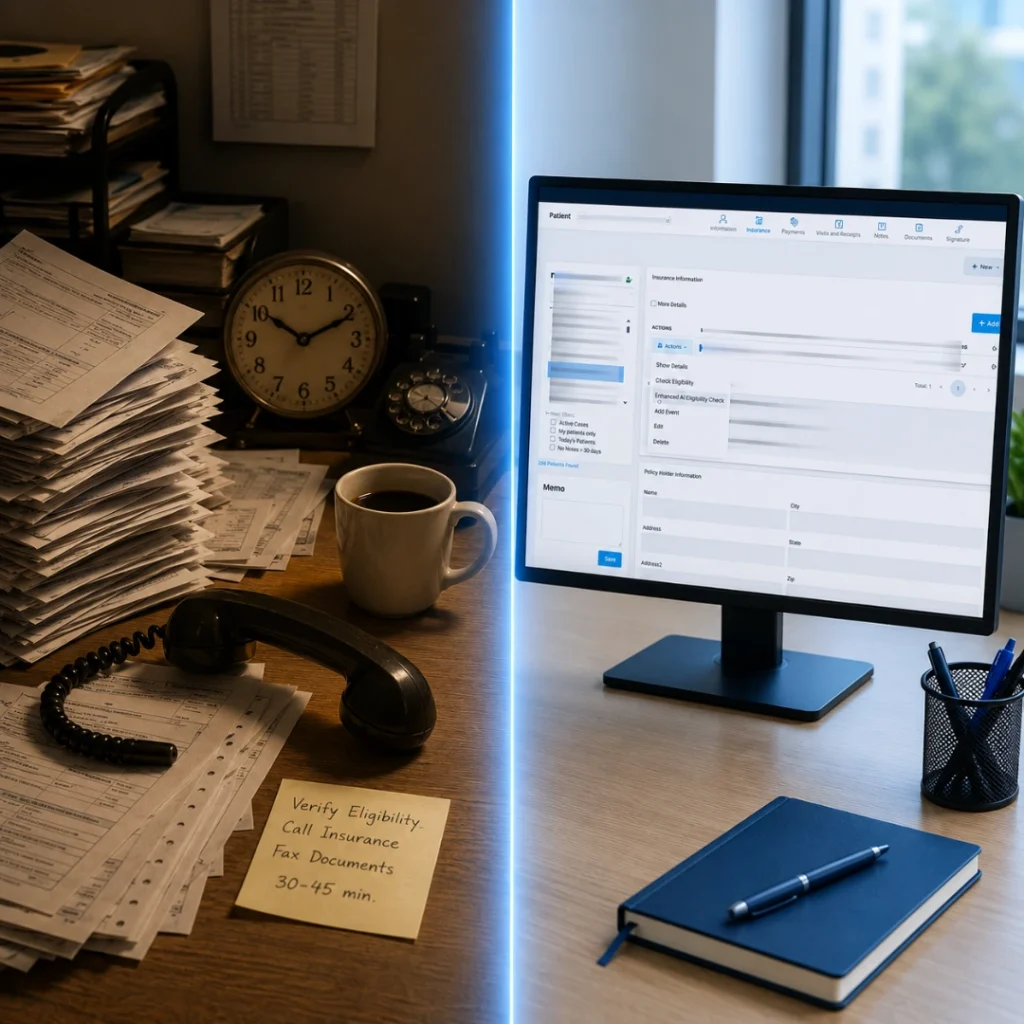
Split image comparing manual phone-based insurance eligibility verification with automated real-time verification through HelloNote

What is the difference between manual and automated eligibility verification for therapy billing?

Manual eligibility verification requires billing staff to contact each insurance payer individually, either by phone or through a payer web portal, to confirm active coverage, covered benefits, and authorization requirements before each visit. Automated eligibility verification uses a clearinghouse connection such as Inovalon to run real-time electronic checks directly from the EMR or billing system, returning coverage details in seconds without phone calls or separate portal logins. According to the 2025 CAQH Index, manual eligibility verification costs $6.78 per transaction. Electronic verification costs $0.34. For a therapy practice running 30 eligibility checks per day, that difference adds up to over $57,000 per year in avoidable administrative cost

Key Takeaways

    • Manual eligibility verification costs $6.78 per transaction. Automated electronic verification through a clearinghouse like Inovalon costs $0.34. The 2025 CAQH Index reports a savings of $6.44 per verification when switching from manual to electronic.
    • Eligibility and coverage errors account for nearly 50 percent of all claim denials in the US healthcare system. Every eligibility-related denial was avoidable with a same-day check before the session.
    • HelloNote connects to Inovalon as its primary clearinghouse partner, allowing therapy practices to run eligibility checks through the Inovalon portal using Claims Management Pro without leaving the billing workflow.
    • The Inovalon eligibility check process in HelloNote: log into providercloud.inovalon.com, launch Claims Management Pro, go to Patient Tab, Eligibility, Request, and check the response.
    • Resolving a denied claim from an eligibility error costs 5 to 20 hours of staff time and $125 to $700 in labor per denial. Running a two-minute eligibility check before the session costs nothing by comparison.

Manual eligibility verification for therapy billing is one of the most expensive habits a practice can have, and most practices have no idea what it is actually costing them. Not just in staff time. In claim denials, in write-offs, in patient billing disputes, and in the administrative rework that follows every denial that a real-time eligibility check would have prevented. For physical therapy, occupational therapy, speech-language pathology, and chiropractic practices, eligibility verification is where the revenue cycle either starts correctly or starts with a problem that compounds downstream.

HelloNote connects to Inovalon as its primary clearinghouse partner, which means therapy practices using HelloNote have access to Inovalon’s real-time eligibility verification capability directly through the billing workflow. Understanding how that connection works, what it replaces, and when to use it is the difference between a front desk team that spends hours on hold with insurance lines and one that runs a two-minute eligibility check and moves on.

This post covers the real cost of manual verification, how the HelloNote and Inovalon integration works, the step-by-step process for checking eligibility through Inovalon, and a direct comparison of manual versus automated verification for therapy practices in 2026.

The True Cost of Manual Eligibility Verification in Therapy Billing

The administrative cost of manual eligibility verification is well documented but rarely calculated at the practice level. Most therapy practice owners know that eligibility verification takes time. What they have not added up is what that time costs across all their patients, all their staff hours, and all the denials that result when the process is skipped or shortcuts are taken.

The Per-Transaction Cost

The 2025 CAQH Index Report is the most comprehensive annual analysis of healthcare administrative transaction costs. According to that report, the cost of a manual eligibility verification transaction is $6.78. The cost of an electronic eligibility verification transaction is $0.34. The savings per transaction when switching from manual to electronic is $6.44.

For a therapy practice running 20 eligibility checks per day across 250 working days per year, that is 5,000 verification transactions annually. At the manual rate of $6.78, that is $33,900 per year in verification administrative cost. At the electronic rate of $0.34, that is $1,700. The difference is $32,200 per year in recoverable administrative cost, solely from how the practice runs eligibility verification.

The Denial Cost That Follows Failed Verification

The cost of a failed or skipped eligibility check does not end with the staff time spent on the check. It continues into the denial. Eligibility and coverage issues account for nearly 50 percent of all claim denials in the US healthcare system. When a claim is denied for an eligibility reason, the practice has already delivered the service and documented the visit. What follows is a denial management process that, according to industry research, costs between 5 and 20 hours of staff time per denial and $125 to $700 in labor costs at standard billing staff rates of $25 to $35 per hour.

A therapy practice that sees 30 patients per day and experiences a 10 percent eligibility-related denial rate on sessions where verification was not run is processing approximately 3 eligibility denials daily. At an average resolution cost of $200 per denial, that is $600 per day in denial management labor ($150,000 per year), from the decision to skip or shorten the pre-visit eligibility check.

What Manual Eligibility Verification Actually Requires

Manual eligibility verification in a therapy practice takes one of two forms: a phone call to the payer’s provider services line or a login to the payer’s web portal. Neither is efficient at scale, and both introduce the possibility of human error in recording the information returned.

Phone Verification

Phone verification requires a staff member to call the insurance company’s provider services line, navigate an automated system, wait on hold, speak with a representative, ask a series of questions about coverage, and manually record the responses. Average hold times on commercial payer provider lines range from 8 to 25 minutes depending on the payer and the time of day. For a practice running 20 eligibility checks daily by phone, that is 160 to 500 minutes of hold time per day, in addition to the actual call time once connected.

The information returned over the phone is only as accurate as what the representative communicates, and it is only as reliable as what the staff member records. There is no structured data format, no audit trail, and no easy way to reference the verification later if a claim is denied and the practice needs to demonstrate that eligibility was confirmed before the session.

Portal Verification

Portal verification requires logging into each payer’s separate web portal, navigating to the eligibility section, entering patient information, and reviewing the response. For a practice that bills to 10 different payers, portal verification means maintaining login credentials for 10 different systems, navigating 10 different interfaces, and manually entering patient data 10 different ways. Session timeouts, interface changes after payer system updates, and portal downtime all create additional friction.

Portal verification is faster than phone verification for most payers but still requires the manual data entry and separate system navigation that clearinghouse-based verification eliminates.

The Multi-Payer Problem

The manual verification problem compounds when patients have multiple sources of coverage: a primary commercial plan, a secondary Medicare or Medicaid plan, and possibly a supplemental plan. Each payer must be verified separately. For these patients, manual verification that would take two minutes through Inovalon can take 30 to 45 minutes of staff time by phone or portal. For a practice with a significant dual-coverage patient population, this is where the per-transaction cost of manual verification becomes the most damaging.

Stop paying $6.78 for something that costs $0.34.

HelloNote connects to Inovalon for real-time eligibility verification across Medicare, Medicaid, and hundreds of commercial payers. No phone calls. No portal logins. No setup fees. No contracts.

No credit card required · HIPAA Compliant · PT, OT & SLP

How Automated Eligibility Verification Through Inovalon Works

How does Inovalon eligibility verification work for therapy practices?

Inovalon’s eligibility verification system uses the HIPAA X12 270/271 electronic transaction standard to send a real-time eligibility inquiry to the payer and receive a structured benefit response. The 270 transaction is the eligibility inquiry that asks the payer whether a specific patient is covered for specific services on a specific date. The 271 transaction is the payer’s response, which contains coverage status, benefit details, deductible information, coordination of benefits, and authorization requirements. Inovalon connects to thousands of payers and processes these transactions in real time without requiring the provider to log into a separate portal or call a phone line.

The 270/271 Transaction Standard

Electronic eligibility verification operates on the HIPAA-mandated X12 270/271 transaction set. The 270 is the eligibility inquiry transaction that the clearinghouse sends to the payer on behalf of the provider. It contains the patient’s member ID, the provider’s NPI, the date of service, and the type of service being verified. The 271 is the payer’s response transaction, which returns structured data about the patient’s coverage including active status, covered benefits, deductible and out-of-pocket balances, copay and coinsurance amounts, coordination of benefits information, and any authorization requirements.

Because the 271 response is structured data rather than a verbal response from a representative, it can be stored in the patient record, referenced if a claim is denied, and used as documentation that eligibility was confirmed before the session. This audit trail is something phone and portal verification do not reliably provide

Inovalon's Payer Network

Inovalon connects to thousands of payers for eligibility verification, including Medicare through direct HETS database access, all state Medicaid programs, and a broad network of commercial payers. The Inovalon payer list is publicly available and searchable at inovalon.com/payer-list/, allowing practices to confirm that their specific payer mix is covered before relying on the system for verification. For payers not currently in the Inovalon network, a payer request can be submitted directly through Inovalon.

Medicare Eligibility Through HETS

database, providing 24/7 access to real-time Medicare Part B coverage data. The HETS connection returns Medicare eligibility, benefit periods, secondary coverage details, Medicare Advantage plan information, and coordination of benefits data. For practices that bill significant Medicare volumes, HETS-connected verification through Inovalon eliminates the need to access the HETS system separately and returns structured benefit data rather than the navigation-heavy interface of the Medicare web portal.

How HelloNote Connects to Inovalon for Eligibility Checking

HelloNote uses Inovalon as its primary clearinghouse partner for both claims management and eligibility verification. The connection between HelloNote and Inovalon means that practices using HelloNote for their EMR and billing workflow can access Inovalon’s eligibility verification capability through the Inovalon portal without setting up a separate clearinghouse relationship.

The Inovalon Portal and Claims Management Pro

Eligibility verification through the HelloNote and Inovalon connection runs through the Inovalon Provider Cloud portal at providercloud.inovalon.com. Within the portal, the Claims Management Pro module handles both claims submission and eligibility verification, keeping both workflows within the same system. This means the billing team does not switch between a claims tool and a separate eligibility tool. Claims Management Pro handles the full workflow from eligibility through submission through ERA.

Enhanced Eligibility Check Feature

HelloNote has an Enhanced Eligibility Check feature that extends the standard eligibility verification capability. This feature provides additional benefit detail beyond basic coverage confirmation, returning more granular information about therapy-specific benefits, visit limits, and authorization requirements where the payer’s 271 response supports that level of detail.

Secondary Location Setup in Inovalon

For practices with multiple locations that share the same NPI and EIN, Inovalon handles multi-location setup by adding the secondary location under the primary location in the Inovalon portal. In HelloNote, the secondary office name is modified to include a state abbreviation or other identifier to distinguish it from the primary location. For example, a practice called Physical Therapy PLLC with a Connecticut location would appear as Physical Therapy PLLC-CT in HelloNote, matching the name configured in Inovalon for that secondary location.

Step-by-Step: How to Check Eligibility Through Inovalon in HelloNote

The eligibility check process through Inovalon requires access to the Inovalon Provider Cloud portal. The following steps reflect the current process as documented in HelloNote’s support knowledge base.

Eligibility Check Process

  1. Log into the Inovalon Provider Cloud portal at providercloud.inovalon.com using your practice credentials
  2. From the portal dashboard, click Launch next to Claims Management Pro
  3. Inside Claims Management Pro, navigate to the Patient Tab
  4. Select Eligibility from the patient navigation options
  5. Select Request to submit a new eligibility inquiry for the patient
  6. Enter the patient’s insurance information including member ID, payer, and date of service
  7. Submit the eligibility request
  8. Check the Response after a few minutes. The 271 response will return the patient’s coverage details

The response time for the eligibility check depends on the payer. Most commercial payers return a real-time response within seconds to two minutes. Some payers process eligibility requests in batch, which may result in a slightly longer response window. Medicare responses through the HETS connection are typically real-time.

What to Do With the Eligibility Response

Once the 271 response returns, review the following fields before confirming the appointment or beginning the session:

    • Coverage status: confirm active as of the date of service, not just active generally
    • Covered benefits: confirm the specific therapy service being provided is a covered benefit under the patient’s plan
    • Deductible balance: note the remaining deductible so the front desk can collect accurate patient responsibility
    • Copay and coinsurance amounts: confirm what the patient owes at the time of service
    • Authorization requirement: confirm whether prior authorization is required for this service and this payer
    • Coordination of benefits: identify any secondary coverage that should be billed after the primary claim


Manual vs Automated: A Direct Comparison for Therapy Practices

The following comparison is based on 2025 CAQH Index data, HelloNote and Inovalon documentation, and industry research on therapy practice billing operations.

Factor Manual Verification Automated via Inovalon
Cost per transaction
$6.78 (CAQH Index 2025) $0.34 (CAQH Index 2025)
$0.34 (CAQH Index 2025)
Time per check
8 to 25 minutes (phone) / 5 to 10 minutes (portal)
Seconds to 2 minutes
Audit trail
Manual notes (unreliable)
Structured 271 data (retrievable)
Multi-payer patients
Each payer contacted separately
Single workflow, multiple payer connections
Medicare access
CMS web portal or phone
Direct HETS database, 24/7 real-time
Error risk
High, manual data entry and verbal responses
Low, structured electronic data
Denial prevention
Dependent on staff accuracy and availability
Consistent: same process every patient every visit
Portal logins required
One per payer
One: Inovalon Provider Cloud
Scalability
Degrades as patient volume increases
Scales without additional staff time

The Volume Tipping Point

Manual verification is viable at very low patient volumes. A solo therapist seeing 5 to 8 patients per day may manage phone verification without significant operational impact. The tipping point is typically around 15 to 20 patients per day. At that volume, the phone and portal time required for manual verification begins to consume a meaningful portion of a front desk staff member’s day. By 30 patients per day, manual verification at full coverage of all patients before every visit is not operationally sustainable without dedicated billing staff.

Inovalon’s automated verification scales without adding staff time. Running 30 eligibility checks or 100 eligibility checks through Claims Management Pro takes the same per-check time. The process does not degrade with volume the way manual verification does.

When Manual Verification Is Still Necessary

Automated eligibility verification through Inovalon eliminates the majority of manual verification work but does not eliminate all of it. There are specific situations where a manual follow-up check provides information that the 271 response does not.

When the 271 Returns Incomplete Benefit Data

Some payers return a coverage active response through the 271 transaction without detailed benefit information such as therapy-specific visit limits, authorization requirements, or deductible balances. When the automated check confirms active coverage but does not return sufficient benefit detail to make a billing decision, a call to the payer’s provider services line or a portal login is still required to obtain the specific information needed. This is a partial manual verification, not a full manual process, because the automated check has already confirmed active coverage.

When Authorization Requirements Need Confirmation

The 271 response indicates whether authorization is required for a service, but it does not confirm that an authorization has been obtained or approved. For patients whose plan requires prior authorization for therapy, the automated eligibility check is the first step that identifies the authorization requirement. The authorization itself must still be obtained through the payer’s authorization process, which typically involves a phone call or portal submission to the payer’s utilization management department.

When Coverage Appears Inactive

When the 271 response returns an inactive coverage status, it is worth a manual follow-up before canceling the patient’s session or requiring self-pay. Coverage can appear inactive in the automated check for several reasons that a manual call can resolve: the member ID was entered incorrectly, the payer has updated the member ID and the patient has not yet received the new card, or there is a processing delay in the payer’s eligibility database. A brief call to the payer’s provider services line can distinguish a genuine coverage lapse from a data issue that can be corrected before the session.

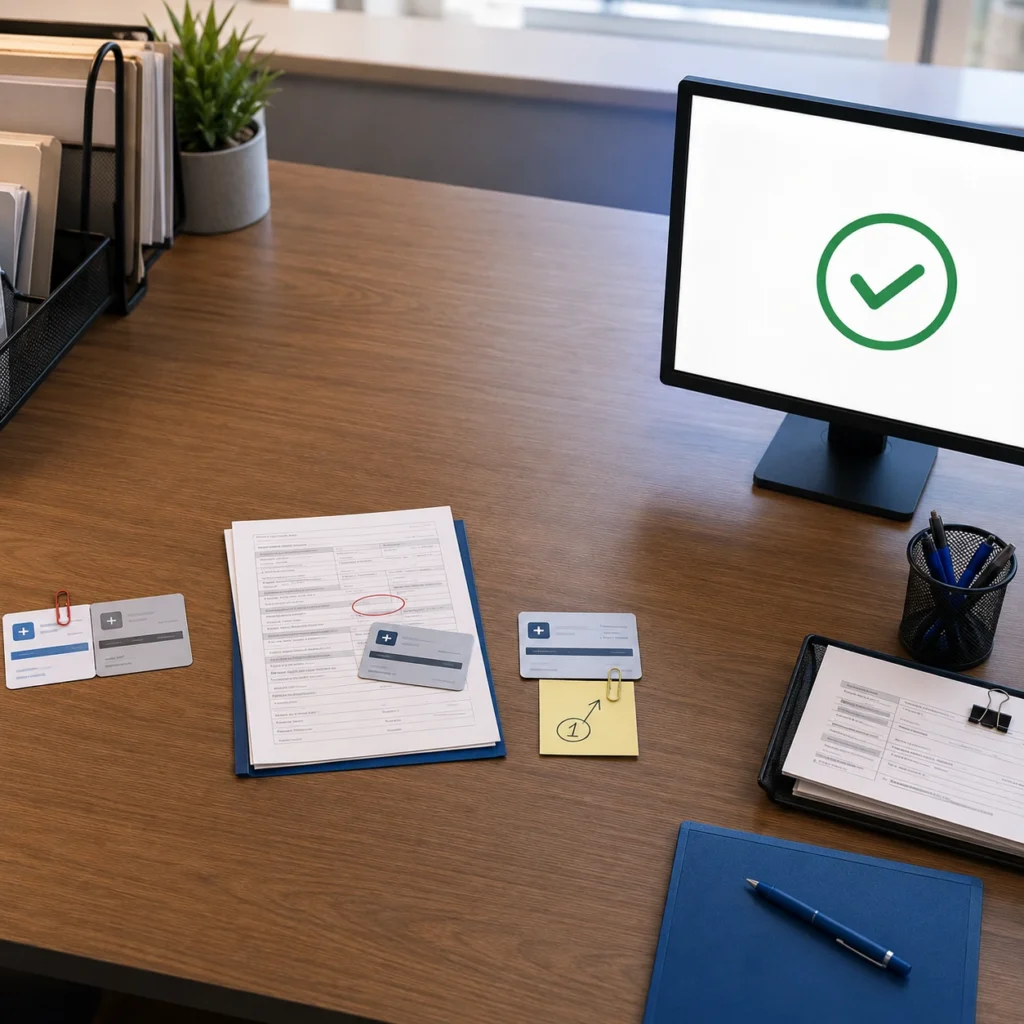
Desk scene showing insurance card mismatches, a corrected patient form, and a payer ID note resolving into a verified checkmark on screen

Common Eligibility Errors and How to Resolve Them

Payer ID Mismatch in HelloNote

If the eligibility check through Inovalon returns a payer not found or invalid payer ID error, the most common cause is a mismatch between the payer ID configured in HelloNote and the payer ID Inovalon uses for that insurer. Verify the payer ID against HelloNote’s eligibility checker payer list at hellonote.com/eligibility-checker/ and update the payer ID configuration in HelloNote settings under PayerID match if there is a discrepancy.

Patient Information Mismatch

A patient not found response from Inovalon typically indicates a data entry mismatch between the patient information in HelloNote and the information the payer has on file. Common mismatch causes include an incorrect member ID, a date of birth entered incorrectly, a subscriber name that does not match exactly (including suffixes and hyphens), or a plan group number that has changed since the patient’s last visit. Verify the patient’s insurance card against the information in HelloNote and resubmit with corrected data.

Payer ID and Payer Name Error in Inovalon

If Inovalon returns a payer ID and payer name mismatch error, the payer ID entered in HelloNote may correspond to a different payer than the one the patient is covered by. This error appears in Inovalon’s Claims Management Pro as a configuration issue rather than a patient data issue. Correct the payer ID in HelloNote to match the payer’s Inovalon payer ID, which can be found in the Inovalon payer list at inovalon.com/payer-list/. HelloNote’s support knowledge base also has an article specifically covering how to correct payer ID and payer name errors in Inovalon.

Still paying $6.78 to verify something that should cost $0.34?

HelloNote connects to Inovalon for real-time eligibility checks across Medicare, Medicaid, and hundreds of commercial payers. Start free and see how it works for PT, OT, SLP, and Chiro.

No credit card required • HIPAA Compliant • PT, OT & SLP

Frequently Asked Questions

What is the difference between manual and automated eligibility verification?

Manual eligibility verification requires staff to call insurance payer lines or log into separate payer web portals to confirm coverage before each visit. Automated verification uses a clearinghouse like Inovalon to submit an electronic 270 inquiry and receive a structured 271 benefit response in real time. According to the 2025 CAQH Index, manual verification costs $6.78 per transaction and automated costs $0.34. For a therapy practice running 5,000 verifications per year, the difference is over $32,000 in annual administrative cost.

How does HelloNote use Inovalon for eligibility verification?

HelloNote connects to Inovalon as its primary clearinghouse partner. Eligibility verification runs through the Inovalon Provider Cloud portal at providercloud.inovalon.com using the Claims Management Pro module. From the Patient Tab, users navigate to Eligibility, submit a Request, and check the Response after processing. The verification covers Medicare via HETS direct connection, all-state Medicaid, and thousands of commercial payers in the Inovalon network.

How much does manual eligibility verification cost compare to automated?

According to the 2025 CAQH Index Report, manual eligibility verification costs $6.78 per transaction. Electronic verification through a clearinghouse costs $0.34. The savings per transaction is $6.44. For a practice running 20 eligibility checks per working day across 250 working days, switching from manual to automated verification saves approximately $32,200 per year in administrative cost, not counting the downstream denial management costs that failed or skipped verifications generate.

Does Inovalon verify Medicare eligibility in real time?

Yes. Inovalon connects directly to Medicare's HETS database, providing 24/7 real-time access to Medicare Part B coverage information. The HETS connection returns Medicare eligibility, benefit periods, secondary coverage details, Medicare Advantage plan information, and coordination of benefits data. For practices that have completed HETS enrollment, Medicare verification through Inovalon eliminates the need to access the HETS system separately.

When is manual verification still necessary even with Inovalon?

Manual verification is still necessary in three situations: when the 271 response returns active coverage but does not include sufficient benefit detail for billing decisions; when authorization requirements identified in the 271 response need to be confirmed or obtained through the payer's utilization management process; and when the 271 response returns inactive coverage that may be the result of a data entry error rather than a genuine coverage lapse. In all three cases, the automated check still does the majority of the work and reduces the manual follow-up to targeted calls rather than full verification from scratch.

How do I set up eligibility verification through Inovalon in HelloNote?

Eligibility verification through Inovalon in HelloNote requires two things: active enrollment in the HelloNote eligibility system (email [email protected] with practice name, address, phone, tax ID, and group NPI) and payer ID configuration in HelloNote settings under PayerID match. Once enrolled and configured, eligibility checks run through the Inovalon Provider Cloud portal using Claims Management Pro. The full payer list is available at hellonote.com/eligibility-checker/.

Every manual eligibility call is revenue your practice is leaving on the table.

HelloNote and Inovalon. Real-time eligibility verification built into your billing workflow. No setup fees. No contracts.

No credit card required · HIPAA Compliant · PT, OT & SLP

UnitedHealthcare Cuts Prior Authorization for Therapy: What PT, OT, and SLP Practices Need to Know

Physical therapist standing in a bright clinic after completing prior authorization documentation and therapy notes.

UnitedHealthcare announced on May 5, 2026 that it will eliminate prior authorization requirements for 30% of services that currently require insurer approval — including certain outpatient therapies and chiropractic care — with full implementation by end of 2026. This is the largest single prior authorization reduction by any major U.S. insurer and directly affects PT, OT, SLP, and chiropractic practices with UHC-insured patients.

What does UnitedHealthcare’s 2026 prior authorization change mean for PT, OT, SLP, and chiropractic practices?

UnitedHealthcare is cutting prior authorization requirements for 30% of services that currently require approval, including certain outpatient therapy and chiropractic services, with implementation expected by the end of 2026. For PT, OT, SLP, and chiropractic practices, this may reduce front desk authorization work and help patients start care faster. However, the change does not remove the need for strong documentation, medical necessity support, functional goals, and audit-ready notes for every visit.

Bottom line:

Prior authorization may be reduced, but documentation quality still protects the claim.

Table of Contents

Key Takeaways

    • UnitedHealthcare will eliminate prior authorization requirements for 30% of services currently requiring approval, with full implementation by end of 2026.
    • The cuts explicitly include certain outpatient therapies and chiropractic care — making this directly relevant to PT, OT, SLP, and DC practices nationwide.
    • This change affects approximately 50 million UHC members across commercial, Medicare Advantage, and employer-sponsored plans.
    • Removing prior authorization does not remove documentation requirements. Therapists still need to prove medical necessity on every note.
    • HelloNote’s documentation templates support clean, denial-proof notes whether or not a service requires prior auth.

On May 5, 2026, UnitedHealthcare — the largest health insurer in the United States — announced it will eliminate prior authorization requirements for 30% of services that currently require advance approval. The changes will take effect by the end of 2026 and will affect approximately 50 million members across commercial, Medicare Advantage, and employer-sponsored plans.

For physical therapists, occupational therapists, speech-language pathologists, and chiropractors, one line in the announcement stands out: the cuts include “certain outpatient therapies and chiropractic care.” This is not a hospital story or a surgical specialty story. This one lands directly in your practice.

In this post, we break down exactly what UnitedHealthcare changed, what it means for your day-to-day workflow, what does not change, and how to make sure your practice is ready before these changes take effect.

What UnitedHealthcare's Prior Authorization Cut Actually Means

Prior authorization reform in brief: UnitedHealthcare will eliminate prior authorization requirements for 30% of services that currently require advance insurer approval, including certain outpatient therapies and chiropractic care, with full implementation by end of 2026.

UnitedHealthcare’s May 5, 2026 announcement is the largest single reduction in prior authorization requirements by any major U.S. insurer. The company will publish a full list of affected services at UHCProvider.com before the changes take effect.

To understand the scope: prior authorization is currently required for only about 2% of UHC medical services. Of those, approximately 92% are approved within 24 hours. The 30% cut applies to that 2% — a meaningful reduction in administrative burden for providers, not a complete elimination of the process.

The announcement builds on related moves UnitedHealthcare made in early 2026: exempting rural care providers from prior authorization in April, joining an industry effort to standardize electronic prior authorization submission (with 70% of its prior authorizations moving to a standardized process by year-end), and a broader industry pledge from insurers including Aetna, Cigna, Elevance, Humana, and Centene.

A 2024 AMA survey found that physicians and their staff spend an average of 13 hours per week completing prior authorization requests, and 93% of physicians reported care delays while waiting for insurer approvals. This reform directly addresses that burden.

What Changes for PT, OT, SLP, and Chiropractic Practices

What this means for therapy practices in brief: Certain outpatient therapies and chiropractic care are explicitly included in UnitedHealthcare’s prior authorization reduction — meaning therapy practices with UHC-insured patients may see reduced administrative burden for some services by end of 2026.

The specific services confirmed include select outpatient surgeries, diagnostic tests like echocardiograms, and certain outpatient therapies and chiropractic care. The complete list of affected CPT codes will be published at UHCProvider.com before the changes take effect.

What is already clear: therapy and chiropractic services are explicitly named. That is a significant shift for practices that have historically spent staff time managing prior auth requests for routine outpatient care.

What this could mean in practice:

    • Fewer phone calls and portal submissions to obtain authorization for qualifying therapy services
    • Faster start-to-treatment timelines for UHC-insured patients — no waiting for approval before beginning a plan of care
    • Less staff time spent on authorization follow-up and appeals for included service types
    • Reduced authorization-related claim denials for services that no longer require advance approval.

For chiropractic practices specifically, chiropractic care has historically been one of the more heavily prior-authorized therapy categories. Being explicitly included in the reduction signals a meaningful policy shift for DC practices treating UHC members.

For PT, OT, and SLP practices, the impact depends on which specific CPT codes are included when UHC publishes the complete list. Practices should monitor UHCProvider.com and sign up for UHC provider communications now.

Looking up more cpt codes?

See 97110, 97530, and 50+ therapy procedure codes – with billing guidance and documentation tips in one place.

What Does NOT Change — Documentation Is Still Your First Line of Defense

What stays the same in brief: Removing prior authorization requirements does not remove the requirement to document medical necessity. Therapists still need thorough, functional, goal-linked documentation on every note — because payers can still audit, deny retrospectively, and request records at any time.

This is the most important section in this post, and the one most likely to get overlooked in coverage of this news.

Prior authorization is a pre-treatment checkpoint. Documentation is a different layer — the permanent record that proves every service you billed was medically necessary, clinically appropriate, and delivered as documented. Those two things operate independently.

Removing the pre-treatment checkpoint does not remove the audit risk. If anything, eliminating prior authorization can shift the review process from pre-service to post-service — meaning payers may look more carefully at claims and documentation after services are rendered.

What this means for your practice:

    • Medical necessity documentation requirements are not changing
    • Functional goal documentation is still required for every note
    • Plans of care still need to establish and support medically necessary care
    • Payers can still conduct retrospective audits and request records
    • Claim denials based on documentation deficiencies will still occur for services that were never prior-auth’d to begin with.

Every note still needs to clearly link the intervention to a functional outcome, document skilled service, and support medical necessity — whether or not that visit required advance authorization.

Prior authorization reform reduces administrative burden before treatment. It does not reduce the documentation burden after treatment. Those are two different compliance layers, and only one of them is changing.

Split-screen image showing a cluttered paper-based therapy documentation process beside a clean digital therapy EMR workflow with a laptop and checkmark.

How to Prepare Your Practice Before the End of 2026

How to prepare in brief: Therapy practices with UHC-insured patients should monitor UHCProvider.com for the full list of affected service codes, update front desk intake workflows to reflect the changes, and ensure documentation quality is strong enough to withstand a post-service audit.

These are the steps therapy practice owners and office managers should take between now and the end of 2026:

Step 1 — Get on UnitedHealthcare's provider communication list

UHC will publish the full list of affected CPT codes at UHCProvider.com before the changes take effect. Make sure someone at your practice is monitoring that page and signed up for UHC provider alerts. Knowing exactly which services no longer require auth prevents both unnecessary authorization requests and potential billing mistakes.

Step 2 — Audit your current prior auth workflow for UHC patients

Map out which services you currently prior-authorize for UHC-insured patients. When the full code list is published, compare it against your current workflow. Build a clear internal reference: these codes no longer need auth, these still do.

Step 3 — Update your front desk and intake processes

Your front desk team is likely trained to request authorization for certain services as part of intake. When changes take effect, that process needs to be updated — so staff are not submitting unnecessary auth requests for services that no longer require them, and not accidentally skipping auth for services that still do.

Step 4 — Do a documentation quality check now

Use the time between now and year-end to audit your current documentation quality. Are your notes consistently linking interventions to functional goals? Are your plans of care establishing and supporting medical necessity? Are your therapists documenting skilled service clearly on every note?

Step 5 — Watch for similar changes from other insurers

UnitedHealthcare is not the only insurer moving in this direction. Aetna, Cigna, Elevance, Humana, and Centene have all made related pledges as part of the broader AHIP industry reform initiative. Changes at other payers may follow a similar timeline and may include similar therapy service categories.

Have questions about how prior authorization changes affect your billing?

HelloNote’s team is built by therapists who’ve navigated every version of this. Start free and see how we handle documentation and billing for PT, OT, SLP, and Chiro.

No credit card required • HIPAA Compliant • PT, OT & SLP

How HelloNote Helps Therapy Practices Navigate Prior Auth Changes

Prior authorization reform changes what happens before your patient walks in the door. It does not change what has to happen in your notes after they leave.

The documentation standard that protects your practice — whether prior authorization was required or not — is the same: functional goals, skilled service, medical necessity clearly supported in every note. That is what auditors look for. That is what payers look for when they review claims retrospectively.

HelloNote is built around that documentation standard. Here is what that looks like in practice when prior auth requirements change:


    • Structured note templates prompt therapists to link every intervention to a functional goal before sign-off — the same documentation pattern that passes audits whether or not a service was pre-authorized
    • Built-in eligibility verification helps your front desk confirm coverage details for UHC patients in real time — so when prior auth requirements change, you are working from current coverage data, not assumptions
    • Billing integration connects your documentation directly to claims — so when a service no longer requires prior auth, the billing workflow adapts without creating a gap between what was documented and what was billed
    • PT, OT, SLP, and chiropractic-specific templates mean the documentation fields your therapists fill in are relevant to the exact services being affected by this policy change

Prior auth reform is good news for therapy practices and their patients. Less administrative friction before treatment means faster access to care and less staff time on the phone. HelloNote handles the documentation and billing side of what happens after — so the removal of a pre-treatment checkpoint does not create a post-treatment compliance gap.

Frequently Asked Questions About UnitedHealthcare Prior Authorization Changes for Therapy

What did UnitedHealthcare change about prior authorization for therapy?

UnitedHealthcare announced on May 5, 2026 that it will eliminate prior authorization requirements for 30% of services that currently require advance approval, including certain outpatient therapies and chiropractic care, with full implementation by end of 2026. The complete list of affected CPT codes will be published at UHCProvider.com before the changes take effect. This applies to UHC members across commercial, Medicare Advantage, and employer-sponsored plans.

Does this UnitedHealthcare prior authorization change affect physical therapy, occupational therapy, or speech therapy?

Yes — UnitedHealthcare's announcement explicitly includes certain outpatient therapies in the list of services being removed from prior authorization requirements. The full list of affected therapy CPT codes will be published at UHCProvider.com before the changes take effect in 2026. PT, OT, SLP, and chiropractic practices with UHC-insured patients should monitor that page for the full details.

When do UnitedHealthcare's prior authorization changes take effect for therapy services?

UnitedHealthcare stated that the prior authorization changes will be fully implemented by the end of 2026. The full list of affected services will be published at UHCProvider.com before the changes take effect, giving providers advance notice to update their workflows.

Does removing prior authorization mean I no longer need to document medical necessity?

No — removing prior authorization requirements does not change documentation requirements. Prior authorization is a pre-service approval process. Medical necessity documentation is a separate and ongoing requirement that supports every billed service, regardless of whether it was pre-authorized. Payers can still audit claims and request records retrospectively, so thorough functional documentation remains essential on every note.

What should my therapy practice do to prepare for UnitedHealthcare's prior authorization changes?

For services removed from prior authorization requirements, denials based on failure to obtain prior authorization will no longer occur — but documentation-based denials can still happen. A service that no longer requires prior auth can still be denied if the documentation does not support medical necessity, does not demonstrate skilled care, or does not link the intervention to a functional outcome. The prior auth barrier is removed; the documentation standard is not.

Will UnitedHealthcare's prior authorization changes reduce claim denials for therapy?

While HelloNote does not offer a traditional time-limited free trial, we offer something better: a Free Forever EMR plan. This plan is specifically designed for startup practices and solo clinicians who need a professional, HIPAA-compliant system without the upfront cost. Limitations: The free plan is limited to 2 active patients and provides email-only support. It is the perfect "sandbox" to build your practice before you scale.

Are other insurance companies also cutting prior authorization for therapy services?

Yes — UnitedHealthcare is part of a broader industry reform effort. Other major insurers including Aetna, Cigna, Elevance Health, Humana, and Centene have made related commitments to reduce prior authorization requirements as part of an initiative coordinated through AHIP. The scope and timeline of changes vary by insurer.

READY TO STREAMLINE YOUR CLINIC?

See How HelloNote Handles All of This in One Platform

Managing staff hours, compliance, inventory, and financial reports — all inside one HIPAA-compliant EMR built for PT, OT, and SLP clinics.

No credit card required · HIPAA Compliant · PT, OT & SLP

PT Clinic Operations Management: A Complete Guide for Therapy Practice Owners

What is PT Clinic Operations Management?

PT clinic operations management covers the systems and processes that keep a physical therapy practice running efficiently — including staff scheduling and productivity tracking, documentation compliance, billing and revenue cycle management, multi-location coordination, patient communication, and inventory management. Effective clinic operations management directly impacts therapist retention, patient outcomes, and practice profitability.

Key Takeaways

    • EMR and EHR are related terms, but they are not always the same in practical use.
    • An EMR is usually centered on the patient record and workflows inside a single practice or organization.
    • An EHR is typically broader and may support information sharing across different providers and care settings.
    • Therapy practices often rely on EMR tools for documentation, scheduling, billing, intake, patient communication, and reporting.
    • EHR connectivity can be useful when therapists coordinate with physicians, hospitals, specialists, labs, or other members of a patient care team.
    • The right system should fit the practice’s clinical workflows, administrative needs, compliance requirements, and long-term growth plan.

Table of Contents

Running a therapy clinic involves far more than treating patients.

Between tracking staff hours, staying compliant across locations, managing supply costs, and preparing for audits — clinic owners carry an operational load that most practice management software wasn’t built to handle.

This guide covers the core pillars of PT clinic operations management: labor and productivity tracking, multi-location compliance, inventory control, and financial reporting — with insights from Dmitry Shevchenko, OTR/L, COO of HelloNote, who brings firsthand perspective as both a licensed occupational therapist and a multi-location clinic operator.

Everything covered here is built into HelloNote’s HIPAA-compliant practice management platform — designed specifically for PT, OT, and SLP practices across the United States.

Managing Staff Time and Productivity in a Therapy Clinic

Labor is typically the largest operating expense in any therapy practice — often accounting for 55–70% of total clinic costs. Yet many clinic owners still reconcile staff hours manually at the end of each week, leaving room for errors, disputes, and payroll delays.

HelloNote’s time-tracking system gives clinic owners a real-time view of how hours are being spent — broken down by clinical time (direct patient care) and administrative time (documentation, scheduling, meetings). This distinction matters because productive clinical hours generate revenue, while administrative time, though necessary, must be actively monitored.

Tracking Clinical vs. Administrative Hours

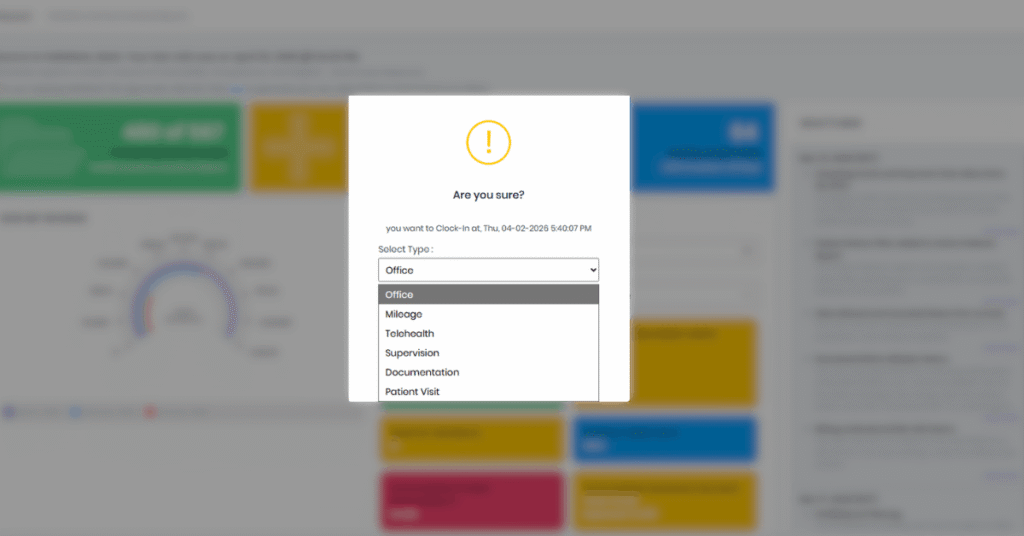
HelloNote’s Clock In / Clock Out system automatically categorizes each logged session. When a staff member clocks in for a patient visit, that time is flagged as productive/clinical. When clocking in for documentation, scheduling, or internal meetings, it is logged as administrative. This separation allows owners and clinical directors to run weekly productivity reports and identify where time is being lost.

HelloNote EMR Clock In screen showing session type categories for PT clinic staff time tracking

How Incomplete Documentation Affects Payroll Accuracy

HelloNote applies a documentation-completion requirement before payroll is processed: if a therapist has unsigned notes, their hours are flagged until the documentation is finalized. This keeps billing records clean and reduces compliance risk tied to unsigned clinical notes.

“Before HelloNote, Friday afternoons were a payroll nightmare. I watched owners scramble between different systems just to figure out how many hours staff worked. Now, Clock In and Clock Out live in the same place as the clinical notes — you eliminate an entire category of administrative error.”

— Dmitry Shevchenko, OTR/L — COO, HelloNote

Staying Compliant Across Multiple Clinic Locations

Medicare and Medicaid payer audits for PT, OT, and SLP practices are governed by CMS outpatient therapy documentation requirements — making active compliance oversight a financial necessity, not just a best practice.”

What "Compliance Drift" Is and Why It Happens

As therapy practices grow beyond a single location, documentation consistency becomes significantly harder to maintain. Staff at a second or third clinic may develop informal workflows — delaying note completion, skipping required fields, or signing off on documentation without full review. Over time, these small deviations compound into audit risk.

Dmitry Shevchenko calls this pattern “compliance drift” — and he has seen it affect even well-run practices:

“Compliance doesn’t break all at once — it drifts. The most dangerous moment for a growing clinic is when leadership stops actively reviewing what’s happening at other locations. By the time a problem is visible, it’s often already a liability.”

— Dmitry Shevchenko, OTR/L — COO, HelloNote

How to Audit Every Location From One Dashboard

HelloNote’s Global Audit feature consolidates documentation across all clinic locations into a single report view. Owners and administrators can filter by location, therapist, date range, or note status — without switching between accounts or systems.

Recommended workflow for multi-location owners:

  1. Navigate to Reports → Notes Report
  2. Clear the Office Filter to view all locations simultaneously
  3. Sort by note status — prioritize unsigned or incomplete notes
  4. Set a weekly review cadence (Friday morning works well before the week closes)

This process takes under 10 minutes and creates a documented audit trail that demonstrates active compliance oversight — relevant to both Medicare and Medicaid payer audits.

Inventory Management: The Hidden Cost in Every Therapy Visit

Why Consumable Supplies Are Typically Untracked

Most therapy practices track durable equipment and billable supplies — items like orthotic braces or TENS units. Consumable supplies, however — electrode pads, ultrasound gel, table paper, gloves, and kinesiology tape — are rarely tracked per visit, which means their true cost is almost never factored into per-visit profitability calculations.

Calculating Your True Cost-Per-Visit

“Most owners forget about the consumables. But at 1,000 visits a month, untracked supplies can represent thousands of dollars in unaccounted cost. You may think you’re profitable on a per-visit basis — and you’re not, because you’ve never actually calculated the supply component.”

— Dmitry Shevchenko, OTR/L — COO, HelloNote

HelloNote’s inventory tracking module allows clinics to log all supply categories — including consumables — and associate usage with visit volume. The result is an accurate cost-per-visit figure that accounts for both labor and materials.

What to Track in HelloNote Inventory:

  • Electrode pads and TENS supplies
  • Ultrasound gel
  • Table paper and sanitation supplies
  • Athletic tape and kinesiology tape
  • Disposable gloves

When stock falls below a set threshold, HelloNote generates a low-inventory alert — reducing the risk of running out of supplies mid-week.

HelloNote Operations Features: Quick Reference

HelloNote Feature

Primary Function

Operational Benefit

Clock In / Clock Out

Real-time staff time tracking

Eliminates manual hour reconciliation; separates clinical vs. admin time

Inventory Management

Consumable and supply tracking

Enables accurate cost-per-visit calculation

Revenue Report

Payment and collections overview

Distinguishes collected revenue from outstanding claims

Visits Analytics

Attendance and no-show reporting

Identifies patient retention issues by therapist or location

Global Audit

Cross-location note compliance

Single-view audit trail for multi-office practices

Mileage Tracking

Home visit distance logging

Simplifies IRS-compliant mileage reimbursement for mobile clinicians

Preparing Your Clinic for Payroll, Taxes, and Audits

Mileage Tracking for Home Visit Clinicians

For PT and OT practices that include home health or mobile visit components, IRS-compliant mileage tracking is a documentation requirement — not optional. HelloNote allows clinicians to log mileage at clock-out by selecting the Mileage category and entering odometer readings or distance in the Comments field.

This creates a timestamped, per-clinician mileage record that can be exported directly for tax reporting or reimbursement calculations — eliminating the need for separate mileage apps or manual spreadsheets.

What to Send Your Accountant (and When)

HelloNote’s Revenue Report distinguishes between payments received and outstanding claims — an important distinction for accrual vs. cash-basis accounting. Before your monthly or quarterly accountant review:

  1. Run the Revenue Report from the Reports dashboard
  2. Filter by “Payment Received” to isolate collected revenue
  3. Export the report as a CSV or PDF
  4. Include the date range and any location filters applied

This gives your accountant a clean, verified picture of actual cash collected — not projected billing — which is what matters for tax preparation.

Key Takeaways: Running a Tighter Therapy Practice

Key Takeaways

  • Labor is your largest controllable cost. HelloNote separates clinical and administrative hours in real time, eliminating end-of-week payroll guesswork.
  • Compliance drift is a real risk in multi-location practices. The Global Audit dashboard lets owners review documentation status across all offices from one screen.
  • Consumable supplies are an invisible cost driver. Tracking them per visit inside HelloNote reveals the true cost of care delivery.
  • Mileage and payroll documentation must be structured from the start. HelloNote creates an IRS and HIPAA-compliant record trail without additional apps.
  • Clean financial reporting starts with the right filters. Using HelloNote’s “Payment Received” filter gives accountants a verified cash-basis revenue figure.

HelloNote is a HIPAA-compliant, all-in-one practice management EMR built specifically for PT, OT, and SLP clinics — replacing disconnected tools with a single operational platform.

READY TO STREAMLINE YOUR CLINIC?

See How HelloNote Handles All of This in One Platform

Managing staff hours, compliance, inventory, and financial reports — all inside one HIPAA-compliant EMR built for PT, OT, and SLP clinics.

No credit card required · HIPAA Compliant · PT, OT & SLP

FREQUENTLY ASKED QUESTIONS

How do I identify which therapist has the highest no-show rate in HelloNote?

Navigate to Reports → Visits, set your date range, filter by status "No Show," and group results by therapist. This report helps clinical directors identify which staff may need support with patient communication or scheduling practices.

Does HelloNote support mileage tracking for home health or mobile PT visits?

Yes. Clinicians select the Mileage category at clock-out and log distance or odometer readings in the Comments field. These records are timestamped and exportable for IRS reimbursement reporting.

What is the best way to prepare financial reports for my accountant in HelloNote?

Run the Revenue Report, apply the "Payment Received" filter, and export the file. This isolates collected revenue from pending claims and gives your accountant an accurate cash-basis figure for the reporting period.

Is HelloNote compliant with HIPAA, IRS, and Department of Labor requirements?

HelloNote is built to meet HIPAA privacy and security requirements, IRS documentation standards for mileage and payroll, and DOL labor tracking compliance. It is designed specifically for therapy practices operating under these regulatory frameworks.

Can I manage and audit multiple clinic locations from one HelloNote account?

Yes. The Global Audit feature consolidates note status, documentation compliance, and visit data across all locations into a single dashboard view — without requiring separate logins or reports per office.

Does HelloNote offer a free trial or a free version?

While HelloNote does not offer a traditional time-limited free trial, we offer something better: a Free Forever EMR plan. This plan is specifically designed for startup practices and solo clinicians who need a professional, HIPAA-compliant system without the upfront cost. Limitations: The free plan is limited to 2 active patients and provides email-only support. It is the perfect "sandbox" to build your practice before you scale.

Looking up more cpt codes?

See 97110, 97530, and 50+ therapy procedure codes – with billing guidance and documentation tips in one place.

Best EMR for Cash-Based Physical Therapy: The 2026 Operational Guide

Table of Contents

In 2026, the cash-pay physical therapy model is no longer a niche experiment—it’s becoming the preferred model for clinicians seeking greater clinical autonomy and stronger margins.

By removing insurance billing complexity, cash-based clinics simplify operations and improve patient relationships. But that shift also changes what you need from your EMR.

Traditional insurance-focused EMRs prioritize claim scrubbing, ICD-10 validation, and payer workflows. A cash-pay practice needs something different. Your EMR should function less like a billing machine and more like the operational engine of your clinic, supporting patient acquisition, retention, and efficient documentation.

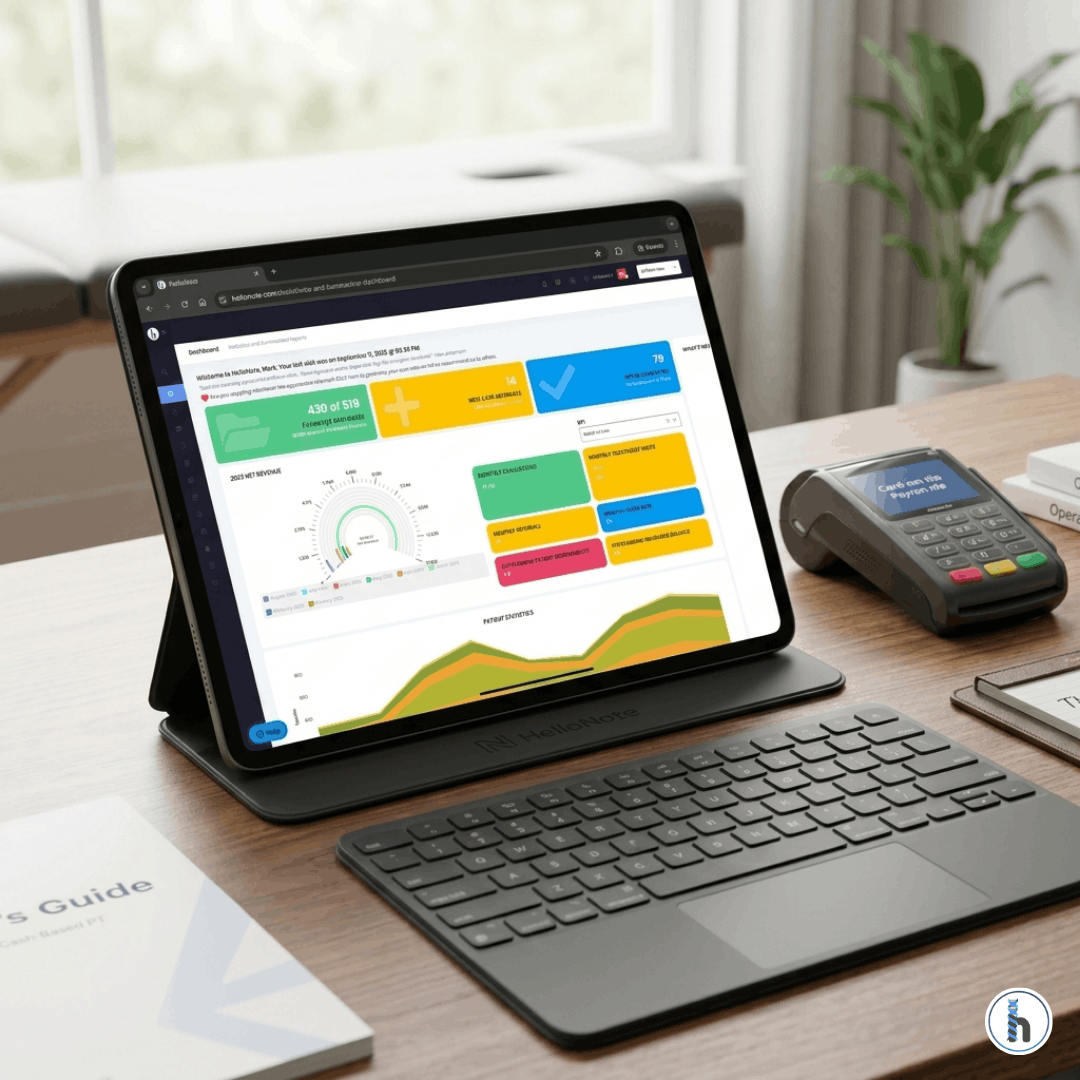
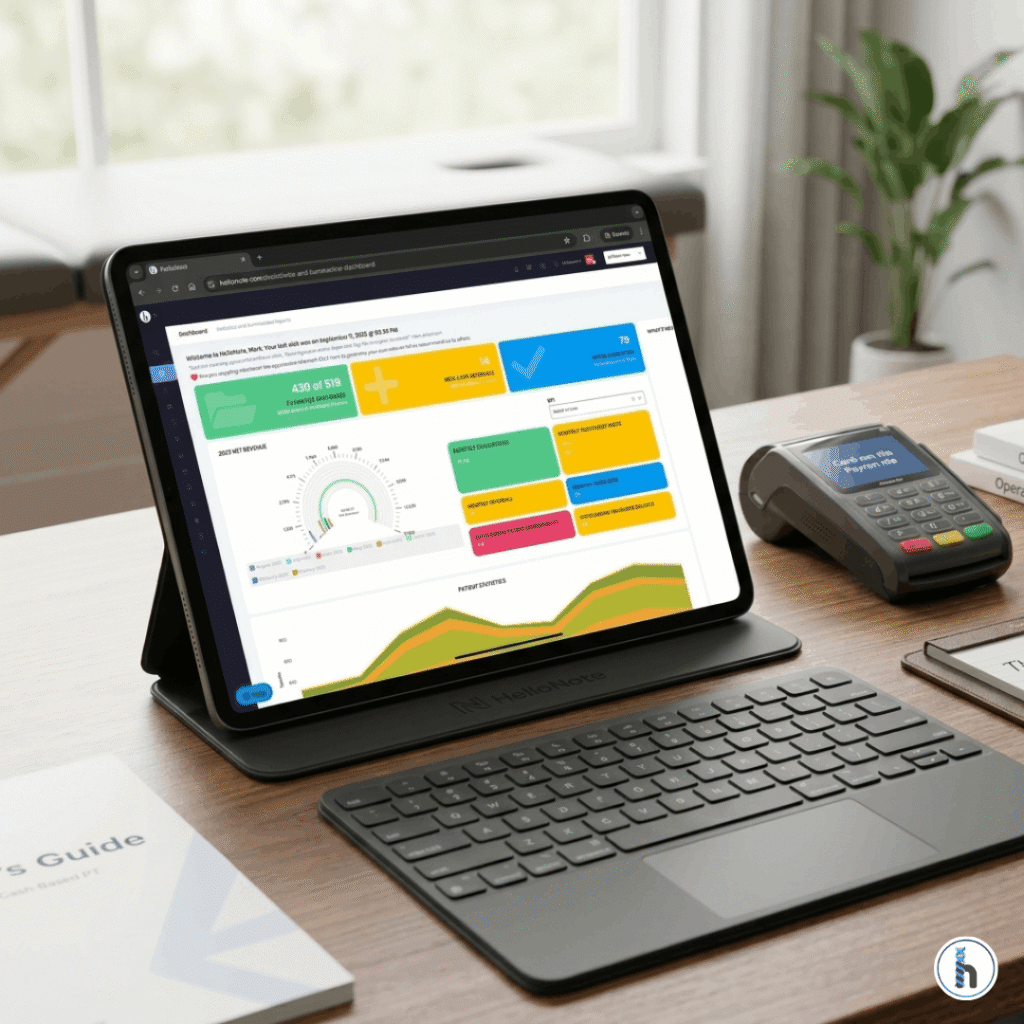
HelloNote physical therapy EMR dashboard displayed on a tablet with a connected keyboard, sitting next to a wireless payment terminal and a 'Cash-Based PT Guide' on a modern clinic desk.

What Cash-Based Clinics Actually Need from an EMR

When a patient pays directly for care, their expectations shift. They are not just patients—they are consumers of healthcare. That means the experience your clinic provides matters just as much as the clinical outcome.

1. Frictionless Patient Onboarding

In a cash-based model, the first impression often happens online. Patients expect to book appointments easily, complete forms from their phone, and interact with your clinic without administrative friction.

The Shift to Self-Service Scheduling

Industry data in 2026 shows that more than half of cash-pay therapy appointments are booked after business hours. If patients cannot book instantly, they will often move on to the next clinic.

Mobile-First Intake Forms

Asking patients to download, print, and scan paperwork feels outdated. Digital intake that flows directly into the patient’s chart removes this barrier and improves both convenience and documentation accuracy.

2. The Invisible Payment Workflow

One of the biggest operational differences in cash-based practices is how payments are handled. Modern systems remove friction through secure card-on-file workflows and automated billing.

Performance Membership Models

Platforms such as HelloNote allow clinics to automatically charge for visits or recurring memberships. This supports the increasingly common performance membership model, where patients pay a monthly fee for continued access to care.

One-Click Superbill Generation

For patients who wish to use their out-of-network benefits, generating a professional superbill with CPT codes in one click saves both the therapist and patient valuable time.

3. Documentation at the Speed of Care

Cash-based clinicians prioritize EMR platforms that allow them to complete documentation quickly. Custom templates, macros, and streamlined note structures help reduce the time spent on charting.

AI-Assisted Documentation Tools

A major development in 2026 is the integration of AI scribes. These allow therapists to narrate findings or capture portions of the clinical interaction, generating structured SOAP note drafts automatically.

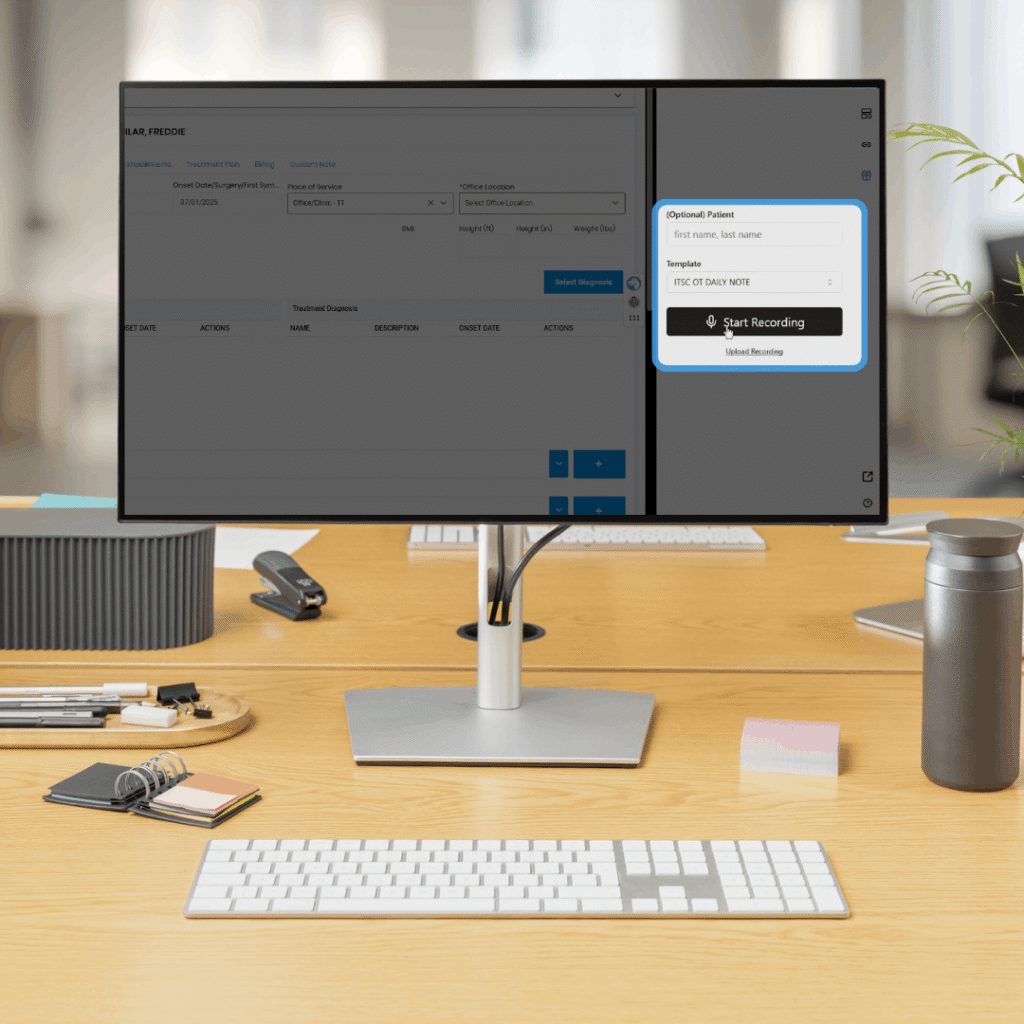
HelloNote Hippo-Scribe AI documentation tool for physical therapy SOAP notes

As seen in the HippoScribe interface (above), therapists can now simply start a recording to capture the clinical encounter, letting the AI handle the heavy lifting of drafting the SOAP note while the clinician stays focused on the patient.

4. The Role of Patient Retention

For cash-based practices, Patient Lifetime Value (PLV) is the most important business metric. Without insurance referrals, clinics must focus more intentionally on keeping patients engaged.

Automated Follow-Up Reminders

If a patient hasn’t scheduled a follow-up, automated reminders can help bring them back before they disengage from treatment.

The Therapist’s Insight: The Efficiency Dividend

One pattern consistently appears among successful cash-based practice owners: They don’t just charge higher rates; they operate more efficiently.

Every extra minute spent navigating a complicated EMR is a minute that could have been spent treating a patient, building referral relationships, or strengthening the clinic brand. A practical rule many therapists use is the “Three-Click Test”: You should be able to move from the schedule to a clinical note to a payment screen in three clicks or fewer.

The Bottom Line

Cash-based physical therapy is growing because it allows clinicians to focus on outcomes rather than insurance processes. But the success of that model depends heavily on the tools that support your workflow.

In 2026, patients are not only paying for therapy—they are paying for convenience, clarity, and a smooth clinical experience. Choosing the right EMR helps ensure your clinic can deliver exactly that.

Frequently Asked Questions

Do cash-based physical therapists still need an EMR?

Yes. Even without insurance billing, an EMR is required for HIPAA-compliant documentation and the professional generation of superbills.

How does AI-assisted documentation work for PTs in 2026?

Modern EMRs like HelloNote integrate AI scribes that can listen to a session or a therapist’s narrated summary to draft a structured SOAP note. This allows therapists to focus on the patient rather than the screen, significantly reducing “pajama time” (charting at home).

What is the "Three-Click Test" for EMR efficiency?

It is a usability standard: a clinician should be able to navigate from the calendar to a patient’s clinical note and then to the billing/payment screen in three clicks or fewer. This minimizes administrative fatigue and keeps the focus on patient care.

Can a cash-based EMR handle patient memberships or packages?

Yes. Specialized EMRs allow you to set up recurring membership billing or pre-paid packages. This “Performance Membership” model is a key trend in 2026 for maintaining steady clinic revenue and long-term patient engagement.

How do my patients get reimbursed if I am a cash-pay provider?

The EMR generates a “Superbill”—a detailed receipt containing the necessary ICD-10 and CPT codes. The patient then submits this document to their insurance provider to seek out-of-network reimbursement directly, removing the billing burden from your clinic.

The Ultimate Guide to Renting Out a Massage Room in Your Therapy Practice

Table of Contents

Subletting an unused treatment room is one of the most efficient ways to generate predictable passive income while expanding your clinic’s wellness footprint. By transforming empty square footage into a revenue-generating asset, you can offset overhead and create a more holistic environment for your patients.

Typical rental income ranges from:

    • $500–$1,500 per month (Part-time use)

    • $600–$1,800 per month (Full-time use)

However, success depends on three foundational pillars: a landlord-approved sublease, verified liability insurance, and centralized digital scheduling to prevent operational friction.

Step 1: Legal & Regulatory Essentials

Before advertising your space, you must clear these hurdles to ensure your “passive” income doesn’t become an active liability.

Review Your Master Lease Agreement

Confirm your lease allows for subletting or “License Agreements.” Most commercial leases require written landlord consent. In the current market, landlords are increasingly enforcing Recapture Clauses, so it is vital to get approval in writing.

The “Additional Insured” Requirement

Your malpractice policy will NOT cover a subtenant. Require the renter to carry their own professional liability policy (Industry standard: $2M/$4M aggregate) and name your clinic as an Additional Insured.

Zoning & Licensing Verification

Confirm the modality is permitted under your zoning. For example, medical massage may be permitted, while esthetics or cosmetic procedures might require a different business license category.

Step 2: Choosing the Best Pricing Model

Modern rental models have shifted toward Amenity-Inclusive Pricing, where the rent includes utilities, high-speed WiFi, and access to common areas.

Rental ModelEstimated Market RateBest Use Case
Hourly / On-Demand$15–$35 per hourRotating users or new therapists
Daily (Set Days)$75–$150 per dayPart-time niche specialists
Monthly (Full-Time)$600–$1,800 per monthStable, long-term passive income
A hyper-realistic, professional massage room featuring a high-end treatment table with neutral linens, a large green plant, and a shelf with massage oils. This represents a prime opportunity to rent out a massage room in a therapy clinic for predictable passive income.

Step 3: Operational Standards for Shared Spaces

Shared space only works when invisible expectations are made visible.

Integrated Room Scheduling

Manual calendars lead to “Schedule Friction.” Using a system like HelloNote allows you to assign specific rooms digitally. This prevents double-booking while maintaining strict provider separation.

The 10-Minute Turnover Protocol

Create a written cleaning rule: Sanitize equipment, wipe down bottles, remove trash, and neutralize strong scents. This prevents tenant disputes and keeps patients happy.

Smart Access & Security

Digital smart locks are now the industry standard. Provide unique entry codes for each subtenant to maintain security and provide time-stamped access logs.

Step 4: The "Culture Fit" Strategy

The biggest mistake clinic owners make is assuming that a signed check equals compatibility.

Avoid "Acoustic Seepage" and Scent Conflicts

A tenant who uses loud percussion tools or heavy eucalyptus oils next to a quiet counseling or pediatric session can destabilize your environment. Always include a 30-Day Compatibility Clause in your agreement.

Step 5: Leveraging HelloNote for Multi-Provider Management

Managing subtenants shouldn’t take more time than the income is worth.

Role-Based Permissions & HIPAA Privacy

HelloNote allows you to grant subtenants access to their own schedule and billing without ever seeing your clinic’s sensitive patient files or SOAP notes.

Inventory and Overhead Control

If you provide linens or supplies, use the HelloNote Inventory module to track usage and ensure your margins aren’t eroded by hidden costs.

Frequently Asked Questios

Q1: How do I determine the right rent for my treatment room?

Look at local coworking spaces. Generally, a clinical room should be priced 10-20% higher than a standard office due to specialized medical-grade features and waiting room amenities.

Q2: Does HelloNote allow subtenants to run their own billing?

Yes. HelloNote supports independent billing profiles, allowing subtenants to keep their financial records isolated while using your professional interface.

Q3: What is the difference between a Sublease and a License Agreement?

A sublease grants an interest in real estate; a License Agreement simply grants permission to use the space. Most clinics prefer Licenses because they are easier to terminate if a conflict arises.

Q4: How do I handle shared equipment?

Specify in writing who is responsible for sanitation. It is recommended that each therapist provides their own linens and specialized bolsters.

Q5: Should I offer a percentage-based rent or a flat fee?

Flat fees are best for passive income. Percentage splits are only recommended if you are actively marketing for the therapist and providing front-desk support.

Conclusion: Structure Protects Revenue

Renting out a massage room is a powerful way to grow. By using structured agreements and digital oversight through HelloNote, you ensure your revenue is secure and truly passive.

Ready to see how HelloNote handles room management? Schedule a demo today.

Remote Therapeutic Monitoring (RTM) CPT Codes in 2026: The Complete Therapist Guide

Table of Contents

Most billing friction in rehab therapy happens in the “dead space” between a finalized note and a submitted claim. For Remote Therapeutic Monitoring (RTM), the 2026 CMS updates have eliminated the “all-or-nothing” 16-day rule. HelloNote helps you navigate these new tiers with a closed-loop system that automates CPT coding for both short-duration (2–15 days) and standard (16–30 days) monitoring, ensuring your practice is fully reimbursed for every unit of care delivered.

Physical therapist reviewing RTM dashboard on a tablet showing patient adherence for CPT 98977 and 98980. The realistic interface displays musculoskeletal range of motion graphs and a 16-day data transmission status in a modern clinic.

The 2026 RTM Revolution: Tiered Billing is Here

Historically, RTM was a high-stakes gamble. If a patient transmitted 15 days of data instead of 16, the clinic received $0 for that month. As of January 1, 2026, CMS has introduced a tiered structure that mirrors how patients actually engage with digital health tools.

This “Tiered Transformation” allows PTs, OTs, and SLPs to bill for non-face-to-face management of musculoskeletal (MSK) and respiratory conditions with far greater flexibility.

Breaking Down the New 2026 RTM Code Set

The 2026 update introduced two critical “bridge” codes that capture revenue that was previously lost to the “16-day cliff.”

    • CPT 98985 (NEW): MSK monitoring for 2–15 days of data transmission.

    • CPT 98979 (NEW): First 10–19 minutes of treatment management time.

    • CPT 98977 (REVISED): MSK monitoring for the standard 16–30 days of data.

2026 National Average Reimbursement Rates

Reimbursement rates for 2026 reflect a modest increase in the Medicare conversion factor. Below is the essential coding map for your billing department.

CPT CodeDefinition2026 RequirementEst. National Rate
98975Initial Setup & Education1-on-1 Patient Training~$21.71
98985MSK Monitoring (Short)2–15 Days of Data~$40.08
98977MSK Monitoring (Standard)16–30 Days of Data~$40.08
98979RTM Management (Tier 1)10–19 Minutes~$26.39
98980RTM Management (Tier 2)20+ Minutes~$54.11


Clinical Methodology and Regulatory Context

Unlike Remote Patient Monitoring (RPM), which focuses on physiological data (blood pressure, heart rate), RTM is designed for therapeutic data. This includes exercise adherence, pain scores, and functional responses.

The "Medical Device" Requirement

The 2026 software or hardware you use must meet the FDA definition of a medical device—often categorized as SaMD (Software as a Medical Device). Manual self-reporting into a standard spreadsheet does not qualify for RTM billing.

General Supervision Rules

RTM is a “General Supervision” service. This means you do not need to be in the same room (or even the same building) as the clinical staff performing the monitoring. However, the billing therapist must provide the overall direction and take ultimate responsibility for the care plan.

The "Therapist’s Insight": Winning the Engagement Battle

Even with the new 2-day minimum for short-duration billing, higher engagement leads to better clinical outcomes. In my experience, a “Day 12 Check-in” is the secret to moving a patient from the 98985 tiers (2–15 days) to the full 98977 tier (16–30 days).

Using HelloNote to Automate the "Nudge"

In HelloNote, I use the Patient Authorization Report logic to flag RTM patients. If a patient hasn’t synced their device in 72 hours, the system alerts the front desk to send a secure “nudge” message.

Frequently Asked Questions

Q1. Can I bill 98977 if the patient reports their pain via a phone call?

No. RTM requires data to be transmitted via a qualifying medical device. While the call counts toward management time (98979/98980), the data itself must be device-generated to satisfy the supply codes.

Q2. Does "Interactive Communication" have to be a video call?

No. It can be a phone call or a secure, two-way asynchronous HIPAA-compliant chat. However, it must be a documented clinical exchange; simply leaving a voicemail does not meet the requirement.

Q3. Can a PTA or COTA perform the monitoring?

Yes. Under 2026 guidelines, clinical staff (PTAs/COTAs) can perform the monitoring and management (98979/98980) under the general supervision of the therapist.

Q4. What is the difference between RTM and RPM?

RPM monitors physiologic data (e.g., blood pressure). RTM monitors non-physiologic therapeutic data (e.g., pain levels, HEP adherence). Physical and Occupational Therapists typically bill RTM codes.

Q5. How often can I bill for the initial setup (98975)?

98975 is billed once per episode of care. If a patient is discharged and then re-referred for a new condition six months later, you may bill the setup code again for the new episode.

Final Thoughts: Scaling Your Virtual Care

The 2026 RTM updates prove that CMS is committed to digital health. By lowering the barriers to entry with short-duration codes, they’ve made it possible for every clinic to build a sustainable remote care program.

The Ultimate Guide to Pediatric Therapy EMR: Optimizing PT, OT, and SLP Workflows

Table of Contents

In the high-energy world of pediatric therapy, documentation shouldn’t be the bottleneck that keeps you from your patients. Whether you are navigating the complex sensory needs of an OT patient, the gross motor milestones of a PT session, or the nuanced communication goals of an SLP, your EMR must act as a clinical accelerator, not a hurdle.

As we move through 2026, the standard for “good” software has shifted. It’s no longer just about digital checkboxes; it’s about interdisciplinary synchronization, technical speed, and payer compliance. This guide serves as the definitive resource for clinic owners and therapists looking to master the multidisciplinary pediatric landscape.

1. Why "General" EMRs Fail the Pediatric Clinic

Most EMR systems were designed for adult orthopedics—where progress is often linear and recovery-based. Pediatrics is different. It is developmental. A true pediatric pillar supports the fact that a child’s “baseline” is constantly moving. If your software doesn’t account for age-adjusted norms, pregnancy and birth history, or school-based IEP transitions, you aren’t just losing time—you’re risking claim denials.

The Technical Necessity: Speed and Responsiveness

In our recent technical audits, we’ve identified that Interaction to Next Paint (INP) is the silent killer of productivity. In a pediatric setting, therapists are rarely stationary. You need a platform that responds instantly on a tablet while you’re on the floor with a child. A “laggy” interface isn’t just a nuisance; it disrupts the clinical flow and patient engagement.

2. Deep Dive: Discipline-Specific Clinical Workflows

To build a true center of excellence, your EMR must speak the distinct “languages” of PT, OT, and SLP simultaneously.

Pediatric Physical Therapy: Mobility and Milestones

Pediatric PTs require a workflow built around movement. Your documentation should reflect the transition from reflexive movement to functional independence.

    • Standardized Integration: Direct input for the BOT-2 and PDMS-2 (Peabody). The software should auto-calculate percentiles and standard scores, removing the need for manual calculators.
    • Objective Tracking: Integrated tools for gait analysis, range of motion (ROM), and muscle tone (Modified Ashworth Scale) that visually graph progress over a 6-month episode of care.
    • Equipment Management: Dedicated fields for tracking orthotics (AFOs/SMOs), wheelchair specifications, and durable medical equipment (DME) justifications.

Pediatric Occupational Therapy: Sensory and Independence

For the Pediatric OT, documentation is about the “whole child,” focusing on self-regulation and participation.

    • Sensory Processing Profiles: Customizable templates that allow you to document a child’s response to tactile, vestibular, and proprioceptive input.
    • Fine Motor & ADLs: One-click tracking for handwriting precision, dressing, and feeding milestones.
    • Skilled Intervention Phrases: Smart phrases that describe the grading of an activity (e.g., “Therapist provided moderate tactile cues to facilitate pincer grasp during play-based task”).

Pediatric Speech-Language Pathology: Communication and Feeding

SLPs often have the most diverse goal banks, ranging from non-verbal communication to complex dysphagia.

    • AAC Integration: Specialized fields for documenting a child’s proficiency with Augmentative and Alternative Communication (AAC) devices.
    • Articulation & Language: Pre-loaded goal libraries for phonology, pragmatics, and expressive/receptive language.
    • Feeding & Swallowing: High-compliance templates for oral-motor exams and swallow studies, ensuring every safety measure is documented for medical necessity.
A hyper-realistic 1080x1080 photo of a modern pediatric therapy EMR workstation. A laptop displays integrated SOAP note efficiency with automated BOT-2 scoring. A tablet shows sibling record linking, and an automated clipboard summarizes Medicaid billing compliance rules. A Hellonote mug signifies practice management software optimization.

3. The Compliance Frontier: Medicaid, IEPs, and 2026 Regulations

One of the biggest headaches for multidisciplinary clinics is the “Dual-Payer” problem. You may be billing private insurance for one child, Medicaid for another, and a school district for a third.

    • The IEP-to-SOAP Bridge: Your EMR should allow you to carry over Individualized Education Program (IEP) goals into your clinical SOAP notes, ensuring your documentation satisfies both educational and medical requirements.
    • Automatic Modifier Logic: The system should intelligently apply the GP (PT), GO (OT), and GN (SLP) modifiers based on the therapist’s credentials, preventing “simple” billing errors that lead to massive revenue leaks.
    • Audit-Ready Documentation: With 2026’s increased scrutiny on “Skilled Care,” your software should prompt therapists to include the “why” behind their interventions, ensuring notes are always audit-proof.

4. Transforming the Caregiver Experience

In pediatrics, the “patient” is the entire family unit.

    • The Digital Parent Portal: Modern parents expect to receive Home Exercise Programs (HEPs) via video on their phones, not on a crumpled piece of paper.
    • Sibling Record Linking: Clinic admins save hours when they can link sibling accounts for unified billing and scheduling.
    • HIPAA-Compliant Messaging: Direct, secure lines of communication between the therapist and parent ensure that carryover happens at home, leading to 25% faster goal mastery.

Frequently Asked Quetions

Q1. Can one EMR handle PT, OT, and SLP documentation in a single pediatric patient chart?

Yes. HelloNote allows for a unified patient record where therapists from different disciplines can see each other’s goals and progress, ensuring truly coordinated care.

Q2. Does the software include pediatric-specific standardized tests like the BOT-2 or PLS-5?

Absolutely. We provide automated templates for the most common assessments, allowing you to enter raw data and receive instant scoring and graphing.

Q3. How does the EMR support Medicaid billing and IEP compliance?

Our system is built with built-in rules for Medicaid and school-based billing, ensuring that your documentation meets the high threshold for “medical necessity” required for reimbursement.

Q4. What features help improve speed in a high-volume pediatric clinic?

We focus on Interaction to Next Paint (INP) optimization, meaning the software responds at the speed of your touch, even in clinics with complex, data-heavy patient charts.

Q5. Can I track developmental milestones and growth charts within the software?

Yes. Integrated CDC and WHO growth charts allow you to plot height, weight, and developmental progress directly within the clinical note.

Q6. Is there a parent portal for Home Exercise Programs (HEP) and messaging?

Yes. Our portal allows families to access video-based HEPs and communicate securely with their therapy team, improving engagement and outcomes.

Q7. How does the system handle billing modifiers (GP, GO, GN) for multidisciplinary claims?

The software automatically detects the therapist’s discipline and applies the correct modifier to the claim, ensuring higher first-pass acceptance rates.

Building Your Pediatric Center of Excellence

Choosing an EMR isn’t just about software—it’s about the future of your clinic. By choosing a platform that understands the specific needs of PT, OT, and SLP, you are investing in your therapists’ sanity and your patients’ success.

Ready to see a multidisciplinary demo? Connect with our Pediatric Specialists today.

The Skilled Narrative: Proving Medical Necessity in Pediatric OT with HelloNote

Table of Contents

To prove medical necessity in pediatric OT, therapists must document “Skilled Interventions” using clinical language that links play-based activities to functional outcomes (ADLs). HelloNote simplifies this by providing Sensory Workflows (tracking all 8 sensory systems) and Smart Phrase Engines that translate activities like “messy play” into clinical terms like “desensitization for sensory defensiveness.” This data-driven approach ensures higher reimbursement and audit protection.

1. Master the Sensory Narrative: Beyond Simple Checkboxes

Sensory processing is the heart of pediatric OT, but it’s notoriously difficult to document for reimbursement. Most generic EMRs use simple checkboxes that fail to capture the complexity of the 8 sensory systems, including the often-overlooked Interoception and Proprioception.

Specific Sensory Workflows

Instead of a “one-size-fits-all” form, HelloNote offers templates to document precise responses to:

    • Vestibular Input (Balance & Movement)

    • Proprioceptive Input (Body Awareness)

    • Interoception (Internal Body Signals)

Tracking Self-Regulation Trends

HelloNote allows you to graph a child’s Arousal Levels over time. When you can show a payer that a child’s “Ready to Learn” state has increased from 20% to 80% of the session due to your skilled sensory diet, your medical necessity is indisputable.

2. The "Skilled" Smart Phrase Engine: Eliminating Audit Anxiety

One of the most common reasons for OT claim denials is a lack of “Skilled Language.” Phrases like “Child tolerated activity well” are red flags for auditors because they don’t show the therapist’s expertise.

Clinical Grading Phrases

HelloNote comes pre-loaded with smart phrases that emphasize your role as the therapist. Our system helps you quickly bridge the gap between “play” and “function.”

Example Transformation:

    • Before: “Child played with putty for 10 minutes.”

    • HelloNote “Skilled” Version: “Therapist utilized high-resistance putty to facilitate pincer grasp strength required for independent fastener manipulation during dressing tasks.”

Pediatric occupational therapist in blue scrubs sitting on a clinic floor, showing a progress graph on a tablet while a child with messy play putty laughs.

3. Linking Fine Motor Precision to ADL Milestones

The ultimate goal of OT is independence in Activities of Daily Living (ADLs). Tracking how a pencil grasp improves a child’s ability to feed themselves or get dressed is a core part of the “Skilled Narrative.”

Integrated Goal Banks & One-Click Tracking

HelloNote’s pediatric OT library links fine motor milestones (like hand arches and pincer grasp) directly to ADL outcomes. When you update a fine motor goal, the system prompts you to link that progress to functional independence, creating a cohesive story of progress for insurance providers.

4. Parent Carryover: The Portal as a Clinical Tool

In pediatrics, success depends on the parents following the “Sensory Diet” or Home Exercise Program (HEP) at home.

Video-Based HEPs & Real-Time Engagement

Stop sending home crumpled pieces of paper. Use the HelloNote Parent Portal to send secure, video-based instructions for sensory techniques. When parents are engaged through a professional portal, children reach their goals an average of 25% faster.

Frequently Asked Questions

Q1. How does HelloNote help OTs document sensory processing for higher reimbursement?

HelloNote provides specialized templates that categorize sensory responses across all 8 systems. By linking these responses to functional outcomes, you provide the “skilled narrative” that insurance adjusters require for approval.

Q2. Can I create custom "Smart Phrases" for pediatric OT in HelloNote?

Yes. You can build a library of phrases that describe your specific grading techniques (e.g., “graduated tactile input,” “vestibular pacing”), allowing you to write high-level clinical notes in seconds.

Absolutely. Our goal-tracking system is designed to show the relationship between clinical components (like grip strength) and functional tasks (like handwriting or dressing), proving the value of your interventions.

Q4. How does the HelloNote Parent Portal improve sensory diet carryover?

By providing a secure hub for video-based exercises and sensory strategies, the portal ensures parents have a clear, visual reference for home carryover, which is essential for neuroplasticity and progress.

Q5. . Why do pediatric OTs prefer HelloNote’s interface for play-based therapy?

Because of our INP (Interaction to Next Paint) optimization, the software is fast and responsive on tablets. OTs can document while on the floor or at a swing without the lag that plagues bulkier, non-specialized EMRs.

The Verdict: Documentation That Reflects Your Expertise

Your EMR should be more than a digital filing cabinet; it should be a tool that highlights your clinical skill. If you are tired of your documentation being undervalued, it’s time to switch to a platform built specifically for the nuances of Pediatric OT.

Schedule Your Pediatric-Specific OT Demo Now!

Navigating the Shift: A 2026 HIPAA Compliance Guide for Therapy Practices

Table of Contents

February 16, 2026, isn’t just another date on the calendar—it is a regulatory crossroads for your clinic. While you’re balancing patient outcomes with a thinning bottom line, the Office for Civil Rights (OCR) has shifted the goalposts for data privacy.

Between the mandatory overhaul of Notice of Privacy Practices (NPP) and the sudden ubiquity of Generative AI in the clinic, the “wait and see” approach to compliance is now a liability. For PT, OT, and SLP professionals, 2026 is the year where data security must become as clinical and standardized as your SOAP notes.

A therapist in navy blue scrubs using a tablet to review digital records in a physical therapy clinic, with a 2026 HIPAA ready status overlay.

The Financial Stakes: 2026 Penalty Tiers

The cost of non-compliance is steeper than ever. Following the January 28, 2026 inflation adjustments, the penalty tiers are strictly enforced to ensure clinics prioritize data integrity:

    • Tier 1 (Unknowing): Up to $73,011 per violation.

    • Tier 2 (Reasonable Cause): Up to $73,011 per violation.

    • Tier 3 (Willful Neglect – Corrected): Up to $73,011 per violation.

    • Tier 4 (Willful Neglect – Not Corrected): Up to $2,190,294 per calendar year cap.

The 3 Pillars of HIPAA Security for Rehab Clinics

To ensure your practice is secure, you must address three specific “safeguards” defined by the HIPAA Security Rule.

1. Administrative Safeguards

These represent the “people and processes” of your clinic.

    • Risk Assessment: You are required to perform a documented risk analysis annually.

    • Business Associate Agreements (BAA): You must have a signed BAA with any vendor that touches patient data, such as your EMR, billing service, or email provider.

    • Staff Training: Every employee, from the front desk to the lead clinician, needs documented HIPAA training.

2. Physical Safeguards

This covers the actual location and physical handling of your data.

    • Workstation Security: Computers should have automatic log-offs and screens positioned so they aren’t visible to the public.

    • Device Management: If you use tablets for documentation, they must be encrypted and capable of being remotely wiped if lost.

3. Technical Safeguards (The HelloNote Advantage)

This is where your software does the heavy lifting. In 2026, the distinction between “addressable” and “required” has vanished—technical safeguards are now mandatory.

    • NIST-Level Encryption: All electronic Protected Health Information (ePHI) must be encrypted both at rest and in transit.

    • Audit Logs: Your EMR must track every time a user views, edits, or deletes a record.

    • Secure Communication: Using standard SMS or Gmail for patient updates is a violation.

Critical 2026 Update: The New Notice of Privacy Practices (NPP)

By February 16, 2026, all therapy practices are required to update their Notice of Privacy Practices to align with 42 CFR Part 2. This is not just for substance use clinics; it applies to any entity that receives or maintains such records. The new rules require clearer language regarding:

    • Patient Right of Access: The turnaround for record requests is effectively shortened from 30 days to 15 days.

    • SUD Records: Updated protections and consent requirements for Substance Use Disorder records.

    • Redisclosure Notices: A mandatory statement notifying patients that their info may be subject to redisclosure once shared.

How HelloNote Streamlines Your Compliance

By choosing an EMR built specifically for rehab therapists, you automate the most difficult technical hurdles. HelloNote provides the encryption, audit trails, and secure messaging you need to stay ahead of the curve:

    • Encrypted Portals: Secure messaging avoids the risks of standard SMS.

    • Automatic BAAs: HelloNote provides a signed BAA to all users instantly.

    • Modern Safeguards: Our platform reflects 2026 NIST-level encryption standards and mandatory Multi-Factor Authentication (MFA).

Frequently Asked Questions

Q1. What is the February 16, 2026 HIPAA deadline?

This is the final deadline for all covered entities to update and post their revised Notice of Privacy Practices (NPP). The update must include new language regarding the handling of Substance Use Disorder (SUD) records and patient rights under 42 CFR Part 2.

Q2. Has the "Right of Access" timeline changed in 2026?

Yes. While the official federal limit remains 30 days, the 2026 guidance strongly pushes for a 15-day turnaround to improve interoperability. Clinics failing to meet this “faster access” expectation are currently a top priority for OCR enforcement.

Q3. Are "addressable" safeguards still optional in 2026?

No. One of the biggest shifts in 2026 is the elimination of the distinction between “required” and “addressable.” All safeguards, including encryption at rest and Multi-Factor Authentication (MFA), are now effectively mandatory for all practices, regardless of size.

Q4. Can I still text my patients about their appointments?

Standard SMS is not secure. To remain compliant, you must use an encrypted messaging platform. HelloNote includes secure messaging within the platform to prevent PHI exposure.

Q5. What is the "Minimum Necessary Rule"?

This rule requires therapists to only disclose the minimum amount of PHI necessary to accomplish a specific task. For example, a billing clearinghouse needs your codes, but they do not need your full clinical SOAP notes.

Simplify Therapy Documentation: How to Streamline SOAP and Daily Notes

Table of Contents

Effective documentation is the clinical foundation of any therapy practice. HelloNote streamlines the process by merging SOAP and daily note workflows into one intuitive system, ensuring compliance,

Why Is Documentation Efficiency Critical for Modern Therapy Clinics?

Documentation is the “source of truth” for your clinical care, but it shouldn’t be the most time-consuming part of your day. For clinic owners, inefficient workflows lead to staff burnout and missed revenue. Effective documentation must satisfy three requirements: it must track patient progress, remain audit-ready for insurance, and be fast enough for a busy, high-volume clinic.

A physical therapist using a tablet to complete a SOAP note in a clinical office during the afternoon.

SOAP Notes vs. Daily Notes: Do You Need Both?

Traditionally, therapists have struggled to find a balance between the depth of SOAP notes and the speed of daily notes.

FeatureSOAP NotesDaily Notes
Primary GoalComprehensive, formal recordingQuick, functional updates
Audit ValueHigh (Critical for reviews)Low (Often insufficient)
Typical UseEvaluations, complex progressRoutine treatment sessions

HelloNote bridges this gap by unifying these formats. You no longer have to choose between clinical rigor and daily efficiency; our system integrates the necessary SOAP structure—Subjective, Objective, Assessment, and Plan—into a streamlined daily workflow.

Breaking Down the HelloNote Unified SOAP Format

How does a unified note structure improve your daily efficiency? By providing a structured, intuitive path for every session entry.

What Is the Subjective (S) Section?

This section captures the patient’s perspective and feedback. By using automated prompts, you can quickly document pain levels, functional changes, or patient goals without having to rewrite common phrases.

What Is the Objective (O) Section?

The Objective section is where measurable data lives. Use this to track range of motion, strength, balance, or speech clarity. HelloNote allows you to import past metrics, so you can see trends immediately.

What Is the Assessment (A) Section?

The Assessment is your clinical interpretation. It synthesizes your S and O findings to identify progress or stagnation. This section is vital for justifying continued care to insurance providers.

What Is the Plan (P) Section?

The Plan outlines your next steps. HelloNote makes it easy to add future exercises or adjust goals, ensuring you have a clear roadmap for the patient’s upcoming sessions.

How HelloNote Reduces Documentation Burnout

Administrative burden is the #1 cause of therapist burnout. HelloNote addresses this by reducing the “click count” and manual input required for every note.

    • Customizable Templates: Choose templates built for specific disciplines (PT, OT, SLP).

    • Automated Data Entry: Automatically import historical goals and patient info to avoid redundancy.

    • Compliance Validation: Real-time prompts flag incomplete or non-compliant sections before you sign off.

    • Seamless CPT Linking: Ensure every note is linked directly to your billing codes, reducing claim denials.

Frequently Asked Questions

Q1. Is HelloNote’s documentation system HIPAA-compliant?

Yes. HelloNote is built from the ground up for healthcare, utilizing NIST-level encryption and automated audit logs to ensure your patient records remain secure and compliant with 2026 HIPAA standards.

Q2. Can I use HelloNote for multidisciplinary practices?

Absolutely. Whether you are a solo practitioner or a large multidisciplinary clinic, HelloNote adapts to the unique documentation needs of physical, occupational, and speech therapists.

Q3. How does this help with insurance audits?

By using our standardized, structured note templates, your records are automatically audit-ready. You won’t have to scramble to find supporting data—it is already organized and linked to the patient’s treatment plan.

Q4. Can I complete my therapy notes during the session?

Yes. With HelloNote’s intuitive design, many therapists use “concurrent documentation”—charting during or immediately after the session to ensure accuracy and reduce after-hours workload.

Q5. How does HelloNote reduce therapist burnout?

HelloNote reduces burnout by automating repetitive data entry, utilizing customizable templates, and linking CPT codes directly to documentation, significantly cutting down on non-billable administrative hours.

You've found a hidden discount!

  • 00Hours
  • 00Minutes
  • 00Seconds