















Patient experience does not end when the therapy session is over. For PT, OT, SLP, and chiropractic clinics, the checkout process can affect collections, scheduling, feedback, patient satisfaction, and the clinic’s ability to understand what is happening across the practice.
A patient may finish treatment, walk out quickly, forget to pay a balance, skip scheduling the next appointment, or leave without sharing feedback. Over time, those missed checkout steps can create more front desk follow-up, delayed payments, lower visibility into patient satisfaction, and fewer opportunities to improve the clinic experience.
What is kiosk check-out for therapy clinics?
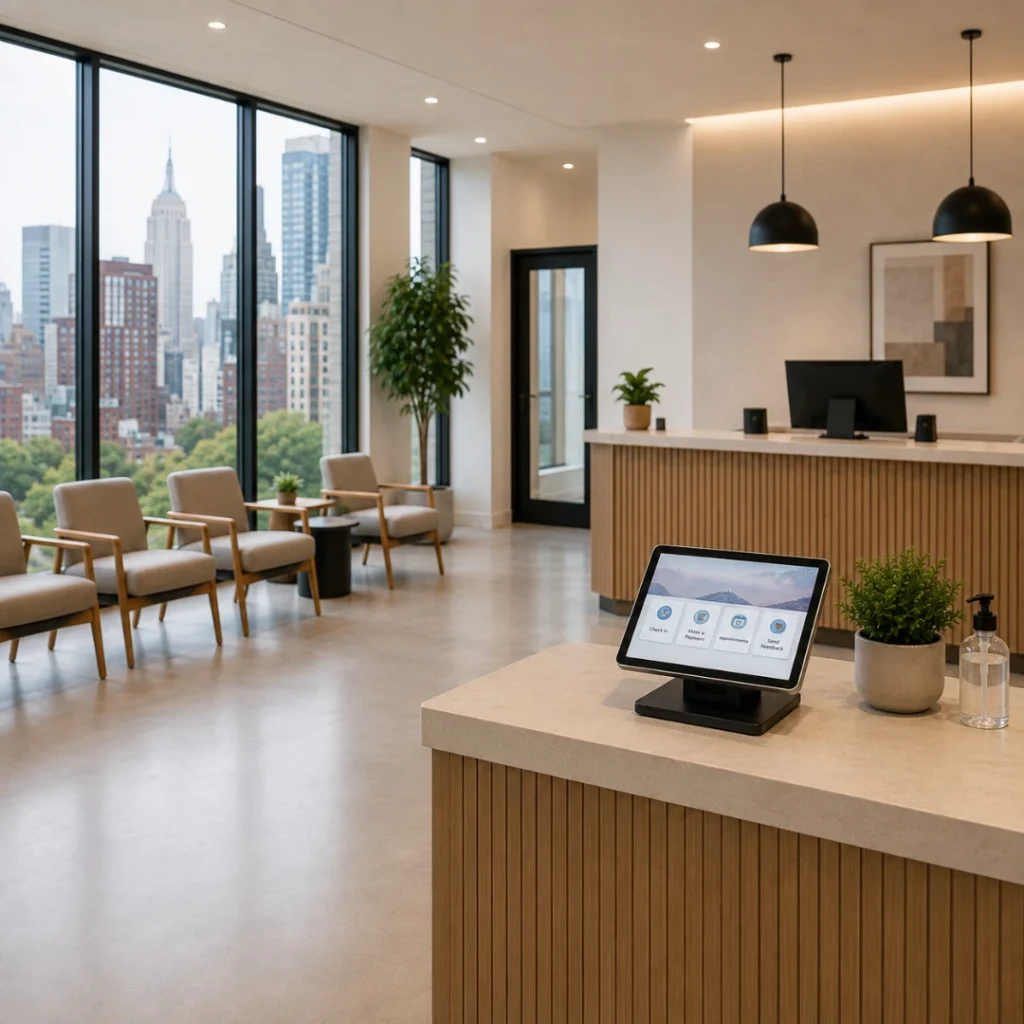
Kiosk check-out is a guided digital workflow patients can use after a visit to complete next steps such as rating their experience, reviewing balances, making a payment, seeing the next appointment, or requesting another appointment.
Key Takeaways
- Kiosk check-out helps therapy clinics make post-visit steps more consistent.
- A checkout kiosk can support payments, appointment requests, patient feedback, and satisfaction tracking.
- Payment prompts can help reduce delayed collections and prevent patient responsibility from building over multiple visits.
- Patient feedback collected right after the visit can help clinics identify issues while the experience is still fresh.
- Patient experience dashboards can help clinic owners review satisfaction trends, wait times, provider feedback, and low-rating alerts.
- HelloNote Kiosk connects checkout, payments, feedback, and patient experience reporting inside one EMR workflow.
Table of Contents
Why Checkout Is a Missed Opportunity in Many Clinics
Many clinics focus heavily on check-in because that is when the patient first arrives. But checkout is just as important because it is often the last chance to confirm what happens next.
If the patient leaves without completing the right steps, the clinic may need to follow up later. That follow-up may include phone calls, payment reminders, scheduling outreach, satisfaction checks, or billing conversations that could have been handled before the patient walked out.
Common checkout problems
Common checkout problems include:
- Patients leaving without paying their balance
- Patient responsibility building up over multiple visits
- Staff needing to chase payments later
- Patients forgetting to schedule the next appointment
- No simple way to capture feedback after the visit
- Owners not knowing when a patient had a poor experience
- Lack of visibility into wait times and satisfaction trends
A kiosk checkout workflow can make these steps more consistent by prompting patients to complete payment, scheduling, and feedback before they leave.
Manual Checkout vs. Kiosk Check-Out
| Manual Checkout | Kiosk Check-Out |
|---|---|
| Patient may leave before completing next steps | Patient follows a guided checkout workflow |
| Staff reminds patients about balances | Kiosk displays payment prompts when needed |
| Payments may be delayed until later | Patients can pay before leaving |
| Staff manually follows up for scheduling | Patient can request the next appointment |
| Feedback is not always collected | Patient can rate the visit right away |
| Low ratings may be discovered too late | Low-rating alerts can help staff respond faster |
| Owners rely on assumptions | Patient experience data helps show trends |
| Waiting room screen may sit idle | Idle mode can show clinic-selected content |
What a Kiosk Checkout Workflow Can Handle
A kiosk checkout workflow works best when it is connected to the clinic’s patient experience, payment, scheduling, and reporting processes. Instead of treating checkout as a quick exit, the clinic can use it as a structured final step in the visit.
Payments and balances
A kiosk checkout workflow can support:
- Balance review
- Payment prompts
- Patient responsibility payments
- Pay-now options
- Reduced manual payment reminders
- More consistent collection opportunities
Scheduling and next steps
A kiosk checkout workflow can help patients:
- View the next appointment
- Request another appointment
- Choose available time slots
- Select a provider, when allowed
- Add appointment comments
- Choose reminder preferences
Feedback and satisfaction
A kiosk checkout workflow can collect:
- Satisfaction ratings
- Patient comments
- Anonymous internal feedback
- Provider experience feedback
- Low-rating alerts
- Patient recommendation signals
Clinic operations visibility
A connected checkout workflow may also support:
- Patient experience dashboards
- Wait time tracking
- Satisfaction trends
- Feedback categories
- Survey completion tracking
- Idle-mode content for patient engagement
Patient Checkout Workflow
A simple kiosk checkout workflow may look like this:
- Patient completes the therapy visit
- Patient starts the checkout process
- Patient reviews any balance or payment prompt
- Patient makes a payment if needed
- Patient reviews the next appointment or requests another appointment
- Patient rates the visit experience
- Patient leaves a comment or feedback if needed
- Clinic receives checkout, payment, scheduling, and feedback information
- Staff reviews any issue, low rating, or follow-up item
This workflow helps clinics turn the end of the visit into a more organized process instead of relying only on manual follow-up.
How Kiosk Payments Help Reduce Patient Balance Problems
Patient payments are easier to manage when they are addressed before balances become overwhelming. A small balance is usually easier to discuss during the visit than after several unpaid visits have accumulated.
A kiosk can display patient responsibility and give patients a clear pay-now option. When the payment workflow is connected to the clinic’s payment process, patients can review what is due and complete payment with less staff involvement.
How can kiosk payments help therapy clinics?
Kiosk payments can help therapy clinics by prompting patients to review and pay balances during check-in or checkout. This can reduce delayed collections, repeated payment reminders, and the risk of patient responsibility building over multiple visits.
For therapy clinics, payment collection is not only a billing issue. It also affects patient relationships. A clear and routine payment prompt can help make the process feel expected rather than uncomfortable.
Checkout Should Also Support Scheduling
The end of the visit is one of the best times to confirm what happens next. If the patient leaves without scheduling, the front desk may need to call later. If the patient is busy or the clinic is backed up, the next appointment may be delayed.
A kiosk checkout workflow can allow patients to request appointments, choose available time slots, select a provider, add comments, and choose reminder preferences. The clinic can still review and approve requests when scheduling rules, provider availability, or plan-of-care requirements need to be checked.
Why clinic control still matters
Patient convenience is useful, but therapy scheduling still needs structure. Appointment scheduling may depend on visit type, provider specialty, location, visit frequency, authorization status, and care plan needs.
A strong checkout workflow should give patients an easy way to request the next appointment while still giving the clinic control over final scheduling decisions.
Patient Feedback Is Most Useful When It Is Collected Right Away
Patients are more likely to give useful feedback when the experience is still fresh. A kiosk checkout workflow can ask patients to rate their experience and leave a comment before they leave the clinic.
This type of feedback can help a clinic identify issues that may not appear in the schedule, billing report, or documentation workflow. The value is not only collecting positive feedback. The value is finding problems early enough to correct them.
What can therapy clinics learn from kiosk feedback?
Therapy clinics can use kiosk feedback to understand satisfaction trends, identify service issues, review patient comments, monitor provider experience, and respond faster when a patient reports a poor experience.
Examples of useful patient feedback
For example:
- Patients may rate clinical care highly but mention long wait times.
- Patients may appreciate the therapist but struggle with communication.
- Patients may comment on cleanliness, scheduling, or front desk experience.
- A low rating may signal a problem that needs immediate follow-up.
Patient Experience Data Should Be Actionable
A simple survey is helpful, but the real value comes from turning feedback into usable data. Patient experience reporting can help organize satisfaction scores, survey completions, wait time information, feedback comments, provider-level trends, and alerts for low ratings.
Questions a patient experience dashboard can help answer
This helps clinic owners answer practical questions:
- Are patients waiting too long?
- Which days have stronger satisfaction scores?
- Are certain providers receiving better feedback?
- Are patients mentioning communication issues?
- Are comments pointing to cleanliness, scheduling, or front desk concerns?
- Are low ratings being addressed quickly?
- Are patients likely to recommend the clinic?
Without this data, the clinic may rely on assumptions. With patient experience reporting, owners can make decisions based on actual patient feedback.
Wait Time Tracking Can Reveal Clinic Flow Problems
Wait time is part of patient experience. Even when clinical care is strong, a long or confusing wait can affect how patients feel about the visit.
When check-in and checkout are connected to the clinic workflow, the system can help show how long parts of the visit take. This can help owners understand whether delays are random or part of a pattern.
Wait time tracking can help answer
Wait time tracking can help answer questions such as:
- Are Monday mornings consistently slower?
- Are new patients waiting longer than returning patients?
- Are certain visit types causing more delay?
- Are checkout steps taking too long?
- Are staff interruptions affecting patient flow?
Low-Rating Alerts Help Clinics Respond Faster
Patient dissatisfaction is harder to fix when the clinic finds out too late. A patient experience dashboard can be configured to flag low ratings, helping the clinic respond while the details are still fresh.
This is especially useful for service issues that can be addressed immediately, such as communication gaps, long waits, confusion about payments, or concerns about the clinic environment.
Why low-rating alerts matter
Low-rating alerts help clinics identify patient concerns before they become bigger problems. They can also help owners or managers see whether the issue is isolated or part of a wider pattern.
Anonymous Feedback Can Encourage Honesty
Patients may hesitate to give honest feedback if they believe every comment will be public or tied directly to them. Anonymous internal feedback can help patients feel more comfortable sharing concerns that the clinic can use for improvement.
Public reviews and internal feedback serve different purposes. Public reviews can help future patients evaluate the clinic. Internal feedback can help the clinic identify what needs to improve.
Public reviews vs. internal feedback
| Public Reviews | Internal Feedback |
|---|---|
| Visible to future patients | Used by the clinic internally |
| Supports reputation and trust | Supports service improvement |
| Usually written for a public audience | May include more direct concerns |
| Helps attract new patients | Helps identify operational issues |
| Often focuses on overall impression | Can point to specific workflow problems |
A strong patient experience strategy should make room for both.
Idle Mode Turns the Kiosk Into a Patient Engagement Tool
When a kiosk is not being used, it does not have to sit on a static screen. Idle mode can play clinic-selected content, allowing the waiting room screen to support patient education, service awareness, and clinic communication.
Ways clinics can use kiosk idle mode
Clinics can use kiosk idle mode to:
- Promote fall prevention programs
- Highlight pelvic health services
- Introduce a new SLP provider
- Share wellness class information
- Promote cash-based services
- Show patient education videos
- Feature clinic announcements
- Explain how to schedule the next visit
This should be handled thoughtfully. The content should be relevant, professional, and easy to understand.
Why Checkout, Payments, and Feedback Belong Together
Checkout, payments, and feedback may sound like separate workflows, but they are connected. At the end of the visit, the clinic wants to know whether the patient completed the visit, owes a balance, needs another appointment, had a good experience, or raised an issue that needs attention.
A kiosk checkout workflow can help collect these answers in one place. This gives the practice better follow-through after the visit and reduces the burden on staff because the system prompts the patient through steps that otherwise require manual reminders.
How HelloNote Kiosk Supports Patient Experience and Clinic Operations
HelloNote Kiosk helps therapy practices manage more than check-in. It can support patient checkout, payment prompts, appointment requests, patient satisfaction surveys, experience dashboards, wait time visibility, feedback categories, low-rating alerts, and idle-mode videos.
For PT, OT, SLP, and chiropractic practices, these features can help owners better understand the patient experience from arrival through checkout. The clinic does not only need to know that a visit happened. It needs to know how smoothly the visit happened, whether the patient paid, whether the next step was scheduled, and whether the patient left satisfied.
HelloNote Kiosk workflow support
HelloNote Kiosk can help therapy practices manage:
- Patient checkout
- Payment prompts
- Appointment requests
- Patient feedback
- Satisfaction surveys
- Patient experience dashboards
- Wait time visibility
- Feedback categories
- Low-rating alerts
- Idle-mode videos
To see the workflow in action, watch the HelloNote Kiosk walkthrough for therapy clinics.
Turn Every Visit Into a Clearer Patient Experience
HelloNote Kiosk helps therapy practices collect payments, support checkout, request patient feedback, track satisfaction trends, and improve clinic visibility in one connected EMR workflow.
No credit card required • HIPAA Compliant • PT, OT & SLP
Frequently Asked Questions
What is kiosk checkout for therapy clinics?
Kiosk checkout is a digital workflow patients can use after a visit to complete next steps such as rating their experience, reviewing balances, making a payment, seeing the next appointment, or requesting another appointment.
How can kiosk payments help therapy clinics?
Kiosk payments can help therapy clinics by prompting patients to pay balances during check-in or checkout. This can reduce delayed collections, repeated follow-up calls, and the risk of patient responsibility building over multiple visits.
Can patients schedule their next appointment through a kiosk?
Yes. A kiosk can allow patients to request an appointment, choose available time slots, select a provider, and choose reminder preferences. The clinic can still review and approve appointment requests when needed.
Why is patient feedback important for therapy clinics?
Patient feedback helps therapy clinics understand what patients experience before, during, and after care. It can reveal issues with wait times, communication, scheduling, cleanliness, provider experience, and overall satisfaction.
What is a patient experience dashboard?
A patient experience dashboard organizes feedback, satisfaction scores, survey completions, wait time data, provider trends, feedback comments, and alerts so clinic owners can monitor patient experience more clearly.
How can wait time tracking help a therapy clinic?
Wait time tracking can help a therapy clinic identify where delays are happening in the patient journey. This can support better scheduling, staffing, intake preparation, and overall clinic flow.
Can kiosk feedback be anonymous?
Yes, kiosk feedback can be structured to support anonymous internal feedback. This may help patients feel more comfortable sharing honest comments about their experience.
How can kiosk idle mode help therapy clinics?
Kiosk idle mode can play clinic-selected videos when the device is not being used. Clinics can use this screen time to promote services, highlight therapists, educate patients, or share announcements in the waiting room.
How does HelloNote Kiosk improve patient experience?
HelloNote Kiosk can improve patient experience by making checkout clearer, prompting payment when needed, helping patients request appointments, collecting feedback, and giving the clinic better visibility into satisfaction and wait-time trends.
Final Thoughts
The patient experience does not stop when treatment ends. Checkout is where the clinic can collect payment, confirm the next step, capture feedback, and identify issues that need attention.
For therapy clinics, this workflow can reduce missed follow-up, delayed payments, and blind spots in patient satisfaction. It also gives owners a clearer view of what patients experience across the practice.
HelloNote Kiosk helps make that process more consistent by connecting checkout, payments, feedback, wait time tracking, and patient experience reporting inside one workflow. For PT, OT, SLP, and chiropractic practices, that can turn the end of each visit into a stronger opportunity to improve both patient experience and clinic operations.

AboutHellonote Expert
The HelloNote Expert Research Team publishes educational resources for physical therapy, occupational therapy, speech therapy, and rehabilitation practices. Their content focuses on documentation workflows, Medicare operations, billing processes, clinician efficiency, AI-assisted charting, and therapy practice management. Articles are developed using healthcare industry research, CMS resources, operational workflow analysis, and therapy-focused EMR expertise.