















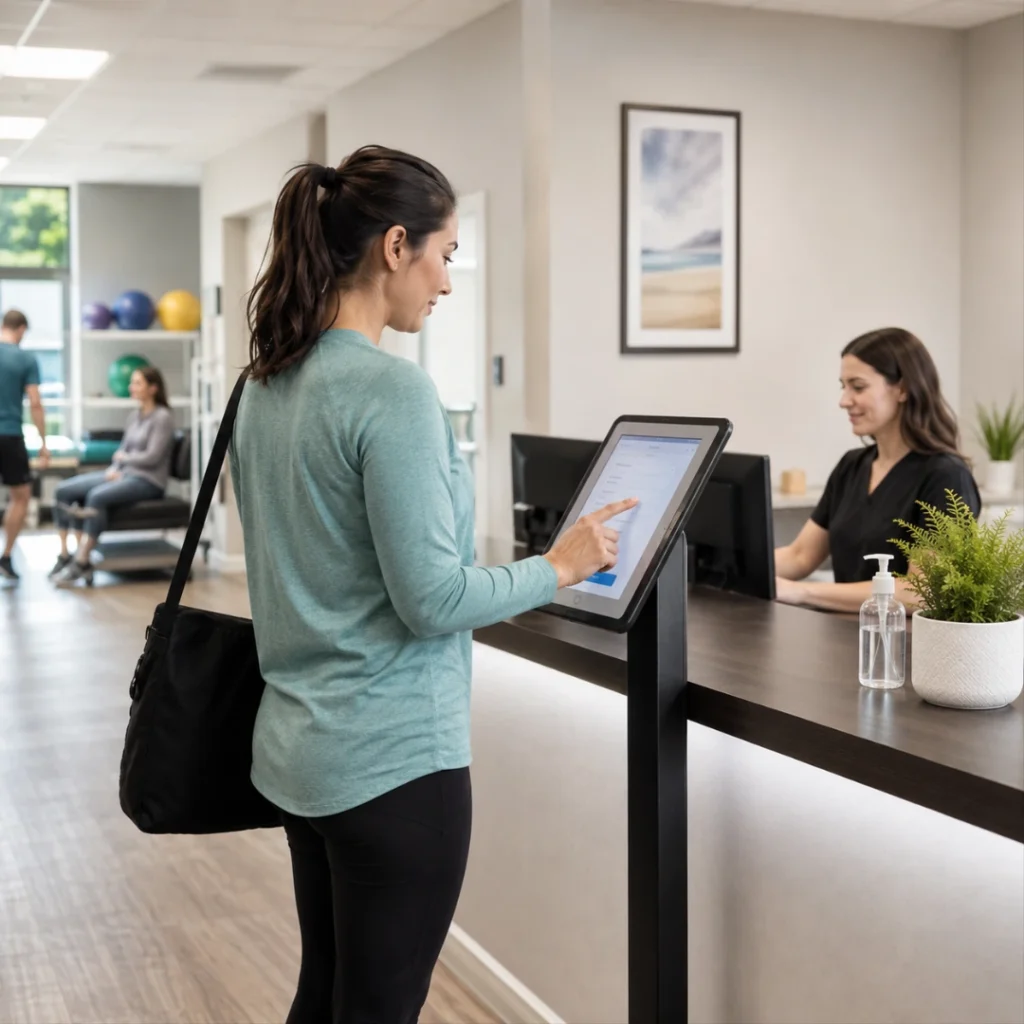
Self-service patient check-in can help therapy clinics reduce front desk workload, simplify intake paperwork, and create a smoother arrival experience for patients. For PT, OT, SLP, and chiropractic practices, the front desk often manages phone calls, patient questions, intake forms, insurance updates, signatures, and appointment arrivals at the same time.
When several patients arrive around the same time, even routine tasks can create bottlenecks. One patient may need help with intake forms, another may need to update insurance, another may have a question, and the phone may still be ringing. A guided kiosk workflow gives patients a clearer way to complete routine arrival steps while staff focus on issues that need human support.
What is self-service patient check-in for therapy clinics?
Self-service patient check-in allows patients to use a tablet, kiosk, or browser-based device to verify their identity, complete required forms, update selected information, upload documents, and notify the clinic that they have arrived. It helps reduce repetitive front desk work without removing the need for staff support.
Key Takeaways
- Self-service patient check-in helps therapy clinics reduce repetitive front desk tasks during busy arrival times.
- A patient check-in kiosk can support intake forms, patient updates, document uploads, identity verification, and arrival confirmation.
- Digital intake forms can reduce paper packets, incomplete forms, handwriting issues, and manual data entry.
- Patient-facing workflows should include privacy safeguards such as identity verification, limited visible information, and automatic timeout.
- Kiosk check-in can help both busy multi-provider clinics and smaller practices with limited front desk coverage.
- HelloNote Kiosk connects check-in, forms, document uploads, and patient updates inside one EMR workflow
Table of Contents
Why Patient Check-In Slows Down Therapy Clinics
Patient check-in is often treated like a simple sign-in step, but in a therapy clinic it can affect the entire visit flow. The patient may need to confirm an appointment, complete forms, provide insurance details, upload a referral, ask a question, or receive next-step instructions before treatment begins.
For busy clinics, these tasks can quickly pile up at the front desk. If the front desk is on the phone or helping another patient, the next patient may wait. If forms are incomplete, the appointment may start late. If demographic or insurance updates are missed, the issue may affect billing or communication later.
Common front desk pain points
Common front desk pain points include:
- Patients waiting while staff are on the phone
- Paper intake forms being completed late or incompletely
- Manual demographic and insurance updates
- Staff scanning or uploading documents during busy hours
- New patients needing extra guidance
- Small clinics not having full-time front desk coverage
- Repeated questions about what patients need to do next
A self-service patient check-in process helps move predictable steps into a guided workflow, so the front desk does not have to manually manage every routine arrival task.
Manual Check-In vs. Self-Service Patient Check-In
| Manual Check-In | Self-Service Patient Check-In |
|---|---|
| Patient waits for staff assistance | Patient follows guided check-in prompts |
| Staff hands out paper intake forms | Patient completes digital intake forms |
| Staff manually updates information | Patient updates selected details |
| Staff scans or uploads documents | Patient uploads documents digitally |
| Front desk manually confirms arrival | Kiosk notifies the clinic |
| Staff repeats the same routine steps | Staff focuses on questions and exceptions |
| Forms may be incomplete or hard to read | Forms are completed through a structured workflow |
| Check-in can slow down when several patients arrive | Patients have a clearer arrival process |
What a Patient Check-In Kiosk Can Handle
A patient check-in kiosk works best when it is connected to the clinic workflow rather than acting as a separate sign-in screen. For therapy practices, the kiosk can help guide patients through the steps that commonly happen before the visit begins.
Patient arrival and access
A kiosk can support:
- Self-service patient check-in
- Identity verification
- Arrival confirmation
- Automatic timeout after inactivity
- Request-a-callback workflows
- Video assistance, when configured
Forms and records
A kiosk can help patients complete or submit:
- Digital intake forms
- Consent forms
- Electronic signatures
- Visit-specific forms
- Document uploads
- Referral documents
Patient information updates
A kiosk can allow patients to review and update selected information, such as:
- Demographics
- Insurance details
- Emergency contacts
- Phone number
- Email address
- Other clinic-approved editable fields
Clinic workflow support
For therapy practices, a connected kiosk workflow may also support:
- Clinic branding
- Multi-location workflows
- Patient-specific form settings
- Staff review of submitted information
- Cleaner information before the visit begins
The goal is to make the patient arrival process easier to follow, especially for clinics where staff are balancing check-ins, calls, scheduling, and administrative work at the same time.
Patient Check-In Workflow
A simple self-service patient check-in workflow may look like this:
- Patient arrives at the clinic
- Patient verifies identity
- Patient confirms appointment or arrival
- Patient completes required intake or consent forms
- Patient updates selected demographic or insurance information
- Patient uploads documents if needed
- Clinic is notified that the patient has checked in
- Staff reviews exceptions, questions, or updates that need attention
This kind of workflow helps separate routine arrival tasks from issues that still need human support.
New Patient Intake Without the Clipboard
New patients usually create the most front desk work. They may need to provide demographics, insurance information, emergency contacts, medical history, consent forms, and visit-specific details.
With a digital intake workflow, new patients can enter required information directly instead of filling out a large paper packet. This helps reduce issues such as incomplete answers, hard-to-read handwriting, misplaced pages, and extra scanning.
For a pediatric OT clinic, this may mean collecting caregiver details and patient history more efficiently. For an orthopedic PT clinic, it may mean gathering injury details and insurance information before the therapist is ready to begin. For an SLP clinic, it may reduce paperwork pressure during a first evaluation.
How do digital intake forms reduce front desk workload?
Digital intake forms reduce front desk workload by allowing patients to complete demographics, medical history, consent forms, electronic signatures, insurance details, and visit-specific forms in a structured workflow instead of relying on paper packets and manual data entry.
Digital Intake and Consent Forms
Digital intake forms are most useful when they can be completed before the visit or at the clinic if needed. Patients who prefer to complete forms at home can do so before they arrive. Patients who miss the form request can still complete the required paperwork through the kiosk.
This flexibility helps protect treatment time. When forms are ready before the therapist begins, the clinic can avoid delays caused by missing paperwork. It also helps front desk teams spend less time checking forms page by page.
Forms should match the patient, visit, and clinic workflow
Different therapy services may require different forms. A pediatric speech evaluation, Medicare PT evaluation, and returning OT visit should not always use the same intake packet.
A stronger intake workflow should let the clinic choose which forms appear based on patient type, visit type, therapist, or location.
Patient Updates Without Repeating the Same Manual Work
Patient information changes over time. Addresses change. Insurance changes. Emergency contacts change. Phone numbers and email addresses change. When this information is outdated, it can affect scheduling, communication, billing, and patient records.
A kiosk can allow patients to review and update selected information, such as demographic details, emergency contact information, insurance details, and other fields the clinic chooses to make editable. This helps reduce repeated manual updates while still allowing staff to review important changes.
Clinics should control which fields patients can update
The best approach is not to let patients edit everything. Clinics should decide which fields are safe for patient updates and which fields should stay under staff control.
For example, a patient may update a phone number, while more sensitive billing-related fields may require internal review.
Document Uploads Without Extra Scanning
Document collection is another common front desk bottleneck. Patients may bring referral slips, medication lists, insurance cards, physician notes, or other supporting documents. If these are handled manually, staff may need to scan, upload, label, and attach each file to the patient record during a busy check-in window.
A document upload workflow can make this easier. Patients can upload documents using their phone or a guided scan process, and the clinic can review the uploaded file inside the patient record.
Documents patients may need to upload
This can be useful for:
- Referral slips
- Insurance cards
- Medication lists
- Physician orders
- Imaging reports
- Signed forms
- Plan-of-care related documents
A patient-facing workflow should also control what the patient can see. Not every document in a patient record should automatically be exposed through the kiosk. Clinics should choose which documents are shared and which remain internal.
Privacy and Identity Verification at Check-In
Any patient-facing kiosk must be designed with privacy in mind. A kiosk sits in a shared environment, so the workflow should reduce the chance that one patient can see another patient’s information.
A secure kiosk workflow should verify patient identity before displaying patient-specific information. It should also use automatic timeout after inactivity so the screen returns to the main page if a patient steps away.
How does kiosk check-in support patient privacy?
Kiosk check-in can support patient privacy through identity verification, limited patient-facing information, automatic timeout after inactivity, careful device placement, and optional privacy screen overlays that reduce side viewing in the waiting room.
Why This Helps Small Clinics Too
A kiosk is not only useful for large clinics with high patient volume. It can also help smaller therapy practices where the owner or clinician also handles front desk responsibilities.
Small clinic use cases
| Clinic Type | How Self-Service Check-In Helps |
|---|---|
| Solo provider clinic | Gives patients a guided check-in process when the clinician is also managing admin tasks |
| Small PT clinic | Reduces arrival bottlenecks when several patients come in close together |
| Pediatric therapy clinic | Helps collect caregiver details, intake forms, and patient history before the visit starts |
| SLP clinic | Supports first-visit paperwork and patient information updates before evaluation |
| Chiropractic clinic | Helps returning patients confirm details and complete required updates quickly |
| Clinic with virtual admin support | Gives patients a front-desk workflow even when staff are not physically at the desk |
For solo providers, small PT clinics, mobile therapy practices with office hours, cash-based clinics, or practices using virtual administrative support, a kiosk can give patients a guided way to check in or request help without requiring someone to sit at the desk all day.
What the Front Desk Can Focus on Instead
The goal of self-service patient check-in is not to remove the front desk. It is to let the front desk focus on work that needs judgment, communication, and follow-through.
Work staff can spend more time on
When routine check-in tasks move into a guided kiosk workflow, staff can spend more time on:
- Scheduling conflicts
- Authorization follow-up
- Insurance questions
- Complex patient concerns
- Provider communication
- Billing support
- Patient relationship-building
- Administrative work that cannot be automated
How HelloNote Kiosk Supports Therapy Clinic Check-In
HelloNote Kiosk helps therapy practices turn patient arrival into a more organized workflow. Patients can follow clear prompts, staff can reduce repetitive front desk work, and the clinic can collect cleaner information before the visit begins.
Because the kiosk is built into the HelloNote workflow, it supports therapy practices with check-in, intake forms, patient information updates, document uploads, identity verification, request-a-callback options, video assistance, branding, and multi-location workflows.
To see the workflow in action, watch the HelloNote Kiosk walkthrough for therapy clinics.
HelloNote Kiosk workflow support
HelloNote Kiosk can help therapy practices manage:
- Patient check-in
- Digital intake forms
- Consent forms
- Patient information updates
- Document uploads
- Identity verification
- Request-a-callback options
- Video assistance
- Clinic branding
- Multi-location workflows
Make Patient Check-In Easier for Your Front Desk and Your Patients
HelloNote Kiosk helps therapy practices simplify check-in, collect intake forms, update patient information, upload documents, and reduce repetitive front desk work in one connected EMR workflow.
No credit card required • HIPAA Compliant • PT, OT & SLP
Frequently Asked Questions
What is self-service patient check-in?
Self-service patient check-in is a digital workflow that allows patients to check themselves in using a tablet, kiosk, or online system. For therapy clinics, it can help patients verify identity, complete forms, update information, upload documents, and notify the clinic that they have arrived.
How does a patient check-in kiosk reduce front desk workload?
A patient check-in kiosk reduces front desk workload by allowing patients to complete routine tasks independently, such as checking in, signing forms, updating demographics, uploading documents, and confirming information.
Can therapy patients complete intake forms before they arrive?
Yes. Clinics can send intake and consent forms before the appointment so patients can complete them from their phone or computer. If forms are not completed before arrival, the patient can complete them through the kiosk.
Can patients update demographics and insurance information through a kiosk?
Yes. Patients can review and update selected demographic details, emergency contacts, insurance information, and other editable information chosen by the clinic. Staff can review updates inside the EMR.
Is kiosk check-in helpful for small therapy clinics?
Yes. Kiosk check-in can help small therapy clinics reduce the need for someone to manage every front desk interaction manually. It can be especially useful for solo providers, small teams, or clinics where the owner also handles administrative work.
How does a kiosk protect patient privacy?
A kiosk can support patient privacy through identity verification, secure access, limited patient-facing information, automatic session timeout after inactivity, and thoughtful placement in the waiting room.
Do therapy clinics need special hardware for a check-in kiosk?
Not always. Many self-service check-in workflows can run on a modern tablet or browser-capable device with a secure stand, depending on the clinic’s setup and software requirements.
How does HelloNote Kiosk help PT, OT, and SLP clinics?
HelloNote Kiosk helps PT, OT, and SLP clinics by streamlining check-in, reducing paperwork, updating patient information, supporting digital intake forms, helping with document uploads, and reducing repetitive front desk tasks.
Final Thoughts
Self-service patient check-in is not just a convenience feature. For therapy clinics, it can improve how patients, front desk staff, and providers move through the start of each visit.
When patients can check in, complete forms, update information, upload documents, and request help through a guided kiosk workflow, the clinic can reduce delays and interruptions. That gives the front desk more time for work that needs human attention while helping patients start their visit with less confusion.
For PT, OT, SLP, and chiropractic practices, self-service check-in can be a practical step toward a more organized and patient-friendly front desk workflow.

AboutHellonote Expert
The HelloNote Expert Research Team publishes educational resources for physical therapy, occupational therapy, speech therapy, and rehabilitation practices. Their content focuses on documentation workflows, Medicare operations, billing processes, clinician efficiency, AI-assisted charting, and therapy practice management. Articles are developed using healthcare industry research, CMS resources, operational workflow analysis, and therapy-focused EMR expertise.