


















You've found a hidden discount!

HN Unlock Layer 1
HN Unlock Layer 2
HN Unlock Layer 3
HN Unlock Layer 4
HN Unlock Layer 5
  • 00Hours
  • 00Minutes
  • 00Seconds

Category: article

SEO for Therapists: 10 Steps to Rank Higher and Get More Patients

Discover how to improve your therapy practice’s online presence with “SEO for Therapists.” Follow these 10 steps to rank higher in search results and attract more patients to your website.

SEO strategies for therapists to improve website ranking and attract more patients

As a healthcare professional, you’re likely aware of how critical it is to be visible to potential patients, especially in today’s digital age. SEO (Search Engine Optimization) is a powerful tool that can help your therapy practice improve its online presence, rank higher in search engine results, and ultimately attract more patients. In this article, we will explore 10 essential SEO tips tailored for therapists in physical, occupational, and speech therapy practices.

1. Incorporate Keywords Strategically

The foundation of SEO starts with keywords. These are the words and phrases potential patients use when searching for therapy services. For therapy practices, keywords should be specific to your services and location. For example, if you’re a speech therapist in New York, use phrases like “speech therapy in New York” or “speech therapist near me.”

To identify the best keywords for your practice, you can use tools like Google Keyword Planner, SEMrush, or Ahrefs to find high-volume, low-competition keywords. These tools can help you uncover long-tail keywords, which are more specific and less competitive, leading to better chances of ranking.

Additionally, it’s crucial to strategically place keywords in your page titles, headers, meta descriptions, and throughout the body of your content. However, avoid overstuffing your content with keywords—this can lead to penalties from search engines. Instead, aim for natural inclusion.

2. Create Detailed, Engaging Content

Creating quality content is essential for SEO. Aim for at least 1,500 words of helpful, meaningful content. Blogs, articles, and case studies are great ways to provide value to your audience and improve your rankings. For example, you could write blog posts answering common questions like “How long does speech therapy take?” or “What is the difference between physical and occupational therapy?”

In your content, include relevant keywords naturally, but also use synonyms and related terms. This will help broaden the scope of your reach. For instance, instead of always saying “speech therapy,” you could use “language therapy,” “speech treatment,” or “speech rehabilitation.”

Structuring your content well is also important. Break it up with headings, bullet points, and images to make it easier for readers to navigate and engage with. Google favors well-organized, user-friendly pages.

3. Optimize for Local SEO

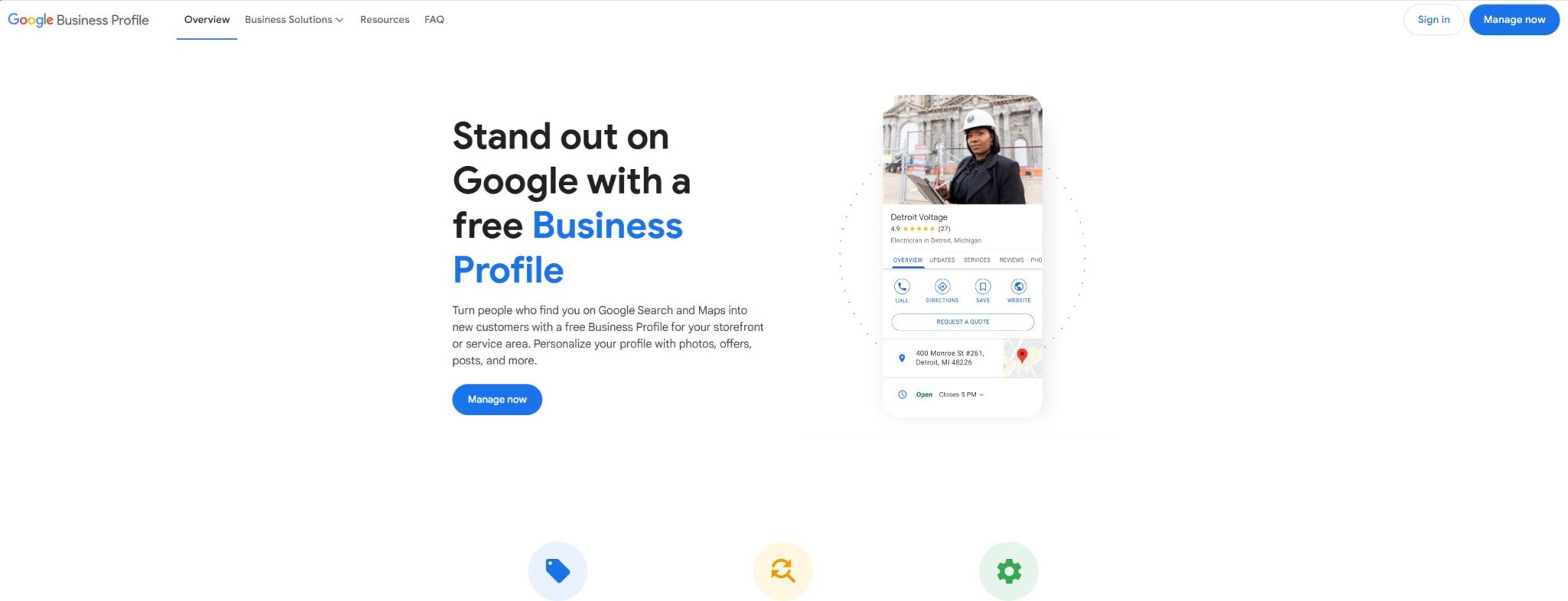
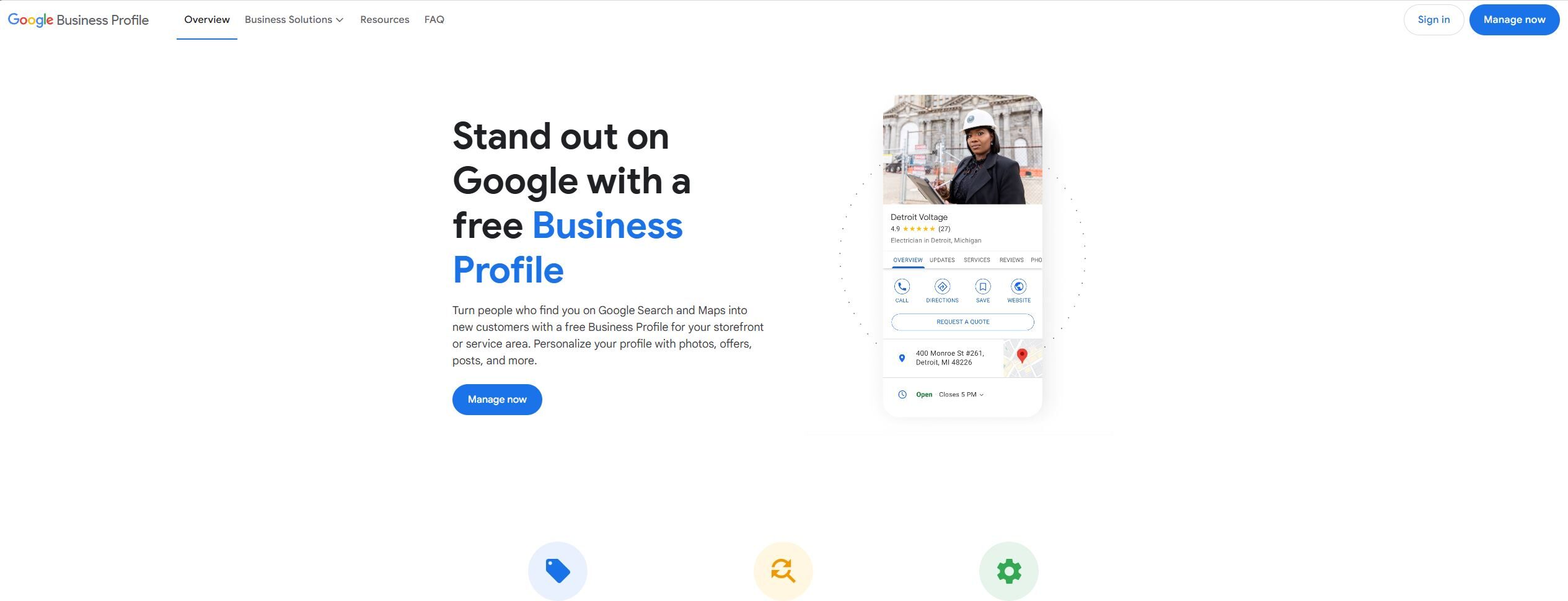
Local SEO is vital for therapy practices since most patients will be searching for services close to them. Make sure your practice is listed in local directories and on Google My Business (GMB). A GMB listing provides key information, such as your business hours, location, website, and contact details, and it shows up when people search for therapy services near them.

According to a 2023 study by BrightLocal, 78% of mobile searches for “near me” results in an offline purchase or action, underscoring the importance of local optimization. In addition to GMB, make sure to include your location in key areas of your website, such as titles, meta descriptions, and headings.

4. Utilize Internal and External Links

Linking to other pages or blog posts on your site (internal links) and having external websites link to your site (backlinks) are both powerful SEO techniques.

Internal links help search engines understand the structure of your website, allowing them to crawl and index your content more effectively. For example, if you have a blog post about “speech therapy for children,” link to another blog post about “how to prepare for your first speech therapy session.”

Backlinks, on the other hand, show search engines that other authoritative sites trust your content. You can build backlinks by contributing guest posts, answering questions on platforms like HARO (Help A Reporter Out), or collaborating with other health professionals to create content. Websites like Health.com, WebMD, and Psychology Today are great examples of authoritative sites that could link to your practice’s website if you have relevant and quality content.

5. Answer Common Questions with Featured Snippets

Google often provides a “featured snippet” at the top of search results, which answers a query in a concise manner. To get your content featured, aim to answer common questions in clear, succinct language. For example, if someone asks, “What does a physical therapist do?”, you can provide a brief, accurate answer in your content.

The goal is to structure your content in a way that Google can easily extract a snippet. You can do this by including a direct question-and-answer format or creating a list that directly addresses the user’s query.

6. Improve Your Website’s User Experience (UX)

Search engines like Google place significant value on user experience (UX). A website that is easy to navigate, mobile-friendly, and fast will rank better in search results.

For instance, 53% of mobile users abandon a site if it takes more than three seconds to load (Google). You can use tools like Google PageSpeed Insights to check your website’s speed and make improvements. Additionally, ensure your website is mobile-friendly, as most users will visit your site on their smartphones.

7. Leverage Google My Business (GMB) for Local Visibility

As mentioned earlier, Google My Business is crucial for local SEO. Set up and fully optimize your GMB profile by adding your business name, address, phone number, website link, and business hours. Include high-quality photos of your practice and any certifications or qualifications that might help patients trust you.

Encourage your satisfied patients to leave reviews on your GMB profile. Positive reviews not only improve your ranking but also build your practice’s credibility. A study by BrightLocal showed that 79% of consumers trust online reviews as much as personal recommendations.

8. Optimize for Voice Search

With the rise of virtual assistants like Siri, Alexa, and Google Assistant, optimizing your website for voice search is becoming increasingly important. Voice searches tend to be longer and more conversational. For example, someone might search, “Where can I find a speech therapist near me?” instead of just “speech therapist NYC.”

To optimize for voice search, focus on natural language and long-tail keywords. Write content in a conversational tone, and include answers to questions that users may ask their devices.

9. Use Analytics to Monitor and Adjust Your SEO Strategy

Tracking your website’s performance is essential to understanding what works and what doesn’t. Google Analytics and Google Search Console are two free tools that provide valuable insights into your traffic, user behavior, and keyword rankings.

Regularly review these metrics to identify areas of improvement. For example, if you notice that certain blog posts are driving a lot of traffic, consider writing more content on similar topics or updating older posts with fresh information.

10. Create Engaging Visual Content

Lastly, incorporate images, videos, and infographics into your content. Visual content can improve user engagement and time spent on your website, which are important SEO factors. Google also indexes images, so make sure to use relevant file names and alt tags with your target keywords.

For instance, if you’re writing about “speech therapy techniques,” including a video demonstration or an infographic showing therapy exercises can provide extra value to your visitors.

Conclusion

By following these 10 SEO tips, your therapy practice can improve its online presence, attract more patients, and rank higher in search results. While SEO can seem complex, these strategies offer a solid foundation for therapists looking to increase visibility and grow their practice. If you need assistance with practice management software, be sure to check out HelloNote, an all-in-one EMR solution designed for therapists.

10 Common CPT Codes for Pediatric Occupational Therapy

Explore Pediatric Occupational Therapy services with 10 common CPT codes, including evaluations, therapeutic activities, sensory integration, and self-care training to support child development and independence.

pediatric occupational therapy is highly effective for pedia

Do you have a love-hate relationship with coding? Knowing which code to choose can be confusing. But payment depends on effectively using the American Medical Association’s (AMA) coding system.

Current procedural terminology (CPT) is the language healthcare providers use to get reimbursements. Medical codes are standardized reports that describe services performed. Using CPT codes reduces generalities and provides an objective service description.

Yet, therapists know there has to be an easier way to get paid.

CPT 97110: Therapeutic Exercise

Occupational therapists frequently use the therapeutic exercise code. These exercises aim to strengthen muscles, improve endurance, and enhance range of motion and flexibility.

You can focus treatment on one or more body parts. Typically, children with decreased function benefit from therapeutic exercises. Remember to use code 97110 when you have only one intended outcome. You use other codes when you have more than one goal.

CPT 97112: Neuromuscular Reeducation

Neuromuscular reeducation is a specific type of therapeutic exercise. The goal is the reduction of neuromuscular impairments or restoration of neuromuscular function. This therapy improves movement, balance, coordination, kinesthetics, posture, sitting, and standing.

A variety of causes can impact communication between nerves and muscles. In adults, a stroke is a common cause of this communication malfunction. Pediatric patients with muscular dystopia, myopathies, and ataxia, benefit from neuromuscular reeducation. Defensive documentation must note the equipment used. Some equipment used for pediatric patients is the following.

  • Dexterity tools
  • Sensory training toys
  • Desensitization equipment

CPT 97116: Gait Training

Gait training focuses on improving your patient’s ability to stand and walk. Both pediatric and adult patients want independence. Stair climbing is a celebrated milestone, but simpler exercises will help them get there.

  • Heel and toe raises
  • Seated marches
  • Lying leg climbs

Gait training is essential for pediatric physical therapy patients who have had surgery, sports injuries, or amputations. For many teens, sports injuries are devastating. Gait training can revive hope.

It is important to note that this code is only used for physical therapists and is a vital code to have in your EMR system.

CPT 97530: Therapeutic Activities

Some therapists use the codes for therapeutic exercise and therapeutic activities interchangeably. Both help improve mobility, stability, strength, range of motion, and coordination. Yet, they’re slightly different.

Use CPT code 97110 when you have only one desired outcome, i.e., flexibility. CPT code 97530 is used when there is more than one therapy outcome, i.e., strength and flexibility.

With some creativity, therapeutic exercises can be fun for your pediatric patients. Use the child’s strengths, interests, and abilities to direct your care plan. Kids interested in superheroes enjoy activities focused on fighting villains and defending nobility.

CPT 97535: Self-Care/Home Management Training

Self-care and home management training is essential. Using the 8-minute rule, the goal of this therapy is building confidence and independence in activities of daily living (ADLs).

Children with spinal cord injuries or neuromuscular diseases need help with these skills. Brain injury and childhood trauma affect kids’ abilities to learn self-care skills organically. So, this therapy is vital.

Remember, children can feel embarrassed to re-learn hygiene skills. Establishing an encouraging environment will benefit your patient and their support person.

Involve family members whenever possible. Family members want to help their child or loved one but need to know when to help and when to back off.

CPT 97542: Wheelchair Management Training

Wheelchair management training includes many different aspects of wheelchair use. People using manual or powered wheelchairs are eligible for this therapy.

Occupational therapists must approach this training with a holistic perspective. Wheelchair management training includes the following.

  • Achieving a comfortable fit
  • Positioning while in the wheelchair
  • Getting in and out of the wheelchair
  • Relieving pressure points
  • Driving and steering the wheelchair

When training our pediatric patients on using their wheelchairs, comfort is key. We want the kids to be comfortable and like their wheelchairs. If stickers or decorations help reduce the embarrassment of using a wheelchair – go for it.

CPT 97750: Physical Performance Test

Physical Performance Test (PPT) assesses multiple aspects of physical function. CPT 97750 allows you to bill for administering the test.

The PPT is comprehensive and objective. It helps occupational therapists determine the right course of action. Some of the functions evaluated in the PPT are as follows.

  • ADLs
  • IADLs (more complex daily tasks)
  • Aerobic activities
  • Balance
  • Cognition
  • Dexterity
  • Functional mobility
  • Occupational capacities

CPT 97755: Assistive Technology Assessment

Assistive technology is a device or system that allows a person to do a task they would otherwise not be able to do. Assistive technology increases the ease and safety of daily tasks.

This test helps determine the suitability of the equipment you are considering. You should not use this assessment for routine evaluations. It is for high-level assessments. A comprehensive EMR system helps determine when different codes are appropriate.

CPT 97760: Orthotic(s) Management and Training

The orthotic management and training code is for the initial assessment and orthotic fitting. If helping with an upper, lower, or truncal orthotic for the first time, use this code for billing purposes.

Often patients need orthotics to achieve their personal goals. Remind patients that modifications still produce results.

CPT 96125: Standardized Cognitive Performance Testing

The cognitive performance test is a standardized test that evaluates functional cognition. This tool helps OTs better understand the capabilities of their patients.

After performing the test, you can rate, explain, and predict your patient’s ability to function in various contexts.

This test helps assess cognitive difficulties. Establishing an encouraging atmosphere helps your pediatric patients perform to their greatest capacity.

Kickstart Your Program with our Comprehensive EMR Software

Choosing the appropriate CPT codes can be daunting. Knowing which code to use can be confusing. HelloNote makes coding easy without breaking the bank.

With our comprehensive EMR software, we alleviate much of your documenting stress. We are the leading EMR provider for physical, occupational, and speech therapy practices. We lead the industry because we are therapists.

We understand your daily stressors. Decreasing administrative burdens, improving compliance, and increasing efficiency are the foundations of our success. Learn more about how HelloNote can help your therapy practice.

10 Key EMR Features Every Therapy Practice Should Have

Discover the 10 must-have EMR features for therapy practices. From user-friendly interfaces to secure data storage, these features help streamline operations, reduce administrative work, and enhance patient care. Find out which EMR features are essential for a more efficient and effective therapy practice.

Computer showing EMR features for therapy practice.

Therapists require tools that improve efficiency and allow them to focus on what matters most—delivering quality patient care. Whether it’s reducing the administrative burden or enhancing documentation accuracy, selecting the right EMR system can transform a therapy practice. Here’s a comprehensive guide on the must-have features every therapist should look for when choosing an EMR system.

1. User-Friendly Interface: Streamlining Daily Tasks

A user-friendly EMR system ensures therapists spend more time with patients and less time navigating complex software. Features like intuitive dashboards and familiar design layouts, akin to Microsoft Office, reduce frustration and boost productivity.

Tip: Look for EMRs designed by therapists. They often align with your workflow better than generic software.
Example: SimplePractice offers an intuitive platform specifically tailored for therapy practices.

2. Comprehensive Patient Records: The Backbone of Your Practice

Integrated patient records allow seamless access to vital information, including progress notes, billing details, and scheduling history. Avoid disjointed systems that require you to manage multiple platforms.

Key Components:

Automated appointment logs
Unified billing and treatment histories
Built-in data analytics for progress tracking
Stat: Clinics using comprehensive EMRs report a 25% reduction in administrative workload.

3. Secure Data Storage: Protecting Patient Confidentiality

Therapy practices are required to comply with HIPAA standards, making secure data storage a priority. Features like end-to-end encryption, password protection, and secure messaging ensure your clinic remains compliant and your patients’ data stays protected.

Pro Tip: Consider EMRs that offer automatic backups and eFax capabilities, which add an extra layer of security.

4. Integration with Existing Systems

An EMR that integrates seamlessly with your current tools can enhance your practice without requiring a complete overhaul. Look for compatibility with billing systems, teletherapy platforms, and scheduling tools.

Example: Therabill integrates easily with QuickBooks, streamlining financial management for therapy clinics.

5. Customizable Templates for Therapists’ Needs

Therapists in different fields—PT, OT, ST—require documentation templates that cater to their unique needs. Customizable templates ensure you save time without sacrificing accuracy.

Tip: Templates should suggest appropriate ICD and CPT codes to simplify the coding process.
Example: WebPT offers industry-specific templates that reduce the time spent on documentation.

6. Scheduling and Appointment Reminders: Reducing No-Shows

Missed appointments cost clinics time and money. Scheduling tools with automated reminders improve attendance rates and keep both therapists and patients on track.

Stat: Practices using automated reminders see up to a 30% decrease in no-show rates.

7. Teletherapy Features: The Future of Care Delivery

Teletherapy isn’t just a convenience; it’s essential for reaching underserved populations and improving access to care.

Benefits for Clinics:

Expanded patient base
Improved work-life balance for therapists
Benefits for Patients:

Increased accountability
Access to therapy from remote areas
Example: Zoom for Healthcare offers HIPAA-compliant teletherapy features.

8. Reporting and Analytics: Turning Data into Insights

Real-time data analytics allow therapists to track patient progress effectively. This helps in tailoring future treatment plans and identifying areas for improvement.

Pro Tip: Look for EMRs that offer customizable reporting options to focus on metrics that matter most to your clinic.

9. Billing and Insurance Management: Reducing Administrative Burdensding Text Here

Efficient billing systems automate claims processing, track reimbursements, and reduce the chances of errors. Whether you operate a cash-based or insurance-based model, billing software should streamline operations and adapt to future changes.

Example: TherapyNotes provides robust billing features with one-click claim submission.

10. Ongoing Support and Training

A great EMR system is only as good as the support behind it. Ensure your vendor offers training sessions, accessible customer support, and a comprehensive knowledge base.

Tip: Ask if the vendor provides live support during peak business hours.

Final Thoughts: Choosing the Right EMR

The right EMR system simplifies your operations, improves patient care, and saves you time. To ensure success, consider systems like HelloNote, which combine all the essential features in one comprehensive platform.

With tools like teletherapy, scheduling, billing, and analytics, HelloNote empowers therapists to focus on their patients while maximizing their clinic’s efficiency.

Ready to simplify your practice and focus more on patient care? Schedule your free demo with HelloNote now and experience the difference today!”

How SEO works with Google Step by Step

Learn how SEO works with Google and how content creation, on-page optimization, and user interaction impact your rankings and drive organic traffic.

A flowchart explaining how SEO works with Google, from content creation to user interaction, showcasing the SEO process for better search rankings

Search Engine Optimization (SEO) is the backbone of digital marketing, and understanding how SEO works with Google is essential for anyone looking to improve their website’s performance. Whether you’re an experienced marketer or just starting, knowing how Google evaluates and ranks content is key to driving organic traffic and achieving long-term success. In this article, we’ll take a close look at the steps involved in SEO, from creating engaging content to making sure it appears in Google’s search results. By following these steps, you can boost your chances of ranking higher and getting noticed by your target audience.

1. Content Creation

Write Informative, Engaging, and High-Quality Content Targeting Your Audience and Specific Keywords

The first step in how SEO works with Google is to create valuable content. Your content should address specific user queries, incorporate relevant keywords (like “therapy for children with autism”), and provide detailed answers. High-quality, engaging content not only helps you rank higher on Google but also ensures visitors find your page useful.

Example: If you own a pediatric therapy clinic, an article titled “Effective Therapy Techniques for Children with Autism” will target parents searching for solutions to help their children. The article should include specific keywords and actionable advice.

Why it’s Important: Google prioritizes content that directly answers user queries, so content quality is a fundamental factor in ranking.

2. On-Page SEO Optimization

Apply On-Page SEO Techniques

Once your content is ready, on-page SEO is the next step. This involves optimizing various elements within your article, like titles, meta descriptions, header tags, and internal linking. These steps help Google understand your page’s focus and relevance to search queries.

Example: In the article “Effective Therapy Techniques for Children with Autism,” include a title tag such as “Top Therapy Techniques for Children with Autism – Learn How They Help” and a meta description like, “Discover proven therapy techniques for children with autism that improve development and behavior.”

Why it’s Important: Proper on-page SEO tells Google what your content is about, improving your chances of ranking higher for relevant searches.

3. Crawling and Indexing by Google

Google Crawls Your Website to Understand the Content and Index It in Its Database

After publishing your content, Google needs to crawl your website to understand its content and add it to its database. Googlebot, Google’s web crawler, visits the page to assess its relevance and context before indexing it.

Example: Googlebot might crawl your article “Effective Therapy Techniques for Children with Autism” to determine its relevance to users searching for therapy tips.

Why it’s Important: Without crawling and indexing, your content won’t appear in Google search results, meaning no one will find it.

4. Ranking

Google Uses Algorithms to Rank Your Article Based on Factors Like Relevance, Content Quality, and Backlinks

Once indexed, Google’s ranking algorithms analyze hundreds of factors to determine where your article will appear in search results. These factors include content relevance, quality, page load speed, user engagement, and backlinks from other authoritative sites.

Example: Your article ranks highly because it offers helpful content, has internal and external links, and is frequently shared by users and reputable sites.

Why it’s Important: Ranking on Google determines whether your article will be visible to users when they search for related topics.

5. Appearing in Search Results

Your Article Appears in Google Search Results When Users Search for Related Keywords

After ranking, your article will appear in Google’s search results. When users search for keywords like “autism therapy techniques,” your article will show up as a possible answer.

Example: Someone types “best therapy techniques for autism” into Google, and your article appears on the first page of search results.

Why it’s Important: Appearing in search results increases the chances that users will click on your article, leading to more website traffic.

6. User Interaction

Users Click on Your Article, Read the Content, and Interact with It

When users find your article in search results and click on it, Google tracks how they interact with your content. Positive engagement signals, such as time spent on the page, sharing the article, and clicking on internal links, are indications to Google that your content is valuable.

Example: If users share your article on social media or leave comments, Google sees this as a sign that the content is valuable and may rank it higher.

Why it’s Important: User interaction helps Google understand that your content is helpful and engaging, potentially boosting your rankings further.

Conclusion

Understanding How SEO Works with Google

SEO is a complex but essential process for getting your content in front of the right audience. By focusing on creating high-quality content, optimizing it for search engines, and ensuring that Google can crawl and index it, you can increase your chances of appearing in search results and engaging with users.

Ready to take your clinic’s online presence to the next level? HelloNote offers an all-in-one EMR solution that streamlines your pediatric therapy practice and helps you manage your operations efficiently. Learn more about HelloNote and see how it can support your clinic’s growth today.

Therapeutic Exercise (97110) vs Therapeutic Activity (97530) – Which CPT Code to Use?

Understanding the differences between Therapeutic Exercise (97110) vs Therapeutic Activity (97530) is crucial for accurate documentation and billing. Learn when to use each CPT code, key documentation requirements, reimbursement guidelines, and how to avoid claim denials. Optimize your therapy practice with proper coding strategies to ensure compliance and maximize reimbursement.

Comparison of CPT Code 97110 (Therapeutic Exercises) and CPT Code 97530 (Therapeutic Activity) in physical therapy, showing a therapist assisting a patient with resistance training and another therapist guiding a patient in functional movement exercises.

Understanding the Differences for Accurate Documentation and Billing

Therapeutic activities and exercises play a crucial role in patient recovery, but proper documentation is essential for ensuring accurate care and reimbursement. In this guide, we’ll explore the differences between therapeutic exercise (97110) and therapeutic activity (97530) and how correct documentation can enhance patient outcomes and streamline therapists’ workflows.

Why Choosing the Right CPT Code Matters

Billing can be one of the most confusing parts of a therapist’s job. Selecting the right CPT code is critical to ensure clinics receive proper reimbursement from insurance providers. Therapeutic exercise (97110) and therapeutic activity (97530) are often confused because they share common goals. However, each code is unique and should be billed appropriately.

If you struggle with deciding whether to bill CPT code 97110 or 97530, here is a detailed breakdown of their differences:

CPT Code 97110: Therapeutic Exercise

What Is It?

Therapeutic exercises involve movements designed to improve strength, flexibility, endurance, and range of motion after an injury or surgery. These exercises are structured and must directly contribute to a patient’s functional improvement.

Key Documentation Requirements

When billing and documenting for therapeutic exercise (97110), therapists must include:

    • Body part(s) treated (e.g., shoulder, knee, spine).

    • Specific muscles and/or joints targeted to avoid confusion.

    • The functional goal of each exercise in relation to the patient’s overall progress.

Examples of Therapeutic Exercises Billed Under 97110

    • Active, active-assisted, or passive range of motion (ROM) exercises.

    • Resistance exercises (isometric, isotonic, isokinetic) to improve muscular strength.

    • Aerobic or cardiopulmonary endurance exercises (e.g., treadmill, bicycle, NuStep).

    • Active stretching to improve flexibility.

Therapeutic exercises typically target a single parameter, such as improving ROM or increasing strength. While they contribute to better functional movements (e.g., ADLs, work tasks, sports), if the focus is on real-life movement improvement, the correct code to use is CPT 97530 (therapeutic activity).

CPT Code 97530: Therapeutic Activities

What Is It?

According to Optum 360° and APTA, therapeutic activities involve the use of dynamic activities to improve functional performance. These activities are task-specific and simulate real-world tasks that a patient needs to perform in daily life.

Key Documentation Requirements

When determining whether an intervention qualifies as a therapeutic activity (97530), consider the following:

    • Is this a functional activity, such as climbing stairs or lifting objects?

    • Will this improve performance in daily life, work, or sports?

    • Are multiple parameters (strength, coordination, endurance) being addressed?

    • Does this activity directly relate to a specific real-world task (e.g., lifting a box onto a shelf)?

Examples of Therapeutic Activities Billed Under 97530

    • Lifting and carrying objects to improve work-related strength.

    • Squatting, bending, or reaching overhead for functional mobility.

    • Simulated car transfers for improved daily independence.

    • Stair climbing for increased lower body strength.

    • Balance exercises while performing a reaching task (e.g., standing on one leg while grabbing an item).

Billing Guidelines and Reimbursement Considerations

Billing Differences Between 97110 and 97530

    • 97110 is billed in 15-minute increments and focuses on single-parameter therapeutic exercises.

    • 97530 is also billed in 15-minute increments but involves real-world functional movements.

Using Modifier 59 for 97110 and 97530

When billing 97110 and 97530 together, Modifier 59 must be used to indicate distinct, separately identifiable services:

Correct Example: “Patient completed resistance training (97110) to improve quadriceps strength. Additionally, the patient performed functional stair climbing (97530) to enhance independence in household mobility. Modifier 59 applied to differentiate services.”

Avoid Overuse: Modifier 59 should only be used when documentation clearly supports separate treatment purposes. Improper use can trigger audits or payment rejections.

Medicaid and Private Insurance Reimbursement

    • Medicaid covers 97530 but does not cover 97110—therapists must verify coverage before treatment.

    • Private insurance plans may reimburse both codes but require distinct documentation for each session.

Billing Rates for CPT 97110 and 97530

Billing rates for CPT codes vary based on location, payer contracts, and Medicare rates. On average:

    • CPT 97110 reimburses approximately $30–$40 per 15-minute unit through Medicare.

    • CPT 97530 generally reimburses at a slightly higher rate since it involves more dynamic activities.

For the most accurate reimbursement rates, therapists should check the Medicare Physician Fee Schedule (MPFS) or consult with specific insurance payers.

Common Reasons for Claim Denials and How to Avoid Them

Insufficient Documentation

    • Vague Entry: “Patient performed strengthening exercises.”

    • Detailed Entry: “Patient performed 3 sets of 10 reps of resisted shoulder abduction with a theraband to improve strength for independent dressing.”

Billing 97110 and 97530 Together Without Justification

    • If both are billed, documentation must clearly differentiate them (e.g., one focuses on isolated muscle training, while the other applies strength to a real-world task).

Incorrect Use of Time-Based Billing

How HelloNote EMR Simplifies Therapy Documentation

With HelloNote EMR, therapists can:

    • Streamline documentation for therapeutic exercises and activities.

    • Automatically apply modifiers to ensure reimbursement.

    • Reduce billing errors and improve claim approvals.

    • Track patient progress with real-time documentation.

Sign up for a free HelloNote demo today to see how easy it is to document and bill for CPT codes 97110 and 97530!

Final Thoughts on CPT Code 97110 vs. 97530

Understanding when to bill 97110 (therapeutic exercise) vs. 97530 (therapeutic activity) is essential for accurate documentation and proper reimbursement.

By implementing best documentation practices, using Modifier 59 when necessary, and leveraging an efficient EMR like HelloNote, therapists can improve claim approvals, maximize reimbursement, and avoid costly denials.

Mastering these distinctions helps ensure your therapy practice remains compliant, financially stable, and focused on quality patient care.

5 Proven Income Ideas for Pediatric Therapy Practices

Discover 5 innovative income ideas for pediatric therapy practices, from kids camps to telehealth services, that can help grow your business while enhancing client care.

Therapist helping a child with developmental exercises, showcasing income ideas for pediatric therapy practices

As a speech, occupational, or physical therapy pediatric practice, expanding your income streams while providing value to your clients is key to long-term growth. Here are five practical and profitable income ideas tailored to pediatric therapy practices, focusing on relevance, affordability, and community impact.

1. Kids Camps

Why It Works: Summer camps tailored to therapy goals provide a win-win: engaging activities for kids and additional revenue for your practice. These camps can serve dual purposes—introducing your services to potential clients and strengthening relationships with existing ones.

Some ideas for kids’ camps include:

Sensory Skills and Outdoor Exploration: Engage children in nature walks or activities that enhance sensory processing while educating them about the environment.
Developmental Milestones Camp: Design programs targeting specific milestones, such as fine motor skills or social interaction.
Balance and Fitness Camps: Offer activities promoting physical fitness, like obstacle courses or yoga, fostering healthy lifestyles in children.

Expert Tip: Employ therapy assistants or fitness instructors to run camps, reducing costs while ensuring quality.

2. Assistive Technology Consulting for Schools and Homes

Why It Works: Parents and educators often lack awareness about assistive technology options. Providing consulting services can bridge this gap while positioning your clinic as a leader in innovative care.

Assess the child’s environment for challenges and opportunities to introduce devices like speech-generating equipment or ergonomic furniture.
Offer training sessions for teachers and parents to ensure proper usage of the recommended tools.
Include follow-up evaluations to monitor progress, which builds trust and recurring income.

Example: A study by the Assistive Technology Industry Association revealed a 70% improvement in academic engagement for children using tailored assistive devices. This highlights the importance of such services in schools and homes.

3. Posture and Health Screenings

Why It Works: Modern technology has led to increasing cases of “tech neck” and related postural issues, even among children. Educating families and addressing these problems creates a new niche for therapy services.

Partner with schools for on-site posture evaluations.
Offer corrective plans, including stretches or ergonomic interventions, for children affected by poor posture.
Create awareness campaigns on the impact of excessive screen time on physical health.

Supporting Data: According to the American Physical Therapy Association, 50% of children report neck pain due to prolonged device use. Addressing this emerging issue can set your clinic apart.

4. Caregiver Workshops

Why It Works: Engaging parents directly empowers them to support their child’s development at home, creating a collaborative therapeutic approach.

Conduct workshops on topics like sensory integration, behavior management, or motor skills development.
Provide actionable resources and strategies that parents can implement independently.
Leverage workshops to promote your clinic’s other services.

Tip: Virtual workshops can increase accessibility, attracting a broader audience.

5. Telehealth Services for Remote Clients

Why It Works: Telehealth has become an integral part of healthcare delivery, allowing practices to extend their reach beyond geographical barriers.

Offer virtual consultations, especially for follow-ups or initial screenings.
Create a subscription model for parents to access digital resources, such as video tutorials or interactive tools.
Collaborate with schools to provide teletherapy sessions, ensuring children in remote areas receive quality care.

Market Insight: The global telehealth market is expected to reach $559.52 billion by 2027, making it a lucrative avenue for pediatric therapy practices.

Conclusion

Implementing these income strategies can diversify your pediatric therapy practice’s revenue streams while improving client outcomes. From innovative technology consultations to engaging summer camps, each idea offers an opportunity to grow your business sustainably.

If you’re looking for a way to streamline your therapy practice and efficiently manage these new services, consider HelloNote’s all-in-one EMR solution. Schedule a call today to learn how HelloNote can help elevate your practice.

Product Recommendations to Generate Extra Income for Your Therapy Practice

Discover how therapists can increase their income through product recommendations and affiliate links, enhancing their practice while providing valuable resources to clients.

product recommendations for improving patient care and generating extra income in your therapy practice.

Massagers, walkers, cushions, foam rollers, putty are just some common items that each day you either order or recommend to patients. And likely, your patients are often asking you for all sorts of recommendations on products. In this article, we’ll give you several tips on how to appropriately add extra income to your practice through these equipment recommendations. 

Make sure it’s a product you’ve tested and love!

People trust you, and although not every product works perfectly for each person, you want to be able to confidently know that the product you recommend is one of the best out there. 

If you recommend a product solely based on the profit it may provide for you, that could damage your reputation and the relationship you have with your patients. 

Create a recommended products page on your website

Having a dedicated page on your website is the easiest and best way to recommend products. Each time a patient asks for the best rollator or foam roller, you can simply direct them to your page. 

By using this method, it’s easy and doesn’t feel salesy. 

Create affiliate links using Amazon or other direct sellers

Amazon is one of the quickest and easiest ways to generate what’s called an “affiliate link”. This is a special link that tells Amazon that someone has bought a product through your recommendation, and as a result, you should get a small percentage of the profits. Other companies have these similar links you can use as well, although you may have to email or contact certain companies to find out about their affiliate programs. 

But an affiliate link makes it very easy to generate passive income from your product recommendations. Let’s use Amazon as our example. Go to Amazon and sign up for their affiliate program. Search for a product you love, and click to create a special link. 

Once you have that link copied, you are going to return to your website, and your dedicated equipment page, and paste that link onto the page. You may have to do some small editing to get things to look just how you want them, but that’s it! 

Your patients won’t have to do anything different either. They’ll simply click on the item on your page and purchase, just as if it were a regular purchase. 

Provide “How to” Explainer Videos or Photos

A great way to provide extra value and reason to go to your recommended equipment page may be to include various tips or instructions on how to use the products you recommend. 

Another idea is to also include patient (no names of course unless they’ve consented) examples or testimonials of the product’s benefits. 

Create Personalized Product Recommendations

Every patient’s needs are different, so tailoring your recommendations to their individual recovery journey can make a huge difference. Take a few extra minutes to customize your product suggestions based on their condition or goals. This personalized touch can make your patients feel valued and appreciated. 

Track Your Best-Selling Items

Over time, you’ll notice which products are most popular among your patients. Keep track of the products that have the highest conversion rates so that you can adjust your recommendations accordingly. By consistently recommending products that your patients respond well to, you’ll increase the chances of them making a purchase through your affiliate links. 

Summary

Having a dedicated equipment page saves you time, helps your patient more easily find quality products that could benefit them, and at the same time could earn you extra income. We hope this helps you continue to grow your therapy business! 


Ready to Boost Your Income? 

Start implementing these strategies today to turn your product recommendations into a source of passive income! Create your recommended products page, sign up for affiliate programs, and personalize your suggestions to provide the best value to your patients. 

Looking for more ways to grow your practice and enhance your patient experience? Read more insights here. 

The Ultimate Cash-Based Sales Script For PT, OT and SLP Practices

Learn how to confidently navigate cash-based sales conversations with this guide on creating an effective cash-based sales script for PT, OT, and SLP practices.

cash-based sales script for PT, OT SLP

The scariest part of starting a therapy private practice, is selling yourself. We’ve spent our careers using insurance either as employees or practice owners, but what if we wanted to pivot to cash pay – what will patients say? In this guide, we’ll walk you through the conversation you’ll have with patients if you want to charge cash for PT, OT or SLP services.

The Cash Based Sales Script for PT, OT and SLP Practices

Reframe Your Mindset:

Before we go into the sales flow, it’s important to reframe the conversation you’ll have with your patient, caregiver, or family member.  Instead of thinking of this as a sales call, which when we think this way can make us feel scared, slimy, and not why we started our practice, we should instead just focus on the call on the following:

Answer any of our potential patient or their loved ones questions to the best of our abilities

Guiding this potential patients care, making sure they are appropriate for therapy and that you are the best provider for them

Learning about their care and providing care, advise, and recommendations based their diagnosis and aliments

If you treat this consultatory phone call with your therapist hat on, then usually people recognize your passion, your knowledge, and your ability to help them. And this attitude can really help make you feel more comfortable on these sales calls as well as help close more bookings. 

Prepare For Common Questions:

There are going to be some frequent questions that you’ll likely receive on every or at least most phone calls. Having prepared answers to these questions will greatly improve your confidence and comfort and success with your sales calls just like reframing your mind will.

Common questions may include: 

Why choose you vs the other practices?

Prepare this answer by looking at what your competitors are doing and how you are different? Is it the time you spend with the patient? Is it your credentials or extra certifications? Is it your demeanor and personality? Is it your background/experience? Is it the tools or technology you use? Is it the extra accountability or apps or education your provide included in your services?

There are a number of things you ask yourself to help prepare for this question but think about the hard and soft skills that make you special. 

There are a number of things you ask yourself to help prepare for this question but think about the hard and soft skills that make you special. 

Why should I pay cash vs using insurance?

How long have you been practicing, what have you treated (this may also be said in a way where they ask if you’ve seen their diagnosis), what is your experience? In this question, just be prepared to say how many years you’ve been a practitioner for, what settings and diagnosis you’ve seen, and if you know the prospective  client’s diagnosis ahead of time then you can prepare an answer about the experience with their diagnosis. 

Keys for these common questions is to, within HIPAA, provide patient success stories and real examples. This helps patients visualize how you’ll treat them and feel more confident that you’ve had success with their diagnoses. 

Sales Script Template for PT, OT, and SLP clinics

Welcome them:

YOU: Hi ___name_______, thank you so much for your interest in our practice! I’d love to know what is causing you to reach out for our _____PT,OT,SLP___therapy services? 

PATIENT: Patient will talk about his pain, diagnosis, aliments. You’ll simply listen and take notes.

Review what they said:

YOU: Thank you for sharing that information. Let me just summarize so that we are on the same page and then we’ll talk about how I can help you, as I really feel like we could make a dramatic impact on your ___pain, quality of life, walking etc______________________.

Perform brief summary. Then ask, is that correct?

PATIENT: Yes, that’s correct! Finally, someone who is listening!

Now impress them with patient example and what you would do to help:

YOU: Great, I’m glad we are on the same page and we have treated a lot of people in your same situation! In fact _____share patient success story (brief story)__________________________.  We would focus on address __briefly cover how you would help them, what the issue is______________________. 

PATIENT:  Wow, that sounds like that is what I need!

Now schedule them: 

YOU: Oh good, I’m so glad – we really try hard to make sure we can help and that everyone is in the best place to feel better! 

I would love to schedule you for your evaluation – we are a cash only clinic and the evaluation is $150. Included in the evaluation is a full hour one on one with one of our highly skilled therapists who will answer all your questions, perform a detailed evaluation of diagnosis, and give you several things you can do that very same day to make you feel much better.  Although we accept only cash, we’ll also provide you with what’s called a “superbill” that you can take to get reimbursement back from your insurance. 

This is the hardest part of the call. You have built repour, made sure the prospective patient is the right fit, and proven your knowledge level. This point in the call is where the prospective patient may have some hesitations. 

PATIENT: I’m not sure I can afford that…….

YOU:  This is where you could talk about results, perhaps you get patients better in less visits that other clinics. That’s at least a $20 co pay savings each time. So they can make up that savings in co pays.  

You can also talk about that you have had direct experience and that they have been trying to have help for years with no avail, this is that chance to really get better. 

You can also explain the superbill and how that will offset their costs and so really the end cost could likely be 50% of that, so only $70. 

Make sure to try to schedule them on the call and take payment on the call. 

Post Call:

Make sure you’ve set up text and email reminders for patient to ensure they show up to their evaluation. 

Make sure you email them a thank you email about how excited you are to see them, parking details, and any other important information they may need to make their visit with you easy and stress free. 

Summary: 

We hope this sales guide has helped to illustrate how you can just be yourself and let best patient care help you in your success.  The more you practice this script the easier it will be as well and you’ll learn the nuances of your particular city and patient population as well. 

Choose HelloNote as your trusted EMR partner for cash-based practices. Simplify scheduling and superbill creation to streamline your workflow. Schedule your free consultation today!

Case Study: Using HelloNote To Scale To 150 Visits Per Week With GeriHab Physical Therapy and Wellness

Discover how GeriHab Physical Therapy and Wellness leveraged HelloNote to scale its operations to 150 visits per week. This case study explores the role of efficient documentation, streamlined scheduling, and billing integration in driving growth for a geriatric-focused therapy practice. Learn how HelloNote empowered GeriHab to optimize workflows, improve patient care, and achieve scalable success. Perfect for therapy providers looking to enhance their practice’s efficiency and patient outcomes.

Mike Chua's family posing for a group photo, showcasing the personal side of GeriHab Physical Therapy.

GeriHab Physical Therapy and Wellness has grown to provide between 100-150 therapy visits per week within the span of just a few years. How did this small company become a dominant presence in Tennessee for delivering geraitric outpatient and home health?  The answer is simple: hustle, technology and systems.

How HelloNote Changed Mike’s Clinic In 2020:
One of the key systems in GeriHab’s workflow is it’s EMR system, powered by HelloNote.  When you first start your therapy practice, you may be able to get away with using something simple like Google Docs, but to become a scalable and profitable clinic, you need to hire staff and create systems. Systems which include having a fast, simple to use, comprehensive and affordable EMR.

Mike Chua is the CEO and owner of GeriHab Physical Therapy and transitioned his business to use HelloNote in 2020 as he needed an EMR that could perform HIPPA compliant documentation, help him with his billing, perform faxing, and most importantly that he could affordably use for his 30 staff and contractors.

Prior to 2020, he wasn’t using anything!

He was prompted to use HelloNote because “I just didn’t want to hand write notes any more and submit it manually.”

Note only was he more stressed trying to do all these roles manually, but it was taking time away from seeing patients – which was costing him valuable income. In addition, it was taking away from the patients his staff could see as well.

Patients at GeriHab Physical Therapy participating in therapy sessions to improve their mobility and wellness.

Why did GeriHab Physical Therapy and Wellness choose HelloNote as its EMR of choice? 

There are a lot of EMR choices for rehabilitation clinics and so it can easily be overwhelming. But when asked Dr. Mike Chua why he chose HelloNote, his answer was:

“It’s very affordable! I have 30 staff and contractors, but HelloNote includes nonclinical staff for free – enabling me to share my account with my virtual assistant”.  Many times one of our first hires is to hire a VA or virtual assistant to help with communication, scheduling, calling, reminders, and other tasks. HelloNote only charges for clinical staff, and so worry free Mike was already early on able to scale without that additional cost burden.

Mike also reported that another key factor in his decision was “the customer support, which was great!”. HelloNote has phone, chat, email support and they even walk you through your first patient for free so that you feel confident with their software.

What are key tips from a thriving practice like GeriHab Physical Therapy and Wellness to help grow your practice? 

Dr. Mike Chua’s top tip are to “Learn and delegate.  Especially the things you don’t like! I don’t enjoy billing and authorizations so they were the first I delegated.” Hellonote makes this very easy as they have integrated billing providers so you can offload your billing from your long CEO to-do list.

Would Dr. Mike Chua recommend HelloNote to other clinicians? 

Mike’ practice is steadily and growing and he largely thanks this to his hustle, hard work, ability to delegate but also to the systems he has put in place. When you are dealing with 30 staff and contractors and 100-150 visits per week, you need a reliable EMR system as this is the cornerstone to any therapy practice. “I 100% recommend HelloNote” says Dr. Mike Chua, “they are constantly improving, are helpful, and affordable.”

Hellonote is so proud of Dr. Mike Chua and GeriHab! We are a company that loves to share our customers success and so feel free to contact us if you want us to share your success too at [email protected]. And if you are interested in using HelloNote, come set up a free demonstration here: https://hellonote.com/scheduledemo/.

How to Market Your PT, OT or SLP Practice To Doctors

Learn how to market your PT, OT, or SLP practice to doctors by building strong connections and trust, effectively showcasing your expertise and value

Therapist and doctor shaking hands, symbolizing how to market PT, OT, and SLP practice by building trust and professional connections for better referrals.

There are many different referral sources you can set up to grow your therapy practice, including connecting with physicians. In this article, we’ll discuss how to market your services to physicians in a way that will set you up for success!

Why Market To Physicians and other medical providers

Marketing to providers is a great way to get qualified patients. Although you can, and should also, have different marketing methods such as Google My Business, SEO, or advertisements, marketing to physicians should definitely be included in this list.

Some benefits of getting physician referrals include:

    • Already having the doctors order when you start care.
    • The patient will have already be cleared to safely perform therapy.
    • People trust their doctors. When a doctor says, see “clinic x”, there’s a pretty high likely hood that you will!
    • Doctors see lots of potential referrals for your practice. If you can get several doctors that know and trust your practice, then you’ll have a nice generation of patients consistently (hopefully!)

Should You Bring Gifts to Physicians?

Bringing gifts are an a bit outdated as well as no longer allowed if over a certain monetary limit. I remember when I was a PT student intern, I would come along with my clinical instructor as we dropped off cookies to the physician’s office. We often never would even see the doctor and would have to just leave the treats with the secretary.

Fast-forward and one, there are more regulations now on giving gifts to providers (although cookies and treats are so small that it’s still “okay”).

But more importantly, the focus in today’s market is to grow a stronger bond with your referring medical practices. So although you can bring little treats, there may be a better method to try first. And then maybe save the treats for after you’ve made a strong bond, and the sweets could be then used for “thinking of you” gifts.

How to find local physicians to connect with?

Here are some helpful tips to find physicians in your area according to THE CORE MEDICAL GROUP:

    • Begin by going to the “doctor locator” for each medical insurance you take.
    • Do a search for doctors who also take the insurance you take. This is important to let the doctor know there won’t be any insurance problems and that you both accept the same plans.
    • Limit your search to a very strict radius. Location is absolutely key — too far and other doctors won’t bother with referrals. Plus, it’s a really easy sell when you tell them, “I’m right up the road from you, neighbor!”
    • Make a list of everyone you want to meet with.
    • Contact each doctor ahead of time to see if there is a convenient time for them. Keep your pitch in their favor. It is ok to say things like, “I have a ton of patients with x, y, z condition and I need someone to send them to, can we meet?”
    • Drive over to their practice, keep it short and sweet, but go equipped with business cards, brochures, and marketing materials.”
    • Social media and google are also great search locations as well. Asking your friends, family, peers if they know great physicians in your area is another idea that may be helpful.

What are effective ways to connect to Physicians?

We’ve seen some innovative ideas with eBooks. It’s very easy to get self published on Amazon and then order several copies to distribute to local practices in your area.

We’ve also seen innovative usage of podcasting and social media groups. Dr. Mike Chua of GeriHab is a great example of this, where he interviews local practitioners of all professions, and this allows him to create a dialogue with these medical professionals and after that create relationship between providers.

Just being an exemplary clinician is another way. When you have amazing results with patients, this often leads to them mentioning you to their physicians or other medical team members, family, and friends.  Hopefully your patients could open the door to a wonderful physician relationship as well.

Keep in touch with Doctors

It’s so hard to create relationships with medical providers, and often this is the aspect that’s heavily focused on. But it’s equally important to continue to foster the connection even after it’s made.

Make sure to set reminders on your calendar to send a little holiday card or email to your connections and reach out one a month or once a quarter to collaborate with the physician provider.

Even just a quick email thanking the physician for sending you a patient and updating them on how well your shared patient is doing, is an effective method of keeping in touch!

Summary

It’s important create relationships with a variety of medical providers, including physicians, in addition to focusing on other techniques to gain patients such as SEO and advertising. The key when performing relationship with any healthcare professional is to have the relationship be built on a real and no superficial foundation, be mutually beneficial, and maintain that relationship throughout the year with little check ins.

If you need an EMR that is all in one, to help you as you grow your practice, HelloNote can help and you can set up a free no obligation demonstration to see if we fit your needs. Ready to start your practice? 

You've found a hidden discount!

  • 00Hours
  • 00Minutes
  • 00Seconds