


















Power Up Your Practice
Thank You for Being Our Partner in Service
Learn everything your EMR can do to future proof your practice. Get results with features like faster clinical notes, instant eligibility, and streamlined billing. Start with training, then turn on the features you need.
Training & Tutorials
- Video Guides: Watch our HelloNote YouTube channel for step-by-step tutorials and feature walkthroughs.
- Knowledge Base: Explore our Knowledge Base for helpful articles and frequently asked questions.
Clinical Essentials
- Forms & Templates: Access our comprehensive library of forms and templates for documentation, evaluations, and more.
Support & Assistance
- Dedicated Support: Create a Zendesk Account to easily submit and track support tickets whenever you need assistance.
Integrated Features & Add-Ons
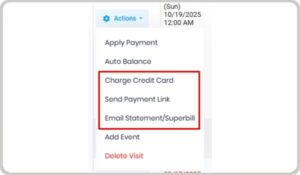
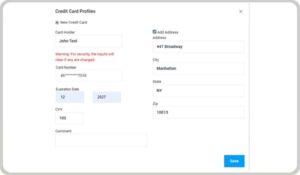
Set up Fiserv, our integrated payment processor, to collect patient payments quickly and securely inside HelloNote. Simplify your workflow with instant payment posting and digital receipts.
👉 Set up Fiserv in HelloNote
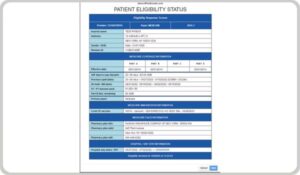
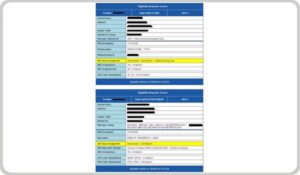
Automatically check patient eligibility one by one or in bulk. Prevent denials, save time, and keep eligibility results attached to each patient chart for easy reference.
👉 Learn how to use Eligibility Verification
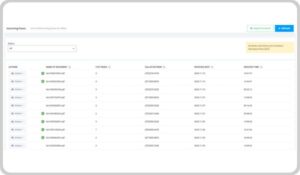
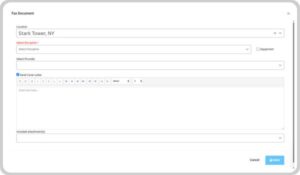
Fax documentation, plans of care, and authorizations securely from your EMR. No paper, no third-party portals — everything is tracked in your Fax Log.
👉 Enable eFaxing
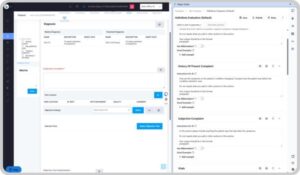
Cut your documentation time with AI Scribe. Record your notes verbally and let the system create accurate, compliant text automatically.
👉 Activate AI Scribe
Connect ptMantra or My Rehab Connection to HelloNote to assign, track, and personalize home exercises for every patient — all within one platform.
Select the platform you want.
Notify everyone in one go — patients, referring providers, or staff — with important updates, reminders, or announcements directly from HelloNote.
👉 Set up Announcement Blast Feature
Integrated Features & Add-Ons
- Credit card integration
- Eligibility verification
- AI Scribe
- HEP and RTM
- Announcement Blast
- Custom Notes
- Flowsheets
User Settings
- E – Signature: allows us to stamp the signature on their notes
- Show in schedule: if you want this therapist to be visible to patients scheduling online (requires the schedule widget feature)
- Unavailable Days for Scheduling in case there are certain days/times that the therapist is always off
- Disable Finalize is great for either students or new therapists so you an review their notes prior to allowing them to finalize
- Allow to Archive Patients: mention that ARCHIVE across the whole system is a “soft delete” so even though it deletes it from their view, for HIPAA we still retain it in our database. If you ever need to restore something, please let us know but just be aware that archiving any data typically means you want it deleted. For archiving notes, show them the note manager so they can retrieve notes themselves
- Therapist Rates: go over options for them to add rates to their visits (either fixed or per treatments) in case they want to use the therapist invoice feature
- Documents: medical forms, credentialing applications, therapist licenses, etc. along with renewal dates
- Email POC Portal: allows doctors to sign POCs electronically -> pricing pending