


















You've found a hidden discount!

HN Unlock Layer 1
HN Unlock Layer 2
HN Unlock Layer 3
HN Unlock Layer 4
HN Unlock Layer 5
  • 00Hours
  • 00Minutes
  • 00Seconds

Category: practice management

Navigating the Shift: A 2026 HIPAA Compliance Guide for Therapy Practices

Table of Contents

February 16, 2026, isn’t just another date on the calendar—it is a regulatory crossroads for your clinic. While you’re balancing patient outcomes with a thinning bottom line, the Office for Civil Rights (OCR) has shifted the goalposts for data privacy.

Between the mandatory overhaul of Notice of Privacy Practices (NPP) and the sudden ubiquity of Generative AI in the clinic, the “wait and see” approach to compliance is now a liability. For PT, OT, and SLP professionals, 2026 is the year where data security must become as clinical and standardized as your SOAP notes.

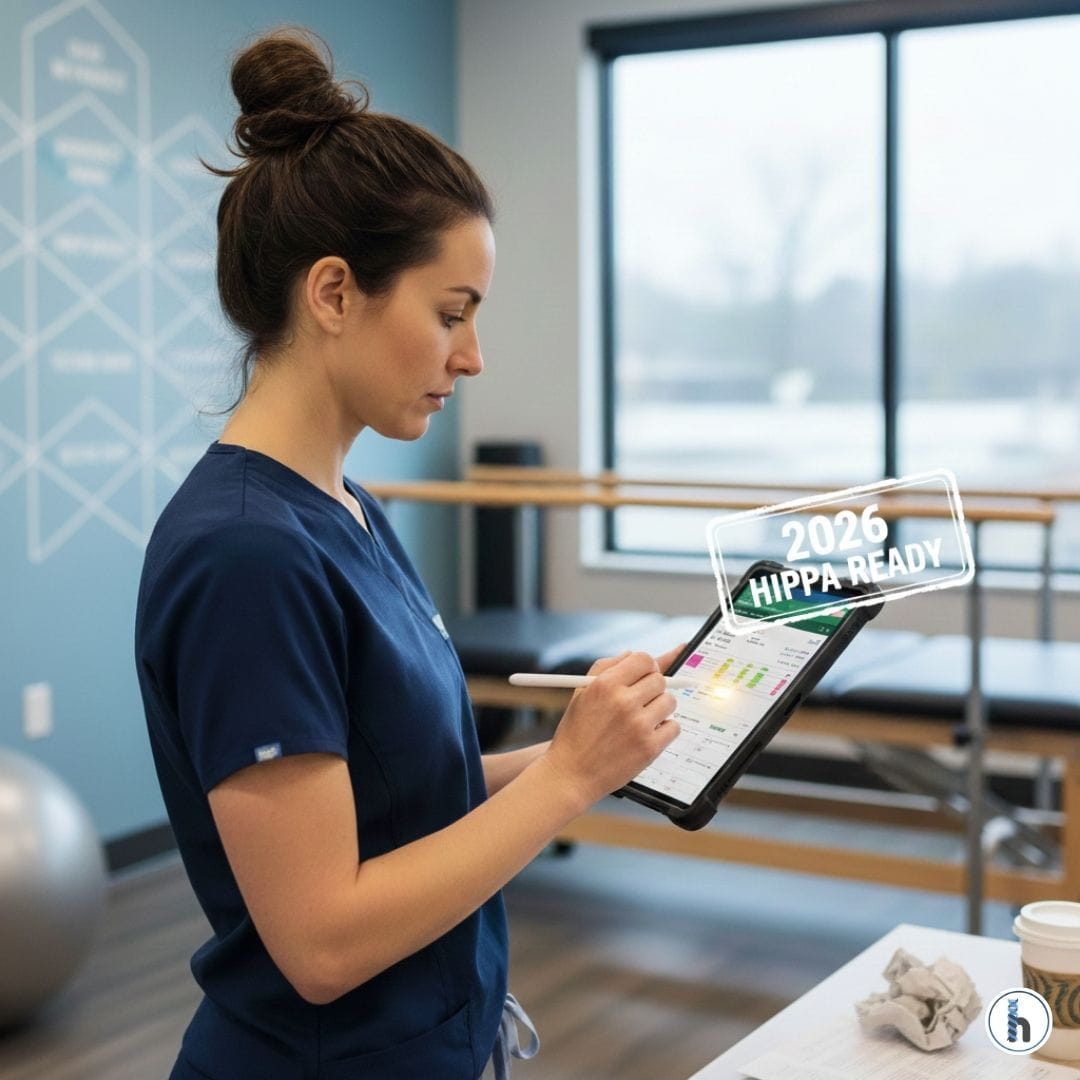
A therapist in navy blue scrubs using a tablet to review digital records in a physical therapy clinic, with a 2026 HIPAA ready status overlay.

The Financial Stakes: 2026 Penalty Tiers

The cost of non-compliance is steeper than ever. Following the January 28, 2026 inflation adjustments, the penalty tiers are strictly enforced to ensure clinics prioritize data integrity:

    • Tier 1 (Unknowing): Up to $73,011 per violation.

    • Tier 2 (Reasonable Cause): Up to $73,011 per violation.

    • Tier 3 (Willful Neglect – Corrected): Up to $73,011 per violation.

    • Tier 4 (Willful Neglect – Not Corrected): Up to $2,190,294 per calendar year cap.

The 3 Pillars of HIPAA Security for Rehab Clinics

To ensure your practice is secure, you must address three specific “safeguards” defined by the HIPAA Security Rule.

1. Administrative Safeguards

These represent the “people and processes” of your clinic.

    • Risk Assessment: You are required to perform a documented risk analysis annually.

    • Business Associate Agreements (BAA): You must have a signed BAA with any vendor that touches patient data, such as your EMR, billing service, or email provider.

    • Staff Training: Every employee, from the front desk to the lead clinician, needs documented HIPAA training.

2. Physical Safeguards

This covers the actual location and physical handling of your data.

    • Workstation Security: Computers should have automatic log-offs and screens positioned so they aren’t visible to the public.

    • Device Management: If you use tablets for documentation, they must be encrypted and capable of being remotely wiped if lost.

3. Technical Safeguards (The HelloNote Advantage)

This is where your software does the heavy lifting. In 2026, the distinction between “addressable” and “required” has vanished—technical safeguards are now mandatory.

    • NIST-Level Encryption: All electronic Protected Health Information (ePHI) must be encrypted both at rest and in transit.

    • Audit Logs: Your EMR must track every time a user views, edits, or deletes a record.

    • Secure Communication: Using standard SMS or Gmail for patient updates is a violation.

Critical 2026 Update: The New Notice of Privacy Practices (NPP)

By February 16, 2026, all therapy practices are required to update their Notice of Privacy Practices to align with 42 CFR Part 2. This is not just for substance use clinics; it applies to any entity that receives or maintains such records. The new rules require clearer language regarding:

    • Patient Right of Access: The turnaround for record requests is effectively shortened from 30 days to 15 days.

    • SUD Records: Updated protections and consent requirements for Substance Use Disorder records.

    • Redisclosure Notices: A mandatory statement notifying patients that their info may be subject to redisclosure once shared.

How HelloNote Streamlines Your Compliance

By choosing an EMR built specifically for rehab therapists, you automate the most difficult technical hurdles. HelloNote provides the encryption, audit trails, and secure messaging you need to stay ahead of the curve:

    • Encrypted Portals: Secure messaging avoids the risks of standard SMS.

    • Automatic BAAs: HelloNote provides a signed BAA to all users instantly.

    • Modern Safeguards: Our platform reflects 2026 NIST-level encryption standards and mandatory Multi-Factor Authentication (MFA).

Frequently Asked Questions

Q1. What is the February 16, 2026 HIPAA deadline?

This is the final deadline for all covered entities to update and post their revised Notice of Privacy Practices (NPP). The update must include new language regarding the handling of Substance Use Disorder (SUD) records and patient rights under 42 CFR Part 2.

Q2. Has the "Right of Access" timeline changed in 2026?

Yes. While the official federal limit remains 30 days, the 2026 guidance strongly pushes for a 15-day turnaround to improve interoperability. Clinics failing to meet this “faster access” expectation are currently a top priority for OCR enforcement.

Q3. Are "addressable" safeguards still optional in 2026?

No. One of the biggest shifts in 2026 is the elimination of the distinction between “required” and “addressable.” All safeguards, including encryption at rest and Multi-Factor Authentication (MFA), are now effectively mandatory for all practices, regardless of size.

Q4. Can I still text my patients about their appointments?

Standard SMS is not secure. To remain compliant, you must use an encrypted messaging platform. HelloNote includes secure messaging within the platform to prevent PHI exposure.

Q5. What is the "Minimum Necessary Rule"?

This rule requires therapists to only disclose the minimum amount of PHI necessary to accomplish a specific task. For example, a billing clearinghouse needs your codes, but they do not need your full clinical SOAP notes.
From SOAP Note to Paid Claim: Automating the Rehab Therapy Revenue Cycle

Table of Contents

Most billing friction in rehab therapy happens in the “dead space” between a finalized note and a submitted claim. HelloNote eliminates this gap with a closed-loop system that automates CPT coding, secure Fiserv payments, and real-time compliance—ensuring your practice is fully reimbursed for every unit of care delivered without the manual grunt work.

The Anatomy of a Modern Revenue Cycle

In a traditional rehab clinic, the revenue cycle is often treated as a series of disconnected events. The therapist documents, the front desk collects, and the biller submits. When these steps happen in silos, “friction” occurs.

HelloNote transforms this into a closed-loop system. The moment you finalize a SOAP note, the clinical data (ICD-10 and CPT codes) flows directly into the billing engine.

The Mechanics of Automation

  • Direct-to-Claim Sync: Your clinical findings automatically populate the claim form, eliminating data re-entry.

  • Real-Time Authorization Tracking: The system monitors visit counts and unit limits in the background, alerting you before you provide unbillable care.

  • Batch Superbill Generation: For pediatric or high-volume clinics, you can generate comprehensive receipts for entire families in two clicks.

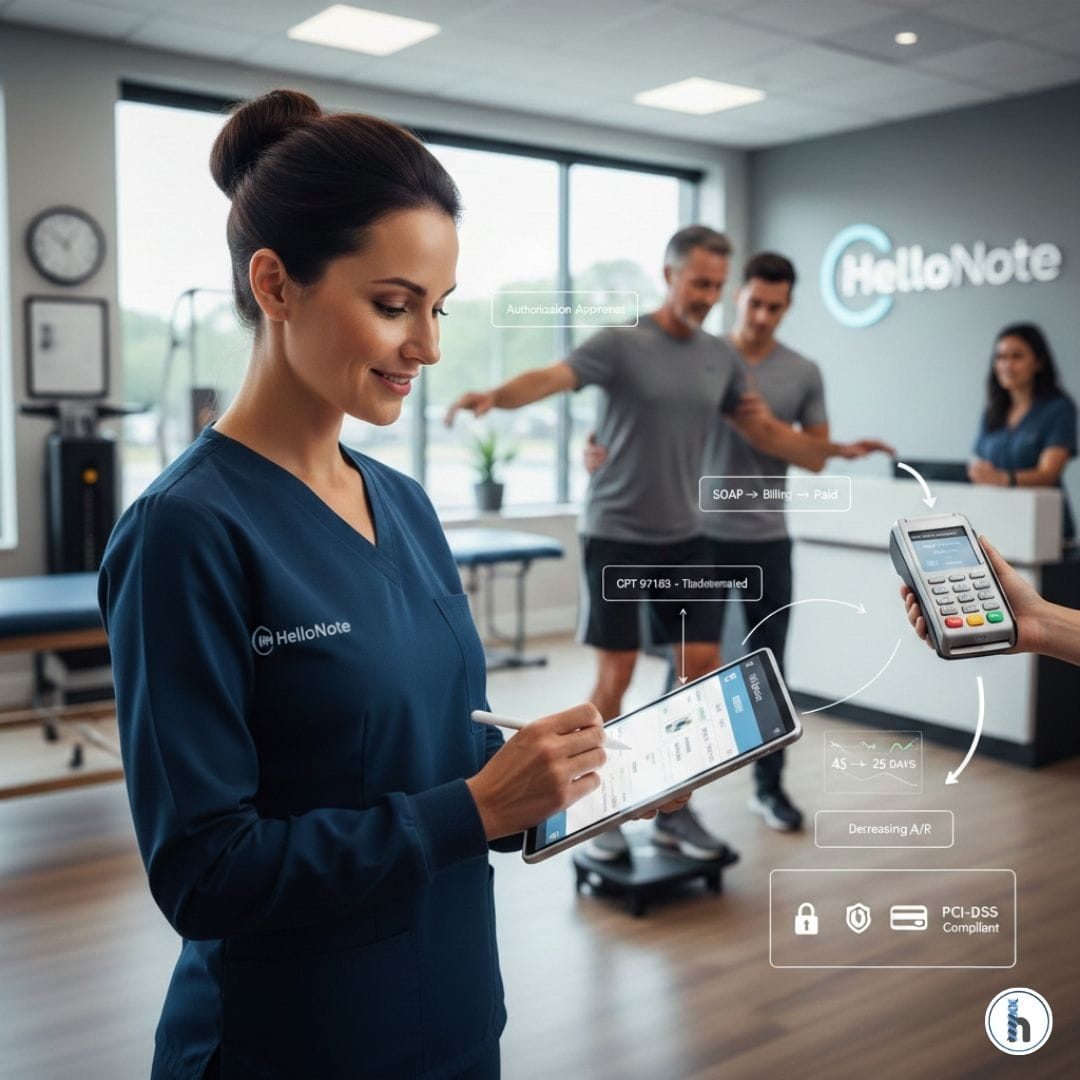
Female physical therapist in blue scrubs using HelloNote tablet to automate SOAP notes and CPT billing in a modern clinic with integrated payment terminals.

Compliance on Autopilot: The 8-Minute Rule

Medicare billing for timed codes is a math-heavy burden. Manually calculating remainders and unit totals is not just slow—it’s an audit risk.

Solving the Calculation Burden

HelloNote’s Automated 8-Minute Rule Calculator does the heavy lifting for you. It sums the total timed minutes across your therapeutic exercises (97110) and manual therapy (97140), then applies the Medicare-standard division to ensure you bill the maximum compliant units.

Why Automated Totals Matter for Audits

Automated calculations provide a standardized “paper trail” that proves medical necessity and billing accuracy, significantly reducing the stress of a CMS audit by removing human calculation error.

Accelerating Cash Flow with HelloNote & Fiserv

The “awkward co-pay conversation” at the front desk can erode the patient-provider relationship. By integrating Fiserv (CardPointe) directly into HelloNote, you move from a “debt collection” model to a “point-of-service” model.

The HelloNote-Fiserv Advantage

  • Secure Card-on-File: Store patient cards with PCI-compliant tokenization so you can run co-pays automatically.

  • Clover Flex Integration: Use portable, “tap-to-pay” hardware for mobile PT or home health visits.

  • Email Payment Links: Send secure links for outstanding balances, allowing patients to pay from their phones.

Comparison: Manual vs. Automated RCM

FeatureManual / Legacy WorkflowHelloNote Automated Workflow
Claim Preparation10–15 min per patient< 30 seconds (Auto-sync)
Authorization CheckManual spreadsheet trackingReal-time automated alerts
8-Minute RuleMental math / Audit riskSystem-enforced compliance
Payment CollectionPaper invoices / Delayed mailInstant Card-on-File / Email Links
Days in A/R45+ days25–30 days

Frequently Asked Questions

Q1. Does RCM automation replace my billing staff?

No. Automation is designed to empower your staff. By handling repetitive tasks like data entry and eligibility checks, your team can focus on high-value work like appealing complex denials and improving patient financial counseling.

Q2. How does HelloNote handle families with multiple children in OT?

Using the Visits and Receipts tab, you can select multiple dates of service across different family members and “Batch Print” a single, comprehensive superbill. This is a massive time-saver for pediatric practices.

Q3. Can I track authorizations by units instead of just visits?

Absolutely. Many payers authorize by total minutes or units. HelloNote allows you to toggle your Patient Authorization Report to track exactly how many units are remaining, preventing you from over-treating or under-billing.

Q4. How secure is the Card-on-File feature?

Extremely. Through our integration with Fiserv, we use P2PE (Point-to-Point Encryption) and tokenization. This means sensitive card data never touches your local servers, significantly reducing your PCI compliance burden.

Q5. Is the credit card hardware portable for mobile therapists?

Yes. With Clover Flex, home health or mobile PT providers can accept chip, swipe, or tap payments at the point of care. All transaction data syncs back to the HelloNote ledger in real-time.

Final Thoughts: Protecting the Clinical Hour

Your revenue cycle shouldn’t distract you from patient care. By automating the “grunt work” of RCM, you protect your time and your clinic’s bottom line.

Simplify Therapy Documentation: How to Streamline SOAP and Daily Notes

Table of Contents

Effective documentation is the clinical foundation of any therapy practice. HelloNote streamlines the process by merging SOAP and daily note workflows into one intuitive system, ensuring compliance,

Why Is Documentation Efficiency Critical for Modern Therapy Clinics?

Documentation is the “source of truth” for your clinical care, but it shouldn’t be the most time-consuming part of your day. For clinic owners, inefficient workflows lead to staff burnout and missed revenue. Effective documentation must satisfy three requirements: it must track patient progress, remain audit-ready for insurance, and be fast enough for a busy, high-volume clinic.

A physical therapist using a tablet to complete a SOAP note in a clinical office during the afternoon.

SOAP Notes vs. Daily Notes: Do You Need Both?

Traditionally, therapists have struggled to find a balance between the depth of SOAP notes and the speed of daily notes.

FeatureSOAP NotesDaily Notes
Primary GoalComprehensive, formal recordingQuick, functional updates
Audit ValueHigh (Critical for reviews)Low (Often insufficient)
Typical UseEvaluations, complex progressRoutine treatment sessions

HelloNote bridges this gap by unifying these formats. You no longer have to choose between clinical rigor and daily efficiency; our system integrates the necessary SOAP structure—Subjective, Objective, Assessment, and Plan—into a streamlined daily workflow.

Breaking Down the HelloNote Unified SOAP Format

How does a unified note structure improve your daily efficiency? By providing a structured, intuitive path for every session entry.

What Is the Subjective (S) Section?

This section captures the patient’s perspective and feedback. By using automated prompts, you can quickly document pain levels, functional changes, or patient goals without having to rewrite common phrases.

What Is the Objective (O) Section?

The Objective section is where measurable data lives. Use this to track range of motion, strength, balance, or speech clarity. HelloNote allows you to import past metrics, so you can see trends immediately.

What Is the Assessment (A) Section?

The Assessment is your clinical interpretation. It synthesizes your S and O findings to identify progress or stagnation. This section is vital for justifying continued care to insurance providers.

What Is the Plan (P) Section?

The Plan outlines your next steps. HelloNote makes it easy to add future exercises or adjust goals, ensuring you have a clear roadmap for the patient’s upcoming sessions.

How HelloNote Reduces Documentation Burnout

Administrative burden is the #1 cause of therapist burnout. HelloNote addresses this by reducing the “click count” and manual input required for every note.

    • Customizable Templates: Choose templates built for specific disciplines (PT, OT, SLP).

    • Automated Data Entry: Automatically import historical goals and patient info to avoid redundancy.

    • Compliance Validation: Real-time prompts flag incomplete or non-compliant sections before you sign off.

    • Seamless CPT Linking: Ensure every note is linked directly to your billing codes, reducing claim denials.

Frequently Asked Questions

Q1. Is HelloNote’s documentation system HIPAA-compliant?

Yes. HelloNote is built from the ground up for healthcare, utilizing NIST-level encryption and automated audit logs to ensure your patient records remain secure and compliant with 2026 HIPAA standards.

Q2. Can I use HelloNote for multidisciplinary practices?

Absolutely. Whether you are a solo practitioner or a large multidisciplinary clinic, HelloNote adapts to the unique documentation needs of physical, occupational, and speech therapists.

Q3. How does this help with insurance audits?

By using our standardized, structured note templates, your records are automatically audit-ready. You won’t have to scramble to find supporting data—it is already organized and linked to the patient’s treatment plan.

Q4. Can I complete my therapy notes during the session?

Yes. With HelloNote’s intuitive design, many therapists use “concurrent documentation”—charting during or immediately after the session to ensure accuracy and reduce after-hours workload.

Q5. How does HelloNote reduce therapist burnout?

HelloNote reduces burnout by automating repetitive data entry, utilizing customizable templates, and linking CPT codes directly to documentation, significantly cutting down on non-billable administrative hours.

Maximizing the 2026 RTM Rule Changes: How EMR Integration Simplifies Your Workflow

Table of Contents

The 2026 Medicare Physician Fee Schedule has officially lowered the barriers to entry for Remote Therapeutic Monitoring (RTM). With reduced data transmission requirements and more flexible time-tracking codes, RTM is no longer just a “value-add”—it is a permanent, high-growth clinical modality for modern practices.

However, new rules bring new documentation requirements. At HelloNote, we’ve partnered with ptMantra to ensure that these favorable changes translate into actual revenue for your clinic without adding hours of paperwork.

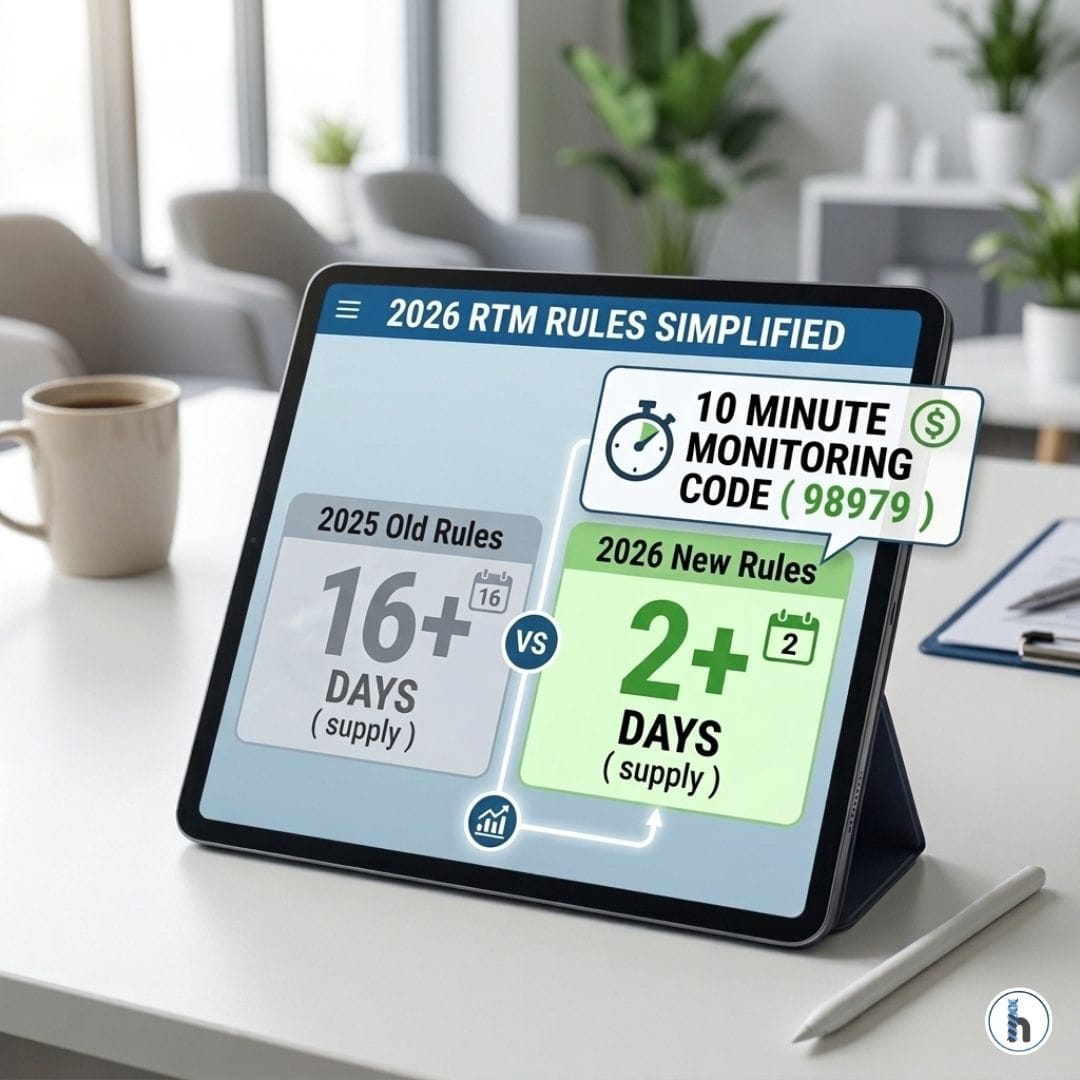
A 2026 RTM comparison chart on a digital dashboard showing simplified data transmission rules (2 days vs. 16 days) and the new 10-minute monitoring code (98979) for Medicare billing.

1. The "Two-Day" Revolution (Codes 98984–98986)

The biggest hurdle to RTM in the past was the 16-day data transmission requirement. Under the new 2026 rules, CMS has introduced codes 98984, 98985, and 98986, which allow providers to claim reimbursement when patients transmit data on just two days in a 30-day period.

The EMR Advantage: Through our FHIR-based API integration, ptMantra automatically notifies HelloNote when these transmission thresholds are met. You don’t have to manually count days; the system tracks the data, so you can focus on the clinical response.

2. Get Paid for Every Minute (Code 98979)

Previously, the initial 20-minute threshold (98980) often left providers with “uncompensated” time if they only reached 15 or 18 minutes. The new 98979 code allows for reimbursement at just 10 minutes of monitoring time.

The EMR Advantage: Every minute of “skilled work”—including updating home exercise programs (HEP) or reviewing clinical notes—counts toward this 10-minute goal. Because ptMantra and HelloNote sync clinical note exchanges, your time spent reviewing patient progress is automatically documented, ensuring no minute of care goes unpaid.

3. In-Person Communication Now Counts

One of the most significant clarifications for 2026 is that “interactive communication” no longer has to be a remote phone call or telehealth visit. A simple in-person conversation about RTM during a standard clinic visit now meets the requirement—provided it is documented in the EMR.

The EMR Advantage: HelloNote makes this “extra step” disappear. By documenting your RTM discussion directly within your daily encounter note, you satisfy the CMS requirement without needing to schedule additional follow-up calls.

4. Eliminating the "Extra Work"

The fear of RTM is often rooted in administrative bloat—manual claims, double-entry of data, and patient registration. Our partnership eliminates these hurdles:

    • Automated Registration: Register patients once in HelloNote; they are automatically synced to ptMantra.

    • Seamless Claims: Integration allows for the automated submission of RTM codes based on the data captured in ptMantra.

    • General Supervision: For PTs and OTs, the rules allow PTAs and OTAs to perform monitoring duties. HelloNote’s workflow ensures these are tracked under the required general supervision of the therapist.

The Bottom Line

The 2026 RTM rules are a clear signal from CMS: they want you to use this modality. By combining the clinical power of ptMantra with the administrative efficiency of HelloNote, your clinic can provide better care, improve patient adherence, and tap into new revenue streams—all while keeping your focus where it belongs: on the patient.

Frequently Asked Questions

Q1. What are the new 2-day RTM codes for 2026?

The 2026 update introduces CPT 98984 (Respiratory), CPT 98985 (Musculoskeletal), and CPT 98986 (Cognitive Behavioral). These codes allow for device supply reimbursement when a patient transmits data for 2 to 15 days in a 30-day period.

Q2. Can I bill CPT 98979 and 98980 in the same month?

No. CPT 98979 (10–19 minutes) and CPT 98980 (20+ minutes) are mutually exclusive. You must bill the single code that accurately reflects the cumulative treatment management time reached by the end of the calendar month.

Q3. Does "Interactive Communication" require a video call?

No. For 2026, CMS clarified that interactive communication can be an audio-only telephone call or even an in-person discussion during a standard clinic visit, provided the RTM management time is documented and not double-counted with other services.

Q4. Can PTAs and OTAs perform the monitoring for these codes?

Yes. RTM codes are billed under General Supervision for 2026. This allows physical therapist assistants (PTAs) and occupational therapy assistants (OTAs) to perform the monitoring and interaction under the overall direction of the therapist.

Q5. How does the HelloNote + ptMantra integration prevent billing errors?

The integration uses a FHIR-based API to sync data. When ptMantra detects that a patient has reached the 2-day or 10-minute threshold, it automatically flags the encounter in HelloNote, ensuring you only submit claims that meet Medicare’s technical requirements.

The Pediatric SLP Efficiency Revolution: Mastering AAC and Feeding Documentation with HelloNote

Table of Contents

Pediatric SLPs can optimize documentation by using specialized EMRs that feature AAC prompt hierarchy trackers and safety-first feeding templates. HelloNote solves the “generic EMR” friction by providing HIPAA-compliant, multidisciplinary charts that track clinical progress from maximum prompting to independence, ensuring medical necessity for insurance re-authorization and improved patient outcomes.

1. Data-Driven AAC Progress: Tracking the Prompt Hierarchy

For a child using Augmentative and Alternative Communication (AAC), progress isn’t just “correct or incorrect.” It is about the fading of cues. In 2026, insurance payers (Medicaid and private) require clear proof of moving toward communicative autonomy.

Beyond Plus/Minus: One-Click Prompt Tracking

Generic systems force you to write long narratives. HelloNote offers specific data points for:

    • Independent (IND)

    • Gestural/Visual Cues

    • Verbal Prompts

    • Physical Assistance (Minimal to Maximal)

Visualizing Autonomy for Re-authorizations

HelloNote automatically transforms this data into Visual Progress Timelines. When you submit for a device or more hours, you aren’t just sending notes—you are sending a professional graph that proves the child is learning to use their “voice.”

2. High-Stakes Pediatric Feeding: Compliance & Safety First

Pediatric feeding and dysphagia are high-risk specialties. Babies surviving the NICU need precise care and even more precise documentation to avoid denials and ensure safety.

Pediatric speech therapist in blue scrubs using a tablet for AAC documentation while a child plays on a swing in a sensory-rich clinic.

Integrated Feeding Safety Modules

Stop using “workarounds.” HelloNote includes dedicated fields for:

    • IDDSI Bolus Levels: Tracking specific textures for liquids and solids.

    • Compensatory Strategies: Documenting chin-tucks, pacing, or side-lying.

    • Medical Necessity Alerts: The system flags missing safety data before you sign, protecting your clinic from liability and claim rejections.

3. The Multidisciplinary Edge: Whole-Child Coordination

Pediatric therapy is a team sport. A child’s ability to use their AAC device is often tied to their sensory regulation (OT) or physical positioning (PT).

Unified Charts for Collaborative Care

In HelloNote, you can instantly see the OT’s sensory strategies from 10 minutes prior. This allows you to adjust your SLP session for “optimal regulation,” leading to better communication outcomes and happier parents.

4. Evidence-Based Pediatric SLP Goal Bank

Burnout happens when you spend hours writing the same articulation or social-emotional goals.

Pre-Loaded Pediatric Library

Access hundreds of customizable goals for:

    • Articulation & Phonology: From “S” blends to phonological processes.

    • Receptive/Expressive Language: Developmentally sequenced.

    • Social Pragmatics: Focusing on reciprocity and intent.

    • IEP & Medical Alignment: Built to satisfy both school-based and medical-billing requirements.

Frequently Asked Questions

Q1. How does HelloNote track AAC prompt fading and device mastery?

HelloNote features a dedicated prompt hierarchy tracker. You can log whether a child required maximal, moderate, or minimal cues, and the system will graph this data to show a clear trend toward independent communication for insurance re-authorization.

Q2. Does HelloNote have specialized templates for pediatric feeding and dysphagia?

Yes. Our feeding modules are built for high-compliance documentation, including specific fields for bolus textures, swallowing safety strategies, and oral-motor assessments to ensure clinical safety and claim approval.

Q3. Can I use HelloNote’s SLP Goal Bank for articulation and pragmatics?

Absolutely. Our system includes a vast library of pediatric-specific goals. You can select a goal and then customize the criteria and mastery levels to fit the child’s specific developmental needs in seconds.

Q4. How does HelloNote automatically handle GN modifiers for speech billing?

HelloNote’s billing engine is “clinician-aware.” It identifies your NPI as an SLP and automatically applies the GN modifier to every claim, eliminating the manual billing errors that lead to revenue delays.

Q5. Why is a unified multidisciplinary chart in HelloNote better for SLPs?

It allows for true co-treatment and coordination. By seeing the OT’s sensory strategies or the PT’s positioning recommendations in the same chart, the SLP can optimize the environment for the best possible communication outcomes.

Conclusion: An EMR That Speaks Your Clinical Language

Pediatric SLPs shouldn’t have to “fit” their complex AAC and feeding data into generic boxes. You deserve a workspace that respects your expertise.

Ready to see the SLP difference? Schedule your Pediatric HelloNote Demo today.

Therapy Scheduling Software That Improves Patient Flow

Table of Contents

In a therapy practice, scheduling isn’t just about filling time slots.
It’s about managing patient expectations, reducing no-shows, protecting staff time, and keeping the entire clinic aligned throughout the day.

HelloNote’s Scheduling & Patient Flow tools are built specifically for therapy clinics—supporting real-world workflows for physical therapy, occupational therapy, speech therapy, and multidisciplinary practices.

From the moment an appointment is booked to the moment a patient is discharged, HelloNote helps clinics stay organized, efficient, and patient-centered.

Customize Your Therapy Clinic Calendar to Match Your Workflow

Therapy clinic front desk staff coordinating schedules while patients wait in an organized reception area

No two therapy clinics operate the same way. Some need a tight daily view. Others plan weeks ahead across multiple providers.

HelloNote allows clinics to customize how many days appear in the schedule, making it easier to focus on what matters most—whether that’s today’s patient load or future availability.

Block Time to Protect Staff and Prevent Errors

Clinics can block time directly on the calendar for:

    • Lunch breaks
    • Team meetings
    • Vacation days
    • Administrative or documentation time

Blocked time appears clearly on the schedule, preventing double-booking and last-minute disruptions.

Why this matters:
Clear calendars reduce scheduling mistakes, staff burnout, and workflow interruptions—especially in busy outpatient clinics.

Offer Online Scheduling Through Your Therapy Website

Modern patients expect convenience. HelloNote makes it easy to offer online appointment scheduling through a secure Patient Portal link embedded directly on your clinic website.

Patients can book appointments without calling the front desk, while staff maintain full control over availability and appointment rules.

Why this matters:
Online scheduling reduces phone volume, captures appointments after hours, and improves the patient experience without increasing admin workload.

Automated Appointment Confirmations That Reduce Confusion

Once an appointment is scheduled, HelloNote automatically sends appointment confirmations via email and SMS.

These confirmations clearly communicate:

    • Appointment date and time
    • Location or clinic details
    • Reassurance that the visit is booked

Why this matters:
Clear confirmations reduce cancellations caused by uncertainty and miscommunication.

Appointment Reminders That Reduce No-Shows

Missed appointments cost clinics time, revenue, and care continuity. HelloNote helps reduce no-shows with automated appointment reminders sent by email and SMS.

Clinics can:

    • Enable reminders per patient
    • Choose when reminders are sent (hours or days before visits)
    • Use email, SMS, or both
    • Include confirmation links when needed

If a patient accidentally unsubscribes, resubscribing is simple and quick.

Why this matters:
Consistent, automated reminders significantly reduce no-shows without adding extra work for your staff.

Internal Task and Event Reminders for Therapy Teams

Patient care doesn’t stop when a visit ends. Follow-ups, documentation, and administrative tasks all require coordination.

HelloNote supports internal reminders using two built-in tools:

Patient Alerts

Persistent notes attached directly to a patient’s chart—ideal for ongoing reminders or special instructions.

Event Reminders

Time-based reminders with due dates and notifications for tasks like authorizations, follow-ups, or discharge planning.

Why this matters:
Internal reminders help teams stay organized without relying on memory, sticky notes, or disconnected systems.

Real-Time Patient Status Tracking Across Your Clinic

Knowing where each patient stands—at a glance—improves coordination across front desk and clinical teams.

HelloNote’s Patient Status Tracker allows clinics to view and update patient statuses in real time, including:

    • Active
    • Evaluation
    • Inactive
    • Needs Authorization
    • Needs Eligibility
    • Needs Discharge

Statuses can be updated instantly using drag-and-drop functionality.

Why this matters:
Real-time visibility reduces delays, improves communication, and supports better operational decisions across the clinic.

Scheduling and Patient Flow Built for Real Therapy Clinics

HelloNote’s scheduling features are not isolated tools. They work together as a connected system designed around therapy workflows.

From online scheduling and automated reminders to internal alerts and patient status tracking, HelloNote helps clinics:

    • Reduce administrative burden
    • Improve patient communication
    • Protect clinician and staff time
    • Support consistent, high-quality care

If your clinic needs scheduling that works with your workflow—not against it—HelloNote is built for therapy practices.

Frequently Asked Questions About Therapy Scheduling Software

Q1. What is therapy scheduling software?

Therapy scheduling software helps clinics manage appointments, provider availability, patient communication, and workflow coordination in one system designed specifically for rehab therapy practices.

Q2. How does scheduling software reduce no-shows?

Automated appointment confirmations and reminders via email and SMS keep patients informed and reduce missed visits caused by forgetfulness or confusion.

Q3. Can patients schedule therapy appointments online?

Yes. HelloNote allows clinics to offer online scheduling through a secure Patient Portal link on their website.

Q4. Can staff block time on the schedule?

Yes. Clinics can block time for lunches, meetings, vacations, and administrative tasks directly on the calendar.

Q5. How does patient status tracking help clinic operations?

Real-time patient status tracking improves coordination between front desk and clinical teams, reduces delays, and helps clinics prioritize next steps like authorizations or discharges.

Physical Therapist Assistant vs. Physical Therapy Tech: What Clinic Owners Must Know About Compliance, Billing, and Scope

Table of Contents

For physical therapy clinic owners, understanding the difference between a Physical Therapist Assistant (PTA) and a Physical Therapy Tech (also called an aide) is not just a staffing issue—it’s a compliance, billing, and risk management decision.

Using these roles incorrectly can trigger:

Used correctly, however, PTAs and Techs can dramatically improve clinic efficiency, patient throughput, and profitability.

This guide breaks down the real operational differences between PTAs and PT Techs, explains what each role can and cannot do, and shows how clinics can stay compliant using proper documentation and supervision workflows.

Physical therapist assistant providing supervised therapeutic exercise to a patient while a physical therapy technician prepares equipment in a modern outpatient clinic

Understanding the Core Difference Between a PTA and a PT Tech

At a high level, the distinction comes down to licensure, scope of practice, and billability.

Physical Therapist Assistant (PTA) — A Licensed Clinical Provider

A PTA is a licensed healthcare professional who has:

    • Completed an accredited associate degree program
    • Passed a national licensing exam
    • Obtained state licensure

PTAs provide skilled therapy services under the supervision of a Physical Therapist.

What PTAs are allowed to do:

    • Deliver treatments from the PT’s established plan of care
    • Perform therapeutic exercises and activities
    • Administer modalities such as ultrasound or e-stim
    • Track patient progress and report clinical findings
    • Educate patients on home exercise programs

Key point:
PTAs can deliver billable services when supervision rules are met.

Physical Therapy Tech (Aide) — An Unlicensed Support Role

A Physical Therapy Tech is not licensed and does not provide skilled care.

Techs support clinic operations and patient flow but must work under direct, continuous supervision.

What Techs are allowed to do:

    • Prepare treatment rooms and equipment
    • Clean and organize clinic spaces
    • Transport patients
    • Assist with scheduling and administrative tasks
    • Set up hot/cold packs or equipment (with supervision)

What Techs cannot do:

    • Lead therapeutic exercises
    • Provide skilled interventions
    • Make clinical decisions
    • Document skilled care
    • Bill for services

Key point:
Services performed by Techs are not billable to insurance.

Why the PTA vs. Tech Distinction Matters for Compliance and Billing

Many clinics get into trouble not because of poor care but because of role misuse.

Billing and Reimbursement Rules

    • PTA services = billable (with proper supervision and documentation)
    • Tech services = never billable

If a Tech performs tasks that resemble skilled care—even with good intentions—claims can be denied or clawed back during audits.

Legal and Regulatory Risk

Common compliance violations include:

    • Techs leading exercises
    • Techs documenting patient care
    • PTAs working without required supervision
    • Missing or late co-signatures

These issues can result in:

    • Medicare audits
    • Commercial payer recoupments
    • State board disciplinary action

How Clinics Should Use PTAs and Techs Strategically

When roles are used correctly, both positions add tremendous value.

Maximizing PTA Clinical Value

Best practices for PTAs:

    • Assign PTAs their own treatment schedules
    • Let PTs focus on evaluations, re-evaluations, and complex cases
    • Use PTAs to increase total patient capacity

This model improves access to care without increasing PT burnout.

Leveraging PT Techs for Operational Efficiency

Techs shine when they:

    • Own clinic logistics
    • Handle setup and breakdown between patients
    • Reduce downtime for PTs and PTAs

In some states, Techs may monitor pre-established exercises under direct supervision—but this varies by practice act and payer policy.

Documentation and Supervision Rules You Cannot Ignore

The Documentation Golden Rule

The person who performs the skilled service must document it.

    • PTA provides treatment → PTA documents
    • PT reviews and co-signs PTA notes
    • Techs never document skilled care

Failure to follow this rule is a top audit trigger.

Supervision Requirements (High-Level Overview)

    • PTA supervision: PT must be available and involved (varies by state)
    • Tech supervision: Direct, in-room supervision during patient interaction

Always follow the strictest rule between:

How HelloNote Helps Clinics Stay Compliant Across Roles

Technology plays a critical role in preventing scope-of-practice violations.

Role-Based Access Controls

HelloNote allows clinics to:

    • Grant PTAs access to documentation and scheduling
    • Restrict Techs to non-clinical modules
    • Prevent unauthorized charting automatically

This removes guesswork and reduces human error.

Co-Signature and Supervision Workflows

    • PTA notes are automatically routed to supervising PTs
    • Alerts flag missing co-signatures
    • Managers can audit supervision history at any time

This protects both clinicians and the clinic.

Protecting Clinical Time

With streamlined templates and workflows:

    • PTs and PTAs document faster
    • Techs keep the clinic moving
    • Everyone works at the top of their license

PTA vs. PT Tech — Quick Comparison Table

Role

Licensed

Billable

Primary Function

PTA

Yes

Yes

Deliver skilled therapy under PT plan

PT Tech

No

No

Support clinic flow and operations

Frequently Asked Questions (FAQ)

Q1. Can a Physical Therapy Tech bill insurance?

No. PT Tech services are not billable under Medicare or commercial insurance.

Q2. Can a PTA document patient care?

Yes. PTAs document the services they provide, but those notes typically require PT review and co-signature.

Q3. Can a Tech supervise exercises?

Only in limited circumstances, under direct supervision, and depending on state practice acts. These services are still not billable.

Q4. What happens if a Tech performs skilled care?

Claims may be denied, recouped, or flagged during audits. Repeated violations can lead to payer or board action.

Q5. How can clinics prevent role misuse?

By setting clear protocols, training staff, and using EMR systems with role-based permissions and supervision tracking.

Final Takeaways for Clinic Owners

    • PTAs generate revenue through skilled care
    • Techs increase efficiency by supporting operations
    • Mixing scopes creates serious compliance risk
    • Clear protocols + proper EMR controls are essential

Clinics that understand—and respect—these boundaries are better positioned to scale safely, remain compliant, and protect revenue.

Conclusion

A Physical Therapist Assistant is a clinical extender.
A Physical Therapy Tech is a capacity builder.

Both are valuable but only when used correctly.

With clear role definitions, proper supervision, and the right EMR safeguards in place, clinics can grow confidently without exposing themselves to unnecessary compliance risk.

Want to see how HelloNote protects your clinic while improving efficiency?
Book a demo today and see how role-based workflows make compliance easier for every member of your team.

Why Physical Therapy Practice Challenges Are Getting Harder—and How Clinics Are Responding

Table of Contents

Running a physical therapy clinic today involves far more than delivering quality care. Practice owners and rehab leaders are navigating shrinking reimbursement, staffing shortages, rising operational costs, and increasingly complex payer requirements. These physical therapy practice challenges affect everything from patient outcomes to clinician morale and long-term business stability.

Understanding what’s driving these pressures and how successful clinics are responding is essential for practices that want to remain sustainable and competitive in the years ahead.

Declining Reimbursement Rates

Why reimbursement pressure continues to increase

Physical therapist in a clinic reviewing stacks of paperwork, highlighting common physical therapy practice challenges such as documentation burden and administrative stress.

Reimbursement remains one of the most persistent challenges for PT clinics. Medicare cuts over the past several years have set a precedent that commercial payers often follow. At the same time, operating expenses continue to rise, leaving clinics squeezed from both ends.

Practical ways clinics are responding

Many practices are adapting by:

    • Developing specialty programs that support higher-value care
    • Introducing cash-based or hybrid services
    • Tightening documentation to protect earned reimbursement
    • Using EMRs that reduce underbilling and missed charges

Staffing Shortages and Clinician Burnout

Recruitment and retention challenges

Physical therapy practices are facing widespread staffing strain. Burnout, administrative overload, and limited career growth opportunities have made retention increasingly difficult.

Strategies that support long-term staff stability

Clinics that retain staff more successfully often:

    • Offer flexible scheduling models
    • Reduce documentation time through better workflows
    • Create mentorship and advancement pathways
    • Invest in tools that make daily work easier, not harder

Balancing Productivity With Quality Care

The productivity dilemma

Many therapists are expected to manage high patient volumes, which can lead to rushed care and clinician dissatisfaction. This creates ethical and operational tension for practice leaders.

How clinics are restoring balance

Forward-thinking clinics are:

    • Shifting focus toward outcomes-based care
    • Leveraging team-based models with PTAs and aides
    • Using technology to reclaim time spent on documentation
    • Expanding patient education beyond in-clinic visits

Prior Authorization and Payer Complexity

Administrative burden from payer rules

Authorization requirements and payer documentation standards continue to intensify. Many clinics spend significant time managing approvals, appeals, and follow-ups.

Reducing friction in authorization workflows

Successful practices focus on:

    • Consistent documentation of medical necessity
    • Clear goal progression tracking
    • Systems that flag missing elements before submission
    • Proactive communication with payers and referral sources

Technology Overload and Disconnected Systems

Too many tools, not enough integration

Many PT clinics rely on multiple disconnected platforms for scheduling, documentation, billing, and reporting. This fragmentation contributes to inefficiency and staff frustration.

Moving toward unified workflows

Clinics addressing this challenge are:

    • Consolidating systems where possible
    • Reducing duplicate data entry
    • Training staff on optimized workflows
    • Choosing therapy-specific platforms instead of generic medical software

Patient No-Shows and Schedule Instability

The financial impact of missed visits

No-shows and late cancellations disrupt care continuity and revenue. Even modest no-show rates can significantly impact clinic performance.

Improving attendance and engagement

Effective approaches include:

    • Automated reminders via text and email
    • Clear communication around cancellation policies
    • Same-day scheduling flexibility
    • Helping patients understand how consistency affects outcomes

Rising Operational Costs

Where costs are increasing

From equipment and supplies to utilities and rent, operational expenses continue to rise. These increases directly affect margins, especially for smaller clinics.

Managing overhead more effectively

Clinics are responding by:

    • Reviewing vendor contracts regularly
    • Exploring shared spaces or subleasing options
    • Investing in preventive equipment maintenance

Improving operational efficiency to offset cost increases

Gaps in Communication With Referring Providers

Why coordination matters

Incomplete referrals and poor information flow can delay care and create inefficiencies across the care continuum.

Strengthening collaboration

Practices improving referral coordination often:

    • Standardize intake and referral documentation
    • Share progress updates with providers
    • Use secure, cloud-based access for care teams
    • Build stronger local referral relationships

Frequently Asked Questions About Physical Therapy Practice Challenges

Q1. What are the biggest challenges facing physical therapy practices today?

Common challenges include declining reimbursement, staffing shortages, documentation burden, payer complexity, and rising operational costs.

Q2. How does documentation impact PT clinic profitability?

Incomplete or inconsistent documentation can lead to denials, downcoding, and audits, directly affecting revenue.

Q3. Why is staff burnout such a major issue in PT clinics?

Burnout is often driven by high patient volume, excessive administrative work, and inefficient technology.

Q4. Can better technology really reduce PT practice challenges?

Yes. Therapy-specific EMRs can streamline documentation, billing, and workflows, reduce stress and improving efficiency.

Q5. How can PT clinics prepare for future challenges?

By investing in scalable systems, supporting staff development, optimizing workflows, and staying proactive with compliance and payer requirements.

How HelloNote Helps Clinics Address These Challenges

HelloNote was built specifically for therapy practices, with workflows designed to support both clinical and operational needs.

Clinics using HelloNote benefit from:

    • Documentation templates aligned with payer expectations
    • CPT-linked workflows that support accurate billing
    • Reduced documentation time for therapists
    • Unified scheduling, billing, and reporting tools
    • Compliance-ready records without added admin burden

By supporting clarity and consistency, HelloNote helps clinics navigate today’s physical therapy practice challenges more confidently.

Turning Today’s Challenges Into Long-Term Growth

Practices that thrive are not those without challenges—but those that respond strategically. By tracking the right metrics, supporting staff effectively, investing in the right systems, and refining workflows, clinics can turn pressure into progress.

The future of physical therapy belongs to practices that adapt early and operate intentionally.

Choosing the Right EMR for Occupational Therapy Practices

Table of Contents

Occupational therapy clinics rely on documentation more than most healthcare settings. From activity analysis and functional goals to school-based reporting and payer compliance, the EMR you choose directly affects how efficiently your team works—and how reliably your clinic gets paid.

Yet many occupational therapists are still using EMRs that were designed for general medicine or adapted secondhand for therapy. These systems often create more friction than support.

This guide walks through what occupational therapy practices should look for in an EMR, how modern systems are evolving, and how clinics can choose software that supports both clinical care and long-term growth.

Why Occupational Therapy EMR Needs Are Different

A therapist thoughtfully evaluating practice workflows while considering an AI-powered EMR for a modern therapy clinic.

Occupational therapy documentation isn’t just about recording treatment—it’s about capturing function, context, and progress over time.

OTs routinely document:

    • ADLs and IADLs
    • Environmental factors and adaptations
    • Sensory processing and regulation
    • Fine motor and cognitive skills
    • School-based and pediatric goals
    • Longitudinal progress tied to real-world outcomes

Generic EMRs struggle to support this complexity. As a result, therapists spend more time editing templates than treating patients.

What to Look for in an EMR for Occupational Therapy

OT-Specific Documentation Tools

An effective occupational therapy EMR should support how OTs actually think and document.

Look for features such as:

    • ADL / IADL tracking tied to functional goals
    • Sensory integration and regulation templates
    • Fine and gross motor goal libraries
    • Goal Attainment Scaling (GAS) support
    • Pediatric and school-based evaluation formats

When documentation mirrors clinical reasoning, notes become faster, clearer, and easier to defend during audits.

Workflow Efficiency That Reduces Burnout

Documentation time is one of the biggest drivers of clinician fatigue. An OT-friendly EMR should reduce friction—not add steps.

Helpful workflow features include:

    • Customizable evaluations and daily notes

    • Carry-forward goals and objective measures

    • Tablet-friendly interfaces for in-home or school settings

    • Voice-to-text or assisted documentation tools

When therapists finish notes on time, clinics reduce after-hours charting and staff turnover.

Billing and Compliance Built Into the Workflow

Occupational therapy billing requires precise alignment between:

    • Evaluation findings

    • Goals and treatment plans

    • Daily notes

    • CPT codes and modifiers

An EMR should support this alignment automatically—not rely on manual cross-checking.

Key billing features include:

    • CPT suggestions linked to documentation

    • Alerts for missing medical necessity elements

    • Plan-of-care visibility during daily notes

    • Audit-ready records without extra admin steps

Strong documentation doesn’t increase reimbursement—but weak documentation almost always reduces it.

Comparing Common EMR Options for OT Practices

TheraNest OT Pro

Best for: Multi-disciplinary practices 
Highlights: 

    • FlowNotes for rapid documentation 
    • Outcome measure calculators 
    • Inventory tracking and telehealth tools 
      Ideal for: Clinics that need powerful analytics and flexible reporting 

WebPT Occupational Therapy

Best for: Outpatient rehab centers 
Highlights: 

    • Medicare compliance safeguards 
    • Custom home exercise program creator 
    • Real-time alerts during documentation 

HelloNote OT Suite

Best for: Pediatric and family-centered practices 
Highlights: 

    • Visual schedule builders for sensory-based sessions 
    • Comprehensive Pediatric Evaluation Template 
    • Sensory profile integration 
    • Medicare compliances  
    • Automation Features 
    • Secure parent engagement portal 
    • Referral tracking and task management systems 
  • Why clinics choose HelloNote: 
    HelloNote was built by therapists for therapists. The OT Suite is highly customizable and especially effective for pediatric practices needing flexibility, speed, and family-friendly communication.

ClinicSource OT Edition

Best for: Growing solo or group practices 
Highlights: 

    • SOAP note auto-generation 
    • Referral tracking 
    • Equipment lending system 
      Ideal for: Newer clinics seeking scalable workflows with automation tools 

Fusion OT Enterprise

Best for: Large-scale rehab networks 
Highlights: 

    • Enterprise-level multi-site analytics 
    • Advanced scheduling automation 
    • Staff competency dashboards 

Special Considerations for Pediatric and School-Based OT

If your practice works with children or school systems, EMR requirements change significantly.

Look for systems that support:

    • IEP-aligned goal tracking

    • Parent and caregiver communication

    • Progress reports formatted for schools

    • Sensory profiles and developmental milestones

    • Secure document sharing

A one-size-fits-all EMR often breaks down in these environments.

Implementing a New EMR Without Disrupting Care

Best Practices for a Smooth Transition

    • Request OT-specific demos using real patient scenarios
    • Time how long therapists complete sample notes
    • Migrate only what you need—not everything
    • Train “super users” first before full rollout
    • Choose vendors with therapy-focused onboarding
    • Clinics that plan implementation carefully typically regain productivity within weeks—not months.

Future-Proofing Your Occupational Therapy Practice

As OT care evolves, EMRs are expanding to support:

    • Outcome tracking and long-term progress trends

    • AI-assisted documentation support

    • Telehealth and hybrid care models

    • Population-level reporting for school and pediatric programs

Choosing an EMR that continues to invest in therapy-specific innovation protects your clinic long term.

Frequently Asked Questions

Q1. What makes an EMR suitable for occupational therapy?

What makes an EMR suitable for occupational therapy?

Q2. Do OT practices need specialty-specific EMRs?

Yes. Generic EMRs often lack the structure needed for OT documentation, leading to inefficiency and audit risk.

Q3. How does an EMR affect OT reimbursement?

Clear alignment between evaluations, goals, daily notes, and CPT codes reduces denials and downcoding.

Q4. Can one EMR support both pediatric and adult OT?

Some systems can, but only if they offer flexible templates and workflow customization.

Q5. Why do OT clinics choose HelloNote?

HelloNote is designed specifically for therapy practices, with workflows that support occupational therapy documentation, billing, and growth.

Final Thoughts — Choosing the Right EMR for OT

There is no single “best EMR” for every occupational therapy practice. The right choice depends on:

    • Your patient population

    • Your documentation style

    • Your billing complexity

    • Your growth plans

What matters most is alignment. An EMR should support how occupational therapists practice—not force them to adapt to software limitations.

When an EMR Is Forced to Change: What Therapy Practices Need to Do Next

Table of Contents

For many therapy practices, switching software is rarely a proactive decision. It’s usually triggered by something uncomfortable: a vendor sunset a product, raises prices without warning, removes key features, or stops supporting compliance updates. Suddenly, what felt “good enough” is no longer sustainable.

This is what a forced EMR change looks like in real life and it’s becoming more common across PT, OT, SLP, and multidisciplinary practices.

While a forced EMR change can feel disruptive, it can also be a turning point. Practices that approach the transition strategically often come out stronger, more efficient, and better positioned for growth.

This guide walks through what a forced EMR change really means, the risks to watch for, and how therapy practices can make the move without sacrificing care quality or revenue.

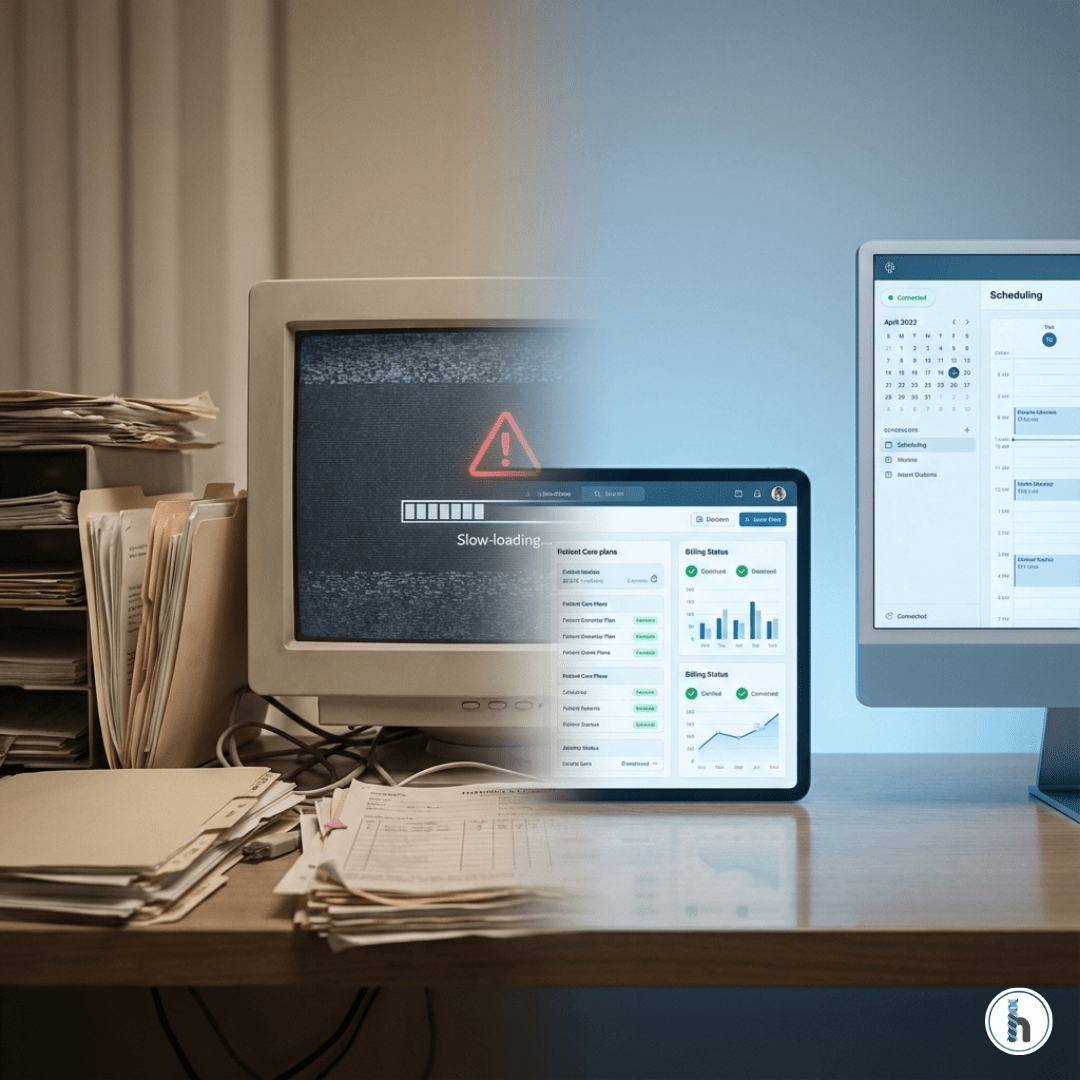
EMR transition for therapists showing a clinic moving from a slow legacy EMR with paper files to a modern digital EMR dashboard

Why Forced EMR Changes Are Increasing

EMR platforms are evolving fast and not always in ways that benefit therapy clinics. Common reasons practices are pushed into a change include:

    • EMR vendors discontinuing legacy systems

    • Compliance gaps around Medicare, Medicaid, or payer updates

    • Limited support for therapy-specific workflows

    • Sudden pricing changes or locked-in contracts

    • Poor performance, downtime, or unreliable billing tools

In many cases, the software hasn’t “broken”—it’s simply no longer keeping up. And when an EMR can’t support documentation, billing, or compliance requirements, the practice is left with little choice but to move on.

The Hidden Risks of Waiting Too Long

One of the biggest mistakes practices make during a forced EMR change is delaying action in hopes that the situation will improve.

Here’s what waiting often costs:

    • Billing disruptions from outdated rules or broken integrations

    • Increased denials due to incomplete or inconsistent documentation

    • Staff burnout from workarounds and duplicate data entry

    • Compliance exposure during audits or payer reviews

    • Rushed transitions that create data loss or training gaps

By the time many practices finally switch, they’re already under pressure—financially and operationally.

What to Prioritize During a Forced EMR Transition

Not all EMR switches are equal. A forced EMR change is not just about replacing software it’s about fixing what wasn’t working in the first place.

Therapy practices should evaluate the next system based on real-world needs, not marketing promises.

1. Therapy-Specific Documentation

Your EMR should support how therapists actually work not force generic medical templates into rehab workflows.

Look for:

    • Goal-driven documentation

    • Discipline-specific templates for PT, OT, and SLP

    • Integrated progress tracking tied to plans of care

    • Audit-ready notes without excessive manual input

2. Billing and Compliance Alignment

A forced EMR change often reveals billing weaknesses that were already costing the practice money.

Your next system should:

    • Align CPT codes with documentation

    • Support Medicare and Medicaid requirements

    • Reduce manual billing corrections

    • Flag missing or incomplete notes before claims go out

3. Data Migration Without Chaos

One of the biggest fears during a forced EMR change is losing historical records.

A strong EMR partner will:

    • Migrate patient demographics and clinical data safely

    • Preserve documentation history for audits

    • Provide a clear migration timeline

    • Minimize downtime during the transition

4. Training That Respects Your Team’s Time

Therapists don’t have time for weeks of onboarding.

The right EMR:

    • Is intuitive from day one

    • Offers role-based training

    • Supports staggered onboarding

    • Helps teams document faster—not slower—within days

How HelloNote Supports Practices Facing a Forced EMR Change

HelloNote was built specifically for therapy practices that need clarity, stability, and control especially during transitions.

For clinics navigating a forced EMR change, HelloNote focuses on:

    • Clean, therapy-first documentation that aligns with payer expectations

    • Integrated billing workflows that reduce denials and rework

    • Clear visibility into goals, plans of care, and reassessments

    • Responsive onboarding support tailored to your clinic’s structure

    • Cloud-based reliability without costly IT maintenance

Rather than forcing practices to adapt to software limitations, HelloNote adapts to how therapists actually deliver care.

Turning a Forced EMR Change Into a Strategic Upgrade

While no practice wants to be pushed into change, a forced EMR change can become an opportunity to fix long-standing inefficiencies.

Practices that succeed after a transition often report:

    • Faster documentation times

    • Cleaner claims and improved cash flow

    • Better therapist satisfaction

    • Stronger compliance confidence

    • More scalable operations

The key is choosing an EMR that doesn’t just replace the old system—but removes the friction that made the change necessary in the first place.

Frequently Asked Questions About Forced EMR Changes

Q1. What does a forced EMR change mean for a therapy practice?

A forced EMR change happens when a clinic must switch systems due to vendor shutdowns, compliance gaps, pricing changes, or lack of support—rather than choosing to switch voluntarily.

Q2. How long does an EMR transition usually take?

Most therapy practices complete a transition within 30–90 days, depending on data migration needs, staff size, and training requirements.

Q3. Can a forced EMR change affect billing or reimbursement?

Yes. Without proper planning, practices can experience claim delays or denials. Choosing an EMR with built-in billing safeguards helps prevent disruption.

Q4. What data should be migrated during an EMR switch?

At minimum, patient demographics, active plans of care, progress notes, and historical documentation needed for audits should be preserved.

Q5. How can practices minimize disruption during a forced EMR change?

Clear timelines, phased onboarding, staff training, and working with an EMR experienced in therapy workflows are critical to a smooth transition.

Final Takeaway

A forced EMR change is rarely convenient but it doesn’t have to be damaging.

With the right planning and the right platform, therapy practices can protect patient care, stabilize billing, and emerge with systems that actually support their growth.

If your clinic is facing a forced EMR change or sensing one coming it’s worth choosing a platform designed for where therapy practices are headed, not where they’ve been.

HelloNote helps clinics make that transition with clarity, confidence, and long-term stability.

You've found a hidden discount!

  • 00Hours
  • 00Minutes
  • 00Seconds